As a manager, you’re probably painfully familiar with this trend: Everyone seems like they have time on paper. But in reality, deadlines are constantly pushed back, key people are blocked, and budgets keep running out.
The disconnect usually boils down to how work is tracked, planned, and organized. When capacity planning decisions are based on iffy data and best case assumptions, it’s easy to overcommit without realizing it.
Resource management software is built to help you avoid this exact problem.
These resource planning solutions give you real visibility into workload and capacity so you can plan work around people’s actual availability — after you’ve considered vacation, public holidays, pre-scheduled recurring tasks, and all the other things that eat into their time.
This post explores what resource management software does and how it differs from similar tools. We’ll also compare the following tools:
- Toggl
- Float
- Resource Guru
- Mosaic
- Teamwork.com
- Smartsheet
- Scoro
- Dayshape
What is resource management software?
Resource management software helps teams understand how much work they can take on at any given time, based on availability and capacity. Instead of focusing on task management alone, these tools look at resources through an operational lens of:
- People: Their availability, workload, and utilization rate
- Time: Available capacity today, next week, or next quarter
- Budgets: The costs of taking a project on, based on billable vs. non-billable work
- Equipment: Some apps also show available machinery or vehicles
Unlike general project management tools, which mostly focus on assigning and overseeing work, resource management apps aim to answer practical questions, such as:
- Who has the capacity to take more work on?
- Who’s overloaded and at risk of burnout?
- How will the project progress change with reallocating more people?
- What happens to project delivery if there are resourcing bottlenecks?
At its core, resource management software exists to protect capacity. It gives managers the visibility to commit to projects with confidence, rebalance work early, and grow work volumes without burning people out.
How does resource planning software compare to similar tools and platforms?
There’s a lot of overlap in the software space, so product categories can feel fuzzy. Here’s how resource management apps differ from adjacent software, like project management, HR, ERP, and PSA software:
| Software type | Primary focus | What it helps teams answer | Where it falls short |
| Resource management software | Capacity, availability, and utilization | Who has the capacity to take on work? When? At what cost? | Less emphasis on detailed task execution or payroll |
| Project management software | Structuring and delivering work | What needs to be done, when, and in what order? | Limited insight into real availability, utilization, or resourcing cost |
| HR software | Managing employees as people | How do we manage payroll, time off, performance, and compliance? | Human resources tools aren’t designed for day-to-day workload or capacity planning |
| Enterprise resource planning (ERP) systems | Company-wide operations and finance | How do we run finance, procurement, and operations at scale? | Too heavy and complex to recognize available resources in real time |
| Professional service automation (PSA) tools | Projects, billing, and resourcing combined | How do projects, people, and revenue connect? | Can be overkill for smaller teams or simpler workflows |
If you’re trying to decide which software to use,ask yourself:are you trying to use your team more effectively, or are you mainly trying to keep tasks and project timelines organized?
If the bigger challenge is capacity, availability, and avoiding overload, keep reading. We’ll break down the best resource management tools in the next sections. If your issues are more about structuring work, tracking tasks, and hitting deadlines, a simple project management tool may be a better fit.
Core features to look for in resource management tools
Many apps offer some resourcing functionality, but these features aren’t always the core of the product. If you’re looking for a prolific resource management tool — to improve utilization rates and make data-driven decisions about capacity — the following features are key:
- Resource planning. The tool should clearly show who’s booked, when, and for what job. Visual timelines or Gantt-style views are most useful for laying out planned work in visual time blocks. The drag-and-drop experience makes it easy to rebalance workloads and adjust plans quickly when things change.
- Time tracking. Strong tools connect plans to reality. They let you block hours for specific tasks (or add estimates), set billable rates, and automatically track hours against completed work. The less manual reconciliation required, the more reliable your capacity data becomes.
- Staff availability. Capacity planning hinges on accurate availability. The option to define working hours, add PTO, holidays, days off, and different types of assignments checks you’re planning against real constraints, not best-case assumptions.
- Capacity planning. This is the heart of resource management. Your app should show at a glance who’s underutilized, who’s overloaded, and where the pressure points are across teams or roles. Bonus points if you can drill down by time period, project, task type, or client.
- Utilization tracking. Visibility into how much of your available capacity is actually being used helps you understand efficiency without guessing. It’s especially important for service teams to balance billable and non-billable work.
- Conflict detection. Good tools flag scheduling conflicts early. Overbooked people, overlapping assignments, or unrealistic timelines shouldn’t come as a surprise after the fact.
- Resource forecasting. Planning just for this week isn’t enough. Forecasting resource needs by month, quarter, or year helps you anticipate hiring needs, spot future bottlenecks, and say yes (or no) with confidence.
- Reporting. Resource data is most useful when it’s tied to project plans. Look for reports that connect people, time, timelines, and budgets so planning decisions are grounded in outcomes, not gut feel.
- Integrations. Resource management shouldn’t live in a silo. Calendar syncs, Jira, and other product management app integrations keep plans aligned and reduce duplicate entries.
The 8 best resource management software tools and platforms
Every tool on this list gets the fundamentals right, from timeline-based planning to real workload visibility. They differ in the degree of available automation, reporting functionalities, and learning curve.
To help you find the right one for your needs, we’ll explore each tool’s main use cases, features, limitations, and pricing.
1. Toggl
- Best for: Teams who need resource management based on reliable time data and easy time tracking
- Not a fit if: You rely heavily on automation to manage enterprise workflows.
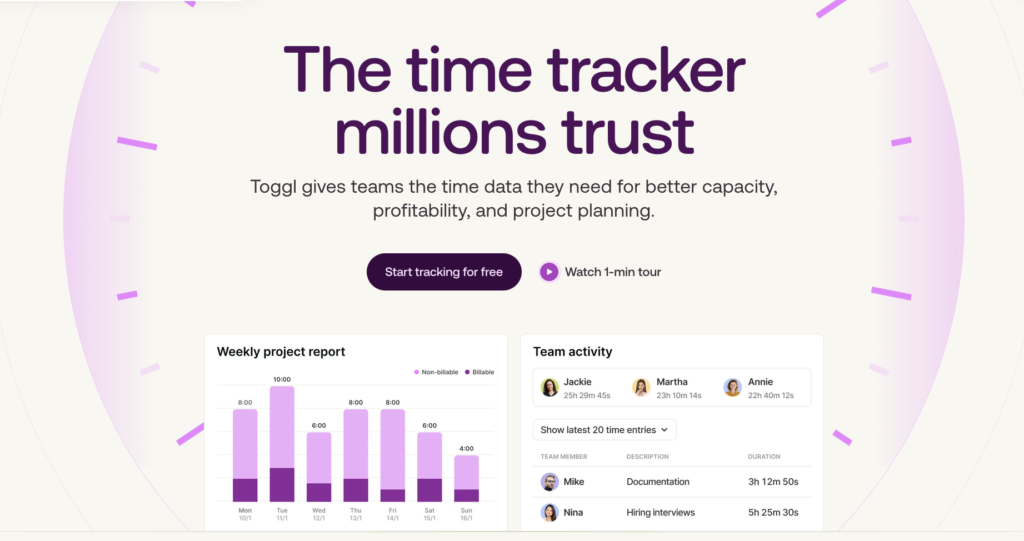
Toggl unites availability, time off, and project commitments into one view, so you can see how work progresses, who’s available to pick up the slack, and how your budgets are doing. You can build team schedules around custom work hours, public holidays, and PTOs.
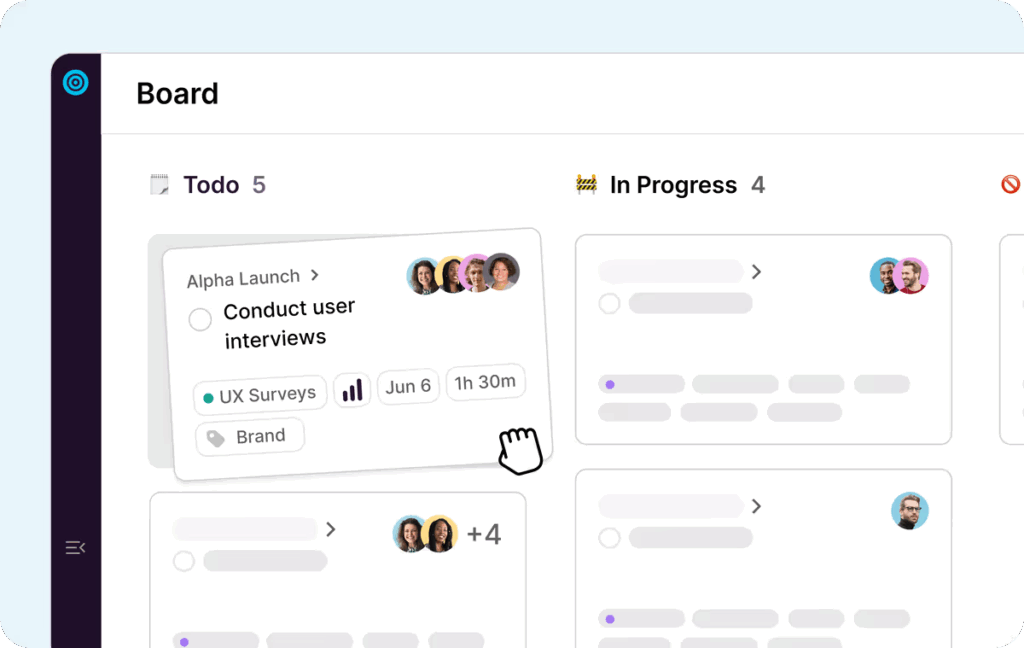
Day-to-day planning stays lightweight. You can reassign or reschedule work in seconds with drag-and-drop timelines or boards, so it’s easy to adapt when priorities or availability change. Tasks can be viewed as a list, Kanban board, calendar, or timeline, with marked milestones and priorities.
But its reporting is where Toggl really earns its keep. Workload reports give a practical view of how time, capacity, and output line up across projects, teams, and roles. You can track total and billable hours, revenue, cost, and profit, then drill into the data through a clean project breakdown table with flexible grouping options.
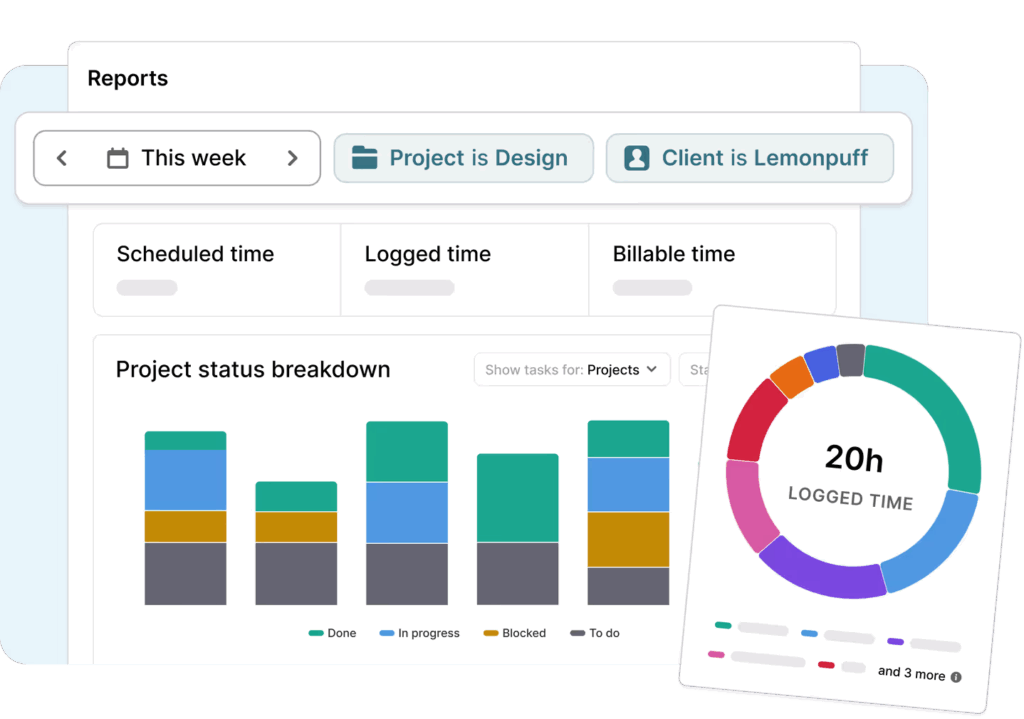
Utilization reports, in turn, give more insight about workload allocation across billable and non-billable hours, highlighting under- or over-utilization at a glance. This means you can make data-driven decisions on resourcing and lead projects with greater confidence in timelines.
Key features
- Flexible time tracking across your preferred devices
- Pomodoro, countdown, and Focus mode to structure your work sessions
- Outlook and Google Calendar events sync to auto-schedule tasks
- Calendar, timeline, task, and Kanban board to view plans
- An AI assistant to turn notes into structured tasks
- Team capacity insights, based on real-time estimates and constraints
- Workload reports with advanced filters to show capacity by project, task, or tag
- Resource utilization insights, showing over- or under-utilized team members
Limitations
- Toggl doesn’t offer much workflow automation, apart from a task creation assistant
- Doesn’t have native integrations with specialized tools (e.g., Azure DevOps or SAP ERP) yet
Learning curve: Low
Getting the hang of Toggl is a matter of hours. The visual planning experience is very intuitive. Dashboards surface just the right level of detail without becoming overwhelming, with filters that let you dig deeper when you need to.
Pricing
- From $9/user/mo
- Forever free plan for up to 3 users
2. Float
- Best for: Mid-sized agencies that want clear resource visibility and easy onboarding
- Not a fit if: You’re after advanced project management features
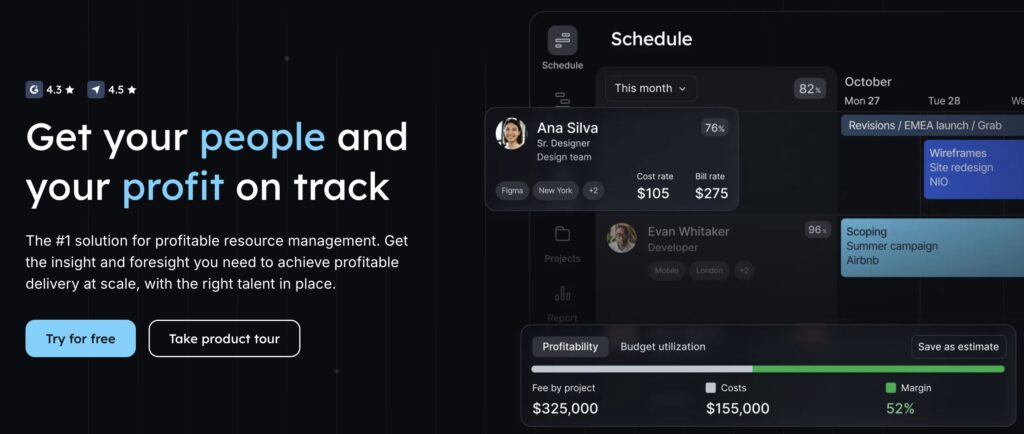
Float is a resource management tool for teams that need clarity on who’s working on what, and whether they can take on any more. You can build schedules by drag-and-dropping time blocks on the timeline, then balance workloads as execution progresses.
Capacity planning is Float’s strong suit. You can factor in availability, time off, and existing commitments to optimize scheduling. Estimating and scoping new projects is straightforward, thanks to reporting features like project budget burn tracking and comparisons of logged vs planned hours. Float connects utilization, resourcing, and budgets into clear views that help teams spot margin risk early and adjust before projects drift off course.
Key features:
- Team members scheduling in hours or percentages
- Add bill and cost rates for people and projects
- Customizable workdays and hours
- Project phases, milestones, and tasks
- Project budget and expense tracking
- Auto-log and pre-fill timesheets
- Project margin profitability tracking
Limitations
- Tasks can only be planned as equal-length time blocks, which doesn’t well account for uncertainty, dependencies, or scope creep.
- Time-tracking insights are mostly focused on capacity, rather than individual productivity.
Learning curve: Low to moderate
Float has an intuitive visual resource scheduling interface, making it easy to get started. But you may need to spend some time in the help docs to master the full project setup and certain advanced actions.
Pricing
- From $7/scheduled person/mo
- 30-day free trial available
3. Resource Guru
- Best for: Professional services teams who seek a scalable system to manage remote and on-site client work
- Not a fit if: You’re looking for loads of native app integrations and automation options
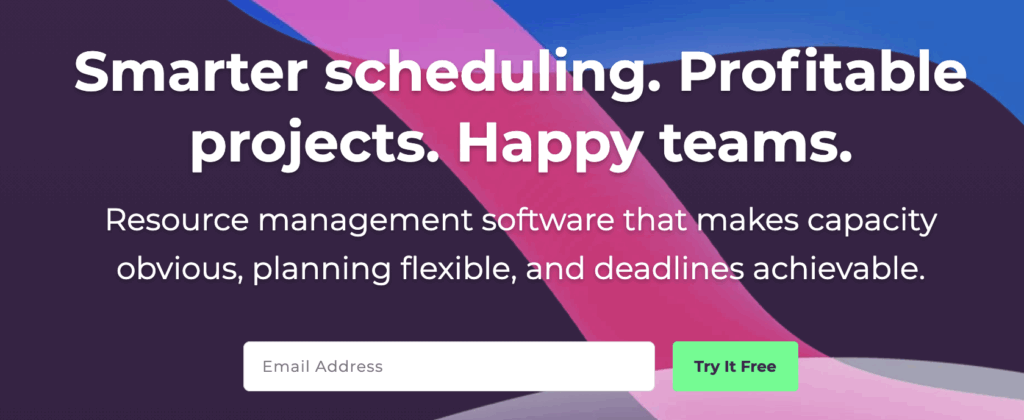
Resource Guru caters to service-based businesses that want to get real-time visibility into current workload and allocate resources better for future projects. Every user gets a profile card that managers can customize with fields like location, department, clients, or skill sets. So you can easily find the right people for the task at hand.
Similar to other apps, Resource Guru offers a visual schedule planning experience. One standout feature is heatmaps that instantly show who has availability, using colors. Assign work as Bookings, which are one-off meetings, recurring slots, multi-day blocks, or tentative holds you can confirm later. You can group work by activity type, set cost rates per person, and see how those choices affect budgets without digging through spreadsheets. Reporting rounds things out with high-level views of utilization, scheduled hours, overtime, and waiting lists, plus the option to compare forecasted bookings against actual logged time.
Key features
- Resource allocation for staff, vehicles, meeting rooms, and other assets
- Elastic overtime, added or removed, based on real-time workload
- Advanced conflict management to prevent overbooking
- Exportable utilization rate and budget tracking reports
- Built-in planning tools: tasks, milestones, rates, and budget
- Time-tracking with auto-suggested entries
- Streamlined timesheet reviews and approvals
- Custom fields and filters for your dashboards
Limitations
- Offers fewer reporting options compared to other tools. Doesn’t include budget burnout charts or team productivity trend insights.
- Some pre-included project tags, like a ‘billable’ column or ‘project code’, which don’t apply to everyone, make the interface feel cluttered.
Learning curve: Low
You can start using most scheduling and managing functionality with little to no formal training. The interface is very intuitive.
Pricing
- From $5 per person/mo
- 30-day free trial available
4. Mosaic
- Best for: Small teams seeking intuitive resource allocation and workload forecasting insights
- Not a fit if: You’re a larger, metrics-driven organization, seeking custom reporting and dashboards
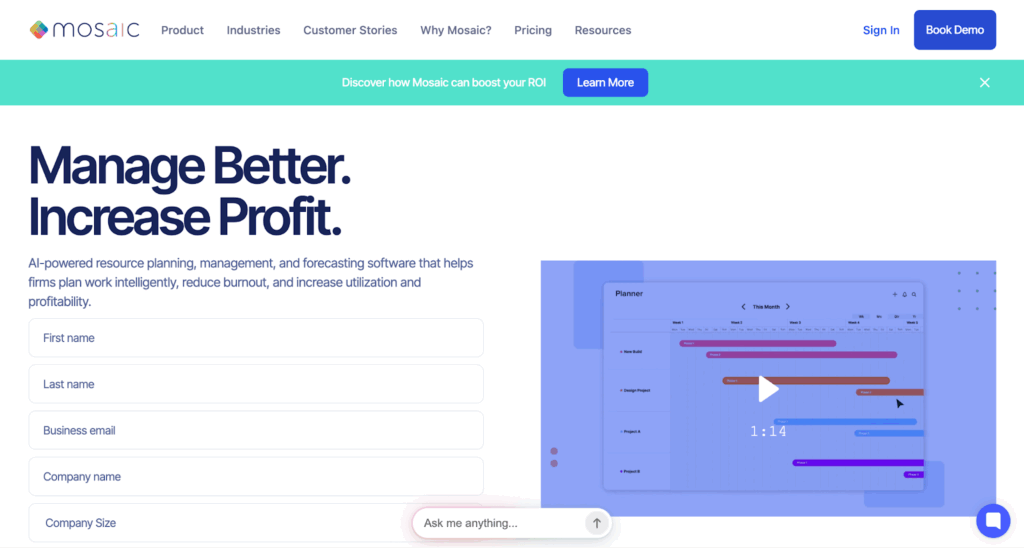
Mosaic is an AI-powered resource management tool that covers a lot of ground — portfolio management, tasks, time tracking, resourcing, fee budgets, and profitability. Work is organized into portfolios, so teams can quickly see their own projects alongside department- or firm-wide plans. From here, you can switch to a single schedule view to understand how everything lines up over time.
Planning happens visually on timelines, with simple drag-and-drop updates. In the background, Mosaic automatically tracks changes and highlights the gap between planned and actual work through time variance reports. The built-in AI tools can suggest the right people for open projects, based on the org chart and member database. Alternatively, you can pitch in to-dos for people under capacity. Metrics-wise, you get reports on timesheets, workload, resource utilization rates, budget usage, and profitability.
Key features:
- Visual project planner with dependencies
- Auto-create work plans based on capacity
- Team org charts and member profiles
- AI assistant for project staffing
- Multi-view reporting dashboards with filters
- Workload forecasting based on resource capacity
- Project portfolios with sub-tasks and scope tracking
- Automatic budget planning and billing estimates
Limitations
- Missing advanced views for Agile planning, like a Gantt chart or Kanban board.
- Unassigned staff can’t see project details or deadlines, which complicates coordination and planning.
Learning curve: Low to moderate
The learning curve is gentle, especially if you opt for an onboarding session, available on a higher plan.
Pricing
On-demand. No free trial available.
5. Teamwork.com
- Best for: Teams that want structured project delivery with built-in visibility into capacity.
- Not a fit if: You already have a good project management app, as many features will be redundant.
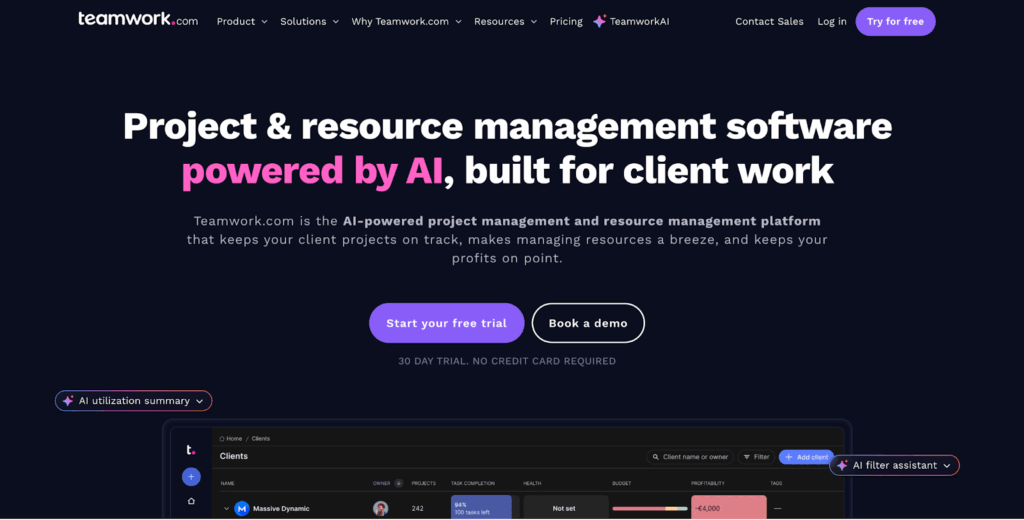
Teamwork.com sits in the middle ground between project management and resource planning, much like Toggl. One subscription offers core PM features alongside visual resourcing tools that make it easy to plan work by project or rebalance load by person. You can group allocations either way, helping teams spot conflicts early, and placeholders (instead of real people) make it easy to pressure-test capacity before committing.
For day-to-day execution, Teamwork.com offers several views: table, Gantt, board, and list. You can add dependencies and critical paths, tag work, and track progress against estimated effort. Reporting is where the platform really leans in.
Project health reports highlight risks across one or multiple projects, while planned-versus-actual views show how timelines and milestones have shifted over time. Utilization reports compare estimated and actual workload, and profitability reports factor in rates and budgets to show whether projects or individuals are delivering healthy margins.
Key features:
- List, table, boards, and Gantt project views
- Tasks, sub-tasks, tags, and dependencies
- Pre-made project and task list templates
- Resource scheduling workspace to strategize on staffing
- Built-in time tracking and streamlined timesheet approvals
- Multi-currency billable and project rates to estimate budgets
- Integrated team chat and collaborative doc management
- Profitability, utilization, progress, and custom reports
Limitations
- Data in the scheduling tool can take a long time to load (such as the logged time percentage). This often disrupts the planning flows.
- Some integrations, such as Salesforce or NetSuite, come at an extra cost
Learning curve: Low to moderate
Most users get the basics of Teamwork.com in a couple of hours. But some configurations and features are slightly hidden from average users, so you might need to lean on support docs quite a few times during team onboarding.
Pricing
- From €10.99/user/mo
- 30-day free trial available
- Free forever plan for up to 5 users
6. Smartsheet
- Best for: Teams who want a platform that bridges traditional spreadsheets with full project management and resource management.
- Not a fit if: You’d rather not rely on spreadsheets as your primary way for organizing all data.
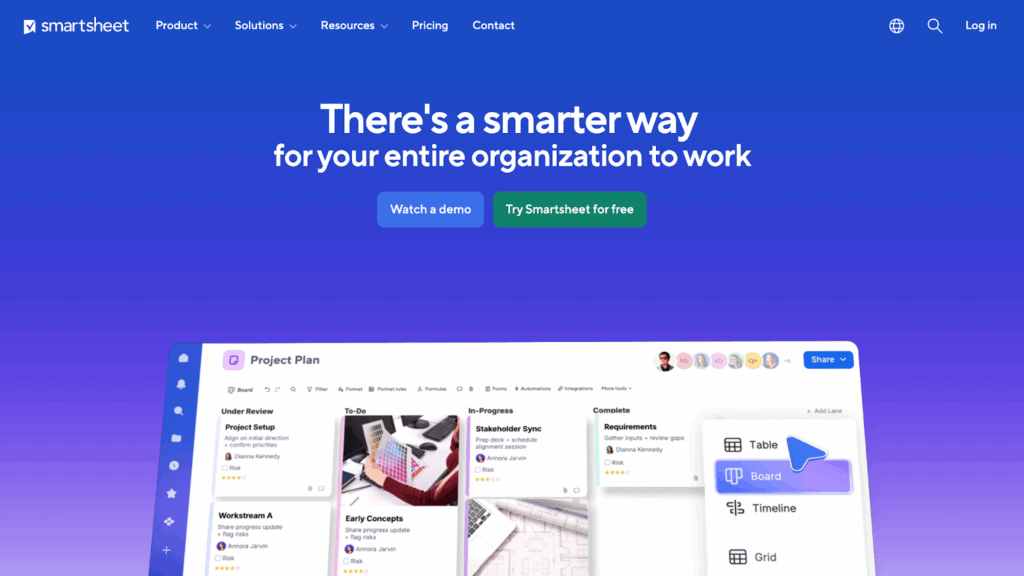
The name’s a giveaway: Smartsheet offers a spreadsheet-based experience for managing time, teams, and tasks. You have multiple column types, filters, formulas, and conditional logic to represent different connections between your resources and work at hand. These sheets then serve as a source for different views — table, Gantt, calendar, board, grid, or timeline. And you can analyze the stored data through customizable dashboards and widgets.
Resource management is available as a premium add-on. With it, you can create resources to represent people, meeting rooms, or equipment, then visually schedule them in a timeline or Gantt view. The dashboard will show how much capacity you’ve allocated at any given time in terms of hours, based on the time-tracking data. The reporting dashboard also auto-calculates utilization rates, logged hours, scheduled hours, and available team hours across selected projects.
Key features
- Six project views, based on sheets as the data source
- Unlimited dashboards with widgets and exportable reports
- Custom formulas and functions to represent relationships between data points
- Workload tracking to calculate resource availability for projects assigned to them
- Document library and pre-made templates for different use cases
- AI tools for text summarization, formula generation, and data analysis
- Automated, trigger-based workflows to send alerts, assign people, and more
- Integrations with 100+ business tools (Office 365, Power BI, Tableau, and more)
Limitations
- While you can slice and dice data across spreadsheets in many ways, data visualization is more limited compared to other tools.
- Some users report less intuitive shortcuts and limitations on how customizable spreadsheet views can be.
Learning curve: Moderate
If you’re an Excel power user, many of the key functions in Smartsheet will look familiar. But more advanced capabilities — automation, resource management, complex formulas — come with a steeper learning curve. The good news is you have access to loads of training resources and a responsive customer support team.
Pricing
- From €8/user/mo
- Free 30-day trial
7. Scoro
- Best for: Larger agencies, seeking an all-in-one platform to power most operational workloads
- Not a fit if: You’re looking for a tool to manage internal projects or are already invested in quoting software
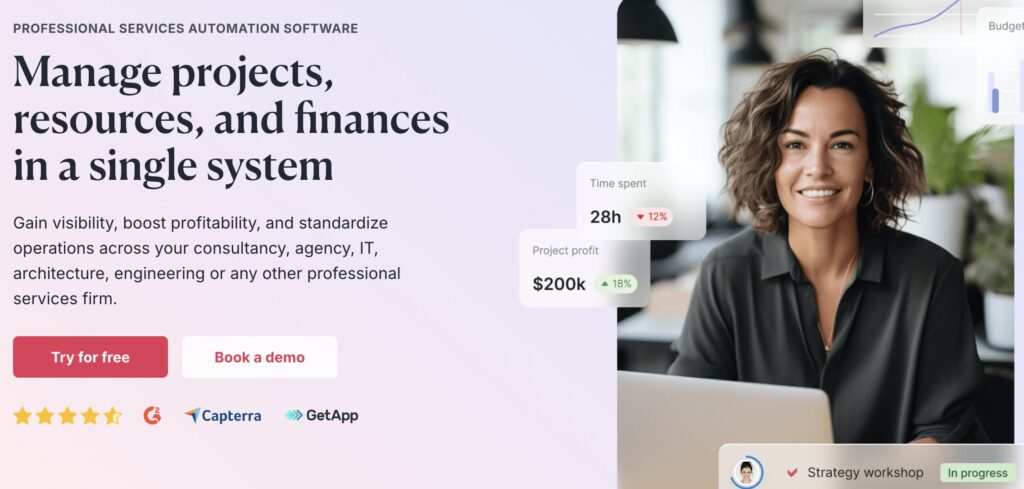
Scoro leans more into the territory of professional services automation (PSA) software, but we included it in the rankings because of its robust reporting on resourcing and profitability. The app helps you manage the entire operational project lifecycle — from initiation to task allocation, budgeting, and client invoicing.
The planning experience is based around a Gantt chart, where work is assigned directly, and each team member’s availability is visualized with a circular progress indicator that shows how much capacity they have left.
As projects move forward, real-time reports help rebalance workloads, while budget tools like burn-up charts and profit trackers spot overservicing risks before margins take a hit. For deeper analysis, Scoro’s Reports Library spans productivity, utilization, revenue, cost, profitability, and sales, with enough flexibility to customize views when the defaults don’t quite answer your question.
Key features:
- Task manager with task bundles, recurring tasks, and a task matrix for planning
- Contact and customer database, consolidating all essential documents
- Option to allocate time entries and costs to client invoices
- Project budgets analytics to estimate revenue and profitability
- Automatic labor cost calculations in client reports and project views
- Workload, finance, revenue, utilization, and team performance reports
- AI assistant to query all aggregated team and financial data
- Loads of out-of-the-box integrations with business software
Limitations
- Few native integrations are available out of the box. Most have to be built either via Zapier or APIs.
- Canceling an account requires a 30-day notice via email, which is unusually long for a SaaS tool.
Learning curve: Moderate
Scoro’s feature-rich interface and detailed dashboard may seem overwhelming at first. Workflow configuration can take some trial and error. But onboarding is available for teams with 15+ users.
Pricing
- From $19.90/user/mo
- 14-day free trial available
8. Dayshape
- Best for: Larger organizations seeking tighter control over utilization, forecasting, and margin discipline across project portfolios
- Not a fit for: Smaller teams and agencies, as many features are an overkill
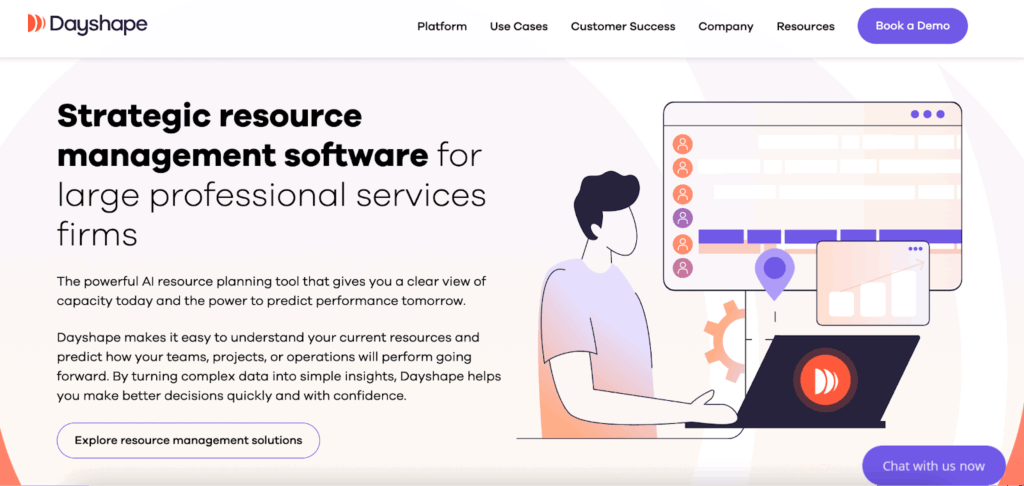
Dayshape is built for serious operational complexity, where manual work no longer scales.
Resource planning in Dayshape happens on a familiar Gantt-style timeline. You can schedule work manually, or let the AI step in with suggestions.
The built-in algorithm evaluates every potential assignee based on skills, qualifications, availability, location, and indicated preferences, so the right people get matched to the right work. The AI assistant can also suggest full schedules, while showing why it made each recommendation. This allows you to approve, adjust, or skip without second-guessing.
On the reporting side, Dayshape ties resourcing directly to budgets and margins. You can see live actuals against forecasts and compare performance across projects, to step in early if profitability starts to slip. It even lets you block project approvals until budgets meet your minimum standards, which keeps estimates honest and margins protected.
Key features:
- People-first resource scheduling, based on availability, skills, and preferences
- AI assistants to streamline resource allocation and work matching
- Save past or current engagements as templates to streamline planning
- Project resource allocation and prioritization on a Gantt chart
- Custom formulas and margin calculations to determine project profitability rates
- Historical, real-time, and forecasted budget usage across projects
- Real-time view into live actuals vs. forecasts (gross revenue, internal cost, etc.)
- Robust data protection controls and separated data tenancy across accounts
Limitations
- No ‘light’ version for sub-teams who need less rigorous resourcing controls
- For an enterprise platform, it offers little extra workflow automation options beyond scheduling
Learning curve: High
Dayshape requires extensive technical configuration and team training, so you get the most out of the available functionality.
Pricing
On-demand. No free trial available.
4 common mistakes when implementing resource management software
When buying new software, it’s easy to get swayed by the marketing talk of “fixing your staffing issues, pronto”. But overly-eager adopters may soon realize that most resource management tools are only as good as your setup and usage habits.
To avoid getting frustrated just too soon, watch out for the following pitfalls:
- Poor data quality. Accurate team data is the lifeline of capacity planning. If your people often forget to log hours, don’t adjust their availability, or add “too optimistic” task estimates, the analytics will miss the mark. A resource tool won’t compensate for messy data entry; it just makes your problems more visible.
- Lack of ownership. Someone has to be in charge of resource planning and allocation. When no one’s taking care of rebalancing workloads, reviewing capacity, or acting on billable rates data, the tool becomes just another layer in your SaaS sprawl.
- Unrealistic adoption expectations. While some apps take just a day to master and adopt, others require more upfront work. Also, data won’t be perfect from the get-go, and some usage goofs will happen. Invest in light team coaching (or professional onboarding), along with candid explanations on why this data matters to you as a manager and how it could make teamwork better, too.
- Buying the most advanced software. More features aren’t always better. Smaller teams often overbuy, choosing software built for large, multi-layered organizations because it’s “AI-powered” or “has deeper reporting.” And then they “pay” with heavier setup, lower adoption, and mounting frustration over feature bloat. The best tool is the one your team can start using today, without much friction, not “grow into” over time.
Master resource management with Toggl
Resource issues are rarely sudden. They build up quietly through assumptions about availability and subsequent overcommitments. Adopting a resource management tool helps you better understand everyone’s availability and capacity for extra work, so you can create more realistic project schedules and protect your margins with data-backed capacity targets.
The above is the key value proposition of Toggl. It combines resource planning with time tracking and task management in a way that’s easy to adopt and hard to outgrow. Built-in reports show how time, capacity, and output line up across teams and projects. You’ll always know where you stand in terms of capacity and profitability.
Try Toggl for free to see how much smoother workload allocation and resource planning can be when it’s grounded in real data.
Frequently asked questions (FAQs) about resource management software
What is resource management software, and how is it different from project management software?
Resource management software matches the right people and resources, like equipment or vehicles, to the planned work. It shows how much capacity you have across staff to allocate to specific to-dos.
Project management software picks things up from here, organizing work as tasks, timelines, and dependencies for on-time and on-budget delivery. While many tools overlap in these categories, resource management is about protecting capacity, whereas project management is about structuring and distributing planned work.
What core features should resource management software include?
At a minimum, a resource management app should offer:
- Visual resource planning experience
- Capacity planning, anchored in availability
- Accurate time tracking functionality
- Workload visibility reports
The best ones also offer in-depth reporting on utilization rates, budget usage, and future capacity needs.
Who benefits most from using resource management software?
Service-based, agency, and cross-functional teams benefit the most from using resource management software. In particular, a resource management app is useful when workloads are variable in terms of hours, deliverables, and general complexity, and so the available team capacity often shifts.
How do I choose the right resource management software for my organization?
To select a strong fit, ask yourself: Is my main challenge capacity planning, delivery coordination, or financial visibility? Next, look into tools that have standout features in the selected category. The right tool should:
- Fit your workflows (not the other way around)
- Keep planning simple instead of adding overhead
- Offer a glance visibility into team capacity
- Be easy for your team to adopt
- Integrate well with other software
- Scale with your team
What are the most common challenges when implementing resource management software?
The biggest hurdles when rolling out resource management software are poor data quality, unclear ownership, and unrealistic expectations about team buy-in. Spoiler: It takes time and coaching to get everyone at ease with logging their data.
Adopters commonly struggle with:
- Overly complex tech setup
- Missing integrations with other apps
- Implementing automation scenarios
- Inconsistent time tracking data
- Over-engineered interfaces and feature bloat
To avoid those mistakes, prioritize tools with free plans. This approach allows you to check out the product experience before committing to a subscription.

Elena is a senior content strategist and writer specializing in technology, finance, and people management. With over a decade of experience, she has helped shape the narratives of industry leaders like Xendit, UXCam, and Intellias. Her bylines appear in Tech.Co, The Next Web, and The Huffington Post, while her ghostwritten thought leadership pieces have been featured in Forbes, Smashing Magazine, and VentureBeat. As the lead writer behind HLB Global’s Annual Business Leader Survey, she translates complex data and economic trends into actionable insights for executives in 150+ countries. Armed with a Master’s in Political Science, Elena blends analytical depth with sharp storytelling to create content that matters.
![How to Measure Employee Productivity [2024 Guide]](https://toggl.com/blog/wp-content/uploads/2023/12/measure-employee-productivity-673x404.jpg)


