Trello is a fan favorite software known for visualizing the flow of work, Kanban style. Its drag, drop, and repeat flow is both intuitive and oddly satisfying, which is exactly what makes Trello a great jumping-off point for simple task management.
But while Trello excels as a Kanban tool, it’s no longer a good fit for project management or anyone looking for more than a basic to-do list. Atlassian recently confirmed its vision for the platform is to move away from project management in favor of becoming a personal productivity companion. A Trello Support team member said:
“Rather than try to be all-things-to-everyone like so many project management tools do today, we have opted to focus on one single use case: capturing and organizing individual to-dos.
We have not removed any functionality from our original design but, going forward, we will not be taking new feature requests related to project management.”
So, where does that leave teams that need more than a personal to-do list? Don’t worry if you’re stumped. We’ve done the heavy lifting and researched the heck out of the 13 best Trello alternatives for 2026, including.
Best Trello alternatives at a glance
| Tool | Best for | Native time tracking | Free plan available? | Paid pricing starts from |
| Toggl 2.0 | Teams that need time and capacity insights | Yes | Yes for up to 5 users | $9/user/mo |
| Taiga | Agile teams | No | Yes | 5€/mo for self-hosting |
| Asana | Growing cross-functional teams | Yes | Yes for 2 users | $10.99/user/mo |
| ClickUp | Tool consolidation | Yes | Yes for unlimited users | $10/user/mo |
| Wrike | Large, complex organizations | Yes | Yes for individual users | $10/user/mo |
| monday work management | Creative teams | Yes | Yes for up to 2 seats | $9/seat/mo |
| Smartsheet | Spreadsheet-like portfolio planning | Yes | Yes for 2 editors/viewers | $9/user/mo |
| Basecamp | Small business and agency collaboration | Yes | Yes for 1 project | $15/user/mo |
| Airtable | Teams managing data in a spreadsheet format | Yes | Yes for 5 editors | $20/seat/mo |
| WeKan | Privacy-focused teams | No | Yes | €50/yr for hosting |
| KanbanFlow | Solo work | Yes | Yes | $5/user/mo |
| Jira | Software and engineering teams | Yes | Yes for up to 10 users | $7.91/user/mo |
| Notion | Teams relying on knowledge base-style management | No | Yes for individuals | $10/member/mo |
Key features to look for in a Trello alternative
Before jumping ship, let’s acknowledge why Trello is so popular. Here’s what it does exceptionally well, and the baseline most people hope to find (or improve on) in a Trello alternative.
Ease of use
Trello’s biggest strength is how little explanation it needs. If you’ve ever dragged magnets around on your refrigerator or stuck Post-It notes somewhere meaningful, you’ll be able to use Trello’s card and list system. The near-zero learning curve is hard to beat, and something many teams don’t realize they’ll miss until it’s gone.
Automation
Trello’s built-in automation tool, Butler, adds just enough power without overwhelming users. You can automate simple actions, like moving cards, assigning members, or adding due dates, without turning your workflow into a Rubik’s cube.
It’s definitely not the most advanced automation on the market, but it’s approachable enough to be a selling point for some.
Integrations
Trello plays especially well within the Atlassian ecosystem. No surprises there. If your team already uses Jira, Confluence, or other Atlassian tools, Trello fits neatly into that setup. Beyond its friendly neighbors, it also integrates with everyday staples like Slack, Google Drive, and Dropbox, so you can keep work connected without much effort.
Checklists
Trello’s checklists allow you to break work into smaller steps without overcomplicating things. This flexible feature works well for personal tasks and lightweight team workflows.
Trello’s limitations and downsides
For individuals and small teams, Trello’s simplicity is pretty charming. But as projects get more complex and teams grow, the platform may hold you back for three core reasons.
1. No native time tracking
Trello doesn’t come with built-in time tracking. So, if you want to track how long your projects take, bill clients accurately, or forecast capacity, you’ll need a workaround. Trello does offer Power-Ups and integrations with other tools, but it’s easier to switch to another tool, like Toggl 2.0, that houses project management, capacity planning, and time tracking under the same roof.
2. Lack of reporting features
If you want to see how work progresses across teams and projects, Trello’s built-in reporting is minimal. Again, you can add reporting features through integrations, but the absence of robust, native analytics makes it hard to answer questions like “Where are we spending most of our time?” or “Which bottlenecks keep recurring?” If you rely on this kind of granular intelligence, you’re bound to feel held back by Trello here.
3. Limited scalability
By its own admission, Trello wants to focus on being a personal productivity companion, so it’s not a good fit if you’re trying to stretch it further. For this reason, Olesia Korobka, an SEO consultant and entrepreneur, says,
“Trello is not too convenient when you have lots of projects and different teams.”
Now, you can elasticate Trello by using Power-Ups to bolt on missing functionality like calendars, timelines, and extra views. But at a certain point, it starts to feel like you’re building a bespoke stack of add-ons rather than a single cohesive platform.
13 top alternatives to Trello (and how we chose them)
Narrowing down a selection of Trello alternatives is no small feat. Rather than recycle the same tools you’ve seen a dozen times before, we wanted to take a more considered, in-depth approach by exploring a broader mix of Kanban-first tools, all-in-one project management platforms, and a few more specialized or open source alternatives.
Some of the Trello alternatives on our list are built for freelancers and small teams, others for agencies or larger organizations, and a few sit somewhere in between.
To make the cut, each tool had to give us something more than a polished vendor homepage, so we:
- Leaned on our in-house product expertise
- Compared feature sets, pricing tiers, and stated use cases
- Combed through hundreds of user reviews on platforms like G2
- Explored why exactly users left Trello for another tool, and their experience of the transition
Our goal was to identify clear strengths, limitations, and the types of teams each tool is best suited for.
1.Toggl 2.0: Best for teams that need time and capacity insights
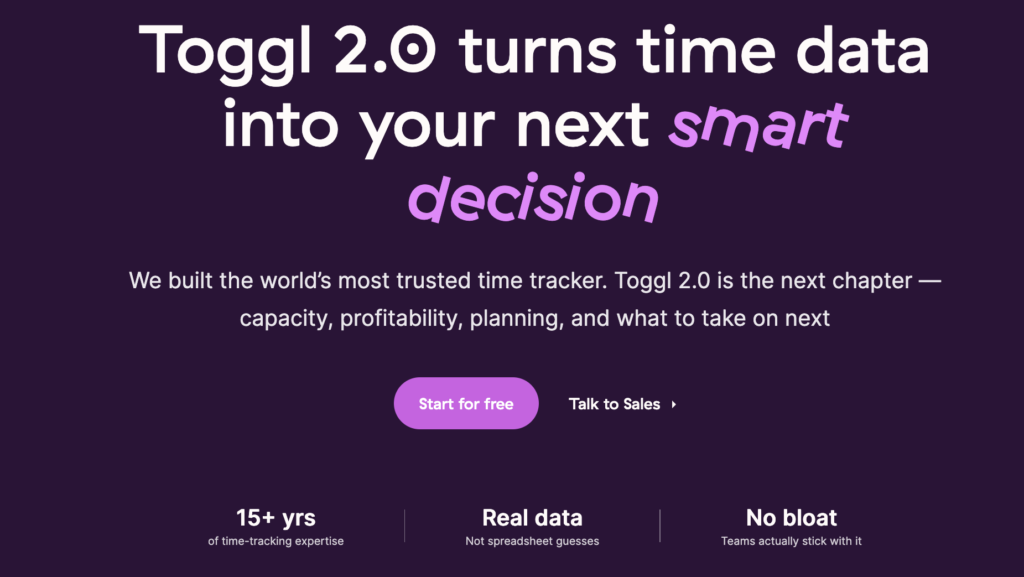
Toggl 2.0 is built on a core idea: if you don’t understand where your time goes, project plans and capacity forecasts are pure guesswork.
The platform uses accurate time data and builds project management around the facts, while still offering multiple visualization modes, including Kanban, List, Gantt, and Calendar.
The free version of Toggl 2.0 includes a Kanban board view where you can plan out your tasks across four columns — Todo, Blocked, In Progress, and Done, using drag-and-drop workflows to move work from one to the next.
Dig into each task to estimate its duration, assign a priority, or drag it to your calendar. Using a variety of keyboard shortcuts, you can hit S to start tracking your tasks, F to switch to Focus mode, or O to start a Pomodoro timer. And if you prefer to visualize things another way, Timeline is available from the Starter plan onwards, giving you a Gantt view.
Key features
- Native time tracking designed for precision, ease of use, and positive habits
- Visual task management using the Board view (similar to Kanban)
- Task and calendar views for planning work day-to-day
- Timeline view, milestones, and tags (available on Starter and above) for longer-term planning
- Capacity planning tools to understand who’s overloaded and how best to distribute work
- Keyboard shortcuts for fast, low-friction tracking, including starting and stopping time, focus mode, and Pomodoro sessions
- Focus and productivity features that help individuals stay on task
- Reporting built around real time data and filters available by client, project, task, status, or priority
- CSV exports for billing, forecasting, and deeper analysis
What users think
“Switching to Toggl has been one of the best decisions for our team. From the moment we started using it, the platform’s intuitive interface stood out, making it incredibly easy to track time and manage projects. The detailed, customizable reports provide invaluable insights into our productivity and project progress, helping us identify areas for improvement and celebrate our successes.” — Yugo M., a small business founder
“Toggl 2.0 is amazing. The UX is perfect and matches my workflow in a shocking way!” — Toggl Community feedback
Pricing
- Free: For up to five users. Includes time tracking, calendar/board/task views, personal productivity insights, and core scheduling essentials.
- Starter: $9 per user/mo. Adds timeline view, tags, milestones, and capacity basics, like PTO, public holidays, and flexible hours, and team visibility.
- Premium: $20 per user/mo. Adds full capacity management.
- Enterprise: Custom pricing is available for larger organizations needing scalable support.
2. Taiga: Best for agile teams
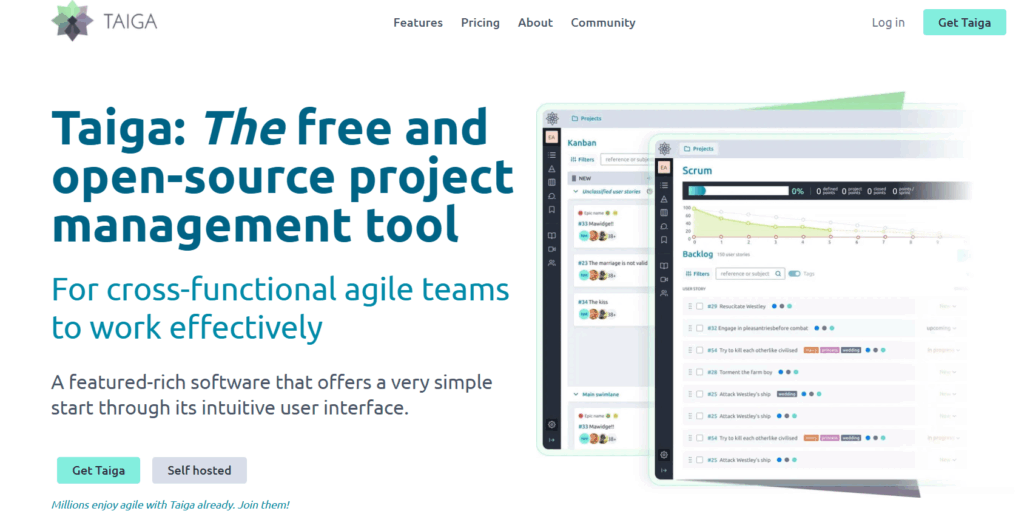
Taiga is a free, open source project management tool, which means you can avoid being locked into someone else’s roadmap. Built for Agile teams, it looks like a more structured version of Trello, with Kanban boards at its core. Underneath, Taiga offers much deeper support for Scrum, sprint planning, and development workflows, making it a natural fit for cross-functional product and engineering teams.
Key features
- Kanban boards, including multiple workflows, swimlanes, strong filtering, and clear WIP visibility
- Scrum and sprint planning tools, with backlogs, epics, issues, and burndown charts
- Built-in dashboards and reporting, with team performance insights and CSV exporting
- Taiga Seed project estimator for early-stage planning and effort estimation
- Integrated bug and issue tracking
- Open source and self-hosted deployment options, including on-premise installations and advanced security controls
- Translations available in 20+ languages
- Integrations primarily via Zapier to extend functionality
What users think
“The best thing about Taiga is that it’s open-sourced. It’s very easy to use and has been our go-to platform for Kanban Boards, which we use on a daily basis.” — Srivishnu S. admin and developer
“Taiga has a simple interface with a combination of solid project management features. It supports Kanban, Scrum and hybrid workflows, allowing teams to tailor their project management experience.” — Charmy S., a product head of Milople Technologies
Pricing
- Start using Taiga for free
- Self-hosting starts from 5€ per month
- 3 deployment plans are available: Enthusiast, Basic, and Premium
3. Asana: Best for growing cross-functional teams
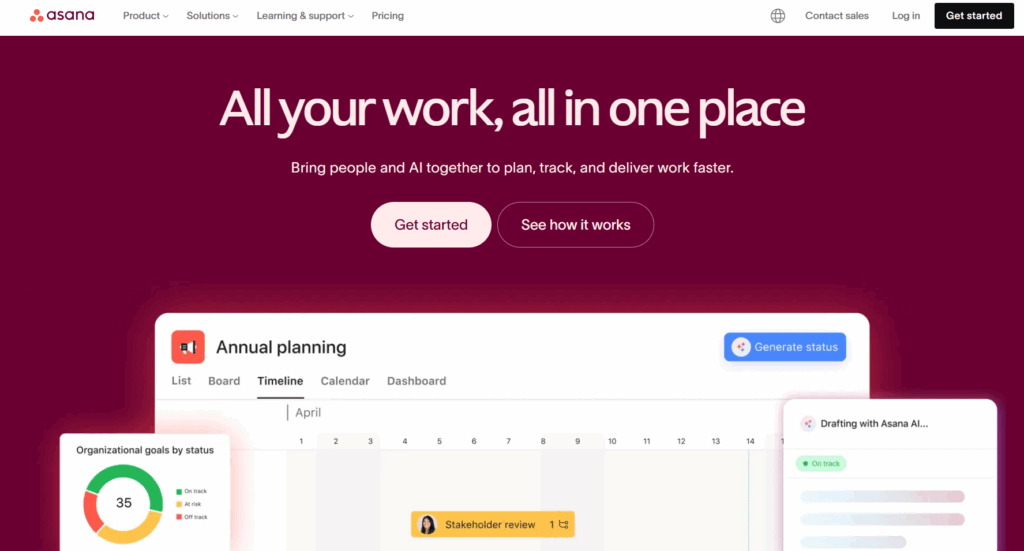
When Trello starts to feel limiting, but heavyweight tools feel premature, Asana is a great middle ground. One of Asana’s biggest strengths is flexibility in how work is viewed. Teams can switch between list, board (Kanban), calendar, timeline, and Gantt-style views depending on what they’re trying to understand. Compared to Trello, where checklists are often used as a workaround for dependencies, Asana makes relationships between tasks explicit, which becomes increasingly useful as projects and teams grow.
And then there’s your surprising motivator: Asana’s celebration creatures. Complete a task, and you might be rewarded with a narwhal, unicorn, or yeti drifting across your screen. It’s a great morale boost, and who doesn’t need one of those?
Key features
- Multiple project views on the free plan, with timeline and Gantt views available on paid tiers
- Task dependencies indicate where and what needs to happen to unblock work
- Workflow automation with Rules, used to move tasks, assign owners, or trigger notifications as work progresses
- Scalable permissions and sharing enable you to share projects and boards across teams with custom access controls
- Custom fields and rules to flag thresholds or enforce WIP limits
- Built-in task-level time tracking, supporting basic time management without external tools
- Goals and portfolios, allowing teams to track progress at a project, team, or company level
What users think
“Switching from Trello to Asana was great for building portfolios and better scheduling to track projects. Once we got the hang of it, setting up portfolios and projects became quick and efficient.” — Nicole L.
“Asana stands out compared to Trello, which my previous employer used. It’s miles ahead in terms of functionality and user experience. Another major plus is Asana’s easy setup, which lets me endlessly customize with ease.” — Zbyněk V., a data quality specialist
Pricing
- Free trial for 30 days
- Asana Personal is available as a free tier for 2 users
- Premium plans from $10.99 per user/mo
- 4 premium plans available: Starter, Advanced, Enterprise, and Enterprise+
4. ClickUp: Best for tool consolidation
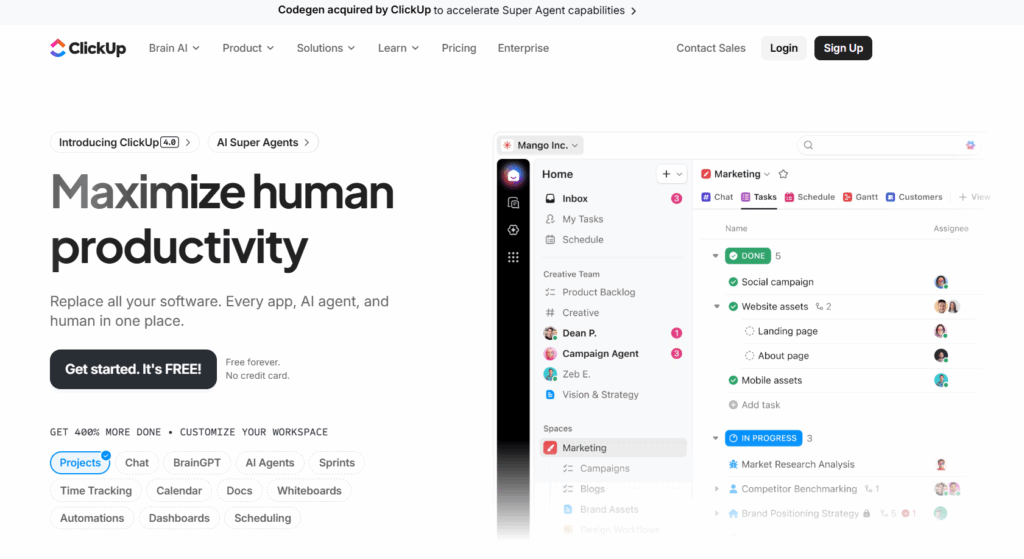
ClickUp describes itself as “one app to replace them all.” And it genuinely tries to live up to the promise. Tasks, docs, dashboards, automation, time tracking, and AI all live inside one highly configurable platform designed to stretch well beyond simple Kanban boards.
For teams outgrowing Trello, ClickUp can feel like a major upgrade … but honestly, it’s also a major commitment. Almost everything is customizable, allowing you to model complex workflows in detail. As you might expect from something so flexible, ClickUp also has a steep learning curve — the platform can take weeks to set up properly.
Key features
- Boards and lists with customization options, including drag-and-drop Kanban views for any project
- Nested tasks and subtasks, allowing teams to model complex work without relying on checklists
- Custom fields, colors, and statuses, making it easy to adapt workflows to different teams
- WIP-style limits using custom columns and rules, helping teams flag overload
- Rich task context, including attachments, comments, and activity history
- Native time tracking, with workspace-level controls, timesheets, rollups, and reporting
- 1,000+ templates, covering use cases from engineering and product to HR, marketing, and sales
- AI features, including ClickUp Brain, Notetaker, and tools powered by its recent Codegen acquisition
What users think
“Moved to ClickUp after using Trello, and the difference is huge. Trello is ok but it breaks as soon as you start to scale and your team size grows. The AI inside tasks is quite useful; it helps with summaries, reassigning, finding tasks, and saving time in general for small things.” — Vidit B., a COO of a small business
“The advanced project management features such as Gantt charts, custom workflows, and enhanced reporting capabilities were precisely what we needed as we transitioned from Trello, making ClickUp a natural fit for our growing team.” — Md Abu H., an HR enterprise user
Pricing
- Free forever plan available for unlimited users
- Premium plans from $10/user/mo
- 3 premium plans available: Unlimited, Business, and Enterprise
5. Wrike: Best for large, complex teams
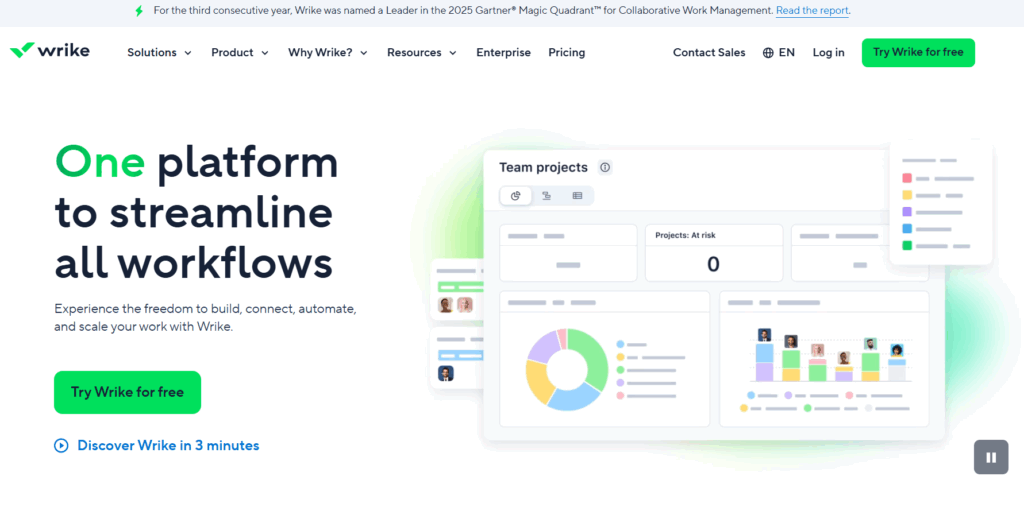
Wrike sits at the opposite end of the project management spectrum to Trello. The platform supports Kanban-style boards, but it’s built for teams juggling multiple projects, stakeholders, and deadlines at once.
Visibility is the name of Wrike’s game. Its board view allows teams to drill into tasks and see conversations, updates, files, and decisions in one place. From here, you can customize workflows by baking in clear stages, ownership, and deadlines. Much like ClickUp, the trade-off for all this functionality is complexity. Teams using Wrike often benefit from dedicated setup time to get the most out of it.
Key features
- Customizable Kanban boards, with flexible columns, workflows, and statuses
- Multiple project views, including board, table, Gantt, calendar, and chart views
- Detailed task management, with assignees, start and due dates, and full activity history
- Dynamic filters, allowing teams to streamline relevant tasks by status, priority, owner, or custom fields
- Strong cross-project visibility, which is useful for teams managing overlapping work and shared resources
- Built-in automation, moving tasks between different stages as their statuses change
- AI-powered assistance with Wrike Copilot, supporting prioritization, risk identification, and productivity insights
- Integrations with external AI tools, including Microsoft Copilot, Claude, and Google Gemini, via the Wrike MCP Server
What users think
“After working with other project management applications such as Smartsheet, Trello, and Asana, I was initially a bit intimidated by all that Wrike offered; however, I have come to love it and am thankful my company chose this valuable tool!” — Marketing and advertising user
“If you have someone on your team who already knows Wrike and is organized in the system, it feels like it can be a powerful tool. For what I’m currently doing, the free version of Trello would have been sufficient. However, we used a consultant to build out an onboarding process that is much more comprehensive.” — Layne L., a senior territory account executive
Pricing
- Free trial for 14 days
- Free plan available for individual users
- Premium plans from $10/user/mo
- 4 premium plans available: Team, Business, Enterprise, and Pinnacle
6. monday work management: Best for creative teams
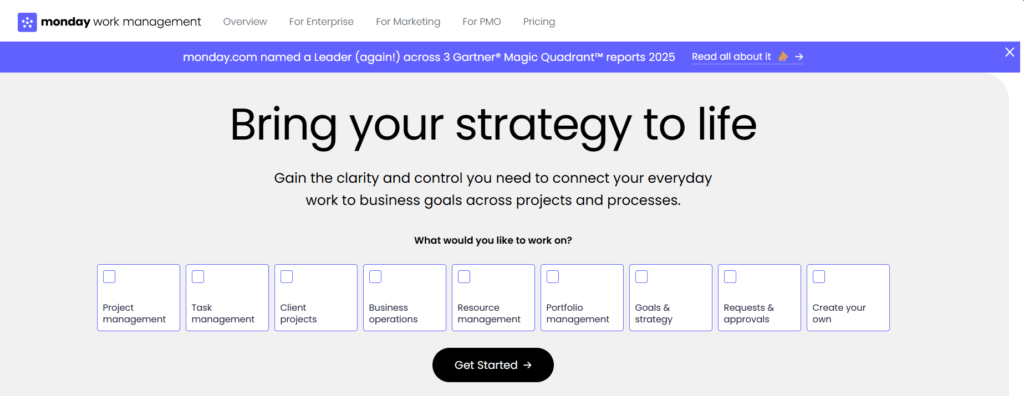
monday work management, built on the monday.com Work OS, is a visual and flexible work and project management platform for teams of all sizes. It takes the familiar idea of boards and cards and expands it into a larger work operating system where you can manage your tasks alongside your processes, workflows, and cross-team collaboration.
In contrast to Trello’s simple card layout, monday work management gives you more ways to see what’s happening. Small teams can start with intuitive boards and color-coded tasks, and larger teams can layer on dashboards, custom views, and enterprise-grade collaboration without flip-flopping between tools.
Key features
- Highly flexible views, including Kanban, timeline, Gantt, calendar, map, chart, and dashboards, to visualize and plan work in the way that suits you best
- Custom dashboards and widgets that give you project-level insights and help teams spot trends at a glance
- Advanced automations and no-code workflows that reduce manual busywork and help repetitive processes run themselves
- 72+ integrations with tools you already use
- Strong collaboration features, including file sharing, and comments,
- Extensible templates for engineering, HR, design, sales, and more, designed to get teams up and running quickly
- Embedded intelligence with features like AI Blocks, Product Power-ups, and a Digital Workforce designed to help teams analyze data, automate insights, and scale operations
What users think
“I consider monday work management a more complete software compared to Trello, which we used previously.” — Lucas T., a small business administrator
“I really like the user interface of monday work management; it’s very intuitive, clean, and aesthetically-pleasing. The platform provides better task tracking than what I experienced with Trello, and the initial setup was extremely easy.” — Amy H., a senior learning technologist
Pricing
- Free plan for up to 2 seats
- Premium plans from $9 per seat/mo
- 4 premium plans available: Basic, Standard, Pro, and Enterprise
7. Smartsheet: Best for data-heavy portfolio planning
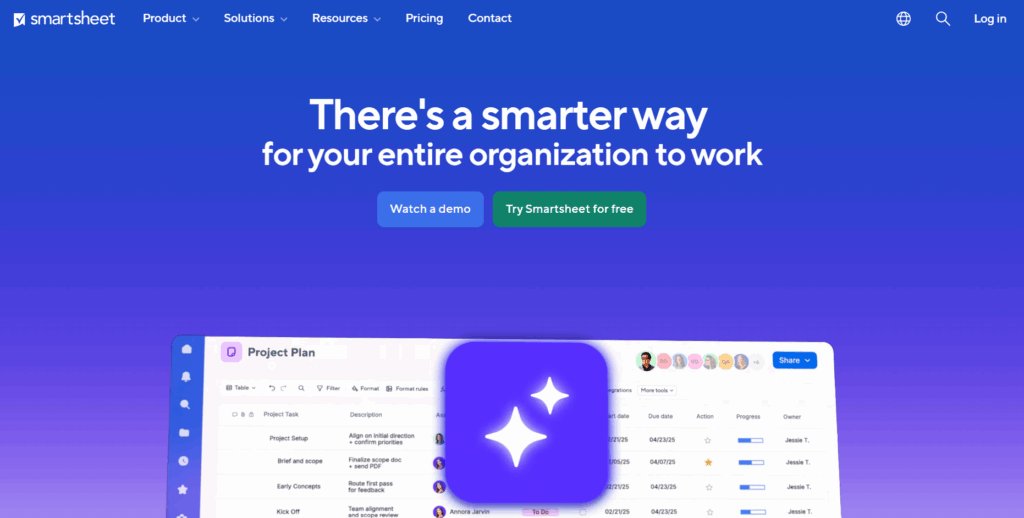
At first glance, Smartsheet looks more like an alternative to Excel or Google Sheets than to Trello — but hear us out. Smartsheet takes the familiarity of rows, columns, and formulas and adds project management features designed for planning, reporting, and decision-making at scale.
While Trello shines at visual task flow, Smartsheet will win you over with visibility and reporting. Kanban boards are available via templates, but the platform’s real strength lies in its ability to aggregate data across projects and generate insights at the portfolio level.
Key features
- Spreadsheet-style project management, combining grids with Kanban boards, task tracking, dependencies, and automation
- Capacity and resource planning, allowing teams to plan work by role, skill, department, or team and track workload over time
- Project and portfolio reporting, with automatic aggregation of data from new projects into shared dashboards
- Strategic planning dashboards, aligning goals, capacity, and budgets to support higher-level decision-making
- Smartsheet AI, providing intelligent analysis, personalized insights, and recommendations
- No-code workflow apps, enabling teams to build custom processes on top of their data
- Hundreds of integrations, connecting Smartsheet with the tools teams already rely on
What users think
“We have been using Trello as our source for tracking jobs. Since I’ve started using Smartsheet over seven months ago, I am able to track details down to the smallest item needed for the job. It is easy to drop any and all files related to the job and move or copy items as well.” — Leo V., a project administrator
“If you know how to use Trello, you can use Smartsheet. It’s very intuitive to get up and running but also provides advanced capabilities that scales/automates your ability to manage a portfolio of initiatives.” — Omar A., a customer success executive
Pricing
- Free trial available for 30 days
- Free plan for 2 editors/viewers
- Premium plans from $9 per user/mo
- 4 premium plans available: Pro, Business, Enterprise, and Advanced Work Management
8. Basecamp: Best for small business collaboration
Basecamp is a great fit for small businesses that want a single, central place for collaboration and project management, without turning work into a NASA-style system you need to manage.
Card Tables are Basecamp’s answer to the classic Kanban workflow. They work particularly well for reactive or ongoing work, such as support requests or bug triage, where teams want a shared view of what’s happening. But Card Tables are just one part of a broader Basecamp project space that also includes message boards, real-time chat, schedules, files, and check-ins.
Key features
- To-do lists for straightforward task assignment and accountability
- Campfire for real-time group chats that don’t belong in email
- Message boards for longer discussions, decisions, and announcements that need to live with the project
- Docs and files keeping project documentation and assets in one shared place
- Schedules showing key dates and deadlines alongside work
- Personal task views across projects
- Automatic check-ins, great for async collaboration
What users think
“I love having our information centralized and easy to find. It was so easy to get up-and-running and get everyone on the same page. I use this tool every single day and I don’t know how I would continue to do my job without it.” — Karen M., an administrative director
“We can now envision the entire company on a single sheet of paper. With Basecamp, we can communicate with all of our employees through HQ.” — Patricia F., a small business manager
Pricing
- Free 60-day trial available
- Free forever plan for one project at a time
- 2 premium plans: Basecamp Plus and Basecamp Pro Unlimited
- Premium pricing starts at $15 per user/mo
9. Airtable: Best for teams managing structured data
Airtable sits somewhere between a project management software and a database. Instead of starting with boards and cards, Airtable starts with structured data, and lets you build different views on top of it, including Kanban-style boards.
You define the fields, data types, and relationships first, then decide how to view that information. If you’re managing complex datasets, including content libraries, product catalogs, CRM-style workflows, or cross-functional initiatives, you’ll enjoy a level of flexibility Trello simply doesn’t aim for.
Key features
- Relational database backbone, so you can link records across tables (e.g., tasks to projects to clients) instead of duplicating the same info across boards
- 200+ interactive templates, covering use cases like project tracking, content calendars, product launches, CRMs, inventory, event planning, and more
- Multiple views on the same dataset, including grid (spreadsheet), Kanban boards, calendar, timeline, Gantt, gallery, and forms
- Interface Designer, letting you build role-based, “app-like” front ends so teammates can interact with the workflow without touching the underlying database
- Airtable AI, used to generate tables, build interfaces, write formulas, summarize records, categorize data, and speed up repetitive admin work inside a base
- Automations that can trigger actions across records and tools, with options to incorporate AI-generated summaries/updates where useful
- Forms/form views, making it easy to collect structured inputs (requests, briefs, bug reports) directly into the database without manual copy/paste
- Integrations and sync options with common tools, connecting teams and work without relying on one-off manual updates
What users think
“Our organization has around 25 people, and we have a lot of bases. It’s been a huge upgrade over our history of using CRMs as data management tools, and we’ve fully replaced tools like Trello. We set a major goal last year to unify our divisions and workspaces to use a single source of truth, and Airtable has generally been perfect for this goal.” — Noah N., a systems builder and integrator
“My team has an enterprise-level account, and it gives us access to some really great features like automations and exclusive view styles (like Gantt charts and timelines with dependencies). It’s like if Smartsheet and Trello had a baby.” — Carly R J., a communications and SEO manager
Pricing
- Free trial available
- Free plan available for up to 5 editors
- 3 premium plans: Team, Business, and Enterprise Scale
- Premium pricing starts at $20 per seat/mo
10. WeKan: Best for privacy-focused teams
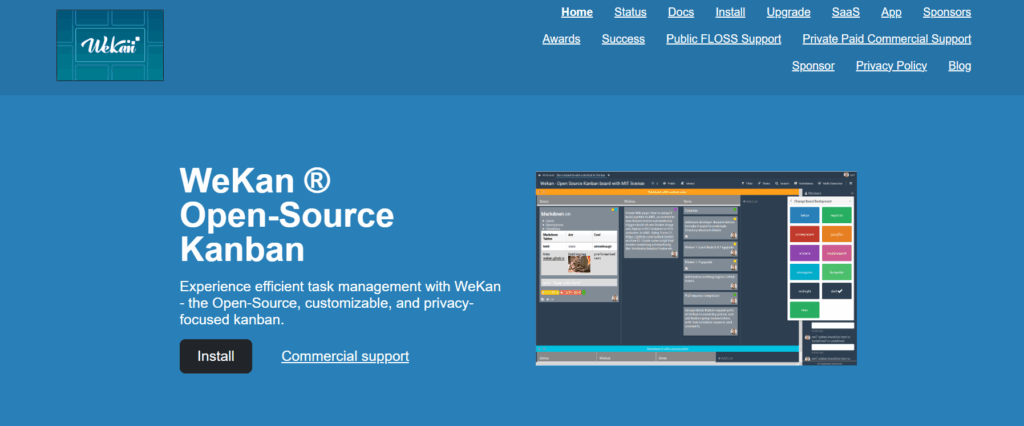
If Trello’s board-based workflow is exactly what you want, and you’d rather not move into a heavier platform, WeKan offers a straightforward alternative.
WeKan is a free, open source Kanban tool that includes the boards, lists, cards, and drag-and-drop workflows you’ll get with Trello. But it skips the add-ons, extra views, or “one platform to run your entire company” claims you’ll find in larger all-in-one project management tools.
The big appeal is control. As you can self-host WeKan, it’s often chosen by teams with stricter privacy and compliance requirements, or a simple preference for keeping their data on their own infrastructure.
Key features
- Privacy-focused setup that may suit internal or compliance-led environments
- Core collaboration features like assignees, labels, due dates, comments, and attachments
- Swimlanes and filtering options to help teams organize work at a glance
- Suitable for lightweight sprint-style workflows, with simple status tracking and team visibility
What users think
“It’s a fully fleshed-out Kanban board system, similar to Trello. I like it more than Trello because it is free, open source, and self-hosted (meaning my data stays my data). It also looks much better and more professional in my opinion.” — Kenton H, a director
“Managing sprints became really convenient with WeKan! I collaborate with my colleagues, keep status, have a different task list, add labels for categories, and assign tasks to people in my team.” — Shruti L., a small business user
Pricing
- Free to use
- Hosting starts at €50 per year
11. KanbanFlow: Best for solo work
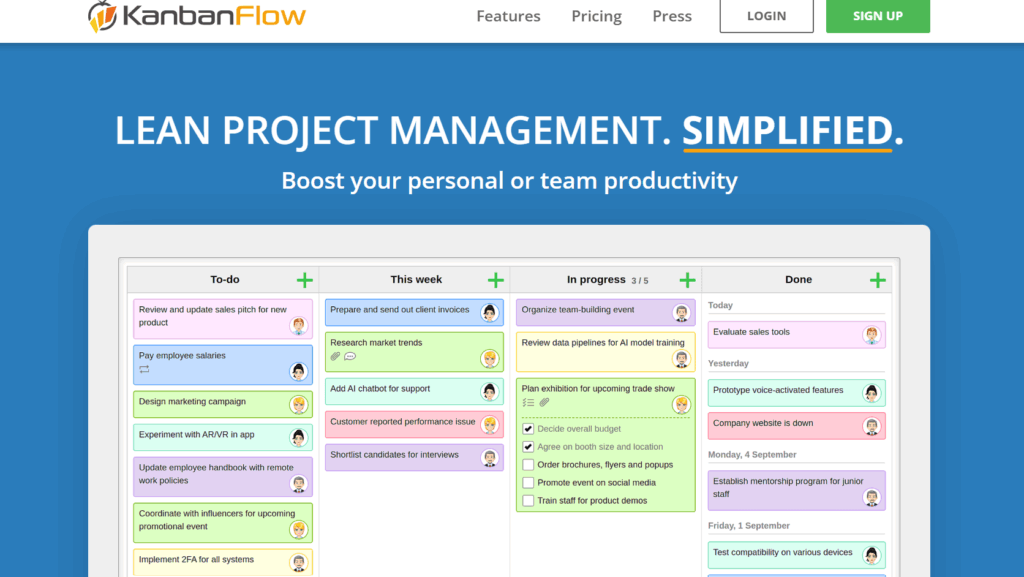
KanbanFlow is a lightweight Kanban tool built around the same fundamentals that make Trello appealing: boards, columns, cards, and a clear view of work as it moves from start to finish. If Trello’s visual simplicity is what drew you in, KanbanFlow will feel immediately familiar.
Where KanbanFlow pulls ahead is in the small additions that support lean project management. You can limit work in progress and use simple reports to understand flow and throughput, without turning your board into something overly complex. It’s a good fit for individuals and small teams who want to keep their workflow simple, but a little more disciplined than Trello allows by default.
Key features
- Kanban boards with customizable columns to match your workflow
- Work-in-progress limits to avoid team overload and bottlenecks
- Native time tracking on tasks, with stopwatch, manual entry, and Pomodoro timer options
- Time spent reports to review how you’re distributing effort across tasks and projects
- Basic flow analytics, including cumulative flow, cycle time, lead time, throughput, and burndown charts
- Swimlanes to group work by team, product, or priority
- Subtasks and recurring tasks for breaking down and repeating work
- Task relationships and dependencies, including links across boards
- Mobile-friendly web app
What users think
“KanbanFlow supports the daily workflow, especially when juggling multiple projects. We rely on the Pomodoro-style timer to stay focused and balanced, and the flexible to-do list helps us track progress clearly, and tasks can be broken into subtasks, updated as they progress, and tailored to specific needs.” — Education management user
“KanbanFlow makes it super simple to see what tasks you have to do, what’s in progress, and what’s completed.” — Sarah A., a web marketing manager
Pricing
- Free 14-day trial
- Free forever plan
- Premium plan is $5 per user/mo
12. Jira: Best for software and engineering teams
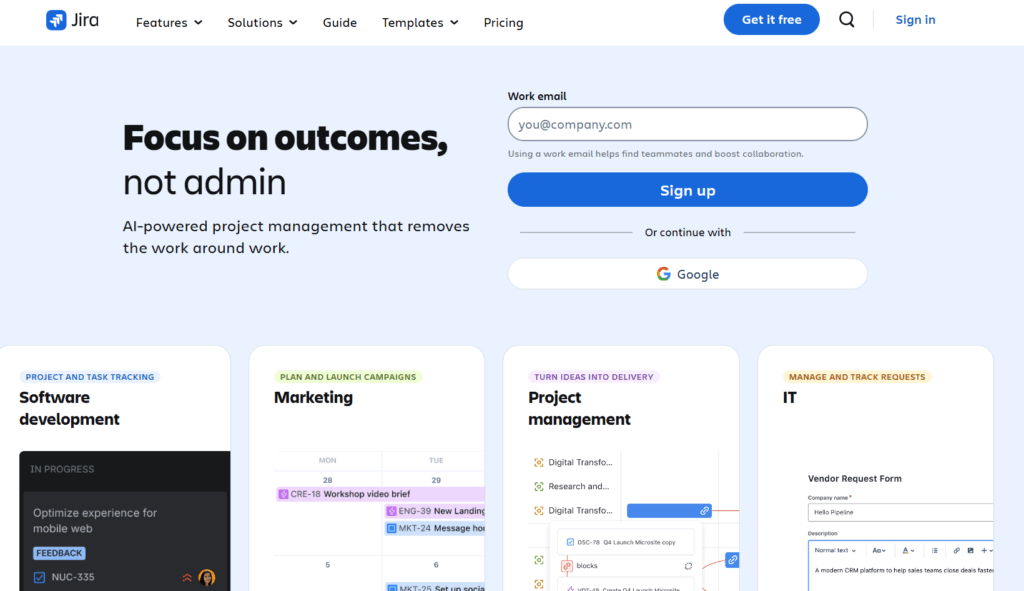
Jira is Atlassian’s flagship project and issue-tracking platform, originally built for software development teams but now widely used wherever complex workflows and delivery planning matter. While Trello thrives on simplicity and visual task organization, Jira takes a more structured approach, giving teams tools for backlog management, sprint planning, issue tracking, and reporting.
Key features
- Agile project support with Kanban and Scrum boards
- Backlog and sprint planning tools with support for backlog grooming and sprint cycles
- Issue tracking and hierarchy, including epics, stories, tasks, bugs, and subtasks
- Rich reporting and analytics, such as burndown charts, velocity charts, throughput reporting, and customizable dashboards
- Dependencies and relationships between tasks, so teams can manage sequence, blockers, and critical paths
- Custom workflows and statuses, enabling teams to define how issues move from discovery to completion
- Integrations with developer tooling, including native links to Bitbucket, GitHub, and CI/CD pipelines (handy for code reviews and release tracking)
- Advanced user permissions and role control, giving larger teams granular governance over who can view or edit work
What users think
“The platform offers efficient task prioritization and provides detailed project visibility, allowing for agile workflow customization. Real-time progress tracking is available, along with seamless integration for developers. Its robust reporting analytics and automated recurring tasks help maintain clear accountability. — Shakti Prasad P.. a support specialist
“Jira shines as a powerhouse for project management, giving teams crystal-clear visibility and control over their work. Its Agile-friendly design makes sprint planning, backlog grooming, and progress tracking effortless, while customizable workflows adapt to any industry or team size. — Shifin C., a senior systems development engineer
Pricing
- Free trial available
- Free plan available for up to 10 users
- Premium plans from $7.91 per user/mo
- 3 premium plans available: Standard, Premium, and Enterprise
13. Notion: Best for knowledge-driven teams
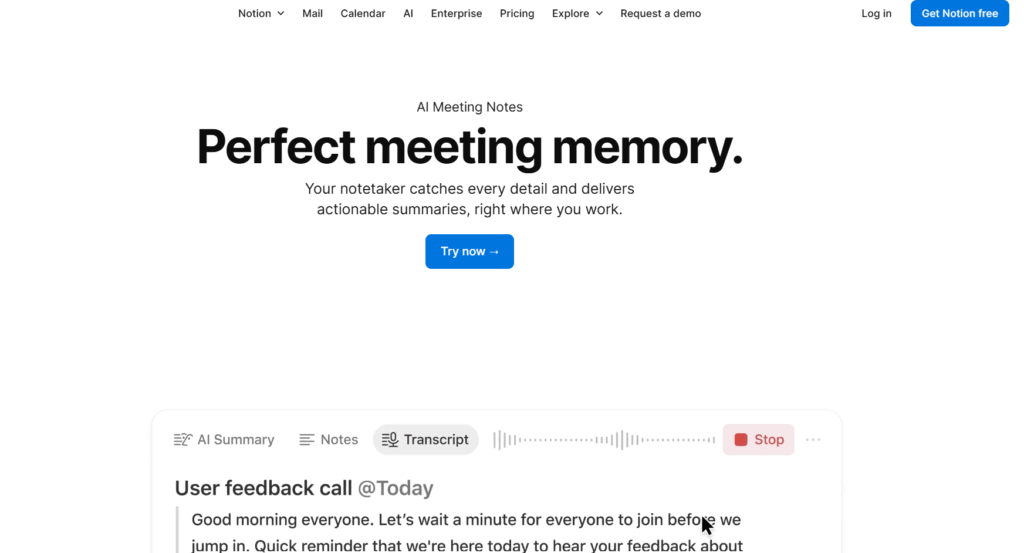
Notion feels like a digital binder you can shape around your team’s needs. Some teams use it as a knowledge base with occasional project tracking; others replace multiple apps with a single connected system. Recent AI upgrades have made this even more powerful, turning Notion into a place where you can ask questions of your data and generate content or summaries automatically.
Key features
- Custom databases that act as task lists, CRM systems, content calendars, bug trackers, or anything else you define
- Multiple views on the same database, including Kanban boards, tables (grids), calendars, and lists
- Rich pages for documentation, meeting notes, SOPs, onboarding materials, and embedded media
- Notion AI for summarizing content, generating drafts, writing comments, extracting action items, and transforming text based on prompts
- Notion Agents that act as AI collaborators tied to your workspace and run tasks on your behalf
- Enterprise Search that lets teams find information across pages, databases, attachments, and comments in one place (handy as your workspace scales)
- Linked pages and relational databases so data is connected rather than siloed, meaning status updates and metadata live next to context
- Templates for everything from product roadmaps and OKRs to editorial calendars and sprint tracking
- Collaboration features, including comments, mentions, shared pages, and real-time editing
What users think
“I switched to Notion from Trello primarily because Trello, while great for Kanban boards, lacked the comprehensive documentation, wikis, long-form notes, and multiple database views available in Notion.” — Shreejana M.
“Notion combines notes, tasks, databases, and collaboration tools into one clean and customizable interface. I love how flexible it is. The ability to link pages and create your own workflows makes it very powerful.” — Suresh S., a software developer
Pricing
- 30-day free trials are available
- Free forever plan for individuals
- 3 premium plans: Plus, Business, and Enterprise
- Premium pricing starts at $10 per member/mo
Is it worth switching to a Trello alternative?
Trello’s own roadmap is clear: the platform is focused on personal productivity, not full-scale project management. This is quite jarring when you look at Trello’s pricing plans; the free forever version supports up to 10 collaborators, suggesting it could be a good fit for small teams, while an Enterprise plan also exists for larger organizations.
Yet, as a Trello Support team member explained:
“Our work will prioritize use cases related to personal productivity. That means making design and product choices that optimize for solo boards, to-do lists, and personal time management.”
Before you switch anything, it’s important to acknowledge that Trello’s free plan still does the job for lots of people. If your work revolves around lightweight collaboration across a handful of simple boards, sticking with Trello might be the most sensible option.
There’s no right answer here, but it’s worth being clear-eyed about what a tool switch actually involves. Here are the main factors to consider before moving from Trello to an alternative.
- Data export and migration: Moving boards, lists, and cards is usually possible, but Power-Ups, custom fields, and automations don’t always translate cleanly. Expect some manual cleanup.
- Team training and adoption: More capable tools come with more concepts. Factor in onboarding time and a short-term productivity dip while teams learn new workflows.
- Feature trade-offs: You’ll likely gain reporting, visibility, and structure, but you may lose some of Trello’s frictionless simplicity. Decide where you’re willing to compromise.
- Cost beyond the free plan: Alternatives may cost more upfront, especially if you commit to a paid plan, but often include features that would otherwise require multiple tools.
- Workflow and permission mapping: Larger teams need clearer ownership and access control. Setting this up properly takes effort, but pays off in fewer bottlenecks and less confusion later.
Choose a Trello alternative that fits how you work
If your work involves tracking effort, forecasting capacity, coordinating across teams, or reporting on progress with any level of accuracy, switching tools is likely a necessity. The key is choosing a Trello alternative that won’t force you to repeat this process again in six months.
Are you ready to move beyond boards alone and manage work with clarity, balance, and data you can trust? If so, Toggl 2.0 is a strong place to start. Sign up for free and see what changes when your projects finally line up with your team’s actual capacity.
FAQs about Trello alternatives
What is the best alternative to Trello?
The best Trello alternative depends on your team’s needs and budget. Some teams prefer lightweight Kanban tools like KanbanFlow, while others choose all-in-one project management platforms such as ClickUp or monday work management that scale as work becomes more complex. One key difference between tools is time tracking: most Trello competitors treat it as an add-on, while Toggl 2.0 is built around accurate time tracking as a core part of project and capacity planning.
What are the disadvantages of Trello?
Trello has several limitations once work moves beyond simple task tracking:
- No native time tracking, making it hard to measure effort, forecast capacity, or bill clients accurately
- Limited reporting and analytics, especially across multiple boards or teams
- Scalability issues as projects and users increase. Trello is increasingly focused on personal productivity rather than team workflows
- Reliance on Power-Ups for advanced features, which can become clunky over time
Does Google have a Trello alternative?
No, Google doesn’t have a direct Trello replacement, but teams sometimes use:
- Google Tasks for individual to-do lists
- Google Keep for lightweight notes and reminders
- Google Sheets to create simple, manual Kanban boards
These tools can work for simple task tracking, but they lack dedicated features like advanced workflows, reporting, and scalability found in purpose-built project management tools.
Does Excel have a Kanban board?
No, Excel doesn’t have a native Kanban board, but you can use it to create a basic Kanban flow using tables, columns, and filters. While this can work for simple tracking, Excel lacks core Kanban features like drag-and-drop cards, real-time collaboration, and workflow automation, making it less practical for ongoing project management.
What are the six rules of Kanban?
The six core rules (or principles) of Kanban are:
- Visualize the workflow: Make all work and its stages visible so teams can see what’s happening at a glance.
- Limit work in progress (WIP): Set limits on how much work can be active at once to reduce overload and bottlenecks.
- Manage flow: Focus on keeping work moving smoothly through the system rather than starting more tasks.
- Make process policies explicit: Clearly define how work moves from one stage to the next so expectations are shared.
- Implement feedback loops: Regular check-ins help teams identify issues, improve flow, and adapt quickly.
- Improve collaboratively and evolve experimentally: Use small, continuous changes, guided by data and team input, to refine how work gets done.

Rebecca has 10+ years' experience producing content for HR tech and work management companies. She has a talent for breaking down complex ideas into practical advice that helps businesses and professionals thrive in the modern workplace. Rebecca's content is featured in publications like Forbes, Business Insider, and Entrepreneur, and she also partners with companies like UKG, Deel, monday.com, and Nectar, covering all aspects of the employee lifecycle. As a member of the Josh Bersin Academy, she networks with people professionals and keeps her HR skills sharp with regular courses.