How do you tell if your team can actually take on more work?
Many teams answer this question the same way: someone checks in with a few team leads and the answer is usually yes because saying no feels bad. Then the work lands and some people quietly burn out or remain drastically under capacity.
The answer to this question shouldn’t be a feeling. It should be a number. Capacity planning is the process of calculating how much work your team can realistically absorb in a given period.
You compare that against what is already committed and what is coming in, then make a decision about what to take on, delay, or staff up for before the situation forces your hand.
We work with agencies, engineering teams, and professional services companies and the teams that do this well share one thing: they plan capacity on data, not intuition.
This guide covers what you need to know to do capacity planning well: the definition, the three main strategies, a process with examples, the 80% utilisation rule, and how to use everything in practice.
What is capacity planning?
Capacity planning is the process of determining if your team has the people, skills, and time to meet upcoming demand, and deciding what to do when they do not.
The concept is nuanced as it means different things in different industries. In manufacturing, it refers to production lines and machine output. In IT, it refers to servers, software, networks, and people. In healthcare, it can refer to bed availability, and so on.
Here, we’re exploring capacity planning strictly for project-based, knowledge-worker teams: agencies, software development, professional services, and internal teams managing a portfolio of projects.
Additionally, capacity planning is often confused with resource planning. They are related but operate at different levels.
Capacity planning is strategic and org-level: it answers whether you have enough people to meet demand over the next quarter. Resource planning is tactical and project-level: it answers which specific people are assigned to which tasks, and when.
Capacity planning typically comes first. You assess whether the organisation has enough capacity, then resource planning allocates that capacity across specific projects and people.
We explore this topic deeper in our guide to capacity planning vs resource planning.
Why capacity planning matters
Skipping capacity planning or doing it poorly has very concrete and expensive consequences.
Employee burnout is the most visible one. It happens when teams take on more than they can sustain because nobody calculated what “more than they can sustain” actually looks like.
Missed deadlines are the next most common outcome. Poor capacity planning is not the only cause, but it is usually a contributing factor. When you say yes to work you cannot deliver, something suffers: the deadline, the quality, or the people.
Bad pricing and scope creep compound the problem in client-facing teams. If you do not know what work actually costs in time, you cannot quote it accurately. You end up either winning projects at margins that erode over delivery or turning down work because you are too conservative.
Lastly, reactive hiring is another consequence. Emergency hires are expensive and usually bring new people into a team that is already stretched. A capacity plan that looks 8-12 weeks ahead gives you time to hire or bring in contractors before you need them, not after.
The three main capacity planning strategies
There are different ways to respond to a capacity gap. The right one depends on how predictable your demand is and how much risk you are willing to carry.
Lead strategy
You add capacity before the work arrives, based on forecasted demand. A software agency that hires a senior developer in Q2 because their sales pipeline shows three new projects likely to close in Q3 is using a lead strategy.
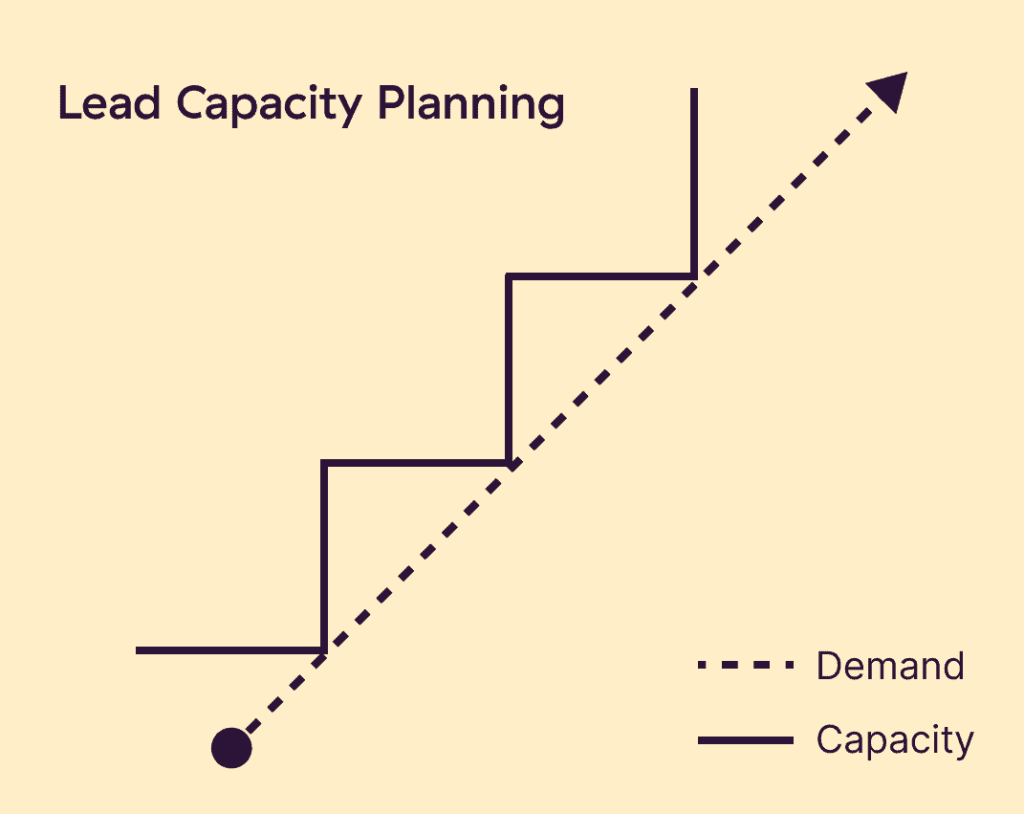
The risk is obvious: if the pipeline does not convert, you have carried the cost of a hire for work that never materialised. The benefit is that you can deliver without delay when the work does arrive, which matters if clients have hard deadlines.
Here’s what Tom Whatley, CEO of Grizzle, had to say about this delicate balancing act:
“I think there’s a risk of moving too quickly. And there’s also a risk of moving too slowly. It’s up to you to find what pace you can go at and how much capital you have to invest in new things. A few years ago, we grew too quickly. And it was like ‘Yeah, look at all this revenue.’ Six months later, we lost a couple of clients because we couldn’t keep up.”
Lead strategy works well when demand is predictable and the cost of delayed delivery is higher than the cost of carrying extra capacity. It’s common in agencies with strong pipeline visibility and in engineering teams planning for a product launch with a fixed date.
Lag strategy
You add capacity only when demand has already materialised. A consulting firm that brings in freelancers after a new client signs, rather than before, is using a lag strategy.
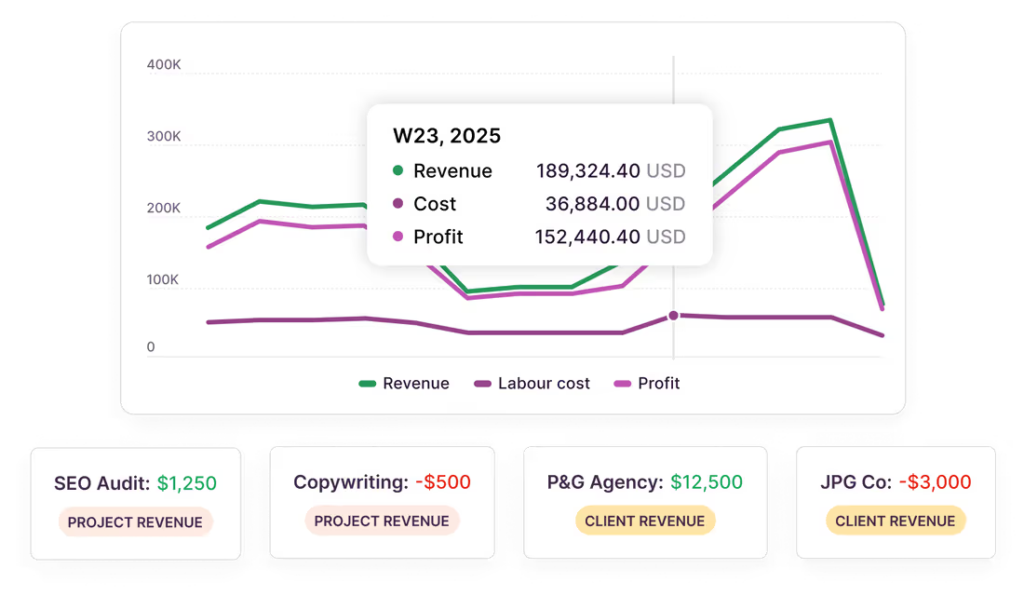
The cost risk is lower because you never pay for capacity that goes unused. The delivery risk is higher because there is always a lag between committing to work and getting the right people in place.
For example, Eli Rubel, founder of No Boring Design, has said that hiring to meet demand has been the most challenging task at his creative agency.
“Our biggest problem for three years was that we couldn’t hire quickly enough to meet the demand, which is an awesome problem to have — a really frustrating, awesome problem. I spent something close to like a million dollars on recruiter fees over that period.”
Lag strategy suits teams with unpredictable or lumpy demand, where carrying extra capacity between projects would be wasteful. It also suits contexts where freelancers or contractors can be deployed quickly without a long onboarding period.
Match strategy
You scale capacity incrementally as demand signals emerge, neither getting too far ahead nor waiting until the work is already piling up. This is the most common approach for most project-based teams and the one that requires the most active management.
This means watching your pipeline and your utilisation simultaneously, making smaller staffing decisions frequently rather than larger ones reactively.
The match strategy only works if you have accurate, up-to-date data on both sides of the equation: what is committed and what is coming. This is where time tracking data becomes genuinely useful, not as a management surveillance tool but as the input that makes the match strategy viable.
How to get started: The capacity planning process in 4 steps
Step 1: Calculate available capacity
Start with a clear picture of your team’s current capacity, workload, and available resources.
- Action to take: Calculate your total team capacity in hours/days, and track how much of that capacity is already gobbled up by existing projects.
- Best practice: Don’t forget to account for non-project time! Subtract vacation time, public holidays, and sick leave (usually around 5-8%), and any time spent on regular admin, company meetings, or training.
- Pitfall to avoid: Don’t assume everyone is 100% productive for 8 hours a day. A realistic utilization target is 80%, leaving a buffer for unplanned work and day-to-day tasks.
The formula: (team size × working hours per day × working days in period) × utilisation target = available project capacity.
For example, say we have a 10-person team, 20 working days, 8 hours per day, 80% utilisation target. (10 × 8 × 20) × 0.80 = 1,280 hours of available project capacity this month.
The 80% figure is deliberate and important. We cover it in detail in the next section but for now, treat it as the standard buffer that accounts for unplanned work, meetings, internal coordination, and the inevitable things that do not fit neatly on a task list.
You also want to know how many of those 1,280 hours are already allocated to active projects.
Again, requires actual data, not estimates. If your team tracks time, you can look at what active projects are consuming right now and project that forward. For example, if current projects consume approximately 1,200 hours per month across the team, that leaves 80 hours of headroom.
Step 2: Assess committed work and forecast future needs
Next up, “What new work’s coming down the pipeline?” This is where the true value of capacity planning starts to come in.
- Action to take: Work with your stakeholders to understand the future customer demand and upcoming pipeline of work for the next period.
- Best practice: Use historical data from past projects to make your forecasts more accurate, factoring in a buffer for any unknowns and uncertainty. Also, pay attention to the skill sets, seniority, and quality levels of the resources you need — e.g., a junior vs. senior designer, or budget vs. premium materials.
- Pitfall to avoid: Don’t just focus on confirmed work or projects. You should also assign a probability to tentative work or projects in the pipeline (e.g., a 50% chance of winning Project X). This gives you a more realistic forecast and reduces the chances of you being caught out.
It’s crucial to break incoming demand into roles and skills, not just total hours. 100 hours of demand that requires a senior designer and a backend developer is a different problem from 100 hours that any team member could absorb. Skill gaps are capacity gaps. Having hours available does not help if nobody on the team has the relevant expertise.
Continuing our example, if a potential new project requires approximately 100 hours of delivery over the next four weeks and you have 80 hours of headroom, you’re 20 hours short.
Step 3: Identify the gap and decide
At this point, you compare your current capacity (Step 1) with your future needs (Step 2) and decide how to bridge the gaps.
In other words, you want to calculate available capacity minus committed work minus incoming demand. A positive number means you have room. while a negative one means you need to act.
| Scenario | Available hours | Committed | Available for new work |
| 10-person team, 20 working days, 80% target | 1,280 hrs | 1,200 hrs | 80 hrs — room for ~2 weeks of a new project |
| Same team, committed work increases to 1,350 hrs | 1,280 hrs | 1,350 hrs | –70 hrs — overbooked. Time to act. |
The 20-hour shortfall in the worked example is not catastrophic but you still need to consider your options carefully. Depending on your strategy, you can:
- Bring in a contractor for the gap period.
- Reduce the project scope in the proposal.
- Split the project across a longer delivery window.
- Delay the project start by two weeks until current work wraps up.
All of these are better decisions than ignoring the shortfall and hoping the team absorbs it through overtime.
Step 4: Monitor and update
Capacity planning is not a monthly exercise followed by a quarterly review. Plans change. Projects slip. New work arrives. A capacity plan that is not updated weekly becomes fiction by the third week.
In practice, you can schedule a simple 15-minute weekly check on utilisation and committed work. Then, you can do a deeper monthly review to revisit pipeline assumptions and adjust your planning horizon.
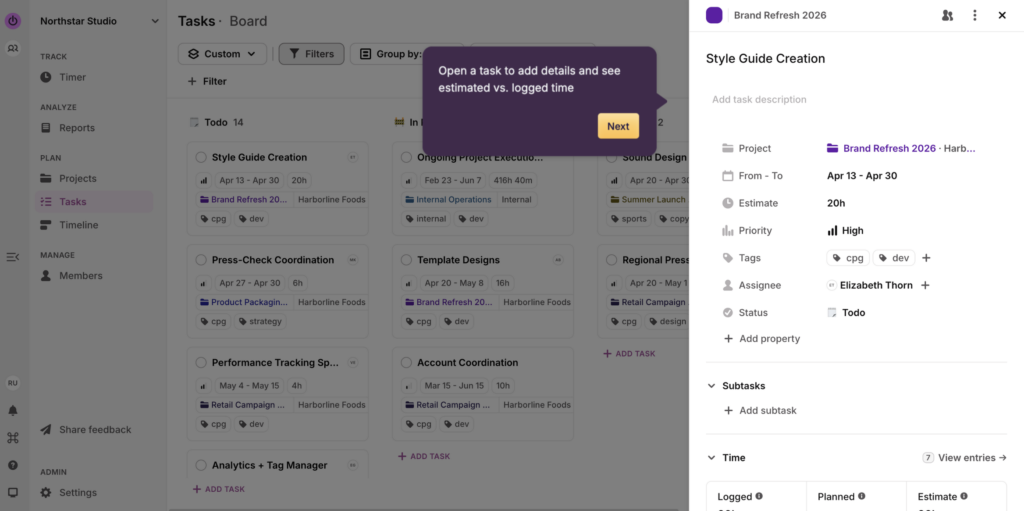
Here, capacity planning starts to merge into capacity management and resource allocation. That’s why it’s usually best to use one tool like Toggl to assign team members to new tasks, keep a centralized source of truth for your schedule, and keep an eye on utilization rates.
The 80% utilisation rule in capacity planning
Most experienced project managers will tell you to plan at 70-80% of theoretical capacity, not 100%. If you have not run into this rule before, it probably sounds like a waste. It is the opposite.
At 100% utilisation, your team has no buffer. Any unplanned work, sick day, scope change, or client request that was not in the plan immediately creates an overload. The question is whether you have absorbed it into your plan or whether it gets absorbed by your team’s discretionary time and wellbeing.
The 80% target builds a 20% buffer that does two things: it absorbs the predictable unpredictability of real work, and it signals clearly when a team is actually overloaded rather than just busy.
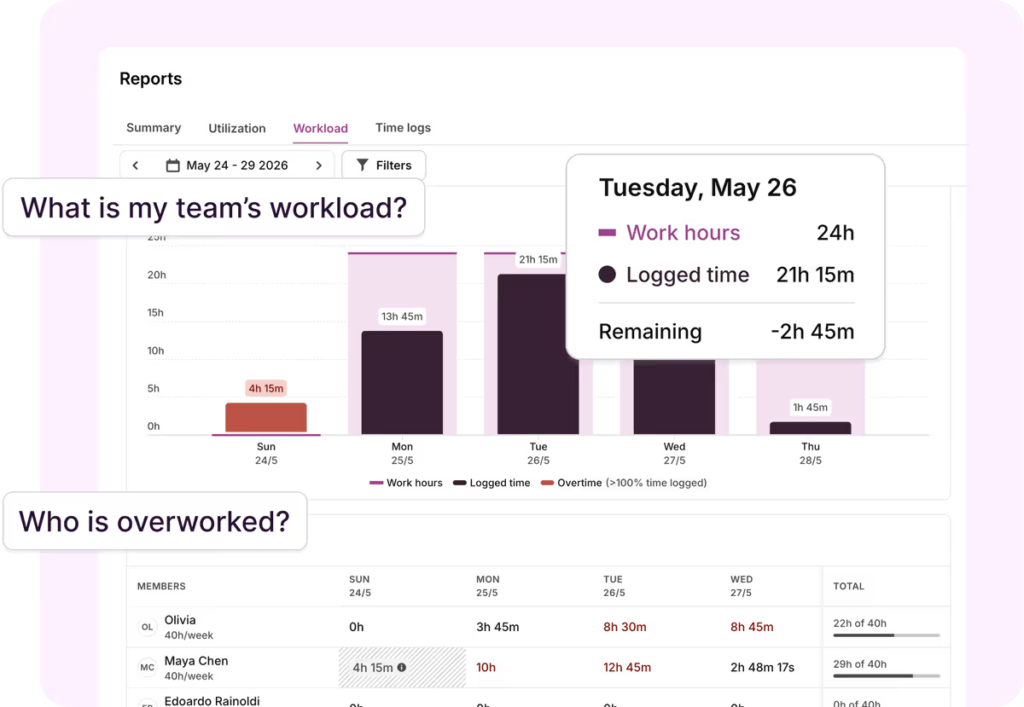
Put simply, a team running at 95% is at risk, while a team running at 80% has headroom. The numbers are different; the workload might be identical.
Utilisation targets are not one-size-fits-all, though.
For example, Hannah McClenaghan, Operations Manager at Talk Shop, uses role-specific benchmarks rather than a single number across the whole team. Here’s what she had to say about the importance of time tracking data in understanding workloads and planning capacity.
“Time tracking data is crucial for us. If you need to know the health of your accounts, there’s no other way to figure it out without time tracking. Advanced and visually appealing Toggl reports and easy-to-use UI translated into much better company-wide time tracking compliance and accuracy of data.”
Capacity planning for different teams and use cases
Capacity planning isn’t one process that everyone uses uniformly. Rather, it’s a combination of techniques that different teams and organizations use based on their unique processes and needs. Here are a few examples.
Professional services and agencies
For agencies and consulting firms, capacity planning is primarily about matching billable staff to client demand.
The key variable is utilisation, and the key risk is the combination of overservicing clients (delivering more than the contract covers) and underselling projects (quoting hours that do not reflect the actual delivery cost).
Agency capacity planning typically works on a rolling 4-8 week horizon, updated weekly as project status changes and new business enters the pipeline. The inputs are retainer commitments, active project hours, and pipeline probability-weighted demand.
The output is a staffing plan that tells you whether to bring in freelancers, delay a project start, or push back on a client expanding scope.
Chatterkick, a social media agency led by Beth Trejo, builds this into their operating model explicitly.
“As a business, we need some idea of time for pricing, scope creep, and other planning,” she explains. “We give our teams general frameworks — what utilisation should look like, what the purpose of their meetings should be.”
The goal is for team members to self-manage within those frameworks rather than requiring constant top-down intervention.
Note: Our simple billable hours and markup calculators are good starting points for quick calculators on how much you should be charging for your work.
Software and engineering teams
Software teams do capacity planning under a different name: sprint planning. The mechanics are the same.
You calculate available capacity (team size × sprint days × average productive hours, adjusted for ceremonies and overhead), subtract committed work, and compare to the backlog of incoming work.
The inputs might be story points rather than hours, but the underlying question is identical: how much can we actually deliver in this period? Most agile practitioners recommend planning to 70-80% of theoretical sprint capacity for the same reason the 80% rule exists elsewhere: unplanned work, bugs, and interruptions are constants, not exceptions.
Distributed and remote teams
Remote work adds visibility complexity without changing the underlying process. Availability is harder to read because you cannot glance across the office.
Time zone differences mean a team’s nominal 8-hour working day can span 16 hours of calendar.
The practical response is to make capacity explicit through documentation: configurable working hours per person, clear policies on meeting overhead and async communication, and tools that surface individual availability without requiring status check-ins.
The capacity calculation is the same but the data collection must be more deliberate.
Common capacity planning mistakes to avoid
- Planning to 100% utilisation. This is the most common and most damaging mistake. Teams that plan to full capacity have no buffer for the inevitable unplanned work, which gets absorbed through overtime, rushed delivery, or both.
- Counting heads instead of hours. Ten people sounds like a lot until you subtract holidays, sick days, internal meetings, training, and the time that never makes it onto a project task. A team of ten might have the productive project capacity of six or seven people in a given month.
- Confusing capacity with productivity. Being at 80% capacity means 80% of available hours are allocated to project work. It says nothing about whether that work is being completed on time, to quality, or efficiently. Capacity is about availability, not output.
- Not updating the plan. A capacity plan built in week one that is not revisited in week three is already out of date. Projects slip. New work arrives. Sick days happen. The plan needs a weekly check, not a monthly one.
- Ignoring skill gaps. Available hours do not help if the available people cannot do the required work. A team fully committed to web development cannot absorb a data science project regardless of what the hour count says. Capacity planning needs to track skills, not just time.
- Treating estimates as actuals. Capacity plans built on how long work should take, rather than how long similar work has actually taken, compound inaccuracies over time. Historical time data is the correction. A team that has tracked time across 50 projects has a much more reliable basis for capacity planning than a team working from first-principles estimates.
Capacity planning approaches and tools
Most teams start planning capacity the old fashioned way — in a trusted spreadsheet via manual inputs and management. They might also create a template or two with a straightforward structure for people to fill out things like name, time periods, availability, comminuted hours, and so on.
As with other similar processes, this one also breaks down at scale. As you start managing multiple projects with different people and skill requirements, dedicated capacity planning software becomes a must.
For example, Toggl’s capacity management gives you a weekly or monthly overview of the team at a glance, with grey indicating normal load (70-100% capacity) and red signalling over or under-capacity that needs attention.
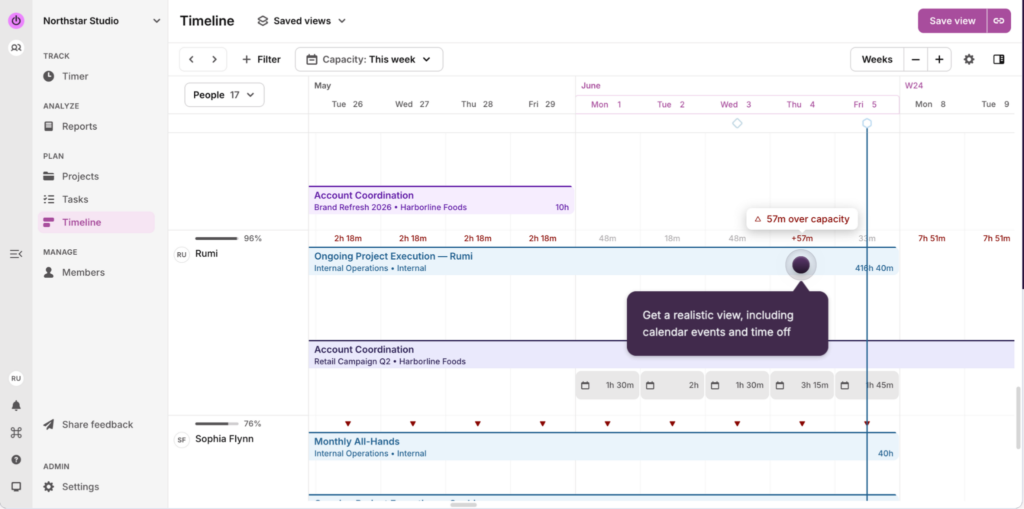
The daily capacity view shows directional signals for each team member, with an hourly breakdown on hover. The Utilisation and Workload Reports compare tracked time against available hours to show actual utilisation versus your target, at both team and individual level.
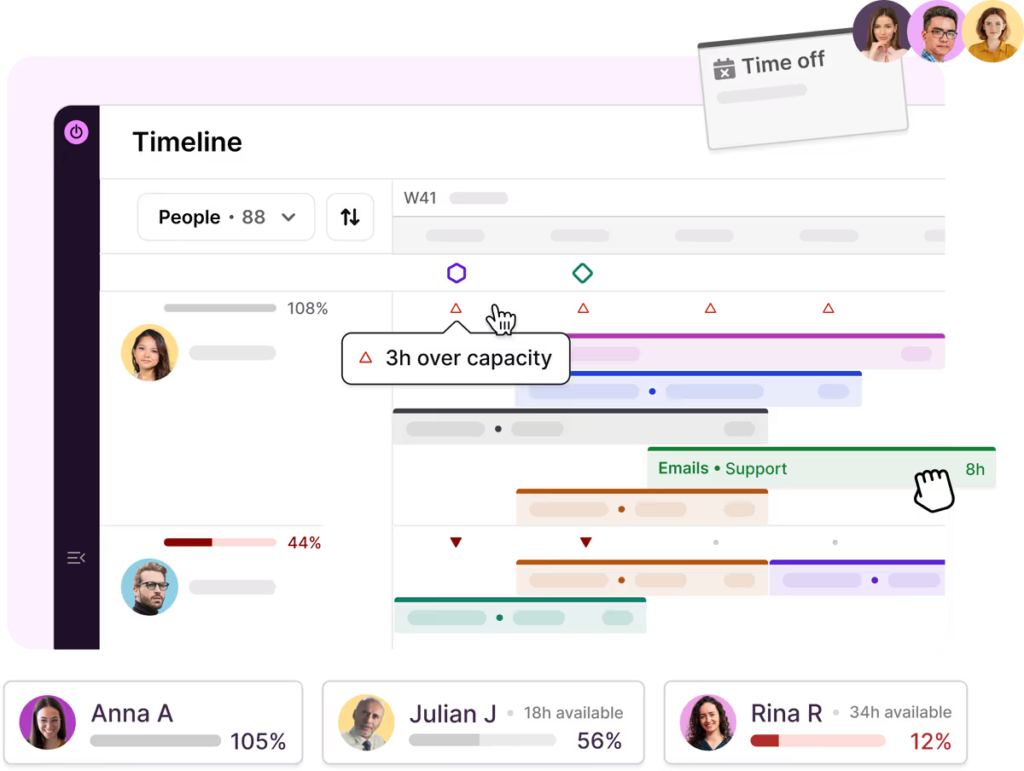
All of this is based on a foundation of time data. This means you can plan based on reliable information on how long work typically takes, while factoring who’s available when to remove the guesswork and make better staffing decisions, reduce burnout, and maximize your capacity.
It’s time to get started with capacity planning
At its heart, the goal of capacity planning is to make sure your most valuable asset — your people — can do their best work.
Getting this right transforms how your team operates, moving from reactive fire-fighting to strategic planning. Benefits like improved team morale, happy clients, and healthy budgets are all on offer for those who get it right.
But one of the biggest capacity planning pitfalls is trying to manage this complex process with static, disconnected spreadsheet templates.
Enter Toggl — our all-new, all-in-one project and time management tool that gives you an accurate, real-time view of your team’s capacity, empowering you to make informed decisions that keep your projects on track and your stakeholders happy.
Sign up for Toggl and test out our capacity planning, time tracking, and reporting features for yourself.
Frequently asked questions (FAQs) about capacity planning
What is capacity planning?
Capacity planning is the process of determining whether your team has enough people, skills, and time to meet upcoming demand, and deciding what to do when they do not. It involves calculating available capacity, assessing committed work, forecasting incoming demand, identifying any gap, and making a decision — hire, reschedule, reduce scope, or defer.
How do you calculate team capacity?
The formula: (team size × working hours per day × working days in the period) × utilisation target. For a 10-person team with 20 working days at 80% utilisation, that is 10 × 8 × 20 × 0.80 = 1,280 hours of available project capacity. Subtract the hours already committed to active projects to find how much room you have for new work.
What is a good utilisation rate for a team?
Most project-based teams target 70-80% utilisation. The exact target varies by role: client-facing team members can typically run at 80-85%; managers and leads, who carry more overhead and coordination work, are usually better planned at 70-75%. Planning to 100% leaves no buffer for unplanned work, which always arrives.
What is the difference between capacity planning and resource planning?
Capacity planning is strategic and operates at the organisation or team level. It answers whether you have enough people to meet demand over the next quarter. Resource planning is tactical and operates at the project level. It answers which specific people are assigned to which tasks, and when. Capacity planning comes first. Once you know you have enough capacity, resource planning allocates it.
What is capacity planning in agile/Scrum?
In agile teams, capacity planning is usually called sprint planning, but the underlying question is the same: how much work can this team complete in this sprint? The inputs are team availability (accounting for ceremonies, code review, and non-sprint work), historical velocity (from previous sprints), and the backlog. Most agile practitioners recommend planning to 70-80% of theoretical sprint capacity for the same reason the 80% rule applies elsewhere: unplanned work and interruptions are constants, not exceptions.

Elizabeth is an experienced entrepreneur, writer, and content marketer. She has nine years of experience helping grow businesses, including two of her own, and shares Toggl's mission of challenging traditional beliefs about what building a successful business looks like.