A new project lands in your inbox. The client wants to start in three weeks. Before you say yes, there’s one thing you need to know: does your team actually have room for it?
For most teams, the answer is scattered. The schedule lives in one tool, time off in a spreadsheet, and last month’s actuals in a report nobody has opened. So “yes” becomes a gut call, and you find out you overcommitted when people start working late.
“We have some very specialized folks on our team, and the concern is: do we know what they’re working on? We want [someone] to stay around, but if she’s burning really hot — 60-hour work weeks that no one loves — we’ve got to get her some support fast before she leaves.” — Matt Graham, VP of Finance and Administration, BSCC
That’s the moment we built the Capacity Management Add-on for. It shows how much room your team has, weeks ahead, based on the time your team already tracks in Toggl.
Why an Add-On?
Core Toggl plans cover time tracking, project profitability and planning current work on the Timeline. Time off and public holidays come off everyone’s capacity too.
The Capacity Management Add-on is for teams that plan work across several people, different teams, and changing roles. It answers “Can we take this on?” with data, weeks or months before the work starts.
What’s Included
With the Capacity Management Add-on, you can see each team’s capacity on the Timeline and look further ahead, up to a whole quarter. You can pencil in work you haven’t won yet as draft projects. On Premium and Enterprise, the Workload, Utilization and Profitability reports also show forecasts based on scheduled and draft work. It covers everyone in your organization, and organization admins can start a 30-day free trial for their workspace.
See Capacity by Team
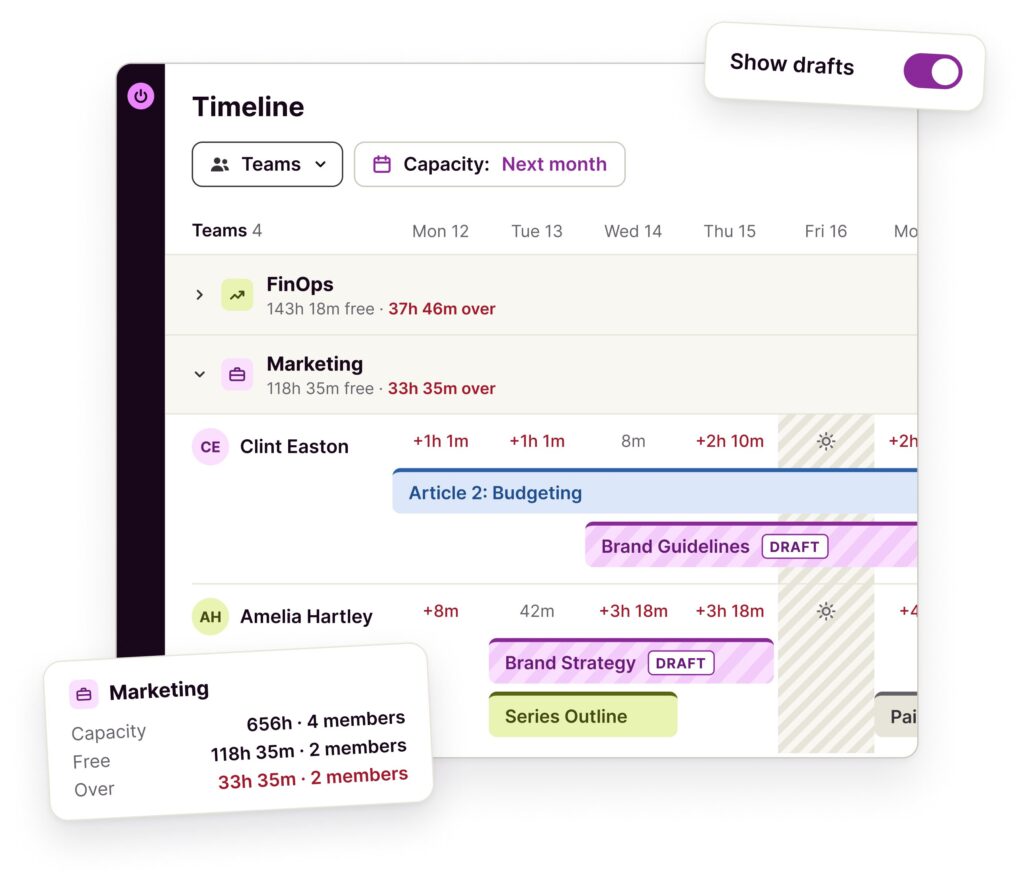
Group the Timeline by team to see who has room, who’s stretched, and how to balance work within each team.
“I could see a time where, from a leadership standpoint, we’re looking at different teams and saying: do these people have capacity? Are they over capacity?” — Cass Staton, Program Manager, BSCC
Look Further Ahead
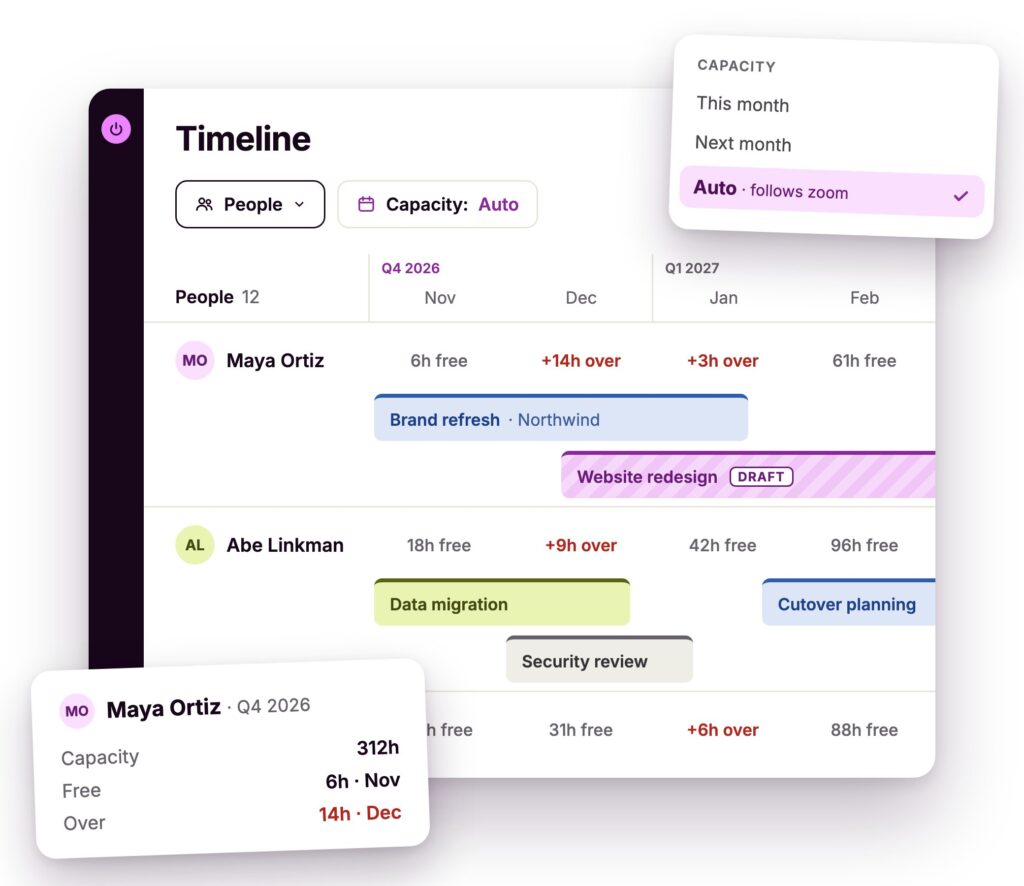
Switch capacity to next week or next month, or zoom the Timeline out to a quarter and see capacity for the whole quarter. Crunches show up weeks before they hit, while there’s still time to move work around.
Pencil In Work You Haven’t Won Yet
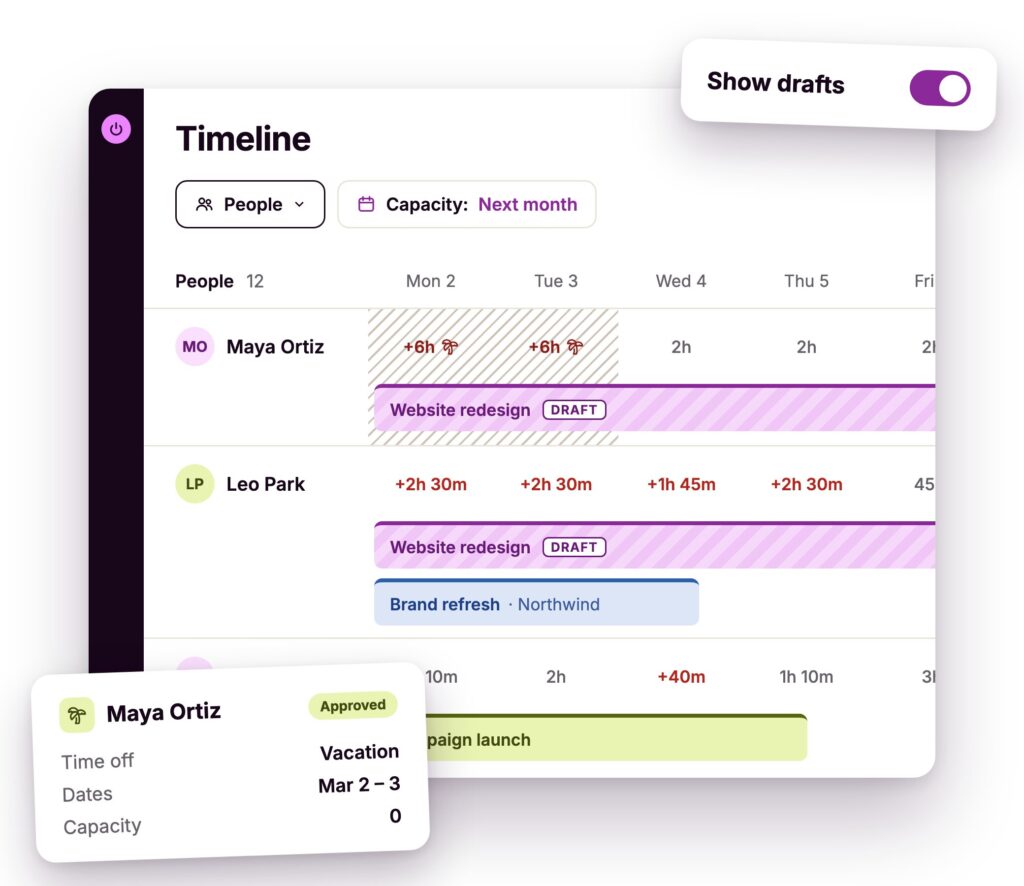
Add a draft project for a pitch or proposal, and see how it would affect your team’s capacity before anything is signed.
Say you’re pitching a new website project for March, and one of your designers has approved leave for the first week of that month. Add the pitch as a draft project and turn on Show drafts. Time off already comes off everyone’s working hours, so the Timeline shows straight away whether the team has room with the designer away. Pending leave requests show too, so nothing surprises you later.
You make the call now, with numbers, instead of finding out in March.
“We can see where we are, what we’ve done so far, and what we’ve got forecast, and that was exactly what we needed in a tool.” — Andy Best, Managing Director, change++
Forecast Before You Commit
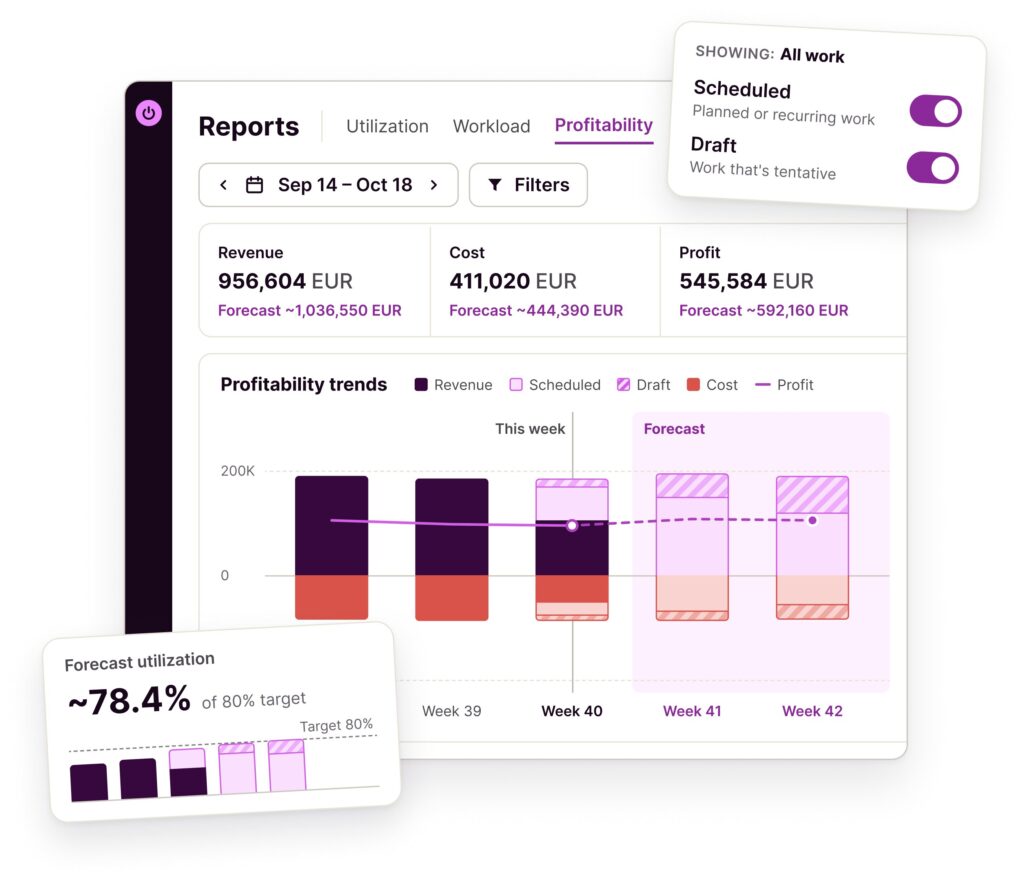
On Premium and Enterprise, the Workload and Utilization reports show forecasts from scheduled and draft work right next to your actuals. The Profitability report shows how draft projects would affect your margins.
It’s all built on the time your team already tracks in Toggl, so there’s no second tool to keep in sync.
“It’s not just about the hours; it’s about understanding the health of client accounts, the wellbeing of employees, and measuring the gap between the hours sold and the resources actually used.” — Hannah McClenaghan, Operations Manager, Talk Shop Media
Just Getting Started With Your Team?
Capacity is about the whole team, so start by inviting the people you plan work for. Add their working hours, put a few upcoming tasks on the Timeline with rough estimates, and group the Timeline by team. Within a few minutes, you’ll see who has room and who’s already stretched, before the next request comes in.
“As a team, we handle briefs across a large spectrum of clients. Because we’re a lean team, we have to be pretty agile with our resource.” — James Leighfield, Head of International Brand & Design, Fuse
Pricing and Free Trial
The Capacity Management Add-on costs $5 per person per month, billed annually, or $6 billed monthly. It covers everyone in your organization, and new members are added automatically.
Organization admins can start a free 30-day trial from the Capacity page in the sidebar, from any locked add-on feature, or in Admin settings. You’ll need a paid Toggl plan or an active Toggl trial. Start a free Toggl trial and you can try the add-on during it.