Successful projects really boil down to one question: Do you have the right people available to handle what’s on your plate?
If you do, great — it’s pat on the back time. But for many teams, the real problem is visibility. As work spreads across projects, it becomes surprisingly hard to see who’s available, how much work they’re carrying, and where dependencies might collide.
This lack of clarity is where workload management software earns its keep, providing insights into capacity, workload, and overlap, so teams can plan work with their eyes open.
This comprehensive guide explores 13 of the best workload management tools on the market, as well as best practices for choosing and implementing the best one for your needs.
Best workload management tools to consider in 2026
| Tool | Best for | Free plan? | Paid pricing starts from |
| Toggl 2.0 | Teams serious about time tracking and capacity planning | Yes | $9 per user/mo |
| ClickUp | Teams wanting an all-in-one workspace | Yes | $10 per user/mo |
| Asana | Cross-functional teams | Yes | $10.99 per user/mo |
| monday work management | Visually-driven teams managing portfolios | Yes | $9 per seat/mo |
| Connecteam | Mobile and field-based teams | Yes | $29/mo |
| nTask | Freelancers and small teams on tight budgets | Yes | $3 per mo |
| Wrike | Enterprise teams with complex dependencies | Yes | $10 per user/mo |
| Jira | Agile software development teams | Yes | $7.91 per user/mo |
| Teamwork | Client-facing agencies | Yes | $10.99 per user/mo |
| Resource Guru | HR and resource planning teams | No | $4.16 per person/mo |
| Teamhood | Teams managing parallel projects | Yes | €9 per license/mo |
| Smartsheet | Spreadsheet-native PMOs | Yes | $9 per user/mo |
| Float | Operations teams | No | $7 per scheduled person/mo |
What is workload management software?
Workload management software is a digital tool that allows you to plan, distribute, and track work across people or teams. The right platform provides a centralized view of who’s doing what, when, and how much capacity they have.
A quick look at the software’s dashboard should flag anyone at risk of being overloaded or sitting idle. This information allows you to:
- Identify workload imbalances before they cause bottlenecks or missed deadlines
- Understand real capacity across people and projects, so you don’t have to make any last-minute shuffles to keep things fair or realistic
- Adjust plans in real time as priorities shift, new work arrives, or availability changes
- Reduce burnout risk by shining a light on excessive workloads instead of burying them in task lists or calendars
- Improve scheduling accuracy and delivery confidence by seeing how work might overlap across timelines and team
- Increase visibility for managers and teams alike, so everyone is on the same page about ownership
Do you need workload management software? A quick self-check
If you answer “yes” to most of these, workload management software is probably a must for your team:
- Do you miss your deadlines because you thought your work looked manageable, but then everything landed at once?
- Do the same people end up overloaded while others often have spare capacity?
- Do projects compete for the same people?
- Are estimates based on your best guesses rather than historical data?
- Would it be hard to explain, at a glance, who’s working on what this week, and how much time they’ll need?
If these questions feel uncomfortably familiar, prioritize tools with strong workload visualization and capacity planning.
What features should you look for in workload management software?
If workload management software sounds like the right solution for your business, know one thing: workload tracking tools are not created equal. With so much choice available, it’s easy to get dizzy as you try to sort through all the sales pages and demos to figure out what you need, versus what’s just going to create extra noise.
To help you zoom in, here are some non-negotiables we believe need to be front and center of a quality workload management system:
- Workload views and dashboards: Clear, visual views like timelines, calendars, or heatmaps make it easy to see who’s overloaded, who has capacity, and where work is piling up across projects. These should be available at a glance, without digging through task lists or reports.
- Time tracking: You can’t plan your workload if you don’t know how long your tasks and projects take, so time tracking adds accuracy to workload decisions.
- Reporting: Once tracked, reporting helps teams spot trends and plan future workloads more reliably.
- Capacity planning: This information helps you understand how much work individuals or teams can take on, based on available hours, working patterns, and existing commitments.
- Resource planning: Sitting alongside capacity, resource planning allows you to assign the right people to the right projects at the right time, factoring in their skills, roles, and other crucial factors, like location or budget.
- Task assignment and rebalancing: As priorities shift, good workload management tools enable you to change things up by reassigning or rebalancing tasks, so work keeps moving without overloading the same peeps every time.
- Automation: It should be able to set up no-code workflows to reduce repetitive tasks like status updates, capacity alerts, and recurring reports. This means your teams spend less time managing the system and more time doing the work.
13 best workload tracking tools in 2026
There’s no shortage of workload tools on the market, and it’s easy to feel overwhelmed by the breadth of choice available. To support your decision-making, we’ve selected these platforms based on how well they actually support real-world workload planning.
To narrow things down, we compared:
- Core workload features like capacity views, rebalancing, resource planning, and native time tracking
- Pricing structures and plan limitations that affect who the tool realistically works for
- Public user feedback from sources like G2, Capterra, and Reddit, paying particular attention to recurring strengths and frustrations rather than outlier opinions
Alongside external reviews, we’ve leaned on our hands-on product knowledge and day-to-day experience working with workload data, as well as insights from the Toggl community. Here’s a curated list of workload tracking tools worthy of consideration.
Toggl 2.0: Best for teams serious about time tracking and capacity planning
Toggl 2.0 is a workload, project, and capacity management tool built around a simple idea: you can’t manage workloads properly without understanding where time actually goes. Instead of treating time tracking as an afterthought, Toggl 2.0 combines capacity planning, resource management, task planning, and best-in-class time tracking into a single, intuitive platform.
We’ve designed Toggl 2.0 to be lean and bloat-free. Instead of feeling bogged down by views and buttons you just don’t need, Toggl 2.0 delivers clear visibility into your workloads. From here, you can make realistic plans and decisions backed by reliable time data — your time data — without wrestling with unnecessary complexity.
Key features
- Built-in time tracking: Track time effortlessly as work happens, creating a reliable data foundation for workload decisions, reporting, and future planning
- Capacity and resource planning: Plan work based on real availability, factoring in working hours, PTO, public holidays, and flexible schedules, so workloads always feel realistic and sustainable
- Project planning: Map projects across timelines and milestones to understand how work unfolds over time and how competing priorities affect capacity
- Task management: Break work down into clear, actionable tasks with ownership and due dates, so workloads are visible at both a high and detailed level
- Visual planning: Switch between calendar, timeline, board, and list views to understand workloads from different angles and adapt plans as work changes
- Mobile task management: Manage tasks and track time on the go with dedicated mobile apps, so workload data stays accurate even when teams aren’t desk-based
Pricing
- Free: For up to five users. Includes time tracking, calendar/board/task views, personal productivity insights, and core scheduling essentials.
- Starter: $9 per user/mo. Adds timeline view, tags, milestones, and capacity basics, like PTO, public holidays, and flexible hours, and team visibility.
- Premium: $20 per user/mo. Adds full capacity management.
- Enterprise: Custom pricing is available for larger organizations needing scalable support.
What users think
“Switching to Toggl has been one of the best decisions for our team. From the moment we started using it, the platform’s intuitive and user-friendly interface stood out, making it incredibly easy to track time and manage projects. The detailed, customizable reports provide invaluable insights into our productivity and project progress, helping us identify areas for improvement and celebrate our successes.” — Yugo M., a small business founder
“Toggl 2.0 is amazing. The UX is perfect and matches my workflow in a shocking way!” — Toggl Community feedback
ClickUp: Best for teams wanting an all-in-one workspace
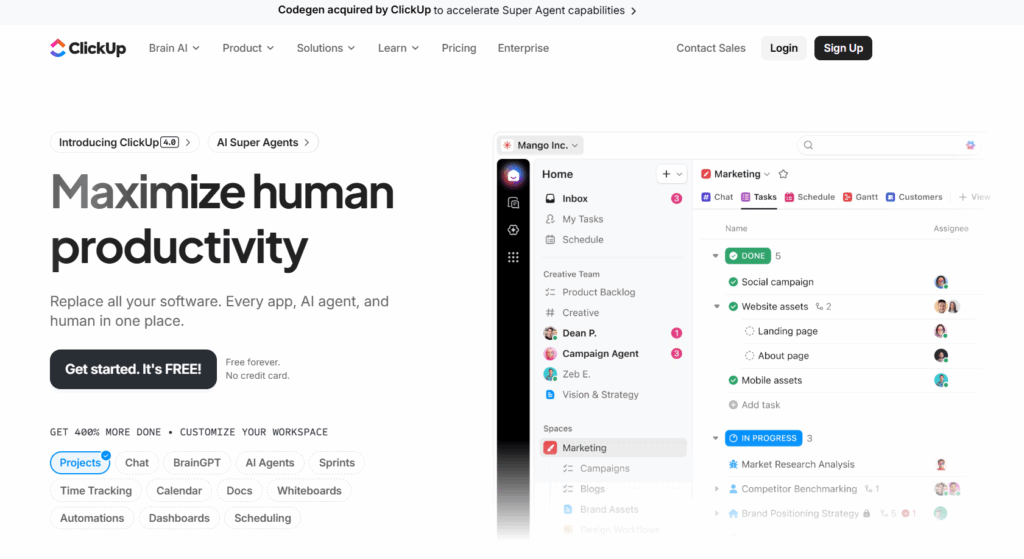
If you like the idea of “one app to replace them all,” ClickUp could be a good fit. It combines project planning, docs, dashboards, and collaboration features with a Workload view that helps teams visualize capacity across a selected time period (and zoom by day, week, or month).
Key features
- Effort/estimation tracking (via fields): Track estimated effort using ClickUp’s custom fields, or, on some plans, features like Sprint Points and Reporting
- Employee workload template: Customize a ready-made template specifically for tracking employee workloads and assignments
- Project hierarchy: Organize work through a structured hierarchy (for example, Workspace → Spaces → Folders → Lists → Tasks → Subtasks)
- Whiteboards: Use collaborative whiteboards to connect ideas to tasks/docs
- Dashboards and reporting: See the insights that matter most (availability varies by plan; higher tiers include more advanced dashboard/view limits)
- Integrations: Connect with tools like Slack and Calendly
Pricing
- Free forever plan available for unlimited users
- Paid plans from $10/user/mo
- 3 paid plans available: Unlimited, Business, and Enterprise
What users think
“It offers a comprehensive bird’s-eye view of all tasks and the team’s activities, enhancing my oversight and management efficiency.” — Osama M., a creative manager
“I can effectively monitor my team’s progress, which facilitates the coordination and delivery of assignments. The “workload by status” section is incredibly useful, as it graphically shows each collaborator’s workload, making it easier to prioritize tasks.” — Marcus Jose M., an engineer
Asana: Best for cross-functional teams
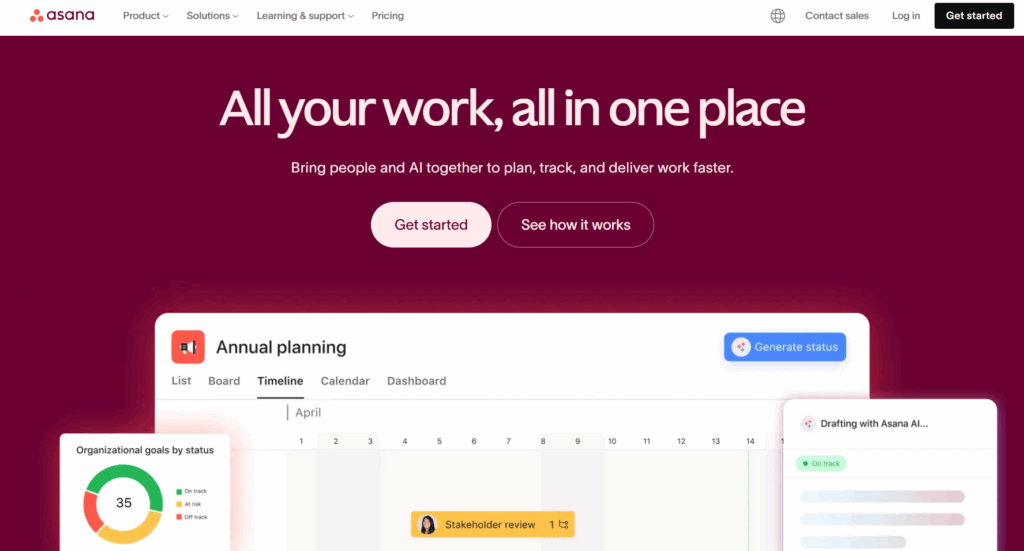
Asana is a widely used work and project management platform that helps teams plan out work and balance bandwidth across multiple projects. While its core strength is project planning and team collaboration, Asana also includes workload and capacity tools that let teams understand how much work each person has on their plate.
Key features
- Team workload view: Shows how busy each team member is across projects, so you can identify overload and rebalance work
- Drag-and-drop workload scheduling: Lets you adjust assignments or timelines to rebalance capacity quickly
- Workload filters: Allows you to filter workload views by project, team, or individual to focus on specific slices of work
- Task priorities: Mark tasks as high, medium, or low priority to align work distribution with business needs and focus
- Time tracking (native or via integrations): Lets you track how much time is spent on tasks directly in the platform (native in certain plans) or use integrations for time entries
Pricing
- Free trial for 30 days
- Asana Personal is available as a free tier for 2 users
- Paid plans from $10.99 per user/mo
- 4 paid plans available: Starter, Advanced, Enterprise, and Enterprise+
What users think
“I appreciate the clarity it provides on deadlines, priorities, and responsibilities, which helps me stay on track and manage my workload efficiently.” — Weikianos D., a software asset manager professional
“I love being able to see my team’s capacity and workload at a glance and keep projects on track! Setting up project templates has made our monthly checklists a breeze.” — Amanda W., an accounting and HR manager
monday work management: Best for visually-driven teams managing portfolios
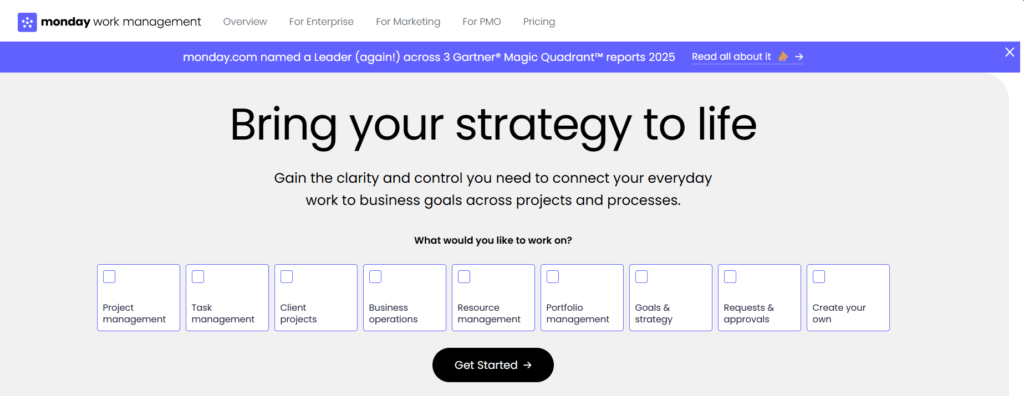
monday work management is a work and project management platform (built on the monday.com Work OS) that combines visual planning with workload and resource views. It helps teams see assignments across projects, track capacity, and adjust work in real time, which is especially useful for teams that prioritize visual planning, dashboards, and cross-project portfolio oversight.
Key features
- Workload widget: Visualize team capacity across boards to spot overloads and balance assignments
- Customizable dashboards: Build dashboards with dozens of widgets (including workload, charts, timelines, and time tracking) for a consolidated view of work across projects and teams
- Portfolio and resource management (higher tiers): Connect multiple projects to get real-time insights into progress, risks, and resource use at scale
- Automated risk detection and capacity optimization: Trigger flags and alerts, for example, when workload exceeds a threshold or deadlines slip
- Predictive forecasting for upcoming resource needs: Spot future clashes and staffing gaps early
- Assignment suggestions based on skills, scheduling, and availability: Support smarter allocation using AI/automation rules to match work to capacity
Pricing
- Free plan for up to 2 seats
- Paid plans from $9 per seat/mo
- 4 paid plans available: Basic, Standard, Pro, and Enterprise
What users think
“The ability to track work duration and workload distribution across my team and departments is a tremendous asset, offering insights into availability and workload balance across different departments.” — Akhlaq R., an account manager
“As a supervisor, the ability to filter and view the MyWork screen for each team member stands out for me, allowing me to ensure everyone has a fair workload distribution.” — Mandy F.
Connecteam: Best for mobile and field-based teams
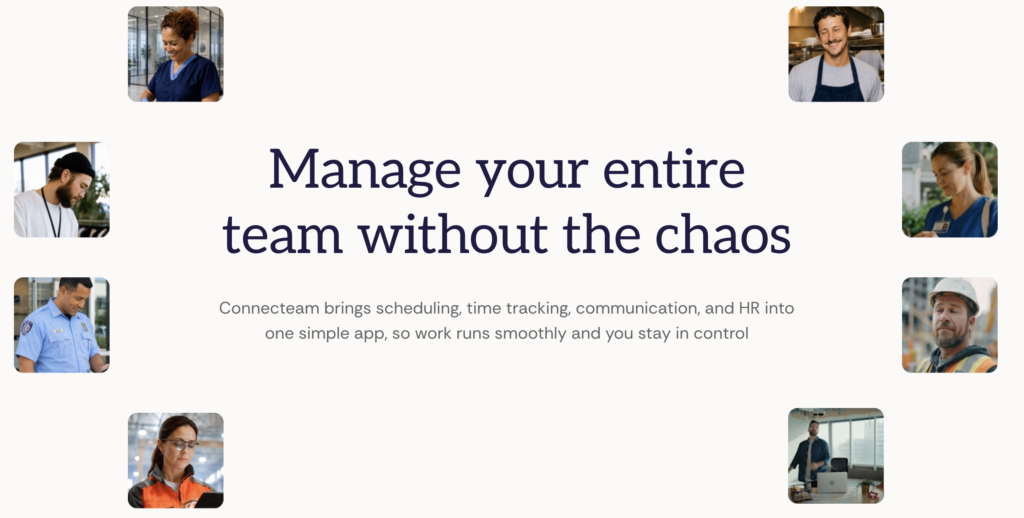
Connecteam is an employee management app built for frontline and mobile teams that manage work from the field rather than from behind a desk. Its task management, scheduling, and communication features are designed to help managers distribute work evenly, track progress in real time, and keep everyone on the same page from a single mobile app.
Key features
- Mobile task management: Create, assign, and track tasks directly from the mobile app, complete with due dates, descriptions, and subtasks, so workloads stay visible even for teams that never sit at a desk
- Smart scheduling: Build and adjust schedules with drag-and-drop tools, repeating shifts, and templates, with clear visibility into who’s available and who’s already booked to keep workloads balanced
- Forms and checklists: Standardize recurring workflows with digital forms and checklists that employees complete on their phones, so nothing gets skipped and every job follows the same process
- In-app chat and updates: Discuss workloads, clarify instructions, or check on capacity using built-in chat and a company feed, keeping all work communication in one place instead of scattered texts
- Time tracking with GPS: Log hours against jobs and shifts directly in the app, adding reliable data to workload planning and making it easier to compare planned vs. actual effort
Pricing
- Free 14-day trial available
- Free plan for up to 10 users
- 4 premium plans available: Basic, Advanced, Expert, and Enterprise
- Premium pricing starts at $29/month for up to 30 users
What users think
“I like that Connecteam keeps everything in one place. It saves me from having to switch between WhatsApp, Excel sheets, and paper schedules. With Connecteam, I have my work schedule, tasks, messages, and time tracking all within one app.” — Baybee S., an office administrator
“I can clearly see which tasks are open and which are completed, so nothing gets missed. I use it to track diet planning work, review pending cases, and manage follow-ups. At the same time, I can assign work to staff members and see who is handling what. This makes managing a small team much less stressful during busy clinic hours.” — Ishan S., a manager and dietician
nTask: Best for freelancers and small teams on tight budgets
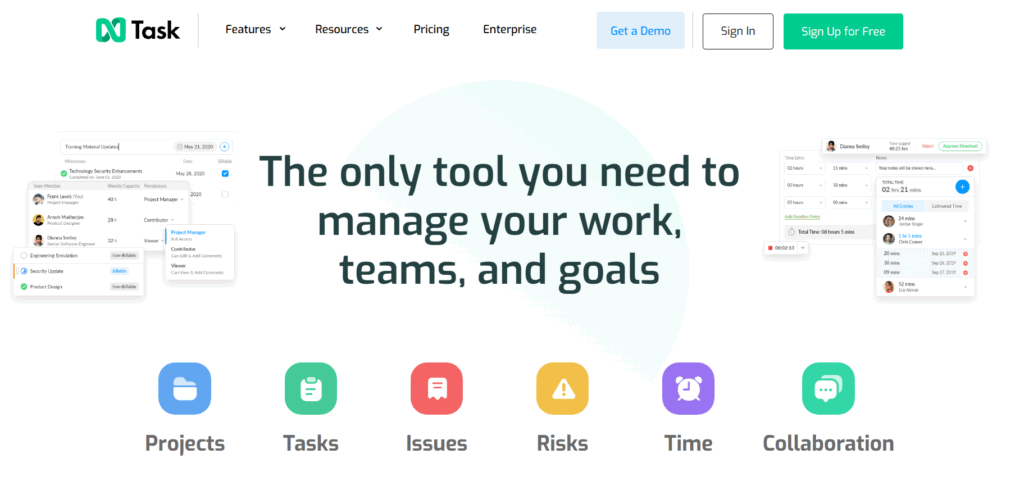
nTask is an end-to-end project management tool designed for small teams that want basic workload visibility without the complexity (or cost) of more advanced platforms. Its Resource Workload view makes it easy to see who’s working on what, so managers can avoid obvious overload. Be aware, though, that workload adjustments are more manual compared to tools with drag-and-drop capacity rebalancing.
Key features
- Resource Workload view: Visualize assigned tasks over time and filter workloads by hours, percentages, or full-time equivalents to understand team capacity
- Gantt charts and Kanban boards: Plan projects with online Gantt charts and track task flow using Kanban boards to monitor progress and workloads visually
- Time management: Track time directly on tasks to support productivity monitoring and client billing
- Milestones: Define key milestones to keep projects on track and give teams clear progress markers
- Third-party integrations: Connect nTask with tools like Google Calendar, Google Docs, and Zoom to align work and communication
Pricing
- Free trial for 7 days
- Free forever plan for up to 5 users
- 3 premium plans available: Premium, Business, and Enterprise
- Premium pricing starts at $3/mo
What users think
“This communicating tool stands out with its agile methodologies. It helps in managing the data and organizing the tasks to be done at a specific time.” — Oberon S., head of talent acquisition
“Assigning tasks to employees helps keep a check on the overall progress of work.” — A health, wellness, and fitness user
Wrike: Best for enterprise teams with complex dependencies
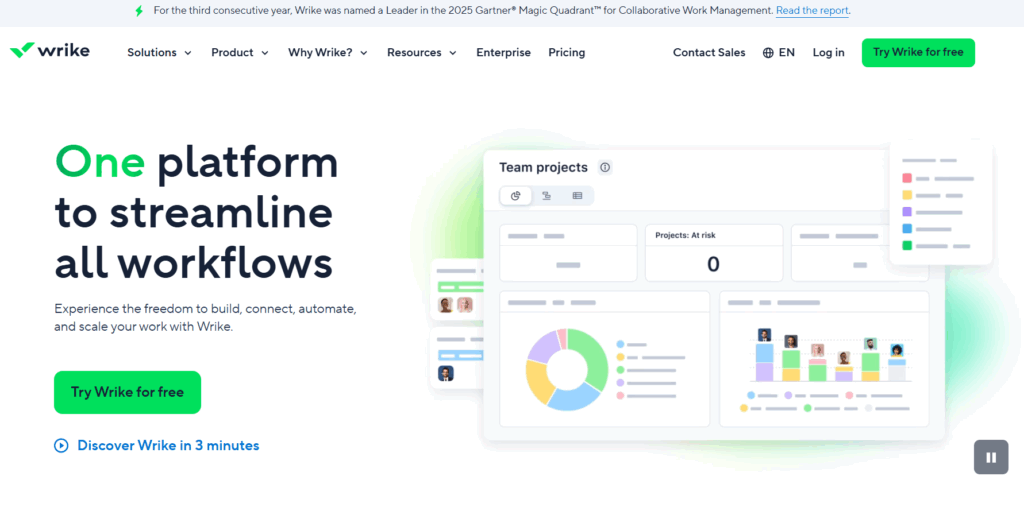
Wrike is a powerful project and work management platform built for organizations handling complex, cross-functional work. Its workload and resource management features are designed to support large teams handling multiple projects with detailed dependencies. Overall, it’s a strong choice for enterprises that need visibility, control, and flexibility across their entire portfolio.
Key features
- Task dependency management: Map task sequences and dependencies to understand how delays or changes affect downstream work
- Work schedules: Define custom workweeks, working hours, and availability to check workload plans reflect real capacity
- Resource bookings: Reserve time for specific team members or roles to plan work in advance and avoid double-booking
- Task management: Track progress, deadlines, and ownership from a centralized workspace with detailed reporting options
- Integrations: Connect Wrike with tools like Salesforce, Slack, and Airtable to keep workload and project data aligned across systems
Pricing
- Free trial for 14 days
- Free plan available for individual users
- Paid plans from $10/user/mo
- 4 paid plans available: Team, Business, Enterprise, and Pinnacle
“Dashboards and workload views give me a real-time picture of project health, and automations remove repetitive follow-ups so we move faster without growing headcount.” — Lauren S., a full-stack developer
What users think
“I find the workload and effort features in Wrike immensely useful for managing projects within our marketing agency. As a creative team member, these features help our project management team understand when people are overloaded and identify who can handle additional responsibilities.” — Alex B., a video and photo production manager
Jira: Best for Agile software development teams
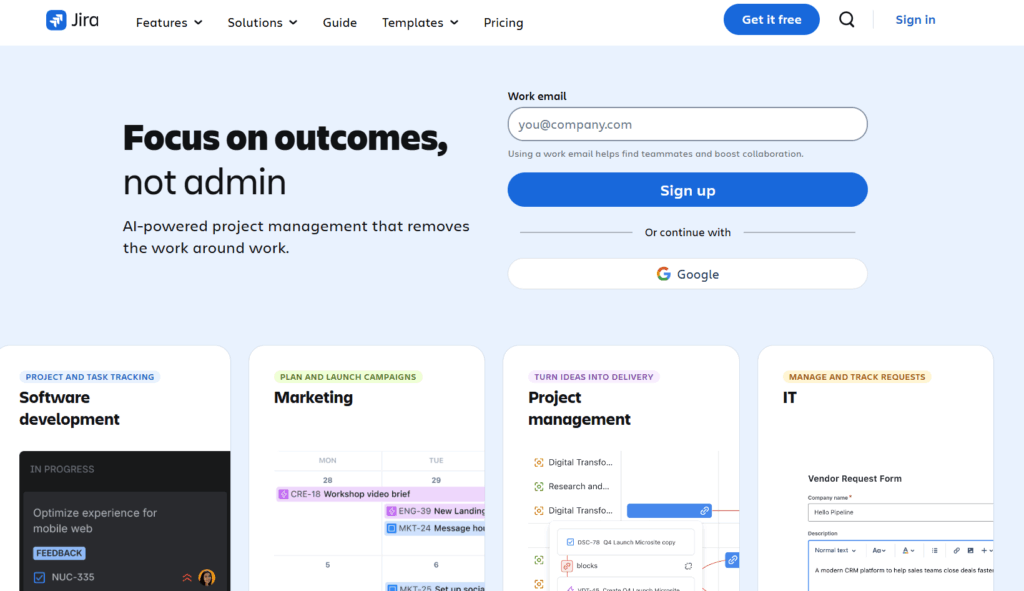
Jira is a project management tool built for Agile software development teams that need structure, visibility, and control at scale. Atlassian’s other offering, Trello, can work for individuals or small teams requiring a simple project management tool. But Trello can fall short when workload visibility needs to account for capacity, dependencies, and sprint planning. That’s where Jira comes in.
Jira helps teams organize, track, and manage workloads through a combination of Scrum and Kanban boards, capacity-aware sprint planning, reporting, and (if needed) advanced features for planning.
Key features
- Workload plugins (via Atlassian Marketplace): Visualize team members’ issues and subtasks on calendar-style views, using avatars or indicators to reflect availability and allocation
- Customizable dashboards: Build the perfect view using gadgets that show workload-related metrics like assigned issues, sprint progress, and bottlenecks in real time
- Advanced reporting: Track sprint velocity, issue throughput, and capacity to understand how much work teams can realistically take on
- Scrum and Kanban boards: Plan, prioritize, and visualize work using flexible boards designed for iterative delivery and continuous flow
- Sprint planning and capacity controls: Set sprint limits and use historical velocity data to avoid overcommitting teams during planning
- Integrations: Connect Jira with obvious Atlassian favorites like Confluence, along with external tools to connect planning, documentation, and execution
Pricing
- Free trial available
- Free plan available for up to 10 users
- 3 premium plans available: Standard, Premium, and Enterprise
- Premium pricing starts from $7.91 per user/mo
What users think
“The Scrum and Kanban boards are intuitive and make tracking progress effortless. Its Integration with Confluence, Bitbucket, and Slack makes collaboration smooth and centralized. I also appreciate the robust reporting and dashboard features, which help visualize progress, workload, and sprint health in real time.” — Shubham P., a software developer
“I love using Jira for its ease of management when it comes to tasks and sprints. It provides a simple yet intuitive experience that makes handling my workload straightforward.” — Aakash C., a software development engineer
Teamwork: Best for client-facing agencies
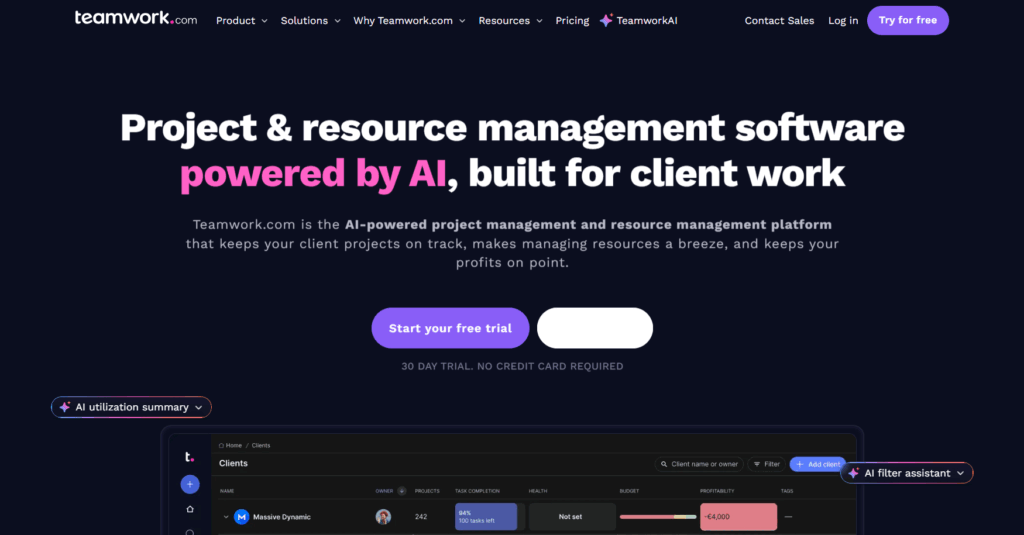
Teamwork is a cloud-based project and workload management platform designed with client service teams in mind. It combines project planning, workload visibility, and built-in time tracking, making it especially useful for agencies, consultancies, and professional services teams that need to balance capacity while delivering work on time and on budget.
Key features
- Workload planner: Visualize each team member’s capacity and project schedules on a timeline to plan work, avoid overload, and deliver projects on time
- Gantt charts and Kanban boards: Schedule projects with Gantt charts and manage day-to-day workloads using Kanban boards, depending on how your team prefers to work
- Built-in time tracking: Log time directly against tasks and projects to compare planned vs. actual effort and improve workload accuracy over time
- Split capacity: Allocate a task’s estimated effort across multiple days or users to balance workloads more realistically
- Resource forecasting: Check availability for upcoming projects to make sure the right people are free before committing to new work
Pricing
- Free 30-day trial available
- Free plan for up to 5 users and 5 projects
- 3 premium plans available: Deliver, Grow, and Scale
- Premium pricing starts at $10.99 per user/mo
What users think
“What I like best about Teamwork.com is how effortlessly it helps me manage and visualize my team’s capacity and overall project health. The platform gives me complete clarity on workload, timelines, and progress, which has massively improved how we plan and deliver projects.” — Daniel M., a customer success manager
“Teamwork shows exactly what everyone is working on and their capacity, creating clear task deadlines, dependencies, and reminders. It links comments, files, feedback, and approvals to tasks, and I can instantly see what’s complete, overdue, or needs approval.” — Shonisane M.
Resource Guru: Best for HR and resource planning teams
Resource Guru is a resource scheduling and management tool built to help teams plan, allocate, and balance resources, from a centralized schedule. Its simple interface and powerful scheduling features make it easy to map out availability and keep resources in sync with demand across projects — all without the complexity of a full-bodied project management suite.
Key features
- Centralized resource scheduling: Schedule any type of resources, including people, equipment, and rooms, in one place using drag-and-drop functionality that makes it easy to adjust assignments and avoid conflicts
- Capacity and workload visibility: See real-time availability and utilization heatmaps across your team and resources to spot overloads or under-utilization
- Leave management: Track time off, holidays, and absences, so unavailable team members aren’t accidentally tagged in
- Approval workflows (higher plans): Add booking approvals to protect in-demand resources, preventing over-booking or ill-timed assignments
- Custom filters and dashboards: Tailor views and dashboards with filters such as skills, teams, or projects to focus solely on the resources you care about
- Reports and utilization data: Generate reports on utilization rates, billable vs. non-billable time, and capacity trends to inform planning decisions
Pricing
- Free trial available
- 3 premium plans available: Grasshopper, Blackbelt, and Master
- Premium pricing starts at $4.16 per person/mo
What users think
“The software has solved many booking issues; I can easily see how long a resource is booked and make necessary adjustments, which wasn’t possible with Excel. This change has improved productivity by allowing us to move projects fluidly and helps the team visualize their workload months in advance.” — Kim S.
“Resource Guru helps our team collaborate on resource allocation, making it easier to find the best way to distribute workload. It offers flexibility in booking people and provides better visibility into our current capacity, helping us plan more effectively.” — Cecilia G., a chief operating officer
Teamhood: Best for teams managing parallel projects
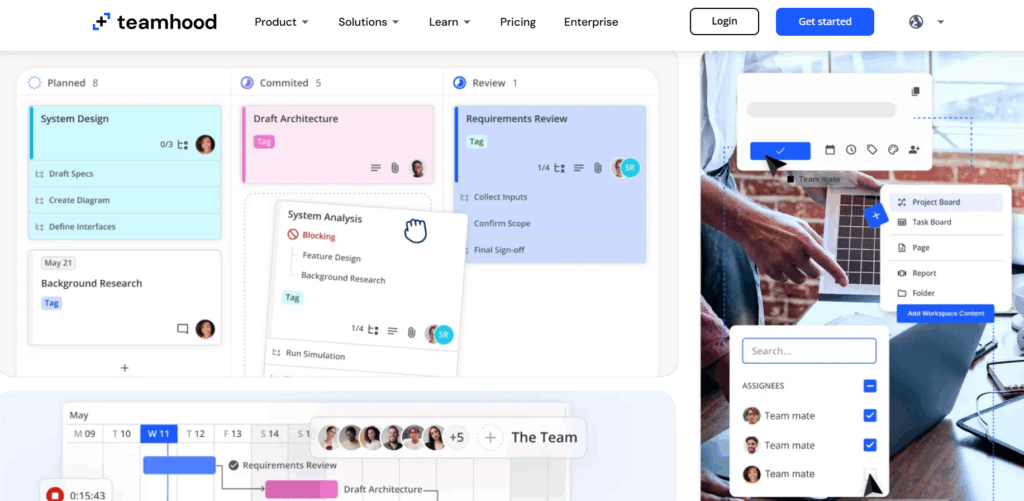
Teamhood is a visual project and workload management tool that combines Kanban-style workflows with workload views, Gantt charts, and native time tracking. It places a strong emphasis on flow-based work and realistic planning, which makes it particularly effective for teams balancing multiple jobs at different stages of progress.
Key features
- Workload view: Visualize individual and team workloads based on custom work hours, then generate workload reports that reflect real capacity rather than assumptions
- Kanban boards with WIP limits: Manage task flow visually while using work-in-progress limits to prevent overload and bottlenecks
- Gantt charts and work breakdown structure (WBS): Plan tasks, dependencies, and timelines clearly, and understand how delays or changes impact workload across projects
- Native time tracking and timesheets: Track work hours directly in the platform, supported by notifications and detailed timesheet reports for better workload accuracy
- Integrations via Zapier: Connect Teamhood with thousands of tools, including Microsoft Outlook Calendar, Azure DevOps, and Slack, to fit into existing workflows
Pricing
- Free trial for 14 days
- Free personal plan for up to 10 users
- 3 premium plans available: Team, Business, and Enterprise
- Premium pricing starts at €9 per license/mo
What users think
“TeamHood has really helped with managing my companies’ workload, which typically involves overseeing more than 150 separate jobs, all at varying stages of progress. Its clean interface and intuitive design make it easy to keep track of everything without feeling overwhelmed.” — J. B., a small business director
“The Kanban functionality is truly outstanding — ideal for organizations managing many parallel initiatives. It gives me a clear and intuitive overview while still allowing me to dig deeper into dependencies and capacity planning using Gantt views.” — Barbara O., a coach and consultant
Smartsheet: Best for spreadsheet-native PMOs
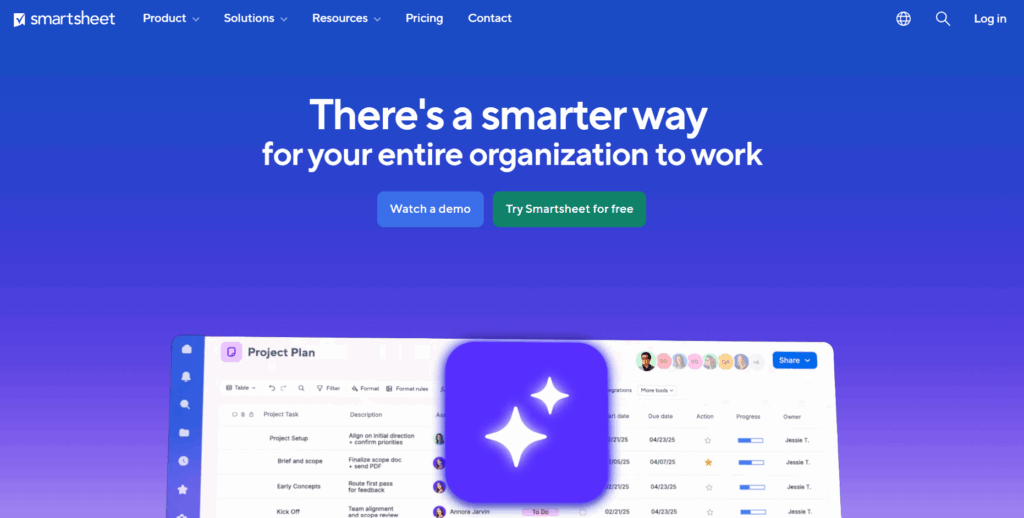
Smartsheet is a work management and automation platform that combines the familiarity of spreadsheets with project tracking, collaboration, and reporting. Its workload management capabilities are strongest when paired with Resource Management by Smartsheet (formerly 10,000ft), which adds dedicated tools for visualizing utilization and identifying over-allocation across teams and projects.
This makes Smartsheet a strong option for organizations that want structured, data-heavy workload planning without moving away from spreadsheet-style workflows.
Key features
- Color-coded workload heatmaps: Highlight over-allocated and under-utilized resources using visual heatmaps that make capacity issues easy to spot
- Project staffing plans: Plan and allocate people to projects in advance to check the right resources are available
- Workload tracking: Monitor resource availability and utilization across projects to understand who’s busy, at capacity, or where gaps exist
- Workload schedules: Drill into over-allocations to see exactly which projects or time periods are causing conflicts
- Reporting and dashboards: Build dashboards that combine workload, project progress, and utilization data for portfolio-level oversight
- Automation and integrations: Automate updates and connect Smartsheet with tools like Microsoft 365, Google Workspace, and Slack to keep workload data in sync
Pricing
- Free trial available for 30 days
- Free plan for two editors/viewers
- Paid plans from $9 per user/mo
- 4 paid plans available: Pro, Business, Enterprise, and Advanced Work Management
What users think
“Managing our workload, resource allocation and integration to Google Sheets means we can keep in control of our workload and get notification of new requests without having to filter out emails and ad-hoc messaging.” — Steve H., a supply chain central services manager
“Smartsheet gives me an operational command centre that actually scales with the way I work. The platform takes complex projects and translates them into clean, trackable workflows without any of the friction you’d expect from legacy tools.” — Lewis D., a senior marketing executive
Float: Best for operations teams
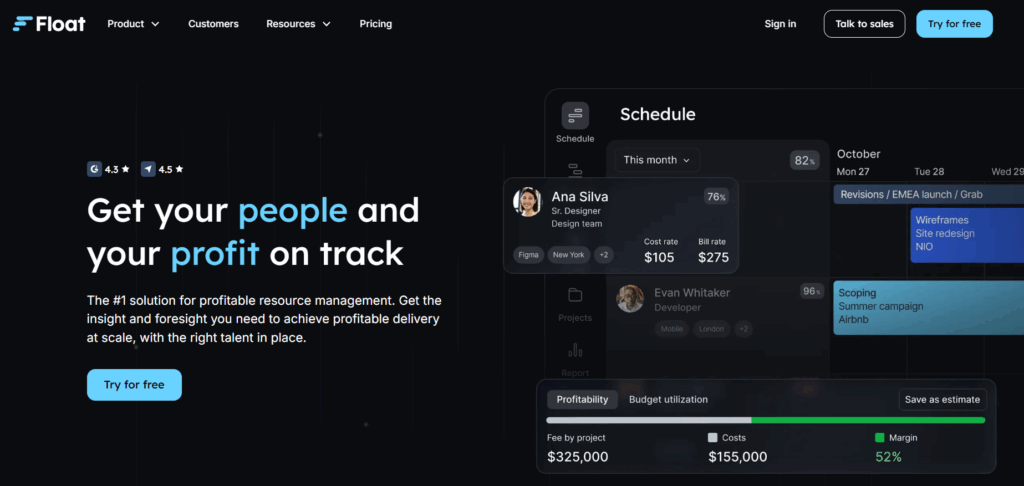
Float is a dedicated resource management and capacity planning tool built to help teams schedule work, manage availability, and balance workloads across projects. Rather than focusing on task-level project management, Float is a strong choice for teams that need clear visibility into who’s available, when, and for how long. There’s a downside: there’s no free plan available, although the starter plan is reasonably affordable.
Key features
- Team availability management: Define working hours, public holidays, and time off so project plans reflect real availability from the start
- Capacity visibility: Track each person’s capacity and availability in real time to plan work realistically and avoid overbooking
- Real-time utilization monitoring: Understand workload pressure and rebalance assignments when capacity is stretched
- Capacity planning: Plan resource allocation before projects begin to prevent overload and set achievable timelines
- Scenario forecasting: Create “what-if” scenarios to forecast capacity, budgets, and project impact before committing to new work
Pricing
- Free trial for 30 days
- Paid plans from $7 per scheduled person/mo
- 3 plans available: Starter, Pro, Enterprise
What users think
“I love how you can quickly see your team’s availability and avoid scheduling conflicts. The ability to assign tasks based on your team’s workload helps keep things organized and on track.” — Hiren M., a technical lead
“Float is an incredibly intuitive tool for managing resource scheduling and project allocation. It gives a clear, real-time view of how my team is allocated and helps ensure a balanced workload across projects.” — Luca S., a platform operations supervisor
How do you choose the best workload management software for your team?
Now you’re clued up on the mechanics of a robust workload management tool, the next step is to pick the best platform for your situation. Obviously, a freelancer managing their individual workload will have entirely different needs to an enterprise company planning out a major multi-team project. Whatever your circumstances, here are the key factors to consider as you narrow down your options.
Budget
Pricing models vary widely across workload management tools. Some charge per user, others per resource or scheduled person, and many bundle workload features into higher-tier plans.
When evaluating cost, look beyond the headline price and consider what the plan includes. Focus on essentials like workload views, capacity planning, and reporting. Be aware: sometimes, the cheaper tool may look like a bargain on paper. But it could be a false economy if it misses key features that lead to expensive workarounds.
Features
Prioritize features that directly support your unique workload challenges, whether that’s balancing capacity across projects, reallocating work quickly, or understanding how your teams spend (or, dare we say it, waste) time. Avoid paying for complexity you don’t need, but be wary of tools that oversimplify workload management to the point where insights are limited.
Team size
The right team workload management software should mirror the way your business gets things done. So, think about how many people you’re managing and how often their work overlaps across projects. You might also consider whether you need visibility at an individual, team, or organization-wide level.
Existing workflows
The best tools fit into how your team already works, and not the other way around. Consider whether your team prefers visual boards, timelines, calendars, or lists.
Not sure? Ask your team how they like their tasks to move from planning to execution. After all, if a tool forces a workflow that feels unnatural, adoption will suffer, no matter how powerful the features.
Scalability
As your projects become more complex or your key stakeholders more demanding, you’ll need software capable of growing with you and matching the reality of your responsibilities.
Integrations
Plenty of all-in-one platforms can track workloads effectively. But most workload management tools are usually a single Lego brick in a larger tech stack, connecting with your pick of communication, documentation, or even time-based billing systems. Strong integrations keep your workload data connected and accurate across as many platforms as you need. Look for native integrations, or what’s available through third-party connectors like Zapier or Make.
Best practices for effective workload management
Effective teams treat workload management tools as decision-support systems. But they can only really extract the best insights from the software with a bit of prep work upfront. Here are some practical ways to get real value from your setup.
- Review capacity regularly as part of your weekly or biweekly rhythm, so you can rebalance work before deadlines (or morale!) take a hit.
- Estimate work upfront, then validate it with reality. Over time, compare your estimates with actual outcomes to improve planning accuracy and reduce chronic overcommitment.
- Build in buffer time (and protect it like mad). Plans that assume 100% utilization rarely survive. Leave room for meetings, interruptions, context switching, and unexpected work, and treat buffer time as a necessity.
- Use workload data to spread work more evenly and reduce dependency on the same high performers project after project.
- Monitor utilization trends, not individual productivity. The goal of workload management isn’t to squeeze every available hour out of your people. Instead, track utilization patterns over time to identify any systemic issues, and plan work more sustainably, without turning the tool into a surveillance system.
- Give teams permission to say “no” or “not now.” Workload software makes constraints visible, but your teams should still feel able to speak up about whether they need to drop a task or resource it differently.
Gain workload clarity you can trust with Toggl 2.0
Your people need to know what’s expected of them, and your leaders deserve to plan with confidence instead of crossing their fingers
As this list shows, there’s no single “best” workload management tool for everyone. Some teams need enterprise-grade controls. Others want simple scheduling or visual planning. The right choice depends on how your team works and how much clarity you need to make sound decisions.
If one thing does cut across every tool, though, it’s this: workload planning only works when it’s grounded in reality. When you understand how you actually spend time, rather than how you think you spend time, planning is calmer and far more reliable.
Ready to see what accurate workload visibility feels like? Sign up to Toggl 2.0 for free and start planning work with confidence from day one.
Frequently asked questions (FAQs) about workload management tools
What’s the difference between workload management and project management?
The difference between workload management and project management is that workload management focuses on people’s capacity, while project management focuses on tasks, timelines, and deliverables.
Workload management software shows whether individuals or teams have enough available capacity to take on work. Project management software organizes what needs to be done and when, but doesn’t always account for whether the assigned people are already overloaded. For the win: many teams use workload and project management tools in tandem to plan work realistically.
What is the difference between workload management and resource management?
The difference between workload management and resource management is that workload management tracks how work is distributed day to day, while resource management focuses on allocating people, skills, or time across projects.
Resource management is typically higher level and longer term, while workload management is more operational, helping teams balance tasks, adjust assignments, and prevent overload as priorities change.
How are workload management tools different from simple task tools?
Workload management tools are different from simple task tools because they show capacity and effort, alongside task lists and deadlines. Task tools track the work you need to complete. Workload management software shows whether the work is achievable by visualizing effort, overlap, and available capacity across people and projects.
Who benefits most from workload management software?
The teams that benefit most from workload management software are those responsible for distributing work, balancing capacity, and preventing overload. These typically include:
- Team leads, project managers, and operations managers assigning and scheduling work
- Small to mid-sized business owners or managers coordinating growing teams
- Agencies, creative teams, and consultancies managing multiple clients or projects
- HR and resource-planning teams focused on utilization and burnout prevention
- Freelancers or small teams moving from manual tracking to structured planning
How does workload management software prevent team overload?
Workload management software prevents team overload by making capacity, effort, and pressure visible before problems escalate.
Highlighting how work accumulates across people and timelines allows teams to rebalance their tasks earlier. They can also set more realistic deadlines to avoid last-minute stress or burnout.
Does workload management software integrate with project or time-tracking?
Yes, many types of workload management software integrate with project management and time-tracking tools. These integrations keep workload data accurate by syncing tasks, schedules, and actual time spent, allowing teams to plan capacity based on real data rather than estimates alone.

Rebecca has 10+ years' experience producing content for HR tech and work management companies. She has a talent for breaking down complex ideas into practical advice that helps businesses and professionals thrive in the modern workplace. Rebecca's content is featured in publications like Forbes, Business Insider, and Entrepreneur, and she also partners with companies like UKG, Deel, monday.com, and Nectar, covering all aspects of the employee lifecycle. As a member of the Josh Bersin Academy, she networks with people professionals and keeps her HR skills sharp with regular courses.