Basecamp is a popular project management tool built for underdog teams that want to ship work fast without being held back by tool or process sprawl.
The interface is sleek and simple, offering message boards, chats, and project spaces that keep everyone organized and talking to each other. You can structure work as to-dos, update statuses on the calendar, leave a note to your team, and watch progress unfold on Hill Charts.
But Basecamp isn’t perfect. One of its biggest drawbacks is its lack of Gantt charts or task dependencies, so you can’t proactively manage project timelines. Reporting is also status-focused, with little visibility into workload, performance, or resource distribution. And if you want to track your time, that’s only available as a paid add-on.
If you’re paying $15/user/mo or $299 as a flat fee, you probably want more control over how you plan, track, and scale work.
That’s why this guide compares 11 strong Basecamp alternatives that might be a better fit for your needs. Whether you’re a freelancer, agency, or growing team, there are plenty of options to choose from.
11 Basecamp best alternatives at a glance
| Tool | Best for | Free plan/ free trial | Starting price | Advantages over Basecamp |
| Toggl | Freelancers, agencies, and startups, looking for more realistic, time-driven planning experience | Free plan (up to five users) and free trial | $9/user/mo | – Built-in time tracking – Drag-and-drop timelines – Workload & utilization reporting |
| Teamwork.com | Client service teams that need to connect project execution with billing | Free plan + trial | €9.99/user/mo | – Budgeting and invoicing – Workload planning views – Deep reporting views |
| Productive | Agencies seeking deeper financial insights. | Free trial only | $10/user/mo | – Revenue forecasting – Profitability modeling – Expense tracking |
| Plutio | Freelancers and small service businesses that want to run their entire client lifecycle in one tool. | Free trial only | $19/mo | – Client proposals & contracts – Built-in invoicing – Client portals |
| Avaza | Small teams and consultants who need a seamless quote-to-project-to-invoice workflow. | Free plan + trial | $11.95/mo | – Quote-to-project workflows – Expense tracking – Profitability and utilization reporting |
| monday work management | Cross-functional teams managing complex workflows that require customizable structures and visual dashboards. | Free plan (2 seats) + trial | $9/mo | – Custom dashboards – Workflow automation – Scalable structure for complex projects |
| ClickUp | Teams that want maximum flexibility to design custom workflows and automate processes. | Free plan + trial | $7/mo | – Task dependencies – Deep automation – Advanced workflow controls |
| Trello | People who want a simple, visual way to track tasks without the overhead of complex systems. | Free plan + trial | $5/mo | – Intuitive Kanban boards – Automation via Power-Ups – Strong integrations |
| Freedcamp | Budget-conscious teams that need a broad set of projects, collaboration, and light financial tools. | Free plan + trial | $1.49/mo | – Time tracking – Invoicing – CRM features |
| OpenProject | Technical teams that need advanced project controls and the option to self-host their infrastructure. | Free (community edition) + trial | $7.25/mo | – Open-source control – Advanced workflows – Time & cost tracking |
| Kanbanchi | Teams already operating in Google Workspace that want lightweight project management layered directly into it. | Free plan | $3.97/mo | – Native Google integration – Simple setup – Gantt chart view |
11 best Basecamp alternatives for different use cases: An in-depth look
Toggl: Best overall Basecamp alternative for time tracking and capacity planning
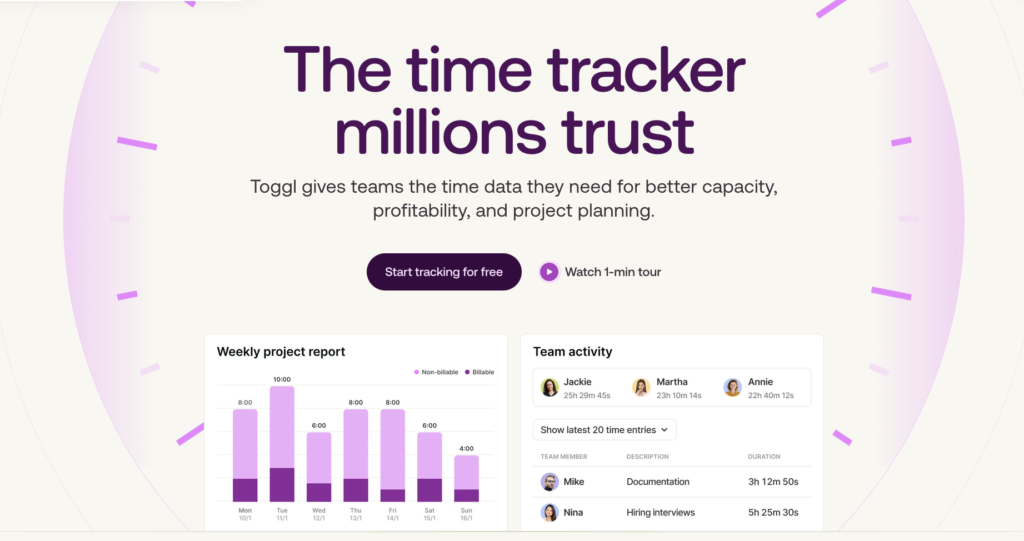
Toggl is a capacity management and project planning tool that delivers clarity about your work. Tasks, schedules, capacity, and actual team effort are housed in the same system, so you can see how your plans unfold in real time and what impacts execution.
In contrast, Basecamp provides structured through to-dos, calendars, message boards, and scheduled check-ins, but it lacks precise capacity and time-based metrics.
Know where new work fits with timelines
The Timeline view in Toggl shows who does what, when, and whether the workload is feasible. You can map tasks across people or projects in a single view, then filter and group it depending on what you need to see — individual capacity, assigned tasks per client, or planned to-dos for a specific project.
Scheduling work is straightforward. You can drag to place tasks, stretch to adjust their duration, and shift milestones and deadlines around as priorities change. The real advantage shows up in the details. Capacity is based on actual logged time data, so when you assign work to yourself or your team, you’re not just guessing how much bandwidth you need to complete it.
Understand how long tasks really take
Time tracking is a premium add-on in Basecamp. But it’s the foundation of Toggl with four key ways to manage your time:
- Add hours manually
- Run a real-time timer in tasks
- Use Pomodoro for focused sessions
- Track directly from your calendar
If your day is already scheduled, you can turn time blocks into tracked entries with a click. It’s even possible to log a full day this way using the personal Calendar view.
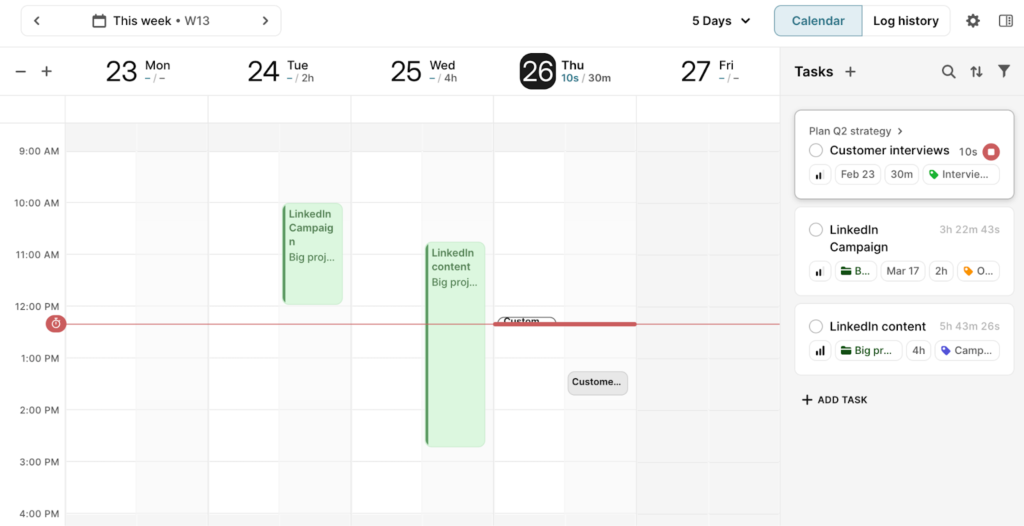
You also clearly see a view of planned versus tracked time, so you know which tasks to pick up first, and can better understand your personal productivity levels.
Measure what matters
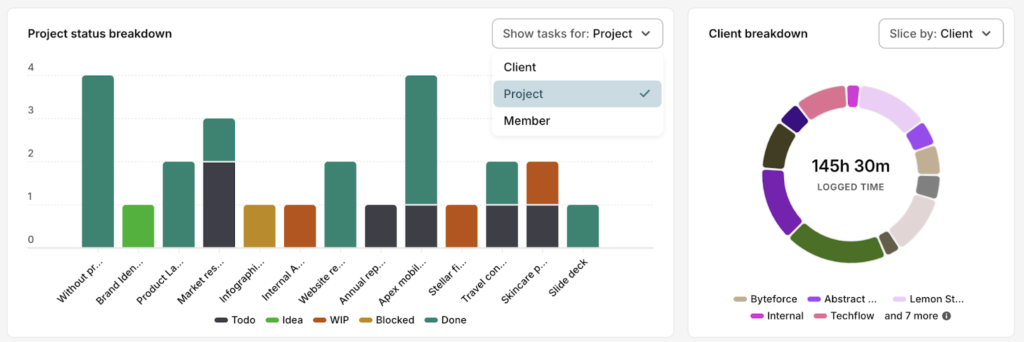
As everything ties back to time, reporting in Toggl goes beyond surface-level progress. You get breakdown charts that show how work is distributed across clients, projects, tasks, and team members.
Status views help you understand where work stands. Time views show where your effort goes.
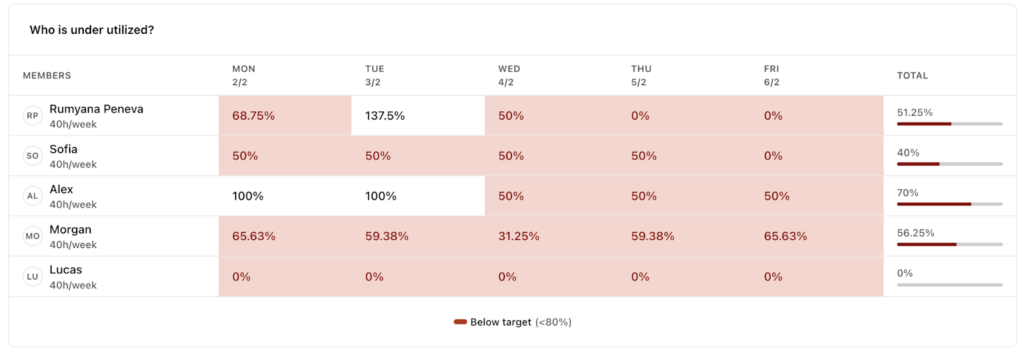
Then come the operational insights. The Utilization Report shows how much of your team’s time is being used against a target, making it clear whether you’re under or over capacity. The Team Breakdown view spots underutilization instantly, using percentages to normalize performance across different working hours.
The Workload Report brings it all together in a weekly view. It displays available capacity, actual logged time, and overtime in a single chart. It’s easy to see who has room to take on more work and who’s at risk of burnout or needs some time off.
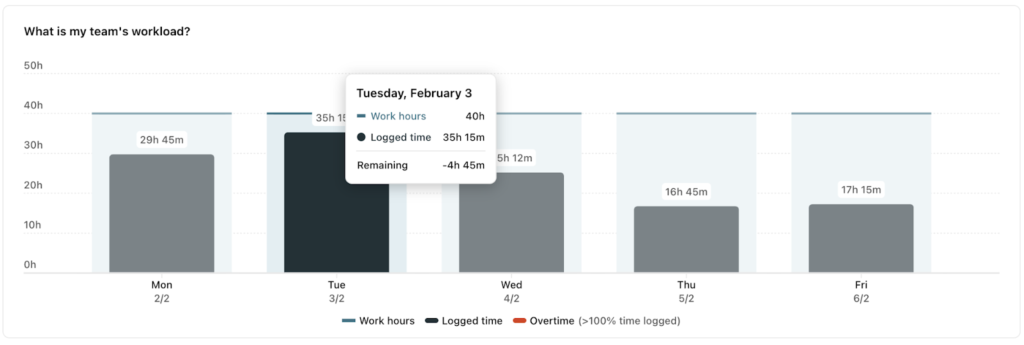
Basecamp’s reporting only tracks project progress using needles in Mission Control and dots on the Hill Charts. Both help you understand how work is moving, but not how people’s time and capacity are being used. Toggl goes deeper. It shows not just where work stands, but whether your team can sustain it.
| Key features | Top use cases |
| – Manual and automated time tracking with billable rates – Calendar sync for time blocking – Flexible working hours, PTO, and holidays – Visual work scheduling on a timeline with capacity indicators – Task and board views with recurring tasks – Workload, capacity, and utilization rate insights Supported platforms: Web, Browser, Android, iOS, Windows, Mac. | – Project scheduling and timeline planning – Workload balancing across multiple clients – Team utilization and performance optimization |
Pros
- Focused, no-friction UX. Toggl keeps the interface clean while supporting structured planning and reporting without unnecessary feature bloat.
- Seamless visual scheduling. Drag-and-drop timeline and calendar views make it simple to assign and rebalance work as priorities change.
- Capacity insights based on real data. Availability is calculated from logged time, helping you assign work equitably and catch scope creep before it impacts delivery.
Cons
- Limited workflow customization. Less suited for teams that rely on multi-step workflows or prefer process automation.
- Requires consistent time tracking. Reporting and planning accuracy depend on accurate time logs, so you’ll need to build that habit.
Pricing
| Forever free plan | Starter | Premium | Enterprise |
| Free up to five users | From $9/user/mo | From $20/user/mo | On-demand |
| – Unlimited projects and tags – Manual and automated time trackers – Calendar integrations Focus mode – Task and Kanban board views – Timeblocking – Task estimates and recurring tasks – AI task creator | Everything in Free plus: – Timeline view – Multiple assignees per task – Milestones – Guest access – Team-level reports, with filters and billable rates – Capacity planning tools | Everything in Starter, plus: – Utilization and workload reports | Everything in Premium, plus: – Personalized onboarding and a dedicated customer success manager – Custom setup, integration, or reporting solutions – Multiple workspaces under one organization |
Best Basecamp alternatives for agencies and client work
Client work adds a layer that Basecamp wasn’t built for: money. Billable rates, invoicing, budgets, utilization, margins — all the things that turn projects into revenue. These tools bring that layer into your workflow, so you can run projects and a business at the same time.
Teamwork.com
Teamwork.com is a project management platform for coordinating client work, end-to-end. You get task management across multiple views (List, Board, Gantt, Table), but the real value sits one layer deeper, with budgeting, invoicing, and resource planning all wired together. This functionality allows you to track how execution impacts timelines with a proper Gantt view (including critical path), team capacity, and profit margins in real time. The workload planner shows who’s over or under capacity, while built-in billing supports retainers, multi-currency rates, and flexible budgeting at the task or project level — something Basecamp lacks.
It also gives you a leg up in terms of handling project overheads. You can set up intake forms that turn client requests into new projects and save repeatable workflows as templates or automation scenarios, triggered by an in-app event (e.g., task status change) or time (e.g., task due date). The free plan includes 100 automation runs and access to the workflow automation template gallery.
| Key features | Top use cases |
| – User-friendly task and project management views – Billable user rates – Workflow automations hub – Team workload and planning around availability – Formula and custom fields – Work burndown, budget, revenue, and custom reports Supported platforms: Web, Windows, macOS, Android, iOS. | – Multi-client creative project management – Software development and IT services delivery – Resource management for professional services |
How Teamwork.com compares to Basecamp
Basecamp is team communication-first, while Teamwork.com is process-first. Basecamp focuses less on centralizing communication and more on designing effective processing for planning, delivering, and measuring the value of service-based work.
In Teamwork.com, projects are based around task lists, subtasks, milestones, dependencies, capacity, and portfolios. It helps you build tailored, reusable structures to support all sorts of work, and then save them as project templates.
This tool also provides deeper reporting views. It covers the financial aspect of work delivery — project budgets, retainer management, cost vs budget tracking, client profitability, and invoicing. And the pipeline intake through capacity, utilization, and profitability dashboards, plus some custom reporting.
Pros
- Modern UI. “Clear menus, logical navigation, and a clutter‑free dashboard” are strong attractors for current users.
- Promotes operational alignment. Users point out how Teamwork.com brings together the different dimensions of their work, such as tasks handling, resource management, and billing, into one effective system.
- View versatility. The ability to juggle different views (e.g., Table for deadlines and Board for distributing workloads) lends extra efficiency to busy project managers.
Cons
- No custom task rates. You can’t allow the same user to bill different rates for different types of functional work, which is a major drawback for some agencies.
- No automatic tag assignments. With all the built-in automation, users feel slightly frustrated they have to manually add tags to tasks for proper sorting.
Pricing
- Forever free plan
- Free 30-day trial
- Paid plans start from €9.99/user/mo
⚠️Gated features: Automatic intake capture, billable user rates, team workload and availability views, capacity placeholders, Gantt view, and critical path mapping.
Productive
Productive bundles access to project management, time tracking, budgeting, and CRM functionality. These are all tightly connected, so each logged work hour rolls up into costs, revenue, and margins. Your project planning is always informed by revenue forecasts, capacity data across teams, and client-level profitability.
Productive’s task management experience is similar to Teamwork.com — multiple views (including Gantt and Workload), time estimates on tasks, dependencies, and recurring work. The setup is relatively lightweight, compared to other project management solutions, so it works for smaller teams, too.
Reporting is where Productive really shows its depth. Filters and dashboards let you break down performance by client, project, or team. And you can recognize and track different types of services (e.g., billable time, expenses, or bookings), manage retainers, monitor financial forecasts on future profits, or model different profitability scenarios for new work, based on different pricing, expenses, and resource allocation scenarios.
| Key features | Top use cases |
| – Time tracking with approvals List, table, timeline, workload, and Gantt layouts – Unlimited Forms and Docs Budgets, expenses, and invoicing with credit notes – Expense management and purchase orders – Resource and people management Supported platforms: Web, Windows, macOS, Android, iOS. | – Agency revenue and profitability management – Retainer and fixed-fee project management – Client services operations management |
How Productive compares to Basecamp
Productive goes further than Basecamp in terms of financial management and forecasting. Apart from billable time, you can also log other expenses. Receipt scanning with AI reduces manual entry, while approval flows and reimbursement tracking bring structure to how spending is controlled across teams.
On the forecasting side, you can model revenue, utilization, hiring needs, and profit margins months ahead, based on the real-time data, rates, and costs. While Basecamp provides real-time and retroactive insights about project performance, Productive delivers a forward view of how your agency might perform and where to adjust before things drift off course.
Pros
- End-to-end visibility. Being able to supervise (and often automate) effective work progress from intake to delivery and billing is a selling point for many users.
- API-based integrations. Others appreciate how Productive lets you seamlessly push and pull data from other systems (e.g., HR applications) to streamline extra workflow steps.
- Retainer management. Agency owners really appreciate “recurring budgets for retainers” that save them a lot of time on manual data entry.
Cons
- Set up required. Productive reports are powerful, but users admit they had to “spend a lot of time in help docs” to get the most out of these features.
- Some UX blunders. Users report minor inconveniences like “no apparent way to copy the day-to-day tasks” or “missing nested tasks”, along with occasional product bugs.
Pricing
- No free or solo plans
- Free 14-day trial
- Paid plans start from $10/user per month
⚠️Gated features (on higher-tier plans): Time locking and approvals, custom field caps per project, workload and Gantt layouts, recurring tasks, and payment reminders.
Best Basecamp alternatives for freelancer proposals and invoicing
When you’re freelancing, every step matters for client retention — from first proposal to final payment. These apps streamline the entire flow, turning accepted quotes into projects and tracked work into invoices, without extra admin or tool-hopping.
Plutio
Plutio brands itself as a ‘super work app’ for solos and small teams, which is no vague promise. One subscription provides access to a project workspace, time management, proposals, contracts, invoicing, file storage, forms, inbox, chat, calendar, and client portals. The PM suite is on the simpler side, with a List, Card, and Timeline view, visual progress indicators, tags, and custom statuses.
Plutio’s invoicing features are extensive. You can bill clients in multiple currencies using Stripe, PayPal, or bank account integrations by adding billable tasks from timesheets to invoices. The invoice app supports custom fields, discounts, adjustable tax rates, and payment tracking. A drag-and-drop proposal builder is another great feature. It also includes e-signatures (just like the contract creation space) and lets you automatically create new projects or invoices once either ones get signed.
| Key features | Top use cases |
| – Intuitive task management – Branded client portals – Proposal and contract management – Built-in invoicing and time tracking – Chat and email sync Wiki and file management Supported platforms: Web, Mac, Windows, iOS, Android. | – Business operations for digital service providers – Invoice creation and online payment collection – Client onboarding and intake workflows |
How Plutio compares to Basecamp
Plutio doubles down on client management. The entire product experience centers around streamlining every aspect of “admin” in online service delivery. You’ve got a full tool kit for issuing proposals and legally-binding contracts, converted to briefs in one click.
Similar to Basecamp, you can build a custom home dashboard with various widgets to dynamically surface the most important information for different user roles — task list, labor costs, generate income, agenda, etc. The reporting is more focused on service delivery, rather than general project health.
Pros
- Reduces app sprawl. Users appreciate how Plutio “simplifies the chaos of juggling multiple apps” otherwise required to keep a small business running.
- Fast performance. Technical users are positively thrilled at how instant the interface is, with no waiting between actions and data syncs.
- Streamlined client communication. Multiple service teams noted how convenient it is to set up separate workspaces for different clients, while keeping the communication centralized through built-in collaboration features.
Cons
- Restricted automation. Although heavily advertised, users point out you can’t build automation workflows with standardized trigger, condition, and action parameters without relying on third-party tools and APIs.
- No client intake/approval flows. Unlike similar agency platforms, Plutio doesn’t propose pre-set workflows for collecting client requests, scheduling approvals, or proofing.
Pricing
- No free plan
- 7-day free trial
- Paid plans start from $19/mo
⚠️Gated features (on higher-tier plans): Unlimited active clients, more contributors, a higher number of automation actions, and AI credits.
Avaza
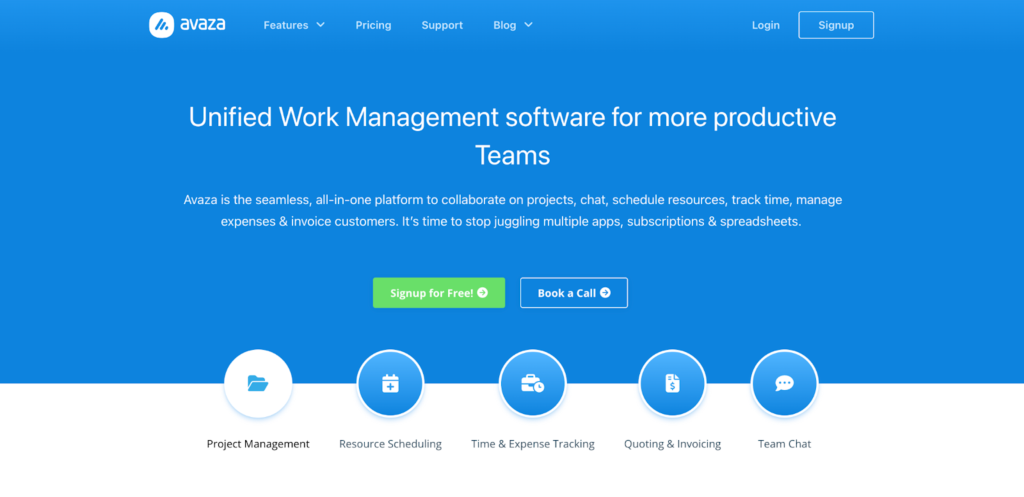
Avaza combines Asana-like project management features with a financial suite for solos and small teams — quotes, estimates, invoicing, expenses, and profitability analytics. You can plan work across tasks and projects, log billable hours as you go, and turn that activity directly into invoices without switching screens. Quotes and estimates can be converted into live projects, with a default, spreadsheet-like view also showing billable and cost rates for all team members. Alternative views include a List, a Kanban-style board, and a Gantt Chart.
To boot, you get resource scheduling, timesheets, expense tracking, and reporting to monitor
work progress, budget use, billable time, revenue, and team utilization rates. Built-in invoicing adapts easily to different setups, thanks to support for recurring billing, retainers, and multi-currency payments. You can auto-add billable timesheets, expenses, and project fixed costs to each invoice, and then accept full or partial payments, with an option to split totals across multiple invoices or use credit notes.
| Key features | Top use cases |
| – Kanban, list, and Gantt views with dependencies – Visual resource scheduling, based on availability data – Custom cost rates for each person or category Invoices with dynamic fields for retainer and recurring payments – Online quotes and estimates – Reporting on work breakdown, profitability, billed time, and expenses. Supported platforms: Web, Windows (Timesheet app only), macOS (Timesheet app only), Android, iOS | – Freelancer and contractor time billing – Quote-to-project conversion and sales tracking – Multi-currency invoicing and profitability tracking |
How Avaza compares to Basecamp
Avaza handles the billable loop Basecamp overlooks. You have built-in time tracking, detailed timesheets, receipts tracking, and full online invoicing, based on logged time and other incurred expenses. You can track project budgets vs actuals (time and cost), team utilization rates based on scheduled vs logged billable hours, and drill down further into your data using reporting filters. Save custom reports as templates and export them in Excel/PDF.
On the collaboration side, Avaza also lets you build dedicated client portals to loop in people on statuses, approvals, or invoice payments, without fully integrating them into the platform. That’s more convenient than sending and retracting individual guest invites on Basecamp.
Pros
- Supports good client management. Users appreciate how the app helps them build an effective workflow for logging hours, recording payments, and moving work to archives when it’s done.
- Efficient quote-to-work transition. Thanks to pre-built workflows, users can go from sending a quote or estimate to collecting a deposit and setting up timesheets for future invoices in minutes.
- Recurring reports. Having pre-scheduled saved reports auto-refreshed and then emailed at a fixed date is another major boon for users.
Cons
- Per seat rates. Unlike other tools, Avaza bills extra for seats that need access to timesheets/expense management, admin/finance, or resource scheduling, so costs can add up fast.
- No sync with the Microsoft ecosystem. Multiple users point out how the app doesn’t sync with Outlook calendar or other products in the Microsoft 365 environment.
Pricing
- Forever free plan
- No free trial
- Paid plans start from $11.95/mo
⚠️Gated features: Unlimited customers, higher caps on active projects, unlimited customers, higher number of invoices per month, and more document storage.
Best Basecamp alternatives for visual project management
When work gets complex, task lists stop working, and you need to see how each building block of your work connects to each other. The following platforms help you structure and see planned work, and keep it moving with workflow automation.
monday work management
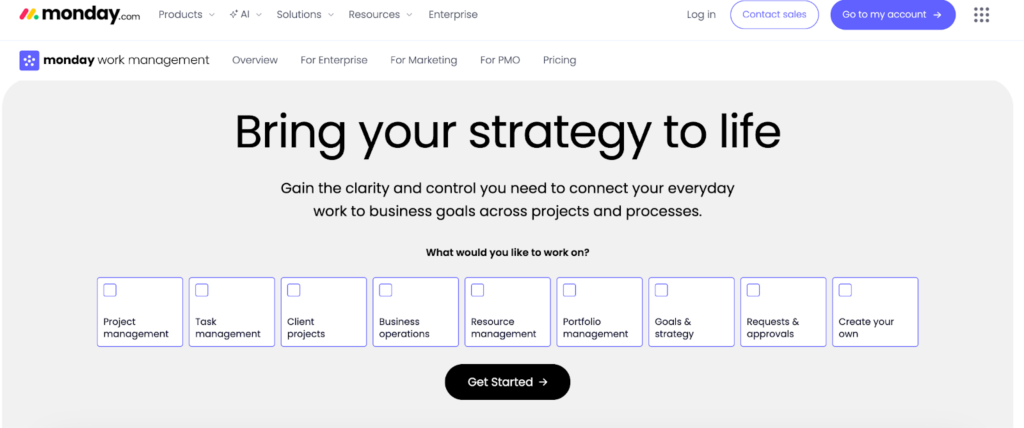
monday work management is the company’s flagship project management software, built around visual coordination. Everything lives on customizable boards where tasks, timelines, ownership, and status updates are easy to see at a glance. You can flip between views — Table (default), Kanban, Timeline (Gantt), Calendar, Workload, Map, Charts, or Files — depending on the task at hand. 36+ column types allow you to surface any type of data or checklist step you need as part of your workflow.
Behind the convenient primary views, monday work management layers in automation, analytics, collaboration tools, unlimited messages, and an AI assistant to support your work. You can automate most of the delivery overheads and focus instead on strategic oversight through analytics views. Reporting dashboards can pull data from multiple boards into a single view of progress, capacity, or performance, presented as bar, line, pie, or other customizable visualizations.
Condition-based integrations, available on Standard plan or higher, further extend the platform’s capabilities to handle automatic data sync, cross-system notifications, or workflows between apps like Slack, Jira, Outlook, Dropbox, and others.
| Key features | Top use cases |
| – Tables with 36+ column types – Big selection of planning and analytics views – Unlimited free viewers and guest users – Time tracking and resource management – Portfolio managementBuilt-in AI sidekick Supported platforms: Web, Windows, macOS, Android, iOS | – Cross-functional project coordination – Product development and roadmap tracking – Operations and process management |
How monday work management compares to Basecamp
monday work management has higher scalability potential. The folder/subfolder hierarchy, along with portfolio views and customizable, multi-metric dashboards, is better suited for structuring and controlling complex projects. Full task dependencies and automation triggers further reduce delivery friction.
While you don’t have the exact equivalent of campfire real-time chats for projects, @mentions, comments, and updates on items/boards compensate well for that. Customizable notifications and automations for status updates also keep the right people in the loop without creating false urgency.
Pros
- Excellent customization. You can mold monday work management to suit any type of workflow — one-off, ad hoc request — or repeatable, recurring tasks, e.g., as in property management, with an option to “easily add in extra steps”, per users.
- Promotes cross-functional collaboration. Leaders appreciate how you can easily set the app to “pull/push information to/from each other to improve communication and efficiency across our company”.
- High extensibility. Technical users appreciate how they can slot monday work management with the rest of their stack (e.g, Figma, Zapier, Google, AI) and extend its capabilities further through a solid API.
Cons
- Limited automation logic. Although you can do a lot with the built-in automations, it doesn’t allow you to add fully custom “if/then” rules to support more complex workflows, according to users.
- No guided onboarding. The platform is mostly rated as easy to use, but some teams find it overwhelming at first due to the breadth of features and would love to have more in-app guidance or simpler default templates.
Pricing
- Free plan for two seats
- 14-day free trial
- Paid plans from $9/seat/mo
⚠️Gated features: Unlimited boards, integrations, unlimited free viewers, Zoom integration, Guest access, Time tracking, dependencies, formulas, workload view, capacity management.
ClickUp
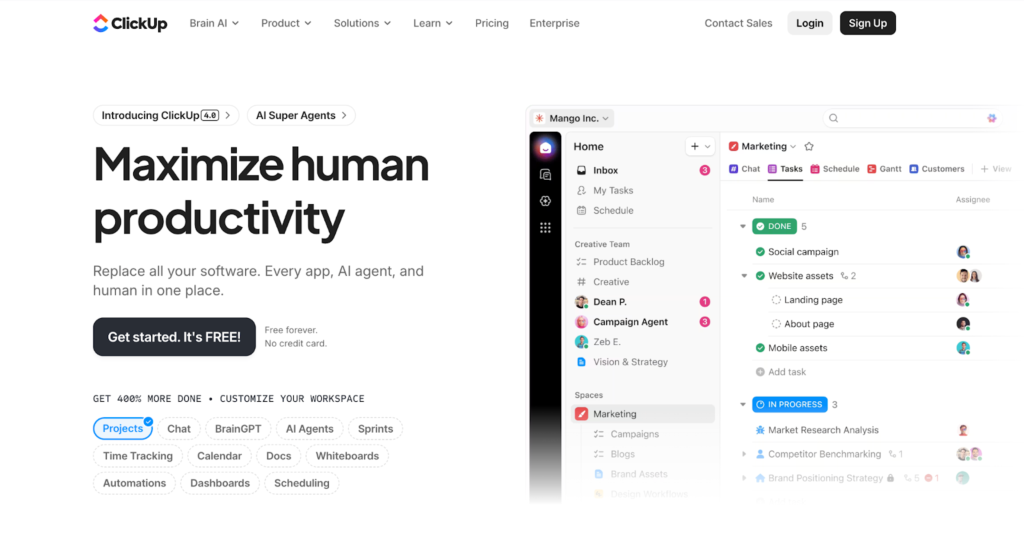
ClickUp is a project management tool that gives you everything (and then some). You’ve got the biggest selection of views for task management, such as List, Board, Calendar, Activity, Team, Gantt, Timeline, Table (spreadsheets), map, mind map, and whiteboards. Then there are collaboration tools like Docs, Forms, Chat, in-app emails, video clips, and proofing.
You can automate almost any stage of the project lifecycle — handoffs, approvals, reports, form submissions, even triggers from connected apps like GitHub. The tradeoff is setup time and the need for intentional workflow design.
| Key features | Top use cases |
| – Hierarchical tasks (Spaces, Folders, Lists) – Multiple project views (Board, Gantt, Table, Map, Custom) – Unlimited file storage Custom fields and task types – Whiteboards and wikis Built in-chat Supported platforms: Web, Windows, macOS, Android, iOS | – Cross-functional project management – Marketing and campaign operations – Sprint and backlog planning |
How ClickUp compares to Basecamp
If Basecamp feels “too basic” for bigger programs, ClickUp can be a valuable upgrade. It comes with a greater depth for task management — custom task types, nested subtasks, dependencies, future recurring tasks in calendar view, and other controls that help you coordinate workload allocation across larger teams.
It also brings in automation, with up to 500 conditional rules and 1,000 automation executions already available, even on the lowest tier plan. Pre-made automation templates help you get the hang of this quickly. A Business plan also unlocks access to more advanced webhook-based automation scenarios, like auto-scheduling email updates or streamlining routine work like meeting schedules or status updates in other apps like HubSpot or Twilio.
Pros
- Automation that works. Managers are delighted that they no longer have to “manually repeat the same tasks each Monday morning” for effective project tracking.
- Task relationships. Users appreciate how the app clearly shows how different work items are connected to one another, so it’s easier to determine priorities and set milestones.
- Faster feedback loops. Thanks to integrations and automations, teams note how their approvals have become faster and with fewer people involved.
Cons
- Non-optional upkeep. The app can quickly get cluttered without regular housekeeping, with some users feeling as if I am working a little against the UI to keep on top of the projects.”
- Too much cognitive load. Because ClickUp is jam-packed with advanced features, filters, and customizations, some people get slowed down by too many options and excessive controls.
Pricing
- Forever free plan
- 15-day free trial
- Paid plans start from $7/user/mo
⚠️Gated features: Custom fields, guest access, Gantt chart, project timelines, workload view, chat, custom task types, and advanced automation.
Best lightweight alternatives to Basecamp
For smaller teams and straightforward projects, even Basecamp can feel like overkill (especially in terms of pricing). These alternatives focus on quick setup, easy workflows, and just enough structure to stay organized without slowing you down.
Trello
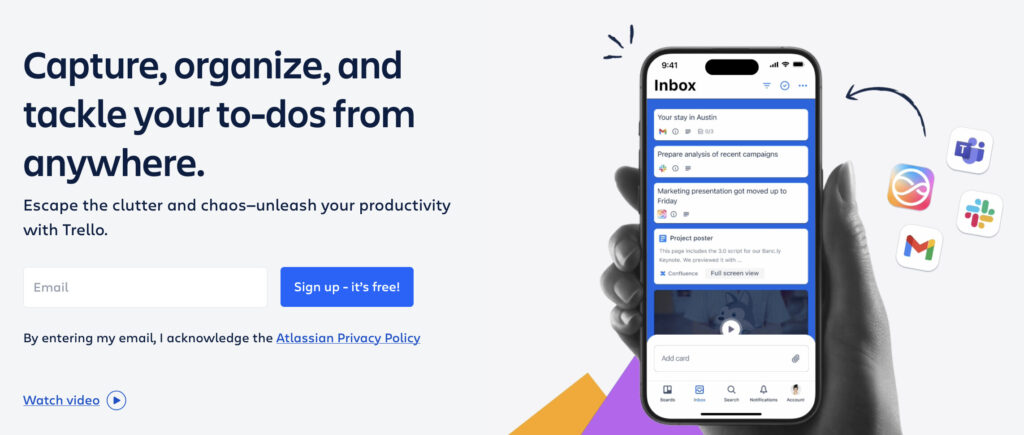
Trello offers a simple take on Kanban boards to visually map any type of work. Each card can include attachments, sub-tasks/checklists, due dates, labels, members, and custom fields. You can add tasks manually or drag them from your Inbox — a personal view for aggregating to-dos from connected apps like Gmail, Slack, and Microsoft Teams — and get work cracking.
A paid plan also gives you access to other views — Calendar, Timeline, Map, Table, and Dashboard. The Dashboard view aggregates simple analytics: card counts per list, member, label, or due date, using charts and graphs. It’s not as in-depth as Basecamp’s reporting, but you can extend it with Power-Ups — native and partner-supplied integrations that enable extra functionality.
| Key features | Top use cases |
| – Kanban boards for simple projects – Personal inbox view – Advanced task checklists – Extra dashboard, map, timeline, calendar, and table views – No-code automation – Power-up integrations with 200+ apps Supported platforms: Web, Windows, macOS, Android, iOS | – Personal task management – Marketing campaign coordination – Product backlog and feature prioritization |
How Trello compares to Basecamp
Trello does well in one department: visual Kanban boards for simple projects. It relies on add-ons for depth, but the core features are rather simple. Collaboration is limited to @mentions in comments, and there’s no built-in chat. The fact that it’s simple to set up and stick with is exactly why users like Trello.
Basecamp provides access to more features out of the box, and a greater degree of customization on how you want the prime workspace to look (for different teams and user roles). You get deeper analytics and a more convenient knowledge management space, but for a higher price tag.
Pros
- Minimal training. “Ease of use” and “very intuitive interface” are recurring mentions among multiple reviewers, with some ranking it as “the best tool for tracking progress for beginners.”
- Integrations. Where native features fall short, users easily find suitable integrations and custom automation scenarios (Butler).
- Attractive pricing. The free plan works well for most solo users, while small teams rank premium subscriptions as “good value for money”.
Cons
- Not compatible with more complex workflows. Multiple users note how the app lacks “dependencies and reporting needs” for more complex projects.
- Missing features. Time tracking, resource management, invoicing, and more advanced reporting are among the top features many users would love to have.
Pricing
- Free forever plan for up to 10 collaborators
- 14-day free trial
- Paid pricing starts at $5/user/mo
⚠️Gated features: Extra views, AI task capture, unlimited boards, custom fields, collapsible lists, and color coding.
Freedcamp
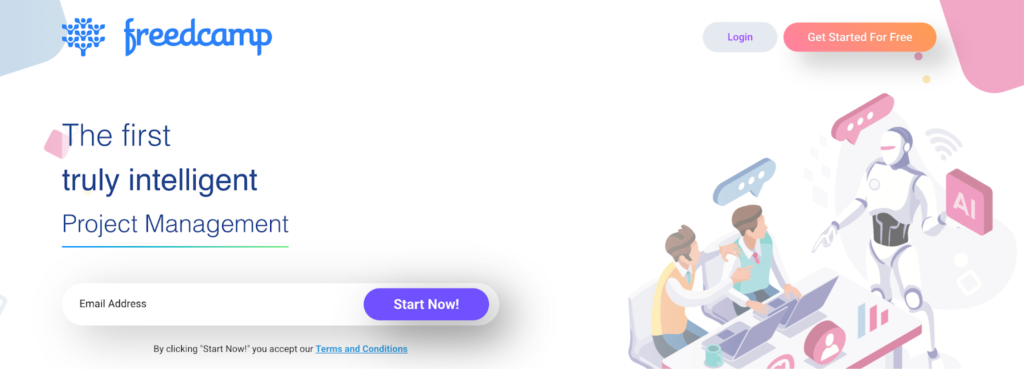
Freedcamp offers a bundle of ‘starter’ project management features for free that cover simple project management well. These include task management, milestones, discussion threads, calendar sharing, file storage, time tracking, and passwords. Subtasks, bulk edits, and start dates are gated on a paid $1.49/user/mo plan.
Other paid features include a wiki, invoicing, CRM, issue tracking (often praised by adopters), a password manager, and reports, which are available on the Business plan only, which is still more affordable than the Basecamp Plus plan.
| Key features | Top use cases |
| – Kanban board with tasks – Custom statuses, milestones – Extra Gantt chart and Table views – Discussions feeds – Time cracking and invoicing Issue tracker Supported platforms: Web, Windows, macOS, Android, iOS, Gmail/Outlook add-ons. | – Non-profit project and volunteer management – Issue tracking and customer support – Internal team collaboration and file sharing |
How Freedcamp compares to Basecamp
Freedcamp doesn’t offer as detailed task descriptions as Basecamp, but compensates for that with extra project views. Communication experience is similar, centered around discussions per project, comments, and @mentions.
But reporting at Freedcamp is even more minimal, with only burn-up charts for completed tasks and project statuses in the form of a pie chart. On the pro side, you also get access to time tracking, invoicing, and CRM features, which Basecamp doesn’t natively include.
Pros
- Promotes accountability and organization. Being able to instantly see who’s responsible for what, which updates were made, and which issues were resolved is a big plus for adopters.
- Visual notifications. Thanks to an alarm badge feature, users appreciate they can jump straight to tasks requiring their contribution.
- Smooth Outlook integration. Users are impressed by how you can save emails as comments within the app to easily curate all the necessary project info.
Cons
- Not the best UI. Users rate it as “old school” and “cluttered” in comparison to more modern project management software.
- Mobile app experience. The features are more limited compared to the web app version, as multiple users noted.
Pricing
- Free forever plan
- 14-day free trial
- Paid pricing starts at $1.49/user/mo
⚠️Gated features: Issue tracker, wiki, invoices, reports, project templates, cloud storage integrations, Gantt chart view, custom statuses.
OpenProject: Best open source Basecamp alternative
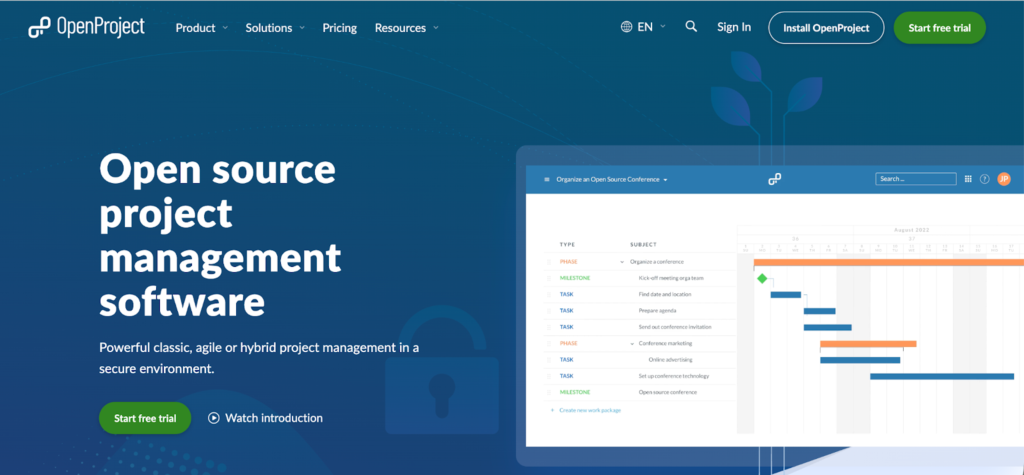
OpenProject is a self-hosted project management app you can run for free on your own servers or cloud instances. A cloud (SaaS version) is available too, for those who don’t want to handle the technical setup.
The tool excels in a degree of customization. You can set up custom “Work Packages” to represent different items in a project (e.g., tasks, features, risks, user stories, bugs, change requests) and then customize assignees, statuses, and priority levels. Work Packages can also be linked to meeting agendas and meeting minutes, populated with file attachments, and displayed in Calendar view. All work can be viewed as a basic Agile board, Scrum taskboard, or Gantt chart (timeline). The latter lets you manually and automatically schedule work to plan your project top-down, based on defined on and off days.
On top, you also get built-in time and cost tracking functionality, which tracks labor costs, unit costs, and travel expenses, wiki and documents with collaborative editing, pre-configured bug tracking templates, baseline comparisons, and work breakdown structure views.
| Key features | Top use cases |
| – Agile boards, Scrum taskboard, Gantt timeline for Waterfall Version and work breakdown boards – Custom workflows and project life cycle stages – Time and cost tracking – Pre-made project management templates – Two-factor authentication and security alerts Supported platforms: Web, Windows, macOS, Linux, Android, iOS (all via self-hosting or SaaS subscription). | – Agile and Scrum project management – Issue and bug tracking workflows – Construction and infrastructure project planning |
How OpenProject compares to Basecamp
OpenProject includes much more advanced PM controls and specialized views, designed primarily for IT and construction teams. You get a deeper degree of customization (which you have to configure yourself post-deployment). Time and budget tracking are core features, not extra add-ons, again offering more granularity and reporting depths than Basecamp.
OpenProject definitely doesn’t have Basecamp’s instant ease of use. The setup process is more technical and the learning curve is steeper. But it gives you access to an almost unmatched selection of features and customizations.
Pros
- Work centralization. Managers share that OpenProject has helped them consolidate documentation and communication, so they no longer “lose time going through different systems.”
- Strong data security. Privacy-focused teams appreciate how OpenProject provides “a secure environment to work on our data” without fearing possible breaches.
- Comprehensive dashboards. These are rated as “the most incredible things we have experienced” due to how they give multi-dimensional access to all project information.
Cons
- No offline access is a nuisance, according to several users.
- Limited resource management. Lack of resource status notifications makes it hard for managers to allocate available resources effectively.
Pricing
- Free Community Edition
- 14-day free trial license
- Paid pricing starts at $7.25/user/mo
⚠️Gated features: Team and subproject boards, portfolio management, work breakdown structure, unlimited baseline tracking, and intelligent workflows.
Kanbanchi: Best Basecamp alternative for Google Workspace teams
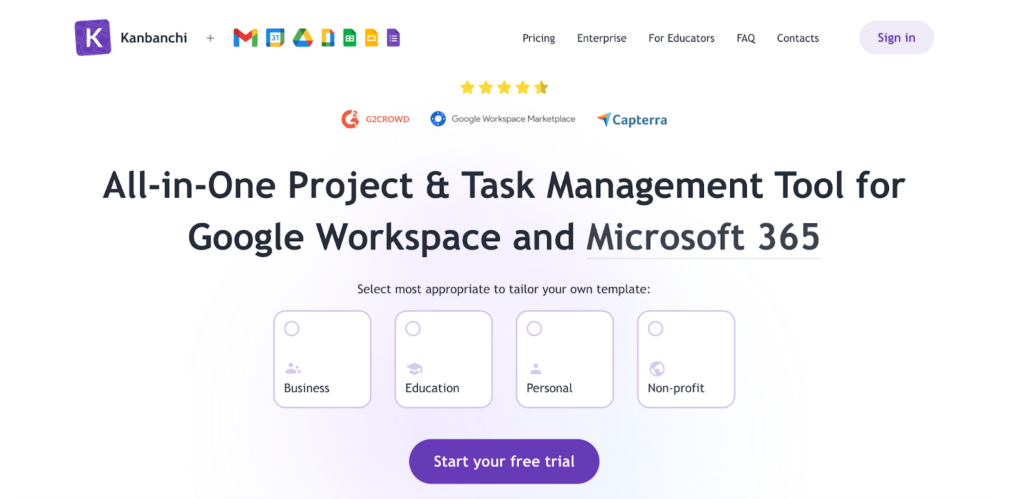
Kanbanchi is an add-on app that makes project management feel like a natural extension of
Google Workspace (and more recently, Microsoft 365 workspaces). It allows you to build boards using files from Google Drive, tasks turn into calendar events, and emails into new to-dos on your Lists. There are no new accounts to manage and no data migration to worry about. You log in with Google, and you’re already halfway there.
The experience is familiar and low-friction, with Kanban boards at its core and extras like Gantt, time tracking, and reporting layered on top. Boards behave like native Drive files, permissions follow your existing policies, and you can handle teamwide deployment directly from the Admin Console. For Google-native organizations, expect faster rollout, fewer security concerns, and almost zero training overhead.
| Key features | Top use cases |
| – Task boards with various sorting options – Extra List and Gantt views – Create a new card from an email – Google Calendar and Shared Drives integrations – Board export to Google SheetsTime tracking and time reports Supported platforms: Web, Android, iOS (through a web app) | – Personal or small team project management – Meeting management and action points – Seamless team file sharing and knowledge management |
How Kanbanchi compares to Basecamp
Kanbanchi offers a much lighter project management experience than Basecamp and other all-in-one PM platforms. Kanban is the central view, although you can also shift to to-do lists, similar to Basecamp. A Premium plan also hooks you up with a Gantt chart view with task dependencies.
But there are fewer collaborative features compared to Basecamp. Fans of Campfires and Pings may be disappointed to downgrade to Google Chat. Likewise, the analytics is limited to Activity on lower plans, and Team Workload view, plus time reports on the higher tier. Both provide extra insights about capacity and productivity, but not as much about project progress.
Pros
- Ease of use. For people familiar with the Google ecosystem, there’s almost no learning curve. It “gives you the comfort to be in the same environment with consistency with your other apps”.
- Perfect integration with Google products. Although developed by a separate team, the app feels “native” and can be configured to support multiple workflows, such as recruiting, onboarding, document tracking, project progress, team collaboration, etc.
- Great customer support. Multiple reviewers mentioned that issue resolution is faster (mostly under 24h) and effective, with the team easily accessible.
Cons
- No native mobile app. You can only access the web app via the mobile browser or install a separate web-based app on your smartphone phone, which is a bit clunky.
- Limited card customization. Some users point out missing features like “no individual start/due dates on card, only on rolled in lists” or “no way to delete any tags”.
Pricing
- Free plan, capped at 36 cards per project board
- No free trial beyond the tester plan
- Paid plans start at $3.97 per seat/mo
⚠️Gated features (on higher-tier plans): Shared Drives attachments, data backups, Gantt chart, task dependencies, time tracker, and time reports.
How to choose the right Basecamp alternative
Choosing a Basecamp alternative is a bit of a Goldilocks problem. Some tools feel too simple once you grow. Others pile on too many features you’ll never use.
To choose one that’s “just right,” ask:
- How big is your team?
- If you’re working solo, you’ll want something lightweight that also covers the business side. Plutio and Avaza are good fits here, since they bundle task management with proposals, invoicing, and client workflows in one place.
- Small teams usually need clearer collaboration and structure without a steep learning curve; Trello and Freedcamp both deliver these without overwhelming you.
- For scaling teams, advanced functionality becomes more important. That’s where tools like Toggl (for exceptional time tracking and capacity planning), Teamwork.com (for client work at scale), ClickUp (for deep workflow customization), and monday work management (for complex, cross-functional workflows) tend to shine.
- What’s your workload like? Task lists and boards work like a charm for simpler projects. But if you’re trying to coordinate cross-functional work and abide by strict deadlines and budget constraints, Gantt charts, dependencies, utilization, and capacity views start to matter more.
- How much should this tool do for you? A tool that unifies proposals, approvals, billable time, task management, and invoicing is worth considering if your standard workflow includes all of that. Plutio, Avaza, and Productive are built exactly for this kind of end-to-end client work. If not, you’re often better off keeping your project management in a separate, focused layer to reduce informational clutter; something like Trello, Toggl, or Kanbanchi does the job cleanly without pulling you into features you’ll rarely touch. If not, you’re often better off keeping your project management in a separate layer to reduce informational clutter.
- Does the pricing make sense? Free plans are great for testing the waters, but they come with usage or feature caps. Per-seat pricing can feel manageable with a smaller team, but can become expensive if you’re paying for guests or clients. Flat pricing might look expensive upfront, but it can make more sense for a larger team. Compare the numbers alongside the features to understand who gives you the best value for your money.
From being communication-first to being time-first with Toggl
Basecamp has earned its place by making project management feel simple. It gave teams a way to align without getting buried in the process or juggling too many tools. But as work becomes more complex, the simplicity starts to feel limiting. Work scheduling, capacity, reporting, and client workflows are some of the areas where teams may doubt their decision to stay with Basecamp.
If that’s your case, Toggl maintains the same level of clarity Basecamp is known for, but adds the layer most teams eventually need: visibility into time, workload, and utilization rates. With Toggl, you can create project plans based on real team capacity, so your people have their priorities straight and deadlines don’t get broken due to poor estimation.
For teams that care about organizing and delivering work on time, Toggl is the natural upgrade. Create a free Toggl account to discover our time-first planning experience.
Frequently asked questions (FAQs) about Basecamp alternatives
What is the closest alternative to Basecamp?
Teamwork.com is a close alternative to Basecamp. Like Basecamp, it centers on straightforward task management with lists and boards, but adds structured project views and built-in billing that make it better suited for client-facing teams. If you’re looking for something more focused on time visibility and workload planning, Toggl is worth considering. It connects task management with real-team capacity data and utilization reporting, making it a strong fit for teams that want clearer insight into how work and time are being spent.
Why do teams switch away from Basecamp?
Teams usually switch away from Basecamp for four reasons:
- Missing features like timelines, task dependencies, custom statuses and task types, time tracking, and in-depth reporting, which many projects require to stay on track.
- No workflow automation, so you can’t build end-to-end cross-functional workflows that push work through checkpoints on autopilot.
- Basic reporting that only surfaces project statuses and work progress, without rationalizing the causes for delays (e.g., insufficient capacity or scope creep).
- Expensive plans. The flat $299 month unlimited plan or $15/user pricing, plus add-ons, doesn’t appeal to smaller, budget-conscious teams.
Are there free alternatives to Basecamp?
Popular free Basecamp alternatives include Freedcamp, which offers similar core project management features on a free plan. Toggl is another option that’s free for up to five users, including Kanban-like board views and time tracking. OpenProject is a more advanced, open-source alternative to Basecamp, which is available for free with your own hosting.
Which Basecamp alternative is best for agencies or freelancers?
The best Basecamp alternatives for agencies include Toggl for a simpler setup, time tracking, and workload visibility and Teamwork, Productive, and Avaze for bundling project management client proposals, budgeting, revenue management, and invoicing.
How hard is it to migrate from Basecamp to another tool?
Migrating from Basecamp can be tricky. You can only export your data in HTML format (messages, to-dos, files, and schedules), and most PM tools support data uploads in CSV or JSON formats. You’ll need to either convert these with a third-party tool or manually recreate your project structure.

Elena is a senior content strategist and writer specializing in technology, finance, and people management. With over a decade of experience, she has helped shape the narratives of industry leaders like Xendit, UXCam, and Intellias. Her bylines appear in Tech.Co, The Next Web, and The Huffington Post, while her ghostwritten thought leadership pieces have been featured in Forbes, Smashing Magazine, and VentureBeat. As the lead writer behind HLB Global’s Annual Business Leader Survey, she translates complex data and economic trends into actionable insights for executives in 150+ countries. Armed with a Master’s in Political Science, Elena blends analytical depth with sharp storytelling to create content that matters.