With a regular flow of customers and employees across a range of shifts, it’s a tough ask for retail supervisors and store managers to track work hours for everyone accurately.
Did someone take their break yet? Who’s off sick? And are we spending too many team hours behind the scenes compared to the shop floor?
Accurate time tracking is essential in retail, not least to comply with relevant labor regulations for hourly workers. Time data also feeds straight into payroll, making sure your workers are compensated correctly for their shifts along with any overtime owed.
To support retail owners and their busy managers, this guide explores the best time tracking software for retail stores and how to choose the right one for your needs. We’ll explore the features to look for, and introduce the following eight platforms that are either built for retail or well suited to tracking time in shift-based, hourly teams.
A quick overview of the top time tracking software for retail
| Tool | Best for | G2 rating (out of 5) | Free plan? | Paid pricing from … |
| Toggl | Simple, flexible time tracking across retail stores | 4.6 | Yes | $9/user/mo |
| Homebase | Single-location retail with scheduling needs | 4.4 | Yes | $24/location/mo |
| Buddy Punch | Retail teams needing strict clock-in controls | 4.8 | No | $4.49/user/mo + $19 base fee/mo |
| QuickBooks Time | Retailers using QuickBooks payroll | 4.5 | No | $10/mo |
| Clockify | Budget-conscious small retail teams | 4.5 | Yes | $5.49/seat/mo |
| When I Work | Multi-location retail shift scheduling | 4.4 | No | $2.50/user/mo |
| Time Clock Wizard | Free time tracking for small stores | 4.6 | Yes | $29.95/mo |
| Deputy | Growing retail chains and franchises | 4.6 | No | $5/user/mo |
How to choose time tracking software for retail
Retail time tracking should be fast, reliable, and simple enough that a part-time employee on their first shift can figure it out without help. Here’s what to look for when you’re comparing your options.
Look for feature versatility
Retail workflows have specific requirements some time tracking tools don’t handle well. Look for features like:
- A range of clock-in methods, as your staff might clock in from a shared tablet at the front of the store, from their own phones, or from a kiosk in a back office. Make sure the software supports whichever method fits your setup, so you have flexibility as your business changes.
- Scheduling goes hand in hand with retail timekeeping. When shifts and timesheets live in the same place, managers can spot discrepancies immediately, like a staff member who clocked in an hour before their shift started, without cross-referencing two separate tools.
- Capacity planning also coexists with workforce scheduling, reviewing historic time data and forecasting upcoming shift patterns to give you enough hands on deck.
- Overtime tracking should be automatic. Staff working a ton of billable hours across the week can tip into overtime without anyone noticing until payroll runs. Good time tracking apps flag this in real time, so managers can act before it becomes a problem.
- Labor and attendance reporting gives you a clear picture of how your hours are collectively spent. Which shifts are consistently understaffed? Which employees regularly clock out early? Detailed reporting answers these questions without requiring you to build your own spreadsheets.
- Mobile access is worth prioritizing if you manage staff across multiple locations or your team members aren’t always near a shared terminal at the start or end of a shift. A dedicated app for Android and iOS keeps things simple for staff wherever they are.
Check the platform’s integrations
Time tracking data is most valuable when it flows directly into the tools you already use, with payroll software top of the list.
If your time management software doesn’t let you automate common workflows straight into your payroll system, someone has to manually transfer hours at the end of every pay period. And that’s a process that introduces errors and eats into time you could better spend elsewhere.
Check which payroll and accounting tools your preferred platform supports before you commit. Most of the tools in this guide sync with popular options like QuickBooks and Xero.
Prioritize ease of use and self-service
Retail staff turnover is high and shifts change constantly. Store managers rarely have time to run new hire training sessions between customers, so if your employee time tracking solution takes more than a few minutes to learn, you’ll feel the frustration every time someone joins the team. The chaos only multiplies the more people you add to your team, especially if you’re onboarding seasonal staff before a busy period.
Look for software with a clean interface and minimal steps to clock in and out, backed by a searchable help center and walkthrough videos so new staff can find answers without pulling someone off the floor. The goal is for tracking to feel invisible: staff clock in, do their jobs, and accurate records build in the background without any manual time admin.
Commit to compliance
Retail businesses are subject to labor laws around overtime, rest breaks, and record-keeping, and the specifics vary depending on where you operate.
In the US, the Fair Labor Standards Act requires employers to pay overtime to non-exempt employees who work more than 40 hours in a week, and to keep accurate records of those hours. In the UK, the Working Time Regulations entitle workers to a 20-minute rest break when their shift exceeds six work hours, while the EU’s Working Time Directive sets a 48-hour weekly limit and mandates that employers record daily working hours for every worker.
The best time tracking software creates these records automatically, so it’s also worth checking that your chosen platform stores data securely and holds records for long enough to meet your local requirements. If a dispute arises over hours worked, clean and detailed time data is your first line of defense.
8 best time tracking software for retail businesses
There are dozens of time tracking platforms we could have included on this list. To narrow it down, we selected eight tools that work particularly well for retail businesses, leaning heavily on Toggl’s two decades of experience designing incredible time tracking experiences for our customers.
Currently supporting 600k active users, we know exactly what good time tracking looks like, across a range of industries, including retail. Beyond our internal expertise, we’ve also combed through hundreds of G2 reviews, to learn more about how each tool operates in the real world. Here are the tools that made the cut.
1. Toggl
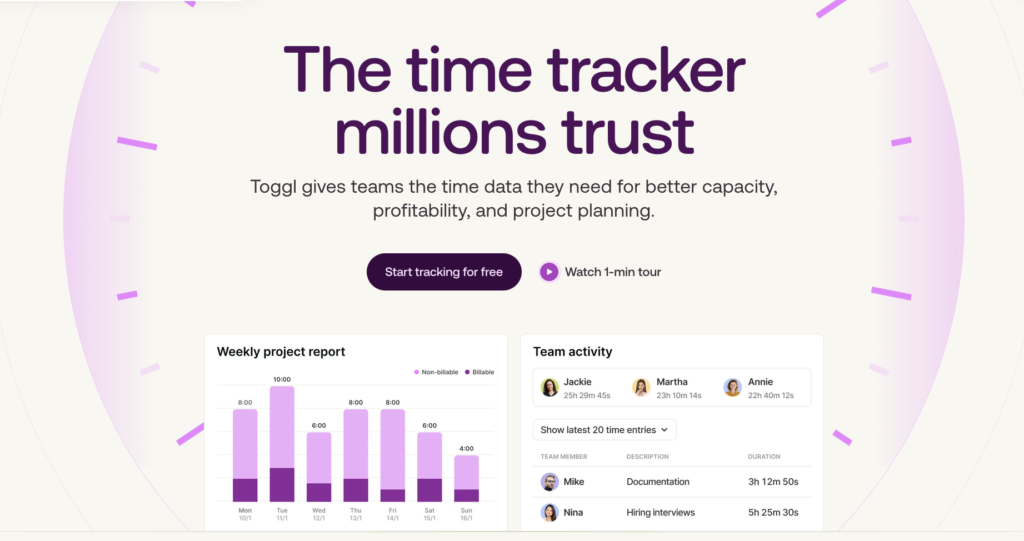
Toggl is a flexible time tracker that makes it easy for retailers to record employee hours at work. And it’s incredibly straightforward to use — Toggl users in the G2 community provide the following category scores out of 10:
- Ease of use = 9.2
- Ease of setup = 9.1
- Ease of admin = 9.0
- Quality of support = 8.9
- Ease of completing timesheets = 9.1
- Tracking time to task = 9.3
- Mobile time tracking = 9.3
- Performance and reliability = 9.3
As we’re firmly anti-surveillance, Toggl prioritizes trust over monitoring — you won’t find any GPS or intrusive activity tracking features here. Instead, Toggl focuses on making it easy to log each time entry, so your retail team loves and trusts our platform. Here’s what you can expect.
Key features
- Quick-start timer that lets employees log time instantly and switch between tasks or departments
- Flexible categorization using tags and projects to log different types of retail work
- Mobile apps for iOS and Android with offline tracking that syncs once reconnected
- Web app, desktop app, and browser extension so teams can track time wherever they work
- Shared device compatibility for retail environments using tablets or back-office terminals
- Automated timesheet generation with approval workflows and entry locking before payroll
- Smart reminders and notifications to reduce missed time entries
- Timeline view and calendar integration to review tracked hours against scheduled work
- Custom reporting dashboards with summary, detailed, workload, and profitability insights
- Built-in billable rates and labor cost tracking for margin visibility
- Export options in CSV, Excel, and PDF formats for payroll or accounting
- Integrations with Jira, Asana, Slack, GitHub, and other popular tools
- Fast, human customer support with onboarding resources and training materials
Intuitive time tracking
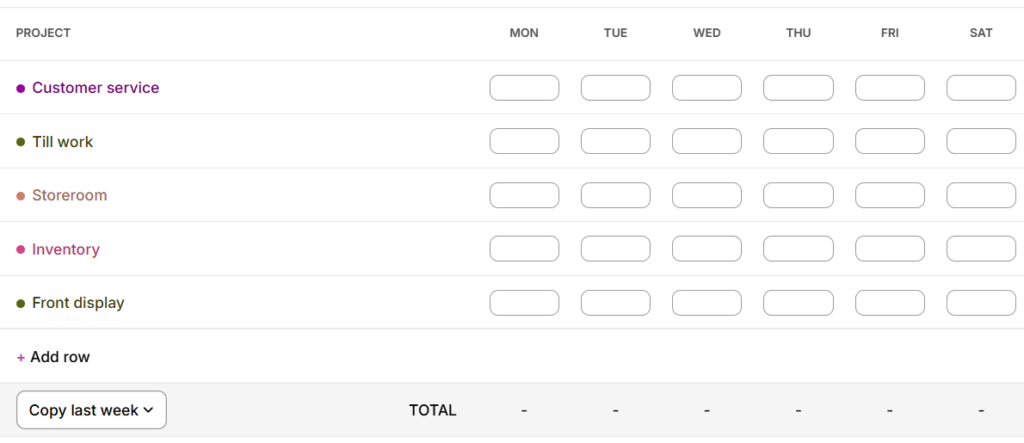
Toggl has virtually no learning curve, which is reflected in its common 100% user adoption rate. Employees start a timer at the beginning of their shift and stop it when they’re done. If you prefer to track granular detail about what your retail staff has been working on, it’s also easy to log their work as projects, such as cash register work, storeroom, customer service, displays or whatever other routines fit into your business.
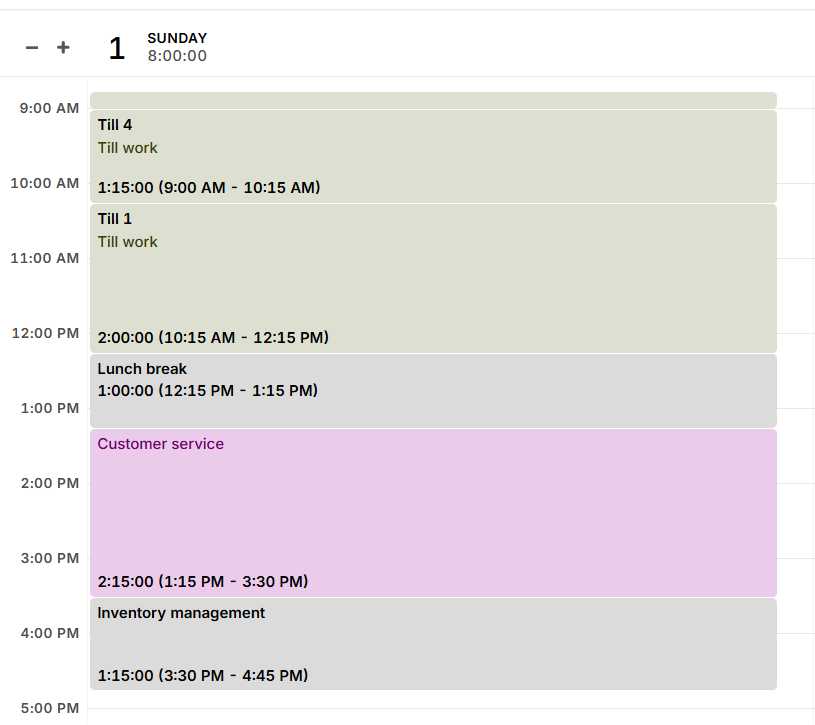
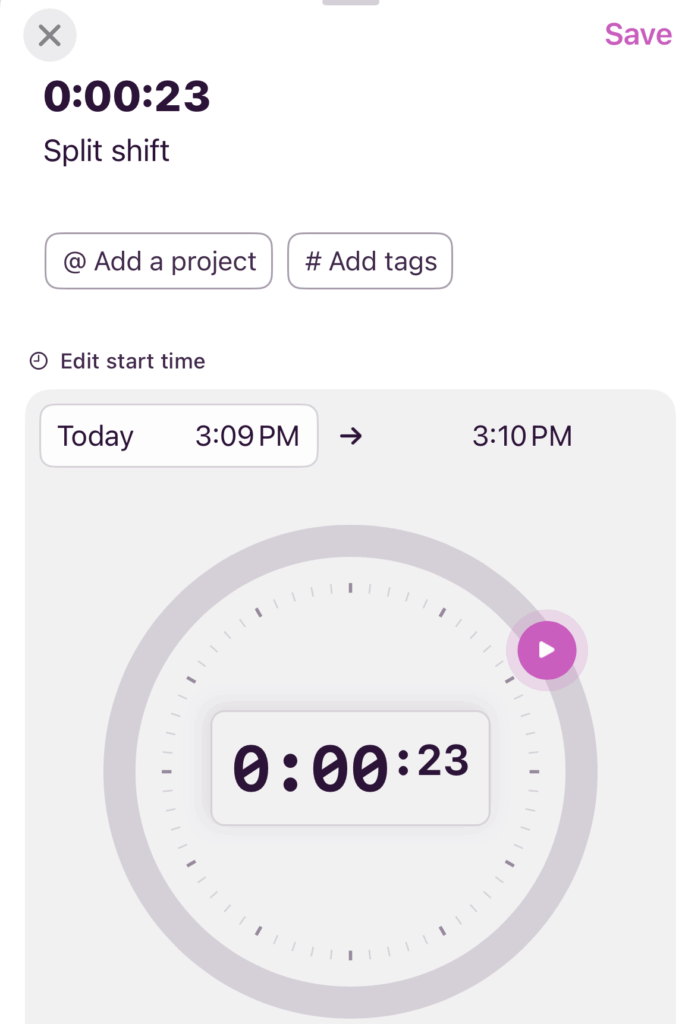
If an hourly worker takes a break, they can log it as non-billable time, or add it manually at the end of the shift if they forget. That’s the full extent of what most retail employees need to learn on day one.

Clock in and out, from any device, anywhere
Retail doesn’t always happen in one place, and Toggl works wherever your staff are. Employees can log in from a shared tablet at the till, a back-office desktop, or their own phone. And offline tracking means a weak signal won’t create gaps in their timesheet. If someone covers a shift at a different branch, they log in there instead. The data all ends up in the same place.
If an hourly worker takes a break, they can log it as non-billable time, or add it manually at the end of the shift if they forget. That’s the full extent of what most retail employees need to learn on day one.
Timesheet approvals for accurate payroll
Toggl builds digital timesheets automatically as employees track their time, so there’s nothing to chase at the end of the week.
Store supervisors can review and approve timesheets through the Approvals tab before payroll runs, catching any discrepancies before they become payroll errors.
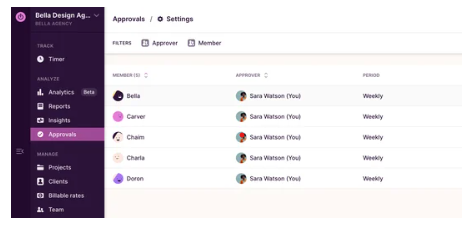
Once approved, time data exports directly to payroll and accounting tools, removing the need for manual data entry between systems.
What users say
“Toggl makes tracking time a breeze. The free version is powerful enough for a small shop, and the subscription version unlocks tools that make a small business owner’s life so much easier.” — A non-profit user
Pricing
- Free 30-day trial available, no credit card required
- Free forever plan for up to three users
- 3 paid plans: Starter, Premium, and Enterprise
- Paid plans start at $9/user/mo
2. Homebase
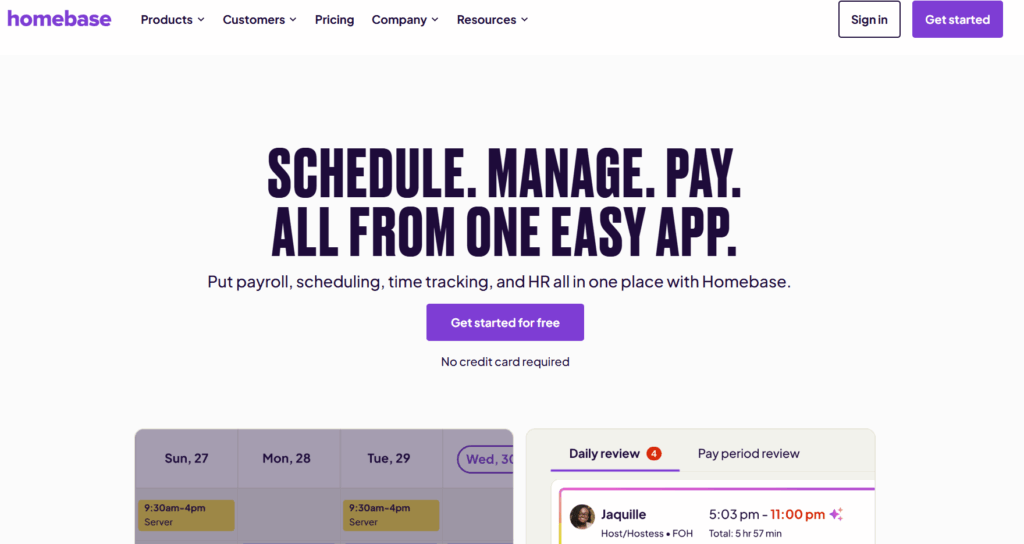
Homebase positions itself as an “everything app” for team management, making it a great fit for retail businesses with hourly workers. Instead of focusing purely on time tracking, Homebase leans heavily into scheduling, hiring, and payroll for brick-and-mortar businesses.
For retail managers handling last-minute call-outs and grappling with tight labor budgets, Homebase’s strength is operational control. You can build schedules, track hours on a shared tablet or POS device, monitor overtime in real time, and even run payroll without exporting data to another system. Its growing suite of AI assistants also promise to optimize workflows and alleviate admin work, particularly on-site in smaller stores without dedicated HR support.
Key features
- Built-in scheduling tools with templates and auto-scheduling
- Free digital time clock for tablets, POS devices, and mobile
- Automatic overtime and break calculations
- Labor cost tracking with sales data integrations
- Alerts for late arrivals and approaching overtime
- Shift trades and availability management in-app
- Payroll processing or payroll export (e.g., QuickBooks, Gusto)
- AI assistants for hiring, onboarding, scheduling, and payroll tasks
- Compliance support with record-keeping and FLSA alignment
What users say
“It’s a great way to manage our schedule (for our retail store). It’s easy to use for building schedules, as well as managing availability.” — Robin K., a small business CEO
Pricing
- Free 14-day trial available
- Free plan for up to 10 employees
- 3 paid plans: Essentials, Plus, All-in-One
- Paid pricing from $24/location/mo
3. Buddy Punch
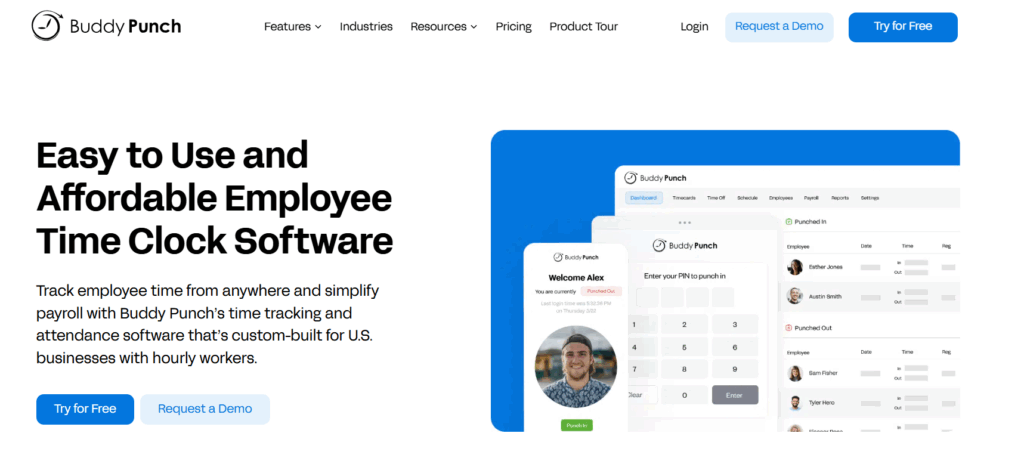
Buddy Punch is first and foremost a time clock system that lets employees clock in correctly and makes sure payroll hours are accurate.
Verification is the theme of this platform. If you’re dealing with offsite clock-ins or suspected buddy punching, the platform adds controls such as geofencing or required photo capture at clock-in. Facial recognition is also available, transforming any iPad or iPhone into a facial recognition time clock kiosk. These features are aimed at reducing time theft without making clock-ins complicated for staff.
The software automatically calculates overtime based on your policies and applies break rules in line with local or state requirements. Approved hours flow directly into payroll, to streamline your data while reducing manual edits at the end of the pay period.
Key features
- Kiosk, mobile, and desktop clock-ins (PIN, QR code, facial recognition on iPad)
- GPS tracking with optional geofencing controls
- Optional selfie verification at clock-in and clock-out
- Custom overtime policies with automatic calculations
- Break rule enforcement aligned with local laws
- Attendance tracking alerts for late arrivals or missed shifts
- Drag-and-drop scheduling with recurring shifts
- PTO accrual and request tracking
- Manager approval workflows for timesheets
- Payroll integrations (QuickBooks, Gusto, ADP) or built-in payroll
What users say
“It helps me keep track of my time at work and whether or not I need to leave early due to excess time worked. It’s quite easy to navigate once you get used to the system.” — Kristin N., a front line service professional
Pricing
- Free trial available for 14 days
- 3 paid plans available
- Paid plans from $4.49/user/mo + $19 base fee/mo
4. QuickBooks Time
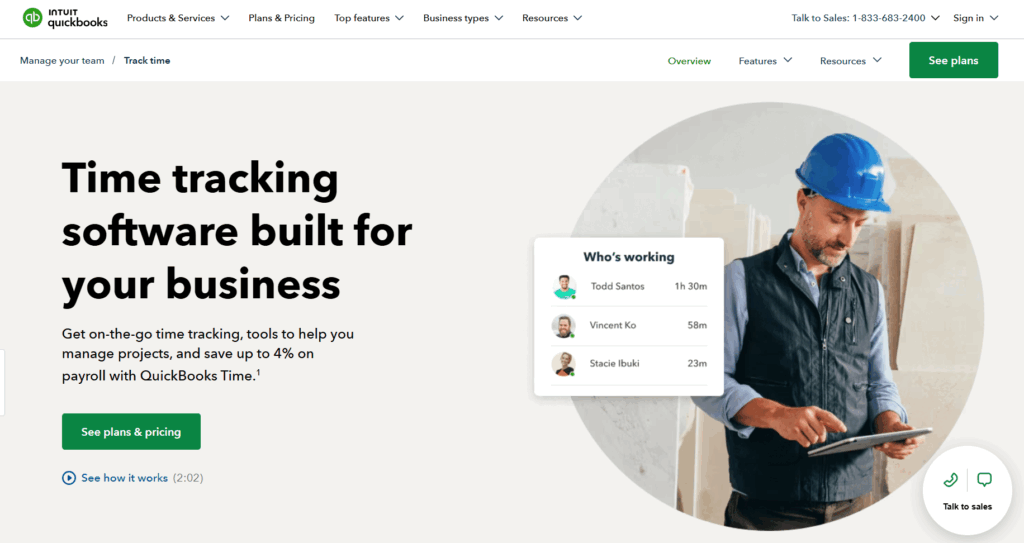
Unlike retail-first tools that focus on floor operations, QuickBooks Time is built to feed accurate hours into payroll and accounting with minimal manual work.
If your sales and expenses already live inside QuickBooks, adding QuickBooks Time keeps labor data in that same environment. Managers can create work schedules and review submitted hours. After approval, hours sync into QuickBooks Payroll automatically for easy payroll processing.
Key features
- Mobile, web, and kiosk time tracking with PIN-based clock-ins
- Real-time employee tracking with optional GPS stamping
- Geofencing controls to restrict clock-ins to approved locations
- Shift scheduling tools built into the platform
- Overtime tracking based on federal and state rules
- Customizable overtime policies for different roles or locations
- Timesheet review and manager approval workflows
- Direct sync with QuickBooks Payroll
- Integration with QuickBooks Online for labor cost reporting
- POS and inventory integrations to connect labor with sales data
- Mileage tracking for employees working across locations
- Detailed audit trail for timesheet edits and changes
- Role-based permissions for managers and supervisors
What users say
“What I like best about QuickBooks Time is how user-friendly it is. It makes tracking hours simple and quick, especially with the mobile app. I also like how easy it is to see time entries in real time, which helps with accuracy and keeps everything organized without feeling complicated.” — Becca G., small business staff support
Pricing
- Free 30-day trial available
- 2 paid plans: Time Premium and Time Elite
- Paid plans start from $10/mo
5. Clockify
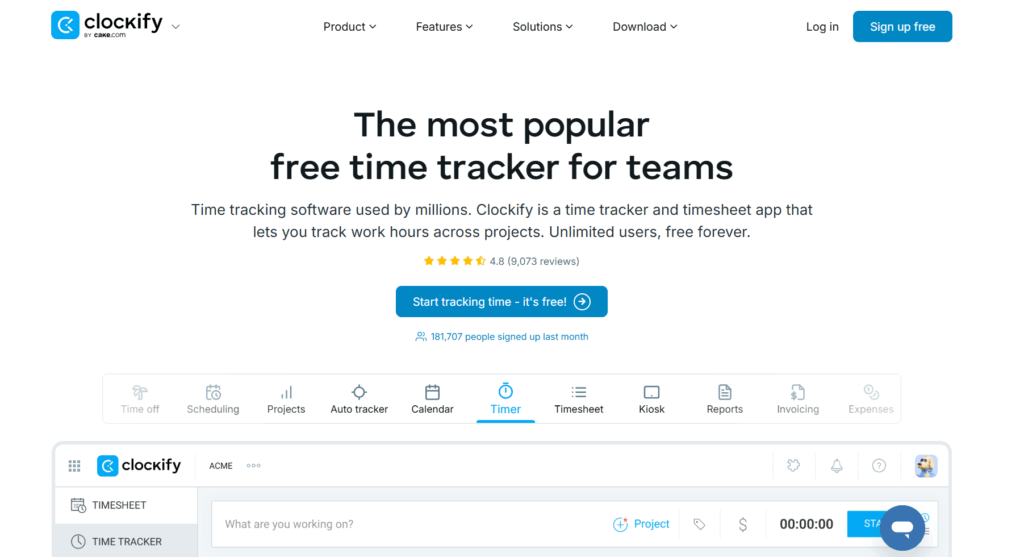
Clockify is a general-purpose time tracking tool that retail businesses can adapt to their needs.
It’s particularly attractive to small stores or growing retailers that want to start with a free plan and upgrade gradually. It’s a good fit for retailers that don’t want to invest in dedicated time clock equipment as there’s no hardware requirement. Setup takes minutes and you can turn any internet-connected device into a shared kiosk.
Clockify also offers flexible tracking methods, from timer-based tracking to manual timesheets, which can suit retail teams with different workflows.
Key features
- Free plan available with paid upgrades starting at a low per-user cost
- Web-based kiosk mode that works on any internet-connected device
- PIN-based clock-ins for shared tablets or computers
- Mobile apps for iOS and Android
- Manual timesheets or live timer tracking
- Shift scheduling with drag-and-drop adjustments
- Attendance reporting with visibility into hours, breaks, and time off
- Overtime alerts and tracking targets
- Role-based permissions for multi-location management
- Custom time reports exportable for payroll processing
- Basic GPS tracking (on higher-tier plans)
- Team chat and time-off request management
What users say
“I value its clarity and discipline. Clockify keeps time tracking straightforward, reliable, and impossible to fudge.” — Jack C., a small business user
Pricing
- Free trial available
- Free plan available
- 4 paid plans: Standard, Pro, Enterprise, and Productivity Suite
- Paid pricing starts at $5.49/seat/mo
6. When I Work
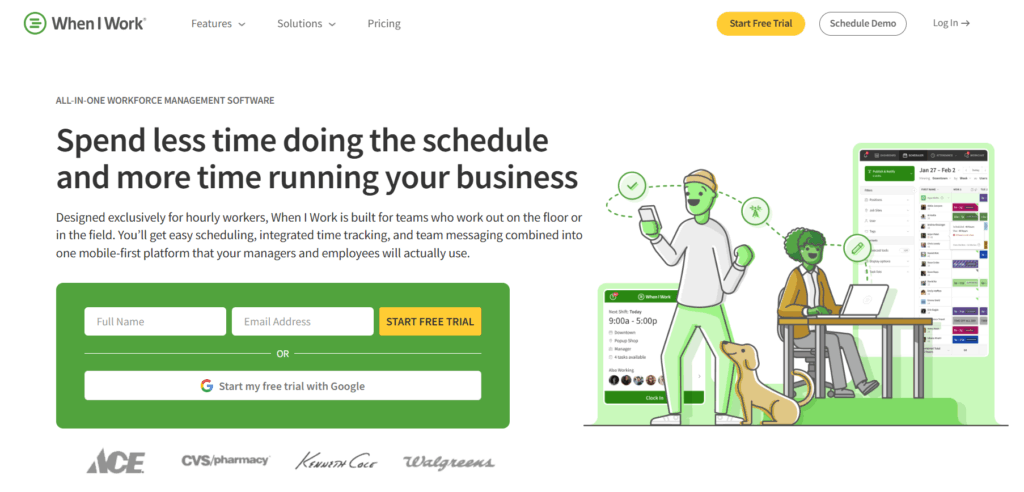
At its core, When I Work is a shift scheduling platform for stores where coverage gaps cause immediate problems and managers spend too much time adjusting rosters.
Managers can use the app to create shifts and publish them to staff; swap requests are also available inside the same system. In terms of time tracking, this connects directly to scheduled shifts, so hours worked are tied to planned coverage. This is an important link that can reduce discrepancies between what was scheduled and what happened.
For multi-location retailers, When I Work provides centralized oversight while still allowing store-level control. Come payroll time, exports pull approved hours into your payroll provider without any need to reformat.
Key features
- Drag-and-drop shift scheduling with recurring shift templates
- OpenShift claiming so employees can pick up available hours
- Shift swap and cover requests with manager approval workflows
- Multi-location management for franchises and regional chains
- Mobile time clock for iOS and Android devices
- Web-based clock-in options for shared store devices
- GPS tracking and geofencing to limit offsite clock-ins
- Automatic digital timesheets tied directly to scheduled shifts
- Real-time attendance visibility for managers
- Payroll integrations including Gusto and other providers
- Labor reporting by store, department, or role
- Overtime alerts to prevent unexpected payroll spikes
- Tip tracking tools for retail environments where tipping applies
- Built-in team messaging to reduce reliance on external chat apps
- Time-off request management synced to scheduling
What users say
“The software is extremely organized and easy to use. I’m able to schedule all of my staff on a weekly basis and view how many hours everyone has individually and collectively. Publishing the shift schedule in one place where we can see all shifts everyday is extremely helpful.” — Minjee K., a small business owner
Pricing
- Free trial available
- 2 paid plans available for single location/schedule and multiple locations/schedules
- Paid plans from $2.50/user/mo
7. Time Clock Wizard
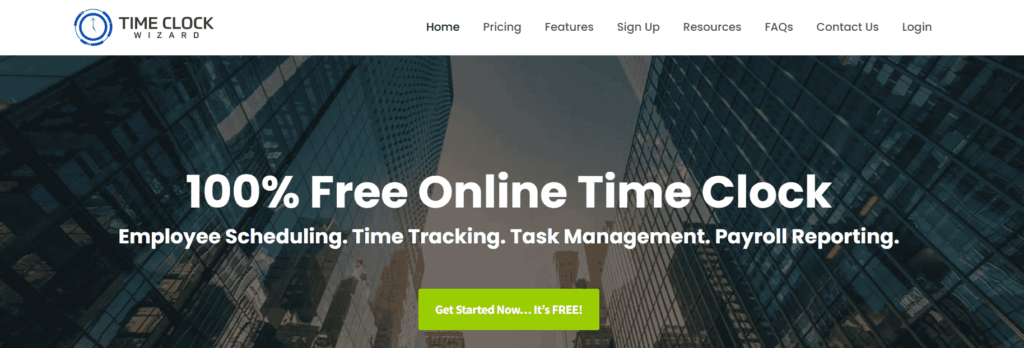
Time Clock Wizard positions itself as a free online time clock with scheduling and payroll reporting included. It’s aimed at businesses that want broad functionality without committing to higher per-user pricing.
For retail stores operating on tight margins, the appeal is simple: clock-ins, scheduling, task management, and payroll reports all sit inside one web-based system. While the interface is pretty utilitarian compared to some competitors, the feature set covers most of what a small store needs to manage employee hours and prepare payroll.
Key features
- Web-based time clock with no software installation
- Shared tablet kiosk mode with PIN clock-ins
- iOS and Android mobile apps
- Manager edits with rounding controls
- Real-time clock-in alerts via email or text
- GPS and IP tracking through “Clockpoints”
- Photo capture at clock-in for identity verification
- Multi-location tracking for stores or venues
- Employee scheduling with shift change requests
- PTO accrual and time-off tracking
- Payroll, timesheet, and schedule reporting
- Export options in Excel, CSV, Word, HTML, and PDF
- QuickBooks Online sync
- Task management with time tracking by task
- Role-based permissions for employees, admins, and super admins
- Two-factor authentication and offsite data storage
What users say
“This tool helps me keep track of my hours when clocking in and out. I find it easy to view my total hours and transfer them to Gusto.” — Selena G., a small business user
Pricing
- Free 14-day trial
- Free plan for unlimited users
- 3 paid plans: Value, Pro, and Enterprise
- Paid pricing from $29.95/mo
8. Deputy
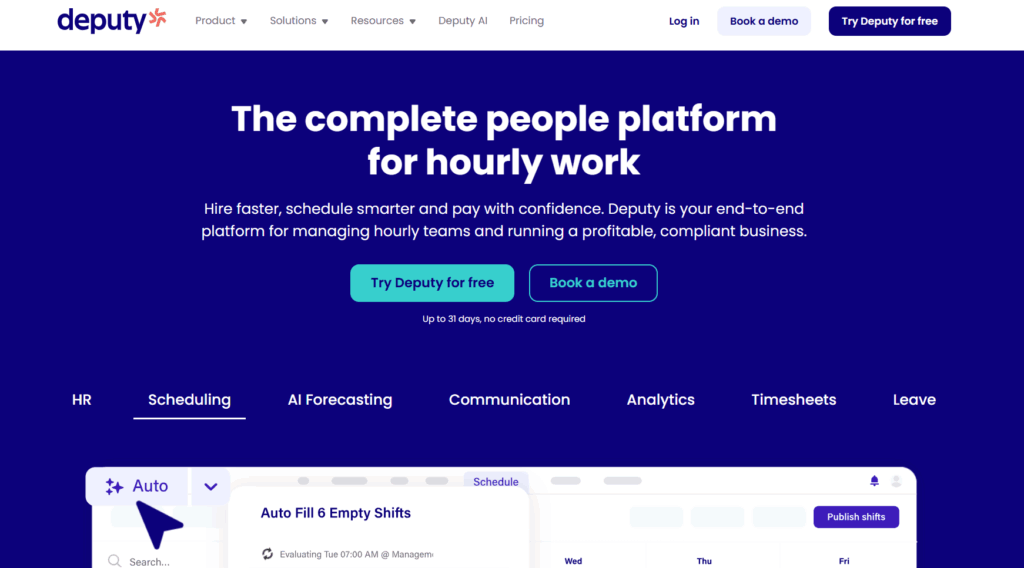
Deputy is built for retail environments where labor planning directly affects revenue. Unlike simpler time clock tools, Deputy leans into workforce planning by combining time tracking, scheduling, compliance, and labor budgeting in one system that can scale across stores.
For retailers managing fluctuating foot traffic, seasonal surges, or strict wage laws, Deputy focuses on matching staffing levels with demand. Features like micro-shifts allow managers to divide shifts around peak hours instead of overstaffing an entire day. Alongside compliance safeguards and payroll integrations, it’s positioned for growing retailers that want more structure around their workforce operations.
Key features
- Demand-based scheduling tools that link staffing with sales trends
- Micro-scheduling to split shifts around busy periods
- Drag-and-drop schedule builder for multi-location teams
- Employee shift swaps and PTO requests through the mobile app
- Built-in team communication to reduce no-shows
- Web and mobile time clock with digital timesheets
- GPS location stamps and optional facial recognition for clock-ins
- Automated wage calculations based on local labor laws
- Custom pay rate builder for different roles or shift types
- Overtime tracking with compliance safeguards
- Break allocation and missed-break alerts
- Real-time attendance dashboard
- Bulk timesheet approvals and one-click payroll export
- Integrations with payroll, POS, and HR systems
- Open API for custom integrations
- ISO27001-certified security and PCI compliance
What users say
“Deputy also helps us to pre-schedule shifts for retail employees which other time tracking tools can’t do. It also offers an iPad app which we need.”— Lillian L., a people ops coordinator
Pricing
- Free trial available
- 3 paid plans: Lite, Core, and Pro
- Paid pricing starts at $5/user/mo
Capture accurate retail time with Toggl
Retailers need time data they can trust, especially when they’re trying to manage their labor more effectively across shifts and stay compliant with regulations.
Toggl makes it easy for staff to log hours quickly from a shared device or their own phone, and for managers to approve their timesheets without wasting their own valuable hours. Toggl’s data is accurate and clean, with approved hours sliding seamlessly into payroll in a format that doesn’t require any rework. Ready to capture consistent, reliable time tracking across your stores? Sign up for a free Toggl account to capture accurate retail time data and stay on top of your labor costs.
Frequently asked questions (FAQs) about time tracking software for retail businesses
What features should time tracking software for retail include?
Time tracking software for retail should include features like flexible clock-in options, shift scheduling, automatic overtime tracking, and payroll integrations. Mobile access is also important for staff who aren’t always near a shared device, and clear attendance reporting helps managers stay on top of hours without having to dig for the data.
Can retail employees track time and clock in and out on shared mobile devices?
Yes, retail employees can clock in and out on shared mobile devices. Most time tracking platforms support kiosk mode, which lets multiple staff members clock in from a single tablet or phone using a PIN. This works well for stores where staff don’t carry personal devices on the floor.
How does time tracking software handle shifts and overtime?
Time tracking software handles shifts and overtime by recording hours automatically as employees clock in and out. When someone’s hours approach or exceed overtime thresholds, the software flags it in real time. Managers can review and approve timesheets before payroll runs, so there aren’t any surprises at the end of the pay period.
Is time tracking software suitable for small retail stores?
Yes, time tracking software is suitable for small retail stores. While time tracking software is a good fit for any size or type of retail store, single-location independent stores benefit a lot, since manual timesheets are easiest to lose or miscalculate when you’re running a lean team. Several tools on this list offer free plans that cover the basics for smaller headcounts.
Does time tracking software integrate with payroll and scheduling tools?
Yes, most time tracking software integrates with payroll and scheduling tools. Popular connections include QuickBooks, Xero, Gusto, and ADP, with hours flowing directly into payroll once timesheets are approved. Some platforms also include built-in scheduling, so shifts and time records sit in the same place.

Rebecca has 10+ years' experience producing content for HR tech and work management companies. She has a talent for breaking down complex ideas into practical advice that helps businesses and professionals thrive in the modern workplace. Rebecca's content is featured in publications like Forbes, Business Insider, and Entrepreneur, and she also partners with companies like UKG, Deel, monday.com, and Nectar, covering all aspects of the employee lifecycle. As a member of the Josh Bersin Academy, she networks with people professionals and keeps her HR skills sharp with regular courses.