Whether you’re a freelancer juggling multiple clients, a manager keeping a team on track, or a student cramming for an exam, the right time management tool can massively improve your productivity and well-being.
This guide covers 12 of the best time management tools, including features, pricing, and pros and cons, so you can find one that helps you reclaim your focus and master your calendar.
This list draws on our 20+ years of experience building time tracking and productivity software. Additionally, our writers spend hours researching the features, limitations, and customer reviews of each tool to categorize them based on their main use cases. As a result, all options below are proven, secure, and worth your time.
Top time management tools at a glance
| Tool | Category | G2 Rating | Best for |
| Toggl | Time and task management | ⭐4.6 | Freelancers and teams requiring powerful tracking and reporting |
| Harvest | Time and task management | ⭐4.3 | Small teams needing time tracking and invoicing |
| Clockify | Time and task management | ⭐4.5 | Teams needing simple time tracking and reporting |
| RescueTime | Simple time management | ⭐4.2 | Users wanting passive insight into screen habits |
| Focusmate | Simple time management | ⭐4.2 | ADHDers and remote workers needing accountability support |
| Freedom | Simple time management | ⭐4.8 | Distraction-prone users needing to protect deep work blocks |
| ClickUp | All-in-one project management and productivity suite | ⭐4.7 | Teams streamlining multiple time and task management tools into one platform |
| Asana | All-in-one project management and productivity suite | ⭐4.4 | Teams collaborating and tracking time across multiple projects |
| monday work management | All-in-one project management and productivity suite | ⭐4.7 | Teams wanting to create a custom project and time management system |
| Morgen | AI-assisted scheduling | ⭐4.8 | Students who live and die by their calendar |
| Fantastical | AI-assisted scheduling | ⭐4.4 | Apple users wanting beautiful natural language scheduling |
| Clockwise | AI-assisted scheduling | ⭐4.7 | Teams wanting to leverage AI to protect focus time |
What are time management tools?
Time management tools are apps or software that track how you spend your time. With the right tools, you can act on your time tracking information to work more productively, for example, by prioritizing certain tasks and setting goals to work toward. Tools span from simple timers and calendar apps, to full project management platforms.
But relying solely on a tool to tell you how to work will leave you shortchanged. To truly improve time management, you’ll need to pair your tool with a time management method like the Pomodoro technique, time-blocking, Eisenhower matrix, or Covey matrix.
Or, if you’re already a time management whizz, you might want to explore more robust time management strategies. These are repeatable frameworks for managing your work over time, like the Getting Things Done (GTD) framework from David Allen, the Rapid Planning Method by Tony Robbins, or the Ivy Lee method.
Key time management tool features
When choosing a new time management tool, you need to find the sweet-spot between functionality and frivolity. That balance looks different for everyone depending on priorities, team size, and industry. Before committing to a tool, consider which of the following features are important in your day-to-day.
- Ease of use vs. flexibility. More functionality isn’t always better. A highly customizable tool can become a chore to set up and maintain. Not sure what you want? Try starting simple and scaling up as your needs evolve.
- Automation. The best time management tools are supposed to give you more time, not eat into it. Look for automated features, like tools that turn your browser activity into a timeline, or let you set up shortcuts for recurring tasks. This way, your time tracker runs in the background while you focus on actual work.
- Cross-device sync. Your tool should work wherever you do. Check whether it runs reliably across desktop, mobile, and browser, and whether changes sync in real time across devices.
- Integrations. You may want to sync your tool with other systems like calendars, project management tools, or payroll platforms to avoid screen switching or manual data exports. Check what’s available beyond the time tracker’s native integrations; some may be able to integrate via a third-party, or custom API, though these solutions may be clunkier to set up initially.
- Project and task organization. Can you categorize time entries according to client, project, and task levels? Bonus points for a tagging feature that lets you differentiate between types of tasks, like internal vs external meetings, admin, and billable or non-billable hours. Some tools let you assign budgets at the project-level, which can help deliver work on time and budget costs
- Reporting and analytics. Time data is most powerful when you can make sense of the numbers. Check your intended tool offers suitable analytics views for tracking your preferred metrics, like profitability, workforce capacity, or time spent per project or client, and lets you turn them into actionable steps to improve efficiency and productivity.
- Cross-team collaboration. Features like document sharing, task commenting, tags, and automatic summaries create a productive online work hub for your team.
12 best time management tools by category and use case
As a company known for its time management software and over 20 years in the industry, we’re always geeking out about the best ways track and manage time.
To create this shortlist of the best time management tools, we sought input from our product and customer success teams to understand the features you find the most valuable, and poured over hundreds of G2 reviews to understand how other tools perform in the wild. The result of this labor of love is a ranked and categorized comparison guide of the best time management tools to save you time (it’s what we do).
Time and task management
For freelancers, agencies, and internal teams who need to know exactly where their hours go, track profitability, issue accurate invoices, and turn time data into their competitive advantage.
1. Toggl
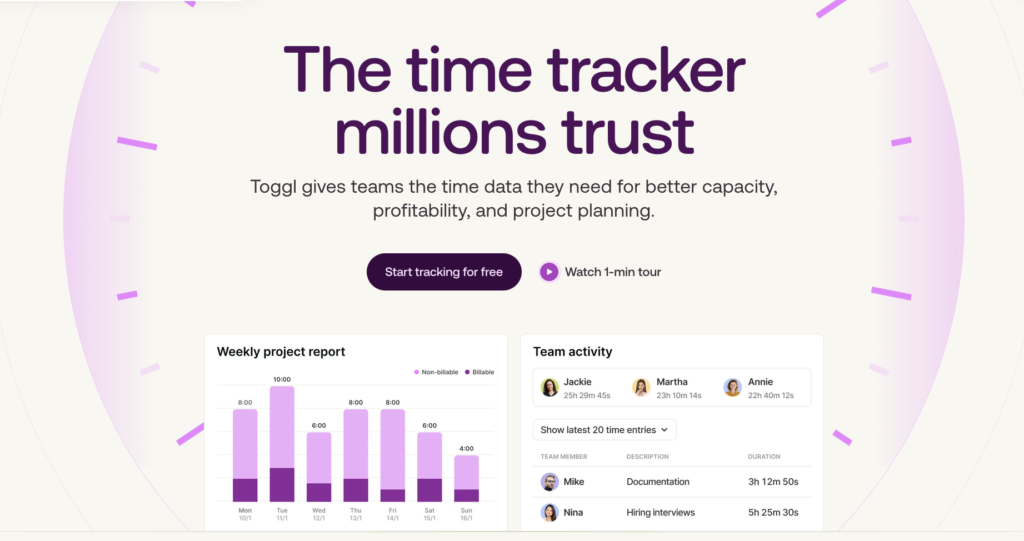
Toggl is on a mission to maintain a manageable workload and work smarter, not harder. Track time however suits you best — Chrome extension, web, desktop, or mobile app. While you’re in focus mode, our automatic time tracker logs your time on each specific task (and syncs offline entries, too), to reveal the real activity behind your “busy.”
Learn which tasks eat more time than you’d want to organize your day better, set realistic deadlines, and try new productivity techniques.
For teams, we offer even richer insights on productivity, including daily, weekly, and monthly progress, billable hours, project progression rate, and estimated completed dates. We also allow you to set up custom dashboard views. You’ll never wonder how your team’s workload looks or when things will get done, because you have all these insights on a visual dashboard.
📣 Benefits for freelancers
Track billable hours and rates across projects
First, set billable rates per project or client.
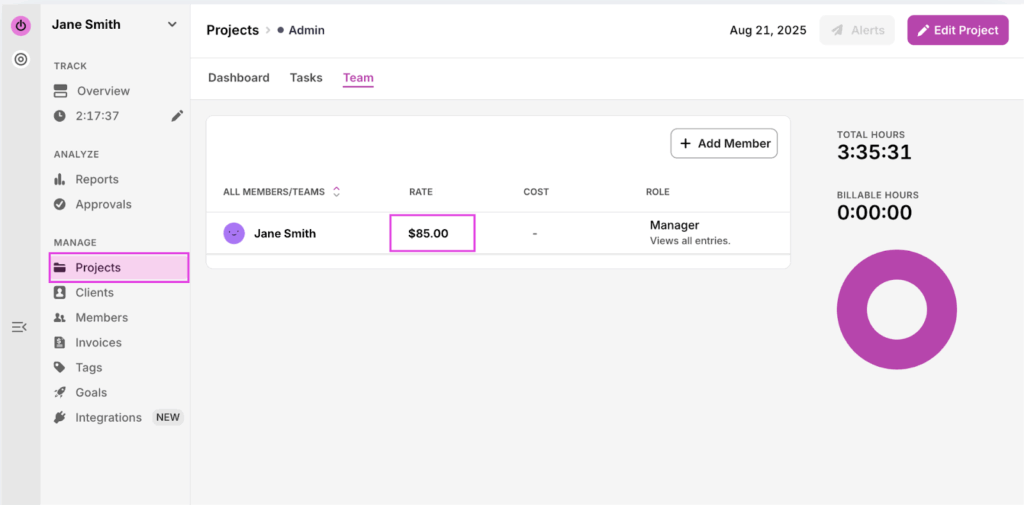
Then, track billable and non-billable hours from the moment you start tracking, so reporting and invoicing is clean and fast.
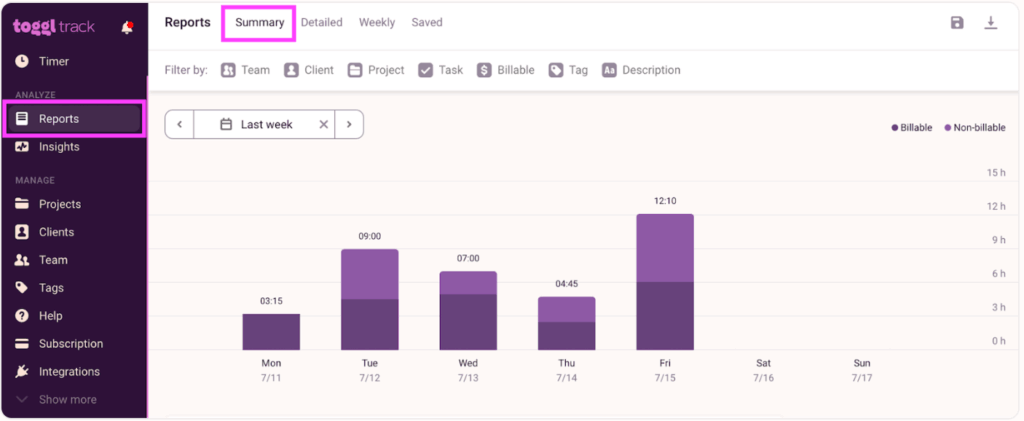
Create accurate invoices with ease
Turn your time entries into sleek invoices with one click. Go to Summary Report, and click the invoice icon in the top right corner.
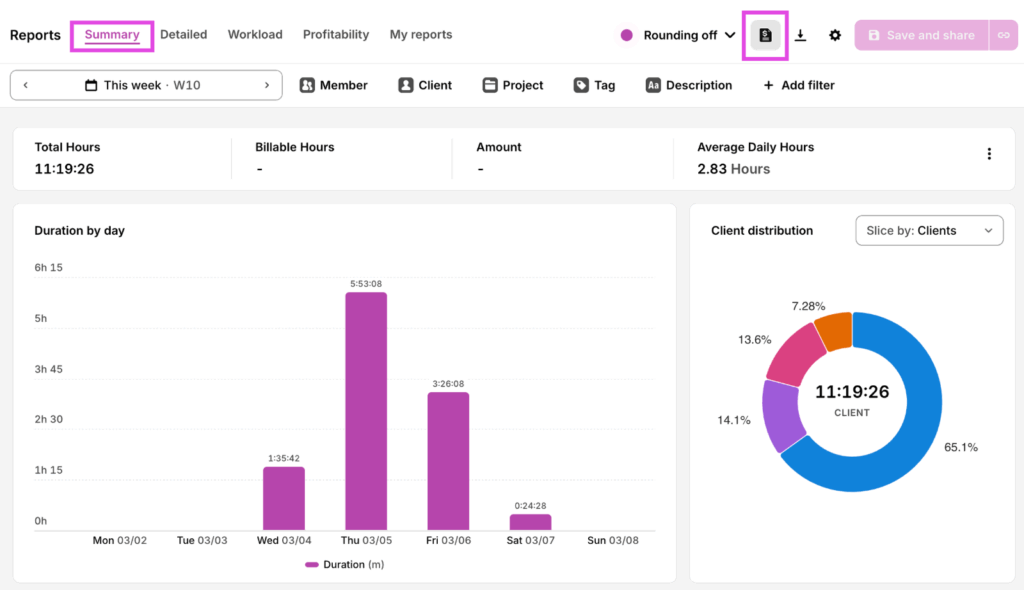
Protect against burnout with automated, regular breaks
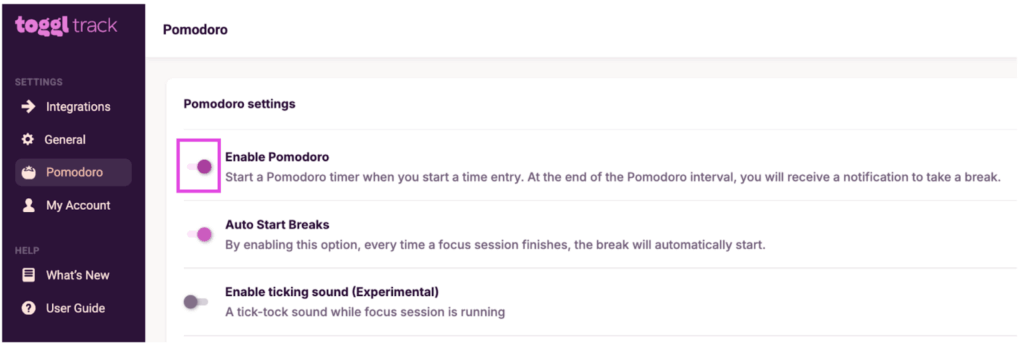
Turn on the Pomodoro timer from the Toggl Chrome Extension settings.
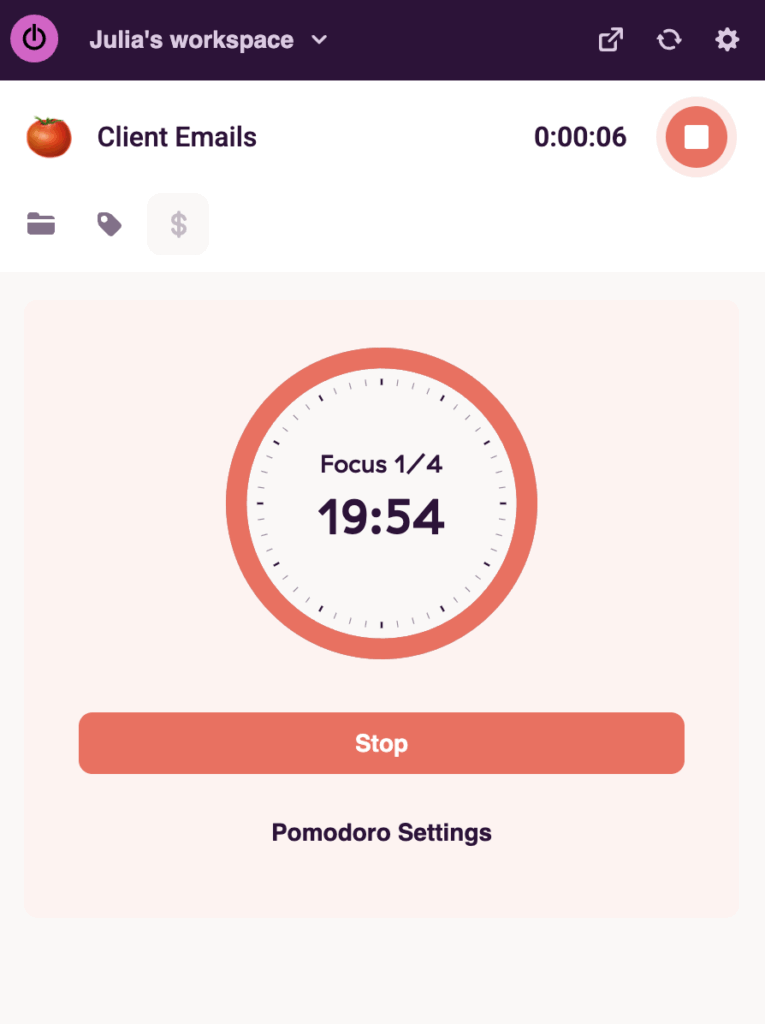
Every entry will automatically count down 20 minutes, then alert you to take a 5 minute break.
📣 Benefits for teams
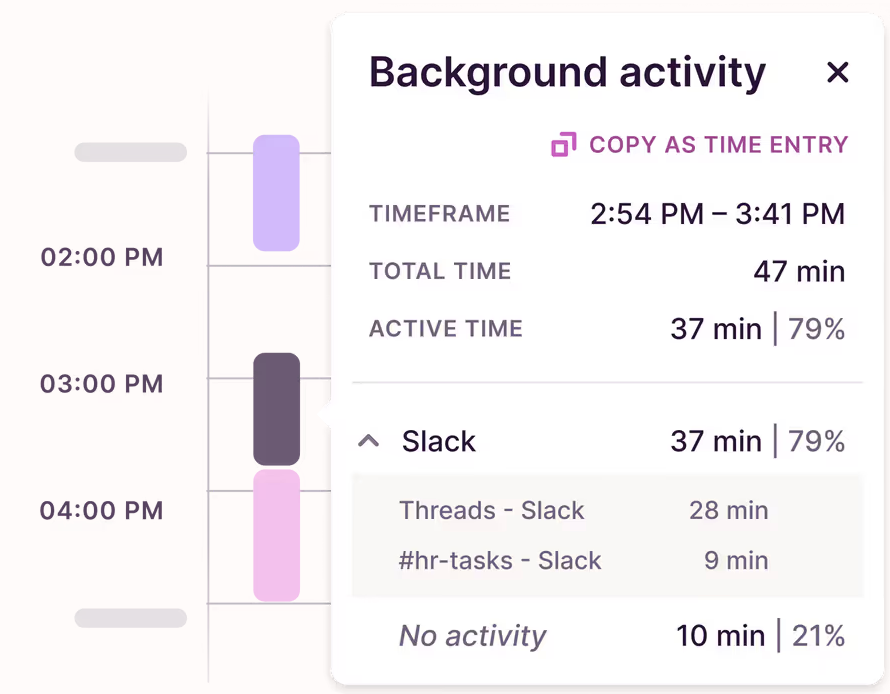
Track time automatically
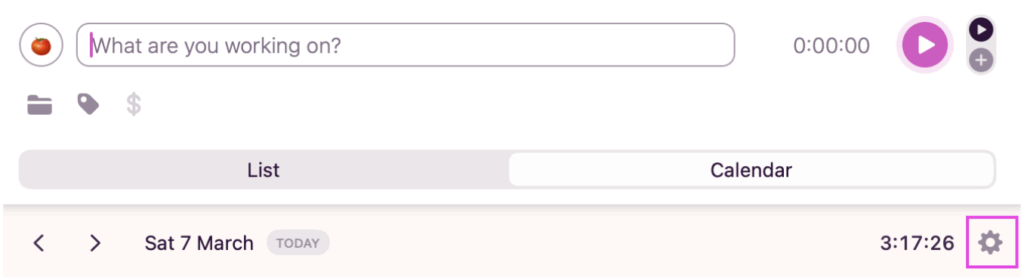
From the desktop app, open the settings in Calendar view.
Enable the autotracker from the pop-up. Define which pages you’d like it to track and which Project the automated time tracker connects to.
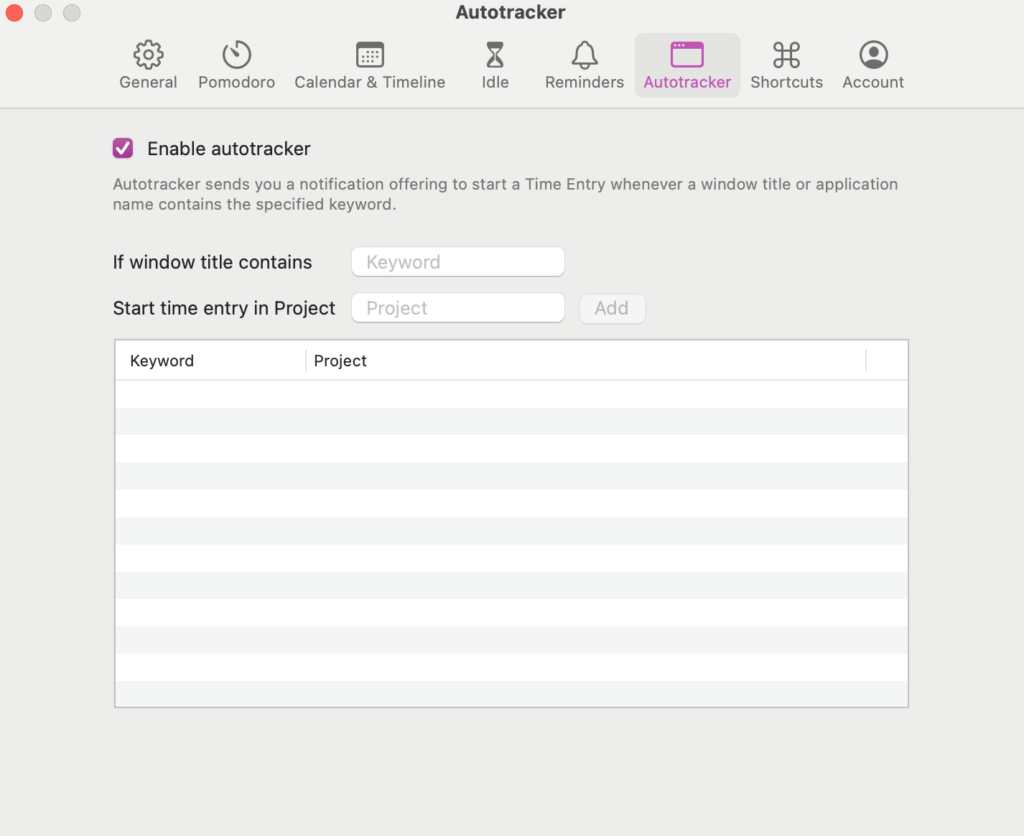
Toggl works in the background, creating a timeline of your workday, without you lifting a finger.
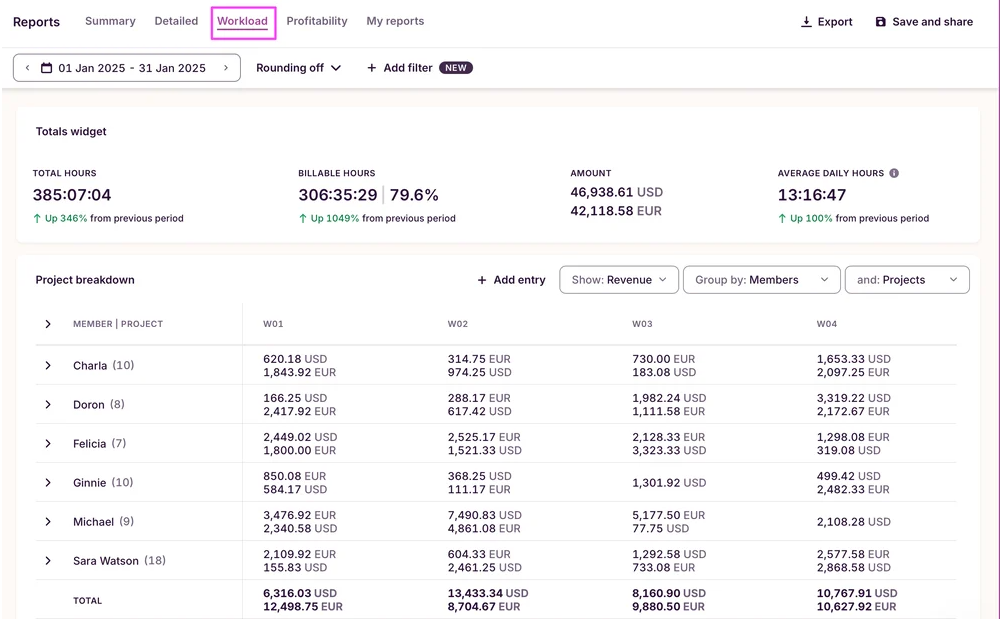
Turn time data into actionable business insights
Toggl’s Workload reports show you your team’s capacity at a glance.
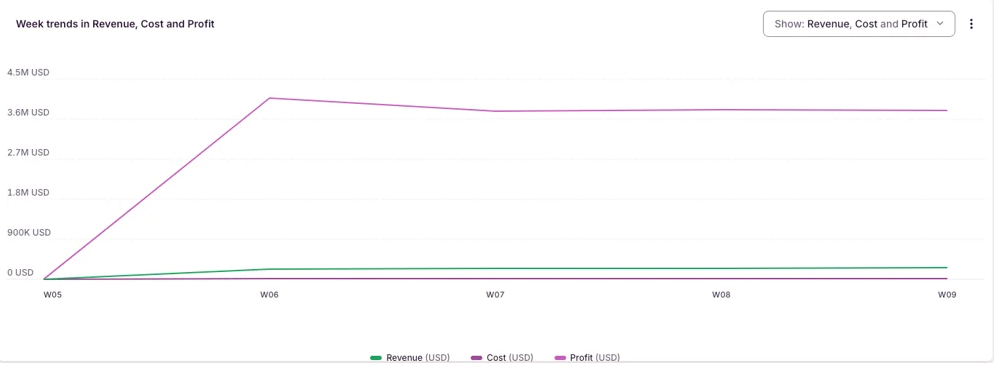
Meanwhile, Profitability reports show revenue vs. costs for Projects and Clients, so you can focus on the highest-impact work and keep your margins healthy.
Trust your team will love it
Toggl spreads through teams like wildfire, because people actually want to use it. That’s why we achieve 100% team adoption. We were voted best ease of use on Capterra, and are trusted by over 5 million users worldwide.
✅ Pros
- User-friendly time tracker with a strong anti-surveillance ethos
- Combines time tracking with task and project management
- Embeddable in any workspace with integrations, API, or webhooks
- Add billable hours or fixed budgets to projects to track profitability
- 100+ integrations with household SaaS tools
❌ Cons
- Time-logging reminders are only available on a paid plan
- Lacks automatic timer switching for a web app
- Mobile apps lack some desktop features
💰 Pricing
| Plans | Costs |
| Free Plan | Free for up to five users, no credit card needed |
| Free Trial | 30-day free trial of all paid features |
| Paid Plans | From $9/user/mo |
🧡 Customer love
“Toggl has allowed me to become more productive by helping me to get more time conscious and manage my time in a better way. With its automated time tracking function, it has been easy to capture all my time usage data with precision. Toggl has a great reporting function that allows me to keep a record of all my time usage reports. It also offers analytics that allows me to extract useful insights from my time data which guide me on how to improve on my time management.” — Kevin J., Operations Project Coordinator
G2: 4.6/5 (1,589)
Capterra: 4.7/5 (2,583)
2. Harvest
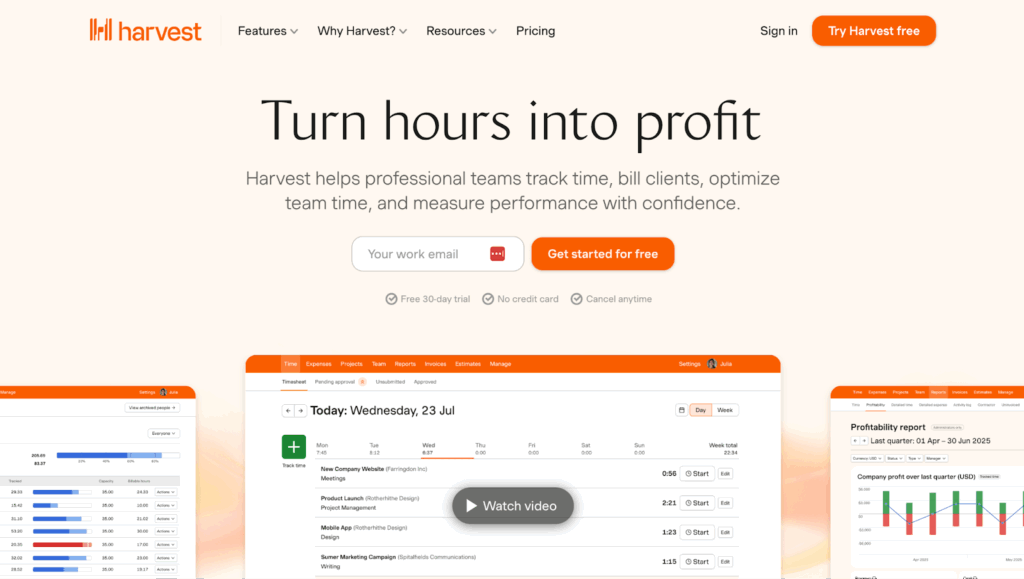
Harvest is a no-fuss time tracking and invoicing tool built for freelancers and small teams who bill by the hour. Log time against projects and tasks, then turn timesheets into client invoices in a few clicks. Real-time budget tracking alerts you when project costs are approaching the limit, so you can take action before it becomes a problem.
📣Standout features
- Start, stop, and adjust timers with deep OS integration and inactivity notifications
- Effortless timesheet submission and billing-ready reports
- Full visibility into time allocation across projects, tasks, and clients
- Separate billable and non-billable hours with assignable pay rates and uninvoiced reporting
- Combined time and expense tracking with receipt uploads and project-linked costs
✅ Pros
- Add custom hourly prices per team member or skill set for precise project cost reporting
- Intuitive interface and straightforward setup
- Accurately track billable hours and manage time across different clients
❌ Cons
- Some feel billing features are lacking
- Better reminders to turn off the timer if left running needed
- Reporting feels basic compared to other time tracking tools
💰 Pricing
| Plans | Costs |
| Free Plan | Free for one user, tracking time across two projects |
| Free Trial | Try premium features for up to 30 days |
| Paid Plans | From $11/user/mo |
🧡 Customer love
“Harvest stands out for its technical capabilities to visualize all your work projects and manage your time with total efficiency.” — Adrian C., Instructional Designer
G2: 4.3/5 (830)
Capterra: 4.6/5 (643)
3. Clockify
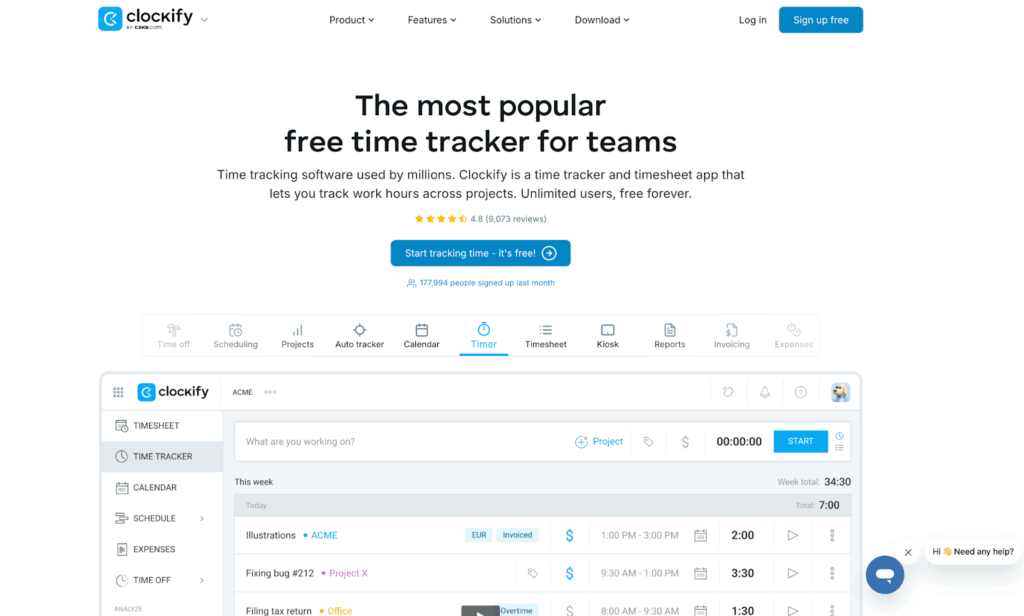
Clockify is a basic time tracking tool, letting teams log hours, generate timesheets, and track progress across projects. It supports the Pomodoro technique and integrates with tools like Asana, Trello, and Slack — a solid choice for budget-conscious freelancers and teams.
📣 Standout features
- Streamlined timesheet generation and approvals
- On-site and offsite time tracking with GPS
- Set project budgets, billable rates, and expenses
- Manage employee leave and holidays
✅ Pros
- Unlimited tracking for projects and clients, even on a free plan
- Easy data exports for accurate invoicing
- Voluntary screenshot recording for reporting
- Convenient shift scheduling functionality
❌ Cons
- Old school UI
- Occasional bugs syncing time entries and reports
- Security features could be enhanced
💰 Pricing
| Plans | Costs |
| Free Plan | Unlimited free-time tracking with limited reporting |
| Free Trial | Try Clockify premium features for 7 days |
| Paid Plans | From $5.49/seat/mo |
🧡 Customer love
“I appreciate how easy it is to export reports and integrate them with my ERP system. The calendar integration has been a real time-saver for me. I was able to get started within minutes, and now I use Clockify nearly every day.” — Oscar B., Senior Management Consultant
G2: 4.5/5 (197)
Capterra: 4.8/5 (9,229)
Simple time management
Not everyone needs a full productivity system. If you just want to focus better, waste less time, and stop getting in your own way, these tools are for you.
4. RescueTime
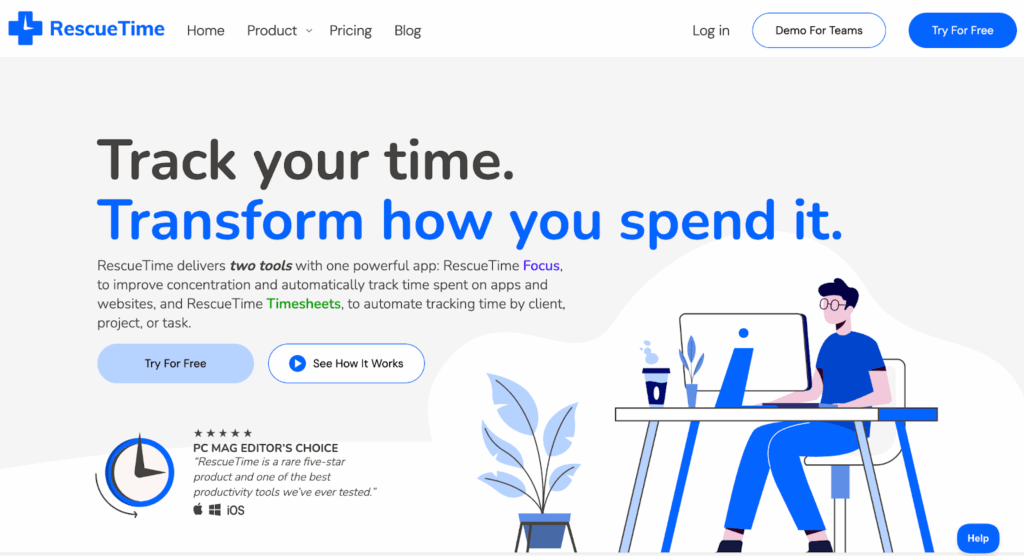
RescueTime is a passive time management tool that automatically tracks time spent across apps, websites, and documents. It runs in the background, so no manual input is needed. It categorizes your daily tasks into productive and distracting activity, giving you an honest picture of how you spend your time. If you want better time management without high-maintenance systems, RescueTime is for you.
📣 Standout features
- Fully automatic, passive time tracking across apps and websites with no manual input required
- Productivity Pulse scores your day from 0-100 based on how you spent your time
- Customizable activity categories label what counts as productive vs. distracting for you
- Focus Sessions block distracting sites while you work
- Weekly email reports summarize your habits and productivity trends
✅ Pros
- No manual input
- Improves time habits
- Strong cross-platform tracking
❌ Cons
- Some users share concerns about privacy
- Others want more category customization options
- No project-level tracking or task management
💰 Pricing
| Plans | Costs |
| Free Plan | None |
| Free Trial | 14-day trial of paid plan features |
| Paid Plans | From $9/user/mo |
🧡 Customer love
“RescueTime runs in the background and automatically records the time I spend on numerous apps and websites, giving me a clear view of my daily behaviors and patterns. The ability to create alarms when I spend too much time in non-productive activities has been a good reminder to stay focused.” — Jaime F., Senior Project Manager
G2: 4.2/5 (94)
Capterra: 4.6/5 (141)
5. Focusmate
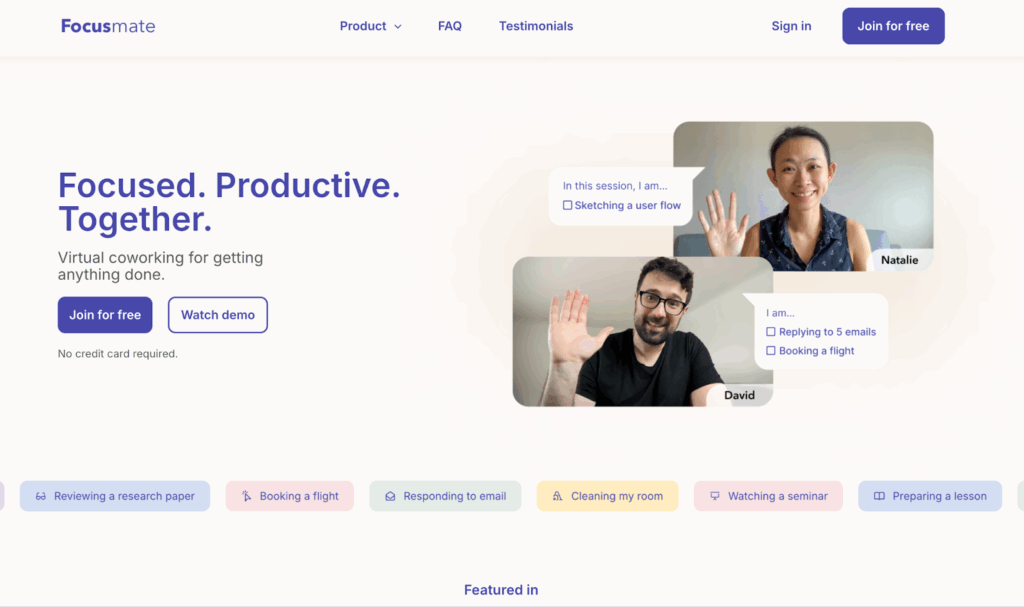
Focusmate is a virtual co-working tool. It pairs you with a real person for social accountability and body-doubling, helping you both get into a flow. It doesn’t boast any time or task management features, but it’s surprisingly effective for freelancers, students, and anyone who struggles to start their most important tasks alone.
📣 Standout features
- Automatically get matched with an accountability partner
- Choose from 25, 50, or 75-minute focus sessions
- Structured sessions with a clear start, check-in, and wrap-up
- Body doubling effect keeps you on task and reduces procrastination
- Calendar integration with Google, Apple, and Outlook for easy scheduling
✅ Pros
- Beat procrastination
- Works for virtually any task — freelancing, studying, creativity, or deep work
- Well-suited for ADHD and other neurodivergent users
❌ Cons
- No task management, timers, or productivity features
- Sometimes no matches made, or partners are no-shows
- No way to co-work with the same partner again
💰 Pricing
| Plans | Costs |
| Free Plan | Three sessions per week |
| Free Trial | 30-day trial available via referral code of existing user |
| Paid Plans | From $12/user/mo |
🧡 Customer love
“It works for me like nothing else! There’s something about having to tell a total stranger whether you worked on what you said you would — seeing their focused expression in a moment of my own boredom or desire to wiggle out of the rest of the time. It’s gentle and positive accountability.” — Laura Kaye C., Founder
G2: 5/5 (3)
Capterra: N/A
6. Freedom

Freedom blocks distracting websites and apps across all your devices simultaneously so you can actually focus. Set a session, choose what to block, and let it run. With Locked Mode, you can’t cheat even if you want to. Simple, effective, and best for anyone whose biggest productivity problem is the temptation to scroll social media.
📣 Standout features
- Block distracting websites, apps, or the entire internet across all your devices simultaneously
- Locked Mode prevents you from overriding an active session
- Scheduled and recurring sessions to build a consistent daily focus routine
- Custom blocklists to tailor exactly what gets blocked and what stays accessible
- Cross-platform sync across Mac, Windows, iOS, Android, and Chrome
✅ Pros
- Blocks multiple devices in the same session
- Locked Mode is hard to cheat
- Automatically schedule distraction-free time with recurring blocks
❌ Cons
- Session history only shows duration, not what you worked on
- No built-in task management, timers, or productivity tracking
- Chrome OS only supports website blocking, not app blocking
💰 Pricing
| Plans | Costs |
| Free Plan | Block sessions across unlimited devices |
| Free Trial | 7-day trial of premium features like Locked Mode |
| Paid Plans | From $8.99/user/mo |
🧡 Customer love
“Very easy to use and set up. Lots of different options to set up a schedule to block websites and increase your productivity.” — Ed H., Video Creator and Affiliate Marketer
G2: 4.8/5 (6)
Capterra: N/A
All-in-one project management and productivity suites
Larger teams can use the options below to manage tasks, dependencies, collaboration, and workflows with an all-in-one platform.
7. ClickUp
ClickUp packs an impressive amount into one workspace — tasks, docs, goals, Kanban boards, time tracking, and more. It’s highly customizable, which makes it powerful but also means onboarding takes time. Best suited to teams who want to consolidate their collaboration tools and build customized workflows that match how they work.
📣 Standout features
- Clear visual task hierarchy with Team Spaces, Folders, and Nested Tasks
- 15 different views to match your personal preferences
- 35+ internal apps for adding extra task management features
- Convenient real-time document editing and secure storage
✅ Pros
- Eliminates the costly SaaS app sprawl and constant screen switching
- Visual “Everything view” into important tasks across the company
- Set team and individual goals to track progress for linked tasks
- AI assistant for information look-up, task management, and content creation
❌ Cons
- Features and customization can be overwhelming for new users
- Occasionally slow to load and buggy syncing across devices
- Too many notifications with no way to customize settings
💰 Pricing
| Plan | Cost |
| Free Plan | Covers one user and 100MB of storage |
| Free Trial | Try ClickUp premium features for up to 14 days |
| Paid Plans | From $7/user/mo |
🧡 Customer love
“ClickUp allows me to do things that can’t otherwise be done due to their complexity and breadth of team members involved. I use it to store, manage and plan every single area of my life and business and the beautiful UI delights me to do so!” — Michael M., CEO
G2: 4.7/5 (11,180)
Capterra: 4.6/5 (4,550)
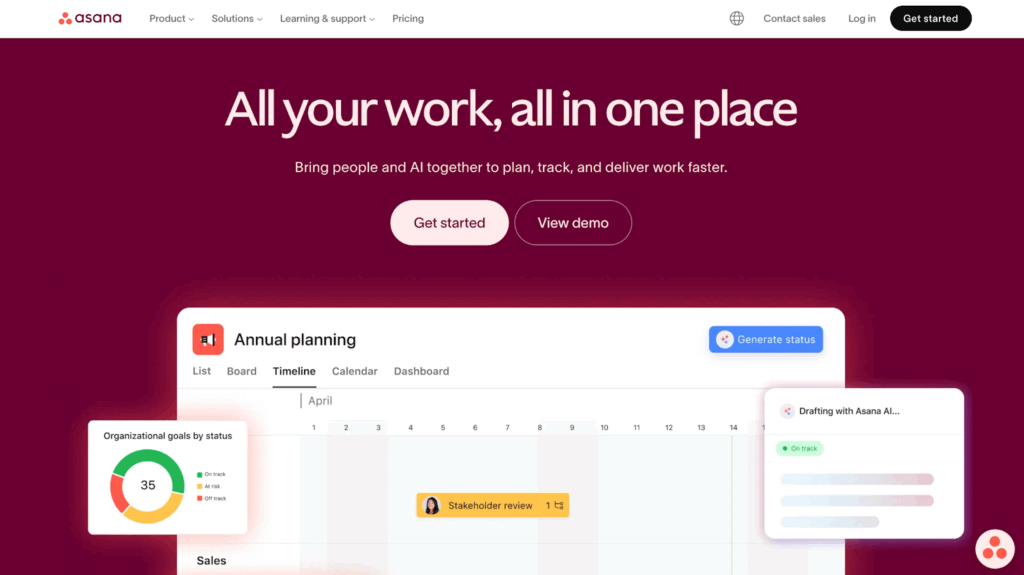
8. Asana
Asana is a project management tool that helps teams stay on top of tasks, hit deadlines, and handle projects. Assign work, set due dates, and track progress across multiple projects from one clean dashboard. Automation, templates, and integrations with tools like Slack and Google Calendar also make it easy to streamline recurring workflows.
📣 Standout features
- Kanban board, list, timeline, calendar, or Gantt chart project views
- Drag and drop project timeline builder
- Team workload report for managing capacity
- Integrated time tracker for tasks
✅ Pros
- Intuitive, familiar interface with a gentle learning curve
- Automatically builds charts for viewing statuses in real-time
- Track custom metrics and goals across teams
- Rules library of workflow automation scenarios
❌ Cons
- Some users complain of cluttered UI
- Cannot assign multiple people to a task
- Time tracking feature lacks detail
💰 Pricing
| Plan | Cost |
| Free Plan | Covers three project views |
| Free Trial | Try Asana premium features for up to 30 days |
| Paid Plans | From $10.99/user/mo |
🧡 Customer love
“I really like the different project views like list, board, and timeline, which make it easier to visualize work depending on the team’s needs. The ability to assign ownership, set deadlines, and track updates in one place has improved collaboration and transparency across teams.” — Nandan S., Senior Business Operations Manager
G2: 4.4/5 (13,136)
Capterra: 4.5/5 (13,534)
9. monday work management
monday work management is a project management platform that helps teams collaborate across workflows in one centralized workspace. Cross-project dashboards give managers a real-time overview of team capacity and progress. Multiple views, color-coded deadlines, and automated updates help with getting things done.
📣 Standout features
- Highly visual, color-coded, customizable boards
- Multiple project views including Kanban, Gantt, calendar, and timeline
- No-code workflow automations to handle repetitive status updates and notifications
- Cross-board dashboards that pull data from multiple projects into one overview
- 200+ integrations with tools like Slack, Zoom, Google Drive, and Jira
✅ Pros
- Adapts to almost any team structure or workflow type
- Easy to see project health at a glance
- Strong customer support with 24/7 availability across all plans
❌ Cons
- Setting up complex automations or workflows can be overwhelming
- Experience can become messy as boards scale
- Mobile app performance lags compared to desktop
💰 Pricing
| Plans | Costs |
| Free Plan | For up to two users working across three boards |
| Free Trial | Try premium features for up to 14 days |
| Paid Plans | $12/seat/mo (3 seat minimum) |
🧡 Customer love
“Before using monday, everything was chaotic and unorganized, but now it provides visibility, accountability, traceable history, and much more efficiency in everything we do. It’s super easy to use, very intuitive, and the ability to create automations really frees up time.” — Michael W., Senior Manager of Integrated Marketing
G2: 4.7/5 (14,987)
Capterra: 4.6/5 (5,702)
AI-assisted scheduling tools
For busy professionals who are tired of playing calendar Tetris, these tools use AI to protect your time, so you can do more with less.
10. Morgen
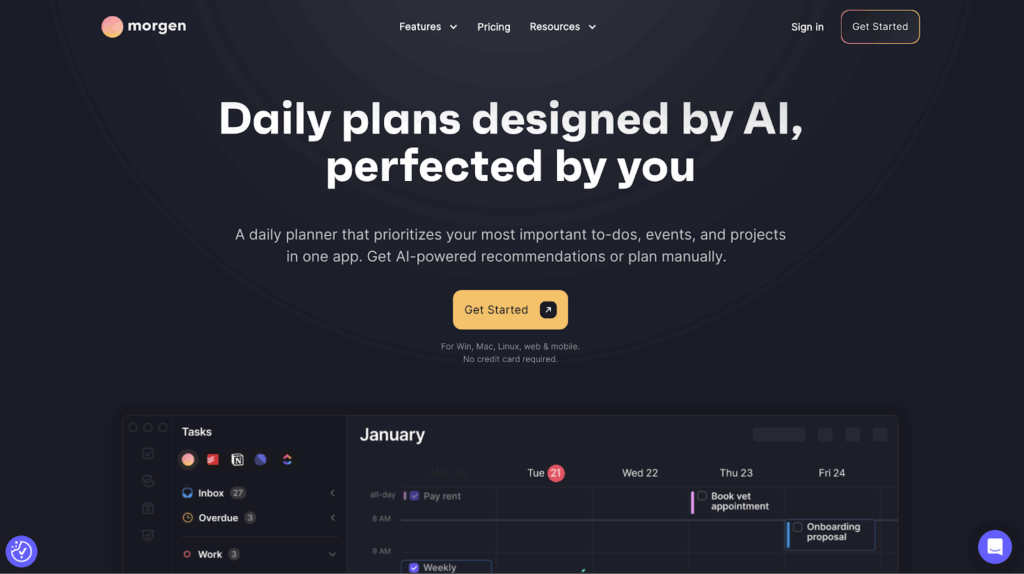
Morgen is an AI-powered planner that helps you prioritize your tasks and intelligently blocks out time for them in your schedule. It’s best-suited to individuals or small teams but still a great option for users wanting to plan and complete their to-do lists realistically. Integrate Morgen with your favorite task management tool, like Todoist, ClickUp, Notion, or others.
📣 Standout features
- Unify Google, Outlook, iCloud, Exchange, and more into one multi-calendar view
- Drag-and-drop tasks directly onto your calendar to block time
- AI Planner suggests where to schedule tasks around fixed meetings
- Integrations with task managers including Todoist, ClickUp, Notion, Linear, and Obsidian
- Save time on meeting scheduling with booking links
✅ Pros
- Sleek UI despite multiple calendars
- Frequent updates driven directly by user feedback
- Keyboard shortcuts make navigation fast for power users
❌ Cons
- Mobile app is read-only
- No longer offers a free plan
- Paid plan is expensive compared to competitors
💰 Pricing
| Plan | Cost |
| Free Plan | None |
| Free Trial | Try Morgen for up to 14 days for free |
| Paid Plans | From $30/user/mo |
🧡 Customer love
“I love how it combines my calendars and all my tasks. I can see everything I need to complete on one screen.” — Denise H., Director of Finance and Operations
G2: 4.8/5 (19)
Capterra: 5/5 (1)
11. Fantastical
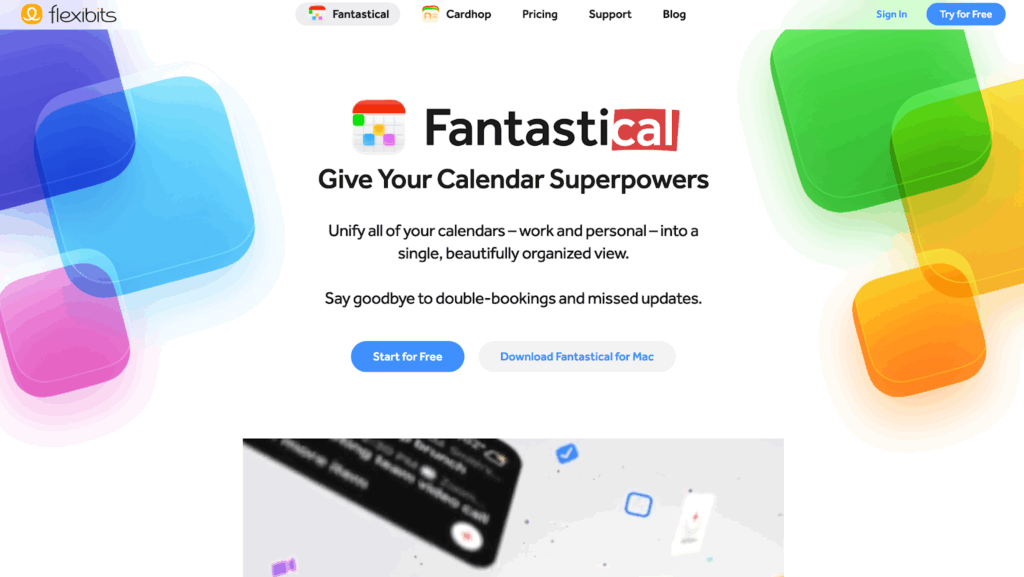
Fantastical is a calendar app that uses natural language inputs to create events. Just type what you need — eg “Call with Sarah next Tuesday at 2 pm” — and it figures out the rest. It pulls together Google Calendar, Outlook, and iCloud into one clean view, and integrates with 30+ video conferencing tools.
📣 Standout features
- Create events with natural language input
- Switch instantly between work, personal, and custom calendar combinations
- Unified view across Google, Outlook, iCloud, and Exchange calendars
- Openings feature for shareable scheduling links, similar to Calendly
- Integrates with 30+ video conferencing apps
✅ Pros
- Natural language input allows fast event creation
- Beautiful, intuitive interface
- Deep integration with iCloud, Siri, and Apple Watch
❌ Cons
- Some users feel the value for money could be higher
- Not suited for complex task management needs
- No time tracking or productivity features
💰 Pricing
| Plan | Cost |
| Free Plan | Basic features available and beautiful calendar interface |
| Free Trial | Try paid features for up to 14 days |
| Paid Plans | Start at $4.75/user/mo |
🧡 Customer love
“My favorite feature is natural language processing for events. “Lunch with mom tomorrow at 1” perfectly translates into an appointment.” — Jake M., Small business owner
G2: 4.4/5 (18)
Capterra: 4.8/5 (21)
12. Clockwise
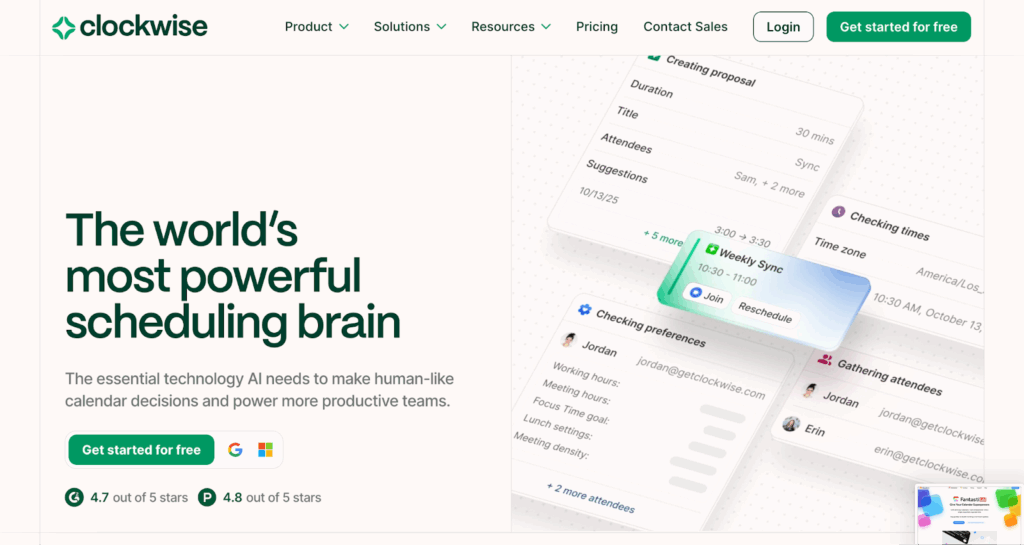
Clockwise is an AI-powered scheduling tool designed to optimize your team’s schedules by avoiding fragmented calendars. It continuously analyzes your team’s schedule and rearranges flexible meetings to create uninterrupted blocks of focus time. Message the AI scheduler chatbot what you need — e.g., “clear my day” — and it’ll automatically reschedule your calendar.
📣 Standout features
- AI-powered schedule optimization continuously rearranges flexible meetings
- Automatic Focus Time for uninterrupted deep work
- Smart scheduling links respect working hours and preferences
- Real-time team availability insights across time zones
✅ Pros
- The more people on it, the more effective the optimization
- Reduces meeting fragmentation without manual input
- Strong analytics showing team-wide focus time and meeting load
❌ Cons
- Limited value for solo users or small teams with mostly external meetings
- No mobile app management
- Last-minute reshuffles make schedules unpredictable
💰Pricing
| Plans | Cost |
| Free Plan | Access to intelligent calendar management for one person |
| Free Trial | Automatically get a 30-day free trial of premium plan when you sign up |
| Paid Plans | From $6.75/user/mo |
🧡 Customer love
“Clockwise is exceptionally easy to use and set up. The calendar optimizations have massively helped our team maximize heads-down time, reducing the time spent scheduling internally and with customers. The interface is modern and clean.” — Cameron S., Data Analyst
G2: 4.7/5 (74)
Capterra: 4.7/5 (53)
How to choose the right time management tool
First, get clear on why you feel you need a time management tool. To pick the best solution for your needs, ask yourself — what’s your biggest challenge when it comes to time management?
| Problem | Product Category | Tools |
| I don’t know where my time goes | Time tracking tools | Toggl, Harvest, Clockify |
| I feel overwhelmed by my to-do list | AI-assisted scheduling | Morgen, Fantastical, Clockwise |
| I get distracted easily, resulting in poor time management | Focus and accountability tools | RescueTime, Focusmate, Freedom |
| I need better cross-team collaboration | All-in-one productivity suites | Clickup, Asana, monday work management |
Once you’ve narrowed down the category, look for the tool that best fits your required time management methods and working style. For example, if you work across multiple devices and need to track time on the go, look for something with a strong mobile app and browser extension. If you manage a team, look for something with reporting and visibility built in.
🧠Top Tip
It’s easy to get caught up in comparing tech specs. But don’t ignore the importance of UI, ease of use, and how a tool makes you feel. There’s no point picking something that sounds perfect on paper if it’s destined for your app graveyard.
Be more productive with a great time-tracking app
Without becoming intentional about time management, you risk succumbing to ‘fake productivity’ — a.k.a. getting caught up in organizing your tasks rather than doing them.
Toggl helps you become more aware of how you make work happen. It’s simple and discreet, yet deceptively powerful. It stays out of your way, tracks the time data you need, and turns it into powerful insights, so you can master your time and do your best work.
Do you spend too much time in meetings and not enough on deep work? Reprioritize! Does ‘admin’ eat your most productive hours? Automate!
With Toggl, over 120,000 users have reclaimed their time from distractions and now operate on a better schedule, designed to promote longer productivity streaks.
Sign up for a free Toggl account to cultivate your deep work superpowers!
Frequently asked questions (FAQs) about time management tools
What are time management tools and how do they help productivity?
Time management tools help you plan, track, and protect how you spend your time — reducing wasted hours, missed deadlines, and the mental load of keeping everything in your head. The right tool creates structure around your day, so you can focus on what matters.
What is the difference between time tracking and task management tools?
Time tracking and task management tools solve different problems but they’re both connected to time. Time tracking tools record how long you spend on work, while task management tools help you organize and prioritize what needs doing.
Are free time management tools good enough for most people?
Yes, free time management tools are good enough for most students, individuals, and small teams. Tools like Toggl, Clockify, Focusmate, and RescueTime offer valuable free plans. You’ll hit limits as your needs grow, but most people can get a lot out of a tool before (if ever!) needing to upgrade.
How do I choose between simple and all-in-one productivity tools?
To choose between simple and all-in-one productivity tools, start by identifying your biggest challenge. If it’s a lack of focus or no idea where your time went, a simple tool will serve you better than a complex productivity suite. If you need to coordinate across a team, all-in-one platforms like ClickUp or Asana make more sense.
Do time management tools actually improve productivity or just track time?
Time management tools can improve productivity and track time, but only if you act on what they show you. Time tracking insights can help you make better decisions around your boundaries, pricing, and time allocation, improving productivity significantly.

Julia Masselos is a remote work expert and digital nomad with 5 years experience as a B2B SaaS writer. She holds two science degrees Edinburgh and Newcastle universities, and loves writing about STEM, productivity, and the future of work. When she's not working, you'll find her out with friends, solo in nature, or hanging out in a coffee shop.