Whether you’re designing a house extension or a city hall, every architecture project requires pro juggling levels of concept sketches, client revisions, documentation, site visits, and multiple “small changes”.
Somewhere in there, you’re supposed to log exactly how many hours went into each task and phase, so you can accurately bill your clients and make money on the project.
While most architects and firms start doing this in spreadsheets, they quickly discover their limitations. Specifically, spreadsheets are manual, not updated automatically, and prone to human error.
The best time tracking software for architects is the exact opposite.
It’s easy to use, logs time automatically (or manually, based on your preferences) and removes the friction of logging hours, analyzing time, and invoicing customers. It’s also built for architectural work moves in phases with mixed billable and non-billable time.
In this guide, we’ve used our 20+ years of experience in the time tracking world to compile a list of the 9 best time trackers for architects. Let’s get into it.
The best time tracking software for architects at a glance
| Tool | Best for | Free plan? | Paid pricing |
| Toggl | Flexible, low-friction time tracking and task management across project phases | Yes | From $9/user/mo |
| Monograph | Architecture-specific project and phase management | No | From $25/employee/mo |
| BQE CORE | Large firms needing end-to-end practice management | Accurate pricing available from the vendor | Accurate pricing available from the vendor |
| Harvest | Simple time tracking and invoicing | Yes | From $9/seat/mo |
| Xero | Accounting-led time tracking and billing | No | From $2.50/mo |
| Clockify | Free time tracking software for small architecture teams | Yes | From $5.49/seat/mo |
| TimeCamp | Automated and calendar-based time tracking | Yes | From $3.99/user/mo |
| TimeTac | Compliance-focused time tracking in larger organizations | Accurate pricing available from the vendor | Accurate pricing available from the vendor |
| Coretime | Architecture and engineering firms with complex billing and reporting needs | No | From $25/seat/mo |
How to choose time tracking tools for architects
Before you spend time, money, and energy rolling out new software to your team, select a time tracking tool that checks all the right boxes. Here’s what to look out for:
- Phase-based tracking: Architecture work isn’t linear. You need software that lets you log time by project phase (think schematic design, design development, construction documentation) rather than just generic “tasks.”
- Mobile access that actually works: Desktop-only tracking means forgotten hours and incomplete timesheets. If you’re spending half your week on site visits, you need to track time from your phone without wanting to throw it across the job site.
- Reporting that feeds straight into invoicing: Manual data transfer between systems is where errors happen and hours get lost. Look for software that turns tracked hours into actual invoices, either using built-in billing features or exports your accountant will love you for.
- Ease of use: If the software is clunky or has a steep learning curve, your team members won’t adopt it. Period. Check reviews from actual users (we’ve included plenty below to give you a headstart!)
- Integrations with your existing stack: The fewer places you need to enter the same information, the better. Take a look at what’s in your current stack and check your new time tracker will play nicely with them. For example, does it integrate with your project management tools (like ClickUp, Asana, Trello, or monday.com) or accounting software (like Xero or Quickbooks)?
- Pricing that matches your firm size: Solo practitioners and small studios can often get by with free or low-cost tools, but sometimes these can be a false economy. If growth is on the horizon, make sure your platform of choice has the potential to expand to your specific needs.
- Customer support that isn’t a complete headache: When the chips are down, is the vendor available to answer your queries, or will you get stuck in a frustrating loop of chatbots, unanswered emails, or listening to elevator music on hold for hours? Some vendors offer different grades of support depending on your plan level, so always check what’s available, from onboarding and beyond.
9 best time tracking software for architects
Here at Toggl, we’ve been building time tracking software for 20 years, and in that time we’ve worked with thousands of service-based businesses. So, we know what works in a sales demo compared to what survives in a busy deadline-stacked architecture firm.
For this guide, we were keen to evaluate how the features of each time tracking tool handles the specific challenges of architectural workflows. Along with our in-house expertise, we’ve also included user reviews from G2 and Capterra to create our shortlist.
Whether you’re a solo architect billing by the hour or running a 50-person studio with complex project accounting, the following nine tools could be what you’re looking for.
1. Toggl: Best for flexible, low-friction time tracking and task management across project phases
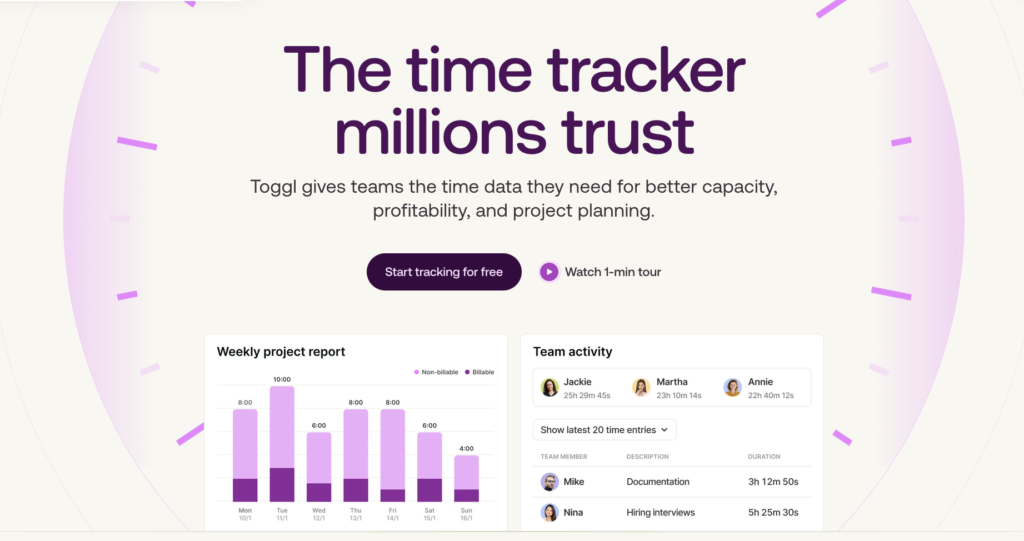
If you’re looking for an accurate time tracking platform your team will stick with, Toggl is a strong front-runner. It’s designed to make time tracking feel lightweight, while still giving you the depth you need to run projects profitably.
Toggl works across web, desktop, and mobile, so logging time doesn’t depend on being at your desk.
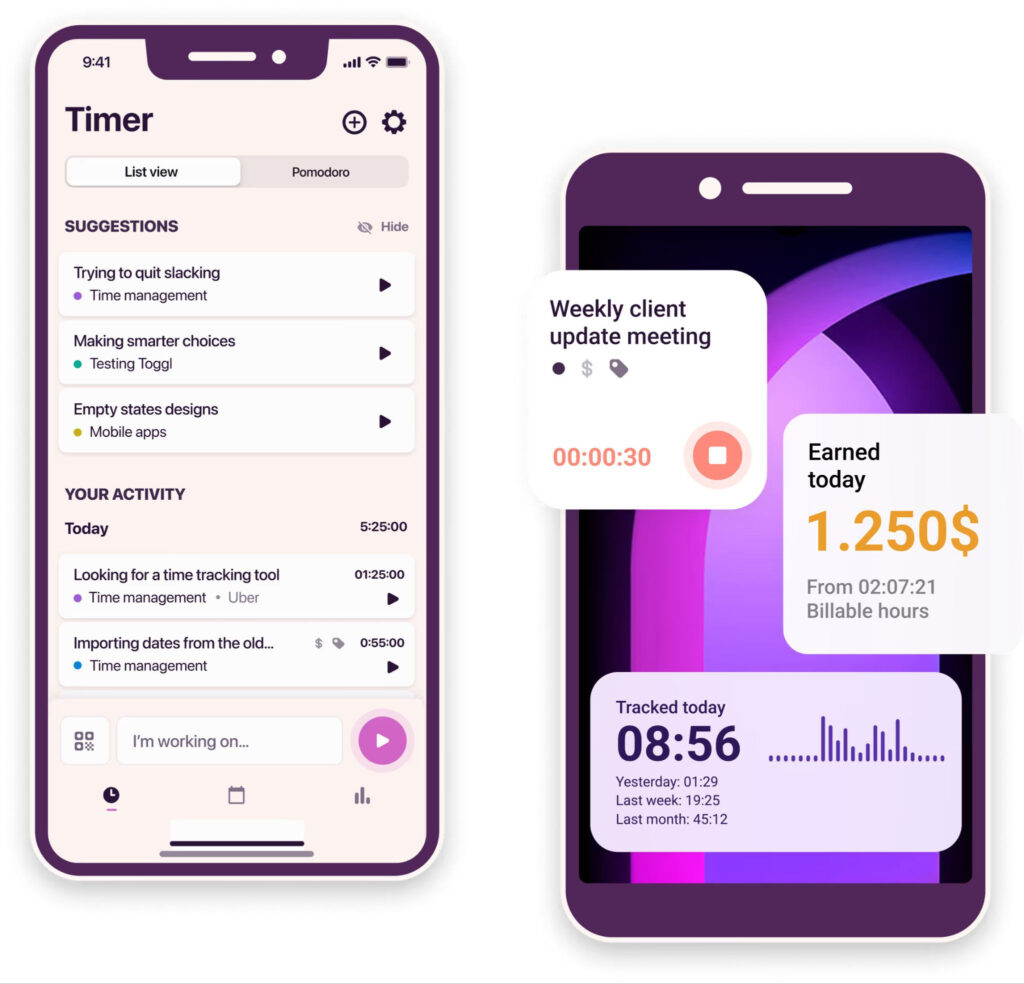
And because architecture work doesn’t fit neatly into a single task list, it’s built to handle messy real life: you can log time entries by project, client, phase, tag, billable status, and then slice and dice the data any way you need.
We also recently rolled reporting, analytics, and insights into one experience with clear report tabs (including Summary, Detailed, Workload, Profitability, and My Reports) so you can go from “Where did the hours go?” to “What do we do next?” without exporting everything to spreadsheets.
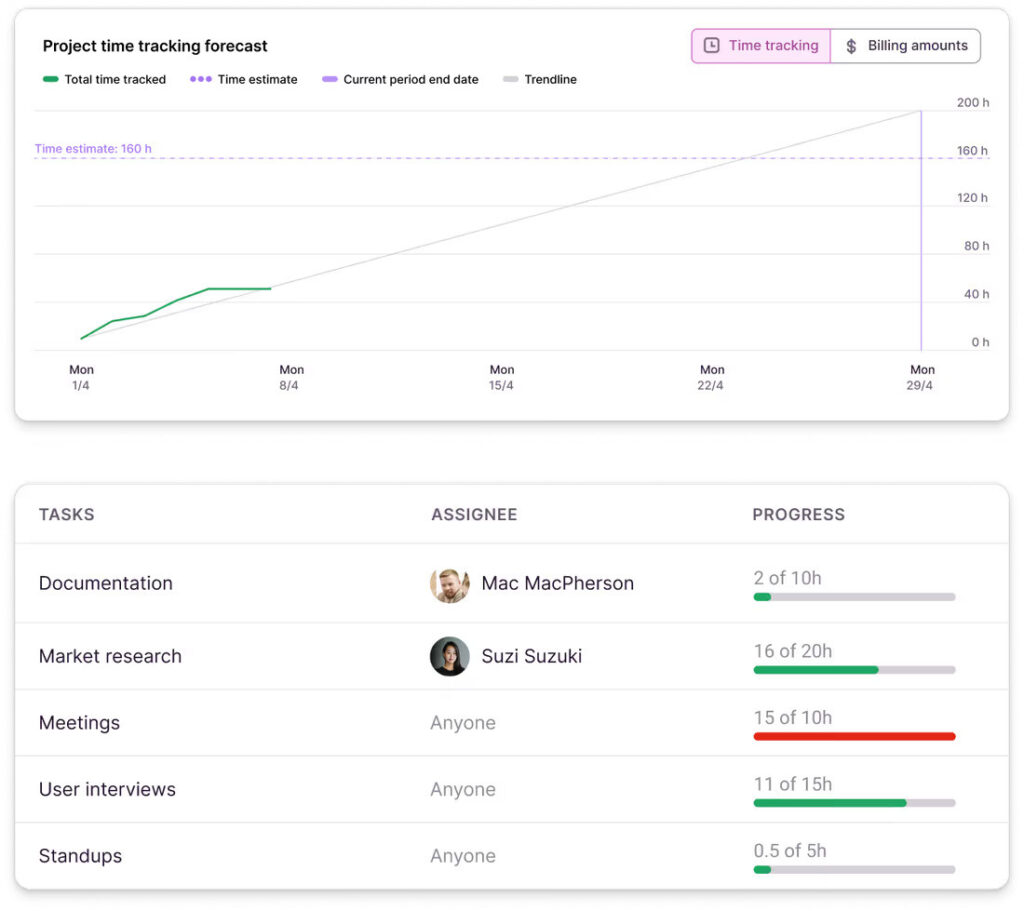
Worried about the line between time tracking and employee monitoring? Don’t be. Toggl is explicitly anti-surveillance — no screenshots, no keystroke logging, no webcam monitoring, no location tracking. Just respectful time data your team can trust.
Key features
- Fast, flexible time tracking across devices: Track time on web, desktop, and mobile, with multiple ways to log (with manual or automatic time tracking)
- Granular insights: Set billable rates, split billable vs non-billable time, and create reports that make invoices easier to justify (and harder to dispute) — a big reason Toggl works well as time tracking and billing software for architects
- Brand-new reporting experience: Use the refreshed reporting tabs (Summary/Detailed/Workload/Profitability/My Reports), plus more flexible filtering and grouping, to analyze time by project, client, team member, and more, without drowning in exports
- Custom reports (hello, repeatable client updates): Build the exact view you need once, save it under “My Reports,” and reuse it for weekly project check-ins or client transparency
- Workload visibility for planning and resourcing: Workload reports help you understand capacity and distribution of hours, which is handy when you’re trying to avoid overloading the same people across multiple deadlines
- Integrations: Track time using native integrations and browser extensions with your favorite project management platforms, calendars, communication tools, and accounting systems.
Pricing
- Free: For up to five users. Includes time tracking on web, desktop and mobile, plus productivity insights.
- Starter: $9 per user/mo. Includes billable rates, revenue and productivity analysis, team collaboration features, project times estimates/alerts, and PTO tracking.
- Premium: $16 per user/mo. Adds profitability analysis, fixed fee projects, scheduled reports, timesheet approvals, SSO, and Jira/Asana.
- Enterprise: Custom pricing is available for larger organizations needing scalable support and personalized onboarding.
What users think
“I have been using Toggl to monitor how I’m spending my work time and the experience has been epic. Toggl has allowed me to become more productive by helping me to get more time conscious and manage my time in a better way. Toggl uses reliable privacy and data protection features which has made it a secure tool for capturing and managing my time data. With its automated time tracking function, it has been easy to capture all my time usage data with precision.” — Kevin J., an operations project coordinator
“This real-time productivity tracker shows how productive I am in real time. For me there has been no need to look at other products. It’s fantastic.” — Obehi I., an executive director of business development in construction
2. Monograph: Best for architecture-specific project and phase management
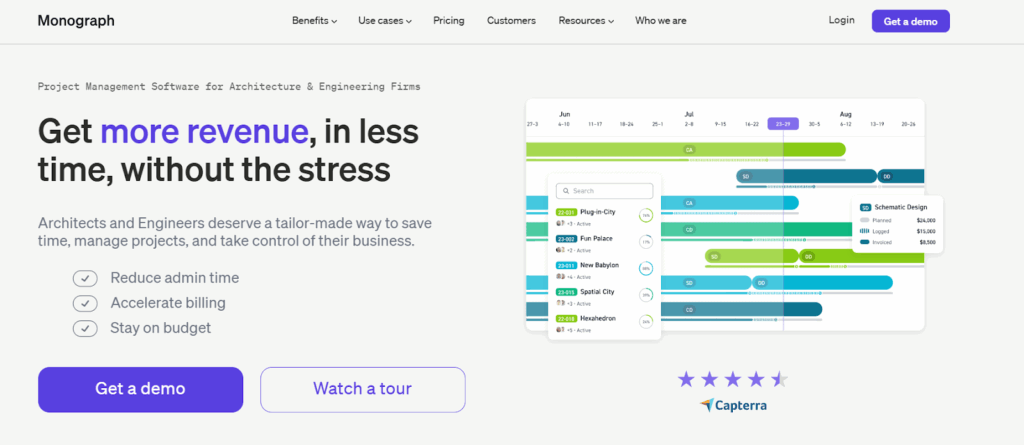
Monograph is a dedicated project management platform for architects and engineering firms. It provides a central project overview that allows you to track fees against phased project timelines. The platform consolidates time tracking, project planning, invoicing, and financial reporting into one place, which means less jumping between spreadsheets and multiple platforms.
Key features
- Built-in time tracking: Log hours on the go and capture expenses at the office or on site
- Workload management: Plan hours, auto-assign to timesheets, and balance workload scheduling across your team
- Project planning: Get immediate visibility into project budgets and work hours
- Integrations: Connects with accounting platforms like Xero and QuickBooks
Pricing
- Free trials available for selected firms
- Two paid plans available: Track and Grow
- Paid pricing starts at $25 per employee/mo
- Accurate quotes available on request
What users think
“When it comes to specifically managing projects, I really appreciate Monograph’s capabilities as it lets me track multiple projects at once and lets me know what projects, or project phases need my attention.” — Marc G., an architect
“Overall, it’s functional, easy to use, but a work in progress. Interested in seeing what this product is like in a few years.” — Debra P., and office manager for an architecture firm
3. BQE CORE: Best for large firms needing end-to-end practice management
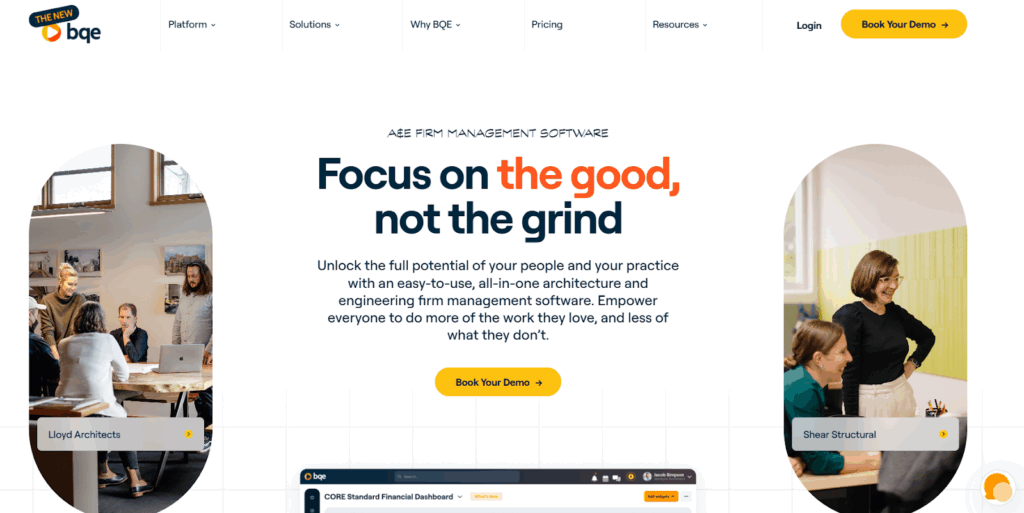
BQE CORE is a practice management platform built for architecture firms that want more control over the business side of project delivery. It combines project management, time and expense tracking, resourcing, billing, and reporting all in one place, so firms have all the information they need to run their business successfully.
Key features
- Project insights: View project performance data to make more informed business decisions
- Time management and expense tracking: Keep time entries up to date, so you’re not chasing missing hours at the end of the week
- Resource planning: Build staffing plans and balance workloads, which is useful when teams are stretched thin across multiple projects
- Billing and invoicing support: Reduce invoicing admin, send accurate invoices faster, and optimize cash flow
- Built-in CRM software: Support business development and manage relationships alongside delivery work
- Excellent customer support: 24/7/365 phone and email support, plus access to the BQE CORE Community to learn and interact with other users
Pricing
- Accurate pricing is available from the vendor on request
What users think
“I’ve been using BQE for managing my projects and tracking time, and it’s been a game-changer. The interface is intuitive, and the reporting tools are very detailed, which makes monitoring progress and budgets easy. Syncing across devices works smoothly, and the support team is responsive.” — Camilo R., an architect
“A few things just don’t quite jive together. When working with allocations and forecasting, unless the time period is set-up correctly, the tasks don’t show up in the forecasting, which is frustrating when trying to forecast for the week, or month.” — Architecture and planning user
4. Harvest: Best for simple time tracking and invoicing
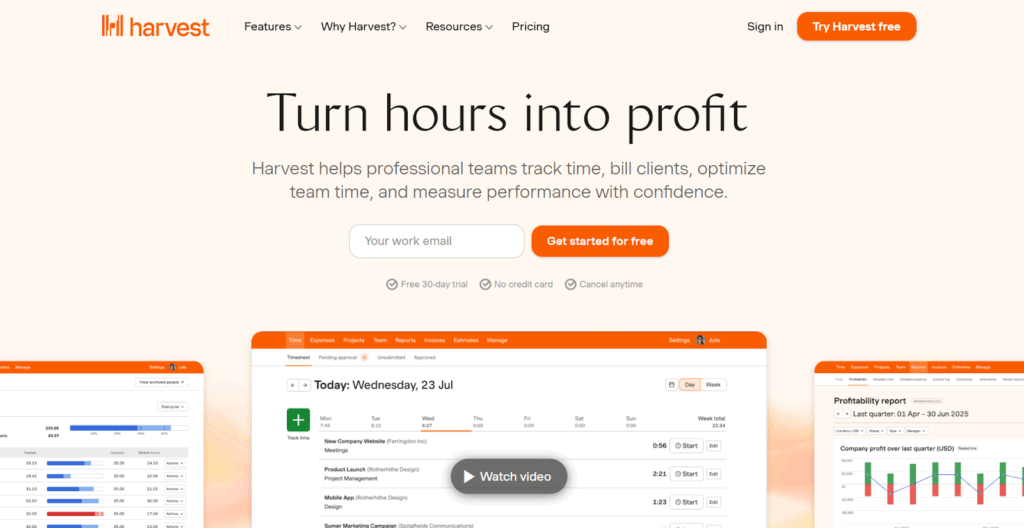
Harvest is a lightweight time tracking and invoicing tool for any type of team that wants a straightforward way to track billable hours and turn them into invoices. While it’s not crafted with any specific industry in mind, it could be a good fit for architects who don’t need full practice management software but do need visibility into where time is going and how it translates into revenue.
One of Harvest’s most-touted benefits is its ease of use (although the G2 community actually scores Toggl higher in this category), which makes it easy to roll out across a team.
However, it’s also worth noting that Harvest users are reporting massive price increases. This comes after the company was acquired by Bending Spoons in 2025 and indicates lots of pricing uncertainty around this tool.
Learn more: 11 Best Harvest Alternatives for Time Tracking.
Key features
- Simple time tracking: Track time using one-click timers on web, desktop, or mobile
- Clear billable vs non-billable hours: Split time to support accurate client invoicing
- Invoicing and payments: Turn tracked time directly into invoices
- Project budgets and cost tracking: Monitor how much time has been spent across project milestones and spot overruns early
- Reporting and profitability insights: Generate reports that show where time is going across projects, clients, or team members
- Integrations: Connect Harvest with tools like Asana, Slack, and Stripe, to streamline data across multiple platforms
Pricing
- Free trial available
- Free forever plan available for 1 seat and 2 projects
- 2 paid plans available: Teams and Enterprise
- Paid pricing starts at $9/seat/mo
What users think
“It’s an accessible and efficient platform for organizing and visualizing the performance of all your work operations, giving you total control over each of your professional activities. In addition, Harvest stands out for its technical capabilities to visualize all your work projects and manage your time with total efficiency.” — Adrian C., an instructional designer
“I like using Harvest for tracking time accurately with its effortless one-click timer that starts tracking instantly from desktop, browser, or mobile. The detailed profitability reports are also great for drilling into billable hours versus costs per project or client. This helps me spot overruns on hard-to-find parts early, which is great for optimizing budgets and boosting margins. Setting up Harvest was too easy, and I feel it’s perfect the way it is.” — Sahil S., a procurement engineer
5. Xero: Best for accounting-led time tracking and billing
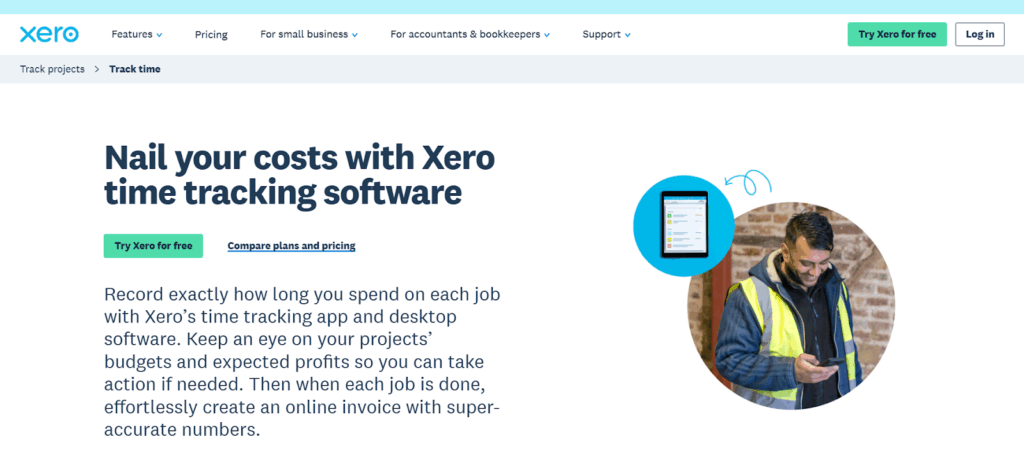
Xero is first and foremost an accounting platform, but its Xero Projects feature includes built-in time tracking that connects hours worked to project costs, budgets, and invoices. For architecture firms that already use Xero for accounting, this can be a convenient way to keep time tracking and billing in one system.
Rather than focusing on day-to-day productivity tracking, Xero’s approach is geared toward cost control and accurate invoicing. Time entries feed straight into project budgets and invoices, helping firms understand whether projects are profitable, and making sure clients are billed using reliable data.
Key features
- Built-in project time tracking: Record time against specific jobs or projects using start–stop timers or manual entries, on desktop or mobile
- Mobile time tracking: Log time from anywhere, such as site visits or any other work away from the studio, using the Xero Projects mobile app
- Budget and cost visibility: Track time alongside labor costs and expenses to see how projects are performing against budget
- Invoicing based on tracked time: Automatically populate invoices with tracked hours, whether you charge fixed fees or hourly rates
- Project reporting: View reports that show total hours, billable vs non-billable time, project costs, and profitability
- Part of a wider accounting system: Time tracking data lives inside your Xero org, alongside payroll, expenses, and financial reporting
- App ecosystem for extended time tracking: If Xero’s native time tracking is too limited, firms can connect third-party time tracking apps that integrate directly with Xero
Pricing
- Free trial available
- 3 paid plans available: Early, Growing, and Established
- Paid plans start at $2.50/mo
What users think
“Xero is easy to use and well-organized, which saves me a lot of time through automation, especially with invoices and bank reconciliation. I like the reporting features, such as profit and loss and balance sheet, as they’re easy to generate and understand. Xero is faster and more intuitive compared to other systems, particularly for small and medium-sized businesses.” — Mahmoud E., a general accountant
“I really appreciate Xero for its user-friendly platform and easy-to-use dashboard, which makes navigating and managing bookkeeping tasks easy and intuitive.” — Emma F., a small business president
6. Clockify: Best for free time tracking software for small architecture teams
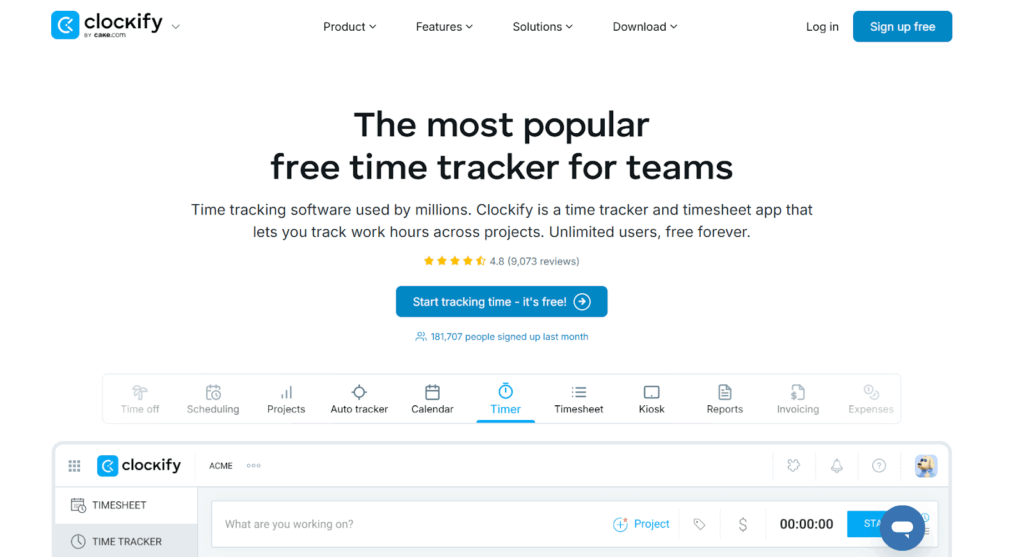
Clockify has a generous free forever plan for unlimited users, so it’s only natural that this platform might turn your head. It’s a solid choice for small architecture teams or solo practitioners who want reliable time tracking without a big price tag.
Clockify focuses on giving teams the basics with timekeeping, project-level tracking, and time reporting. While it doesn’t offer deep practice management features like some all-in-one platforms, it covers the essentials architects need to track time accurately, whether you’re billing clients by the hour or keeping an eye on project budgets.
Key features
- Unlimited free time tracking with reporting and invoicing basics: Track hours across projects, clients, and tasks, and invite as many team members as you want without paying extra
- Timer and manual entry options: Start a real-time timer as you work or add hours later via a weekly timesheet — whichever fits your workflow best
- Calendar and visual planning: See your tracked time in a calendar layout and use it to identify bottlenecks or understand your team’s productivity at a glance
- Cross-platform tracking: Use Clockify on web, desktop, or mobile (even offline) and sync time entries seamlessly once your internet kicks in again.
- Approve timesheets and reminders: On paid plans, teams can formally submit and approve timesheets, set reminders, and manage approval workflows
- Basic team management: Assign roles, set project rates, and lock timesheets to prevent backdated changes — all useful when running billing through tracked hours
Pricing
- Free trial available
- Free plan available
- 4 paid plans available: Standard, Pro, Enterprise, and Productivity Suite
- Paid pricing starts at $5.49/seat/mo
What users think
“We transitioned from paper timesheets to digital and even through the transition, the guys have found it easy to navigate for the most part. We love how customizable it is as well.” — Paige S., a financial assistant for construction
“From my point of view, Clockify is a straightforward time-tracking tool that’s easy to roll out across a team. The timer is simple to use, the timesheets are clear and easy to follow, and the reporting is solid enough for most day-to-day needs.” — Rahul C., a senior system administrator
7. TimeCamp: Best for automated and calendar-based time tracking
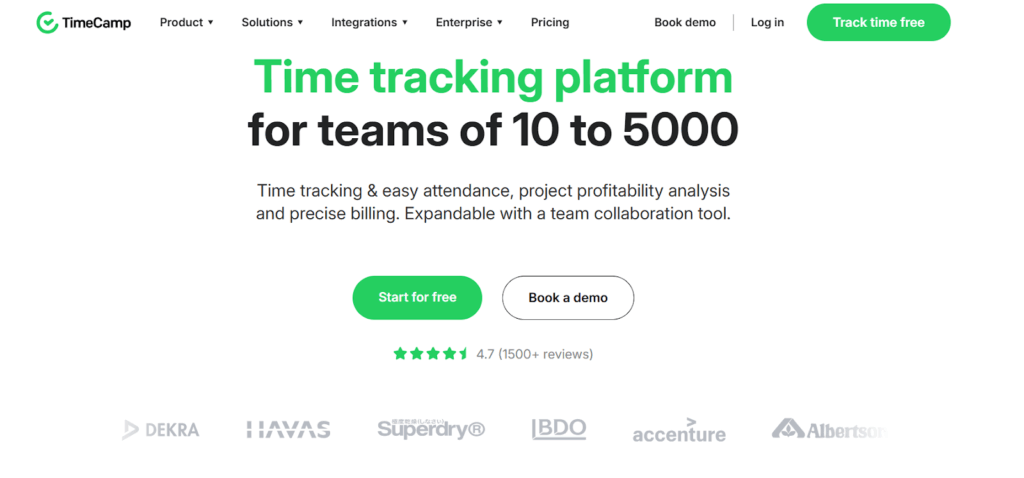
If manually starting and stopping timers isn’t your thing, TimeCamp is worth a look. The platform leans heavily into automation, helping teams capture time in the background rather than relying on perfect habits. For architects juggling design work, coordination, site visits, and admin, that can make a real difference to how much time is recorded, especially when days don’t follow a neat pattern.
It’s not architecture-specific software, but it’s a good fit for professional services teams that need a simple way to track billable and non-billable work, and charge different rates to different clients. The downside? TimeCamp also comes with employee monitoring functionality, which some architect firms may find too invasive.
Key features
- Keyword-based automatic time tracking: Auto-assign time to projects based on app usage, file names, folders, or websites, reducing manual input
- Background activity tracking: Builds a timeline of work based on actual computer activity, helping teams reconstruct time accurately
- Suggested time entries: Turns activity data into suggested entries, so you can review and approve instead of tracking everything live
- Productivity and usage insights: Shows where time is really spent across tools and apps, not just how many hours were logged
- Manual tracking when you want it: Timers, timesheets, and calendar views are still available for teams that prefer more control
Pricing
- Free trial available
- Free plan available for unlimited users
- 4 paid plans available: Starter, Premium, Ultimate, and Enterprise
- Paid pricing starts at $3.99/user/mo
What users think
“TimeCamp has been a game changer for my time tracking in all the different projects I work on. It’s super easy to use and I really enjoy tracking my time in “calendar mode” where I very quickly can add the time I spent on each project or task. The reports are super useful for keeping track on how much time I’ve worked in my projects in a particular week, month or year.” — Emelie P., a mid-market user
“My company has split all our clients into their own tasks which ensures we charge the correct client the correct amount of hours. It’s also easy to generate reporting data for your allocated tasks.” — Ivan W., an IT consultant
8. TimeTac: Best for compliance-focused time tracking in larger organizations
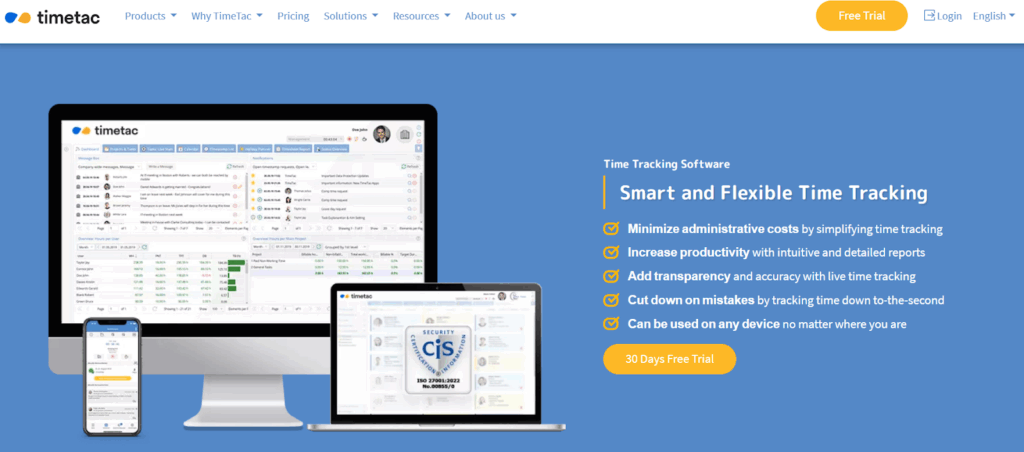
TimeTac is a modular time tracking and attendance platform for organizations that need structure, consistency, and control. Rather than focusing purely on productivity or billing, it puts equal weight on working time compliance, approvals, and accurate records. All this makes it a strong fit for larger architecture firms with formal processes in place.
Instead of forcing you into a single setup, TimeTac lets you build a system that matches how your firm operates. You can use it purely for project time tracking, or combine it with employee time tracking and leave management if you need a more complete view of working hours and availability.
Key features
- Modular time tracking system: Use TimeTac for project time tracking, employee working hours, leave management, or combine modules as your needs grow.
- Project time tracking with structure: Track time by project, task, or client, with clear visibility into project status and detailed reporting
- Employee working time and attendance tracking: Record total working hours, breaks, and absences, with approval workflows and export options for payroll
- Compliance and accuracy: Built to support working time regulations, approvals, and audit-ready records, which is helpful for firms operating across regions or with strict internal policies
- Multiple tracking methods: Track time via browser, desktop app, mobile app, or physical terminals (including NFC, RFID, or biometric clock-ins), depending on how and where your team works
- Mobile and offline tracking: Employees can track time on site or while travelling, even without an internet connection
- Detailed reports and transparency: Generate reports on working hours, project time, absences, and productivity to support planning and decision-making
Pricing
- Free trial available
- Modular, volume-based pricing is available
- Choose from Employee Time Tracking, Project Time Tracking, and Leave Management
What users think
“Time tracking and related features are easy to use. They also offer integration with some of the most common Online HR Platforms. Simple to use everyday and implelementation steps were also very efficient.” — TimeTac user
“It is an easy and intuitive tool, ideal for both owners and employees to use.” — Alejandra M., construction administrator
9. Coretime: Best for architecture and engineering firms with complex billing and reporting needs
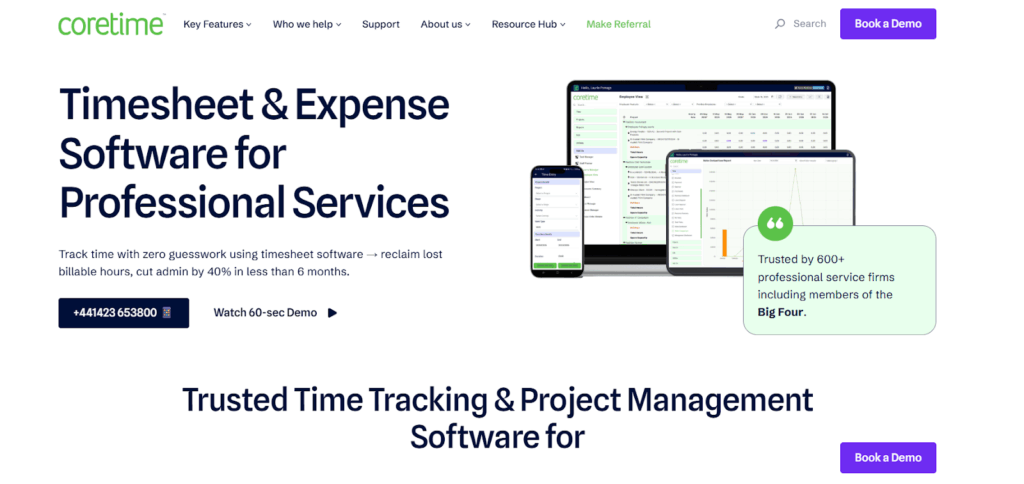
Coretime is another platform that’s purpose-built for the professional services industry. Some architects lean on it if they need tight control over time, fees, and project performance, especially across long, multi-stage projects. Unlike general time trackers, Coretime has explicit support for project stages, milestones, and phased billing.
It’s a more structured, commercially-focused tool than lightweight time trackers, making it a strong fit for practices where accurate time billing, forecasting, and financial visibility really matter.
Key features
- Phase-based time tracking: Track time against project stages, milestones, and tasks, so every hour is captured and billed accurately
- Real-time project and profitability insights: Monitor work in progress (WIP), costs, and profitability as projects unfold, not weeks after the fact
- Fee forecasting and scenario planning: Use historical data to forecast costs, model different delivery options, and understand how scope changes affect profitability before committing
- Budget vs actual tracking with alerts: Track budgets in real time and get early warnings when projects or phases are approaching their limits
- Accounting and data integrations: Integrates with accounting tools like Xero and Sage, and reporting platforms such as Power BI, to streamline billing and financial analysis
- Optional add-on modules: Extend functionality with tools like staff planning and advanced reporting, depending on how much structure your firm needs
Pricing
- Free trial available
- 3 paid plans available: Coretime Standard, Professional, and Enterprise
- Paid pricing starts at €25 per seat, per month
What users think
“We moved from a bespoke digital system to Coretime. It gives us a more accessible system which is easy to administer and user friendly. Once setup and running is a great addition to any business.” — Dev M., a senior technician in architecture and planning
“We are able to get a more accurate reading of how much time is spent on our projects which also helps us determine how many hours we need to invoice at the end of each month. By using the Business Summary report we can do a comparison of what jobs have hours that haven’t been invoiced.” — Emma H., a practice secretary in construction
Common mistakes when choosing time tracking solutions for architects
With the best of intentions, architect firms often stumble when implementing time tracking. Here are the pitfalls to avoid.
Implementing time tracking too late in the project lifecycle
Starting to track time halfway through a project makes it nearly impossible to understand true profitability or identify which phases gobbled through your budget. By the time you realize schematic design took twice as long as planned, you’re already deep into design development with no time to course-correct. Get around this by tracking from day one, even if it’s just rough estimates at first.
Choosing software that doesn’t match your needs
Architects didn’t get into the profession to wrestle with complicated admin software. If a time tracking tool requires a tutorial video or feels like it was built for dev teams, you’ll face a long road to time tracking success.
Roll out your software with buy-in from the people who’ll actually use it daily (junior designers, project managers, site supervisors.) Let your team test a few options during trial periods and ask for their honest feedback. The person who’ll be tracking time on site visits has very different needs than a principal reviewing detailed reports.
Over-engineering time tracking instead of focusing on consistency
Creating elaborate systems with dozens of project codes, sub-tasks, and categories might feel thorough, but it can also be overkill. The best time tracking system is the one your team actually uses every day. Start simple, track by project and phase, and add extra layers only if you genuinely need the complexity.
Build time tracking into your architect workflows with Toggl
Architect projects don’t lose money in one dramatic moment — they bleed it in tiny chunks. Time tracking software won’t necessarily stop scope creep or lack of coordination but it will make it visible while you can still do something about it.
Toggl will slide into your existing workflows, and play nicely with your other tools, from day one. It’s lean enough not to give you any fluff, but deep enough to shine a light on your operations and your productivity, without using any creepy monitoring tactics.
Ready to add more to your bottom line? Sign up for a free Toggl account and start planning your architect workloads with confidence.
Frequently asked questions (FAQs) about time tracking software for architects
What are architects’ main time tracking struggles?
Architects typically struggle with inconsistent time tracking, not lack of effort. The most common challenges include:
- Forgetting to log time during busy project phases
- Capturing work that spans design, coordination, and site support
- Separating billable from non-billable hours
- Tracking work that doesn’t fit neatly into task lists
- Getting reliable data without adding admin overhead
When time tracking feels slow or intrusive, hours can disappear, resulting in underbilling or unclear project profitability.
What features should architects look for in time tracking software?
Architects should look for time tracking software that’s flexible, fast to use, and designed for long-running projects. Key features include:
- Easy time tracking by project (and optionally by phase or tag)
- Clear separation of billable and non-billable time
- Simple reporting for invoicing and project review
- Mobile apps for tracking time during site visits
- Integrations with accounting and project management tools
- A low learning curve, so teams actually use it
If a tool looks powerful but takes weeks to roll out, it’s probably not the right fit.
Can I track time by project phase or task?
Yes, most architecture firms track time by project first, often with phase-level structure underneath. Architecture work is usually planned and priced by stage, so phase-based tracking makes it easier to understand effort, spot overruns, and manage scope. That said, task-level detail can still be useful for internal visibility or billing, especially on complex projects.
Flexible tools like Toggl let you combine both approaches, empowering you to track time so it matches how your firm actually works.
Which tools are best for billing clients accurately?
The best tools for accurate client billing are those that turn tracked time into clear, reliable reports. Look for software that:
- Applies billable rates automatically
- Clearly shows billable vs non-billable hours
- Generates reports you can share with clients or accountants
- Integrates with invoicing or accounting systems
Is time tracking software suitable for small or solo architecture firms?
Yes, time tracking is often more valuable for small or solo practices, where margins are tighter and every hour counts. Although many freelancers or small teams start out using spreadsheets to track time, they quickly outgrow this manual approach. Instead, many tools offer free or low-cost plans that let you:
- Track billable time accurately
- Understand where your time really goes
- Price future projects more confidently
- Avoid relying on memory when invoicing
Starting simple is key. You can always add more structure as your workload or team grows.
How does time tracking improve project profitability for architects?
Time tracking improves profitability by giving architects visibility instead of guesswork. With consistent time data, firms can:
- See which phases take longer than expected
- Catch scope creep before it becomes unpaid work
- Price future projects more accurately
- Balance workloads across the team
- Make decisions based on real data, not assumptions
Time tracking is about understanding your work well enough to protect your fees and plan sustainably.

Rebecca has 10+ years' experience producing content for HR tech and work management companies. She has a talent for breaking down complex ideas into practical advice that helps businesses and professionals thrive in the modern workplace. Rebecca's content is featured in publications like Forbes, Business Insider, and Entrepreneur, and she also partners with companies like UKG, Deel, monday.com, and Nectar, covering all aspects of the employee lifecycle. As a member of the Josh Bersin Academy, she networks with people professionals and keeps her HR skills sharp with regular courses.


