If you just opened your QuickBooks Time renewal invoice and did a double take, you’re not alone. With the Premium plan at $20/month base + $8/user, it’s an expensive time tracking tool — and that’s before you factor in the $75/month QuickBooks Online (QBO) subscription you need just to access it.
Unless you’re actively using QuickBooks as an accounting tool, there’s just no need to pay this much for time tracking, especially since many other solutions are available at a fraction of the cost (or for free!) This article covers the six best QuickBooks Time alternatives for 2026, what they cost, and how to pick the best time tracker for your team.
The top QuickBooks Time alternatives & competitors
Get a bird’s-eye-view of your options, then jump to the section that piques your interest.
| Tool | Best For | Use Case | Free Plan? | Paid plans from |
| Toggl | Agencies, in-house teams and freelancers who want a simple yet powerful tool | Automatic time tracking with powerful analytics | ✅ Yes, up to 5 users | $9/user/mo |
| Clockify | Budget-conscious small teams and freelancers | Simple time tracking | ✅ Yes, up to 5 users | $3.99/user/mo |
| Harvest | Knowledge workers who need an all-in-one billing tool based on time data | Smooth, efficient client billing | ✅ Yes, for 1 user and 2 projects | $11/user/mo |
| Buddy Punch | Shift-based teams switching from QBT | Automated timesheet generation | ❌ No free plan, only 14-day free trial | $5.49/user/mo & $19 base fee/mo |
| Timeero | Field teams needing non-negotiable GPS accuracy | GPS location tracking & field employee monitoring | ❌No free plan, only 14-day free trial | $4/user/mo |
| Connecteam | Holistic operational support for small businesses | Shift scheduling & mobile team coordination | ❌No free plan, only 14-day free trial | $35/mo for 30 users, then $1/user/mo |
Why people leave QuickBooks Time
QuickBooks Time has a loyal user base, and it can make sense for those already committed to the Intuit ecosystem. But many teams are searching for a QuickBooks Time alternative, mainly due to price … though the details of this are a bit more convoluted than you might first think.
QuickBooks Time relies on a mandatory QuickBooks Online subscription
For teams already using QBO for accounting, this isn’t an issue. But for teams that aren’t, it’s a significant inconvenience. You’re paying $75 for a payroll software you don’t even use just to track your time.
The unusual pricing structure (base fee + per-user pricing)
Most time tracking software charges per user. QuickBooks Time charges a base fee ($20/month for Premium, $40/month for Elite) on top of per-user pricing ($8–$10/user/month). This means small teams pay disproportionately more than they’d expect.
Repeated price increases since the TSheets acquisition
QuickBooks Time used to be called TSheets before Intuit acquired it in 2018. Users have seen their renewal costs increase multiple times over the last few years, leading to frustrated user reviews and prompting a search for alternatives.
Sub-par user experience
Despite generally positive feedback on ease of use, some users complain the interface is less user-friendly and feels more outdated than competitors’.
GPS tracking accuracy
If you want to optimize for field service teams, QuickBooks Time isn’t a great fit. Some users have reported bugs, mobile app glitches, and occasional clock-in issues, which can disrupt GPS tracking. Specifically, the GPS location data sometimes shows a previous location rather than a live position, which creates headaches for managers trying to verify on-site attendance of field service teams in real-time.
Limited scheduling features
Teams with flexible or variable schedules might be frustrated with the limited scheduling features. Some report struggling to set up custom work hours, while others say they’re unable to edit their shifts or shift-swap, which field-heavy users expect.
Lack of custom time reporting
Custom time reporting is more limited than in analytics-focused time tracking tools, which can be a problem for professional services teams requiring granular reporting by project, client, or team members.
| Before you jump ship, here’s why QuickBooks Time might be worth sticking with:If your business runs on QuickBooks — payroll, accounting, invoicing — the native sync between QuickBooks Time and QuickBooks Online is hard to replicate. In that case, switching tools may cost more in lost workflow than it saves. |
What to look for in a QuickBooks Time alternative
If you’ve decided to hunt for a QuickBooks Time alternative, we’ve put together a list of criteria to consider when evaluating your options.
✅ No hidden, mandatory subscription
Make sure the time tracking solution you choose doesn’t require a separate software subscription to run. For example, an integration with QuickBooks Online should be optional (and usually free 💸). Most leading time tracking providers like Toggl, Clockify, and Harvest work this way.
✅ Simple, reliable, transparent pricing
Look for pricing that makes sense for your team size. Per-user-only models (aka those without a base fee) are common among time tracking tools and tend to be significantly cheaper for small teams under 20 people.
🧠Pro tip: Be sure to run the numbers for your actual headcount instead of just comparing headline prices.
✅ A genuine free plan
For small businesses or freelancers migrating from QuickBooks Time, a free plan might be what tips the scale in favor of you trying a certain tool you were on the fence about. For example, Toggl’s and Clockify’s free plans both cover up to 5 users with full core functionality.
✅ QuickBooks integration as an option, not a requirement
Even though you’re thinking of leaving QuickBooks Time, you might still love QuickBooks Online for accounting. The good news is you don’t have to sacrifice your billing software when you switch time trackers.
Most time tracking apps, including Toggl, have native integrations that feed their time data directly into QBO. Tools like Hubstaff also offer QBO integration for teams that need monitoring features alongside time tracking.
For a comprehensive deep-dive, check out our guide to the best QuickBook time tracker integrations.
✅ Project and client time tracking for billable work
If you track time religiously, it’s probably because your team is made up of either:
- knowledge workers, agencies, and professional services firms that need to pull billable hour reports for their clients
- field service teams, or shift-workers who need to clock in and out on-site.
Either way, you’ll want to tag time entries by project or client. But know that most time tracking apps only serve one of these two use cases, so make sure the one you’re eyeing fits your workflow and needs!
6 best QuickBooks Time alternatives
Now you understand the QuickBooks Time situation, here are the six best time tracking alternatives, broken down by use case, so you can find your match.
For knowledge workers, agencies, and professional services, stick to tools 1-3. For field service and shift-workers, skip to tools 4-6.
1. Toggl
Best for: Agencies, in-house teams, and freelancers who want a simple yet powerful tool
Use case: Automatic time tracking, capacity planning, profitability analytics
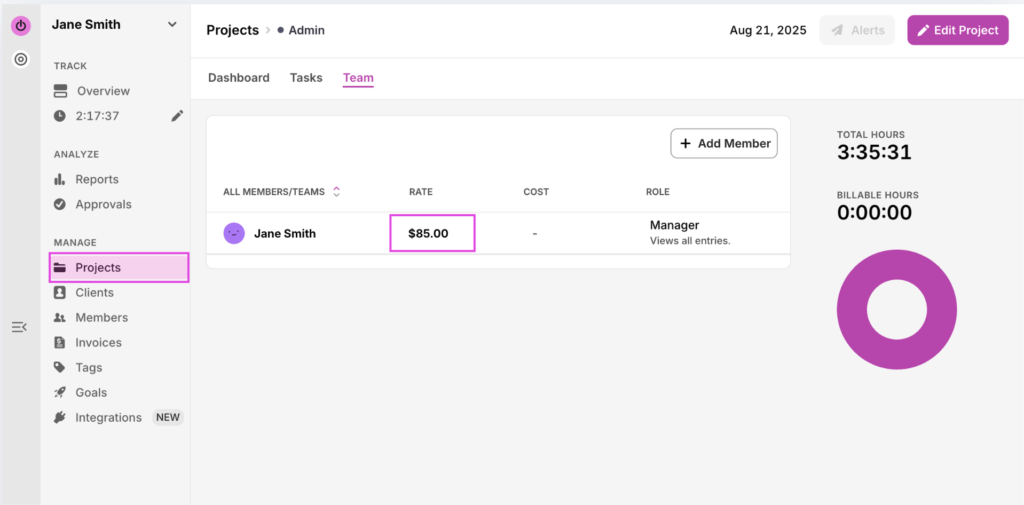
Set billable rate across projects
You can set billable rates in the Project tab. Head to “Team” and set the hourly rate per team member…
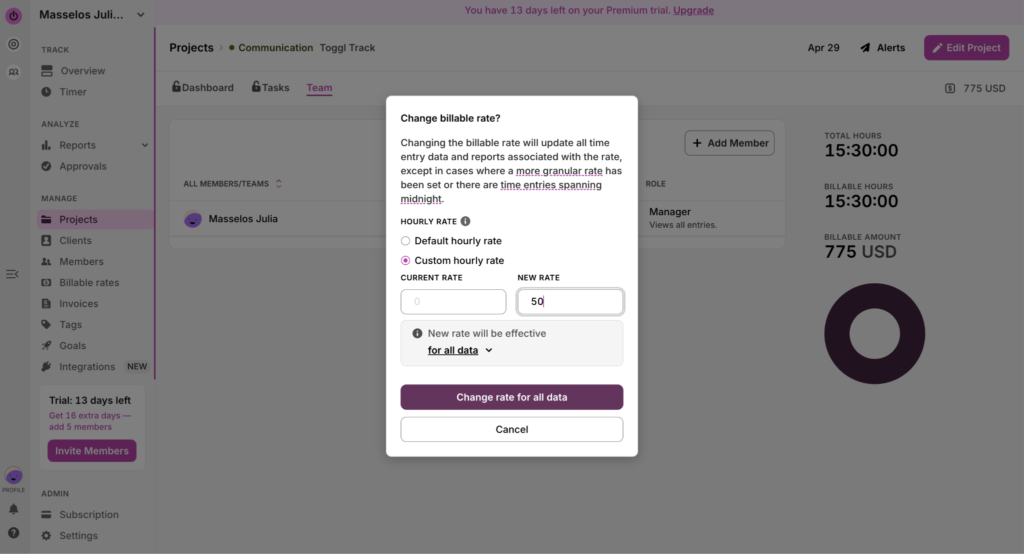
…and edit them later from within Projects if needed.
These will then automatically populate when you create an invoice.
Send and invoice to QuickBooks Online with Toggl’s integration
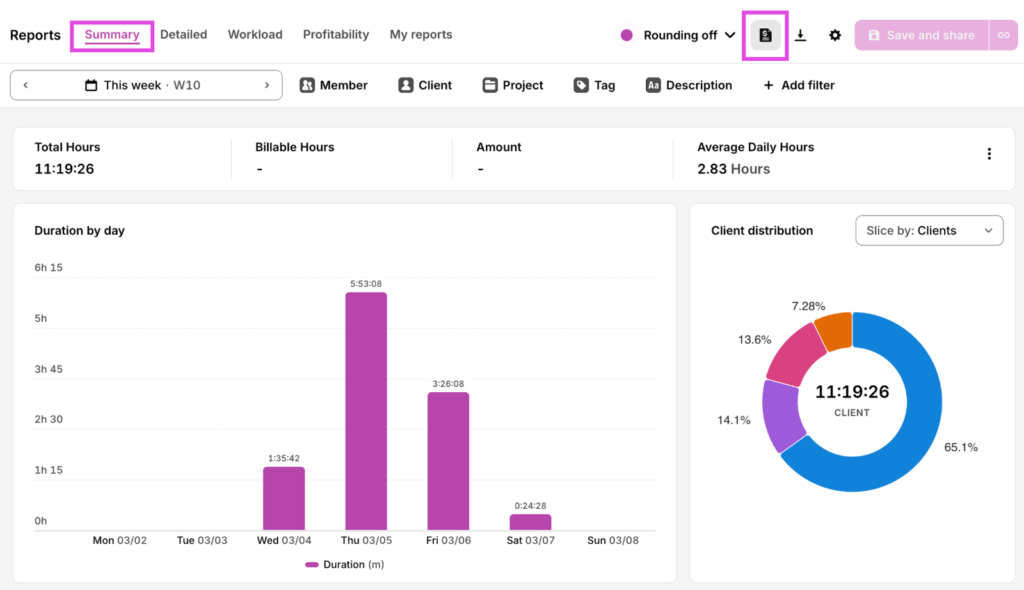
From your Summary Report, click on the invoice icon in the top right hand corner.
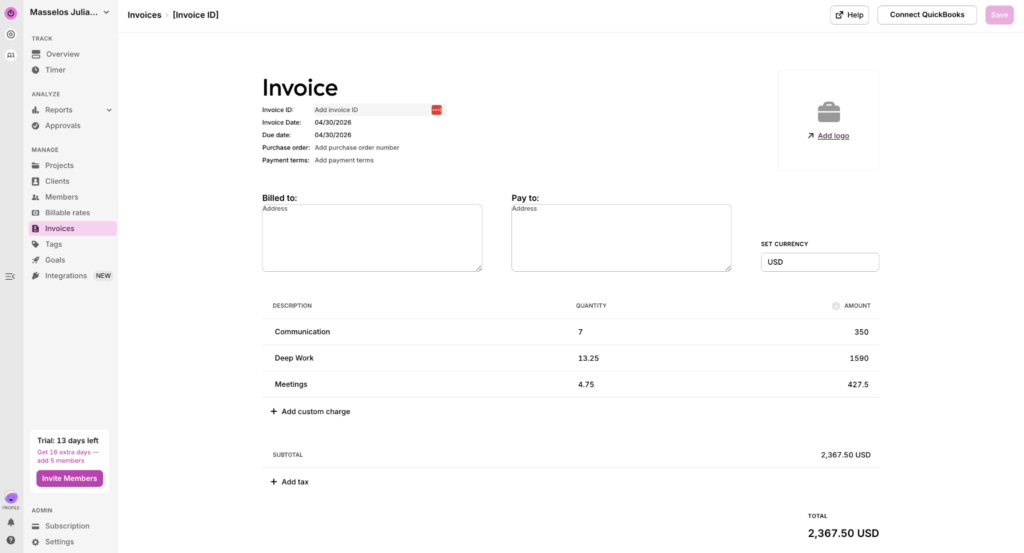
Relevant amounts will automatically added based on your billable rates
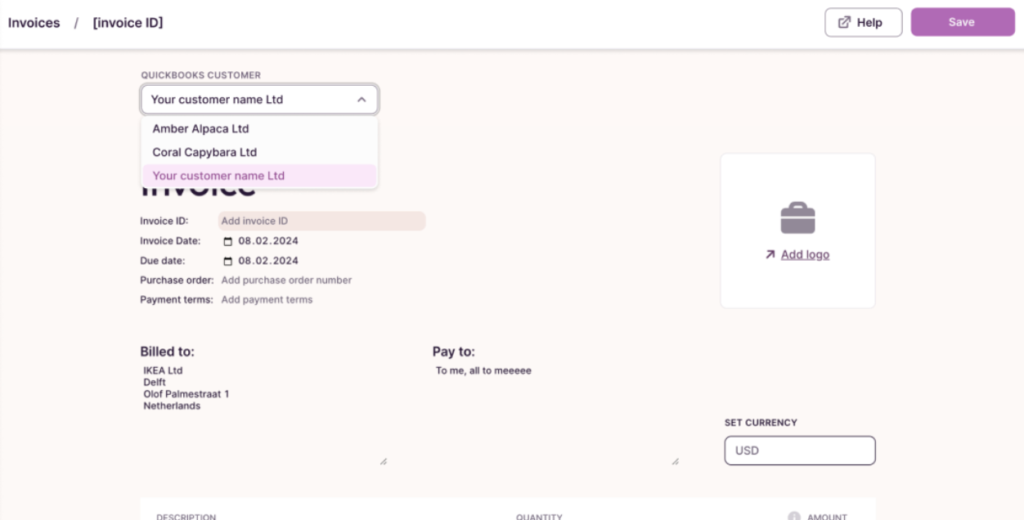
If your Quickbooks and Toggl integration is enabled, you’ll be able to select from your Quickbooks clients directly from within our platform.
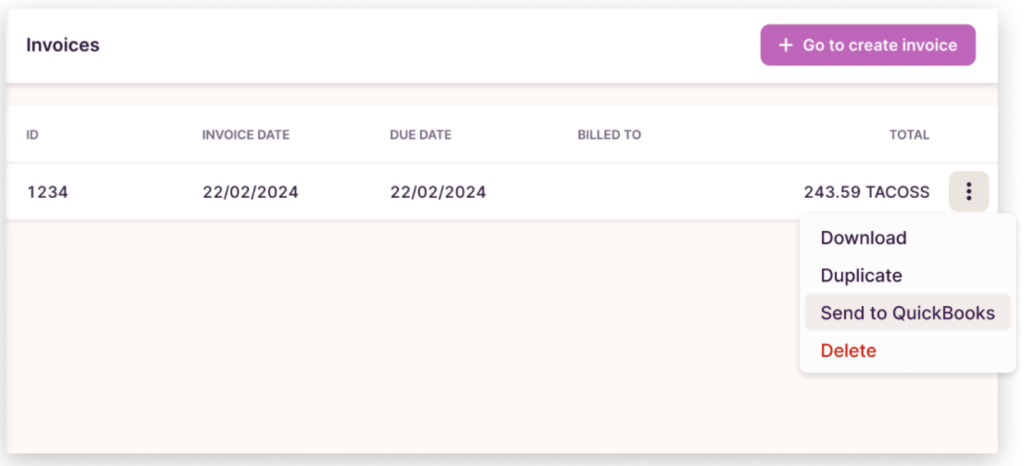
And then export the invoice to QuickBooks in a simple click.
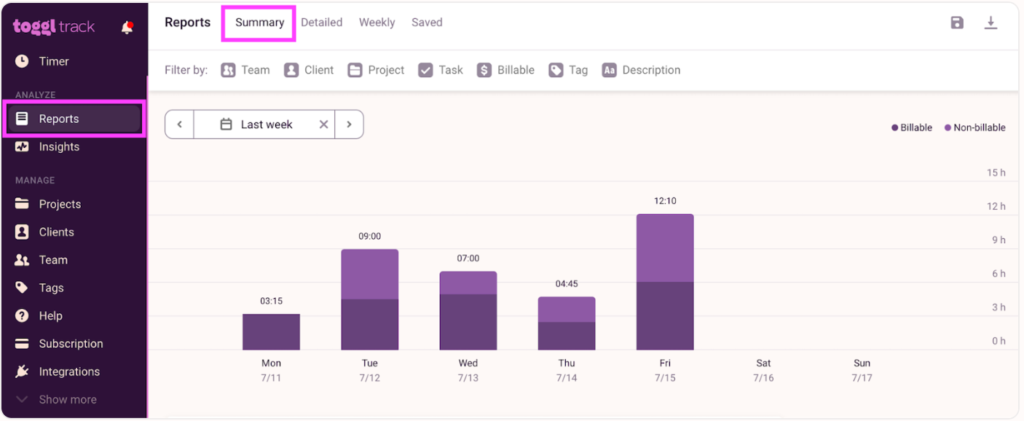
Break down billable vs non-billable hours at a glance
Tag your hours as billable or non-billable from the start, so reporting and invoicing is clean and fast.
Track time automatically
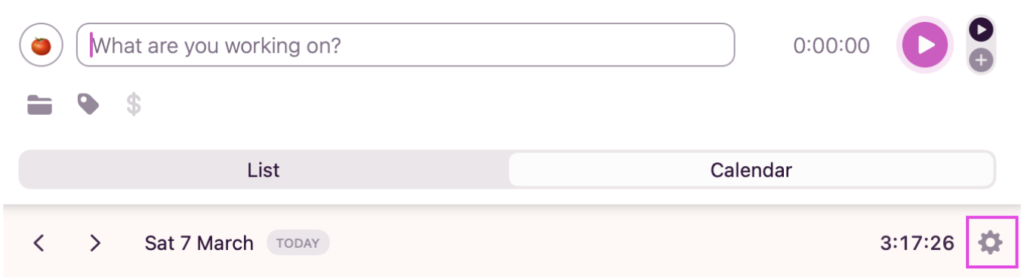
You don’t need to start and stop your timer. Instead, activate the automated time track from the Toggl Desktop app.
From within the app, go to the Calendar view and click on settings.
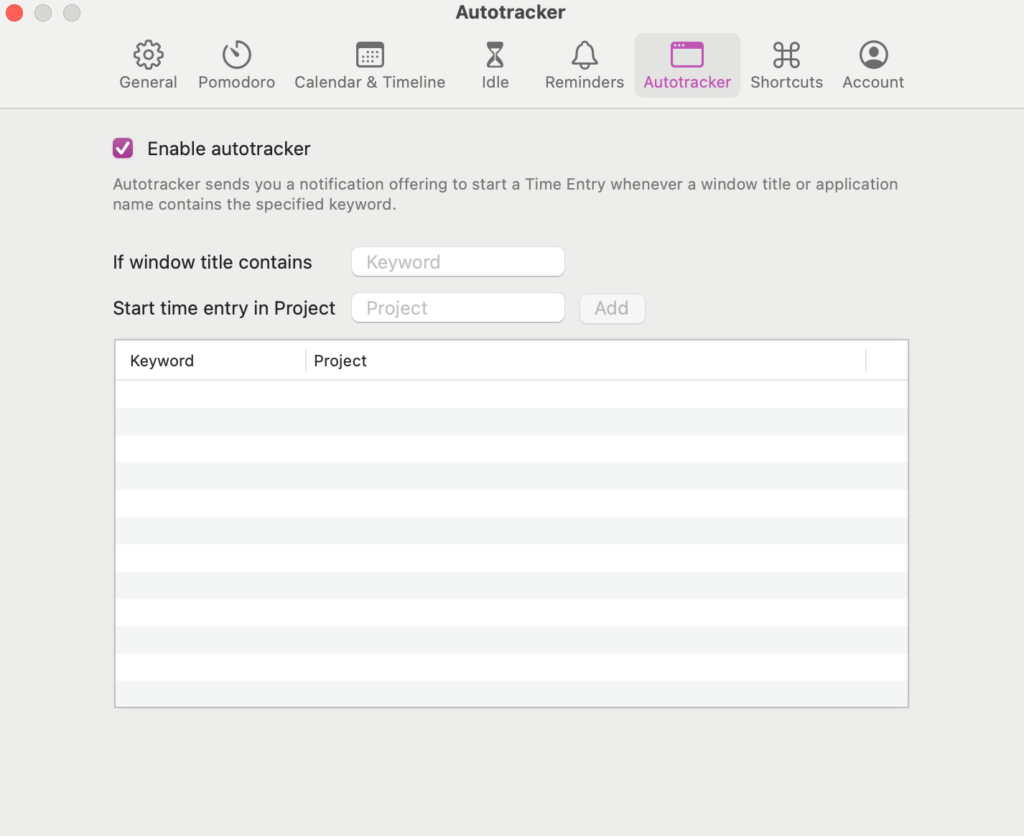
Select Autotracker from the list, and tick the box to Enable it. Then, add all the apps and websites you want the tracker to capture in the field underneath.
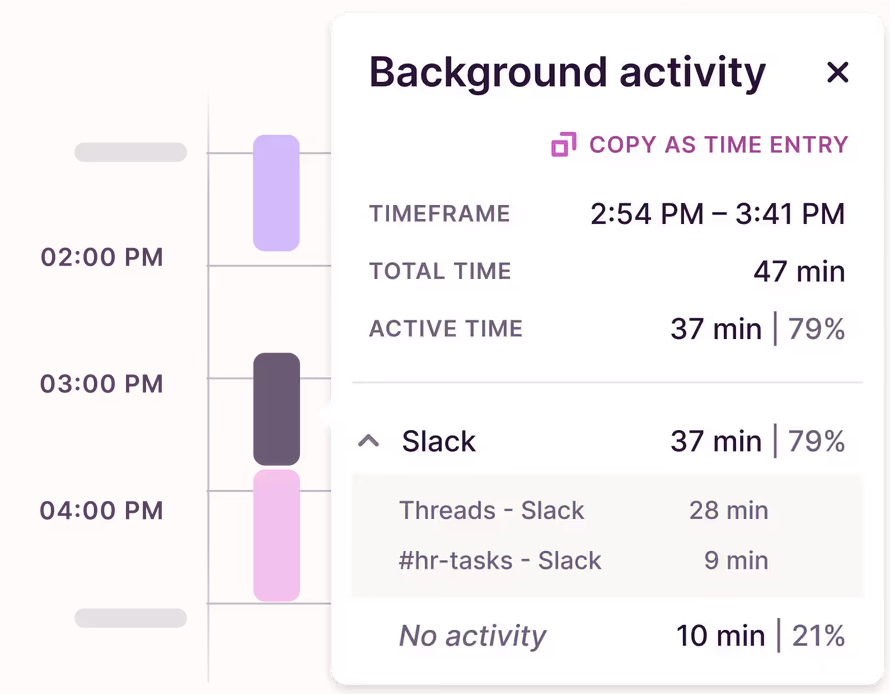
Then, as you move through your workday, Toggl will capture your work in a Timeline like this.
Profitability, Workload, and Project Breakdown Reports at your fingertips
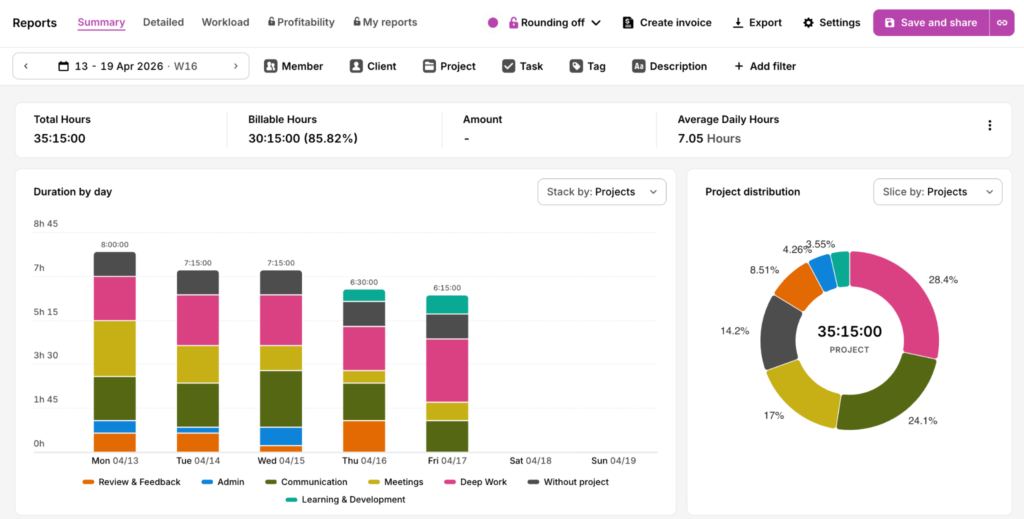
See an overview of how you spent your time across the week with the Summary report.
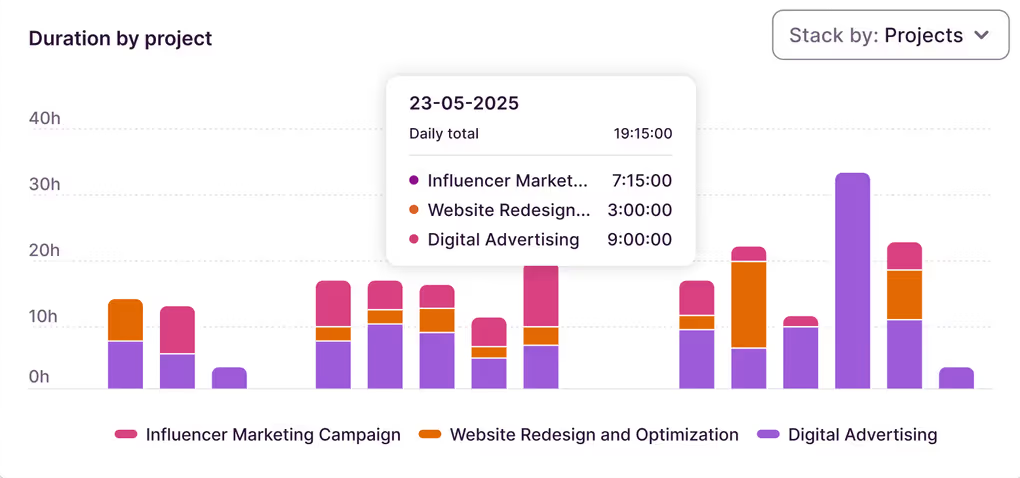
You can also see how individual Projects breakdown per type of Task to get an idea of which areas are most efficient, and which eat into your time and budget.
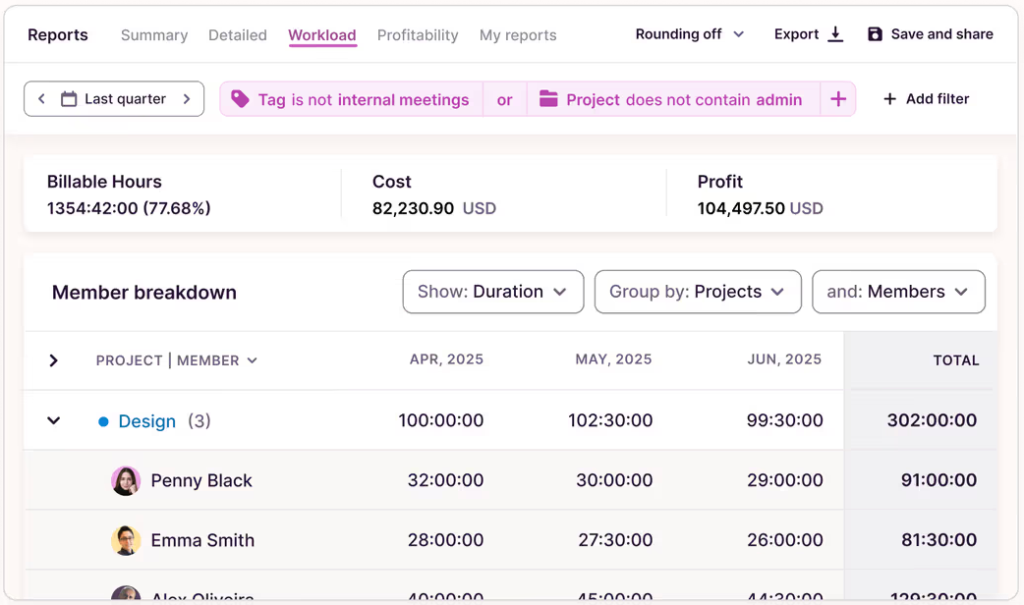
If you want insight into how much weight each team member is pulling, head to the Workload Report. Here, you’ll see time clocked by each employee, helping you identify who has capacity and who might need a break.
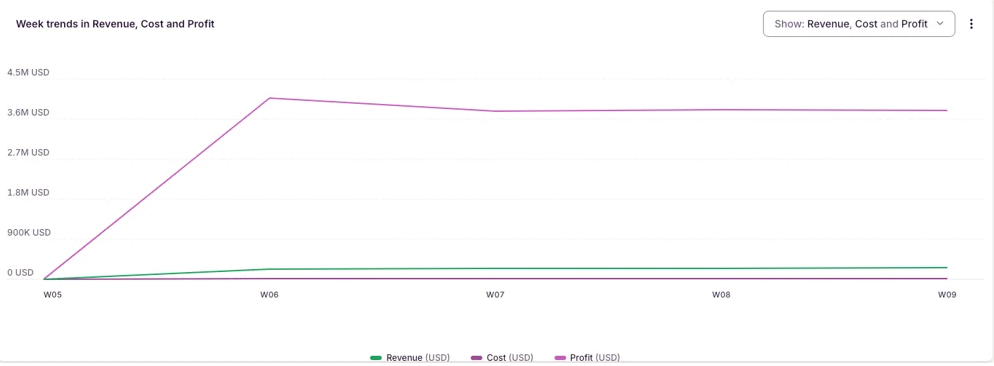
Finally, track profitability by Client or Project with the Profitability report. Track Cost against Revenue and see which types of work fuel your bottom line best.
🔑Other Key Features
- Free plan for up to 5 users
- Timesheet approvals on paid plans
- 100+ integrations including Asana, Jira, Slack, and QuickBooks Online
- No screenshots, activity monitoring, or GPS tracking — by design
- Available on iOS, Android, desktop, and browser (mobile app included)
- Cloud-based with API access on higher plans
🚧 Limitations
- No geofencing, kiosk clock in, or payroll sync
- Not the right fit for field service teams or shift-based workforces.
- Doesn’t work with QuickBooks Desktop
💸Pricing
| Free plan? | ✅Up to 5 users |
| Starter Plan | $9/user/mo |
| Premium Plan | $18/user/mo |
| QBO subscription required? | ❌No |
⭐What others are saying
G2: 4.6/5 (1,587 reviews)
Capterra: 4.7/5 (2,585 reviews)
2. Clockify
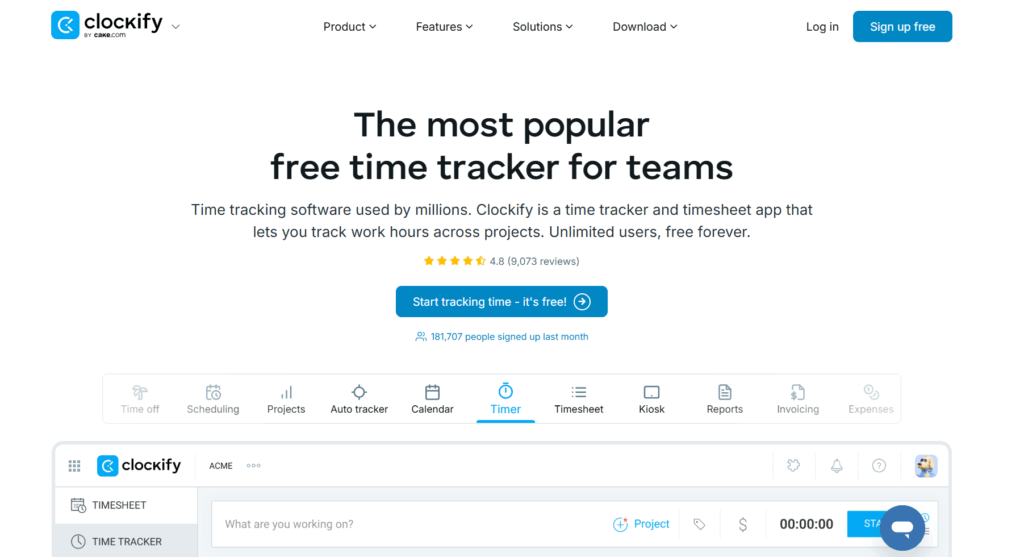
Best for: Budget-conscious small teams and freelancers
Use case: Simple time tracking
Clockify is a free time tracker and timesheet app that lets teams log hours across projects, analyze productivity, and generate time data reports.
🔑 Key features
- Unlimited users on the free plan
- Project and client time tracking with billable hours
- Kiosk mode for shared device clock in
- Time reporting and export on all plans
- Expense tracking on paid plans
🚧 Limitations
- The user experience can feel clunky at scale
- Time tracking features are less refined than Toggl for complex project billing
💸Pricing
| Free plan? | ✅Up to 5 users |
| Basic | $3.99/user/mo |
| Standard | $5.49/user/mo |
| Pro | $7.99/user/mo |
| Enterprise | $11.99/user/mo |
| QBO subscription required? | ❌ |
⭐What others are saying
G2: 4.5/5 (199)
Capterra: 4.8/5 (9,239)
3. Harvest
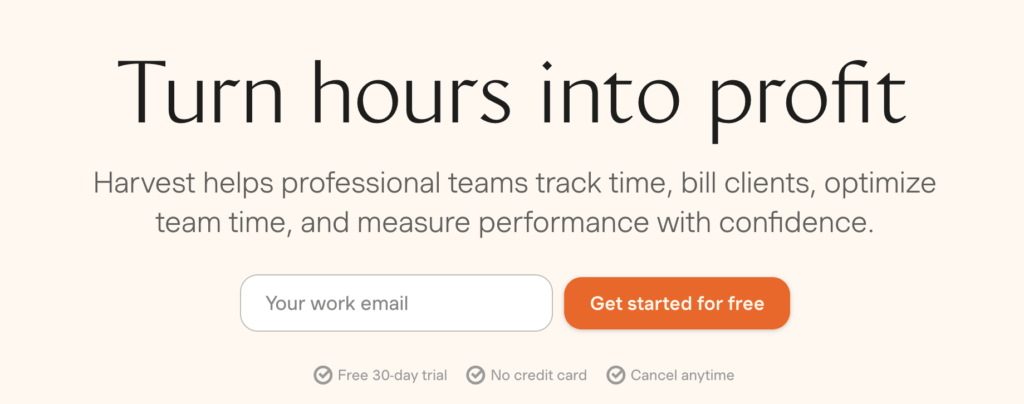
Best for: Knowledge workers who need an all-in-one billing tool based on time data
Use case: Smooth and efficient client billing
Harvest is a time tracking software built for professional services teams, combining project timers and timesheets with invoicing, billing, budget and expense tracking, and visual profitability reports.
🔑 Key features
- Native QuickBooks Online integration for invoice sync
- Built-in invoicing with Stripe and PayPal payment collection
- Expense tracking and project budget monitoring
- Time reporting by project, client, and team members
- Clean, widely praised interface with strong ease of use
- Available on iOS and Android
🚧 Limitations
- No timesheet approval workflow
- Time tracking features are less granular than Toggl for complex project reporting
- Not suitable for field service or payroll use cases
💸Pricing
| Free plan? | ✅ Yes, for 1 user and 2 projects |
| Teams Plan | $11/user/mo |
| Enterprise Plan | $14/user/mo |
| QBO subscription required? | ❌ |
⭐What others are saying
G2: 4.3/5 (833)
Capterra: 4.6/5 (645)
4. Buddy Punch
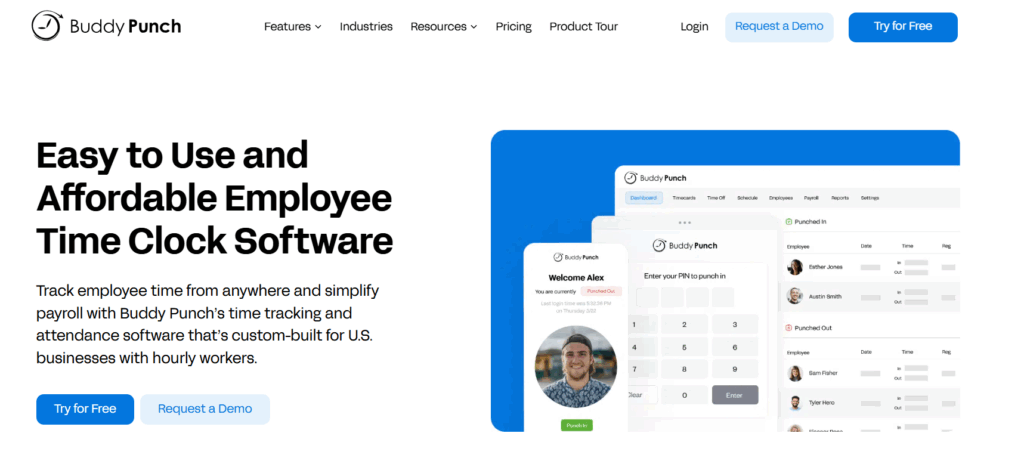
Best for: Shift-based teams switching from QBT
Use case: Automated timesheet generation
Buddy Punch is an employee time clock and scheduling platform designed to prevent time fraud, with GPS tracking, geofencing, facial recognition, and multiple clock-in options (PIN, QR code, kiosk).
🔑Key features
- Payroll integrations with QBO, ADP, Gusto, and Paychex
- GPS tracking and geofencing for on-site clock in verification
- Kiosk mode for shared device clock in at job sites
- PTO and time off management
- Scheduling and overtime tracking
- Real-time visibility into employee time and locations
🚧Limitations
- Project management reporting and billable hours tracking by client are limited
- Has a base fee, though lower than QuickBooks Time
💸Pricing
| Free plan? | ✅ |
| Starter Plan | $5.49/user/mo & $19 base fee/mo |
| Pro Plan | $6.99/user/mo & $19 base fee/mo |
| Enterprise Plan | $11.99/user/mo & $19 base fee/mo |
| QBO subscription required? | ❌ |
⭐What others are saying
G2: 4.8/5 (364)
Capterra: 4.8/5 (1,124)
5. Timeero
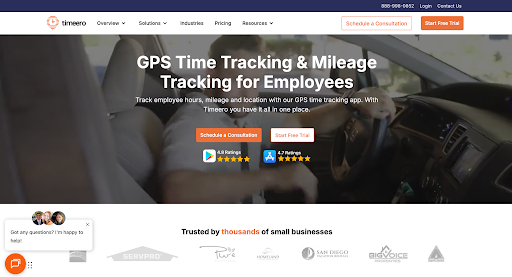
Best for: Field teams needing non-negotiable GPS accuracy
Use case: GPS location tracking and field employee monitoring
Timeero is a GPS-first time tracking app built for mobile and field workforces, with automatic mileage logging, geofenced clock-ins, and direct QuickBooks integration for payroll.
🔑Key features
- Users praise the highly accurate time tracking
- Mileage tracking and route optimization
- Geofencing for automated clock in and out
- Electronic Visit Verification for home healthcare teams
- Time reporting and timesheet approvals
🚧Limitations
- Purpose-built for field service, so project management, billable hours reporting, and client-level time tracking are not strong suits
- Not the right tool for office-based or remote knowledge workers
💸Pricing
| Free plan? | ❌14-day free trial |
| Basic Plan | $4/user/mo |
| Pro Plan | $8/user/mo |
| Premium Plan | $11/user/mo |
| QBO subscription required? | ❌ |
⭐What others are saying
G2: 4.8/5 (48)
Capterra: 4.5/5 (116)
6. Connecteam
Best for: Holistic operational support for small businesses
Use case: Shift scheduling and mobile team coordination
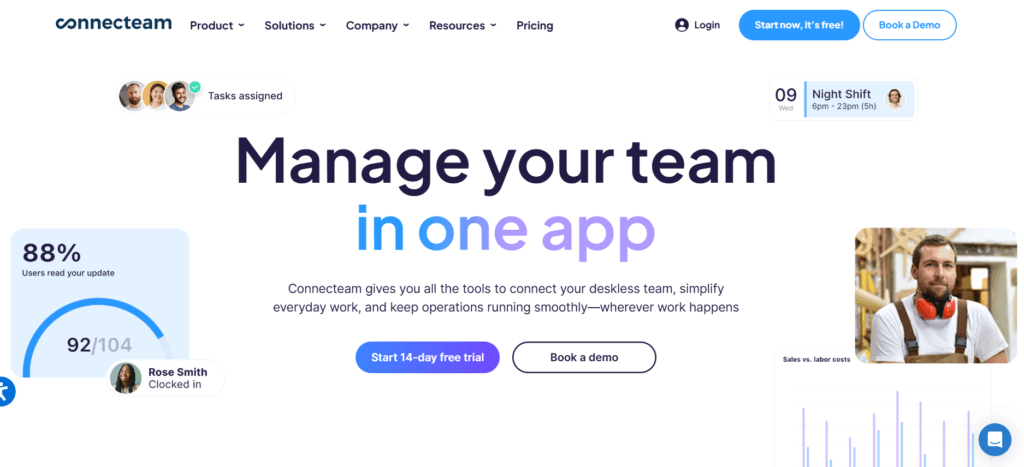
Connecteam is an all-in-one workforce management app for deskless and frontline teams, covering GPS time tracking, shift scheduling, team chat, task management, and HR tools in a single mobile platform.
🔑Key features
- GPS tracking and geofencing for clock in verification
- Scheduling, PTO, and workforce management tools
- Onboarding and internal communications features
- Time reporting and timesheet approvals
- Mixed pricing model (flat free with additional per-user fees)
🚧Limitations
- Some features feel basic compared to other tools
- API access is limited on lower plans
💸Pricing
| Free plan? | ❌14-day free trial |
| Basic Plan | $35/mo for 30 users, then $1/user/mo |
| Advanced Plan | $59/mo for 30 users, then $3/user/mo |
| Expert Plan | $119/mo for 30 users, then $5/user/mo |
| QBO subscription required? | ❌ |
⭐What others are saying
G2: 4.6/5 (3,499)
Capterra: 4.6/5 (5,138)
Which alternative best fits your situation?
Based on our 20+ years as leaders in the time tracking industry, we’ve summarized everything into a shortcut cheat-sheet, so you can quickly find the tool that best suits your needs.
For office-based or remote knowledge workers, agencies, and freelancers
🏅The winner: Toggl
💭 The reasoning: It has the best project management reporting, no ecosystem lock-in, over 100 integrations with all the most popular SaaS tools that knowledge workers typically use.
For field service, construction, or home healthcare teams
🏅The winner(s): Timeero or Buddy Punch
💭 The reasoning: GPS tracking accuracy and field-specific functionality matter more than billing integration here — and both do it at lower cost than QuickBooks Time without the reliance on QBO.
Shift-based small businesses
🏅The winner(s): Connecteam or Buddy Punch
💭 The reasoning: Scheduling, clock in, and workforce management features are closer to QuickBooks Time’s field offering, at lower pricing and without QBO lock-in.
Freelancers or teams under five people
🏅The winner(s): Toggl free plan or Clockify free plan
💭 The reasoning: There’s no good reason to pay for time tracking at this scale. Both cover everything you need — time entries, timesheets, and basic time reporting — for free.
Already using QuickBooks Online for accounting and want time tracking that just works
🏅The winner(s): Toggl with QBO integration, or Harvest
💭 The reasoning: Both connect to QuickBooks Online for invoicing without requiring QBO as a prerequisite. Streamline your billing workflow without rebuilding your accounting stack.
Startups scaling fast and needing flexibility
🏅The winner: Toggl
💭 The reasoning: The free plan covers early-stage needs, and the pricing scales predictably and affordably (with no base fee) as headcount grows. The API and 100+ integrations mean it fits into even the most complex cloud-based tech stacks without custom work.
Elevate your time tracking with Toggl
QuickBooks Time is a capable tool, and it makes sense to keep it if you’re deeply enmeshed with the Intuit ecosystem, running payroll through QBO, and managing a field-based workforce.
But for most knowledge workers, freelancers, and project-based teams, there are other options out there that are better-suited to your actual needs.
Toggl delivers better time tracking features, cleaner project management reporting, powerful analytics that will have you rethinking your whole business (in a good way!), and an unbeatable user experience. At just $9/user/month, it’s the best value for money on the market.
Why not sign up for a Toggl account and decide for yourself? You’ve got nothing to lose, plus there’s no credit card required.
Frequently Asked Questions (FAQs) about QuickBooks Time Alternatives
Does QuickBooks Time require a QuickBooks Online subscription?
Yes, QuickBooks Time requires a QuickBooks Online subscription to function. This means the real cost of running QuickBooks Time includes your QBO plan. For a 10-person team on QBO Essentials + Time Premium, that’s $175/month before any other tools, compared to $90/month for the same team on Toggl’s Starter Plan.
What is the cheapest QuickBooks Time alternative?
The cheapest QuickBooks Time alternative can be a tool with a free plan, like Toggl or Clockify. These are the ideal options for freelancers and small teams with basic time tracking needs.
Can I still use QuickBooks for payroll if I switch time tracking tools?
Yes, you can still use QuickBooks for payroll if you switch time tracking tools. Leading QuickBooks Time alternatives, including Toggl, Clockify, Harvest, Buddy Punch, and Timeero, all integrate with QuickBooks Online without requiring a QBO subscription.
Is Toggl a good replacement for QuickBooks Time?
Yes, Toggl is a good replacement for QuickBooks Time for knowledge workers, freelancers, agencies, and professional services teams. Toggl covers everything QuickBooks Time does and more: from organizing time entries by project and client, timesheet approvals, integrating with QuickBooks Online, and providing robust time reporting. It does it all at a lower price, with a better user experience, and without the mandatory QBO subscription.
What happened to TSheets? Is it the same as QuickBooks Time?
Yes, TSheets is the same as QuickBooks Time. TSheets was originally a standalone time tracking tool, but it was acquired by Intuit in 2018 and rebranded as QuickBooks Time in 2019. The core functionality is largely the same, but the rebranding came with several rounds of price increases and a mandatory lock-in with QuickBooks Online.

Julia Masselos is a remote work expert and digital nomad with 5 years experience as a B2B SaaS writer. She holds two science degrees Edinburgh and Newcastle universities, and loves writing about STEM, productivity, and the future of work. When she's not working, you'll find her out with friends, solo in nature, or hanging out in a coffee shop.