Project management and time tracking are two sides of the same coin. However, most project management software treats time tracking as an afterthought feature, rather than a main component.
As a result, you plan a project in one tool, but when you want to see how long your tasks actually took, you dive into a separate timesheet or a clunky time tracker. It’s not long before your budget and invoicing are thrown into disarray due as you don’t know how long your work takes and how that feeds into your overall project costs.
At Toggl, we’ve spent 20 years living and breathing time tracking. We know that a project is only as good as the time data it’s based on.
That’s why we’ve created this guide comparing seven of the best tools combining project management and time tracking, so you can finally eliminate the gap between what you plan and what you do. Here are the tools we’ll cover:
- Toggl
- Paymo
- ClickUp
- Timely
- Asana
- Harvest
- Wrike
How to choose project management and time tracking software
Choosing a new piece of software isn’t about fancy features on a vendor sales page. Instead, consider how each tool fits into your organization by evaluating your needs against these criteria:
- Team size: Are you a solo freelancer needing simple billing, or a 50-person agency requiring complex project delivery? Some tools thrive in small groups but feel weak as you scale.
- Complexity of projects: Do you need simple task lists, or dependencies, milestones, and multi-layered subtasks? Match the tool to your most complex project, not your easiest.
- Time tracking and billing needs: If you bill by the hour, precision is non-negotiable. If time tracking is a key component, look for tools that offer one-click timers, automatic tracking, and an overview of your team’s time rather than just manual entries.
- Reporting depth: Can the tool tell you why a project is where it is? You need reporting that slices data by project, client, and team member to spot bottlenecks early and extract accurate time records.
- Ease of adoption: The best, most feature-rich tool in the world is useless if your team refuses to use it. If managing projects or tracking time feels like a chore, your data will be incomplete and unreliable. The best time and project tool will slide right into your workflow, allowing you and your team to deliver great projects while keeping tabs on working hours.
- Other systems and integrations: Organizations are complex, and there’s a good chance your new tool won’t live in isolation. Whether it’s communication, invoicing, or CRM systems, check your new project and time-tracking tool integrates with your wider systems ecosystem.
- Budget: Perhaps most importantly of all, your tool of choice must deliver a solid return on investment. Consider the total cost of ownership, including the “hidden” cost of time spent managing a complex setup.
Paid and free project management and time tracking apps: a quick comparison
Short on time? Here’s a quick overview of our six best tools and their standout features.
| Tool | Best for | Free plan? | Paid pricing starts at … |
| Toggl | Intuitive project and time management with capacity planning and profitability reporting | Yes | $9 per user/mo |
| Paymo | Budget-conscious freelancers and small teams that need basic time and project planning | Yes | $5.90 per user/mo |
| ClickUp | Medium-sized teams that need high customization for complex workflows | Yes | $7 per user/mo |
| Timely | Teams prioritizing automatic time tracking | No | $9 per user/mo |
| Asana | Teams that need strong project management but can live with simple time tracking | Yes | $10.99 per user/mo |
| Harvest | Teams that need easy time-tracking and invoicing but only simple project forecasting | Yes | $9 per user/mo |
| Wrike | Teams that need cross-team or cross-project collaboration and portfolio management | Yes | $10 per user/mo |
7 best project management and time tracking tools
Now we’ve set the scene, it’s time to get into each of our time and project management software. We’ll compare their core features and strengths, pricing, and use cases.
1. Toggl
Best all-rounder for project management, time tracking, and accurate planning
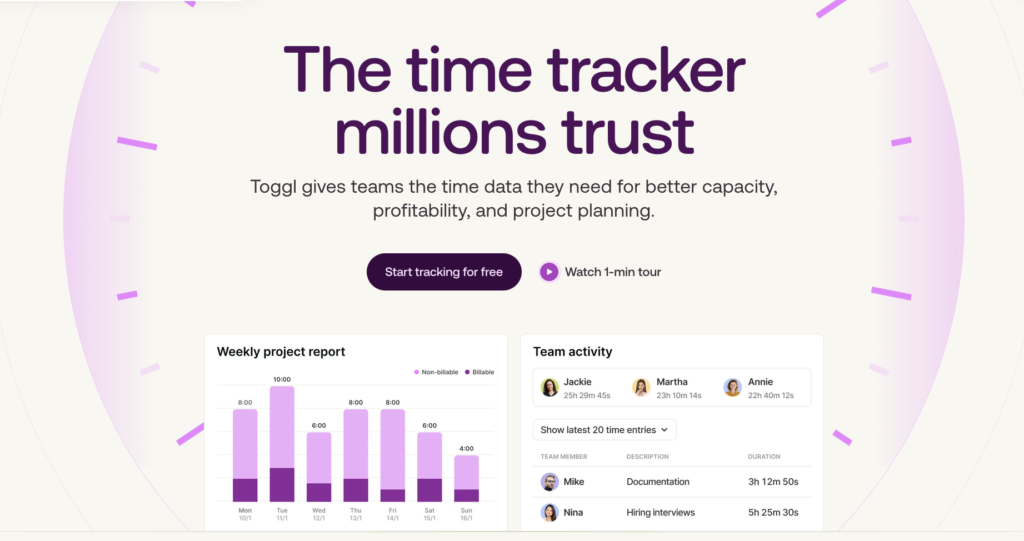
Toggl was built on a simple premise: you can’t manage projects effectively if you don’t understand how long tasks take.
While other tools “tack on” time tracking as an afterthought, Toggl was engineered with time data in its DNA. As a project planning and execution tool, it bridges the gap between high-level visual project planning and granular time management to deliver great projects each and every time. Here’s what you can expect.
Flexible project planning views
Toggl is deliberately lean. Instead of including features that don’t move your work forward, our platform zooms in on providing clarity.
That starts with flexible visualization modes — you can switch between Board, To-do, Timeline, and Calendar views depending on how you prefer to plan and manage your work.
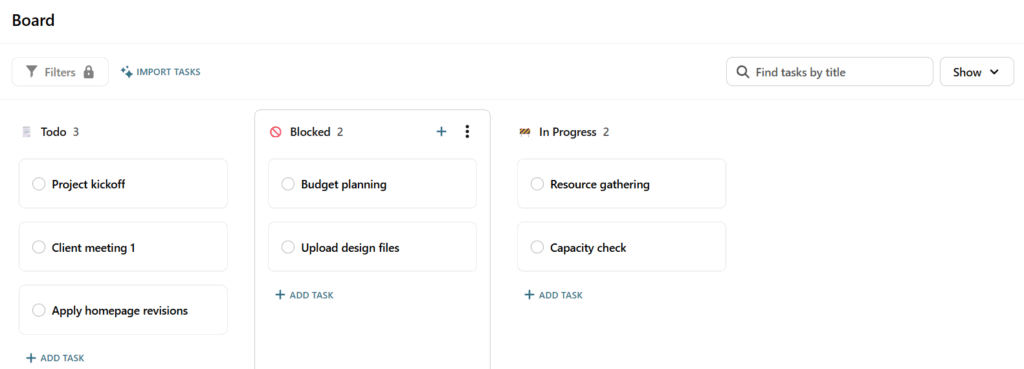
The Board view provides a Kanban-style layout, allowing you to move tasks through stages such as “Todo,” “Blocked,” and “In Progress.”
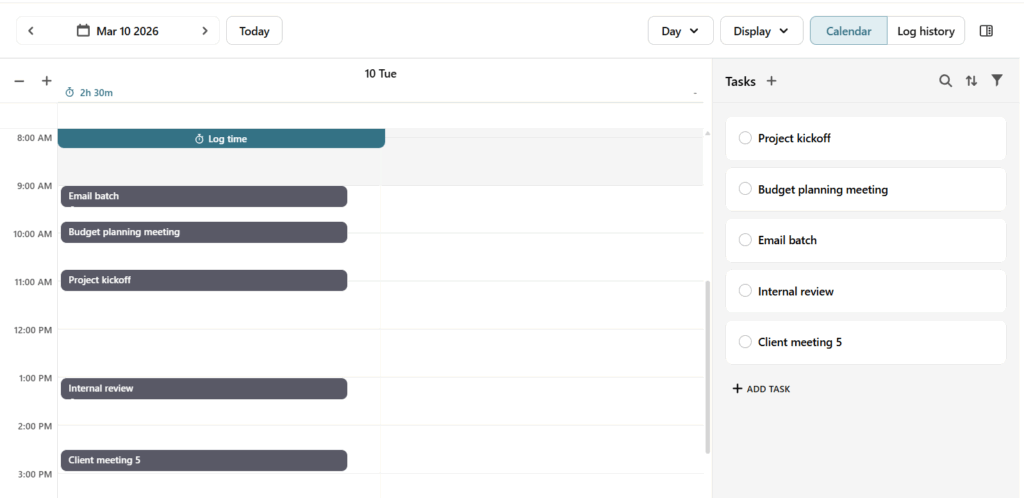
For teams working on scheduled deliverables, the Calendar view (available through My Time) shows tasks across days and weeks, helping team members understand what’s coming up and prioritize accordingly. Instead of static task lists, projects become living schedules that evolve as work progresses.
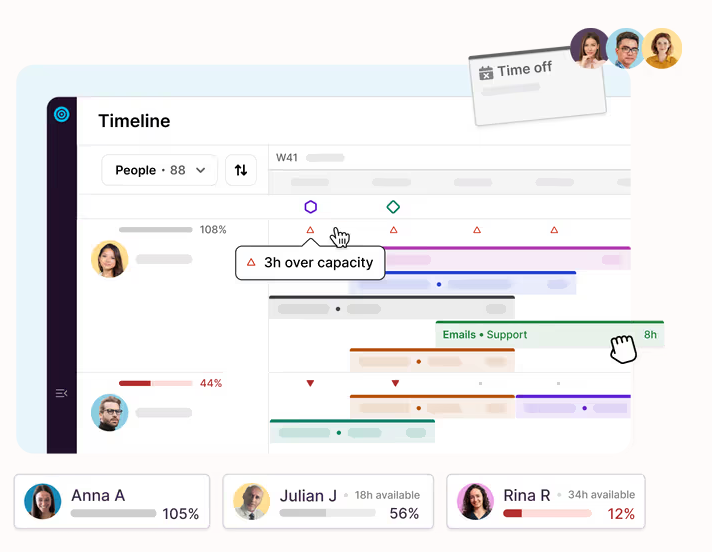
Toggl also offers a beautiful, drag-and-drop “Timeline” that acts as a Gantt view making project planning and resource management feel intuitive and easy.
But when planning projects, it’s not just about tasks; it’s about people. With Toggl, you’ll see your team’s workloads and capacity at a glance, empowering you to move blocks of work around and stomp out burnout before it happens.
Integrated time tracking embedded directly within project workflows
Time tracking is everywhere in Toggl, but never in the way. Instead of switching tools or reconstructing your day from memory, you can start a timer directly from any task as you work.
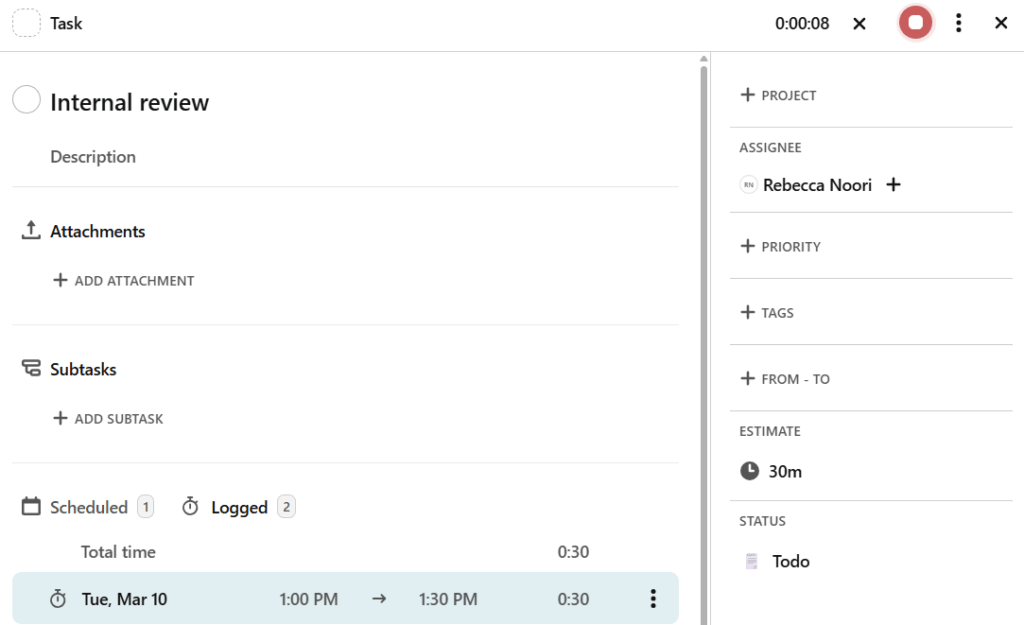
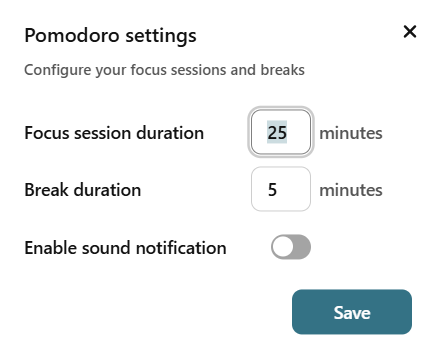
For teams who prefer more structured working sessions, Focus Mode lets you dedicate uninterrupted blocks of time to specific tasks using a built-in Pomodoro timer.
The default settings are 25 minutes of focus followed by a five-minute break, although you can configure these based on your task and your individual focus levels; for example, you might switch to 45 minutes for a deeper dive.
Compare planned vs. actual progress
Every task you plan in Toggl allows you to set an estimated duration. As your team starts tracking time, Toggl automatically compares tracked time against your original estimates, which can be pretty revealing.
You’ll see exactly how long your tasks take, giving you a much-needed nudge if you need to reschedule your project timelines. If a task exceeds its estimate, you can immediately reschedule any upcoming work or reassign tasks to keep the project on track.
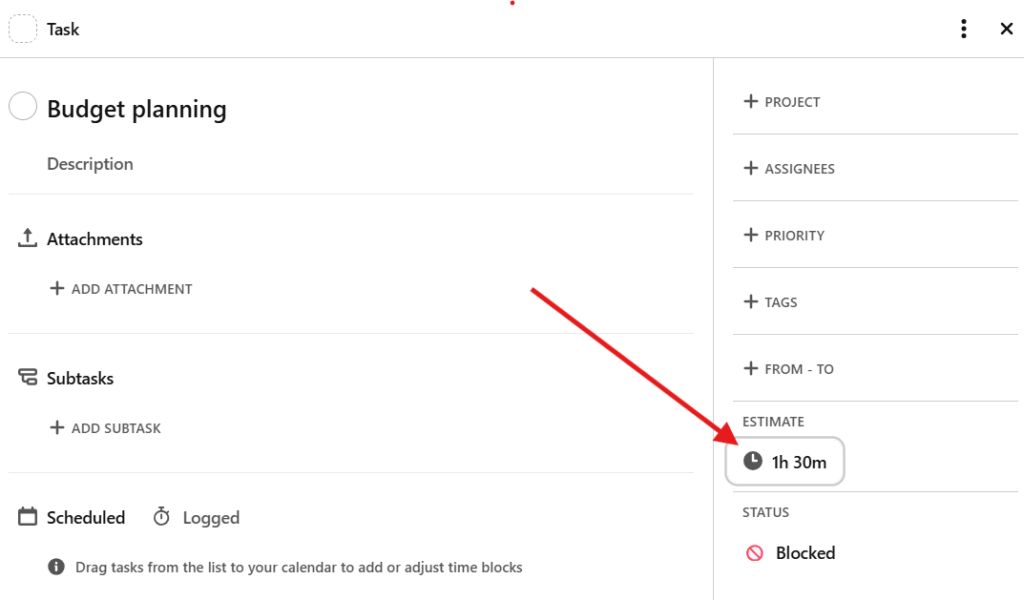
Comparing actuals against your plans is great for resource and capacity planning too. This data shines a light on where your project estimates were a little bit off, helping you to level up your resource management forecasts on future projects.
Limitations
Toggl prioritizes clarity and focus over feature bloat, so teams looking for built-in CRM or complex accounting features may not get everything they need.
Pricing
Toggl offers a free tier for small teams, with paid plans starting at $9 per user/mo (billed annually) for increasingly powerful capacity management.
2. Paymo
The best budget option for small business teams and freelancers
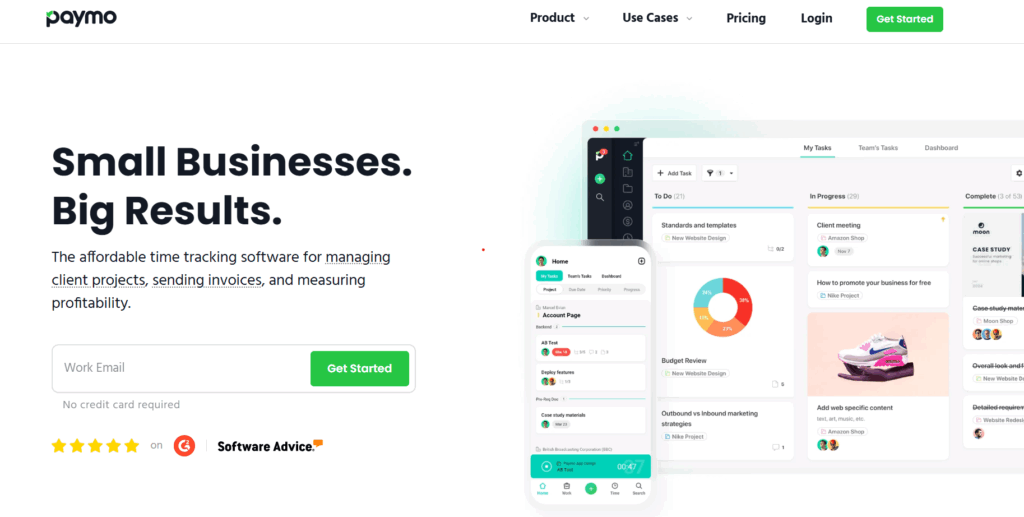
If you’re transitioning from a world of spreadsheets and basic timers, Paymo is a logical next step. It’s an “all-in-one” tool that focuses heavily on the business side of project management while also bundling in good time tracking features.
Core capabilities
Paymo packs a surprising amount into a single subscription: task management, time tracking, resource scheduling, and even invoicing. It includes Kanban boards and Gantt charts to visualize project progress.
How time tracking works
Paymo offers multiple ways to track, including a web timer, a desktop “Paymo Track” app that can automatically record your activities, and a mobile app for iOS and Android. It’s designed for accuracy, particularly for teams that need to turn hours into invoices.
Key strengths
- Integrated invoicing: Convert tracked time into professional invoices, great for those who bill by the hour.
- Versatile project management: Lean on great options for planning and managing tasks, such as Kanban boards, lists, and Gantt charts.
- Client portal: Give clients a window into project progress and time logs through guest access. This boosts collaboration and transparency.
Limitations
The interface can feel a bit dense and clinical compared to more modern tools. Some users also comment on Paymo’s customer support which they feel can be lacking.
“I really wanted this app to work for my business, but I was pretty disappointed with their customer support. I had a few questions related to functionality, future plans, and, after not hearing from them, how to completely delete an account.” — Graphic designer
Pricing
Paymo includes a free plan with unlimited time tracking and invoices. Solo plans start at $5.90 per user/mo, with additional plans adding more and more features.
3. ClickUp
Best for teams that want to customize every single click
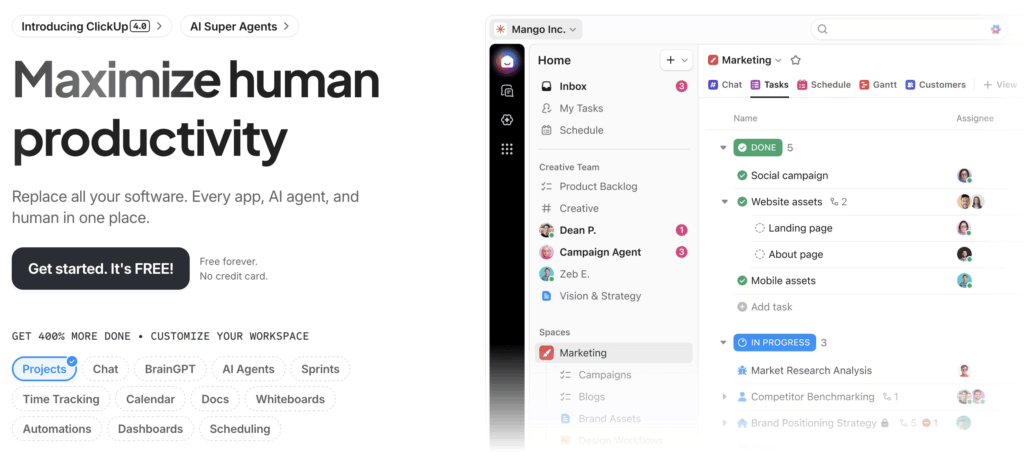
ClickUp is a feature-dense platform that’s great for project management, time tracking, and more. Promoted as the “everything app”, it’s an incredibly customizable solution, which also means it has a steep learning curve. The payoff is teams and project managers can match the platform to suit their unique workflows and needs.
Core capabilities
On top of project management basics, it offers other collaboration tools, including Docs and Whiteboards, Folders, and Lists, to create a single “work management” ecosystem. If you have a specific way you want your project to look, ClickUp will probably come up trumps, thanks to its complex, multi-departmental workflows.
How time tracking works
Time tracking is a “ClickApp” you can access within ClickUp, on the mobile app, or as a browser extension. Because the tool is so vast, starting a timer can often feel like a multi-click journey.
Key strengths
- Large feature set: Streamline the most complex of workflows in ClickUp (so long as you don’t mind getting hands-on).
- Infinite customization: Custom fields, statuses, and views can be tailored for every project, helping it to fit into your team’s ways of working.
- Automation: Use ClickUp’s powerful AI engine (BrainAI), which is great for speeding up repetitive manual tasks.
Limitations
In some ways, ClickUp’s size, scale, and rich feature set make it a victim of its own success. The complexity can lead to companies needing a dedicated person to manage the workspace.
“The app is very tricky to use and can be slow when handling a large amount of data.” — IT professional
Pricing
The free forever plan is a great place for teams to start planning projects, but time tracking isn’t available without the $7 per user/mo unlimited plan.
4. Timely
Best for automated time tracking
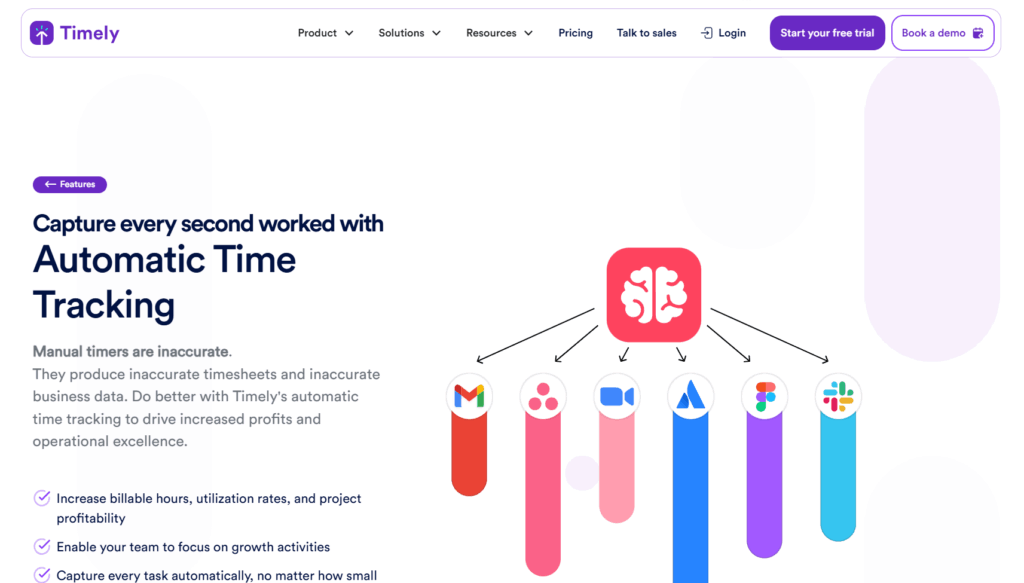
Timely is a little different from the other tools on our list. It markets itself as the world’s first “automatic” time-tracking tool, using AI to help teams capture work without the friction of manual, clock-in/clock-out time entries. It’s a time tracker-first application, with features for projects, tasks, and people management behind that.
Core capabilities
Timely is built around “Memory”, which is a private timeline of everything you did on your computer, all categorized and sorted using AI. This makes it a premium solution for teams where manual tracking is a constant point of failure but keeping track of time (say, for billing) is essential.
How time tracking works
The Memory app sits in the background, recording your active windows and files. At the end of the day, you drag and drop these memories into your timesheet (or get help from AutoSheet AI) to review and submit. It’s highly accurate because it doesn’t rely on your memory and learns more the longer you use it.
Key strengths
- Zero-friction tracking: Never forget to start a timer; everything’s done in the background.
- Privacy-first: View your private Memory timeline until you choose to log and share it.
- Capacity management: Create a strong foundation for your capacity management decisions to optimize team productivity and bandwidth.
Limitations
Timely is pricier than other options on our list, and doesn’t have a free plan. Also, the automatic categorization can sometimes go wrong, leading to manual “unpicking” at the end of a day.
“While Timely is very useful, there are times when the automatic tracking requires manual adjustments to ensure accuracy. Additionally, some advanced reporting and customization options could be improved to better suit more complex project needs. The pricing may also feel slightly high for small teams or individual users.” – Parth, a software engineer.
Pricing
Timely doesn’t have a free plan, with pricing starting at $9 per user/mo for the Starter plan. Prices rise to as much as $22 per user/mo for unlimited projects, unlimited users, and AI features.
5. Asana
Best for teams who prioritize project visualization over time data
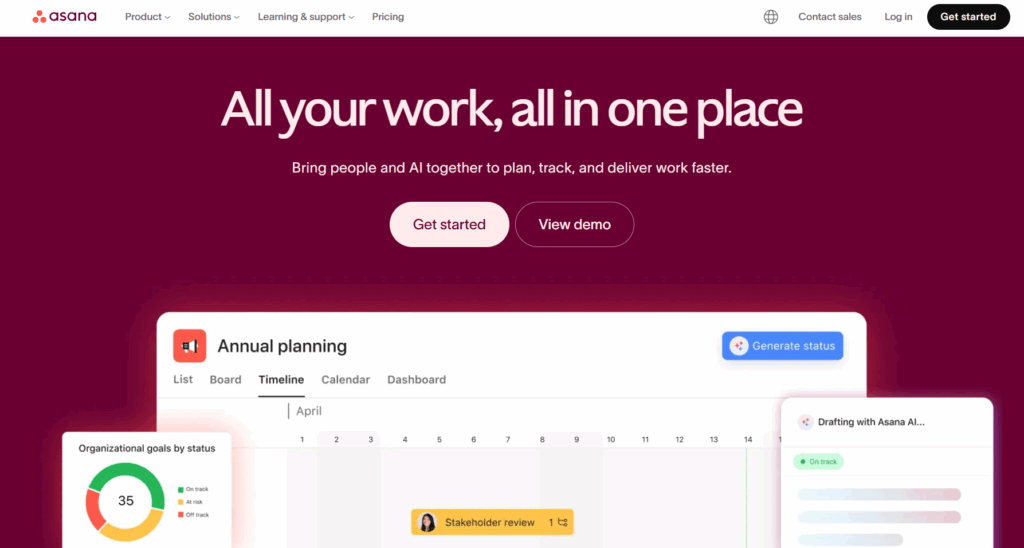
Asana is the gold standard for project management, famed for its clean dashboards, powerful features, and ease of use. It makes organizing work feel like a dream, though its relationship with time has always been a bit complicated — it doesn’t have the strongest tracking features compared to its planning, goal setting, and workflow solutions.
Core capabilities
Asana excels at “Work Graphs” — showing how tasks relate to goals and portfolios. Its Timeline view is clean and user-friendly, and its “Home” feature provides a great daily summary for team members. Asana has also invested heavily in AI and automation, with smart assists, templates, and workflows enabling project teams to move at speed.
How time tracking works
For a long time, Asana relied entirely on integrations. Recently, they added native time tracking, but it is effectively built on custom fields and manual timers. You have to enable it per project, and it lacks deeper features like automatic tracking, billable hours, idle detection, or timesheet approvals.
Key strengths
- Beautiful UI: Navigate a clean, fast, and modern interface, making it easy to see everything you need, all in one place.
- Workflow builder: Create simple rules to move tasks through your project lifecycle, with templates and workflows that even do it for you.
- Scalability: Set it up for five people or 5,000+ — Asana was one of the first truly enterprise-grade project management tools.
Limitations
Asana’s limited time tracking is only available on the “Advanced” and “Enterprise” tiers, which are quite expensive. Behind the beautiful home or plan pages, things can get a little busy, too.
“As projects grow, it starts to feel cluttered. Too many tasks and notifications make it hard to focus. Some useful features are locked behind paid plans, which limits flexibility over time.” – Susanne, digital content specialist
Pricing
Asana has a free Personal plan for two users, with no time tracking. Paid plans start from $10.99 per user/mo, but to get native time tracking (via the Advanced plan), you’re looking at $24.99 per user/mo.
6. Harvest
Best for simple time tracking with basic project overviews
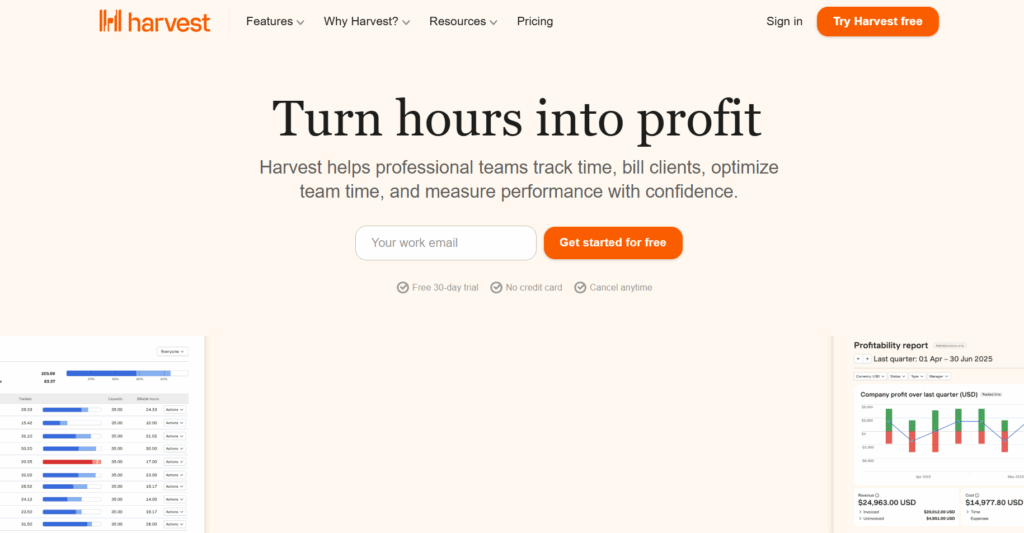
Harvest is a veteran in the time tracking space, with end-to-end features for tracking time, expenses, payments, and invoices. But it only offers extremely basic project management capabilities, with simple tasks and lists complemented by integrations to other PM heavyweights such as Asana.
In early 2026, Harvest changed its pricing model for existing users, with massive price hikes at their renewal dates. If you’re here looking for a new time-tracking tool, check out our Harvest alternatives guide for more information.
Core capabilities
Harvest is built around the timesheet. It allows you to create projects and tasks solely to track time against them. It’s legendary for its simplicity and its ability to turn time into money through its rock-solid invoicing and payment integrations.
How time tracking works
At its core, it’s a classic stop/start timer that can be triggered from the desktop app, browser, or mobile app. It’s designed to be fast, reliable, and out of the way.
Key strengths
- Ease of use: Use Harvest to track and manage time — it’s as simple as a team member using a stopwatch.
- Invoicing and payments: Turns time into money with quotes, invoices, and online payment all coming as standard through the likes of Stripe and PayPal.
- Rock-solid integrations: Connect with almost every other PM tool on this list (including Asana and ClickUp) as well as other tools such as Slack, Outlook, QuickBooks, and Google Calendar.
Limitations
Harvest isn’t a planning tool, so project management is very basic. Timers are also all mainly manual, leaving some frustrated with additional clicks.
“Harvest’s lack of automatic time tracking requires manual starts/stops.” – Sahil, a procurement engineer
Pricing
Harvest has a free plan for one user and two projects. The Teams plan starts at $9 per user/mo, including integrations, reporting, and phone support from the Harvest team.
7. Wrike
Best for cross-team collaboration and portfolio management
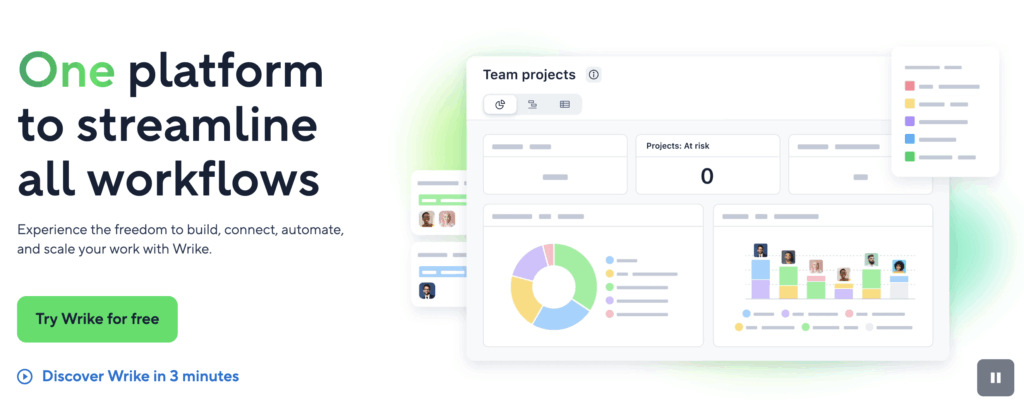
Wrike is a powerhouse for large organizations delivering projects at scale. While it has a broad range of features, it’s particularly strong for creative teams that need proofing tools or large delivery teams managing interdependent programs and portfolios. Wrike’s also rounded off with a strong AI solution (Work Intelligence), collaborative whiteboards, and 50+ integrations.
Core capabilities
Like ClickUp, Wrike is a feature-rich project management tool with tools that take you through ideation, planning, and execution, with strong reporting and analysis capabilities, too. For large teams running multiple projects, it also doubles up well as a portfolio management tool, providing managers with oversight to prioritize and make decisions from within Wrike itself.
How time tracking works
Time tracking is a little basic in Wrike, with manual start/stop timers found within the description of individual tasks. Managers can also log time for others if the settings and permissions are configured correctly.
Key strengths
- Cross-team collaboration: Wrike’s all about enabling teams to collaborate better with in-app communication, customizable dashboards, and cross-project workflows.
- Blueprints: Wrike’s advanced templating enables teams to spin up complex workflows in seconds, including creative briefs, project schedules, or client proposals.
- AI and automation: Take away the boring admin with Work Intelligence, including AI agents that act as day-to-day business copilots.
Limitations
Like many feature-rich tools, Wrike can be a victim of its own success with complexity that causes day-to-day confusion for its users.
“Features are rolled out without much nod to what Wrike is trying to be when it grows up; for example, we’ve been using the timesheet feature for almost 3 years, and it hasn’t changed in any significant way, nor does it present a helpful use case, in that it’s not much more useful than a spreadsheet.” – Iole, Project Management Director
Pricing
Wrike has a free plan for essential project management, with paid tiers starting from $10 per user/mo for up to 15 users. Above that, the ‘Business’ plan starts from $25 user/mo, with most of the project planning, time tracking, and AI-enabled features you’ll need.
4 common mistakes to avoid when choosing project and time management software
It’s a real shame when companies invest time and effort implementing a tool, only for it to fail due to a common mistake. From our experience, here are four common pitfalls to avoid when choosing software.
1. Overbuying features
It’s tempting to choose the tool with the most bells and whistles, but in many instances they can actually slow you down. Zero in on your core needs, and look for a tool that does that well to maximize value and eliminate tool fatigue.
2. Underestimating onboarding time
A tool doesn’t work the day you buy it. You need time to set up templates, train the team, and establish new processes. Factor in two to four weeks for a smooth transition, and start small with a pilot team before rolling out to your wider organization.
3. Ignoring reporting needs
Many teams choose a tool because the Board view looks pretty, but realize six months later they can’t export the specific report their CFO needs to review project profitability. Work backward from the data you need to produce when considering which tool is best for you.
4. Choosing tools without time-tracking depth
This is where many PM-first tools fail. If time tracking is just a custom field, it’s easy for data to be deleted or entered incorrectly. Toggl differentiates here by treating time as a core metric. It’s structured, protected, and flows automatically into every report, ensuring your data is actually trustworthy.
Get powerful time and project tracking in one place with Toggl
The best projects are built on the foundations of reliable, real-time data, so why would your time tracking data be any different? Rather than flicking between spreadsheets, a combined project and time tracking tool is the perfect way to harmonize what, how, and when your team works.
The tools in our list represent the best project management and time tracking tools on the market, with each slightly better or worse for particular use cases, team sizes, and budget.
If you’re looking for a tool that balances visual planning with sophisticated time data, Toggl is built exactly for you. It stops the wishful thinking cycle by showing you exactly where you are in your project and what your team can handle based on real-world time data. Better yet, if you’re billing by the hour, our simple integrations help you get paid fast, with professional, client-ready invoices.
Ready to see your project plans grounded in reality? Try Toggl for free today.
Frequently asked questions (FAQs) about project management and time tracking software
What is the difference between project management software and time tracking software?
Project management software focuses on the what and when (tasks, deadlines, dependencies). Time tracking software focuses on how long (actual effort spent). Integrated tools like Toggl combine both, allowing you to see how your original plan (project management) compares to the actual work done (project time tracking).
Many tools blur the lines, with timesheet software tools offering features such as task management, project timelines, or budget tracking. For a truly harmonized experience, look for a combined project management and time tracking tool.
Do I need a tool with built-in time tracking, or can I use integrations?
Integrations are great for specialized needs, but they often lead to fragmented data. Built-in time tracking syncs your data and allows for more powerful “Planned vs. Actual” reporting without moving data manually between apps.
What is the best project management and time tracking tool for small teams or freelancers?
For small, collaborative teams that want to grow, Toggl is the best project management and time tracking tool. It provides the best balance of ease of use and professional planning and time features to help you scale. For solo freelancers, Paymo or Harvest are also a great “bang for your buck.”
How accurate and reliable is time tracking in these tools compared to dedicated trackers?
Employee time tracking can be less reliable if it’s tacked on (via custom fields). In tools like Toggl, the time tracking engine is built into the project workflow, making it just as accurate and professional as a standalone tracker, without the risks of integrations and data silos.
What about other project management or time tracking tools?
There are literally hundreds of tools on the market for managing projects and time, but many of them don’t work in harmony. Tools such as Jira are perfect for software development teams looking to plan work, but don’t scale well to other use cases. Similarly, Trello is a world-leading Kanban tool, but has weak time-tracking and doesn’t scale well. There are also other tools specialized for things like project budgeting, team management, and remote teams.
Related articles:




James Elliott is an APMQ and MSP-certified project professional and writer from London. James has 8 years' experience leading projects and programs for tech, travel, digital, and financial services organizations, managing budgets in excess of £5m and teams of 30+. James writes on various business and project management topics, with a focus on content that empowers readers to learn, take action, and improve their ways of working. You can check out James’ work on his website or by connecting on LinkedIn.