ClickUp and Clockify often get compared head-to-head. But besides a few overlapping features, they don’t really belong in the same tool category.
- ClickUp is a comprehensive project and work management platform, with time tracking as a background feature.
- Clockify is a time tracker that happens to include some project tracking functionality.
They’re both great tools for their main use cases. If you’re managing complex projects across large teams, ClickUp is the stronger fit. If you need accurate, affordable time tracking without the overhead of a full project management platform, Clockify delivers that cleanly.
Where it gets more nuanced is when time data needs to do more than fill a timesheet. If you want to connect tracked hours to billing, project profitability, and financial reporting, neither tool was built with that as its primary job — and that’s what this guide covers.
ClickUp vs. Clockify at a glance
| ClickUp | Clockify | |
| Primary purpose | Project management platform | Time tracking software |
| Time tracking | Native but background feature. Available from Unlimited plan ($7/user/month) | Core product — timer, timesheet, calendar, kiosk. Available on all plans, including the free one. |
| Project management | Full PM suite — tasks, docs, sprints, whiteboards, 15+ views, and much more. | Project tracking only — status, estimates, budgets, forecasting. Full PM via separate app (Plaky) |
| Billing and invoicing | Mark time as billable; no native invoicing features, only invoicing templates | Invoicing from Standard plan ($5.49/user/month) |
| Project profitability | Estimates vs. actuals; no labor cost or margin reporting | Labor cost vs. billable rate analysis from Pro plan ($7.99/user/month); no margin reporting |
| Reporting | Time reports, estimates vs. actuals, AI insights via ClickUp Brain | Summary, detailed, and weekly reports; attendance and expense reports |
| Privacy approach | No employee monitoring features | Optional GPS and screenshots from Pro plan ($7.99/user/month) |
| Free plan? | Yes — unlimited users, basic features | Yes — up to 5 users |
| Paid plan starting price | $7/user/month (Unlimited, billed annually) | $3.99/user/month (Basic, billed annually) |
| G2 scores | 4.6 out of 5 Ease of use 8.5/10Ease of setup 8.2/10Ease of admin 8.6/10Quality of support 8.9/10 | 4.5 out of 5 Ease of use 9.2/10 Ease of setup 9.3/10Ease of admin 9.3/10Quality of support 9.0/10 |
| Best for | Teams requiring a full PM platform and can live with basic time logging | Freelancers and small teams needing reliable time tracking on a budget |
What ClickUp is (and isn’t)
ClickUp 4.0 introduces itself as “software to replace all software,” so no surprises that it’s one of the most full-bodied project management platforms in the market. It’s built for teams that want to run their entire workflow from an all-in-one base, whether that’s ticking off tasks, creating docs, mapping goals, collaborating with team members, or reporting on all the above, without switching tools.
ClickUp’s core PM layer comes with 15+ ways to view your work out of the box, including:
- List, Board, and Table views for task management
- Gantt charts for timeline planning and dependency tracking
- Workload view to see team capacity at a glance
- Whiteboards and Mind Maps for visual planning and brainstorming
- Calendar view for scheduling across projects
Tasks are highly configurable; you can set custom statuses, custom task types, sprint points, nested subtasks (up to seven levels deep), multiple assignees, task dependencies, milestones, and goals that track progress automatically as work moves forward.
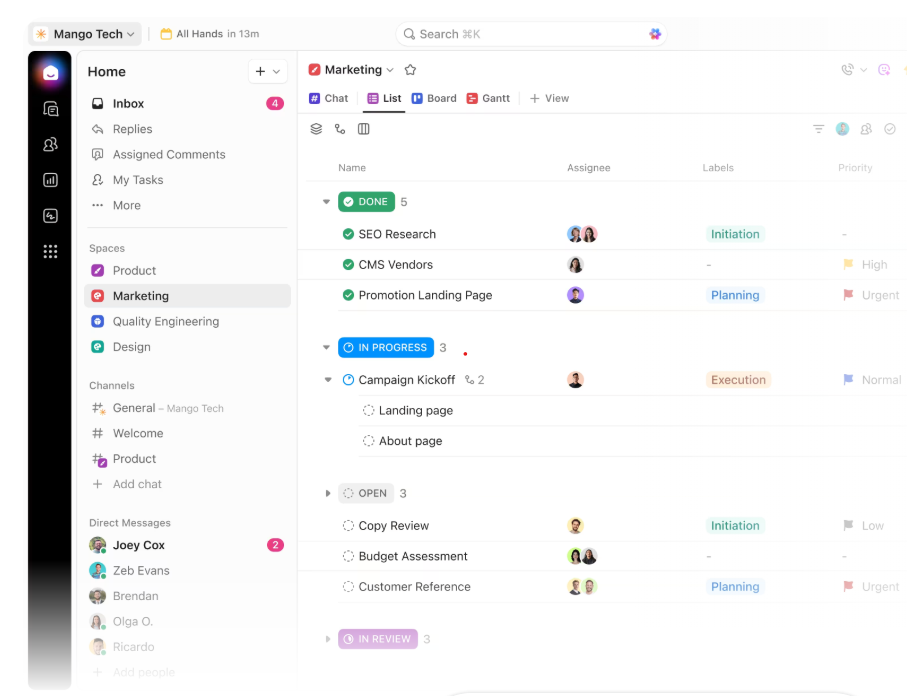
(Source: ClickUp)
Honestly? There’s not much you can’t do with ClickUp. But this flexibility is both a strength and a drawback that leads to hair-pulling overwhelm.
User reviews on G2 and Capterra frequently flag feature bloat and a steep learning curve as the main difficulties of using ClickUp. Luigi P., a business development manager, describes:
“ClickUp can feel overwhelming at first because it has so many features and settings. There’s a bit of a learning curve, and sometimes the interface feels busy, especially when you’re just trying to manage simple tasks.”
ClickUp’s time tracking
Time tracking in ClickUp is available from the Unlimited plan upwards. You can start and stop a global timer from any device and mark the time as billable or unbillable.
From there, you can view logged hours by timesheet or rolled up across tasks and subtasks. The estimates vs. actuals view lets you compare planned time against what was logged.
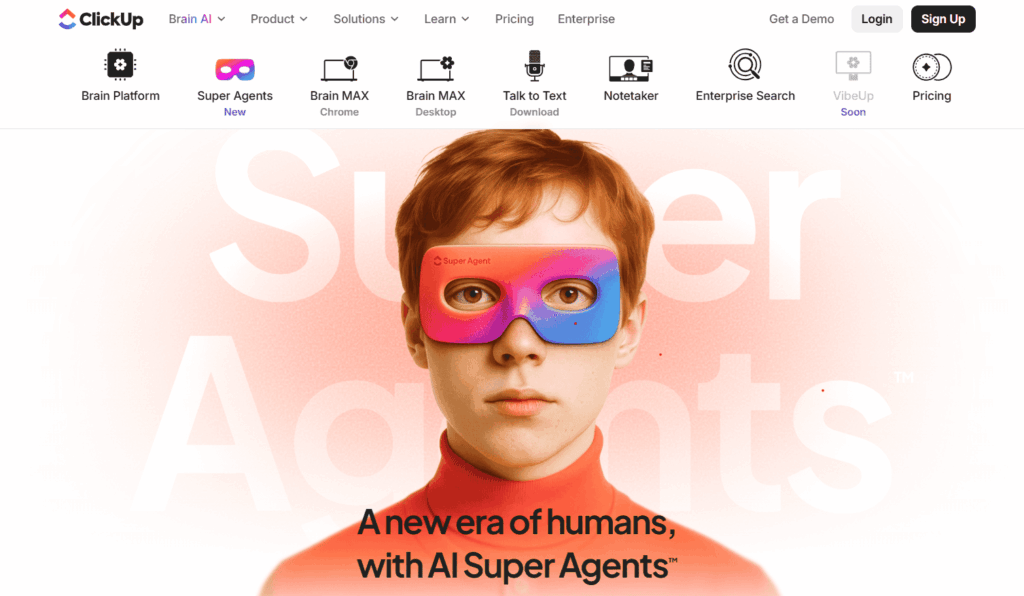
But the most interesting development is how ClickUp Brain and Super Agents connect to time tracking. Brain is ClickUp’s conversational AI. You ask it questions and it answers from live workspace context rather than static reports.
(Source: ClickUp)
Super Agents take this further, offering AI-powered teammates that run multi-step workflows autonomously. In ClickUp, agents can do things like send a daily report of tasks due that day, or trigger notifications when a project is running behind schedule.
Where ClickUp’s time tracking stops
Setting up time tracking in ClickUp can be long-winded. An admin needs to enable time tracking at the workspace level first, and you must manually add a time tracking column to your List or Table views, as it doesn’t appear automatically.
For teams used to a dedicated time tracker where everything is ready out of the box, the additional config time can be a headache.
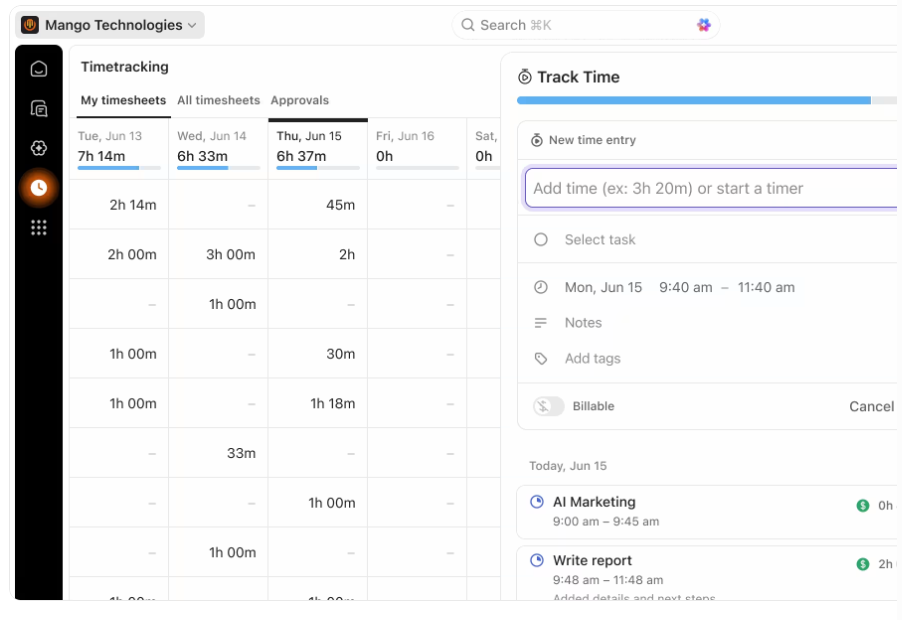
(Source: ClickUp)
But the bigger limitation is ClickUp’s missing financial layer, as there’s no built-in invoicing or billing rate management. You can mark time as billable and compare estimates against actuals. But any attempt at trying to work out how profitable your projects are will depend on how much time you’re willing to invest in manual workflows.
If you prefer to hook up with a time tracking tool you already love, ClickUp connects with dedicated time trackers including Toggl, Clockify, and Harvest. That’s the approach that web designer Haseeb A., takes:
“We still use a separate time tracking tool, since ClickUp’s built-in tracker doesn’t meet all our reporting needs.”
What ClickUp costs
- Free Forever — unlimited tasks and users, basic features, no time tracking
- Unlimited ($7/user/month, billed annually) — native time tracking, unlimited integrations, goals
- Business ($12/user/month, billed annually) — advanced dashboards, sprint reporting, automations
- Enterprise — custom pricing, advanced security and governance
Note: AI is priced separately, which is worth factoring in if AI-powered insights are part of why you’re considering the platform. ClickUp Brain starts at $9/user/month, and the full Everything AI suite is $28/user/month.
Who ClickUp works best for
ClickUp is the right choice if project management is your main goal, and you don’t mind time tracking taking a backseat (although we’d always argue that successful projects hinge on accurate time data.)
The platform handles complex, multi-team workflows better than almost anything else at its price point. But if the hours your team logs need to feed billing, profitability reporting, or financial decisions, you’ll quickly find yourself bumping against ClickUp’s ceiling.
What Clockify is (and isn’t)
Clockify is a dedicated time tracker with a free plan for up to five users and a clean, approachable interface. It does exactly what it says on the tin; you can log your work hours and then categorize them by client and project to help you understand where your time went.
For freelancers and small teams who need something up and running fast without a budget conversation, it’s a solid starting point.
Clockify’s time tracking
Clockify gives you a few different ways to log time. The live timer is the obvious starting point, but there’s also an auto tracker that runs in the background on your desktop and records which apps and websites you use throughout the day.
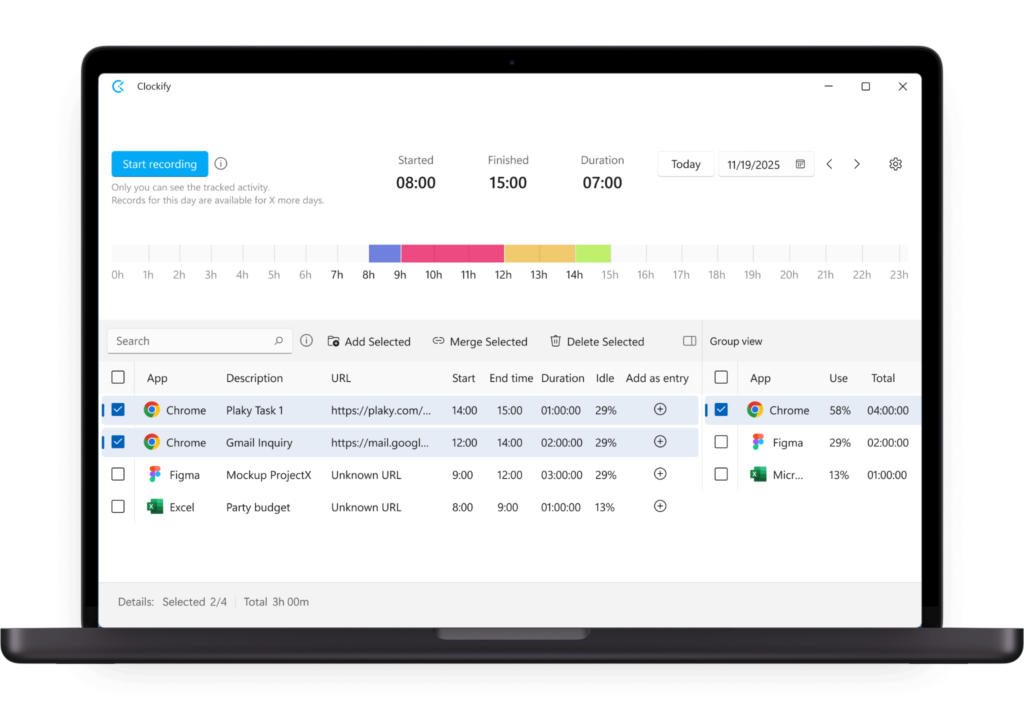
(Source: Clockify)
Crucially, your tracked data stays private. Only you can see it — and you can use it to build time entries retrospectively rather than trying to remember what you worked on at the end of the day. It’s a great backstop if you’ve been relying on manual logging and feel frustrated by holes in the data and your memory!
Field teams have a different set of options. Working from a shared device, the kiosk mode lets people clock in and out using a PIN or QR code from a tablet or shared screen. It’s a simple feature, but it solves a real problem for businesses that can’t give everyone their own device or company email.
Clockify’s project layer
Unlike ClickUp, you really wouldn’t call Clockify a project management tool. You won’t find any Kanban boards or task dependencies here. In fact, Clockify’s parent company (Cake.com) has a sister tool for that — Plaky. Clockify is a good fit for organizing the time around projects, but Plaky (or ClickUp) is better for managing the work itself.
But Clockify’s project dashboard does give you a real-time view of budget consumed, tracked hours, billable vs. non-billable time, and remaining budget — broken down by task and assignee. Each project has dedicated tabs for Tasks, Access, Status, Forecast, and Settings.
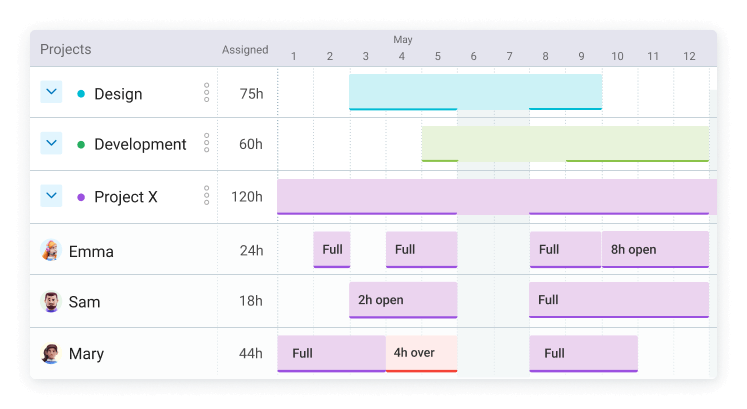
(Source: Clockify)
The Forecast tab is particularly useful, visualizing project progress against your estimates and predicting whether the project will overrun based on current tracked time and scheduled work.
You can set time or money budgets at the project or task level, configure permissions and alerts before the budget runs out, and assign project managers who can see all time tracked across their projects.
However, some users say that “reporting and filtering can feel limited when you start needing more advanced breakdowns or more customized dashboards.”
What Clockify costs
- Free — unlimited tracking, timesheets, calendar, auto tracker, basic reports, project status (up to 5 users)
- Basic ($3.99/user/month) — billable rates, project templates, time estimates, kiosk, bulk edit
- Standard ($5.49/user/month) — invoicing, timesheet approvals, task rates, attendance overtime reporting, QuickBooks integration
- Pro ($7.99/user/month) — labor cost and profit analysis, budget and estimates, forecasting, scheduling, expenses, GPS tracking, screenshots, force timer
- Enterprise ($11.99/user/month) — SSO, SCIM provisioning, audit logs, custom subdomain
Who Clockify works best for
Clockify is the right choice if you need reliable time tracking with solid project tracking features on a tight budget, and you don’t need a full PM platform. The free and Basic tiers are certainly useful for freelancers and small teams. But be aware that key features most relevant to billing and financial reporting all require the Pro plan at $7.99/user/month.
Where ClickUp and Clockify fall short
ClickUp and Clockify can both log billable time. But neither of these tools was designed to give a detailed answer to the question: is this project making us money?
If you’re an agency, consultancy, service team, or any type of business, isn’t that something you want to know the answer to? What are you getting for the time you invest and how can you use this intel to plan ahead for next time?
- ClickUp’s time tracking complements project delivery over financial decision-making. You can see how long something took. Turning that into a meaningful financial picture requires work the platform wasn’t built to do autonomously.
- Clockify gets closer. Its Pro plan users can access profit analysis, budget tracking, and forecasting. But those features sit behind a $7.99/user/month paywall, and even then, you’re working within a tool whose primary identity is time logging rather than financial visibility.
There’s also a separate consideration before committing to Clockify’s Pro tier. GPS tracking, screenshots, and force timer all come as part of that package, which are a great fit for field teams. But for knowledge workers and agency teams, they feel too much like monitoring, and they can create a huge trust problem that’s hard to roll back once you go that route.
Toggl: the alternative combining time tracking and project profitability
Toggl was built to make time data actionable. Time and project tracking isn’t an add-on feature that sits side-saddle to project management or workforce monitoring — it’s the whole focal point of the product. And it’s vital for any type of team that needs to connect tracked time to billing, capacity planning, project profitability, and financial reporting.
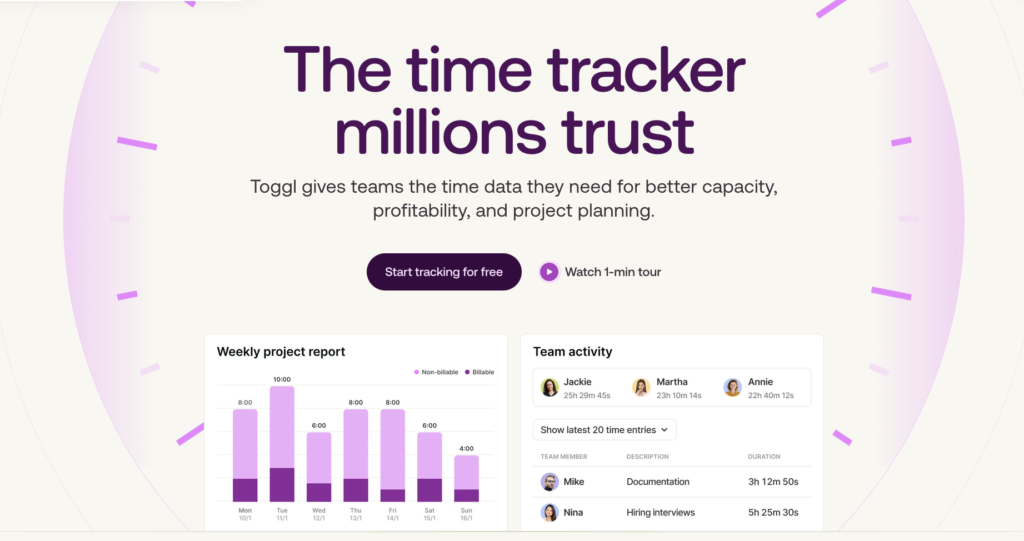
Frictionless time tracking
The most expensive time tracker will always be the one your team doesn’t use consistently. But this isn’t a problem with Toggl where customers reach 100% team adoption.
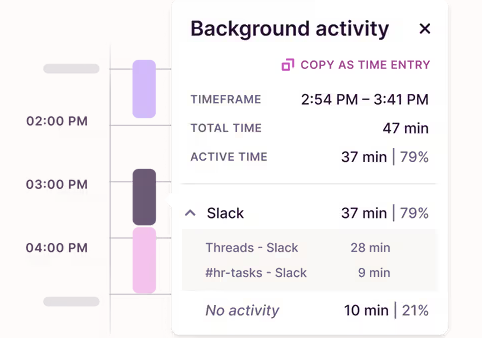
Toggl’s one-click timer works across web, desktop (Windows, Mac, and Linux), and mobile apps (iOS and Android). Meanwhile, the automated time tracking captures everything in the background without requiring anyone to remember to start a timer — at all!
Megan Harris, Digital Strategist at Mediacurrent, a 90-person digital agency, put it plainly: “Not only is Toggl easy to use; it’s actually difficult to forget to track our time.”
Easy time tracking isn’t something to take for granted. With the wrong tool, inconsistent time tracking produces unreliable data. And that unreliable data produces inaccurate invoices, missed billable hours, and blind spots in project profitability. None of these are insignificant, and they all cost you money.
Privacy-first by design
Unlike Clockify’s Pro tier, Toggl is strictly anti-surveillance. We believe in trust and autonomy, not creepy monitoring tactics. For that reason, Toggl doesn’t include any GPS tracking or screenshots. The automated tracking function captures activity on a personal timeline only the individual can see; nothing is shared with managers unless the employee chooses to log it.
Our privacy-first approach was a deciding factor for Enrique Galindo, Co-Founder and COO of Xmartlabs, a software agency that grew from 20 to 120 people while maintaining 100% daily time tracking adoption, “We didn’t want anything intrusive, like a tool to take screenshots of what our employees are working on.”
Billing, profitability, and reporting in one place
Toggl connects tracked time directly to the financial layer most service teams need:
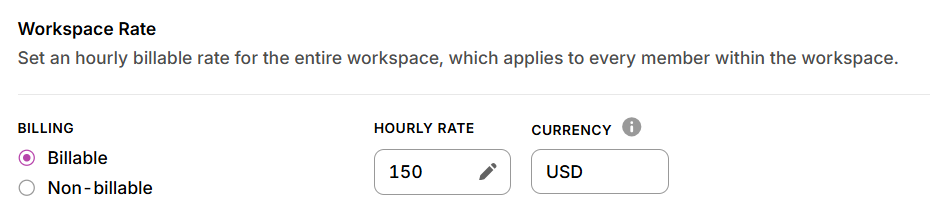
Billable rates: Set custom rates at the workspace, project, client, or team member level. Toggl calculates billable amounts automatically and populates invoices from tracked time.
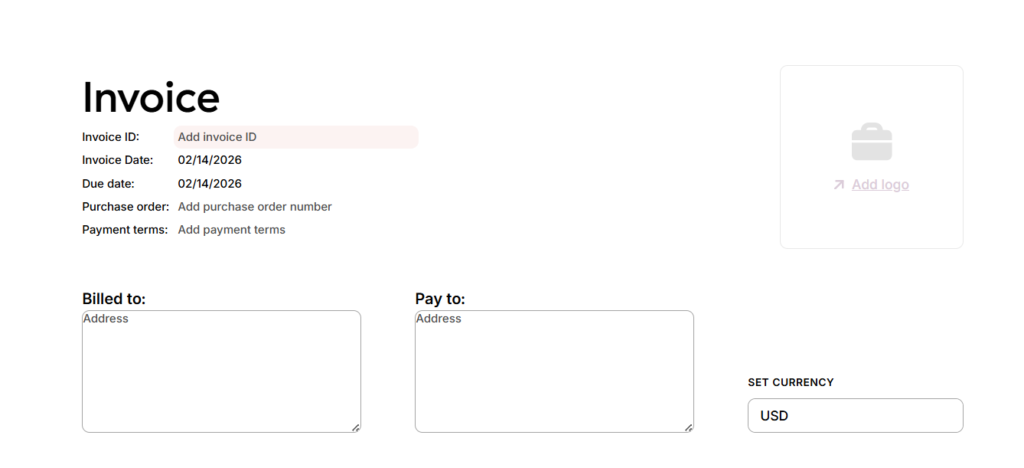
PDF invoicing: Generate client invoices from tracked billable hours in one click, with custom branding and tax fields available.
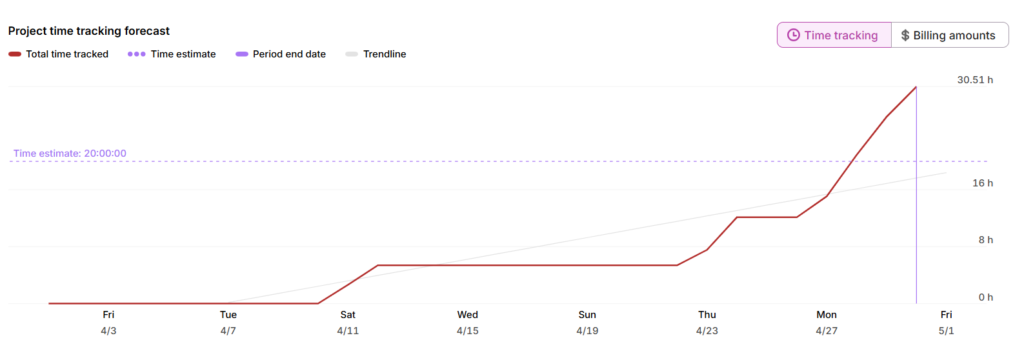
Project budget tracking: Set time or cost budgets per project, monitor burn rate as work progresses, and get alerts before estimates are exceeded.
Profitability reporting: Compare labor costs against billed value at the project and client level, with finance and time reports filterable by client, project, or team member.
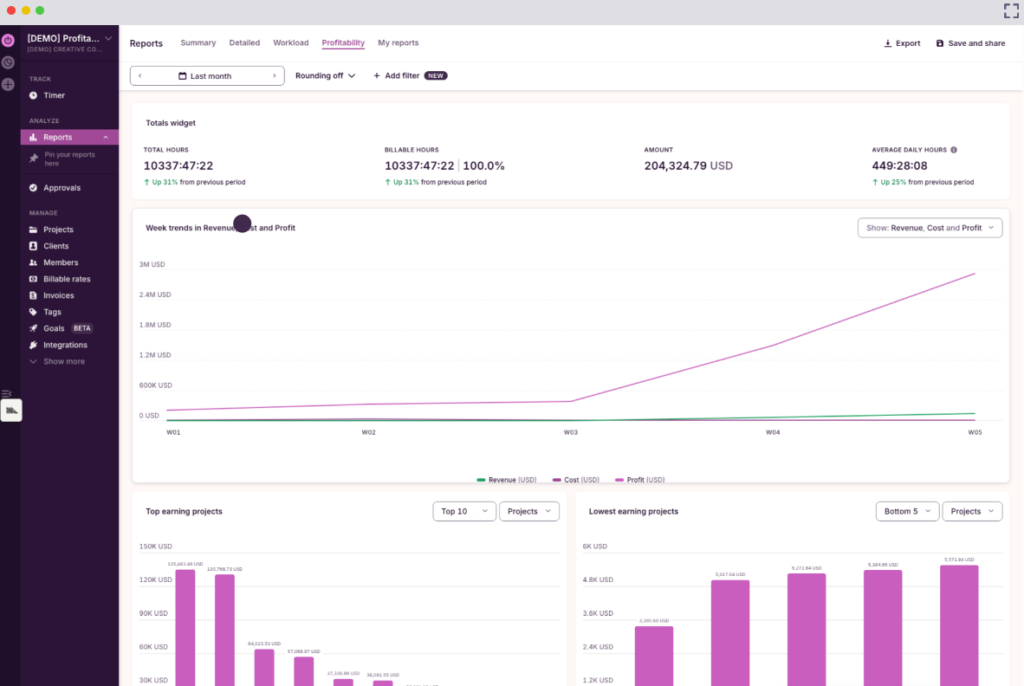
features above to identify $18,000 in missing project hours in a single week. These were hours that had been worked but never billed, because the company’s previous system made them invisible.
Works with your existing PM tools (not against them)
Which tool should you choose?
All three tools are strong. The question is whether they’re good at the thing you need it for.
- Choose ClickUp if project management is the core job. It handles complex, multi-team workflows better than almost anything else at its price point, and basic time logging comes included from the Unlimited plan. Be aware though that financial reporting based on time tracking isn’t what the platform was built for.
- Choose Clockify if you need reliable time management on a tight budget and don’t need a full PM platform. The free and Basic tiers are useful for freelancers and small teams. The features that connect time data to financial decisions require the Pro plan at $7.99/user/month, which includes monitoring features that aren’t right for every team.
- Choose Toggl to connect tracked time directly to capacity, billing, project profitability, and financial reporting, and if adoption matters as much as capability. The consistent time tracking you’ll experience with Toggl is what turns raw hours into accurate invoices, healthy project margins, and better decisions next time around.
If Toggl seems like the right fit, you’ll be in good company. RogueMark Studios, a Berkeley-based creative agency, increased their data reporting by 85% and improved resource allocation by 45% after switching.
Before Toggl, writer Bethany Kaylor described their time tracking situation as “a hot mess.” The company’s labor figures were little more than guesswork and the team often felt they lacked enough time or budget to finish a project. Using data from Toggl, they restructured their budgets, contracts, and schedules around the realities of their work.
Toggl is free to get started, with paid plans from $9/user/month. If you’re evaluating your options more broadly, check out our guide to the best billable hours trackers.
Frequently asked questions (FAQs) about ClickUp vs. Clockify
Is Clockify better than ClickUp?
Clockify is better than ClickUp for dedicated time tracking. ClickUp is better than Clockify for project management. They serve different primary purposes, so the better tool depends entirely on what your team needs most.
Does ClickUp have time tracking?
Yes, ClickUp has native time tracking available from its Unlimited plan ($7/user/month). It covers timesheets, billable time, estimates vs. actuals, and AI-powered insights. ClickUp also integrates with dedicated trackers like Toggl, Harvest, and Clockify, indicating that its native tracking is no replacement for a proper time tracking tool.
Is Clockify free?
Clockify has a free plan for up to five users, which covers unlimited time tracking, basic reporting, and integrations. Paid plans start at $3.99/user/month and unlock features like billable rates and invoicing. The Pro plan ($7.99/user/month) adds labor cost tracking and budget estimates, though connecting the data to useful financial reporting still takes some work.
Who does ClickUp integrate with?
ClickUp connects with 1,000+ tools, via native integrations and its open API, including Slack, GitHub, GitLab, HubSpot, Salesforce, Zendesk, Google Drive, Google Calendar, Outlook, Zoom, Figma, and dedicated time trackers including Toggl, Clockify, and Harvest. It also connects to thousands more via Zapier and Make.
Who does Clockify integrate with?
Clockify integrates with 100+ web apps via its browser extension, including ClickUp, Asana, Jira, Monday, Notion, GitHub, Salesforce, HubSpot, Zendesk, and Gmail. Native integrations include QuickBooks, Xero, Google Calendar, Outlook, and Zapier, which extends its reach to a further 2,900+ apps.
Does ClickUp integrate with Clockify?
Yes, ClickUp integrates with Clockify via the Clockify Chrome extension, letting you start timers on ClickUp tasks and run reports directly in Clockify. It’s a one-way flow though; your time data lives in Clockify and doesn’t sync back to ClickUp. ClickUp also integrates with Toggl if you want a more financially focused tracker on top of your PM workflow.
What is the best alternative to both ClickUp and Clockify?
If your priority is connecting tracked time to billing, project profitability, and financial reporting, Toggl is the strongest alternative to Clockify and ClickUp. It integrates with ClickUp, takes minutes to adopt, and is built around the idea that time data should drive financial decisions, rather than merely fill a timesheet.

Rebecca has 10+ years' experience producing content for HR tech and work management companies. She has a talent for breaking down complex ideas into practical advice that helps businesses and professionals thrive in the modern workplace. Rebecca's content is featured in publications like Forbes, Business Insider, and Entrepreneur, and she also partners with companies like UKG, Deel, monday.com, and Nectar, covering all aspects of the employee lifecycle. As a member of the Josh Bersin Academy, she networks with people professionals and keeps her HR skills sharp with regular courses.