If you manage an agency, you know the feeling. You’re juggling four different escalations, a retainer just went over budget, and you’re trying to work out if the design team has capacity for that new pitch. In short, it’s chaos.
It’s equally chaotic for your team, too. On average, they’re juggling between two and five projects, never sure if they can manage to take on more work … or afford not to.
This is why good project management software isn’t just a “nice to have.” Instead, it’s essential for organization, driving alignment, maximizing profitability, and providing that elusive clarity that agency managers and employees crave.
Unfrotunately, many agencies invest in a platform only to find themselves doing even more work without gaining any clarity, alignment, or peace of mind. That’s because project management solutions can be quite different from one another and not all are a good fit for agency work.
So, how do you choose the right one?
In this article, we’ve done the heavy lifting for you by pulling together eight of the best project management software options for agencies in 2026, including:
- Toggl 2.0: Best for time tracking, visual clarity, and capacity planning
- ClickUp: Best for running everything in one place on a budget
- monday.com: Best for customizability, feature set, and adoption
- Wrike: Best for creative development, revisions, and approvals with clients
- Asana: Best for creating visibility and clarity at all levels (including managers)
- Teamwork: Best for closely managing and collaborating with clients
- Basecamp: Best for creatives requiring clear communication
- Scoro: Best for end-to-end agency management on a bigger budget
We’ll compare their features, prices, and use of time tracking as a central feature of project management to give you everything you need to make an informed decision.
Key project management features agencies need
Agencies have different needs than standard businesses, so don’t be fooled by fancy features that don’t add value. Instead, focus on:
- Time tracking: This is the lifeblood of agency profitability. You need to know exactly how long your tasks take, who’s worked on them, and how to bill accurately to maintain your margins. We can’t stress enough how vital this feature is. Tools that treat time as an afterthought inevitably force you to “guess” your way through projects, leading to missed deadlines and blown budgets.
- Resource management and capacity planning: Profitable agencies must carefully manage demand and capacity, so you’ll need a clear view of who’s booked, who’s on the bench, and who’s about to burn out. Don’t scrimp on resource allocation and forecast features.
- Budget tracking: Keeping a live view of “Budget vs. Actual” prevents project creep from eating your margins. The best PM tools do the heavy financial lifting to keep you ahead of the numbers and away from spreadsheets.
- Project and task planning: Your client’s new website can’t launch until everything’s ticked off, so ensure you’ve got robust project and task planning capabilities. In a busy agency, it needs to handle details and summaries equally well, delivering visibility to every stakeholder.
- Retainer management: Specific features for recurring work and monthly hours banks are a massive plus for agencies that work on fixed retainers. If that’s you, look for tools that automate the month-to-month admin.
- Client and guest access: Successful projects require you to get super close to your clients, so pick a tool that doesn’t create unnecessary barriers. Look for software that includes client portal functionality to collaborate, review, and sign off on work.
- Invoicing: No project is complete until the money’s in the door, so look for a tool that can support your invoicing. If you’re already using an external platform (like Xero or QuickBooks), integrations can slash your admin at the end of the month.
The 8 best project management software tools for agencies
The good news: there’s no shortage of project management tools out there. But that can make it difficult to see the wood from the trees. Based on our research and experience, these eight picks are best-placed to handle the dynamic, fast-paced demands of agency life.
1. Toggl 2.0
Best for: Visual clarity based on a foundation of time tracking. Toggl 2.0 is the best tool for agencies that need to solve their bandwidth problems, while capturing and analyzing every billable minute.
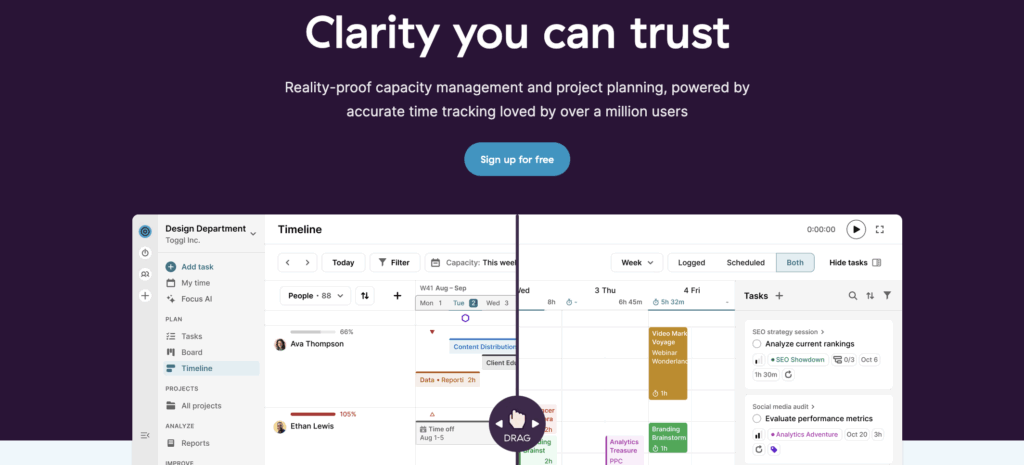
Toggl 2.0 combines capacity and project planning with powerful time-tracking so your agency teams always deliver their best work.
Forget planning in the dark — Toggl 2.0 turns the lights up, so you can see exactly how much bandwidth you have to perform with excellence. It’s designed specifically to help agencies and growth businesses remove scattered to-dos and create a unified space for everything that needs your attention.
If you’re an agency that cares about accurate workloads, billing, and profitability, Toggl 2.0 is the only tool designed around time.
Standout features
- Unified planning and tracking: Toggl 2.0 seamlessly blends visual capacity planning with high-precision time tracking. You’ll immediately see what was planned versus what actually happened in real-time, giving you the foundation for accurate client billing and invoicing.
- One-click time tracking: Teams can log hours from anywhere … and we mean a-n-y-where. Just one press of a button and you’re tracking — it’s a feature that’s helped businesses like TalkShop Media achieve their “wow” moment, saving 80 hours a month.
- Real-time reporting: Track and report on team utilization, workload, and client or project profitability, all in real time, with powerful customization options to fit your needs.
- High-quality data: Combine mandatory fields, time tracking reminders, and audit logs to enhance the consistency and accuracy of your data.
- Project and budget tracking: Wave goodbye to planning in the dark thanks to advanced estimating and budget tracking, with built-in alerts and flexible rates. Don’t believe us? See how Lighting Beetle* achieved 100% project success thanks to our platform’s built-in time tracking.
Limitations
- As a new time management and project planning platform, some features and integrations will be released over the following months.
- Not as robust (or complex) as enterprise-grade project management platforms.
Pricing
- Free: $0 for up to five users who need to lead and track their work
- Starter: $9 per user/mo adds smarter planning and powerful reporting
- Premium: $20 per user/mo gives you full and unlimited capacity management
- Enterprise: Speak to Toggl for personalized onboarding and dedicated support
User reviews
- “Time tracking data is crucial for us. If you need to know the health of your accounts, there’s no other way to figure it out without time tracking. Advanced and visually appealing Toggl reports and easy-to-use UI translated into much better company-wide time tracking compliance and accuracy of data.”
- “Before, we were chasing up to 15% of our workforce down to complete their timesheet, and it was so time-intensive. When we switched to Toggl, people actually started tracking their time.” — Hannah McClenaghan, Operations Manager, TalkShop Media

2. ClickUp
Best for: Consolidation. ClickUp’s perfect for agencies that want to kill their separate doc, whiteboard, and task apps and run everything in one place.
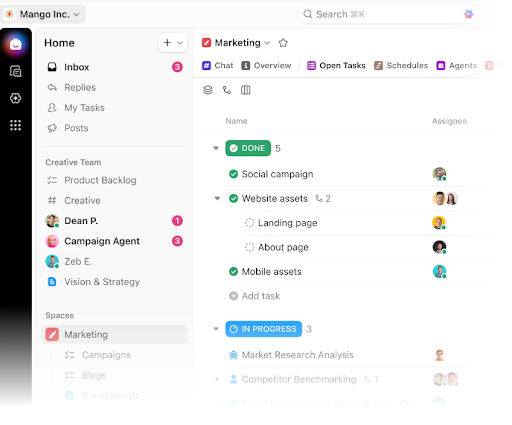
ClickUp markets itself as the “one app to replace them all,” and for agencies that want a feature-dense platform, it lives up to that promise. It’s incredibly customizable, allowing different teams (e.g., dev vs. creative) to work the way they want, and includes a powerful AI Brain and a range of agency-specific templates to speed up admin.
Standout features
- Everything view: This gives agency owners a high-level view of all tasks across all spaces, helping to visualize priorities, track progress, and stay updated with handy notifications.
- Customizable views: It’s easy to tailor ClickUp’s UI with List, Kanban Board, Gantt, Calendar, and even Mind Maps views that mold the platform to the team’s or employee’s ways of working.
- Built-in docs and whiteboards: ClickUp’s collaboration tools, such as docs, whiteboards, and chat, keep the creative juices flowing while also helping everyone stay on the same page.
- Automation: Robust automation builders help teams handle routine agency tasks such as “When status changes to Review, assign to Art Director.”
Limitations
- Learning curve: Because ClickUp does so much, the setup can be overwhelming. It often requires a dedicated champion to configure it correctly and may take longer to onboard to than other tools.
Pricing
- Free Forever: Includes unlimited tasks, basic collaboration, and 60MB storage
- Unlimited: $7 per user/mo gets you unlimited storage, team chats, and time tracking
- Business: For $12 per user/mo add in capacity planning, reporting, and additional security
- Enterprise: Speak to ClickUp for white labeling, APIs, and dedicated onboarding support
User reviews
- “ClickUp’s reliability ensures that all agency work can be managed seamlessly within one tool. This visibility into time management and task progress for everyone in my agency is invaluable.” — Aye, CEO Small Business.
- “I really appreciate how versatile ClickUp is. Our agency relies on it for internal operations, and each team is able to tailor the platform to their specific needs.” — Meredith, Project Operations Manager
3. monday.com
Best for: Customizability and adoption. The modular approach and friendly interface are easy to get started with, even for the most non-technical creative team members.
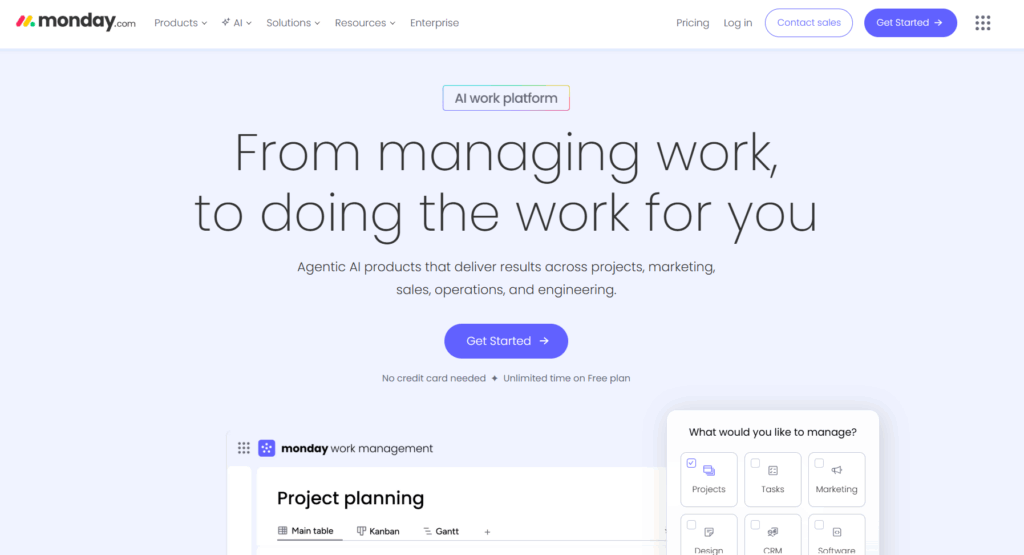
monday.com is famous for its colorful interface and highly visual “Work OS.” This OS makes it less of a rigid project management tool and more of a set of building blocks and templates you can assemble to fit your agency’s workflow.
Standout features
- Visual dashboards: monday.com’s interface is excellent for client-facing reporting, with customizable widgets that show project progress, budget spend, and more.
- Pre-built agency templates: monday.com also has a robust library of templates for any type of agency, with the most common including “Client Projects,” “Video Production,” and “Client Onboarding.”
- Time tracking: Agencies receive detailed data on each project or task, ready for instant client billing.
- Client collaboration: monday.com’s shareable boards are great for providing updates, aligning on priorities, and reviewing deliverables.
- Automation: monday.com’s user-friendly “If this, then that” automation builder requires zero coding, with agentic AI features connecting into other apps such as email, document storage, and chat.
Limitations
- Tiered features: Many essential features (like time tracking and dependencies) are locked behind the more expensive “Pro” tier.
- Pricing complexity: You have to buy seats in “packs” (e.g., three, five, or 10), which can be annoying (and expensive) for growing agencies, especially in the early days.
Pricing
- Free: Up to two seats, three boards, three docs, and basic customization
- Basic: $9 per user/mo gives you unlimited guests, items, and 5GB storage
- Standard: At $12 per user/mo you can add project planning features
- Pro: For $19 per user/mo you get time tracking, automations, and integrations
- Enterprise: Get in touch for resource, portfolio, and budget management features
User reviews
- “I love using monday work management because it offers an intuitive and user-friendly interface that makes setup straightforward and efficient for my creative agency.” — Adri-anne, Small Business Owner
- “Our agency uses monday work management daily, and it has become an essential tool for improving organization and managing our projects. The platform is very intuitive and flexible, allowing us to customize workflows to meet each client’s specific needs.” — Agência, Administrator
4. Wrike
Best for: Creative revisions and approvals. If your agency struggles with client back-and-forth and version control, Wrike’s proofing tools will save your sanity.
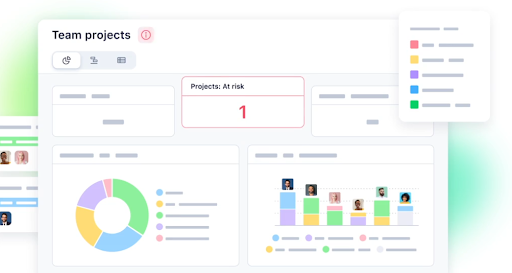
Wrike is a powerhouse for larger agencies (with larger budgets) or those with complex approval workflows. It’s particularly strong for creative teams that need proofing tools integrated directly into the project management suite, but also has the core features you’d expect, like project planning, resourcing, and reporting.
Standout features
- Proofing and approvals: Wrike’s real-time visual markup tool means you can comment directly on images, videos, and documents within the platform — a real game-changer for reducing feedback loops.
- Blueprints: Wrike’s advanced templating enables teams to spin up complex workflows in seconds, including creative briefs, project schedules, or client proposals.
- Workload charts: Detailed resource management views balance team bandwidth, while providing visibility into who’s doing what at every turn.
- AI and automation: Take away the boring admin with Work Intelligence, including AI agents that act as day-to-day business copilots.
Limitations
- Interface: It feels a bit more “corporate” and utilitarian compared to Toggl 2.0 or monday.com which may put creatives off.
- Cost: To get agency-specific features (like Proofing), you often need the higher-tier Business or Pinnacle plans.
Pricing
- Free: Free plans give you task management and AI essentials
- Team: For $10 per user/mo, go unlimited on tasks and projects and get basic automation
- Business: Things get interesting at $25 per user/mo, with Blueprints, proofing, and resource management
- Enterprise and Pinnacle: Contact Wrike for advanced permissions and onboarding support
User reviews
- “We implemented Wrike in our creative agency over three years ago, and it has transformed the way we manage work. What started as a tool to streamline project intake quickly became the backbone of our operations.” — Abbi, Operations Manager
- “The flexibility to use tasks and projects and customize objects has been a game changer. We also started using Wrike to track agency-wide OKRs this year, and the templates Wrike had on hand were a life-saver.” — Kristie, Operations Director
5. Asana
Best for: Clarity. Asana’s been great for teams for a long time, but in recent years has built out features like goals and profitability so managers and leaders can drive strategy, too.
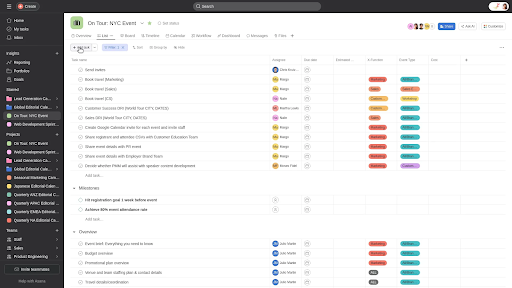
Asana is a veteran in the space and remains a top contender because of its clean design, advanced features, and focus on team collaboration. It’s less about complex data and more about clarity and structure, with modules for projects, workflows, goal setting, and resourcing.
Standout features
- AI and workflows: Asana has a strong focus on helping medium-sized businesses become more efficient, with workflow and AI optimization tools.
- Portfolios: At a management level, Asana’s portfolio view allows leaders to track the health of multiple client projects at a glance.
- Profitability: Asana’s ROI calculator is a unique tool that enables leaders to optimize their operations, workforce, and billing to drive the best profitability for their business.
- Goals: This is another area where Asana stands out. Its goal and strategy-setting modules help agencies connect every piece of work to monthly, quarterly, or yearly targets.
Limitations
- One assignee rule: Asana philosophically enforces “one task, one assignee.” While good for accountability, it’s annoying for agencies where two people collaborate on a single deliverable.
Pricing
- Personal: Free for up to two users managing basic projects
- Starter: For $10.99 per user/mo, growing teams get unlimited guests, templates, and automation
- Advanced: At $24.99 per user/mo, leaders are enabled with portfolios, goals, and native time tracking
- Enterprise: Speak to Asana for greater control and support with onboarding
User reviews
- “As an advertising, marketing, tech dev agency and publisher, we have multiple departments, teams, and a diverse client and project list. Asana helps to organize all employees, track task time, and keep projects aligned.” — Jon, President
- “As a marketing agency with multiple clients, it’s been a blessing to have one place to organize and help us all work virtually. We use plenty of cloud tools, but Asana is our number one must-have!” — Susan, Lead Strategist
6. Teamwork
Best for: Client Management. If you want an agency-specific tool to closely manage and collaborate with clients without paying for extra seats, Teamwork is a strong contender.
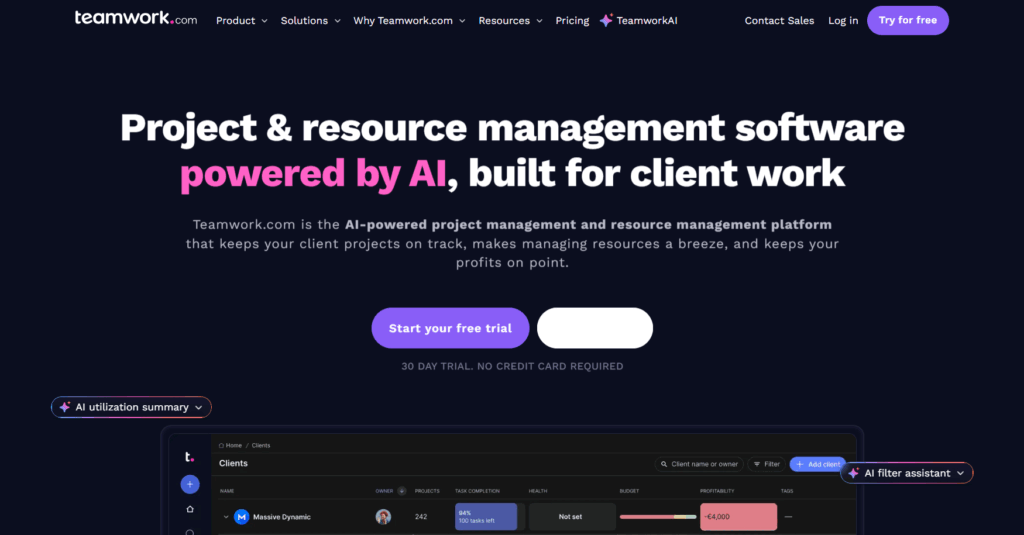
As the name implies, Teamwork was built with collaboration in mind. Unlike generic tools, it has features specifically designed for the agency-client relationship, such as intake forms, retainers, and client feedback surveys.
Standout features
- Client management: At its heart, Teamwork’s client management creates a full client picture, incorporating CRM, project pipelines, trend analysis, and profitability reports.
- Proofs: Like other client-focused tools, Proofs is the perfect place to co-create, review, and sign off deliverables directly with your client. No more back and forth over emails.
- Unlimited client users: Talking of client collaboration, you can add client users for free, which is huge for transparency.
- Profitability: All the features you need to track time, billable hours, expenses, and budgets, with invoicing and payment integrations also available.
- Retainer management: Built-in features to manage recurring monthly work, both at a task and budget level.
Limitations
- UI: The interface feels a little dated compared to newer entrants like ClickUp or Toggl 2.0.
Pricing
- Free: Free (up to five users) is perfect for project essentials and basic client management
- Deliver: For $10.99 per user/mo, get templates, intake forms, and integrations
- Grow: $19.99 per user/mo gets you budget management, resource planning, and 20,000 monthly automations
- Scale: Speak to Teamwork for retainer management and profitability reports
User reviews
- “Several of my agency clients have begun using Teamwork and love it — they were using Excel (or email) to manage projects. Now, they can easily keep track of tasks, due dates, assignments, etc. It makes their weekly updates incredibly easy with their filtering features.” — Verified Small Business User
- “We use Teamwork to manage our marketing agency projects. It is easy to use, intuitive and if you have any issues, the Teamwork team are on deck quickly to help.” — Fawn, Project Manager
7. Basecamp
Best for: Simplicity and communication. Great for creative-led agencies that want to reduce “work about work” and focus on clear communication.
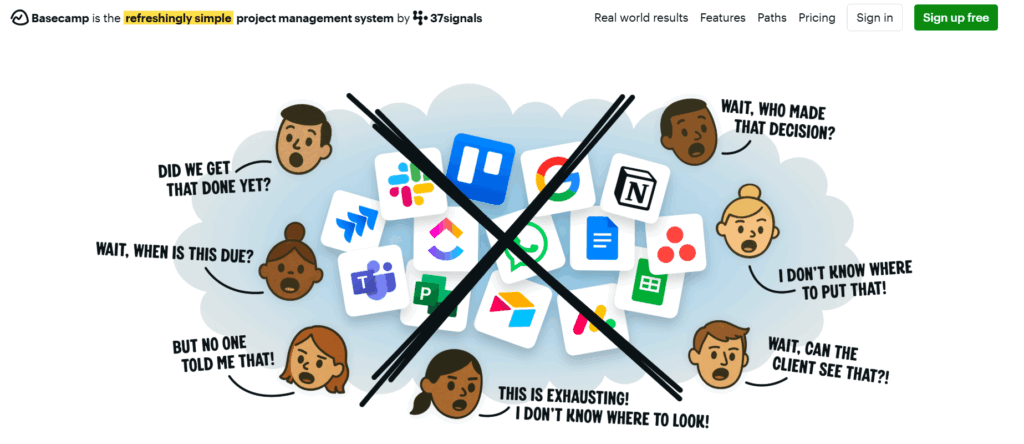
Basecamp is the contrarian of the group, rejecting project management norms such as Gantt charts and time tracking in favor of simplicity, communication, and “getting things done.” Basecamp uses a project-based workspace to show you what’s on for a particular project, with a focus on features for creatives and agencies working with clients.
Standout features
- Hill charts: A unique way to visualize progress (uphill = figuring it out, downhill = execution) that prevents the “90% done” illusion.
- Message boards: Replaces internal email chains entirely, bringing the team together to collaborate directly within Basecamp.
- Views: Visualize project planning and progress in different ways, either by project, team, users, today, this week, or at a macro-level.
- Mission control reporting: Advanced reporting on project and task progress, highlighting things that are falling behind in the ‘mission control’ dashboard.
- Document management: Centralize project files at a single location, with generous storage limits for creative-focused teams.
- All-in-one pricing: They have a flat pricing model (for the Pro Unlimited plan), which can be a huge money saver for larger teams.
Limitations
- Rigidity: It works the Basecamp way. If you want sub-tasks, dependencies, or detailed reporting, you won’t find them here.
- No native time tracking: You’ll need to rely on integrations.
Pricing
- Basecamp Free: Run one project at a time for no cost
- Basecamp Plus: $15 per user/mo with unlimited projects and up to 500GB storage
- Basecamp Pro Unlimited: $299/month (flat fee for unlimited users, billed annually)
User reviews
- “Working in an advertising agency is exhausting, but a project management tool like Basecamp is beneficial with so many clients. I love how quickly I can share and notify the project updates out of my organization.” — Raavi, HR Manager
- “Basecamp has allowed us to run projects the right way for our marketing agency. We are able to coordinate on internal products, set to-do tasks, and upload/house files in the cloud.” — Bryan, CEO Digital Marketing
8. Scoro
Best for: Total business management. For mature agencies that want one system to run the entire business, not just the projects.
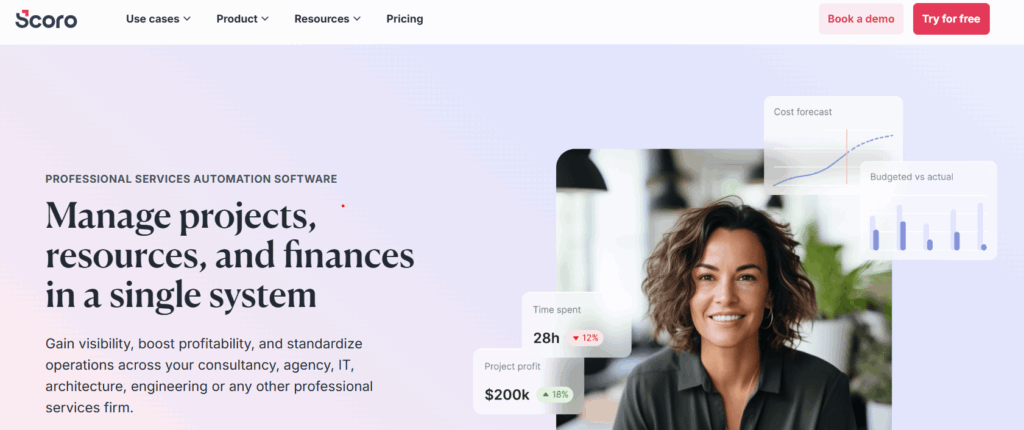
Scoro is arguably the most comprehensive tool for professional service agencies on this list. It’s a work management software that combines project management with CRM, billing, time management, and reporting, making it an end-to-end agency operating system.
Standout features
- Quote-to-cash: You can create a quote, turn it into a project, track time against it, and invoice the client, all without leaving Scoro.
- Resource management: Scoro gets what it’s like to balance resources in an agency, with auto-alerts for shortages, bottlenecks, and dependencies that empower you to make proactive resourcing decisions.
- Real-time KPI dashboard: Scoro gives agency owners a bird’s-eye view of revenue, utilization, and profitability, ensuring your agency stays in tip-top shape across all its key metrics.
- AI-powered actions: Eliminate boring admin with automated actions and AI-driven insights and recommendations.
Limitations
- Price: It’s significantly more expensive than others on this list.
- Complexity: Implementing Scoro changes your entire business process. It’s not a tool you just “sign up and start” in an afternoon.
Pricing
- Core: $19.90 per user/mo for project delivery features
- Growth: $32.90 per user/mo adds retainers, budgets, and quotes
- Performance: $49.90 per user/mo for advanced reporting, profitability, and resourcing
- Enterprise: Speak to Scoro for SSO, company-level budgeting, and approval flows
User reviews
- “As a creative agency, we needed a tool that could handle our complex project and capacity needs without being so complicated that it would slow us down. Scoro delivers on both fronts perfectly.” — Marta, Senior Project Manager
- “Simplicity, design and the whole logic behind the system is just excellent. It really connects every tool an agency needs into one complex solution.” — Richard, Agency Employee
Bonus: 6 best practices to successfully implement an agency PM tool
Choosing the right tool is only half the battle; implementing it is arguably harder. To ensure your team actually uses it, follow these best practices:
- Start with a pilot: Don’t roll it out to everyone on day one. Pick a small, tech-savvy team to test it first. As you work out what your team needs, fine-tune the details, roll it out to more and more teams to increase adoption.
- Define your conventions: Agree on how you’ll use the tool in your agency. This means laying out some ground rules for ways of working, such as “We only use @mentions for urgent requests.”
- Appoint a champion: Assign one person to be the “expert” who can answer questions and troubleshoot. It’s likely this person will be a manager or team leader who knows how the end-to-end operation works.
- Train, then train again: Training is not a one-and-done exercise, and you’ll need multiple touchpoints to get everyone up to speed. For example, if you run a training workshop, schedule a follow-up Q&A two weeks later.
- Integrate with existing tools: While some tools in our list do numerous things, none of them do everything. Plan to connect your chosen PM software to other tools you use, such as Slack, email, or your CRM, so it fits into your existing workflow rather than disrupting it.
- Lead by example: If the agency leadership isn’t using the tool, nobody else will. Champion its usage and benefits and set the example by using it in your day-to-day so others can see your example.
Power your agency with Toggl 2.0
Working in an agency can feel like you’re a master juggler, with multiple clients, deadlines, and priority calls to make every day. But exceptional project planning tools like Toggl 2.0 provide clarity you can trust, while boosting productivity and profitability along the way.
We believe the basis of a good agency is a mix of intuitive project planning and masterful time tracking, empowering you to deliver and bill the awesome work you do. Let Toggl 2.0 help you go to the next level by signing up for a free account today.

James Elliott is an APMQ and MSP-certified project professional and writer from London. James has 8 years' experience leading projects and programs for tech, travel, digital, and financial services organizations, managing budgets in excess of £5m and teams of 30+. James writes on various business and project management topics, with a focus on content that empowers readers to learn, take action, and improve their ways of working. You can check out James’ work on his website or by connecting on LinkedIn.