Every day is different when you work in landscaping. Even if you try to keep regular hours, your exact time on each job depends on weather stops, travel time, and switching work around in the middle of the day.
Smaller landscaping firms might track time manually, using paper timecards or spreadsheets to convert logged billable hours into client invoices later. The problem? Manual time tracking relies on sharp memory skills to remember exactly how long you spent on that block paving installation last week or laying the turf for a new school field.
If you can’t remember, it’s impossible to price future jobs accurately or understand which work is profitable. It’s even harder if you’re running multiple landscaping crews and need to track employee hours across locations.
Time tracking software is the natural solution. But when work happens in the field, not behind a desk, landscaping crews need a system built for real-world, mobile conditions. This guide explores the best time tracking software for landscaping companies.
The best time tracking software for landscaping companies
| Tool | Best for | G2 score (out of 5) | Free plan? | Paid pricing from … |
| Toggl | Small and growing crews prioritizing ease of use | 4.6 | Yes | $9/user/mo |
| Clockshark | Field crews needing GPS attendance verification | 4.6 | No | $40/mo |
| Arborgold | Established landscaping businesses needing full business management | 4.3 | No | $129/mo |
| Connecteam | Growing teams needing scheduling and communication | 4.6 | Yes | $29/mo |
| Hubstaff | Multi-location crews needing detailed GPS oversight | 4.5 | No | $4.99/seat/mo |
| BusyBusy | Crews needing job costing and photo documentation | 4.8 | Yes | $9.99/user/mo |
| QuickBooks Time | Businesses already running payroll through QuickBooks | 4.5 | No | $10/mo |
1. Toggl
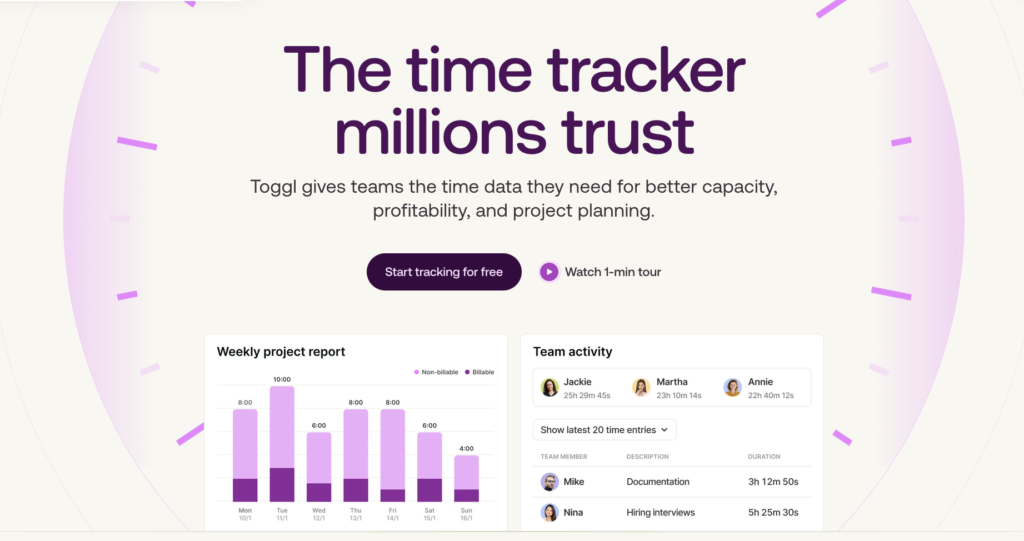
Toggl is an intuitive, mobile-first time tracker that makes it easy for landscaping crews to record their hours wherever the day takes them. Whether someone starts the day loading yard tools or completing a morning hedge cut for a regular client, they can start tracking in seconds from their phone without interrupting work or relying on memory at the end of the day.
Toggl focuses on fast, frictionless time capture without surveillance. We know that employees often resist features like geofencing or GPS tracking, finding them invasive and frankly unnecessary. Instead, our platform uses private time tracking features that encourage 100% user adoption and provide you with reliable data.
Key features
- Privacy-first tracking with no GPS surveillance or intrusive monitoring
- One-click timers to start tracking instantly and switch between jobs, properties, or tasks
- Mobile apps for Android and iOS with full offline tracking and automatic sync
- Track hours by client, job, project, or service type for accurate job costing
- Automated timesheets with approvals, reminders, and locked entries for payroll process accuracy
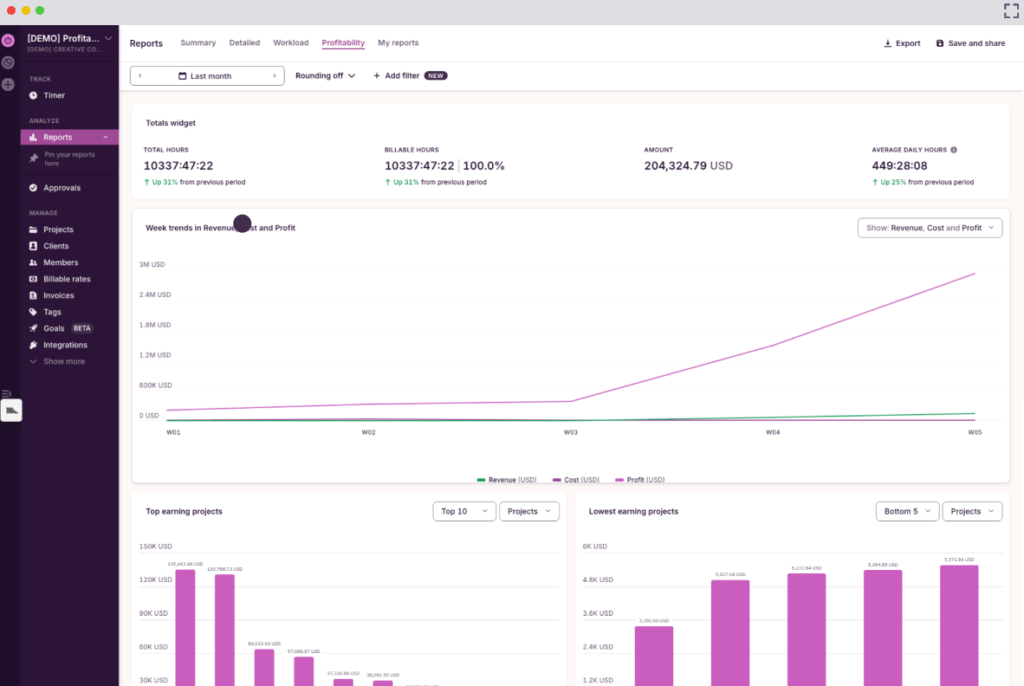
- Detailed reporting with Summary, Detailed, Workload, and Profitability views
- Built-in billable rates and labor cost tracking to understand job profitability
- Export reports to CSV or PDF for payroll, invoicing, or accounting
- Integrations with Jira, Asana, Slack, GitHub, and other popular tools
- Web, desktop, browser extension, and shared-device support for flexible tracking
Fast, reliable time management on any device
Landscaping crews can clock in the moment they arrive on site using the Toggl mobile app. For example, a crew member might open the app, select “Client: Greenfield Apartments” and “Service: Lawn maintenance,” then tap Start. The timer runs in the background while they work.
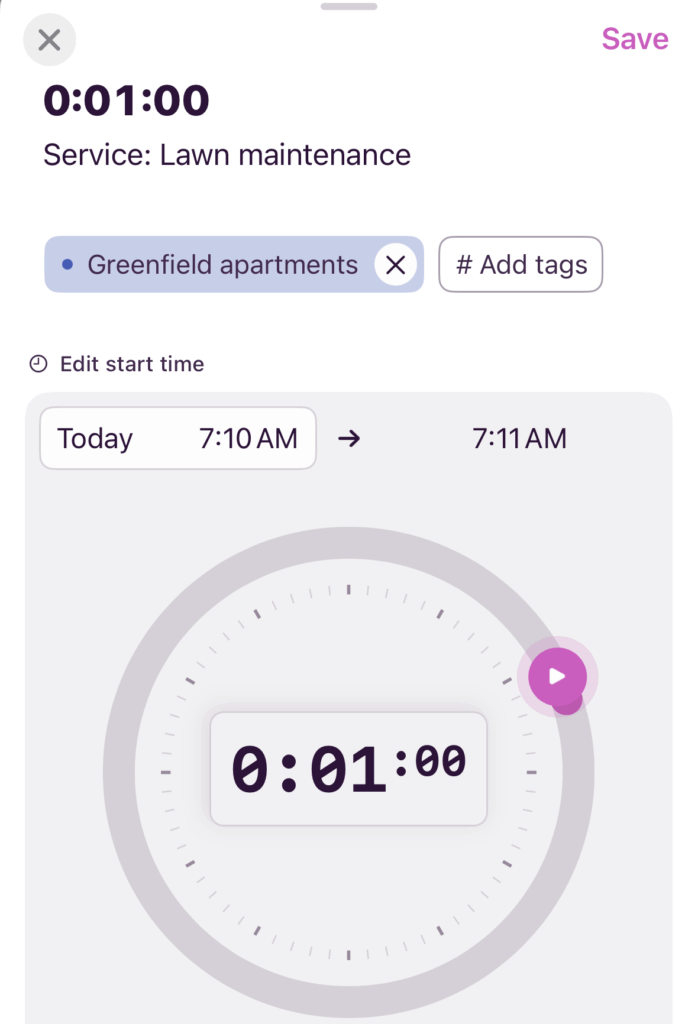
If they move to another site later in the day, they simply stop the timer, select the new job, and start tracking again. Each time entry is recorded separately, creating a clear, accurate record of how long each job took.
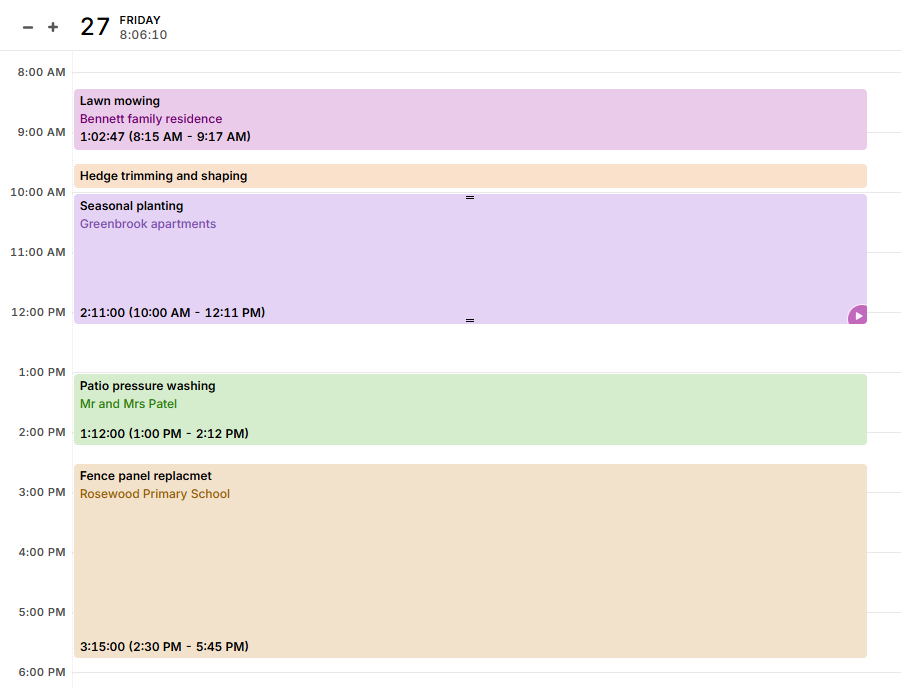
Toggl supports offline tracking, so crews can continue with their timekeeping even in areas with poor reception. Everything syncs automatically once they reconnect, so they don’t lose any hours due to a dippy signal.
Accurate job costing and invoicing without spreadsheets
You can tie every hour tracked in Toggl to a specific client, property, or project, making it a cinch to understand exactly how much labor goes into each job.
Over time, this data becomes incredibly valuable. Landscaping businesses can identify which types of work are most profitable and improve their pricing decisions based on real labor costs instead of guesswork. Built-in labor cost and billable rate features also connect tracked hours directly to revenue and profit, giving you a clearer picture of how your business is performing.
Clean timesheets that simplify payroll
Instead of chasing paper timesheets or manually calculating hours, Toggl builds digital timesheets automatically as employees track their time.
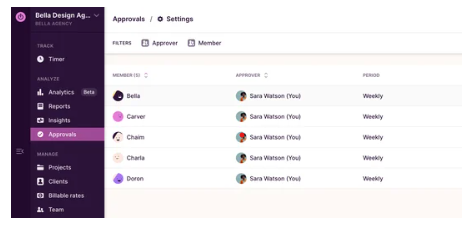
Through the Approvals tab, crew supervisors can review and approve timesheets before payroll runs, checking everything is accurate beforehand. The result is fewer payroll errors and heaps of admin saved time for internal teams.
Team members can export their time data or integrate it directly with payroll and accounting tools, making it easy to move from time tracking to payroll without duplicate data entry.
What users say
The G2 community gives Toggl an overall score of 4.6 out of 5. Digging deep into the category data, the platform also receives the following scores out of 10, based on more than 1,500 reviews:
- Ease of use = 9.2
- Ease of setup = 9.1
- Ease of admin = 9.0
- Quality of customer support = 8.9
- Meets requirements = 9.1
- Project cost management = 9.0
- Good partner in doing business = 9.1
In particular, Toggl users frequently mention how easy it is to get up and running, and the seamless synchronization of time tracking data across devices for uninterrupted time tracking. Detailed reporting is another major win for our users.
Pricing
- Free 30-day trial available, no credit card required
- Free forever plan for up to three users
- 3 paid plans: Starter, Premium, and Enterprise
- Paid plans start at $9/user/mo
2. Clockshark
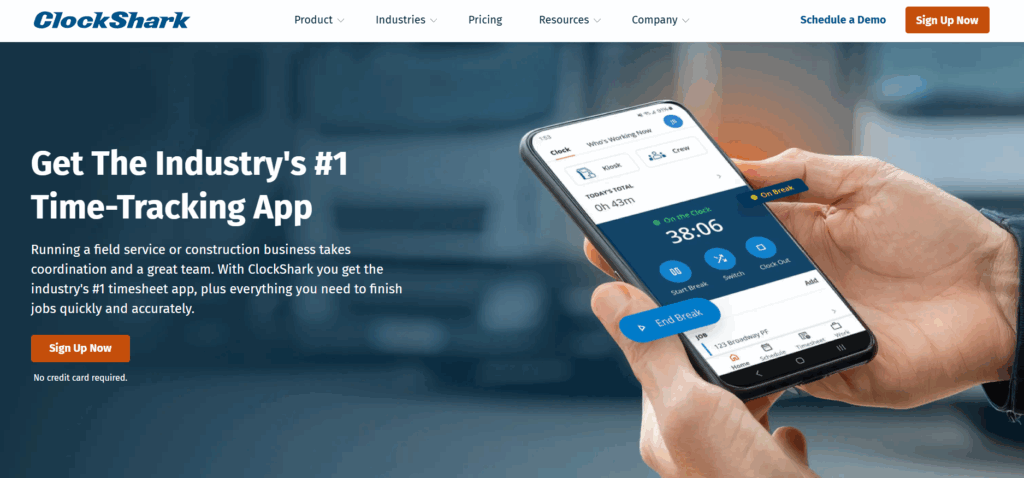
ClockShark is built specifically for field service businesses like landscaping, where crews work across multiple job sites and rarely interact with a central office. Instead of relying on paper timesheets or end-of-day logging, employees clock in and out directly from their phones, with each crew time entry tied to a specific job and location.
ClockShark also leans heavily into GPS-based verification. Location data is attached to each time entry, confirming attendance and preventing early clock-ins or forgotten clock-outs. This makes it particularly useful for businesses that want stronger oversight of field operations alongside crew tracking.
Key features
- Mobile time tracking with GPS location capture
- Job and task-based time tracking
- Crew scheduling with real-time updates
- Offline time tracking
- Payroll and accounting integrations with tools like QuickBooks, Xero, and Sage
- Crew clock and kiosk mode enable supervisors to clock in entire crews from a single device
What users say
G2 users give Clockshark a score of 4.6 out of 5. Reviews praise how easy it is to clock in and clock out, though some mention it could be easier to log breaks.
Pricing
- Free 14-day trial
- 2 paid plans: Standard and Pro
- Paid pricing starts at $40/mo
3. Arborgold
Arborgold is an all-in-one business management platform for landscaping, lawn care, and tree service companies. Unlike standalone time tracking tools, Arborgold connects time tracking directly with estimating, scheduling, invoicing, and job management, so you can manage the entire lifecycle of a landscaping job in one system.
Crews can track time and materials from the field using the mobile app, while office teams use the data to update invoices, monitor job costs, and manage schedules. This makes Arborgold popular with landscaping businesses that want to link labor hours directly to project profitability, billing, and overall operations.
Arborgold goes beyond time tracking into customer relationship management, suiting landscaping companies looking for a comprehensive platform to run their entire business.
Key features
- Time tracking connected directly to estimating and invoicing
- Built-in estimating and proposal tools
- Advanced scheduling and routing for crew assignment
- CRM and customer management to track leads and service history
- Integrated invoicing and digital payments based on tracked time, materials, and contract terms
- Customer portal where clients can approve estimates, request services, and pay invoices online
- Business-wide reporting showing pipeline value, job profitability, and crew utilization
What users say
G2 users rate Arborgold 4.3 out of 5. Users enjoy having a “searchable digital file” of their customers, but would prefer better integration with calendar apps like Google Calendar.
Pricing
- 3 paid plans: Starter, Professional, and Enterprise
- Paid pricing starts at $129/mo
4. Connecteam
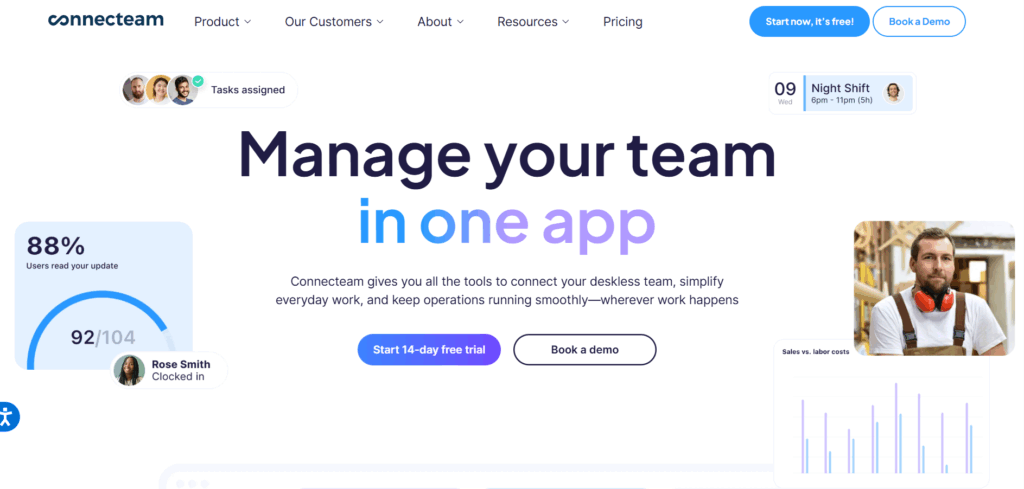
Connecteam is a mobile workforce management app that helps landscaping companies coordinate crews and manage day-to-day operations from one place. Alongside time tracking, it includes scheduling, team communication, and task management tools, making it easier to keep field crews connected without nudging them for an update.
Employees can clock in from their phones, view their schedules and submit forms wherever they are. Meanwhile, managers can see who’s working and communicate with crews at the touch of a button.
Key features
- Employee time tracking with GPS
- Crew scheduling with full job details
- Team chat function for easy communication
- Task management with checklists and forms to guide crews through landscaping jobs and capture job details
- Real-time visibility into who’s working and where
- Automatic digital timesheets for payroll and billing
- Mobile access to schedules, job instructions, and updates so crews stay informed throughout the day
What users say
G2’s software community gives Connecteam a score of 4.6 out of 5. Seamless team collaboration is a strong selling point; however, roughly 10% of reviews mentions navigation issues as “certain features seem tucked away.”
Pricing
- Free 14-day trial available
- Free forever plan for up to 10 users
- 4 paid plans: Basic, Advanced, Expert, and Enterprise
- Paid pricing starts at $29/mo
5. Hubstaff
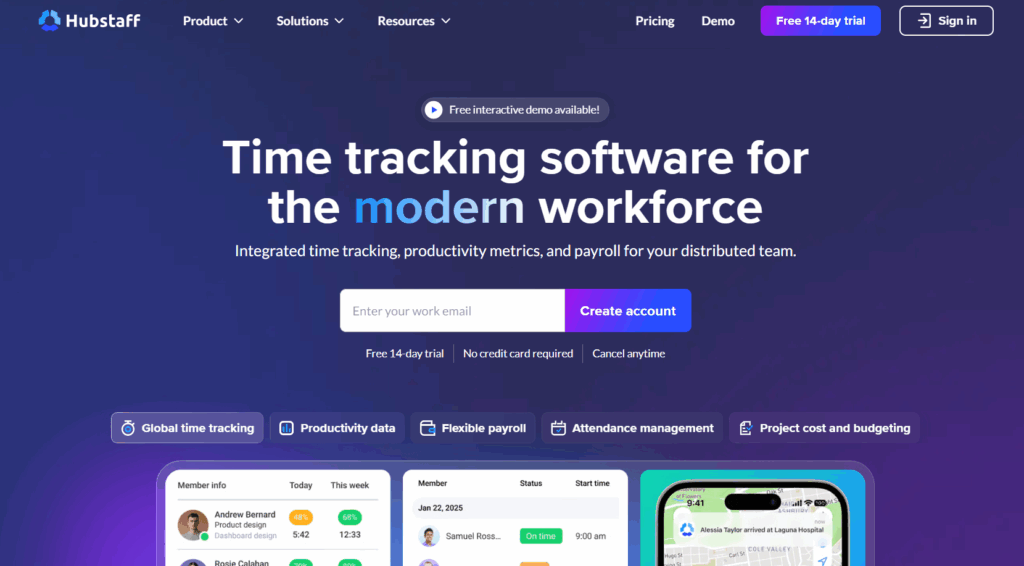
Hubstaff suits landscaping companies that want precise oversight of when and where crews are working. Managers can track crew locations on a live map and set up geofenced job sites — this lets them automatically record time when crews arrive or leave.
Overall, it’s a good fit for businesses that manage multiple crews across different locations and want clear confirmation of time spent on each site. Along with tracking hours, Hubstaff helps managers monitor attendance patterns and review job costing reports.
Key features
- Live map view based on GPS time tracking, showing where crews are working in real time
- Geofencing that automatically starts or stops timers when employees enter or leave job sites
- Job-based time tracking with detailed reports showing how long each property or project took
- Automated timesheets that can be reviewed and used for payroll
- Mobile time tracking on iOS and Android devices, allowing crews to clock in from the field
- Scheduling tools that flag missed, late, or incomplete shifts
What users say
Hubstaff achieves an overall score of 4.5 out of 5 from the G2 software community. Its users highlight the platform’s simplicity, although some mention issues with the mobile app’s capability.
Pricing
- Free 14-day trial
- 4 paid plans: Starter, Grow, Team, Enterprise
- Paid pricing starts at $4.99/seat/mo
6. BusyBusy
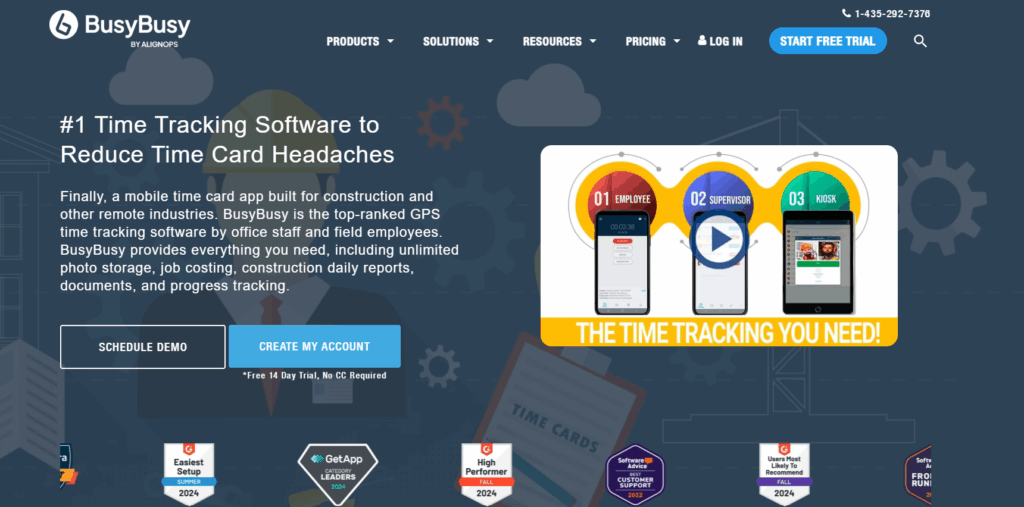
BusyBusy is a mobile time tracking app designed for landscaping and construction crews that want a simple way to monitor time on each job and understand their labor costs. Employees can clock in from their smartphones, switch between projects, and upload photos or notes directly from the field, giving managers real-time visibility into what’s happening on each job site.
BusyBusy puts a strong focus on job costing and project documentation. Alongside tracking hours, crews can attach photos, updates, and location data to specific jobs. This makes it easier to verify work completed and understand which types of landscaping jobs are most profitable over time.
Key features
- Mobile time tracking with GPS stamps, allowing employees to clock in and switch between landscaping jobs from their phones
- Labor tracking by job, helping you understand how much time is spent on each property or project
- Project progress photos and notes, allowing crews to document completed work and share updates from the field
- Real-time visibility into crew locations and job status while employees are on the clock
- Automatic digital timesheets you can export to payroll tools like QuickBooks
- Offline time tracking so crews can continue recording hours in areas with poor reception
- Company messaging to communicate schedule changes or updates with crews in the field
What users say
BusyBusy scores 4.8 out of 5 from the G2 community. Its GPS tracking feature is a hit with many crew-based users, although some have highlighted the need for an alarm to act as a notification when someone fails to clock out.
Pricing
- Free 14-day trial
- Free forever plan for unlimited users
- 2 paid plans: Pro and Premium
- Paid pricing starts at $9.99/user/mo
7. QuickBooks Time
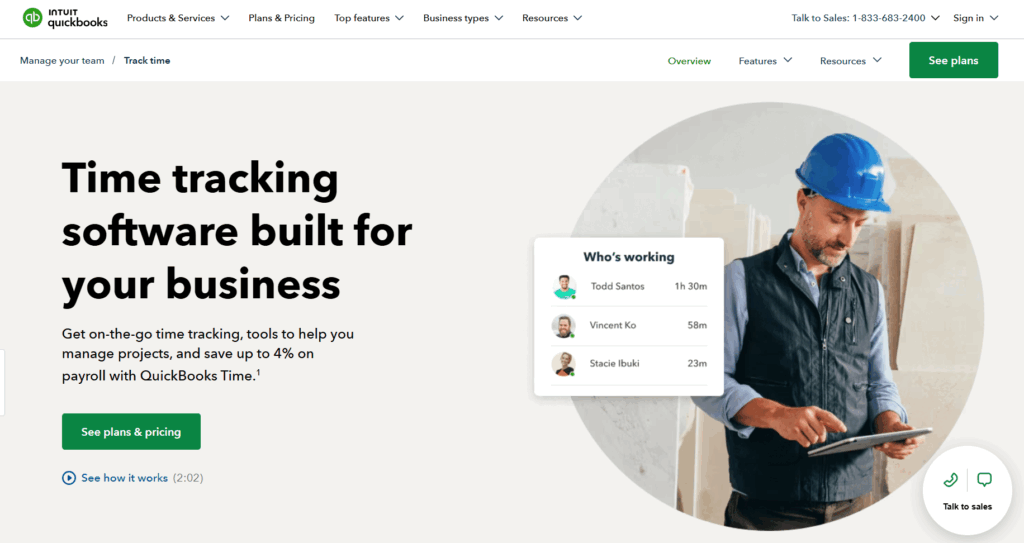
QuickBooks Time is a time tracking platform that works seamlessly with QuickBooks payroll and accounting. Landscaping crews can clock in from their phones, a shared tablet, or a central kiosk, while office teams use that data to run payroll, track labor costs, and manage job expenses without re-entering hours manually.
Its biggest advantage is how closely it connects time tracking with accounting. Once timesheets are approved, hours flow directly into QuickBooks for payroll, invoicing, and job costing. This makes QuickBooks Time a strong fit for landscaping businesses that already use QuickBooks and want to keep their labor data and financial records in sync.
Key features
- Mobile time tracking on Android and iOS, allowing crews to clock in and switch between jobs from the field
- Kiosk mode with PIN or photo verification, enabling multiple employees to clock in from a shared tablet
- Job and project-based tracking to assign hours to specific properties, clients, or services
- Automatic timesheets with supervisor approvals before payroll is processed
- Built-in scheduling tools to assign shifts and manage crew availability
- GPS tracking and geofencing to confirm job site attendance if enabled
- Direct integration with QuickBooks payroll and accounting, eliminating manual data entry
- Time reporting tools that connect labor hours to payroll costs, invoices, and overall job profitability
What users say
QuickBooks Time scores 4.5 out of 5 from G2 users, with its real-time tracking capabilities consistently praised by reviewers. Some find it expensive compared to other options in the market.
Pricing
- Free 30-day trial available
- 2 paid plans: Time Premium and Time Elite
- Paid plans start from $10/mo
How do you choose landscaping time tracking software?
Accessibility, ease of use, and mobile access are the main themes to keep in mind when researching time tracking software. The right tool should fit your landscaping business like a glove rather than forcing your team to change how they already work. Here’s what to look for when evaluating time tracking software for landscaping teams.
Focus on the right features
Mobile access is the starting point. Your crew should be able to clock in and out directly from their Android or iOS mobile devices. The main question: will your crew be able to clock in quickly at 7:12am, standing in a muddy car park, with gloves on and a full day ahead of them?
Job-based tracking is just as important. Landscaping crews often move between multiple properties in a single day, and need to track each job separately. Your chosen software should make it easy to switch between clients, landscaping projects, or job types, so you know exactly how much time goes into each piece of work.
Some landscaping businesses also look for GPS tracking or geofencing features, which automatically confirms when crews arrive at or leave a job site.
Be warned though that some employees will find this feature intrusive, which is why Toggl takes a firm anti-surveillance stance. For many landscaping companies, simple, reliable time tracking that crews use consistently is more valuable than precise location tracking that creates friction or resistance.
Choose a software your teams will adopt
Too many complicated add-ons? A steep learning curve? If your crew members can’t pick up your time tracking software within a couple of minutes, or it’s glitchy in the field, don’t expect them to keep using it. Time tracking data is only 100% reliable if you have 100% user adoption (something we’re super proud of achieving with Toggl).
The best way to find out how your teams will respond is to run a short pilot. Let them take it for a spin during their normal workday — clock in when they arrive on site, switch between jobs, and track travel time between properties. You’ll quickly see whether the system fits naturally into their routine or creates friction.
Pay attention to how often employees actually use it without reminders. If your entire crew adopts it easily, it becomes part of the daily workflow. But if they avoid it, that’s a glaring sign the tool is slowing them down. The right time tracking software should feel invisible. Your team clocks in, gets on with their work, and accurate timesheets build automatically in the background.
Invest in crew training
The best time clock apps should be intuitive enough for landscaping teams to “just know” how to navigate them. But it’s still worth offering training on the specific workflows you’d like them to follow in your business. For example, make sure they know if they should be logging travel time as non-billable or billable hours.
It’s also helpful to explain when the workday officially starts and ends. Does the time clock start when they arrive at the yard, or when they reach the first job site? Should they track equipment prep or material pickups?
Clear guidance, like a short walkthrough and a few real examples, keeps time entries consistent across your team. Once crews understand the process, time tracking quickly becomes part of their normal routine, and you get cleaner data to support the rest of your business.
Make sure your time tracking software integrates with payroll
The real value of your time data comes at the end of the week, when you need to turn those hours into payroll and invoices. Without integrations, someone has to manually copy timesheets into your payroll or accounting system — a lengthy process with the potential to introduce human error, especially when you’re managing multiple crews and dozens of jobs.
Time tracking software that integrates with payroll and accounting tools removes this step entirely. Hours flow directly into your payroll system, so you can calculate wages accurately and process payroll faster. The same data also supports invoicing, giving clients a clear breakdown of your completed work.
Track time reliably in the field with Toggl
Your landscaping company may not be able to rely on the weather. But you can rely on Toggl, across all seasons and climates, to give you clear, dependable records of where your time goes.
With a strong foundation of your crew’s time data, it becomes easier to price your landscaping projects with confidence and make informed decisions about where to focus your efforts.
Are you ready to spend less time fixing timesheets and more time growing your landscaping business? Sign up for a free Toggl account today.
Frequently asked questions (FAQs) about time tracking software for landscaping companies
What features should time tracking software for landscaping include?
Time tracking software for landscaping should include features like mobile clock-in, job-based tracking, and clear timesheets you can use for payroll and invoicing. Offline tracking is also important, so you don’t lose track of any hours when working in areas with poor signal.
Is time tracking software suitable for small landscaping businesses?
Yes, time tracking software supports companies of any size or type, including small landscaping businesses. While micro teams may be more likely to rely on memory or time cards, it’s easy to lose track of travel time, short visits, or extra work. A mobile time tracking app keeps everything in one place and makes payroll and invoicing much easier to manage.
Does time tracking software support multiple crews and jobs in one day?
Yes, time tracking software lets multiple crews switch between jobs throughout the day and track each one separately. For example, an employee can clock time on a morning lawn maintenance visit, switch to a landscaping installation in the afternoon, and log travel in between. This gives you a clear breakdown of where labor hours went across all crews and properties.
How can employees clock in and out from job sites on their phones?
Employees can clock in and out using a mobile time tracking app on their phone. They simply open the app, select the job they’re working on, and start the timer. When they finish or move to another property, they stop the timer or switch to the next job. This works wherever they are, without needing to return to an office.
How does time tracking software help with payroll and job costing?
Time tracking software records exactly how many hours each employee worked and which jobs those hours were spent on. This makes payroll faster and more accurate because you don’t need to calculate hours manually. It also helps with job costing, since you can see how much labor each project required and use that data to price future work more accurately.

Rebecca has 10+ years' experience producing content for HR tech and work management companies. She has a talent for breaking down complex ideas into practical advice that helps businesses and professionals thrive in the modern workplace. Rebecca's content is featured in publications like Forbes, Business Insider, and Entrepreneur, and she also partners with companies like UKG, Deel, monday.com, and Nectar, covering all aspects of the employee lifecycle. As a member of the Josh Bersin Academy, she networks with people professionals and keeps her HR skills sharp with regular courses.