Freedom, flexibility, and love for the work are usually the biggest reasons people get into freelancing. However, proposals, contracts, invoices, and deadlines quickly pile up to the point where you stop having time to do actual client work.
Without a clear system, you end up working in your business instead of on it, leading to issues like:
- Tasks slipping.
- Deadlines sneaking up on you.
- Time not being logged properly.
- Constant juggling between notes and spreadsheets.
All of this means more time on admin work, inaccurate invoices, missed revenue, and potentially — loss of client trust.
The right freelance project management tool alleviates a lot of this stress by bringing clarity to your schedule and making work feel calmer. The best tools are simple, flexible, and affordable, helping you organize client work, track tasks and deadlines, and keep projects moving smoothly.
This guide compares eight project management tools for freelance workflows, including their features, pros, cons, and pricing, including:
- Toggl 2.0
- Trello
- Asana
- Notion
- Airtable
- monday.com
- Jira
- ClickUp
We’ll also discuss what you should look for when comparing freelance project management solutions, so you know how to make the right choice for your needs.
What should you look for in freelance project management software?
Here’s what actually matters when you’re choosing a project management tool for freelance work:
Time tracking
Most project management tools fail freelancers completely by treating time tracking as an afterthought. Newsflash: it’s actually the foundation of realistic capacity planning and accurate invoicing.
Whether you bill by the hour, by project, or on retainer, accurate time tracking is non-negotiable.
The best project management tools blend planning and task management with flexible time tracking across devices. As a result, you can learn how long work really takes, and bill accurately.
💡Pro tip: Review your time logs daily or weekly to understand where your hours go. A tool like Toggl 2.0 keeps your time logs accurate and automatically tied to tasks and clients. This approach supports better pricing, scheduling, and client transparency.
Simple task and deadline tracking
You need to see — at a glance — what’s due when, and for which client. No more scattered to-dos across notebooks, sticky notes, and brain space. Look for tools that give you a clear place for everything that needs your attention. That means software equipped with intuitive task boards, calendar views, and deadline reminders.
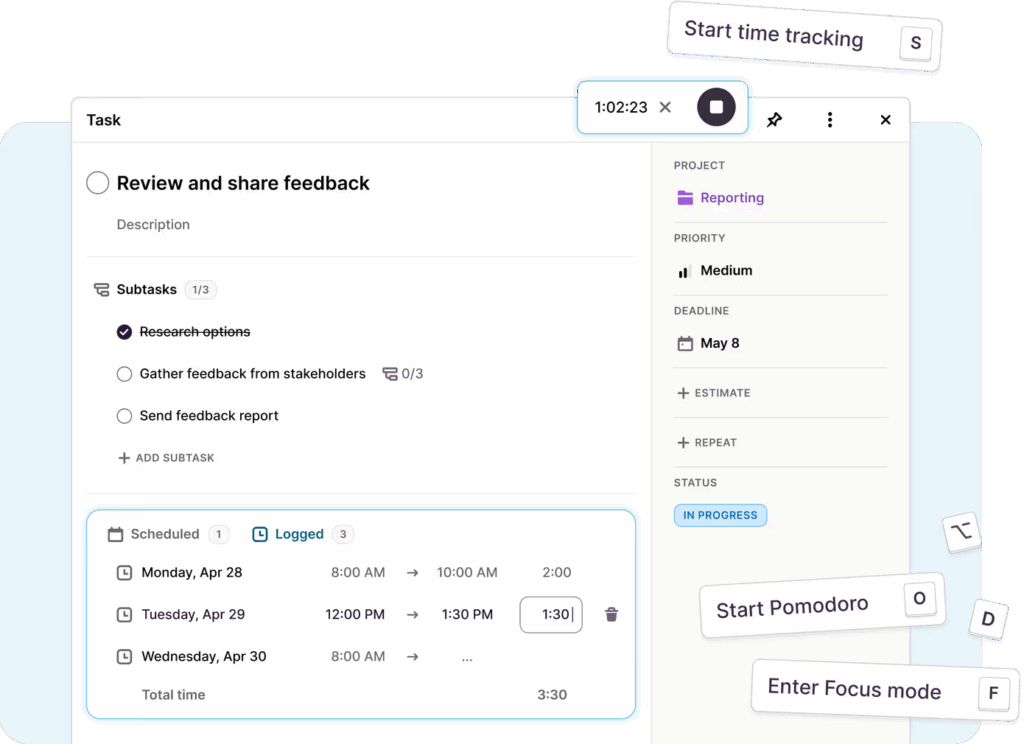
💡Pro tip: Use pre-made templates as much as possible. Ideally, you’ll set up recurring tasks like client onboarding, kick-off meetings, or scheduled follow-up messages, and they’ll repeat forever.

Client communication and collaboration
The best freelancers provide progress updates for their clients. Tools with client portals, shareable project views, or easy-to-export reports make updates effortless, so there’s no more back-and-forth emails stealing your focus.
💡Pro tip: Set up shared dashboards or scheduled reports so clients can see project status themselves. This cuts down on “just checking in” emails and builds trust through transparency.
Easy mobile access
Freelance work doesn’t stop when you leave your desk — if only, right? The best apps let you check deadlines on the go, update tasks between meetings, or track time from a coffee shop with mobile apps. You should always feel connected and in the loop, even if you’re not chained to your laptop.
Affordable pricing
As a freelancer, you don’t need bloated software with 50 features you’ll never touch.
Instead of premium plans with all the bells and whistles, look for tools with generous free tiers or affordable paid plans that scale with your needs, not ones that drain your profits before you’ve invoiced a single client. The tool should pay for itself with the time it saves you.
There’s no universal rule here, but most simple project or task management tools offer free forever plans plus premium plans ranging from $5 to $15/user/month.
A simple learning curve
When you’re a one-man-show, you don’t have the time to spend a week learning new software. If the tool isn’t immediately user-friendly, you’re probably not going to commit to it. Look for tools with clean interfaces, visual planners, and helpful onboarding that gets you productive in minutes, not days.
8 best freelance project management tools
Below, you’ll find a list of the eight top project management tools, specifically curated for freelancers.
We’ve chosen tools that offer most of everything we covered below — mainly easy task management, collaboration features, affordable pricing and free plans. We’ll also look at each tool’s main features, use cases, pros, cons, pricing, and customer reviews from G2 and Capterra.
1. Toggl 2.0
Best for freelancers who: Plan work around accurate time data
Toggl 2.0 is a no-bloat project planning and capacity management tool. It puts accurate time data at the center of everything — because you can’t effectively manage capacity, plan timelines, or balance workloads without knowing how long work actually takes.
Thanks to its advanced and intuitive time tracking capabilities, Toggl 2.0 lets you set realistic deadlines based on concrete data. It also helps you avoid burn-out and scopes that don’t match real effort, so you can actually work with clarity.
Key features
- Multiple time tracking options, including real-time timer, manual entry, calendar-based, or Pomodoro mode
- Board, Calendar, and Timeline views to see today’s tasks or zoom out to the bigger picture
- Capacity planning to spot overbooked weeks before burnout hits
- Estimate vs. actual time tracking to instantly see where your plans miss the mark
- Visual reports to analyze time tracked, tasks completed, and profitability
- Focus Mode with Pomodoro timer for deep work sessions
Pros
- Time tracking actually works (not buried in menus)
- Great for freelance businesses and small teams
- Robust time reporting to guide better decision-making
- Strategic insights that bolster productivity and profitability — team capacity, resource planning and more
- Mobile and desktop apps
- Intuitive UI for ease-of-use and fast setup
- Free for up to five users
Cons
- Leaner feature set compared to enterprise tools
- Fewer integrations (for now)
Pricing
| Free plan | For up to five users |
| Starter plan | $9/user/month |
| Premium plan | $20/user/month |
| Enterprise plan | Custom pricing |
What users are saying
“Toggl 2.0 is amazing. The UX is perfect and matches my workflowin a shocking way!” — Toggl Community member
2. Trello
Best for freelancers who: Manage tasks visually with boards
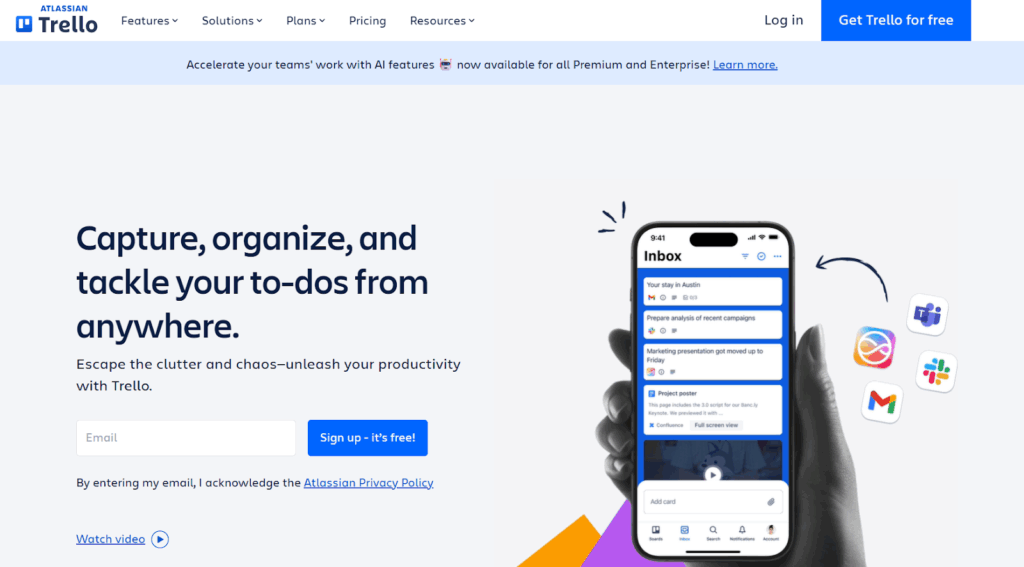
Trello is a visual project management platform built around boards, lists, and cards — think digital sticky notes that you can drag, drop, and organize however you like. It’s one of the most famous project management tools for individuals and freelancers, although it’s slowly becoming a to-do list app.
Lean more: 13 Best Trello Alternatives for Kanban and Beyond
Key features
- Drag-and-drop Kanban boards for visual task tracking
- Customizable cards with checklists, due dates, labels, and attachments
- Automation (“Butler”) to reduce repetitive tasks
- Power-ups that extend boards with calendars, fields, and integrations
- Calendar and timeline views available in Premium plan
- 100+ integrations including Slack, Google Drive, and Jira
- Mobile apps for iOS and Android
- Templates for common workflows
Pros
- Dead simple to learn — no tutorials needed
- Generous free plan for up to 10 collaborators
- Visual layout makes project status obvious at a glance
- Great for brainstorming and flexible workflows
Cons
- No built-in time tracking or invoicing
- Reporting and analytics are weak
- Boards get cluttered fast with larger projects
- No strategic insights like resource planning or workload balancing
- Advanced views locked behind paid plans
Pricing
| Free plan | For up to 10 users |
| Standard plan | $6/user/month |
| Premium plan | $10/user/month |
| Enterprise plan | Variable pricing based on team size (50-5000 users) |
What users are saying
“Trello helps me to keep organized and keep all my to-do list items in one place. I previously would write notes everywhere and never action anything. I use it to organize my content calendar for my personal blog, as well as freelance writing work for clients.” — Skyler B., a freelance B2B marketing copywriter and content strategist
Ratings
3. Asana
Best for freelancers who: Run structured workflows with dependencies
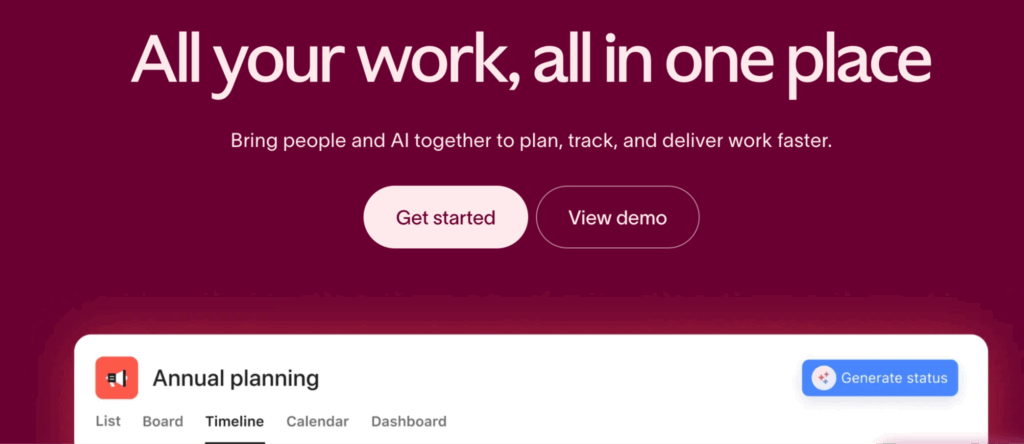
Asana is a useful project management solution for all types of teams and freelancers. It allows you to plan, organize, and track your projects using agile and scrum methodologies, keep workflows efficient, and collaborate with others in one intuitive project management app.
Key features
- Multiple project views: list, Kanban boards, timeline (Gantt), calendar
- Custom fields to track project-specific details
- The timeline view lets you draw task dependencies for better planning
- Set rules to automate critical actions so you don’t miss important events
- Integrations with Slack, Google Drive, Zoom, and 200+ other tools
- Mobile apps for iOS and Android
- Manage multiple projects at once and switch easily between them
Pros
- Drag-and-drop customization makes setup intuitive
- Robust project progress tracking helps monitor status and boost collaboration
- Comprehensive deadline management tools keeps you on track
- Flexible work and life organizer streamlines tasks and keeps priorities clear
- Strong automation eliminates repetitive manual tasks
- Visualizes task dependencies and timelines
- Smooth performance even with complex projects
Cons
- Can get expensive for advanced features
- Tasks can only be assigned to one person
- Cross-project visibility can get cluttered
- Concerns about performance and reliability
Pricing
| Free plan | For up to 2 users |
| Starter plan | $13.49/user/month |
| Advanced plan | $30.49/user/month |
| Enterprise plan | Custom pricing |
What users are saying
“As a freelance writer, I find Asana’s project management features perfectly suited to my needs. I can easily add tasks and subtasks, set deadlines, and assign priorities. The various viewing options allow me to visualize my project progress effectively, which helps me plan and organize my days to avoid overlapping tasks. The tool is straightforward to set up and, once you become familiar with it, is easy to incorporate into your daily routine.” — Indrajeet D., freelance content writer and marketer
Ratings
4. Notion
Best for freelancers who: Centralize work resources in one workspace
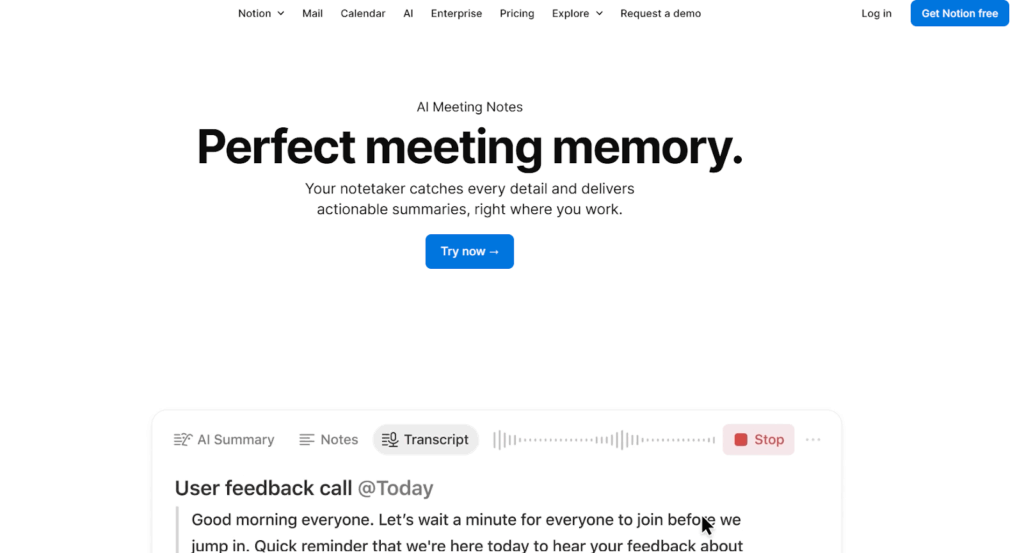
Notion is an all-in-one workspace that combines notes, tasks, databases, and wikis into a single, highly customizable platform. It’s not a purpose-built project management tool, but instead lets you build exactly the system you need using flexible blocks and templates.
Key features
- Flexible page builder with drag-and-drop blocks (text, tasks, databases, embeds)
- Multiple database views: table, board, calendar, timeline, gallery
- Templates for common workflows like client tracker, content calendar, invoice tracker
- Real-time collaboration with commenting and mentions
- Shareable pages and public wikis for client portals
- Web clipper to save content from anywhere
- Mobile and desktop apps with offline access
Pros
- Unmatched flexibility — build your own system from scratch
- Gorgeous, minimalist UI that’s visually pleasing
- Generous free plan with unlimited pages and blocks
- Can replace 5+ separate tools (notes, tasks, CRM, wiki)
- Powerful databases with linked views across pages
- Strong template library to get started fast
Cons
- Can be slow with large databases
- Limited mobile and offline functionality
- No native automation (requires integrations like Zapier)
- Overwhelming flexibility can lead to over-engineering
- Free plan only has one user seat
Pricing
| Free plan | For individual usage |
| Standard plan | $10/user/month |
| Premium plan | $20/user/month |
| Enterprise plan | Custom pricing |
What users are saying
“What initially attracted me was all the talk about its high level of customization. For me, the standout feature is how well it helps with organization. I rely on its databases to manage my freelance projects, plan vacations, and even maintain a small recipe collection. I also created a weekly planner that lets me view both work and personal tasks together, which really helps reduce the need to constantly switch contexts.” — Freelance user
Ratings
5. Airtable
Best for freelancers who: Build automated database-style workflows
Airtable is an AI-forward workflow-building tool. It combines the simplicity of a spreadsheet with the power of a relational database. You can automate time-consuming work without code, organize projects, clients, and workflows in highly customizable ways, and let AI agents work dynamically across your entire operation.
Key features
- Track timelines over multiple views (Gantt, timeline, chart, spreadsheet)
- Link records across tables to see connections between clients, projects, and tasks
- Customize dropdowns, dates, checkboxes, ratings, attachments, formulas, and color coding to match your workflow
- Centralized file storage with permission controls and read-only links
- Top of the line data storage management with AES-256 encryption, automatic backups, cloud access across devices
- Trigger automated actions based on conditions (100 runs/month on free plan)
- Build custom apps and dashboards without coding
Pros
- Unmatched flexibility for database-style organization
- Powerful AI-driven capabilities to streamline workflows
- Connect multiple databases to see relationships
- Beautiful, customizable interface
- Automations handle repetitive tasks
- Great for tracking everything from lead management to production
- Works well for both simple to-do lists and complex inventory systems
Cons
- Features can get overwhelming fast if you just want a simple project management tool
- Steep learning curve for non-technical users
- Free plan limits: 1,000 records per base, 1GB storage
- Paid plans can get expensive fast
- Basic reporting compared to dedicated project management tools
- Limited offline functionality
Pricing
| Free plan | For up to five editors |
| Team plan | $24/user/month |
| Business plan | $54/user/month |
| Enterprise plan | Custom pricing |
What users are saying
“I’m a freelance architect and have been looking for the right project management software for YEARS. Finally, a software friend recommended Airtable. I actually paid my friend to build my framework since he was so familiar with Airtable and it is AWESOME. I use it to manage my workflow, make sure I don’t overbook myself, AND project my earnings. It’s been a huge game changer for my business. It’s saved me so much time.” — Ashley H., a freelance architect
Ratings
6. monday.com
Best for freelancers who: Track projects with visual dashboards
monday.com is an AI work platform that helps teams run projects and workflows in one centralized workspace. With colorful, customizable boards and robust automation, it’s built for those who want structure without rigidity.
Key features
- Centralized task creation with customizable workflows, visual labels, and integrations with Gmail and Slack
- Visibility and customization across projects with Kanban, timeline, and Gantt views
- Native time-tracking feature for billing, productivity analysis, and managing remote team members (only on Pro and Enterprise plans)
- Visual status updates to track progress and avoid delivery delays
- Easy task assignment with mobile notifications and quick reassignment
- Drag-and-drop shift planning with real-time updates
- 200+ templates for quick project setup
- Automate up to 25,000 actions/month on Pro plan
Pros
- Comprehensive project tracking tools
- Highly customizable workflow management
- Versatile platform that can be adapted to suit most needs
- Excellent for client project visibility
Cons
- Free version is limited to just three boards and three docs
- Pricing structure can feel confusing to some users (must purchase seats in batches of three or five)
- Customer support could be improved
- Occasional slow performance issues and glitches have been reported
Pricing
| Free plan | For up to two users |
| Standard plan | $12/user/month |
| Pro plan | $19/user/month |
| Enterprise plan | Custom pricing |
What users are saying
“I am a professional musician and freelance graphic designer. I use monday.com to organize my contacts, venues, details for my gigs such as personnel, how much each person gets paid and more. My weekly plan includes practice logs, websites that I need to keep track of, earnings. My workspace has everything from contact lists, to press kit materials, set lists.” — Freelancer in the entertainment industry
Ratings
7. Jira
Best for freelancers who: Deliver complex technical agile projects
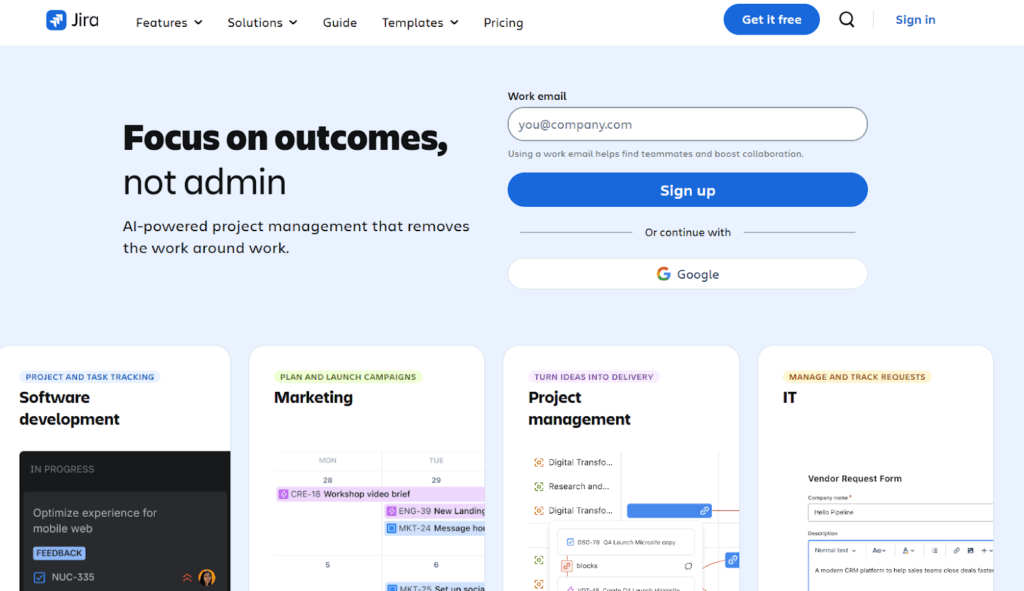
Jira is a powerful project and issue-tracking tool built for software and technical teams. It excels at agile workflows, sprint planning, and detailed reporting, making it ideal for complex development projects.
Key features
- Track tasks with customizable Kanban boards, sprints, and workflows
- Roadmaps, timelines, and Scrum or Kanban boards are built around Agile methodologies
- Visual task statuses help identify bottlenecks and keep work moving
- Agile reports, dashboards, and metrics provide visibility into performance
- Drag-and-drop priorities and adaptable workflows adjust as project timelines change
- Epics, backlogs, story points, and sprints support complex project planning
Pros
- Excellent for Agile workflows, with flexible boards, sprints, and releases and strong support for Scrum and Kanban
- Detailed task tracking and real-time updates support complex, multi-stage projects
- Powerful progress tracking provides clear visibility into status, timelines, and bottlenecks
- Well-suited to software development and structured, process-driven work
Cons
- Complex interface and navigation can feel overwhelming for new or non-technical users
- No built-in timer for accurate time tracking
- Might not be the best fit for freelancers outside of software development
- Slowdowns can occur with large projects, heavy customization, or many users, affecting performance
- Glitches, errors, and integration issues sometimes require workarounds
Pricing
| Free plan | For up to 10 users |
| Standard plan | $7.91/user/month |
| Premium plan | $14.54/user/month |
| Enterprise plan | Custom pricing |
What users are saying
“I really like that you’re able to collaborate with other developers. I’m a freelance developer so I work with teams that aren’t centrally located. It helps all of us stay on track and know what issues are the most important. It’s a great way to stay organized.” — Holly G., a freelance director of solutions engineering
Ratings
8. ClickUp
Best for freelancers who: Want to unify tasks, docs, and goals
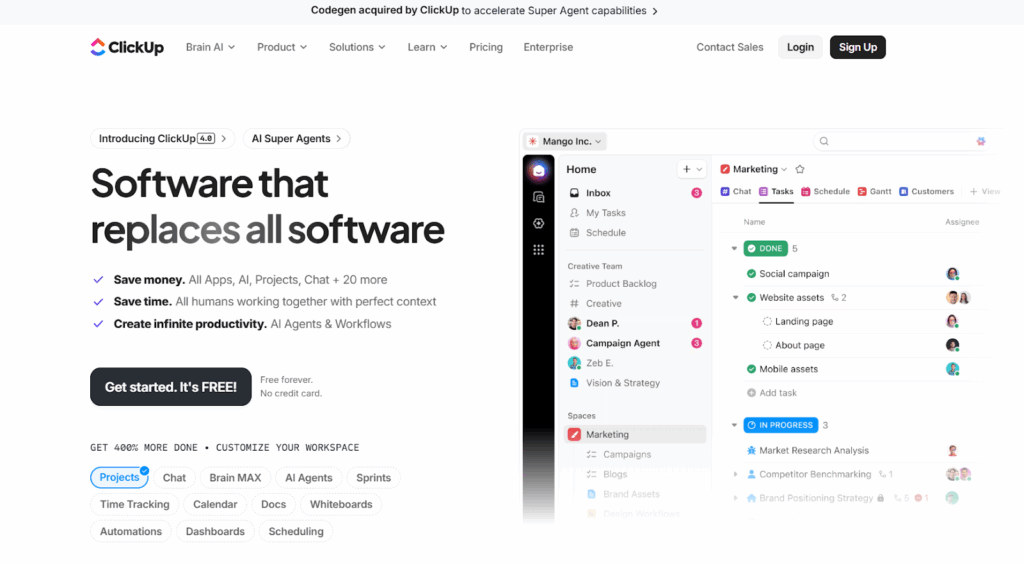
ClickUp advertises itself as the “software that replaces all software”. It’s an all-in-one productivity platform that combines tasks, docs, goals, and collaboration in one place. Highly customizable, it works well for teams of any size across many industries.
Key features
- Easily assign, track, and reassign tasks with custom statuses for better accountability
- Categorize tasks by priority, client, or keyword to improve clarity across multiple projects
- Manage projects from start to finish with boards, lists, calendars, and Gantt charts
- Centralize all tasks with custom fields, statuses, comments, and attachments, making it easy to collaborate with clients, contractors, and subcontractors in one workspace
- Timeline and dependency visualization with Gantt charts, milestones, recurring tasks, and templates — ideal for juggling multiple deadlines
- Built-in time tracking works across devices and in real-time, thanks to integrations with Toggl Track
Pros
- Strong collaboration features like real-time updates, comments, and file sharing keep teamwork smooth and centralized
- Boosts productivity with robust task and workflow features that organize work and improve efficiency
- Highly customizable, flexible workflows adapt easily to different projects and clients
- Replaces multiple tools by combining tasks, planning, and collaboration
Cons
- Slow load times, lag, and freezing can interrupt daily work
- Mobile experience is less reliable and lacks desktop functionality
- Occasional crashes and bugs can disrupt workflows
Pricing
| Free plan | For unlimited users, but with limited features |
| Unlimited plan | $10/user/month |
| Business plan | $19/user/month |
| Enterprise plan | Custom pricing |
What users are saying
“I find ClickUp to be highly adaptable both for individuals and teamwork, which is exactly what I was seeking in a project management tool. The competitive plans offered for individual freelancers are appealing, making it a cost-effective solution for my freelance projects.” — Laura M., a principal consultant
Ratings
Manage your freelance projects to perfection with Toggl 2.0
Freelancers rarely need tools laden down with features. They need simple project management platforms that make their freelance work easier.
Here at Toggl, we believe that easier starts with a strong foundation of time tracking insights, and then building your entire small business around that core knowledge. Sign up for a free account and you’ll wonder how you ever managed without it.
Frequently asked questions (FAQs) about freelance project management tools
What features should freelance project management tools have?
Freelance project management tools should include task management, time tracking, client collaboration, file sharing, progress tracking, customizable workflows, and reporting. Simplicity, mobile access, and integrations with communication or billing apps also make it easier to manage multiple clients and projects.
Do freelancers need project management software?
Most freelancers need project management software to organize tasks, track deadlines, collaborate with clients, manage priorities, and ensure timely delivery. Even solo freelancers benefit from the clarity and accountability that structured software provides, instead of over-relying on spreadsheets or scattered notes.
Are there good free project management tools for freelancers?
Yes, tools like Toggl 2.0, ClickUp, Trello, and Asana offer free plans with task management, collaboration, and basic reporting. They’re suitable for solo freelancers or small projects, though advanced features often require paid plan
How do project management tools help freelancers manage clients?
Project management tools support freelance with client management by centralizing communication, deadlines, task assignments, and deliverables. Freelancers can share progress, track client requests, and ensure transparency, reducing misunderstandings and improving client satisfaction.
What is the easiest project management tool for freelancers?
Toggl 2.0 stands out for its built-in time tracking, real-time insights, and capacity planning, helping freelancers make smarter decisions on pricing, workload, and deadlines. Additionally, ClickUp and Trello offer intuitive task management and visual project management functionality.

Julia Masselos is a remote work expert and digital nomad with 5 years experience as a B2B SaaS writer. She holds two science degrees Edinburgh and Newcastle universities, and loves writing about STEM, productivity, and the future of work. When she's not working, you'll find her out with friends, solo in nature, or hanging out in a coffee shop.