Tempo Timesheets is the best-known time tracking tool for Jira. For teams that live entirely inside the Atlassian ecosystem, it’s often the most logical choice.
However, some problems come up consistently and push teams to start looking for alternatives, including:
- Pricing: Tempo charges per Jira user, regardless of if they log time or not. This, plus the steep price tag, makes the product quite expensive compared to other Jira time tracking tools. Even worse, teams often pay licenses for users who don’t log time.
- Rigidity and lack of flexibility: For example, Tempo doesn’t support approvals at the project level. It’s also deeply embedded in the Jira ecosystem, so it doesn’t do a great job of serving customers outside of it.
This article covers the main Tempo alternatives that can help you overcome these and other limitations. We’ll discuss what each one does well and how to choose based on your team’s actual needs and use cases.
The 5 best Tempo alternatives for Jira: Detailed comparison
| Tool | Integration type | Pricing model | Free plan | Best for |
|---|---|---|---|---|
| Toggl | External + Jira sync | Per active user | Up to 5 users | Advanced time tracking and capacity planning, cost at scale, reporting outside Jira |
| Clockwork Pro | Jira Marketplace native | Per Jira user | No | Keeping time data in Jira natively, AI-powered timesheets |
| Everhour | External + Jira embed | Per active user | No | Budgeting, billing, and client invoicing |
| ActivityTimeline | Jira Marketplace native | Per Jira user | Up to 10 users | Timesheets + capacity planning in one |
| Planyway | Jira Marketplace native | Per Jira user | Limited | Gantt planning + time tracking in Jira |
1. Toggl: Best alternative for advanced time tracking, capacity planning, and pricing outside of Jira’s model
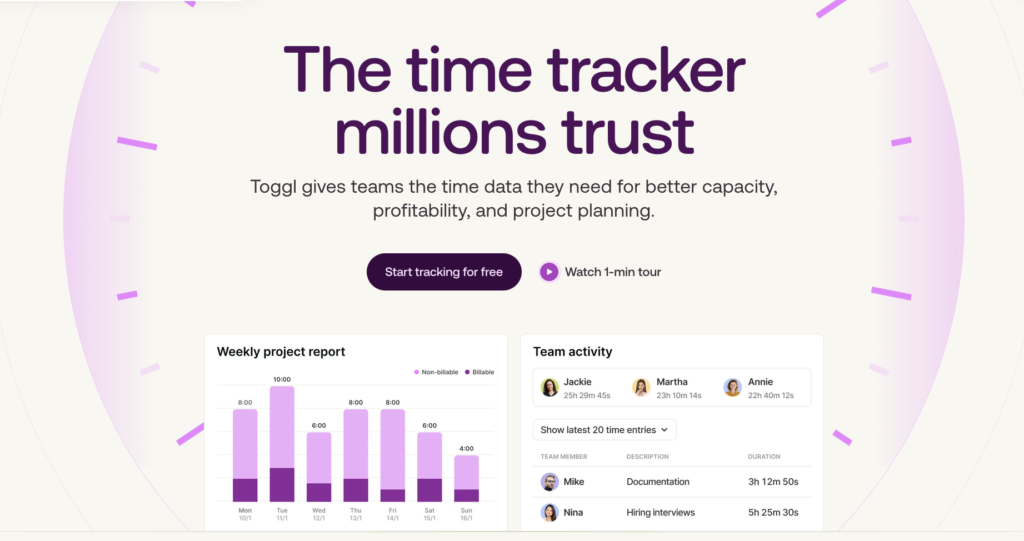
Toggl our time tracking and capacity planning tool with a native Jira integration. Jira data syncs into Toggl automatically, while your projects, issues, and labels map to Toggl’s projects, tasks, and tags, so your workspace stays up to date without manual input.
You track time in Toggl — via our apps or directly inside Jira with the browser extension — using manual or automatic time tracking, depending on your needs.
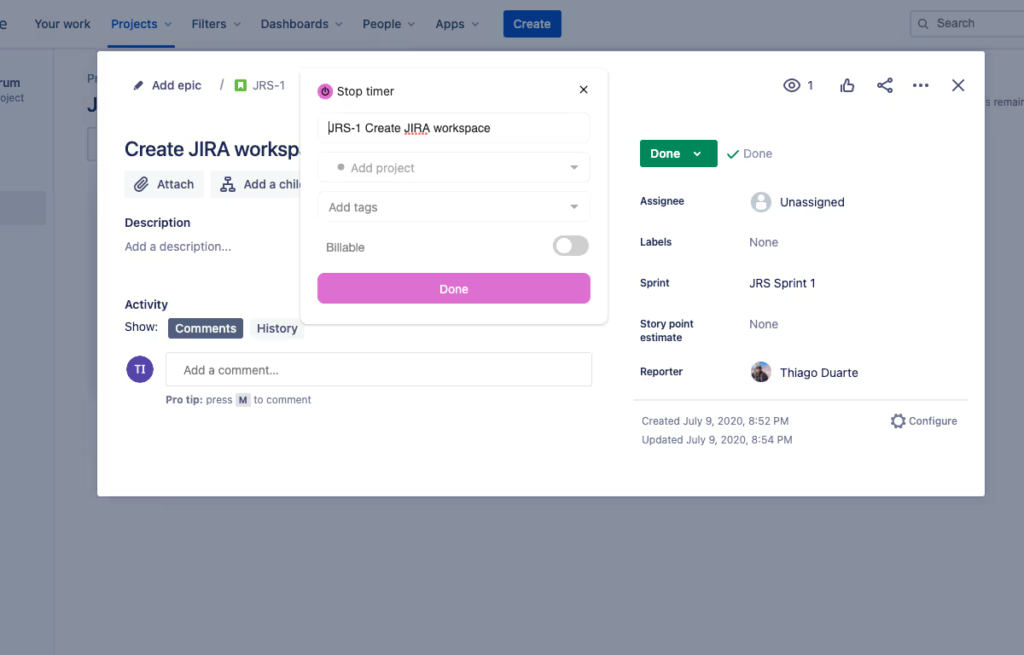
The pricing model is fundamentally different from Tempo’s. You pay for active Toggl users, not for every person in your Jira instance. If 300 people on your team actually track time, you pay for 300 users, regardless of how many people are in Jira.
Toggl also offers robust time reporting features for project profitability, billing rates by client and team, utilisation, and cost per project. This is data that Jira’s native tracking and Tempo’s timesheet focus don’t surface as clearly.
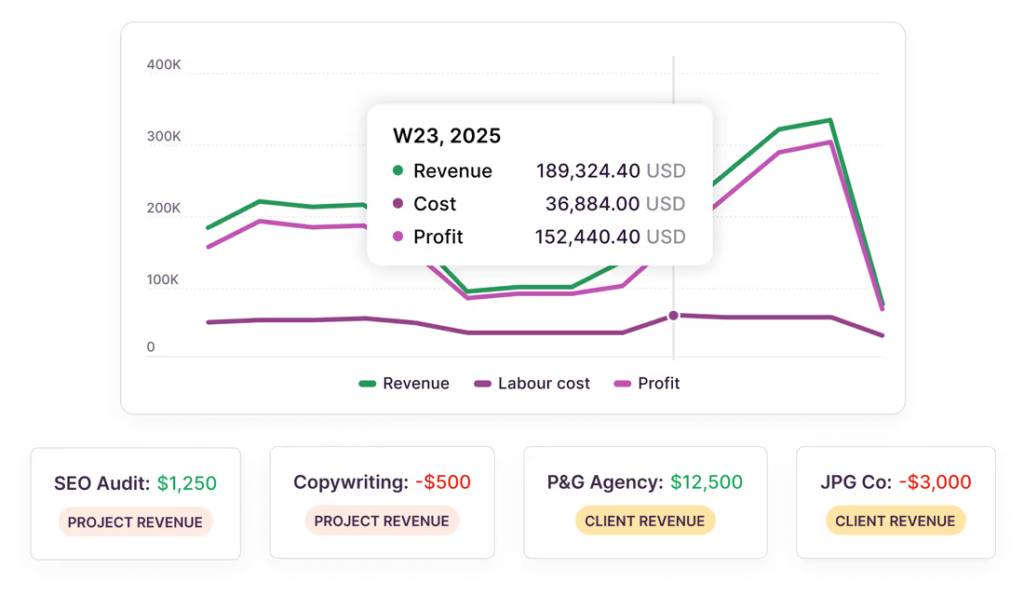
Plus, our capacity planning replaces capacity assumptions with data on time, availability, and workloads, so you can spot conflicts early and prevent burnout. For teams trying to answer questions like “is this project within budget” or “does my team have capacity for Q2”, time data connected to cost is the missing piece.
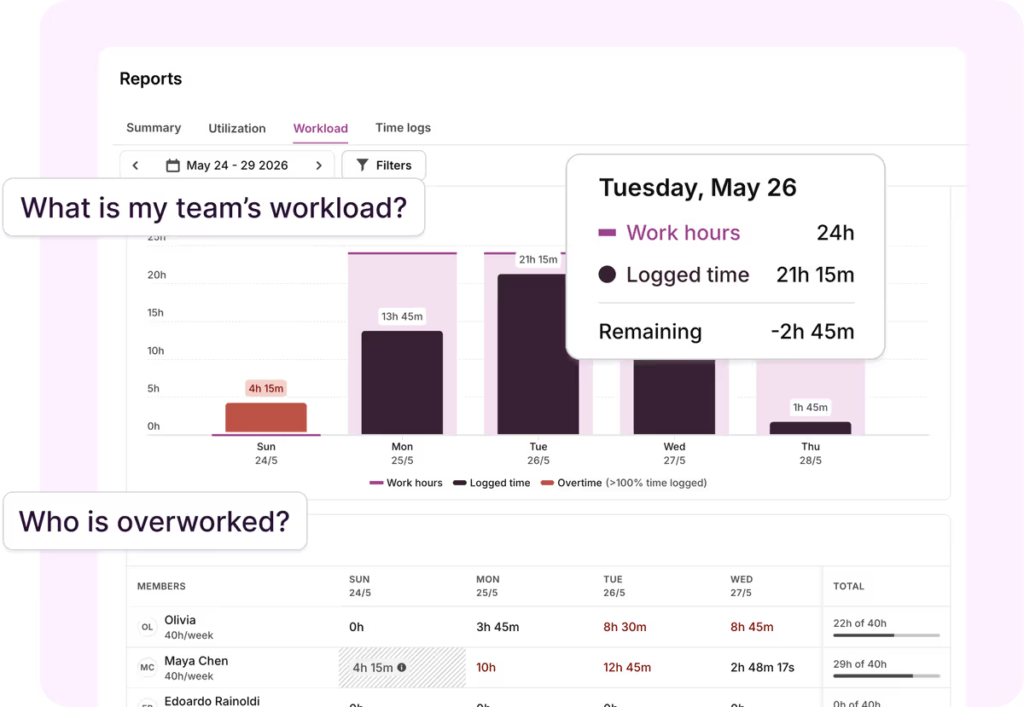
You can easily see who’s over-allocated, fully booked, or with room to spare. Plus, Toggl automatically detects public holidays and flows in connected calendar events. Time off and schedule changes update capacity the moment they’re entered.
We also also take a specific position on employee monitoring: no screenshots, no keystroke tracking, no activity surveillance. The automated timeline feature records what applications are open and lets the user decide what to log. Your data is private by default.
What users are saying
G2 users rate Toggl 4.6/5 from over 1,500 reviews, with ease of use and reporting depth being among the most commonly-mentioned benefits.
“It makes time tracking simple and easy without feeling intrusive. It’s quick to use and very straightforward. The interface is the part I like most compared to other tools: it’s clean, and you can start tracking in seconds. The reports are strong as well, giving you a clear, visual view of where your time is going. Overall, it’s a fast tool and easy to get started with, so there’s no need for long onboarding. The free plan is very complete, but they have paid plans, which are not expensive at all.“
Pricing
Toggl offers a free plan for up to 5 users which includes basic time tracking, tasks, boards, task estimates.
Again, paid plans are based on the number of Toggl users, not Jira accounts and include:
- Starter, which is $9 per user/month and includes timeline views, PTO tracking, custom reports for teams, and more.
- Premium, which is $20 per user/month and includes our Jira and Asana integrations, labor costs, profitability analysis, complete capacity management, and more.
- Enterprise, which is custom and includes personalized onboarding, priority support, multiple workspaces, and more.
Learn more about Toggl on our website or sign up for a free plan and try it today.
2. Clockwork Pro: Best for using AI-powered timesheets and keeping time data in Jira natively
Clockwork Pro is a native Atlassian Marketplace plugin. It’s much simpler, cheaper, and limited than Tempo, which makes it a better fit for teams who want basic time tracking and reporting without the advanced features.
Clockwork Pro takes a different approach from Tempo in another important respect: it stores time data in Jira’s native worklog format, not in a proprietary backend.
It also offers automated time tracking based on Jira issue status and assignee’s configured working hours. Team managers can assign a Jira issue to someone, it reaches a tracked status, and Clockwork Pro logs the time. For teams that find manual time entry the biggest adoption barrier, this removes the friction without requiring any external tool.
Like all Marketplace apps, it is billed by Jira user count, so the per-user pricing dynamic is the same as Tempo.
What users are saying
Users on the Atlassian marketplace rate Clockwork Pro 4.6/5 from over 140 reviews.
Pricing
Clockwork Pro is free for up to 10 users. Beyond that, pricing depends on the number of users in your Atlassian app instance. For example, for 50 users, Clockwork Pro costs $65/month.
3. Everhour: Best for budgeting, client billing, and invoicing alongside Jira
Everhour is an external time tracking tool that embeds a timer directly inside Jira issues. You see a start/stop timer in the Jira interface, click it, and time goes to Everhour. It also works with Asana, ClickUp, Monday.com, and GitHub.
Where Everhour stands out is the billing workflow. It tracks billable hours, applies billing rates by client or project, and generates client-ready invoices from the time data. For agencies and service firms that use Jira for project management and need to turn tracked time into invoices, Everhour handles that end-to-end within a single tool.
It’s lighter on enterprise-scale features as approval workflows and large-team reporting are less developed than Tempo.
What users are saying
G2 users rate Everhour at 4.7/5 based on more than 180 reviews, with the depth of the billing integration being a commonly-cited benefit.
Pricing
Everhour offers a free plan for up to 5 users, which includes simple time tracking, task management, and basic reporting.
Paid plans include:
- Team, which costs $10 per user/month and includes unlimited user seats, native integrations, and billing, budgeting, and invoicing features.
- Custom, which tailors pricing to large teams and includes priority support with faster response times.
4. ActivityTimeline: Best for timesheets and resource planning in a single Jira plugin
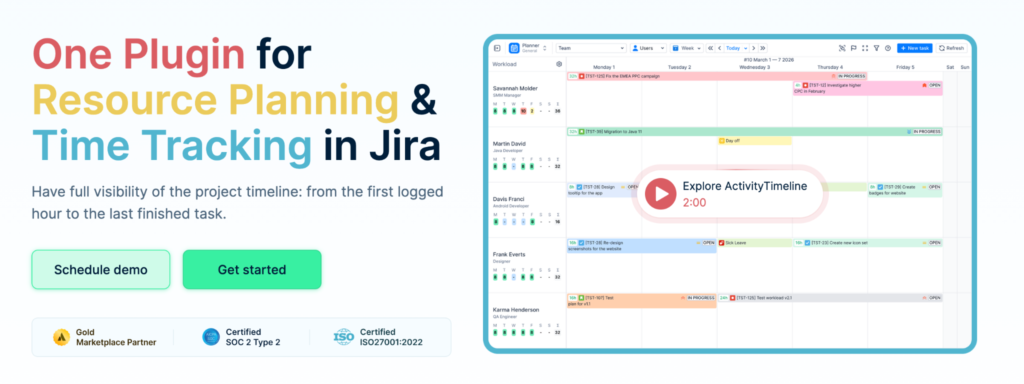
ActivityTimeline is a native Atlassian Marketplace plugin that combines two things Tempo requires separate add-ons for: timesheets and resource and capacity planning. In that sense, ActivityTimeline is the most direct replacement to what Tempo offers.
It includes timesheet submission and approval, a resource planning view showing who has capacity and who is overloaded, and a built-in integration with Tempo Timesheets. The interface is also a bit cleaner and user-friendly than Tempo’s.
What users are saying
Users on the Atlassian marketplace rate ActivityTimeline 4.7/5 based on over 106 reviews.
Pricing
ActivityTimeline offers two pricing plans — Standard and Advanced — both of which are priced based on the number of users in your Jira instance. Here’s a breakdown for 50 Jira users:
- Standard costs $125/month and includes timesheets, reports, capacity planning, and task management.
- Advanced costs $175/month and includes project costing and budgeting, plus premium support.
5. Planyway: Best for project planning and time tracking in one Jira plugin

Planyway is a native Atlassian Marketplace plugin that combines project planning (Gantt-style timelines, sprint boards, resource management) with timesheets. It’s built around the idea that you can’t plan realistically without knowing who has capacity, and you can’t manage capacity without tracking actual time.
It emphasizes project planning as the primary workflow, with timesheets as a connected layer rather than the primary focus. Teams that are frustrated with separate sprint planning and time tracking tools, and want both inside Jira, will find that Planyway a good option. However, reporting depth is lighter than Tempo’s for large enterprise deployments.
What users are saying
G2 users rate Planyway at 4.4/5 based on more than 18 reviews, with ease of use and Jira integration depth being commonly-cited benefits.
Pricing
Planyway is free for up to 10 users. Beyond that, pricing depends on the number of users in your Atlassian app instance. For example, for 50 users, Planyway costs $150/month.
How to choose the right Tempo alternative
The decision on which Tempo alternative is right for you comes down to where your biggest pain point is and what kind of integration your team needs:
- Choose Toggl if you want best-in-class time tracking and reporting, coupled with capacity, resource, and workload planning. You’ll pay for active time trackers only, instead of being billed per Jira user. The right starting point is our Jira integration setup.
- Choose Clockwork Pro if you need time data to stay inside Jira’s native worklog format and want the cleanest possible migration story if you ever switch again. It’s the best option for teams that can’t or won’t use an external tool.
- Choose ActivityTimeline if you want to replace both Tempo Timesheets and Tempo Planner with a single plugin at a lower combined cost.
- Choose Everhour if client billing and invoice generation from tracked Jira time is the primary use case.
- Choose Planyway if project planning and time tracking need to share a single data model inside Jira, and you want Gantt-style views alongside your timesheets.
What to know before migrating away from Tempo
Before committing to a switch, do a data audit and understand how Tempo stores data, including its specific attribute structure. Understanding if the tool you plan to migrate to supports the same structure and how you’ll have to adjust the process if it doesn’t is a crucial first step.
Additionally, do a deep dive on how far back your historical data actually needs to go. Most teams realise that active data from the past 12-18 months matters significantly, and older data matters much less but that’s not a universal rule.
For the actual migration, tempo has an export function that produces a CSV of worklogs. For Toggl, the migration isn’t a direct worklog transfer — you’re moving to a different data model — so the focus is on exporting your Tempo data as a reference and setting up Toggl’s Jira sync to capture new time going forward.
The approach that works best for teams with a hard go-live deadline is to run both tools in parallel for three to four weeks before cutting over. Set up the new tool, have a small group use both simultaneously, validate that reporting and approvals work as expected, and then switch the full team. Cutting over to a new time tracking tool without a parallel period is usually a poor choice.
Simplify and improve Jira time tracking with Toggl
Toggl brings together time tracking, capacity, profitability, and planning under one roof, so you can finally get your time data working for you. Unlike Tempo’s expensive and rigid timesheets or Jira’s limited time tracking solution, Toggl:
- Lets you track time your way, via a timer, manual entry, calendar sync, or Pomodoro, on the apps you’re most comfortable using (desktop, web, or mobile).
- Shows you who’s over- or underbooked at a glance, while factoring holidays, time off, and working hours.
- Pulls together tracked hours, billable rates, utilization, and capacity. No need to export and build your own spreadsheets.
- Gives you clarity on what’s next with Board, Calendar, and Timeline views.
Sign up for a free plan or schedule a demo with our team to see how Toggl can help you master Jira time management, plus capacity, profitability, and team productivity tracking.
Frequently asked questions (FAQs) about Tempo alternatives
What is the best alternative to Tempo Timesheets for Jira?
There is no single best alternative — it depends on what drove you to look in the first place. If you need advanced time tracking and capacity planning without the price per Jira constraint, Toggl is the best choice. If you need time data to stay inside Jira natively, Clockwork Pro is the most direct substitute. If you want to consolidate Tempo Timesheets and Tempo Planner into one plugin, ActivityTimeline is the most direct replacement.
Is Tempo Timesheets free?
No. Tempo Timesheets does not have a free plan. For small Jira Cloud teams, there is a flat fee of $10 per month. For larger teams, pricing scales per user between $0.25 and $5.20 per user per month depending on instance size. Data Center pricing starts at $2,280 per year.
Why do teams start looking for Tempo alternatives?
Users typically move away from Tempo due to cost considerations. For organisations with hundreds or thousands of Jira users — including stakeholders, product managers, executives, and observers who have Jira access but no time tracking responsibilities — it creates a situation where you are paying for a lot of licences that produce no time data.
Rigidity and add-on dependency are also commonly cited issues. Tempo’s features are extensive, but they are structured in a way that doesn’t work well for teams with non-standard workflows. Timesheet approvals only exist at the user level, not the project level. If you want to approve time by project, you cannot do it natively. If you want capacity planning alongside your timesheets, you need the separate Tempo Planner add-on, which costs extra.
Why is Tempo so expensive?
Tempo charges per Jira user, not per person who actually tracks time. In large Jira instances where many users are stakeholders, observers, or product managers who don’t log hours, you pay for licences that produce no value. The cost also increases when you add Tempo Planner for capacity planning or Financial Manager for budget tracking, since these are separate paid add-ons.
What Jira time tracking plugins are cheaper than Tempo?
Most Jira Marketplace time tracking plugins are cheaper than Tempo. ActivityTimeline starts from $2.50/user/month (versus Tempo’s $5.20/user/month at smaller scale) and includes capacity planning that Tempo charges extra for. Clockwork Pro is also significantly cheaper per independent comparisons. Both are native Marketplace plugins that bill by Jira user count.
What is the best free alternative to Tempo Timesheets?
Toggl has a free plan for up to 5 users, which includes time tracking and basic reporting. ActivityTimeline is free for up to 10 Jira Cloud users. Jira’s built-in time tracking (logging work directly on issues) is free for all Jira users and stores data in the native worklog format, but it has limited reporting capabilities.

Elizabeth is an experienced entrepreneur, writer, and content marketer. She has nine years of experience helping grow businesses, including two of her own, and shares Toggl's mission of challenging traditional beliefs about what building a successful business looks like.