Professional services firms are losing revenue at an astonishing rate. The AICPA’s National MAP Survey, the largest benchmarking study of US accounting firms, reported that the average firm bills its clients for only 59.6% of the hours its staff work.
Why? Professionals under-record their own billable time, regularly logging fewer hours than they work, resulting in significant financial loss.
Most professional services firms already know they’re losing billable hours, and many have tried to fix it. The harder problem is finding a tool their team will use consistently.
This guide reviews eight of the best time tracking tools for professional services firms — what they do, who they’re built for, and where they sit on the spectrum from lightweight standalone tracker to full PSA platform.
We’ll also cover where billable hours are typically lost, what to look for when choosing a tool, and how to tell whether your firm needs a standalone tracker or a PSA.
The best time tracking software for professional services at a glance
| Best for | Pricing | Standalone trackeror PSA? | |
| Toggl | Easy time tracking, capacity planning, and powerful reporting for professional services firms (5-100 people) | Free plan Paid from $9/user/month | Standalone tracker |
| Harvest | Small professional services teams who don’t need advanced reporting | Free plan for individuals Paid from $9/seat/month | Standalone tracker |
| Clockify | Basic time tracking and reporting | Free plan available Paid from $5.49/seat/month | Standalone tracker |
| Timely | Professional services teams requiring automatic time capture | Free trial Paid from $9/user/month | Standalone tracker |
| BigTime | IT services, consulting, and accounting firms | No free plan Paid from $20/user/month | PSA |
| Teamwork.com | Client-facing agencies | Free plan available Paid from $9.99/user/month | PSA |
| Projectworks | Mid-size consulting firms (20–150 people) | No free plan Paid from $17.10/user/month | PSA |
| Deltek Vantagepoint | Professional services firms with enterprise compliance requirements | Pricing is available upon request | PSA |
Why professional services firms lose billable hours
Here are four places where professional services firms consistently leak billable time, and an easy fix for each.
Delayed entry and memory decay
If your consultants log their time at the end of the day, end of the week, or (far worse!) at the end of the month in time for invoicing, their data will be largely reconstructed from memory.
Unfortunately, the science of memory decay, first documented by Ebbinghaus, shows that our ability to recall facts or events drops sharply in the first few hours after an experience. In terms of time tracking, that means that the details of Tuesday’s client work will be largely forgotten by Friday afternoon.
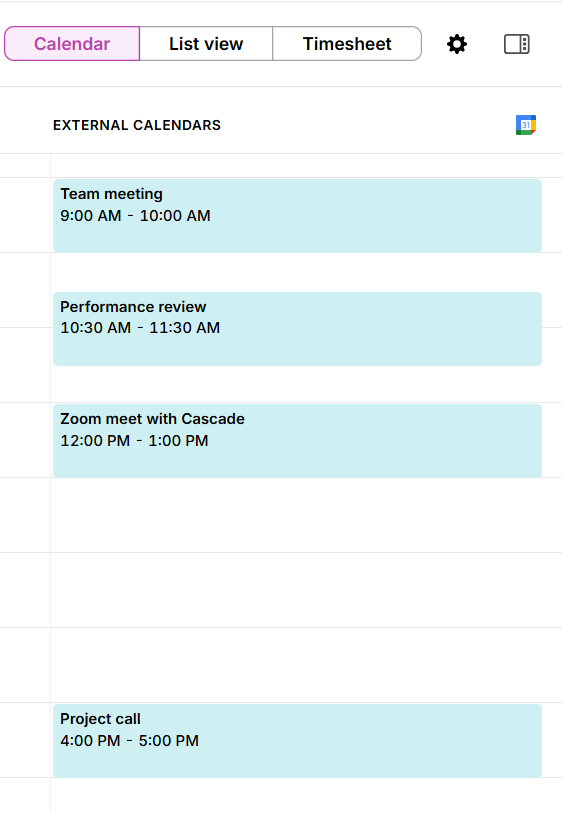
The fix: Make time tracking so easy that it happens in the moment. Browser extensions that sit inside the tools your team already has open and calendar integrations that pre-populate entries from meeting records simplify tracking for your team. Similarly, mobile apps that work offline prevent you from reconstructing time if your internet drops unexpectedly.
Context-switching friction
Context-switching friction happens when a consultant working across four or five client accounts in a single day faces a barrage of administrative interruptions. Their lather-rinse-repeat time tracking cycle might involve finding the project, switching to the relevant tracking code, logging the entry, and then switching to the next client to start over.
When that process takes more than a few seconds, the path of least resistance is to round, batch, and estimate. Unsurprisingly, your busiest consultants often end up with the least accurate timesheets because they’re too deep in the work to stop and log.
The fix: Choose a tool that makes project switching fast and seamless. Tools with keyboard shortcuts, one-click duplication of recent entries, and automatic background capture all reduce the tax on switching. The less effort it takes to log accurately, the more often it’ll happen.
Billable vs. non-billable miscategorization
Miscategorization is the result of your team not knowing what counts as billable time. For example, ask 10 consultants at the same firm if replying to a client email is billable and you’ll get a range of answers. Ask about travel to a client site, or prep work for a potential project extension, and the answers get murkier still.
When the billable vs. non-billable call is left to individual judgment, each consultant has the potential to make a decision dozens of times a day. And most will err on the side of caution in ways that cost your firm money.
The fix: Start with a clear, written policy on what counts as billable and make sure every consultant knows where the lines are before they log a single entry. From there, let your tools do the heavy lifting. When a project is configured as billable by default within your tracking platform, every time entry against it inherits that flag automatically, with no judgment call required at the point of entry. The combination of a firm-wide standard and sensible project-level defaults replaces dozens of daily guesses with a single, one-time decision.
Disconnected billing workflow
In many professional services firms, the journey from logged hour to client invoice passes through several hands and several tools. Your time entries might be:
- Exported from the tracker
- Dropped into a spreadsheet
- Reconciled against project budgets
- Reviewed by a project manager
- Re-entered manually into an invoicing or accounting system
Each of these handoff points is a chance for something to get lost or become delayed.
The fix: Direct integrations with tools like QuickBooks, Xero, or FreshBooks let approved time entries pass straight into draft invoices without a manual export step. The reconciliation work streamlines to keep your audit trail clean. And the gap between completing your work and turning time into invoices is immediately slashed.
Standalone time tracker vs. PSA: Which does your firm need?
The professional services software market will happily sell you a full PSA platform whether you need one or not. Before you commit to something complex and expensive, it’s worth checking if a standalone time tracker would add the most value to your setup instead.
- Standalone time trackers capture your time accurately and transform it into something you can bill from. If your accounting is already handled competently in QuickBooks, Xero, or similar, and your primary gap is accurate time capture and reporting, a standalone tracker is almost certainly enough. They’re faster to implement, easier for your team to adopt, and considerably cheaper to run than a broader PSA tool.
- PSA platforms make more sense when you need a tool that handles the full chain from time entry through project budget tracking, utilization reporting, and invoicing in a single connected system. If project accounting and margin visibility are board-level concerns, or if your billing model is complex enough to require role-based rate cards across mixed time and materials, fixed-fee, and retainer engagements, a PSA starts to justify its implementation overhead.
How does headcount influence your standalone tracker or PSA choice?
Headcount is a useful starting point for deciding between standalone and PSA tools, but it’s a rough guide rather than a hard rule. Your billing complexity, operational maturity, and existing tool stack all influence your decision-making too.
Below 100 people, the case for a standalone tracker is strong for most firms. At this point, it’s hard to justify the investment required for a more powerful PSA system, which would require a significant operational overhaul.
Firms in the 100-200 person range often find the standalone vs. PSA decision the most difficult. Where exactly the line falls depends as much on your billing complexity and operational maturity as it does on headcount.
Above the 200-person threshold, a PSA is likely a better match for most professional services firms. If you’ve been running a series of disconnected project management tools for your capacity planning, accounting, and time tracking, this can quickly become inefficient.
Remember though that a PSA platform’s time tracking is rarely more accurate than a capable standalone tracker’s, and it’s often harder to get people to use it consistently. The more complex the tool, the more friction it creates, and friction is the enemy of adoption. A standalone tracker that your whole team uses daily will generate better, more reliable time data than a PSA that half the team finds too cumbersome. The surrounding financial infrastructure is what justifies the PSA investment, not the time tracking itself, and that’s only worth the complexity once you’ve genuinely outgrown simpler approaches.
What features should you look for in professional services time tracking software?
The right time tracking tool for your professional services firm should address each of the failure modes we’ve covered. Here are six criteria worth prioritizing.
- Frictionless entry. The single biggest predictor of adoption is how fast it takes a person to log a time entry. Look for timer start/stop, manual time tracking, calendar sync that pre-populates entries from meetings, and ideally automatic background capture that suggests entries based on activity. If logging time is a chore , you might also find that compliance degrades over time.
- Project and client attribution with billing flags. Every entry should connect clearly to a specific project and client, with a billable or non-billable flag that defaults to the project setting. This avoids consultants having to make that classification judgment from scratch each time they log.
- Utilization and billing reporting. The most important reports in professional services are hours by consultant, project, and client; billable vs. non-billable split; and budget burn rate against hours allocated. These are what your finance lead and project managers use day to day, and the time entry interface is the initial input.
- Accounting and invoicing integration. A direct connection to QuickBooks, Xero, or FreshBooks means that your approved time entries become draft invoices without a manual export step. This is where standalone trackers like Toggl earn their keep, with tight integrations that shorten the billing cycle significantly.
- Mobile and offline reliability. Your consultants travel and work from client sites, and aren’t always on a reliable connection. So, they’re likely to ditch a time tracking tool if it only works properly on a desktop; it just won’t capture the breadth of their work. Mobile time tracking with an offline sync setting is non-negotiable here.
What does your billing model mean for time tracking?
Not all professional services firms bill the same way, and the way you charge clients has a direct bearing on what you need from a timekeeping tool. Here’s how the four most common billing models map to specific requirements.
- Time and materials (T&M) is the most time tracking-dependent model. Every hour logged should be accurate and attached to the correct role and rate, before being passed cleanly to invoicing. If you use T&M, you’ll need timer-based entry, role-based billing rates, a timesheet approval workflow, and a direct integration with your invoicing platform.
- Fixed-fee projects still require accurate time tracking, even though work hours aren’t your main billing variable. Tracking time against a fixed-fee engagement tells you whether the project is profitable and informs how you price the next one. The key features here are budget burn visibility — actual hours versus budgeted hours in real time — and project profitability reporting after the project closes.
- Retainer arrangements involve regular recurring invoices with hour tracking to demonstrate value and stay within agreed caps. You need cumulative hours-used visibility by period, alerts when a client is approaching their cap, and client-facing time reports that justify the retainer fee.
- Milestone billing ties invoices to deliverable completion rather than hours worked, but you should still track time internally for margin analysis. This is the lightest-touch model from a time tracking perspective; you need accurate project-level capture, but tight invoicing integration is less critical than it is for T&M.
8 best time tracking software for professional services
At Toggl, we’ve been building time tracking software for over two decades, and professional services firms make up a significant share of our 600,000+ active users. We’ve seen what makes these teams adopt a tool and stick with it, and we’ve seen what makes them abandon one six weeks after rollout. The list below covers the full spectrum, from lightweight standalone trackers to full PSA platforms.
1. Toggl
Best for: easy time tracking and powerful reporting for professional services firms (5-100 people)
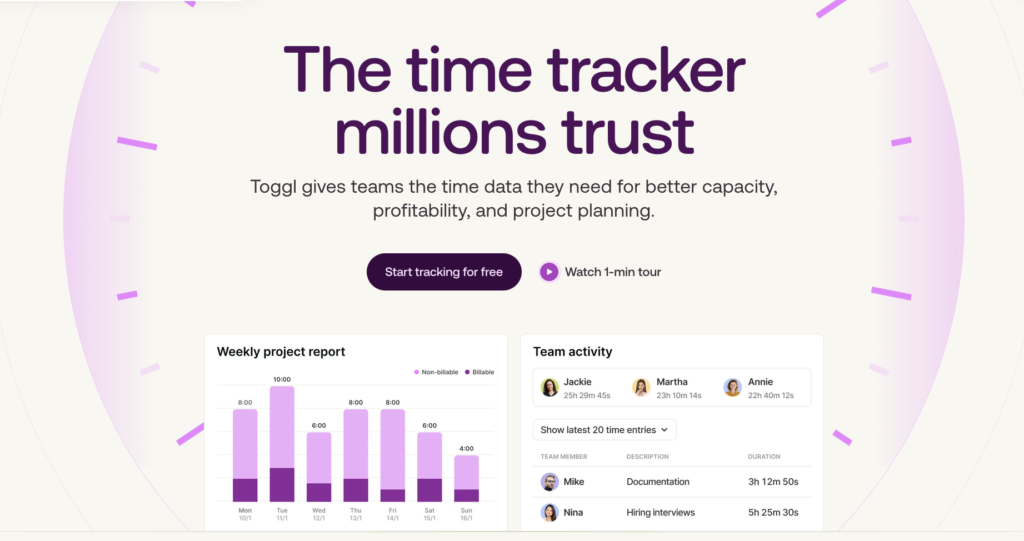
Toggl is a user-friendly time tracking and capacity planning tool built for firms requiring better visibility into where billable time goes. Instead of forcing your consultants, lawyers, accountants, or agency teams into a heavy, rigid PSA system, Toggl molds to your workflows, delivering usable data almost immediately.
Time tracking in Toggl is quick, straightforward, and happens within the flow of work,
As a result, your teams can log hours without any friction which quickly creates reliable, usable time data. For example, a 20-person consulting firm can be fully set up in a day, with consultants logging time by the end of the week and their first clean, billing-ready project reports within the same cycle.
Capture time without relying on memory
Users can start a timer, duplicate recent entries, or log from the tools they already work in. The browser extension adds a one-click timer inside your everyday tools, including Asana, Jira, GitHub, Slack, and Google Calendar, which reduces the tab-switching that usually leads to rough estimates later.
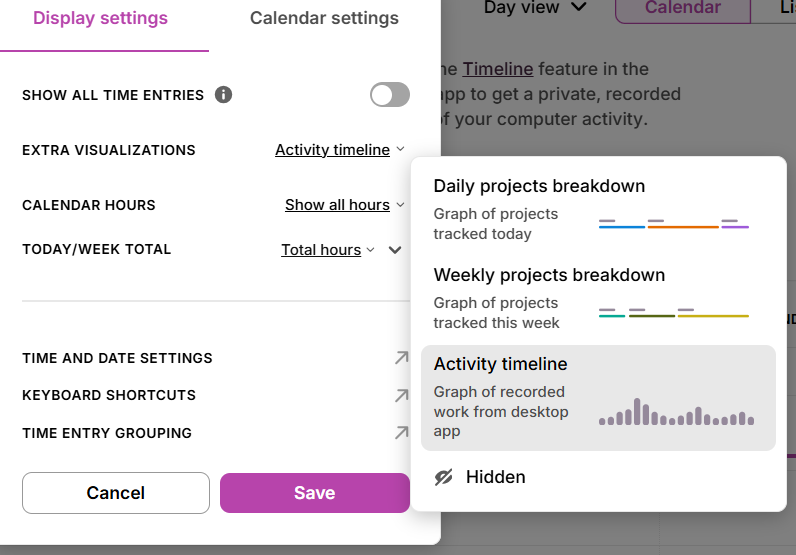
Toggl’s desktop app also supports automated time tracking, which records which applications and documents are active, then suggests time entries for users to review and approve. Instead of reconstructing a day from memory, consultants can create a timeline of their activity.
Report time based on clients, projects, and billable work
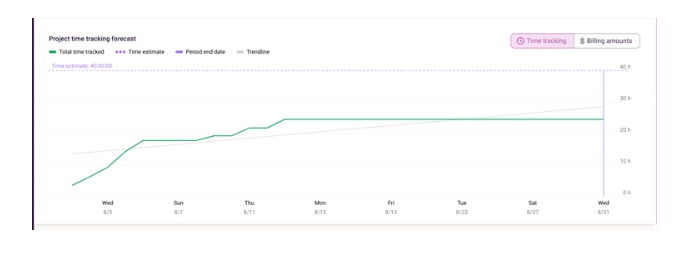
Once time is logged, Toggl turns it into a range of clear reports, depending on the metrics you want to present. Project-level reporting shows how actual hours compare with estimates, so managers can spot budget drift before a fixed-fee project becomes unprofitable.
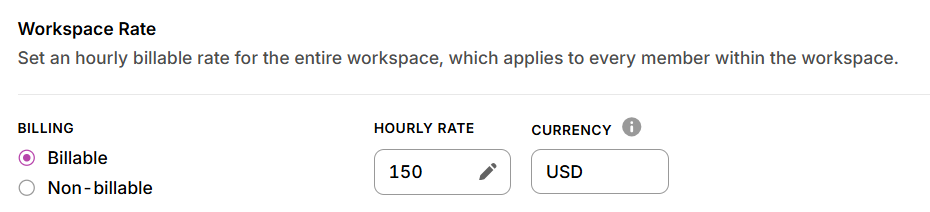
Client-level reports make it easier to see your total workload across multiple engagements, while team reporting gives finance and operations leaders a clearer view of utilization without needing a full PSA rollout. For firms billing by time and materials, Toggl also supports billable rates and timesheet approvals, so you can review time before it reaches the invoice stage.
Double down on trust rather than surveillance
Toggl takes a strict stance against surveillance. Our platform doesn’t offer screenshots, keystroke logging, or any type of productivity ratings. We firmly believe that the professionals using our tools want to be trusted at work, rather than monitored, and this is one of the most important factors in increasing tool adoption.
Although team time tracking is available, users are firmly in control of what they do and don’t share with anyone else. Managers never see raw activity data. They only see the entries a person chooses to submit, which keeps the focus on accurate billing rather than surveillance.
Pros
- Fast to implement, with no PSA-level complexity or onboarding overhead
- Built-in capacity planning and time off management (including PTO)
- Automated time capture addresses memory decay at the source
- Simple and powerful task and project management capabilities
- Strong billing and utilization reporting for professional services
- No screenshots or activity monitoring
Cons
- No native invoicing (yet!)
- Advanced reporting features require a paid plan
- Requires consistent team adoption to generate reliable data
Pricing
- Free 30-day trial available, no credit card required
- Free forever plan for up to five users
- 3 paid plans: Starter, Premium, and Enterprise
- Paid plans start at $9/user/mo
What users say
“It’s a lawyer’s dream come true. Being able to start and stop and continue projects so quickly and just copy and paste the information into my client’s billing software is amazing. I recommend this to absolutely every single new associate who comes to the firm and have used it for years since I found it … 4 firms ago. It is extremely easy to use, the full print out detailed reports are very helpful. Also being able to enter past time in minute increments (ex: .6) is great for a lawyer.” — Tiffany S., an associate attorney
2. Harvest
Best for: small professional services teams (under 30 people)
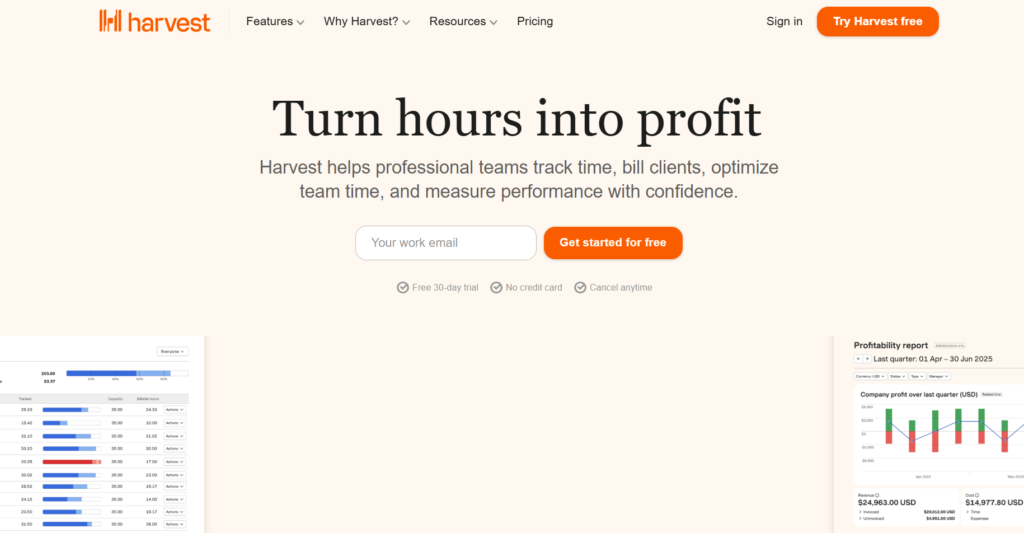
Harvest is a time tracking tool built for teams that want to track billable hours and convert them into invoices from the same, tightly-bundled system. The interface is clean and easy to navigate, which helps smaller teams get up and running quickly without much setup. From here, users have a choice of logging hours via a timer or manual entry; they can track billable or non-billable time and assign it to specific projects and tasks.
Invoicing is one of Harvest’s main strengths. The platform generates invoices from approved timesheet entries, with billable hours and rates already applied. Harvest also includes project budget tracking, for monitoring how tracked hours compare to allocated time. If you run a lot of fixed-fee projects, you’ll find this functionality useful for staying on track and spotting overruns before they impact your margins.
Harvest’s time reporting covers the essentials for smaller teams, including slicing time by project, client, and team member, as well as billable versus non-billable hours. Larger firms, or those needing deeper financial intelligence, may find the platform limited.
Pros
- Time tracking and native invoicing in one tool
- Clean, easy-to-use interface
- Built-in project time and budget tracking
Cons
- Reporting may be too basic
- Fewer integrations and customization options than larger platforms
- Becomes limiting as teams scale or billing complexity increases
- Long-term users have been hit with sudden price hikes
Pricing
- Free trial available
- Free plan available
- 2 paid plans: Teams and Enterprise
- Paid pricing starts at $9/seat/mo
What users say
“Very easy to use. Great for professional services organizations that employ different billing models. Reliable – uptime is high. Integrated timesheet and estimate approval and invoicing.” — Alex T., small business CEO
3. Clockify
Best for: basic time tracking and reporting
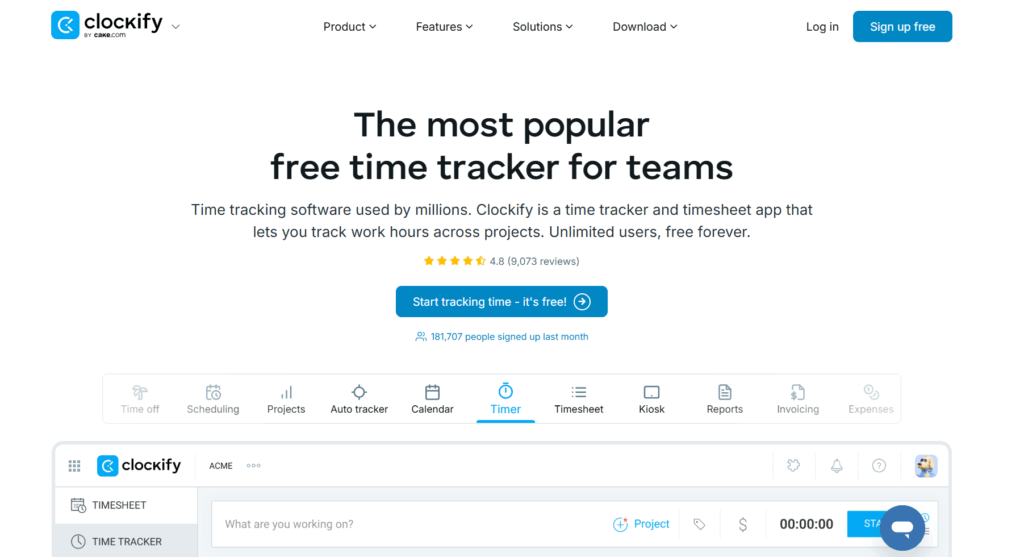
Clockify is a budget-friendly tool for teams that’s a good fit for teams that need to launch time tracking quickly. If you’re moving away from spreadsheets or informal tracking and don’t have significant upfront investment, Clockify could be a match. And if you’re a small professional services team, its free plan offers unlimited tracking for up to five users.
Within the platform, time tracking is flexible. Users can run a timer, log time manually, fill in timesheets, or use a calendar view to reconstruct their day. And if your team needs a gentle nudge to commit to tracking, Clockify also includes features like idle detection, reminders, and a desktop auto-tracker, which is great for building consistent tracking habits. Reporting covers the essentials, including time by project, client, and team member, along with simple dashboards for oversight.
If you’re in the market for more advanced workflows, such as timesheet approvals, deeper reporting, and invoicing, be aware that they sit behind paid plans.
Pros
- Free plan supports unlimited tracking
- Solid project and client tracking
- Suitable starting point for teams new to time tracking
Cons
- Reporting and filtering may feel limited if you need advanced customization
- Advanced features (approvals, deeper real-time insights) require paid plans
- The interface can feel cluttered
- No longer free for unlimited users
Pricing
- Free trial available
- Free plan available
- 4 paid plans: Standard, Pro, Enterprise, and Productivity Suite
- Paid pricing starts at $5.49/seat/mo
What users say
“Every time I start it, I have to just 1 click there in the extension and it starts counting the time. Its dashboard is so useful and has a very detailed breakdown. When I measure my time in the dashboard it shows as if everything is in front of my eyes. Great performance. And its free model is more than enough for a small work project.” — Rifat R., digital marketer
4. Timely
Best for: professional services teams requiring automatic time capture
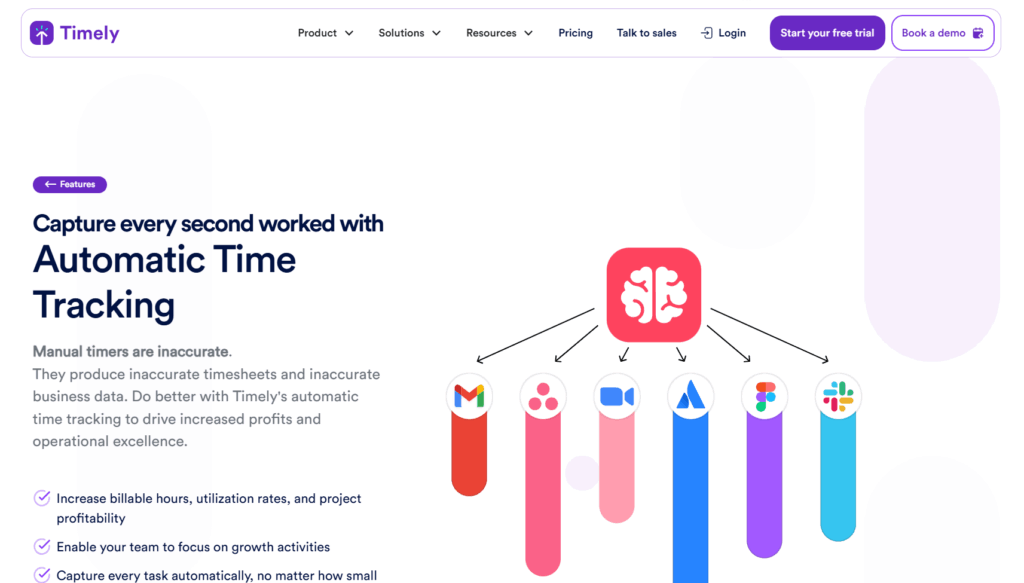
Timely is an AI-powered time tracking tool that automatically records work activity in the background through a feature called the Memory app. Using this information, Timely’s AutoSheet feature creates a timesheet for users to review and tweak accordingly before they submit it for approval. If any of your team tends to resist the discipline of manual tracking, this automation removes the friction almost entirely.
Like Toggl, Timely is committed to user privacy. The raw activity timeline stays entirely private to the individual, and managers only see what a team member has chosen to submit. This feature makes Timely an easier sell to the kind of senior staff whose hours are most valuable to capture.
Once time is logged, Timely supports project-level budget tracking and profitability reporting, with required tags to keep categorization consistent across the team. Locked time prevents approved entries from being changed after the fact, which keeps billing records tight and audit-ready.
The main limitation is platform coverage, which is worth bearing in mind if your consultants spend a lot of time away from their desk. The Memory app only runs on Windows and macOS, while mobile tracking is manual rather than automatic.
Pros
- Automatic time tracking
- Strong privacy posture, with private raw activity data
- AutoSheet drafts timesheets automatically for one-click submission
Cons
- No free plan
- Automatic tracking limited to Windows and macOS — mobile is manual only
- Automatic tracking can require manual intervention to be accurate
Pricing
- Free trial available
- No free plan
- 4 paid plans: Starter, Premium, Unlimited, and Enterprise
- Paid pricing starts at $9/user/mo
What users say
“Tracking time was one of my most dreaded tasks as an accountant. Timely makes it easy, fast and fun. I seriously would not be able to do my job as well as I do without Timely. I switch tasks regularly throughout the day and I don’t have to worry about starting or stopping timers – the app just runs in the background and does all the administrative work for me.” — Stephanie T., accountant
5. BigTime
Best for: IT services, consulting, and accounting firms
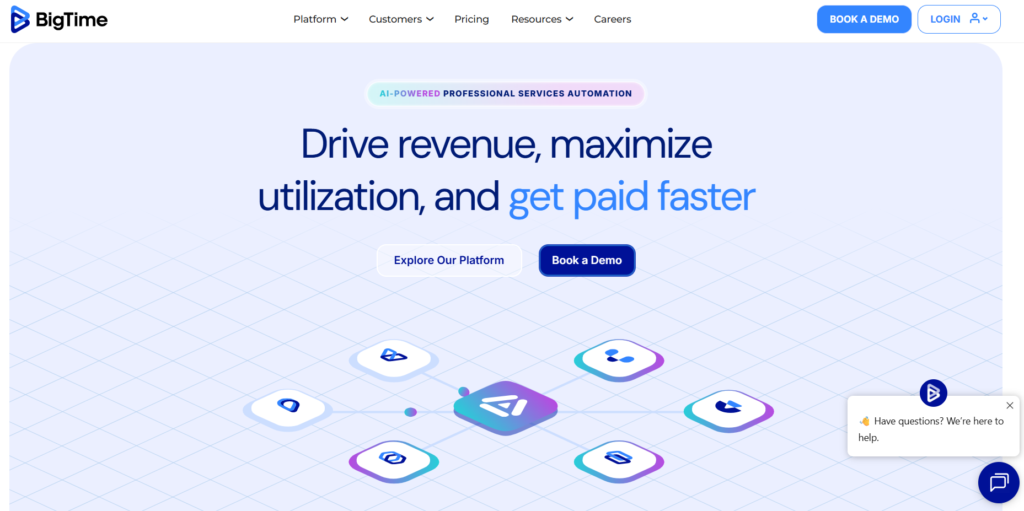
BigTime is an AI-powered professional services automation platform that connects the full client engagement lifecycle, from quoting and resource planning through project delivery, time and expense tracking, and invoicing, in a single system.
Firms managing mixed billing models across the same client base will find it a strong fit. BigTime supports T&M, fixed-fee, and milestone billing with role-based rate cards, so different consultants can carry different rates on the same project without manual workarounds. AI-assisted resource planning matches people to projects based on availability and skills, and auto-fill timesheet functionality reduces the administrative burden on your team.
The trade-off of using such a feature-rich platform is complexity. BigTime requires more setup and onboarding time than a standalone tracker, and the depth of its feature set can feel like overhead for smaller firms with straightforward billing.
Pros
- Full PSA functionality — quoting, resource planning, time management, and invoicing in one platform
- AI-assisted resource planning and timesheet automation
- Integrates with QuickBooks and Sage Intacct
Cons
- Steeper learning curve than standalone trackers
- No free plan
- Pricing isn’t transparent – quotes are available on request
Pricing
- Free trial available
- No free plan
- 4 paid plans: Essentials, Advanced, Premier, and Enterprise
- Paid pricing starts at $20/user/mo
What users say
“Strong time tracking for professional services: BigTime makes it pretty easy for teams to log hours and track time against projects.” — Amelia V., office administrator
6. Teamwork.com
Best for: client-facing agencies
Teamwork.com is an AI-powered project, resource, and financial management platform built specifically for client work. It positions employee time tracking as one component of a broader system that connects project delivery, resource planning, and financial performance in a single view.
For agencies and professional services teams already managing projects in Teamwork.com, the time tracking integration is a natural extension. Consultants log hours directly against tasks and projects, and that data feeds into real-time budget tracking, project progress reporting, and profitability reporting. The platform’s new AI assistant, Kash, also provides financial insights, such as budget health and margin performance, without requiring a separate reporting tool.
Invoicing is available from the Accelerate plan upwards, but Teamwork.com is better understood as a project management platform with strong time tracking built in, rather than a dedicated time and billing tool.
Pros
- Time tracking tightly integrated with project tasks and budget tracking
- AI-powered financial insights and profitability reporting
- Strong fit for agencies already running projects in Teamwork.com
Cons
- Free plan limited to five projects
- Less suited as a standalone time tracker outside the Teamwork ecosystem
- Invoicing only available on higher-tier plans
Pricing
- Free trial available
- Free plan available
- 4 paid plans: Basics, Accelerate, Optimize, and Enterprise
- Paid pricing starts at $9.99/user/mo
What users say
“It is very easy to generate a task from our helpdesk and allocate it to a project for support and implementations. We track the time each consultant logs on a project on Teamwork projects. This makes our billing and reporting very easy.” — Raymond D., managing director of a small business
7. Projectworks
Best for: mid-size consulting firms (20–150 people)
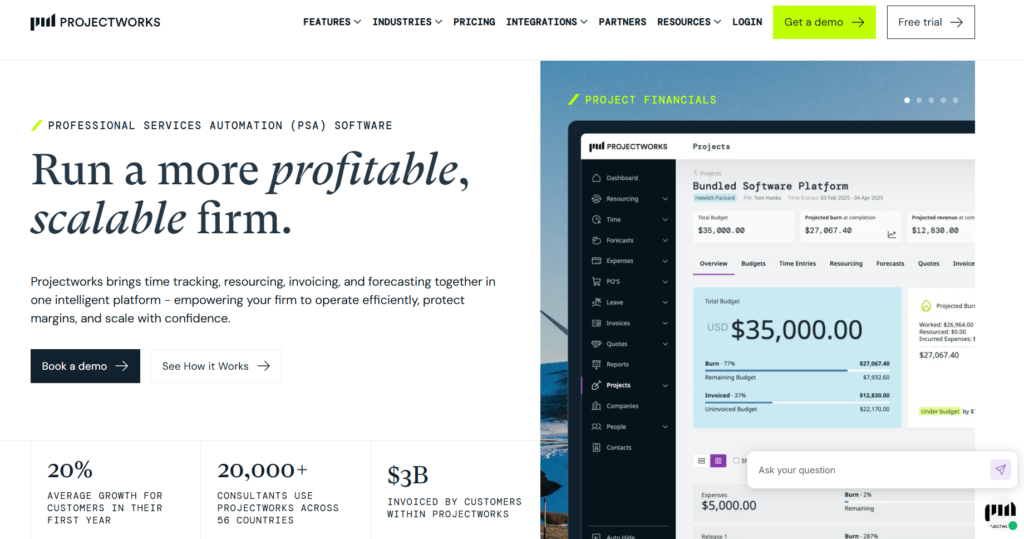
Projectworks is a professional services automation platform built specifically for consulting firms that want PSA capabilities without enterprise-level complexity. It’s specifically designed for engineering, architecture, software services, and management consulting firms that sell time-based work and need to understand their project margins in real time.
Time tracking is a core part of the platform. Consultants log billable and non-billable hours against projects, with one-click timesheet copying, a Chrome extension timer, and automated reminders to reduce the chasing that typically falls on project managers. They can also track expenses with multi-currency support and connected billing data that feeds directly into Xero without manual exports.
Utilization and financial forecasting capabilities give operations and finance leads a live view of how today’s work shapes future profitability. Logged hours connect directly to budget burn, resource planning, and margin reporting. For mid-size consulting firms that have outgrown standalone trackers but aren’t ready for the overhead of a full enterprise PSA, it sits in a useful middle ground.
Pros
- Purpose-built for consulting firms selling time-based work
- Clean Xero integration with no manual exports
- Expense tracking and time tracking in the same system
Cons
- More implementation required than standalone trackers
- Onboarding is an additional one-time cost, starting from $1,000
- No free plan
Pricing
- Free trial available
- No free plan
- 3 paid plans: Build, Scale, and Unleash
- Pricing starts at $17.10/user/mo
What users say
“Projectworks offers a robust structure that supports professional services firms as they establish themselves or expand their footprint. The platform makes it easy to manage multiple time codes per user. It enables both billable and non-billable time tracking. This flexibility makes it easy to design complex project structures without any hassle.” — Joshua B., director of global delivery
8. Deltek Vantagepoint
Best for: professional services firms with enterprise compliance requirements
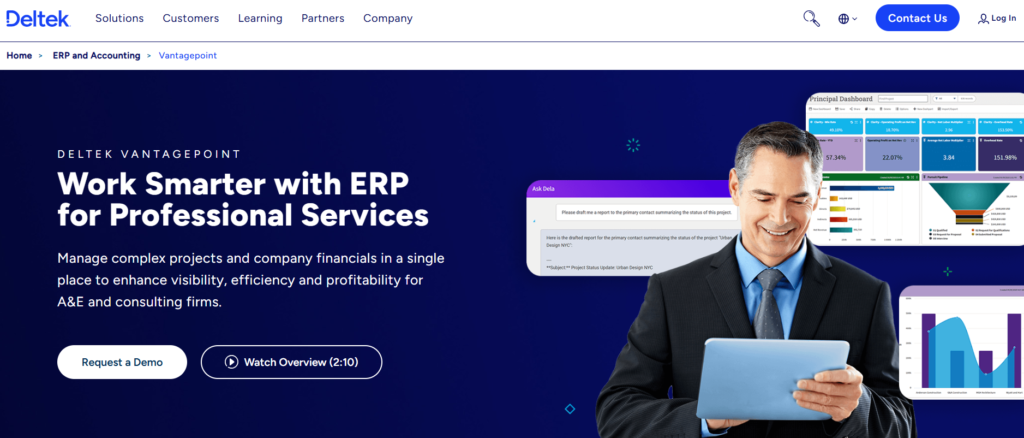
Deltek Vantagepoint is an enterprise resource planning (ERP) platform for project-based professional services firms that need to manage complex project structures, company financials, and compliance requirements in a single system. It’s the most comprehensive tool on this list, which is worth factoring into your implementation plans. In other words, don’t expect it to be a quick or budget-friendly solution.
Time tracking in Vantagepoint is deeply integrated with project accounting, resource management, and billing. AI-assisted timesheet entry reduces the administrative burden on consultants, and automated billing and invoicing connects directly to project financials. For firms with government contracts or enterprise compliance requirements, Vantagepoint’s DCAA compliance support and financial controls are difficult to match elsewhere.
But for firms under 200 people, or those without complex project accounting needs, the platform likely has a lot more power than you can justify investing in.
Pros
- Purpose-built ERP for architecture, engineering, and consulting firms
- Strong compliance and audit trail support for government and enterprise clients
- AI-assisted timesheet and billing automation
Cons
- Significant implementation complexity and cost
- No published pricing — requires direct engagement with sales
- Overkill for firms under 200 people with straightforward billing
Pricing
- Accurate pricing is available from the vendor on request
What users say
“A striking feature is that Deltek provides comprehensive project management functions in a single program, such as expense reports, budget planning, time sheets, audits, etc. I love that it is so intuitive and versatile and can be used to meet the needs of our customers.” — Melissa S., an enterprise user
How to improve time tracking adoption in a professional services firm
The best time tracking software in the world only works if your team uses it. Here are six strategies you can use to encourage them.
- Make same-day entry the standard. End-of-week logging might feel manageable, but as Ebbinghaus showed us, memory degrades sharply after a few hours. Make same-day entry the firm-wide expectation from day one, not a best practice people can opt into.
- Use calendar integrations as your fastest adoption accelerator. Most consultants live in their calendars. A tool that pulls meeting records directly into timesheet entries removes the biggest friction point for new users. Let them approve entries rather than creating them from scratch.
- Treat the mobile app as a requirement, not a bonus. Consultants who travel or work from client sites need to log time away from their desks. If the tool doesn’t work reliably on mobile and offline, those hours won’t get captured.
- Make the business case to your consultants directly. Time tracking lands very differently when it’s framed as calculating billable hours correctly and keeping invoices accurate, rather than as oversight. Senior professionals who understand the revenue case tend to comply far more consistently than those who’ve simply been told to do it.
- Set submission deadlines with automated reminders. A firm-wide weekly deadline, backed by a gentle automated nudge when hours fall short, removes the ambiguity about when timesheets are due and reduces the manual chasing that falls on project managers.
- Review your utilization data weekly. If the data is never looked at, the tracking habit eventually erodes. A weekly manager review of utilization by person and project highlights the importance of collecting the data; it also gives you the visibility to catch problems before they reach the invoice.
Bill more accurately with Toggl
In professional services, time is literally money. Each billable hour never logged is revenue that disappears without a trace. And lost time adds up fast. Across a team or billing cycle, this leakage amounts to a figure most managing partners would find seriously uncomfortable if they could see the truth.
Accurate time tracking pays back more than the hours it recovers. Firms that commit to this simple practice know exactly where their time goes. From here, they can scope projects more confidently, price engagements more accurately, and make staffing decisions based on real utilization data rather than gut feel. The economics add value in both directions — firms that track well also get better at the business of professional services.
Toggl is built for firms that want those benefits of time tracking without the overhead of a full PSA implementation. Sign up for free and get your team logging time today.
Frequently asked questions (FAQs) about time tracking software for professional services
How much billable time do professional services firms typically lose to poor time tracking?
The amount of billable time lost to poor time tracking varies by firm, according to the consultant’s billing rate and how many hours they typically work. A consultant charging $150 per hour and working 6 billable hours per day could lose between 13 and 32 hours per month at a cost of $1,950-$4,800. The leakage is normally caused by delayed time entries or miscategorization. And it’s all largely preventable with the right tools and processes.
What is the best time tracking software for a small consulting firm?
For most small consulting firms, Toggl is the strongest choice. It combines frictionless time capture, strong billing, capacity planning, utilization reporting, and task management. And this comes without the implementation complexity of a full PSA platform. Toggl’s free plan covers up to five users, and paid plans start at $9/user/month. You can also use our free consulting rate calculator to figure out how much to charge to hit your income goals.
Does Toggl work for billing clients on time-and-materials projects?
Yes, absolutely; Toggl handles T&M billing well. You can set role-based billing rates, flag entries as billable at the project level, and run timesheet approval workflows. Our platform covers the full T&M workflow without a manual reconciliation step.
When does a professional services firm need a PSA instead of a standalone time tracker?
For most firms under 100 people with straightforward billing, a standalone tracker is sufficient. A PSA becomes worth considering when you need time tracking, project accounting, resource planning, and invoicing in a single connected system. This is typically around the 100-200 person mark, or when mixed billing models make disconnected tools inefficient. If your headcount is more than 200 people, there’s a stronger case for PSAs at this level.
How do you get consultants to submit timesheets on time?
Same-day entry as a firm-wide standard, combined with automated reminders when hours fall below targets, makes the biggest practical difference. Framing time tracking as something that protects consultants’ own billable hours, rather than as surveillance, also significantly improves compliance.

Rebecca has 10+ years' experience producing content for HR tech and work management companies. She has a talent for breaking down complex ideas into practical advice that helps businesses and professionals thrive in the modern workplace. Rebecca's content is featured in publications like Forbes, Business Insider, and Entrepreneur, and she also partners with companies like UKG, Deel, monday.com, and Nectar, covering all aspects of the employee lifecycle. As a member of the Josh Bersin Academy, she networks with people professionals and keeps her HR skills sharp with regular courses.