Timesheet Approvals: Why They Matter and How to Use Them
For admins managing time-tracking systems, the Timesheet Approvals in Toggl ensures that tracked hours are accurate, organized, and ready for billing or reporting.
Here’s why it matters, how it works, and some best practices to get the most out of it.
When to use Approvals?
Approvals are particularly beneficial for:
- Complex Projects: When multiple teams, tasks, or clients are involved, ensuring accurate time tracking is critical. Approvals provide a checkpoint to catch errors or omissions.
- Billing and Payroll: If your time data feeds directly into invoices or employee payments, accuracy is essential. Approvals add a layer of verification to ensure every hour counts correctly.
- Compliance Requirements: For organizations bound by regulations or auditing standards, a robust approval process helps maintain clean, auditable records.
- Performance Reviews: When time tracking is used to assess productivity, approved timesheets offer a trustworthy foundation for evaluations.
How do Approvals work?
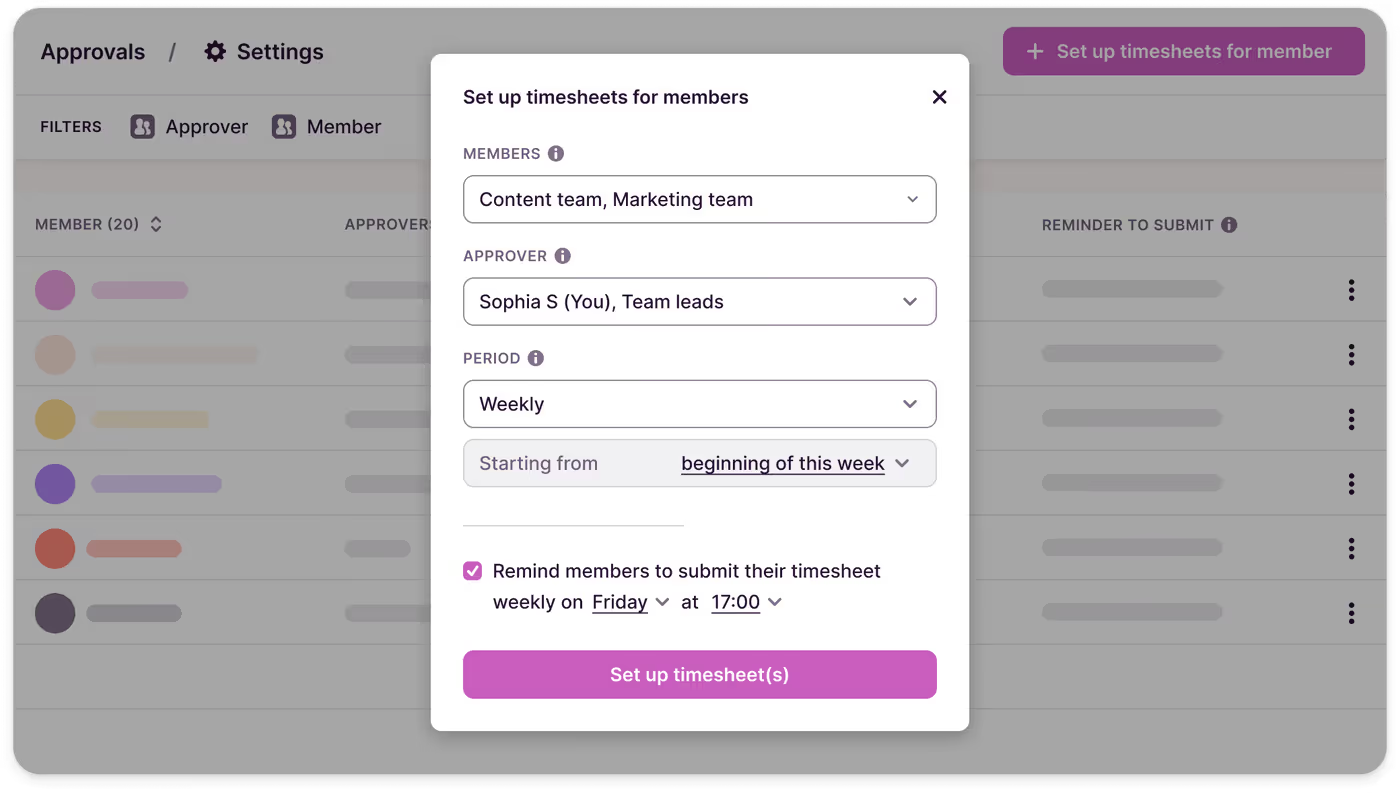
- Set up Approvals:
Admins or managers can enable Approvals in Toggl's workspace settings (available for Premium and Enterprise plans). Assign multiple users or teams as timesheet approvers and set up reminders for your team members to submit approvals.
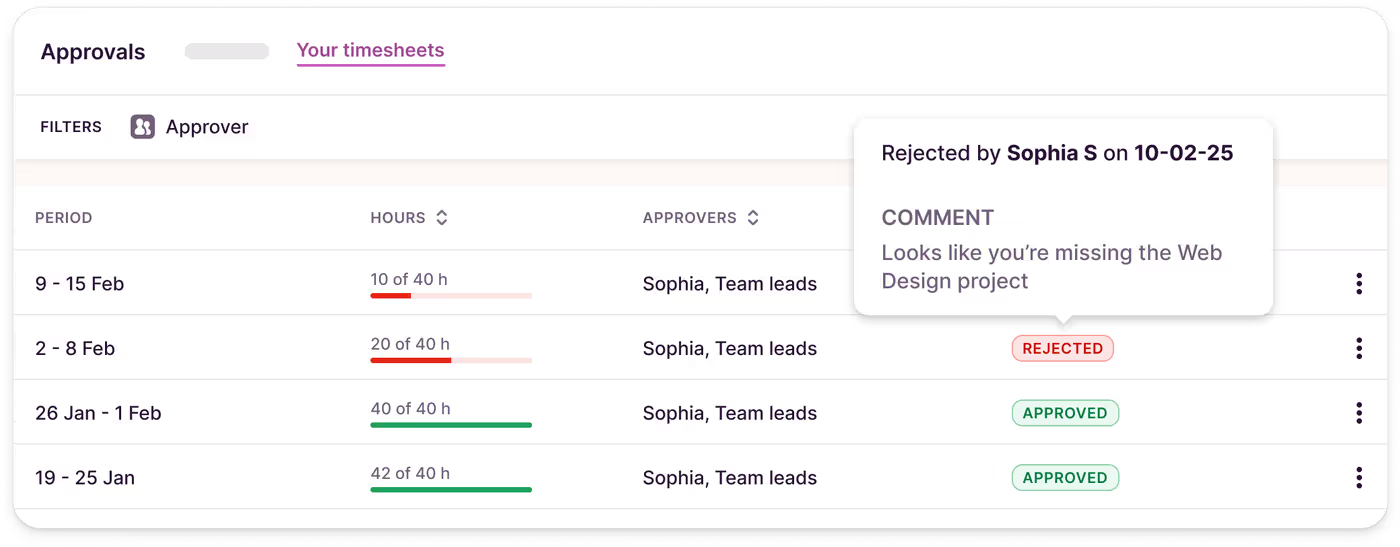
2. Submitting Timesheets:
Team members submit their completed timesheets for a specific time period. Toggl notifies the approver once the timesheet is ready for review.
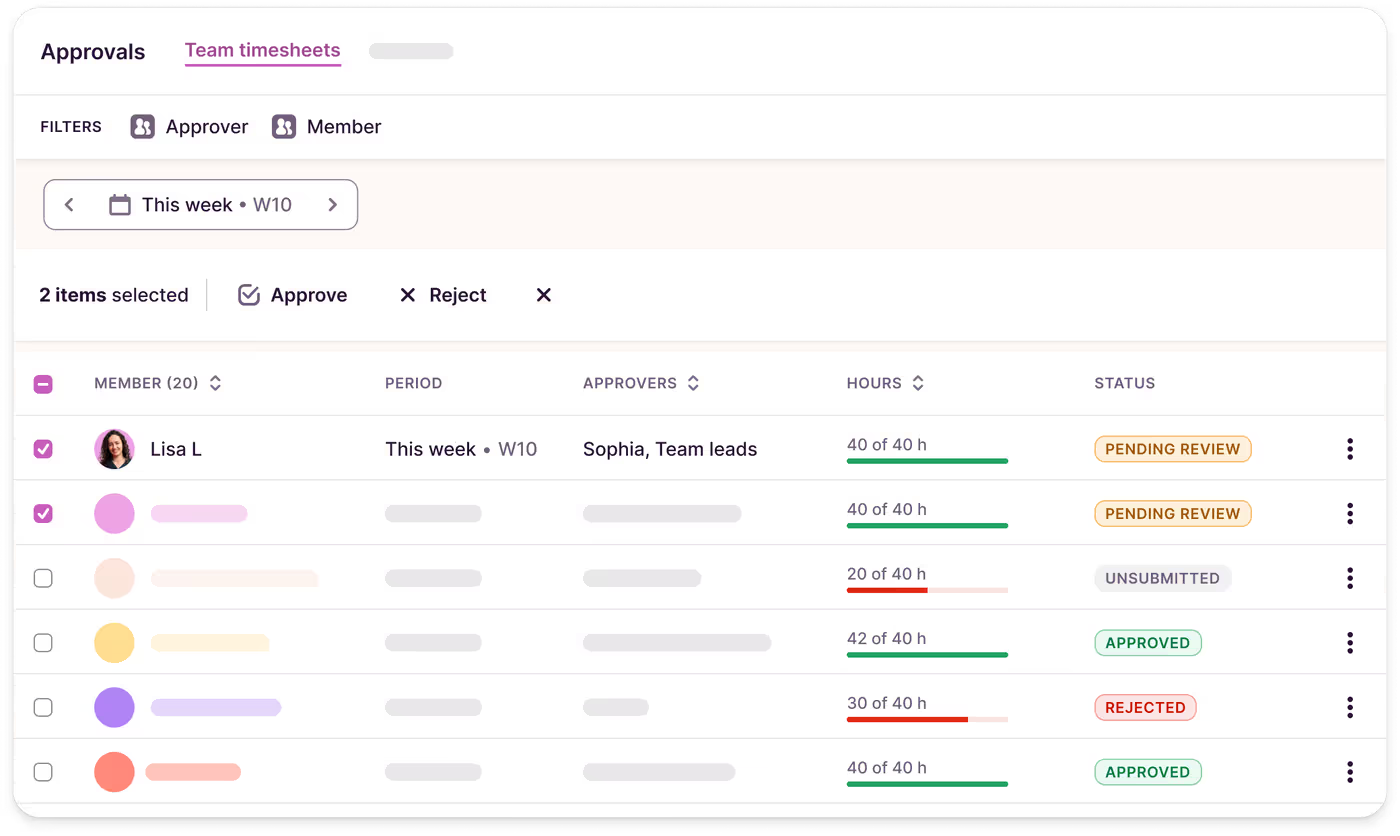
3. Reviewing Timesheets:
Approvers can review, approve, or reject timesheets directly in Toggl individually or in bulk. Rejected timesheets can include comments for corrections, ensuring clear communication.
4. Finalizing Approvals:
Once approved, timesheets are locked, ensuring no further edits can be made, and the data is ready for billing, payroll, or compliance reporting.
Best practices for using Timesheet Approvals
- Define clear submission deadlines
Set consistent weekly deadlines for timesheet submissions. For example, require all submissions by Friday at 5 PM to ensure approvals are completed by Monday.
- Encourage regular time tracking
Remind your team to log time daily to minimize errors and streamline the approval process. Take advantage of Toggl reminders for automated prompts. Allow team members to track time in the way that suits them best — via mobile, desktop, or through 100+ integrations.
Further reading:
From mobile to desktop, explore all the options your team can use to track time with Toggl.
- Use Reports to spot discrepancies
Leverage Toggl’s reporting features to identify missing or incomplete data, such as entries without associated projects or tasks.
Further reading:
Learn more about auditing time tracking data for better accuracy