



Freelance time tracking that works the way you do

Toggl lets you capture every billable minute and turn time into income. Automate time tracking across devices, get detailed reports, and bill clients accurately.

Why freelancers love Toggl

Freelancers often face unique time management issues, like switching between tasks or manually recreating hours at the end of the week. That’s time you can’t afford to lose and revenue that can slip through the cracks.

Toggl streamlines time tracking by making it easy to give you a full view of:

Where your hours go

How much you're earning

How close you are to hitting your project limits

Time tracking that quietly keeps your timesheets in check
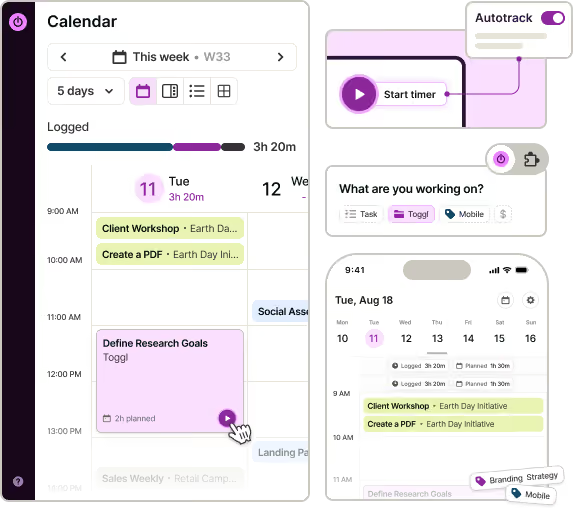
Track billable and non-billable hours on any device — web, mobile, desktop, or browser extensions.

With our time tracking app, you can start a timer with a single click or set up automatic time tracking that runs quietly in the background. The timeline view shows you how you spent your workday. If you leave a timer running while away, the app alerts you to review idle periods and decide whether to keep or discard them.

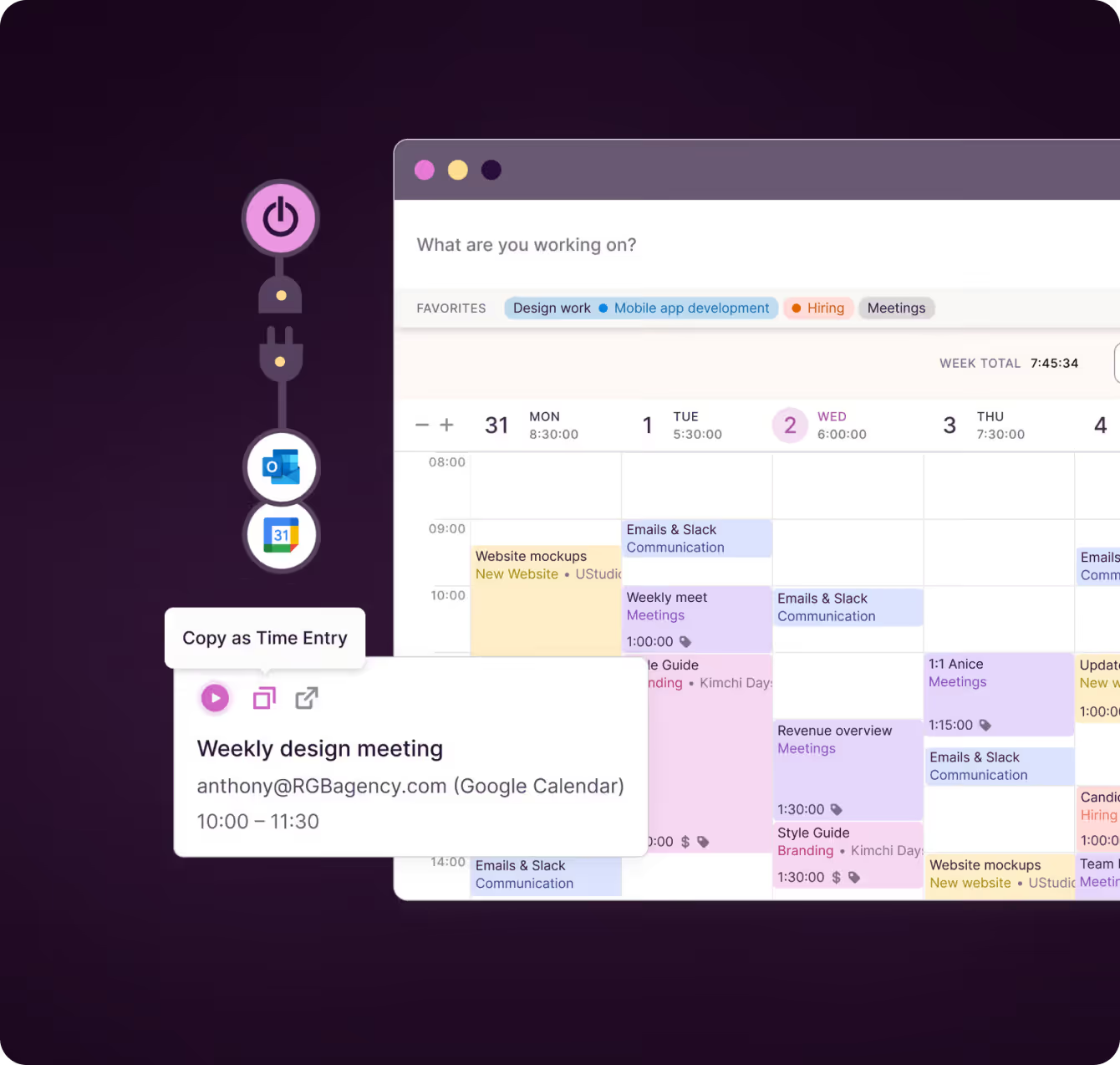
Prefer manual time logging? Add entries by hand or sync them from your calendar.

Billable rates that work your way
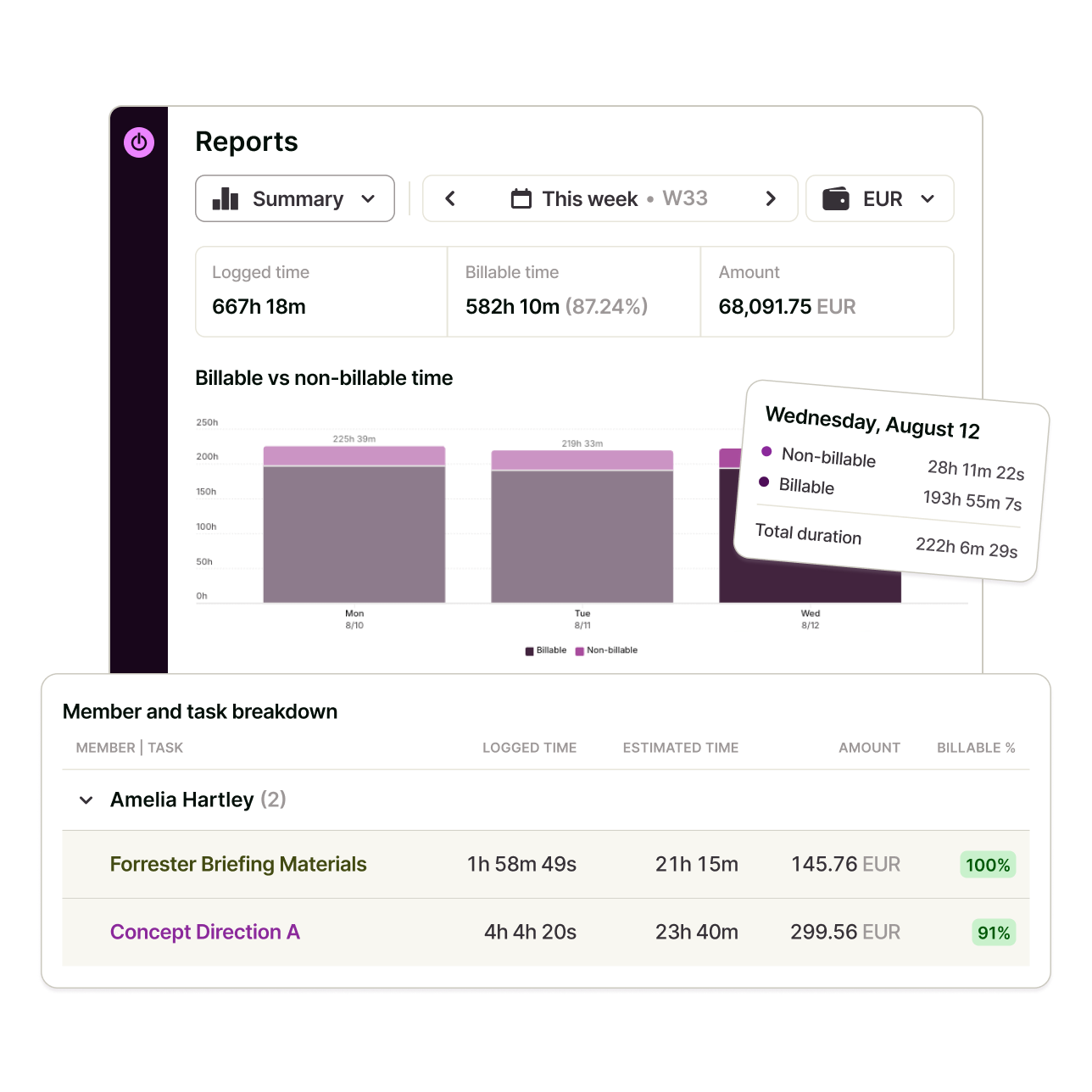
Assign different hourly rates to tasks or projects, and mark entries as billable or not. Regardless of your pricing model (e.g., flat rates or hourly fees), our time tracking software applies the correct rate automatically and shows you exactly what you’ve earned.

As you log hours, Toggl keeps a running total of your billable income, giving you clarity with every entry — no spreadsheets or manual hand calculation required.
Stay on budget and on track

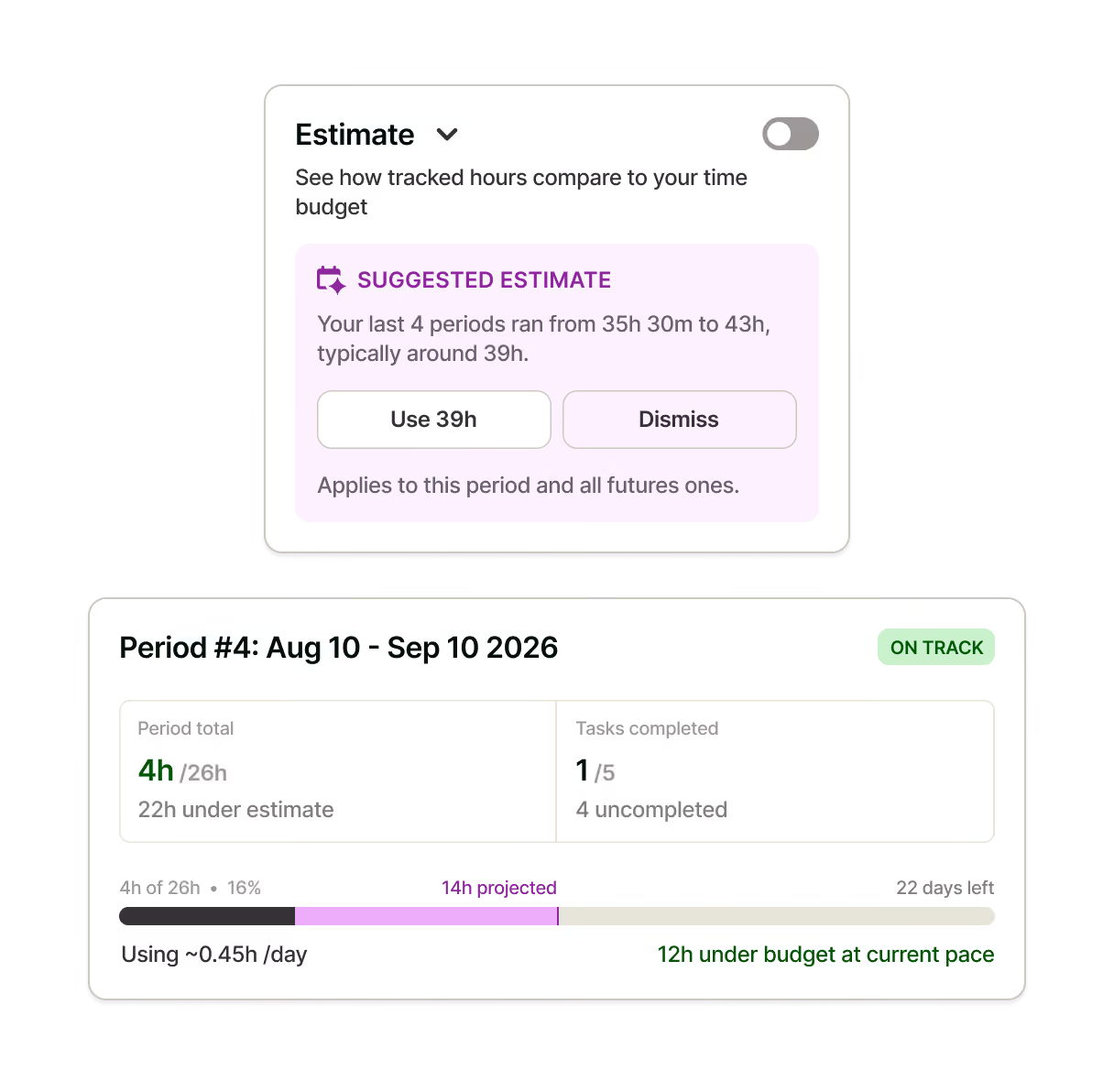
Organize your work by clients, projects, and tasks, with clear visibility into where time is going. Set project estimates and get notified as you near the limit.

Toggl lets you monitor progress and adjust expectations before overruns happen, so you get:

- Fewer surprises
-Projects that stay on target
- Client relationships based on trust and transparency
Detailed profitability reports

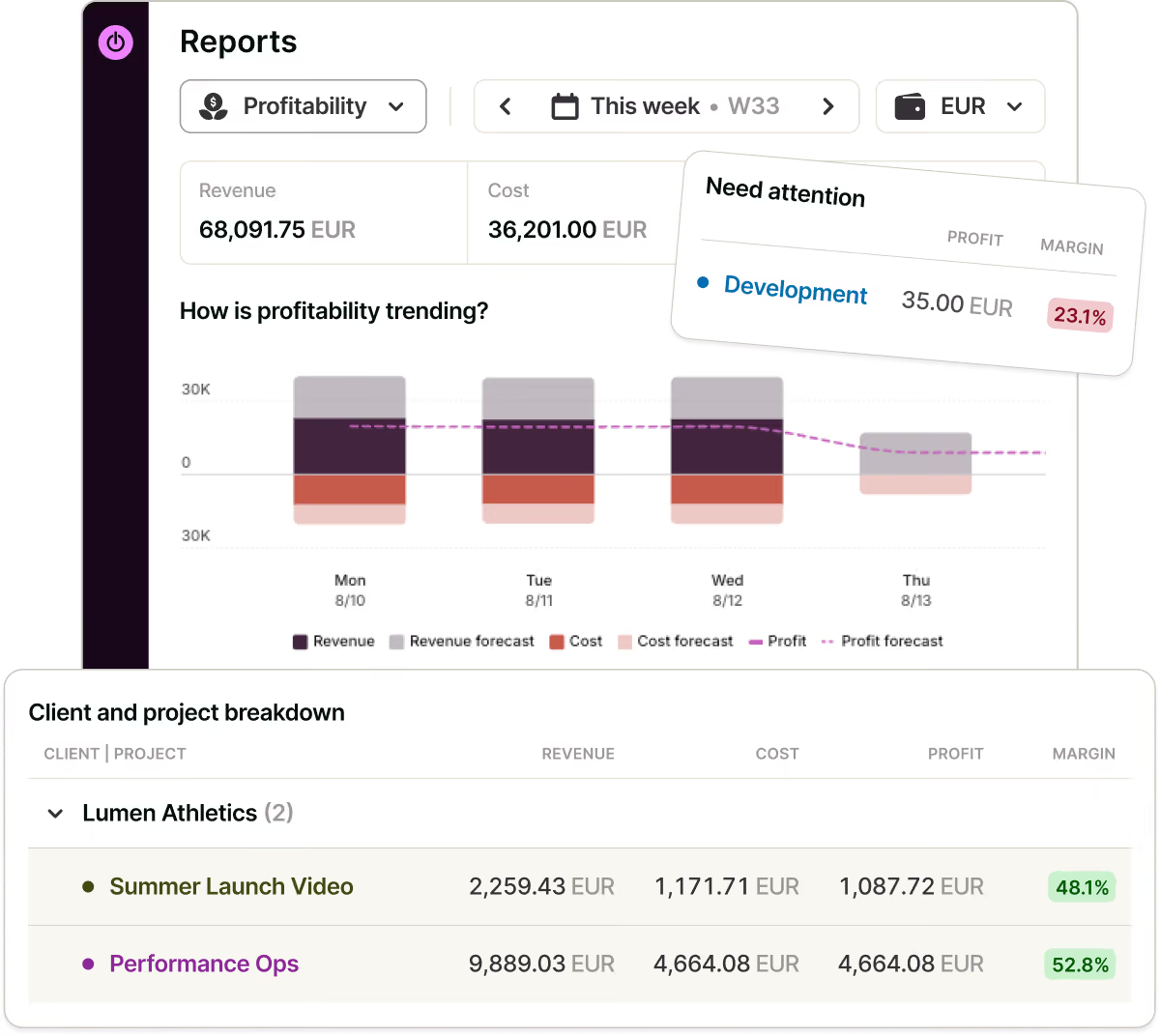
Need to show a client how you spent your hours? Use the Summary report for a high-level view or the Detailed report to list every entry. All time reports can be exported as PDFs or CSV files for sharing and recordkeeping.
Work smarter with built-in Pomodoro mode

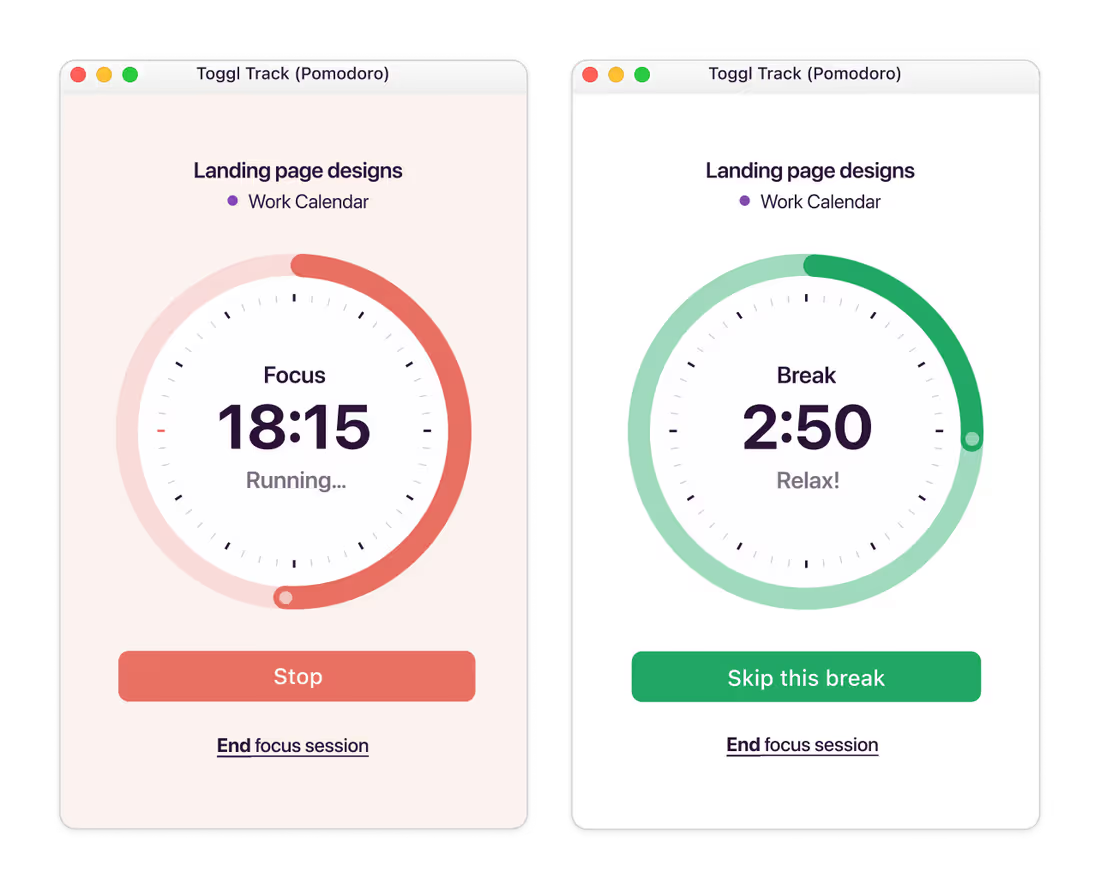
Freelancing often means balancing productivity with burnout. That’s why Toggl Track includes a Pomodoro timer, a proven method for focused work hours and intentional breaks.

Turn on Pomodoro mode to work in short, productive bursts — typically 25 minutes of work followed by a 5-minute break. You'll get automatic reminders when it’s time to step away.

It's a small functionality that makes a big difference when you’re managing your free time and energy.
User love us...

On Capterra
Regular updates ensure that any bugs are caught quickly and customer support responds within a day; these features make using Toggl a breeze.
Trevor
Senior Project Leader
On Capterra
"After trialing 20 similar products, Toggl was a clear winner providing everything I needed."
Andy
Consulting Software Engineer
Testimonial
Learning to use Toggl is a breeze, because it's highly intuitive and simple. It ushers you along quickly so that you get back to work right away and start tracking your time immediately. The free plan is generous and could be more than adequate for solo workers or even small groups of up to five people with light needs.
PCMag
On Capterra
No complicated setup or unnecessary bells & whistles!
Renee
Business Analyst
Testimonial
With Toggl, you can track your time right away and view your tracked time entries, and worry about the details later. It also has a generous free tier of service that gives you access to all its apps (Android, iOS, Windows, macOS, Linux, Web, and browser extensions).
zapier
GetApp
I love its simplicity—its integration with Asana makes everything easier. It allows me to see how I use my time to be able to make decisions that improve my profitability.
User review
“My favorite time tracker! Toggl integrates with so many other project management tools and invoicing apps, and the team rolls out regular fixes and additional useful features. Great price for the functionality and ease of use!!!”
— Pauline LC, User review on Capterra
User review on Capterra
On Capterra
Allows me to record project time [to ensure] I'm charging reasonable rates.
Gabrielle
Senior Accounting
On Capterra
Even those who have never used time tracking software before can get up and running quickly.
Kathleen
Service Area Manager
Testimonial
It's not one of those apps where you need to spend half a day figuring out how to actually use it: sessions can be started as they happen or added later, and once the app has got a feel for your schedule and how you work, it'll even make suggestions about what you want to track next.
techradar
...and we know you will, too!
Toggl's Free plan is free forever. Our Premium plan comes with a free, 30-day trial. No credit card required to get started.

FAQs

Is Toggl free for freelancers?

Yes, Toggl Track offers a generous free plan that includes core time tracking features, reports, and device syncing — everything a solo freelancer needs to stay productive.

Can I use Toggl offline?

Yes. You can track time offline from the desktop or mobile app. Your data will sync automatically once you're back online.

What integrations does Toggl offer?

Toggl Track integrates with project management tools like Asana and Jira, CRMs, Salesforce, and other popular workspace tools like Google Calendar, Microsoft's Outlook Calendar and Email, QuickBooks, and many others. You can learn more on our integrations page.

How does automated tracking work?

When enabled, Toggl Track logs which apps and websites you use throughout the day. You can then turn that activity into time entries. Nothing is saved or shared unless you choose to log it.