Time Tracking Anywhere: Mobile, Desktop, Web and 100+ integrations
Time tracking shouldn’t feel like a chore; it should fit into your routine, no matter where you’re working. Toggl makes it easy to keep track of your time across a range of platforms, whether you’re at your desk, on your phone, or working across multiple apps.
Let’s explore all the platforms.
1. Toggl web app: Your central dashboard
The Toggl web app is designed to offer a full view of your tracked hours, projects, tasks, rates, reports and settings in one convenient place.
- Tracking Time: Start the timer or add manual entries by filling in details like task name, project, and tags. The web app makes it easy to set up structured projects, organize tags, and track billable hours.
- Detailed Reporting & Analytics: With the web app, you can generate detailed reports to analyze your time. Filter by date range, projects, or team members, and export or share reports with clients or stakeholders.
- Key Settings: Access all essential settings in one place to ensure data quality, apply time rounding, and customize your preferred time tracking methods.
The web app is perfect for both tracking time and getting comprehensive reports about your team’s time data.
2. Integrate with Jira, Salesforce and other key tools
Toggl’s native integrations connect with some of the most popular work tools, letting you track time without leaving your preferred tools, such as Salesforce, Jira, Asana, and QuickBooks.
Toggl + Jira
Sync data one-way from Jira to Toggl automatically, or use the Toggl API for a two-way connection that keeps everything up to date. Map Projects, Issues, and Labels in Jira to Projects, Tasks, and Tags in Toggl so your tools speak the same language.

“After setting up Toggl Track Jira and API integration, the status of tasks are synchronized across different tools [and] developers can book onto tasks directly into Toggl Track without any additional detours.”
— C. Raschl, Software Architect, Netconomy, a team of 500+
👉Read the Netconomy case study👈
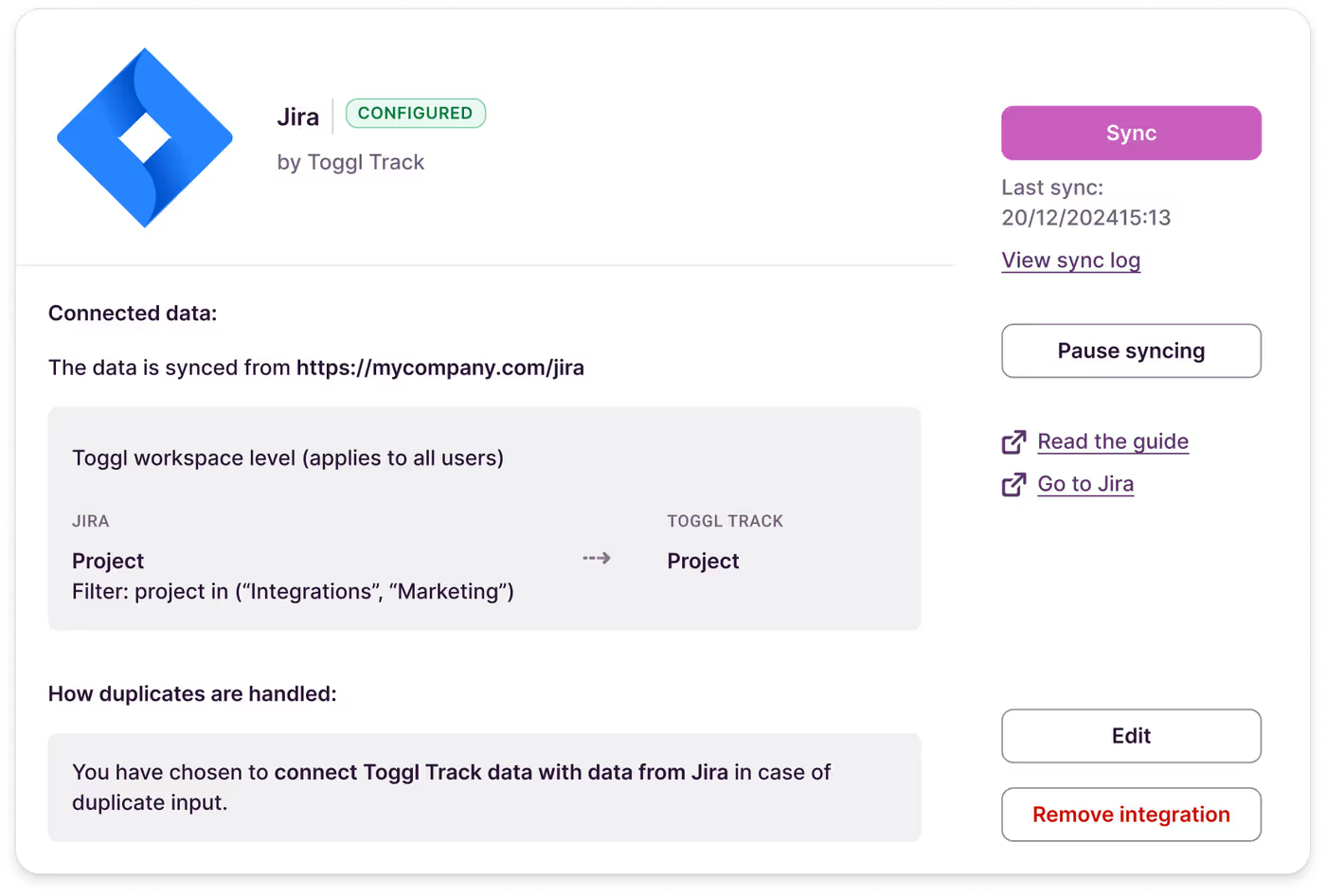
Toggl + Salesforce
Toggl integrates seamlessly with Salesforce, offering both one-way data sync and two-way integration via the Toggl API.
You can link Toggl Projects, Tasks, Tags, and Clients to Salesforce objects, including custom ones. Salesforce formula fields enable greater control over data, enabling advanced filtering by multiple criteria, flexible matching beyond exact values, and the ability to create custom names for synced records.

“This integration enabled us to scale the number of projects from 30 to 150 while reliably syncing data from both tools.”
— Pavel Averi, Revenue Operations Manager at Netguru, a team of 400+
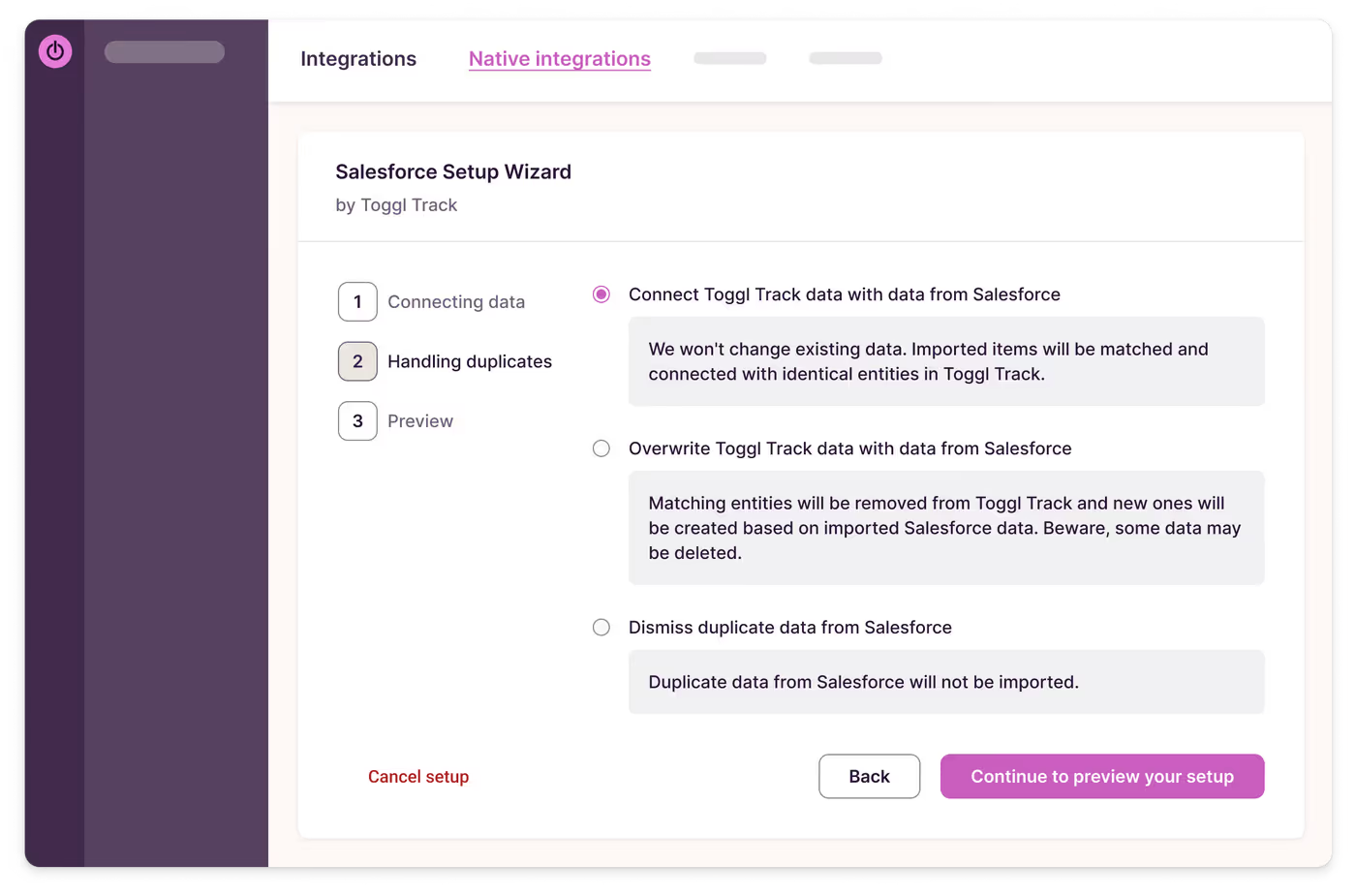
Explore more Toggl native integrations here.
3. Track within 100+ tools with browser extension
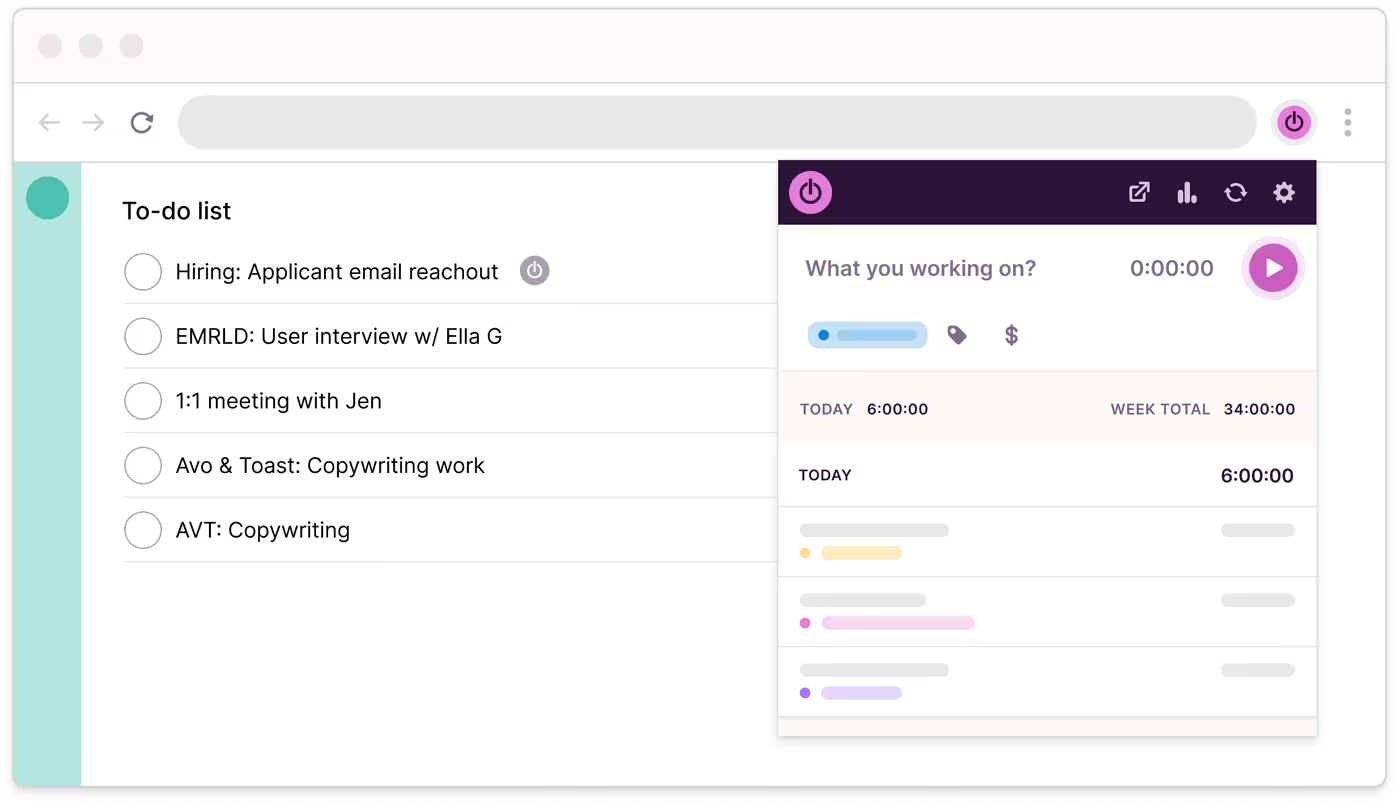
The Toggl Browser Extensions bring easy time tracking right into 100+ of your favorite web tools. You can start and stop timers directly within platforms like Asana, Trello, Jira, Gmail, and more. There is no need to switch tabs — track your work right where it happens.
- Auto-track Selected Pages: Enable “Always Track This Page.” If you’re on a specific webpage whether it’s your project management tool or a Zoom meeting — the time is automatically tracked.
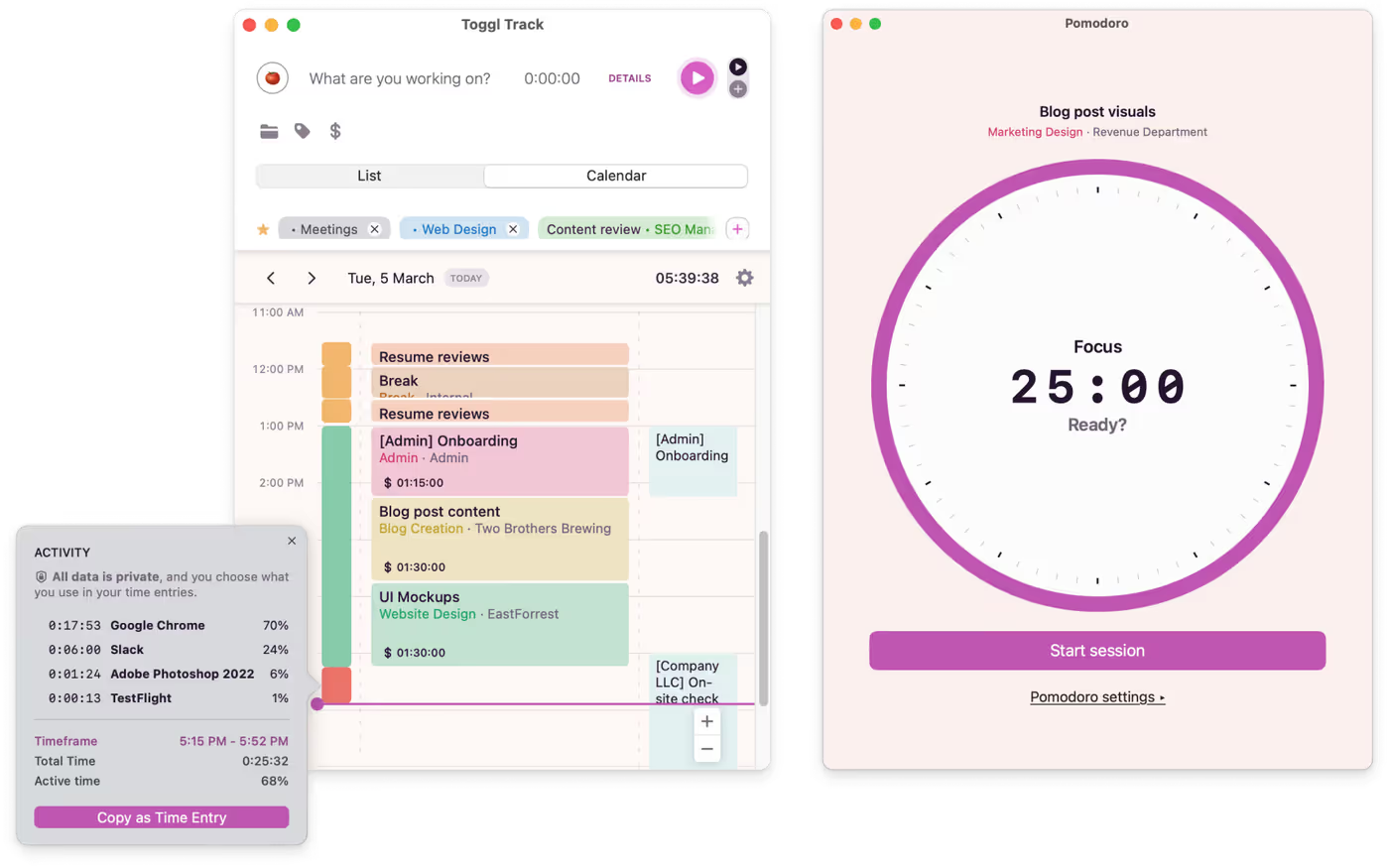
- Pomodoro Timer: Stay focused with built-in Pomodoro functionality, working in short, productive intervals with scheduled breaks.
- Idle Detection and Customizable Reminders: Never lose track of time again. The extension detects when you've been idle and prompts you to adjust your time entries accordingly. Get reminders to track your time so you can stay consistent.
- Enable “Tiny button”: Add a moveable button to all your browser tabs which will remind you to never forget tracking.
4. Mobile apps: Track on the go
The Toggl mobile apps are perfect for people on the go — freelancers, remote workers, or anyone whose workday isn’t tied to a single location.
- Start/Stop Timer: Instantly start or stop the timer with ease, allowing you to capture your time on the go. Quickly log tasks, assign projects, and add tags for better context.
- Offline Mode: Track time even without an internet connection. Your entries will sync automatically once you're back online, ensuring you never miss a beat.
- Reminders and Notifications: Set custom reminders to maintain consistent tracking throughout the day, wherever you are.
5. Desktop apps: More options to automate your time tracking
The Toggl desktop apps for Windows and macOS offer super easy time tracking with extra features designed for automated and precise tracking.
- Timeline Feature: The Timeline automatically records your computer activity, capturing the apps and websites you use. This is perfect for filling in gaps in your timesheets and giving you a visual breakdown of your day.
- Idle Detection: If you step away from your computer, the desktop app detects idle time and prompts you to decide whether to keep or discard it. This feature helps you maintain accurate entries without needing to micromanage your tracking.
- Quick Access: Start, pause, or stop the timer from your system’s menu bar (macOS) or system tray (Windows), letting you manage your time without opening the full app.
The desktop app is great for those who work primarily from a computer and are especially interested in auto-tracking.
6. Smartwatch: Easy tracking on your wrist
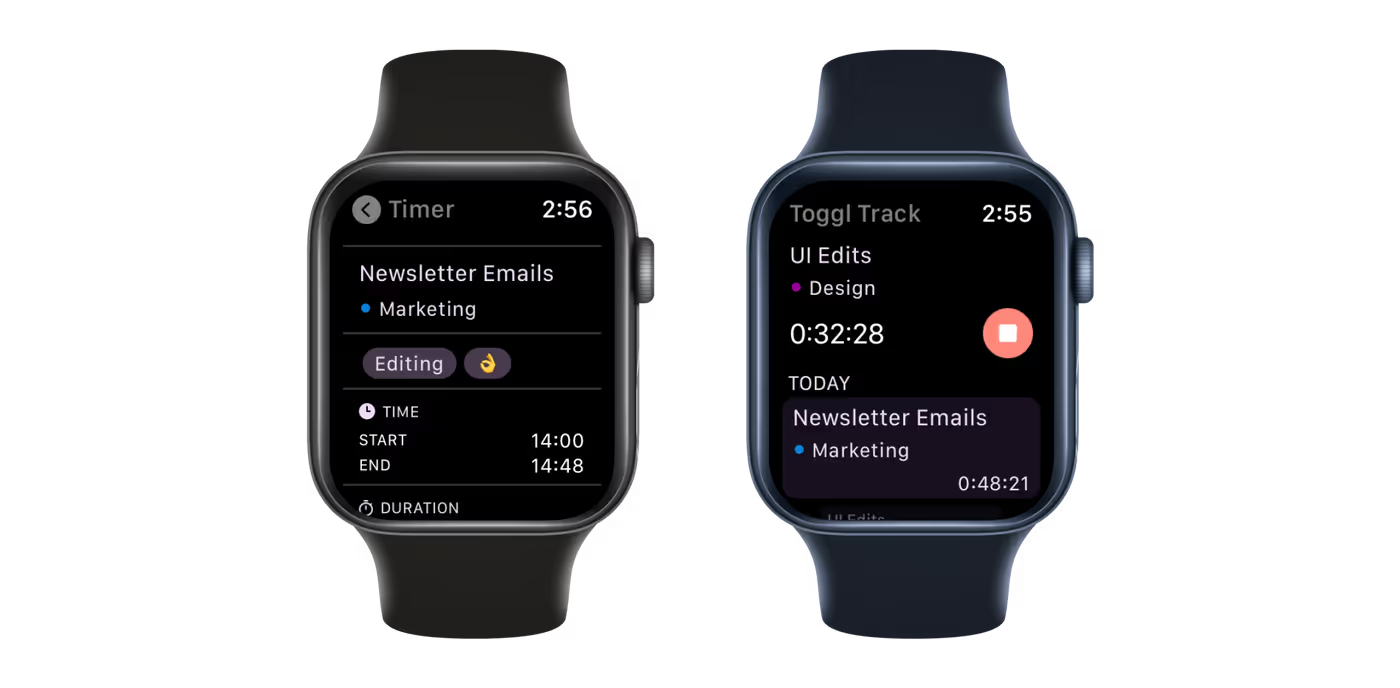
Start by downloading the Toggl iOS app, then use the Watch app on your iPhone to install Toggl on your Apple Watch.
With the app, you can easily start, stop, and delete time entries directly from your wrist. To stay on track, enable Pomodoro notifications for added productivity.