
The Harvest alternative your whole company will actually use
Track time without chasing timesheets, plan work against real capacity, and see your margin before the month closes, all on one per-seat price that stays put at renewal.
No credit card required · Free 30-day trial · Bring your Harvest history with you




Timesheets nobody fills in
Planning lives in another tool
Margin is a guess until month-end
Renewal bill keeps climbing
Reports capped until Enterprise
8 things
8 things only Toggl can do
Eight capabilities your team gets with Toggl that Harvest doesn’t offer on any plan, from automatic capture to AI that reads your time data.
01
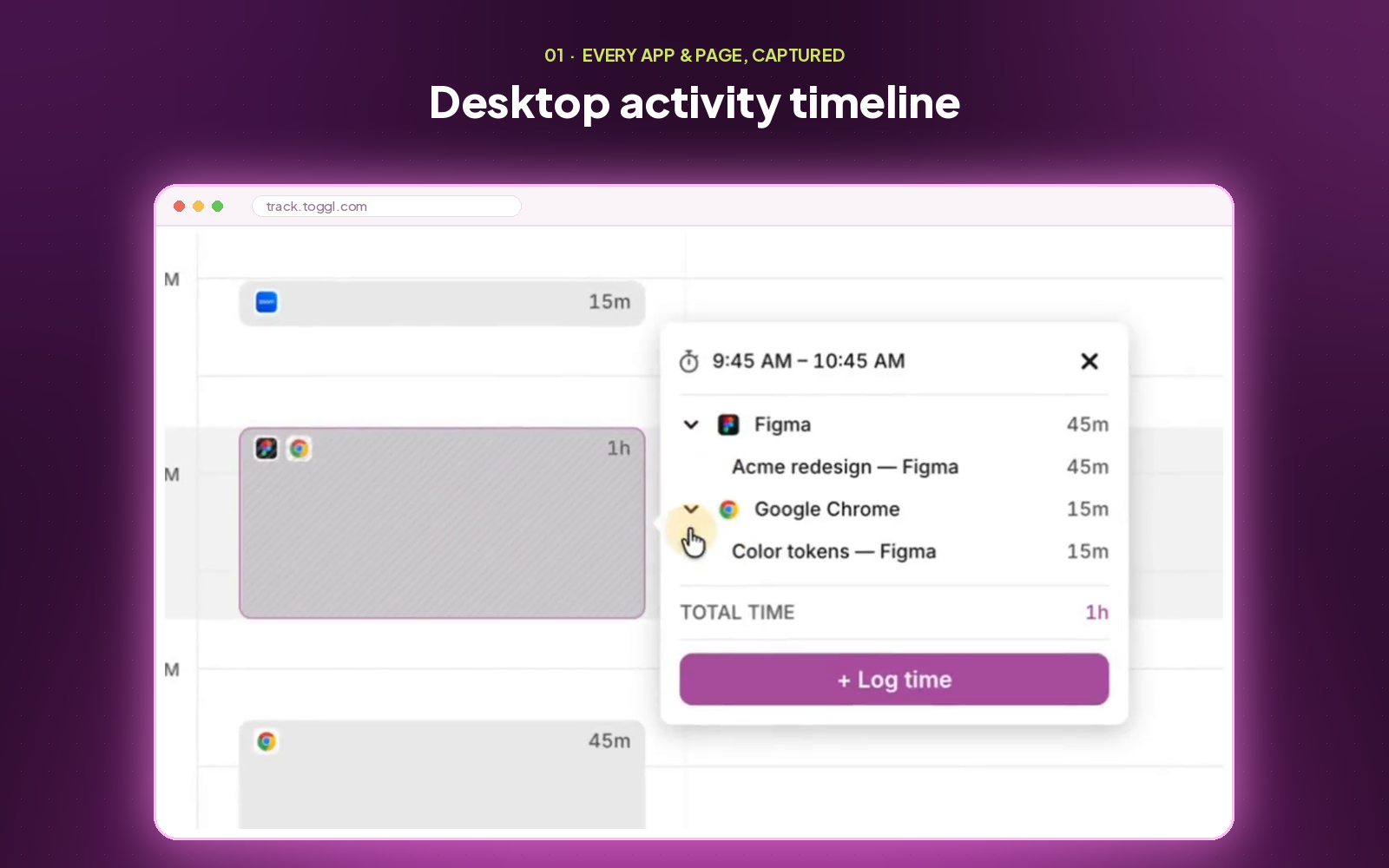
Desktop activity timeline
Toggl privately records the apps you work in throughout the day, so you can turn those blocks into time entries afterwards and keep billable hours from slipping past a forgotten timer.
02
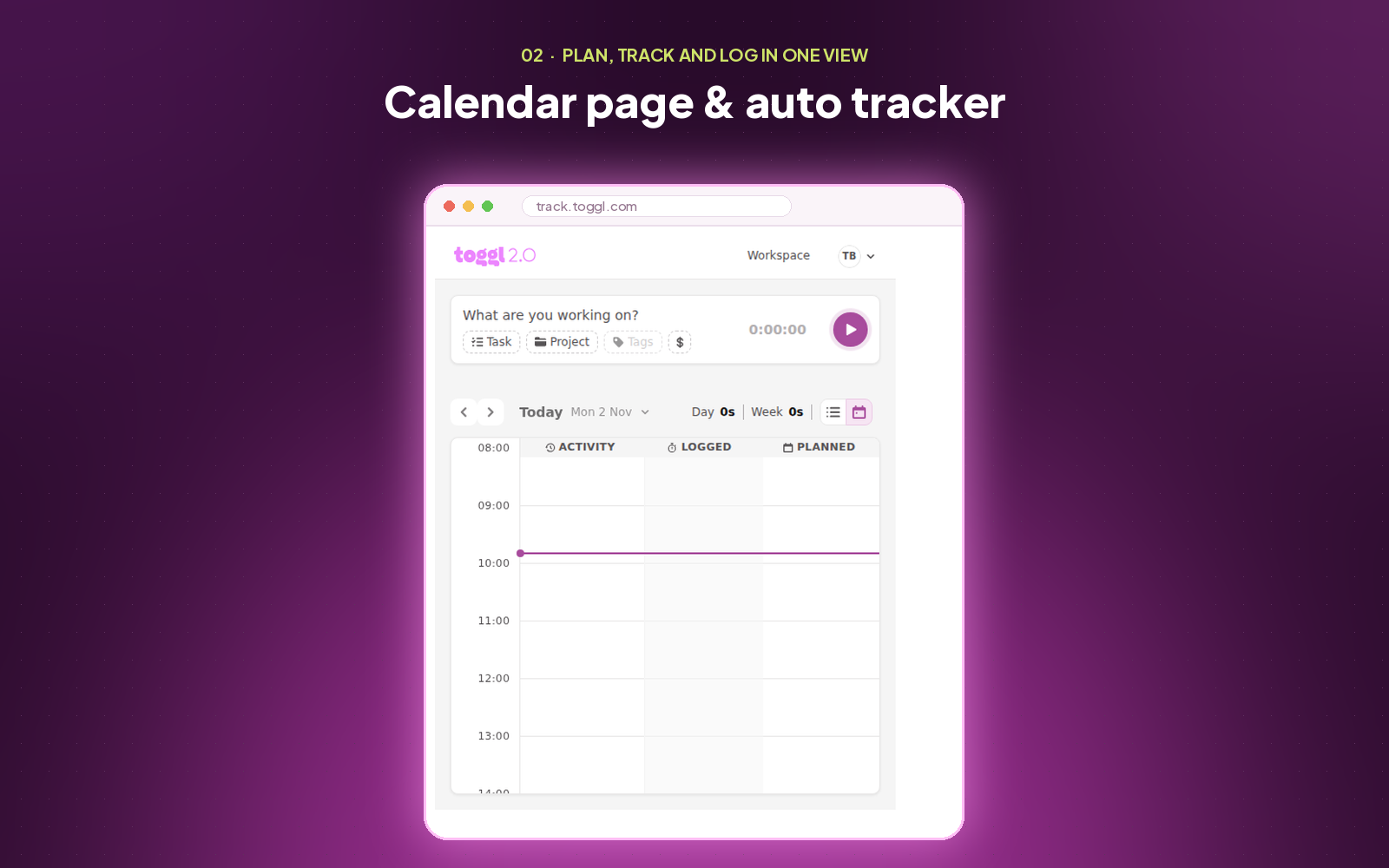
Calendar & page auto tracker
Calendar meetings log themselves, and opening a Jira ticket or any page that matches your keyword rules (e.g., GitHub) starts the right timer automatically.
03
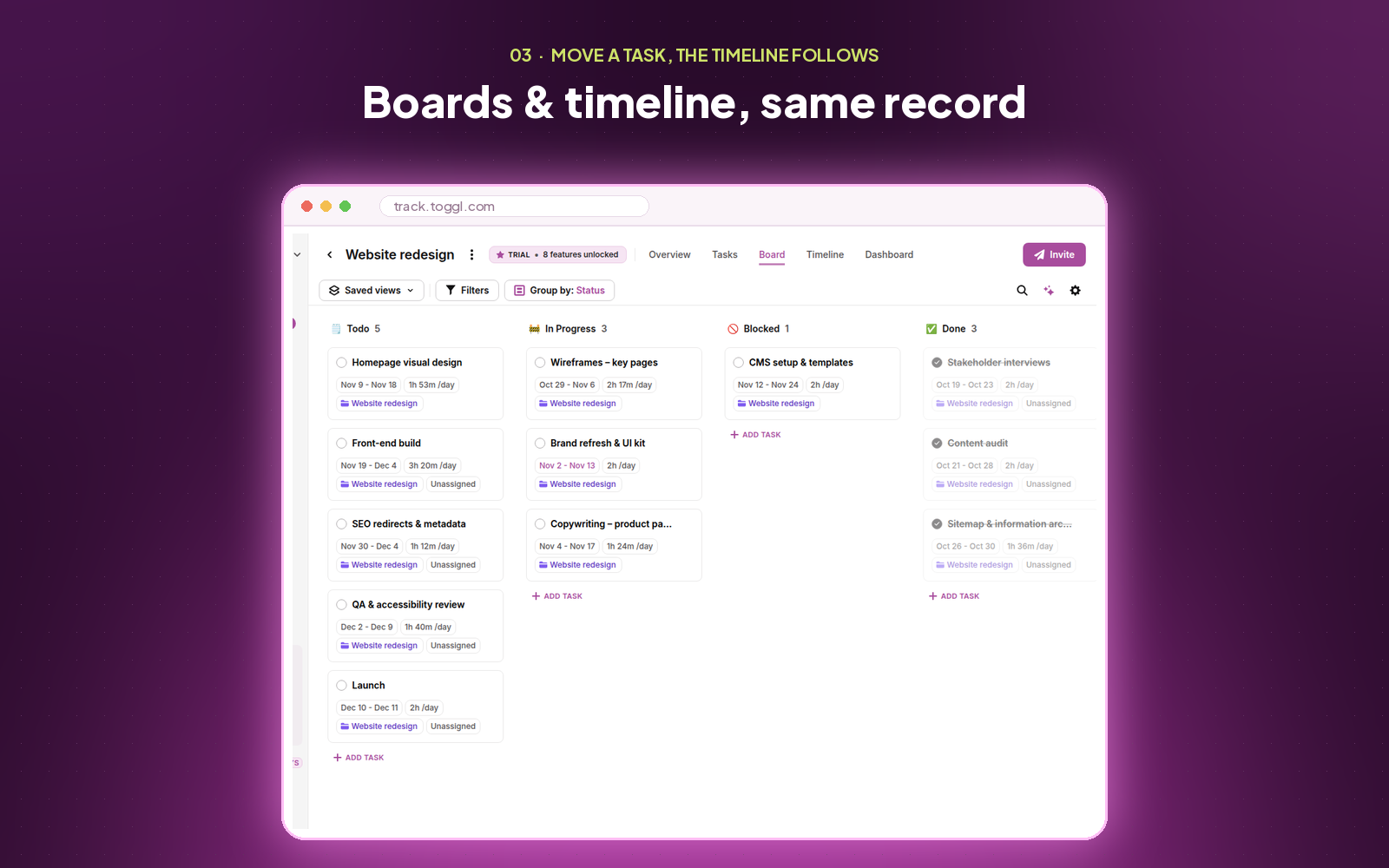
Boards and timeline on the same record
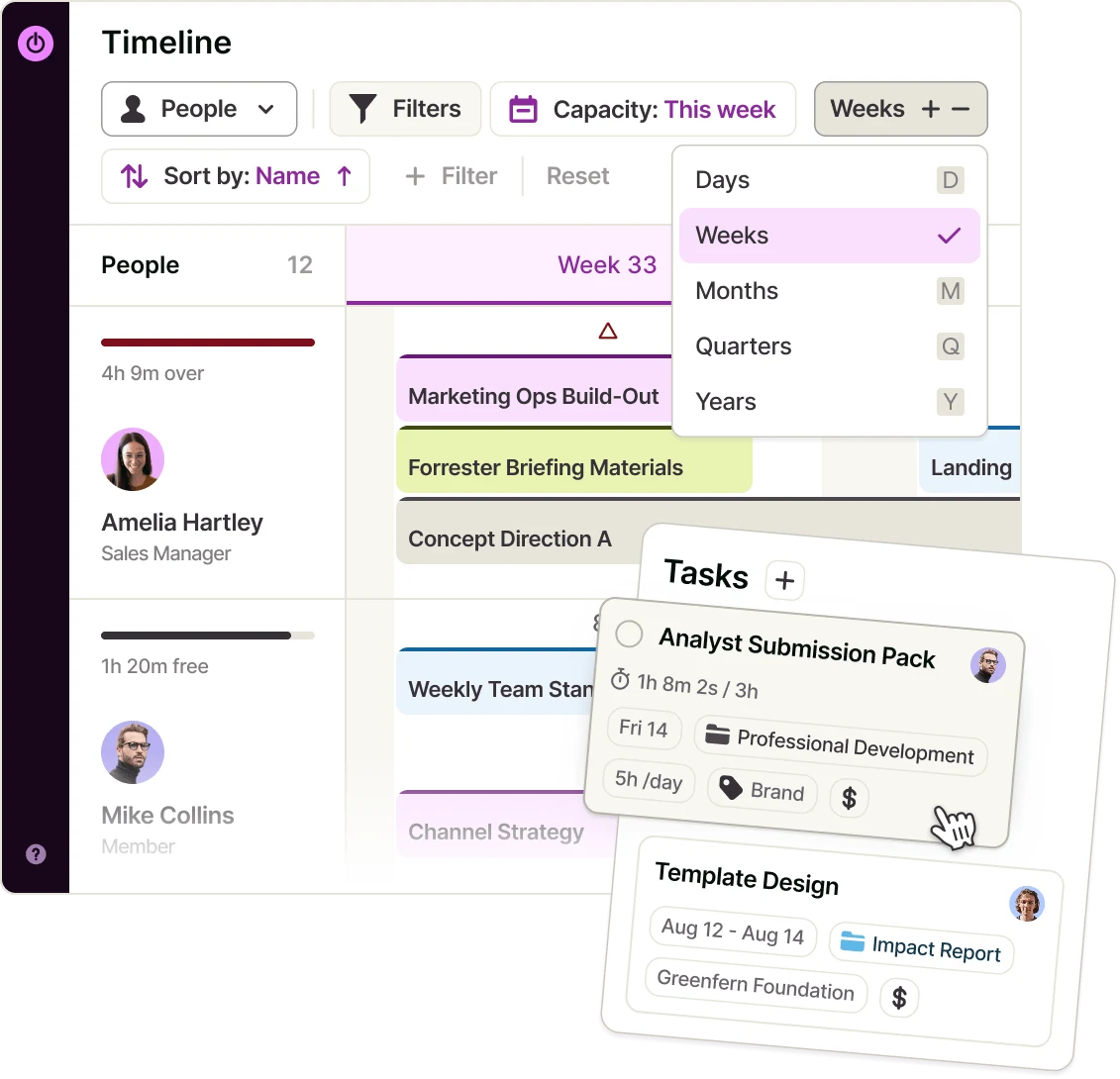
Move a task on the Kanban board or reschedule it on the team timeline and it’s the same task in both places, so status, dates and assignees always match.
04
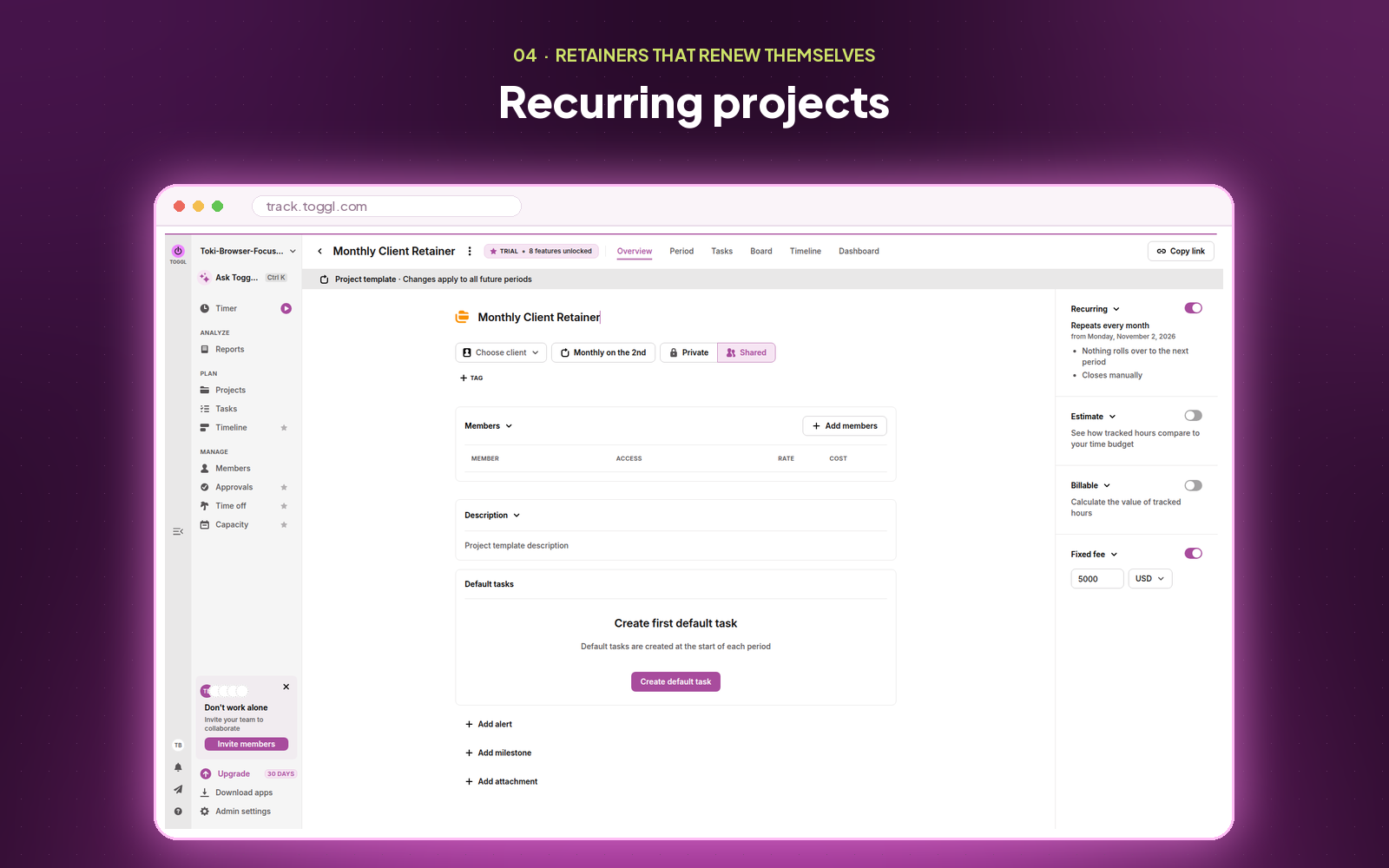
Recurring projects that learn your estimates
After a recurring project has run a couple of cycles, Toggl suggests next period’s estimates from the time your team actually tracked, so every plan gets more realistic.
05
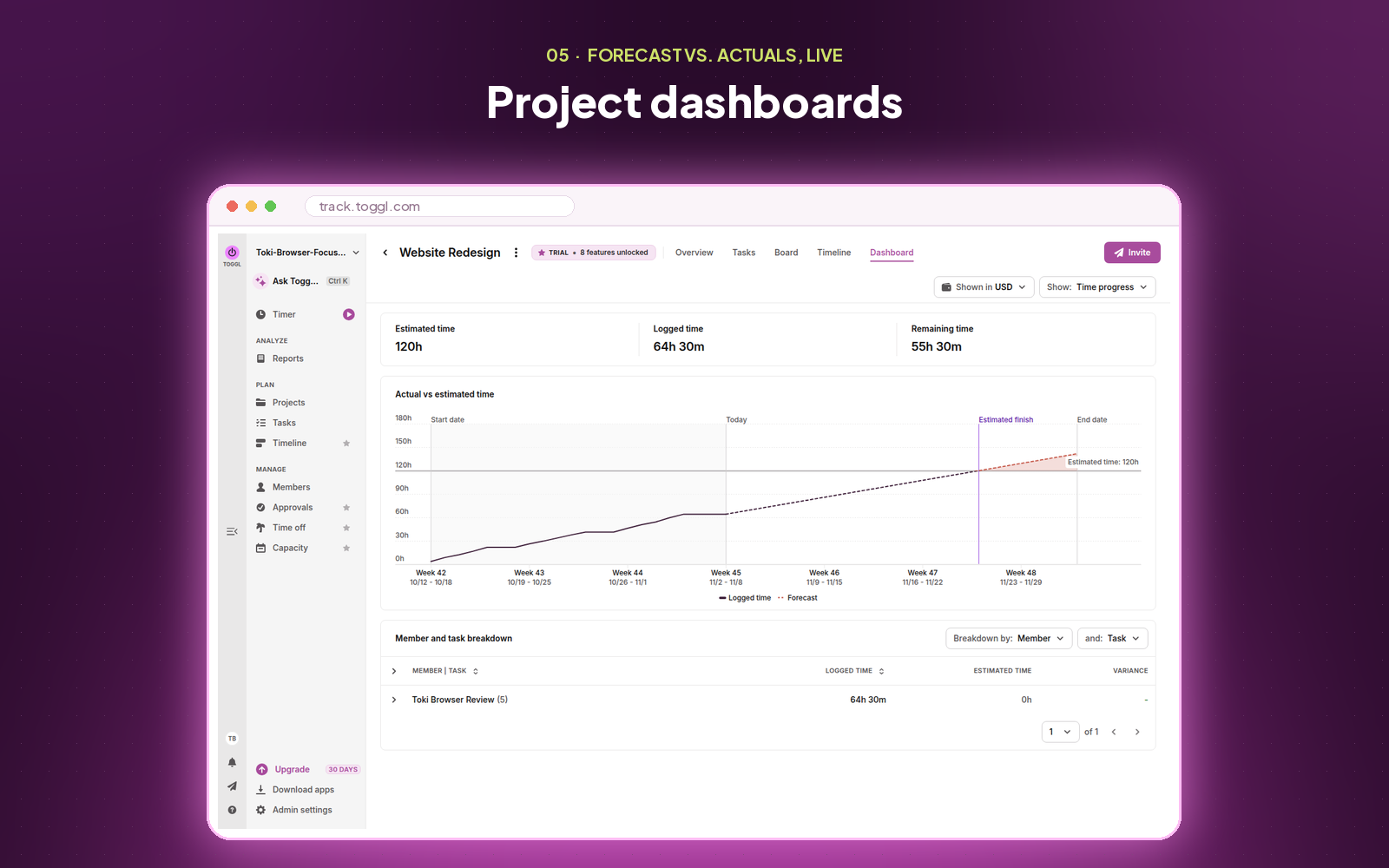
Project dashboards with a forecasted end date
Every project gets one dashboard plotting tracked time against the estimate, with a trendline showing where you’ll land before you get there.
06
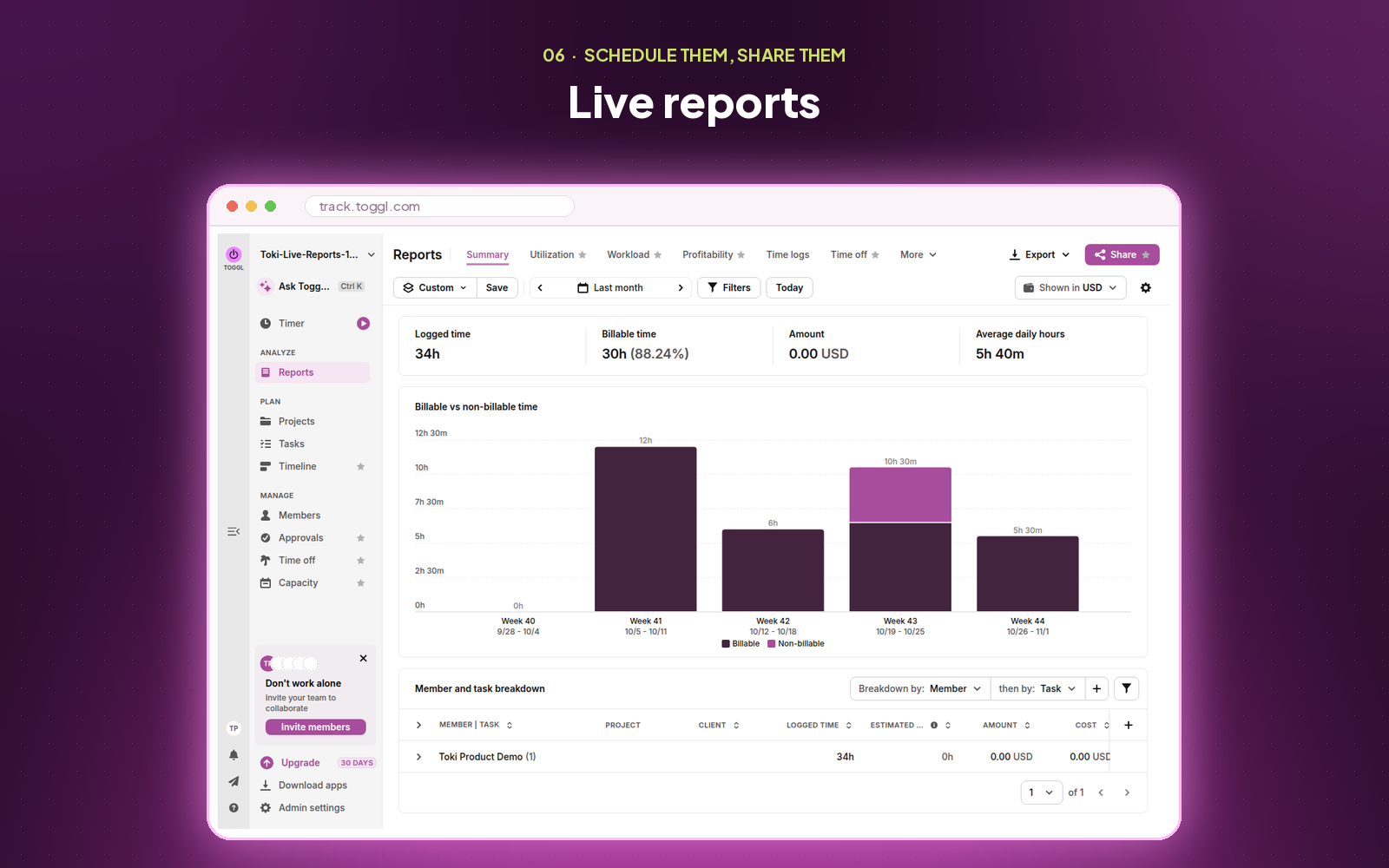
Live reports you can schedule and share
Share one live report the whole team sees, or schedule it to land in inboxes automatically, with recipient lists that update as people join and leave.
07
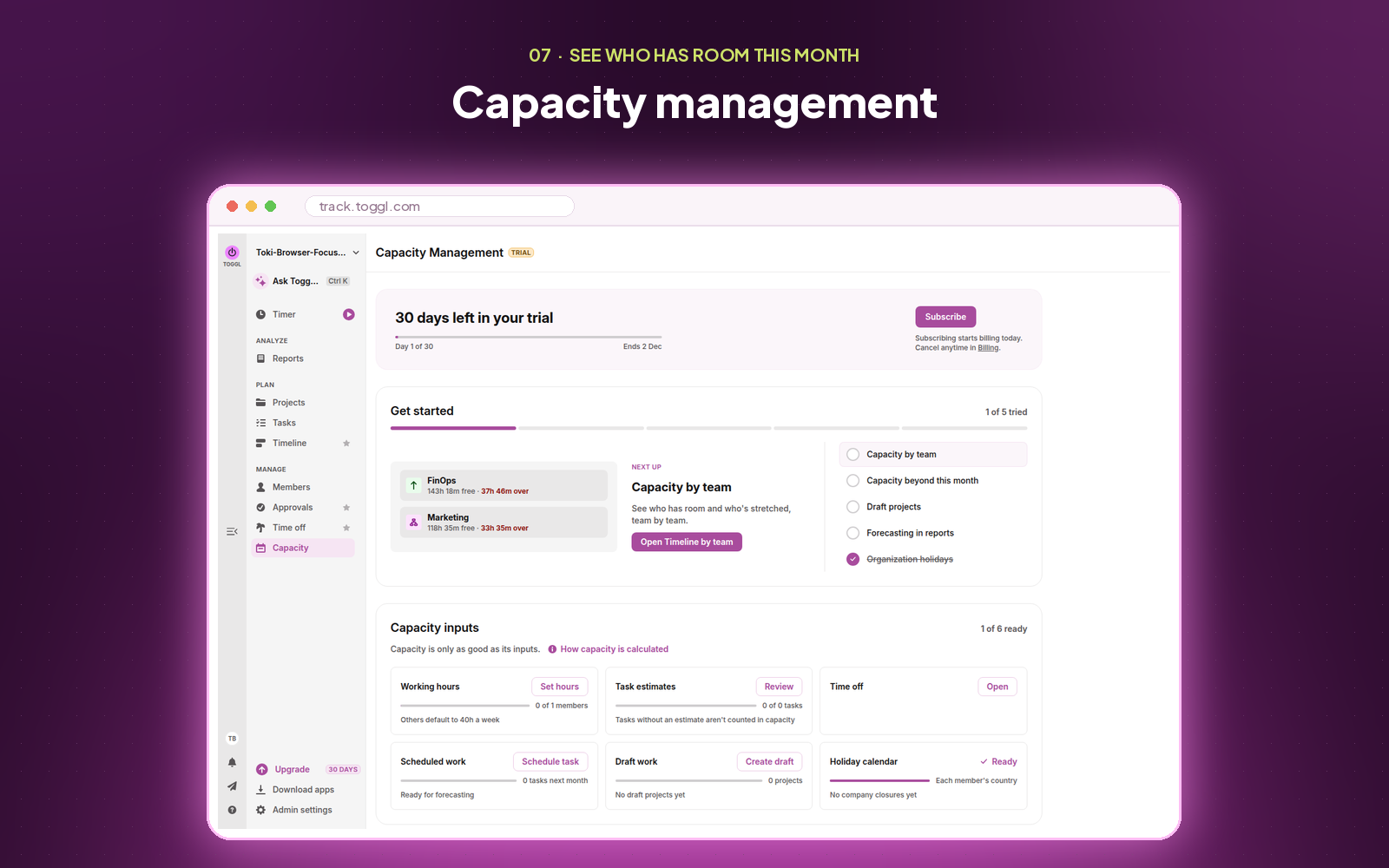
Capacity management
See who’s overbooked and who has room, with time off and public holidays already counted, so you can staff work before deadlines slip. Available as a paid add-on with a 30-day free trial.
08
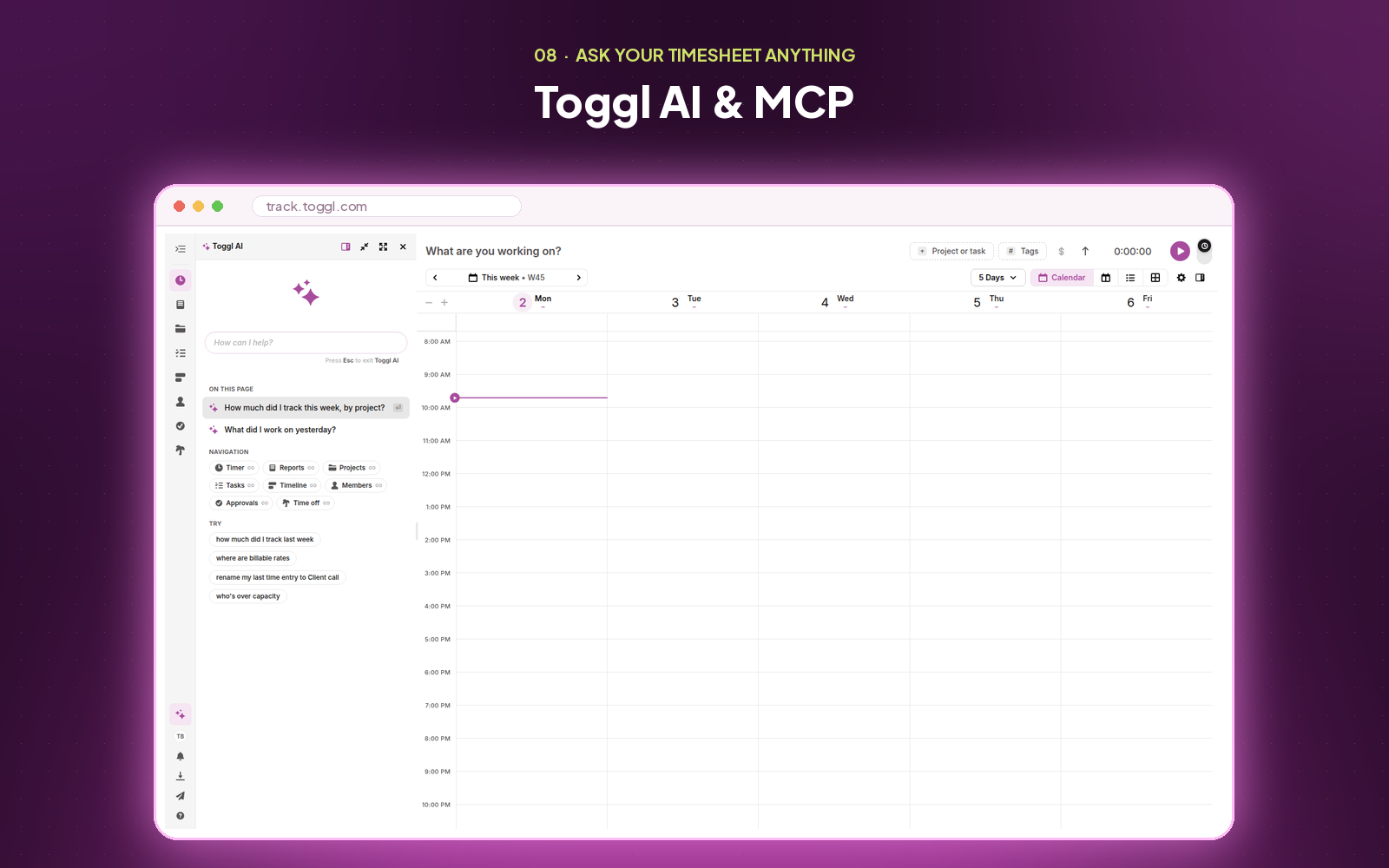
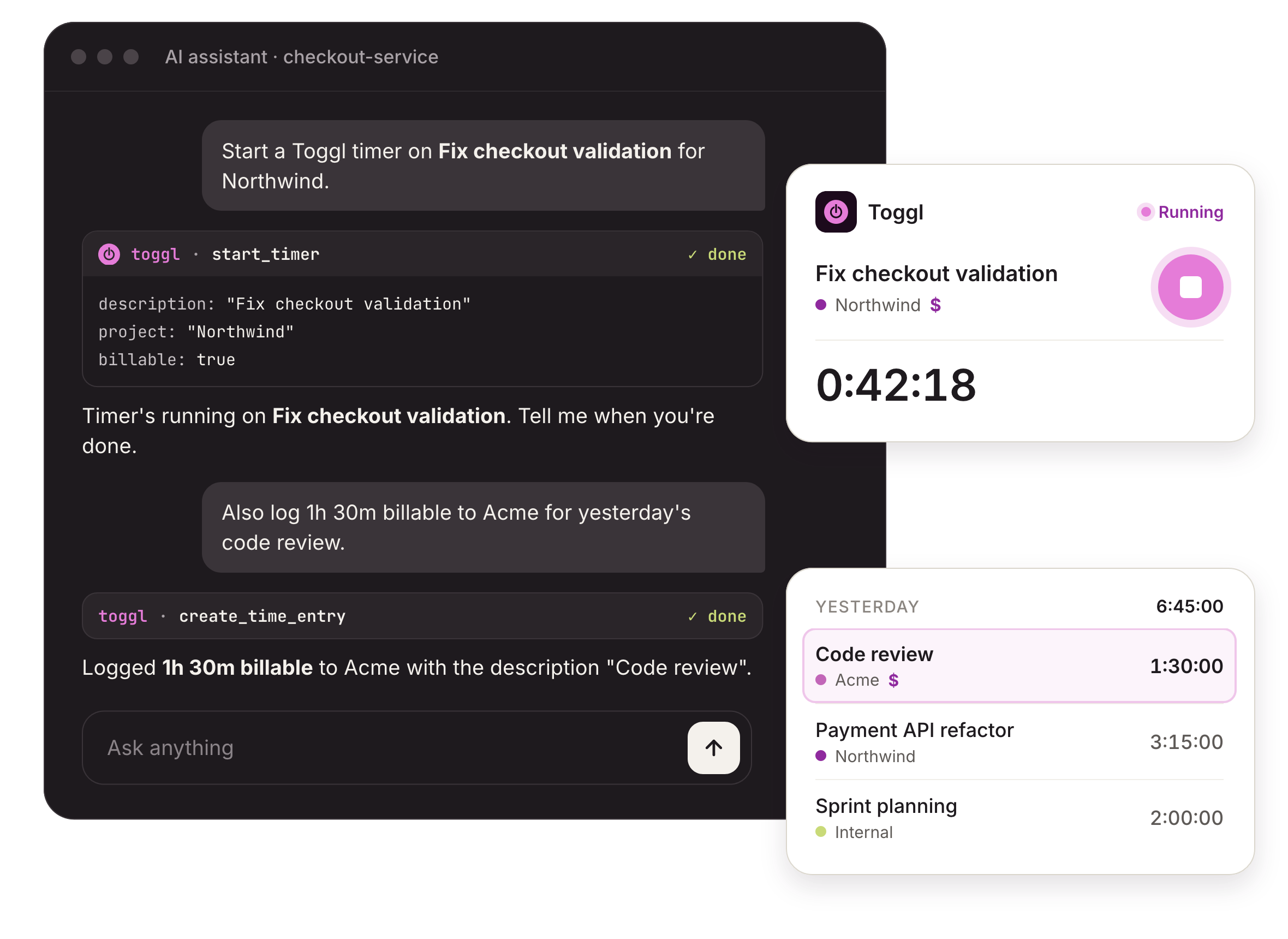
Toggl AI & MCP
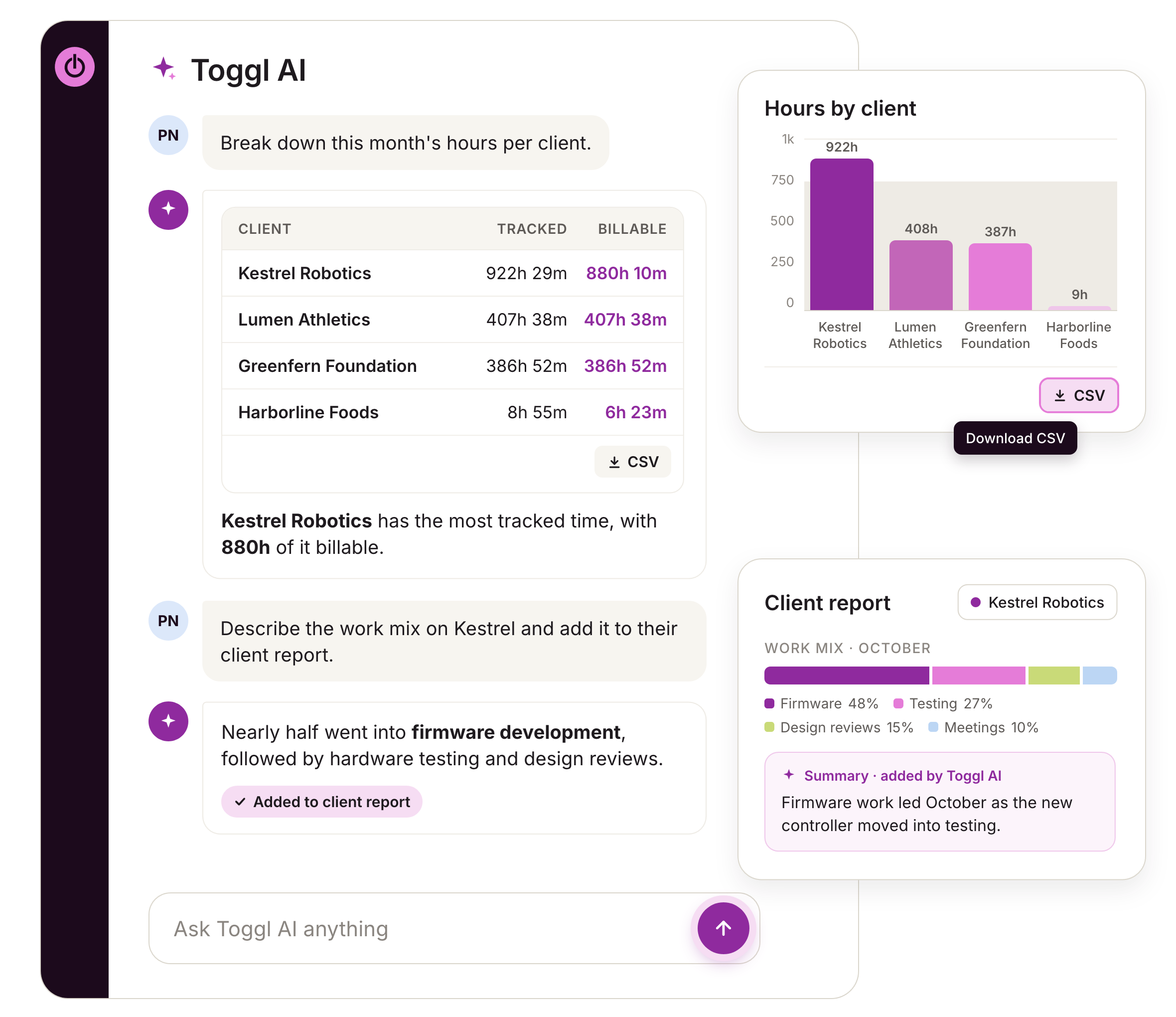
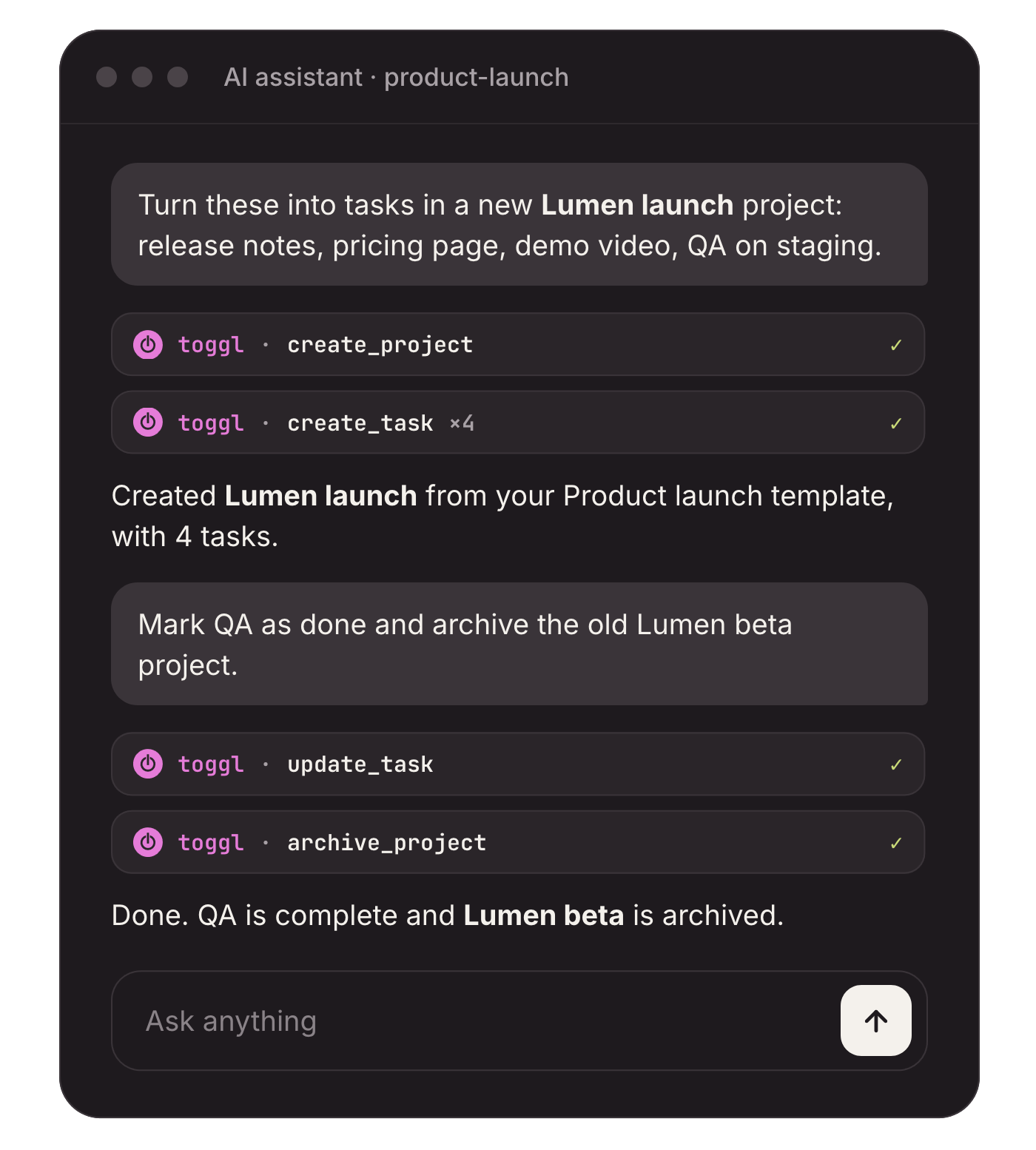
Ask questions about your time data in plain language, or connect Claude or another AI assistant through MCP to pull reports and set up projects and tasks from there.
01 / 08
Still on the fence? Check out this (completely unbiased) comparison table.
Feature

At a glance
Pricing model
Yes
Per seat
Yes
Per seat + usage fees
Free plan
Yes
Up to 3 users
Yes
1 seat, 2 projects
Tracking
Automatic time capture
Yes
No
Time tracking apps for desktop/web/mobile/browser
Yes
Yes
Idle detection
Yes
Yes
Planning
Task planning & timeline
Yes
Free · Timeline on Starter
No
Scheduling & capacity
Yes
Starter · Add-on
Yes
Teams · Forecast separate
Reporting
Project profitability report
Yes
Premium
Yes
Enterprise
Custom reports & dashboards
Yes
Premium
Yes
4 until Enterprise
AI over your time data
Yes
No
Governance
Timesheet approvals
Yes
Premium
Yes
Enterprise
SSO
Yes
Premium
Yes
Enterprise
Audit history
Yes
Yes
Enterprise
Security certifications
Yes
SOC 2 · ISO
Yes
SOC 2
Project budgets & Billing
Client invoicing & expenses
Yes
Yes
All plans
Budget tracking
Yes
Yes
Budget alerts
Yes
Yes
Company
Privately owned
Yes
No
Profitable with reasonable pricing plans for 20+ years
Yes
No
Early switch offer
Still mid-contract with Harvest? Switch now and pay nothing until it ends.
1
Share your Harvest renewal date
Send us an invoice or billing screenshot showing when your Harvest plan renews.
2
Use Toggl free until then
Your team gets Toggl free for whatever’s left on your Harvest contract, up to 6 months.
3
Your annual plan starts on your renewal date
Starter or Premium begins the day Harvest would have renewed, at our standard price. Cancel before then and you won’t be charged.
Where Harvest still wins (we did say unbiased)
Harvest has a handful of strengths worth knowing about before you decide.
Invoicing and payments in one place
Harvest turns tracked time into client invoices on every plan, and lets clients pay online through Stripe or PayPal on its Teams and Enterprise plans.
Expenses on the same invoice
Receipts and reimbursable costs sit alongside the hours, so one invoice covers both.
Accounting sync
Harvest’s Teams plan connects to QuickBooks Online and Xero, so your books stay in step with your billing.
Fixed fees on every plan
Fixed-fee projects are supported on all Harvest plans, including the free one.
Sources: toggl.com/pricing and getharvest.com/pricing, checked 26 October 2026.
What G2 reviewers rate highly
More than 1,600 teams have told G2 what working with Toggl is really like. Here’s where they rate us above Harvest.
G2 comparison scores, out of 10
Toggl
Harvest
Ease of admin
9.0
8.6
Quality of support
8.9
8.6
Good partner in doing business
9.0
8.7
Meets requirements
9.0
8.8
Scores from G2’s Harvest vs Toggl comparison page, checked 26 October 2026.
G2 reviews
Verified reviewers
09:00
10:00
11:00
12:00
★ 4.0 · Jun 2026
“I can quickly identify time allocation trends, ensure client work is properly tracked and billed, and use the data to have more informed conversations about resourcing and priorities.”
Read on G2 ↗
★ 5.0 · Oct 2026
“[Toggl] makes it easier to maintain accurate timesheets, review team members’ hours, and ensure transparency in time reporting, helping me manage time more effectively and streamline timesheet approvals.”
Read on G2 ↗
Verdict by team type
Pick your team to see where each tool fits best, including where Harvest comes out ahead and where it’s a tie.
Creative agencies
Scenario
Better fit
Seeing margin by client and project
Profitability reporting is on Toggl Premium; Harvest keeps it on Enterprise.
Toggl
Billing clients for hours and expenses on one invoice
Harvest invoices time and expenses together on every plan.
Harvest
Planning retainer work that learns from past cycles
Recurring projects suggest next period’s estimates from the time your team actually tracked.
Toggl
Connecting time to Asana and Slack
Both tools integrate with Asana (& other project management tools) and Slack.
Both
Scheduling the team with time off and holidays counted
Toggl’s Capacity add-on lives in the same workspace you track in; Harvest schedules people in Forecast, a separate product.
Toggl
Consultants
Scenario
Better fit
Turning a day of app activity into time entries
Toggl’s desktop timeline privately records the apps you worked in; Harvest relies on timers, timesheets and calendar imports.
Toggl
Building as many custom reports as you need
Fully customizable reports come with Toggl Premium; Harvest caps custom reports at four until Enterprise.
Toggl
Collecting card payments directly from client invoices
Harvest connects Stripe and PayPal on its Teams and Enterprise plans.
Harvest
Requiring notes on every time entry
Toggl Premium and Harvest Enterprise both enforce required notes.
Both
Starting the right timer when you open a client’s ticket or page
Toggl’s keyword rules start timers automatically from matching pages.
Toggl
Lawyers & attorneys
Scenario
Better fit
Logging reimbursable costs alongside billable hours
Harvest tracks expenses and receipts on every plan, ready to add to invoices.
Harvest
Approving timesheets before hours are billed
Timesheet approvals are on Toggl Premium; Harvest keeps them on Enterprise.
Toggl
Recovering billable time lost to forgotten timers
Toggl’s activity timeline shows what you worked on, so missed hours can be added afterwards.
Toggl
Single sign-on for the whole firm
Available on Toggl Premium and Harvest Enterprise.
Both
Planning associate workload around time off and public holidays
Capacity planning sits in the same workspace as your tracked time.
Toggl
Finance teams & accountants
Scenario
Better fit
Profitability by client, project and team member
Toggl Premium uses historical and current labour costs; Harvest’s profitability reporting requires Enterprise.
Toggl
Utilisation and workload reporting
Toggl and Harvest’s Teams plan both report on team capacity and utilisation.
Both
Seeing when an engagement will finish
Each Toggl project dashboard plots tracked time against the estimate with a projection trendline.
Toggl
Syncing invoices and payments into QuickBooks Online or Xero
Harvest’s Teams plan syncs invoices and payments with both.
Harvest
Planning around busy season and PTO in one tool
Time off and holidays are counted automatically in Toggl’s capacity view.
Toggl
Software & IT
Scenario
Better fit
Planning sprints on boards and a timeline with time on the same tasks
Board, timeline and timer all share the same task record.
Toggl
Single sign-on through Okta or Azure AD
Available on Toggl Premium and Harvest Enterprise.
Both
Querying time data from Claude or Cursor
The Toggl MCP brings your time data into the AI tools engineers already use.
Toggl
Background tracking that stays private to each engineer
Toggl’s activity timeline is visible only to the person tracking.
Toggl
Passing software or hardware costs through to client invoices
Harvest adds tracked expenses to invoices on every plan.
Harvest
Design teams
Scenario
Better fit
Managing design tasks on Kanban boards with time on the same task
Toggl’s boards and timer share one task record.
Toggl
Tracking from desktop, mobile and the browser
Both offer desktop and mobile apps.
Both
Invoicing clients from tracked time, even on a free plan
Harvest’s free plan includes invoicing for one seat and two projects.
Harvest
Spotting projects that will overrun before they close
Project dashboards project where you’ll land against the estimate.
Toggl
Filling timesheet gaps from your day’s app activity
The desktop timeline turns app blocks into entries with one click.
Toggl
Security, governance & AI
Task and time management, built for the long run
Two decades of building the time tracking software teams trust, with independently audited security, governance that keeps your data clean, and AI that puts it to work.
SOC 2 Type 2
Independently audited
ISO 27001
Certified
GDPR compliant
Data protection
No screenshots, no surveillance
Anti-surveillance statement · toggl.com
Security & governance
Independently audited security
SOC 2 Type II and ISO 27001 certified, GDPR compliant, with 99.99% uptime monitored around the clock.
Governance that scales
Timesheet approvals, required fields and SSO on Premium, so every hour is reviewed before it reaches billing or payroll.
Private by design
No screenshots, no keystroke logging, no webcams. Your team’s time data stays your team’s.
Ready for how you’ll work next
Toggl AI & MCP
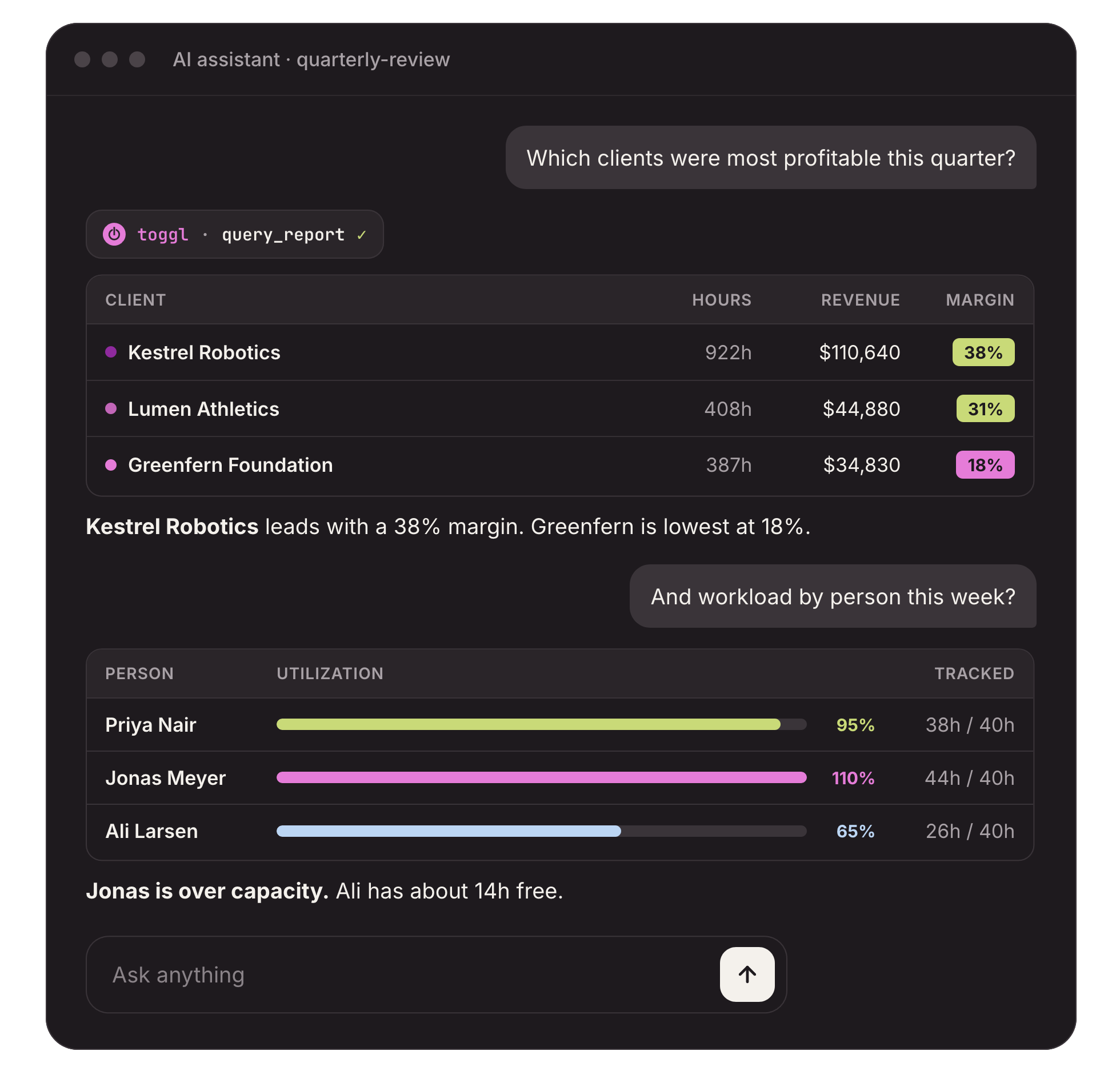
Ask about margin, capacity or slipping estimates in plain language, or connect Claude or another AI assistant through MCP to pull reports without opening Toggl.
Toggl AI
MCP connected
Which projects ran over estimate last quarter?
Two of your six projects ran over estimate last quarter. Website redesign finished 18% over, mostly in design review, and Brand refresh came in 11% over. The other four finished within their estimates.
Switching
Bring your Harvest history with you
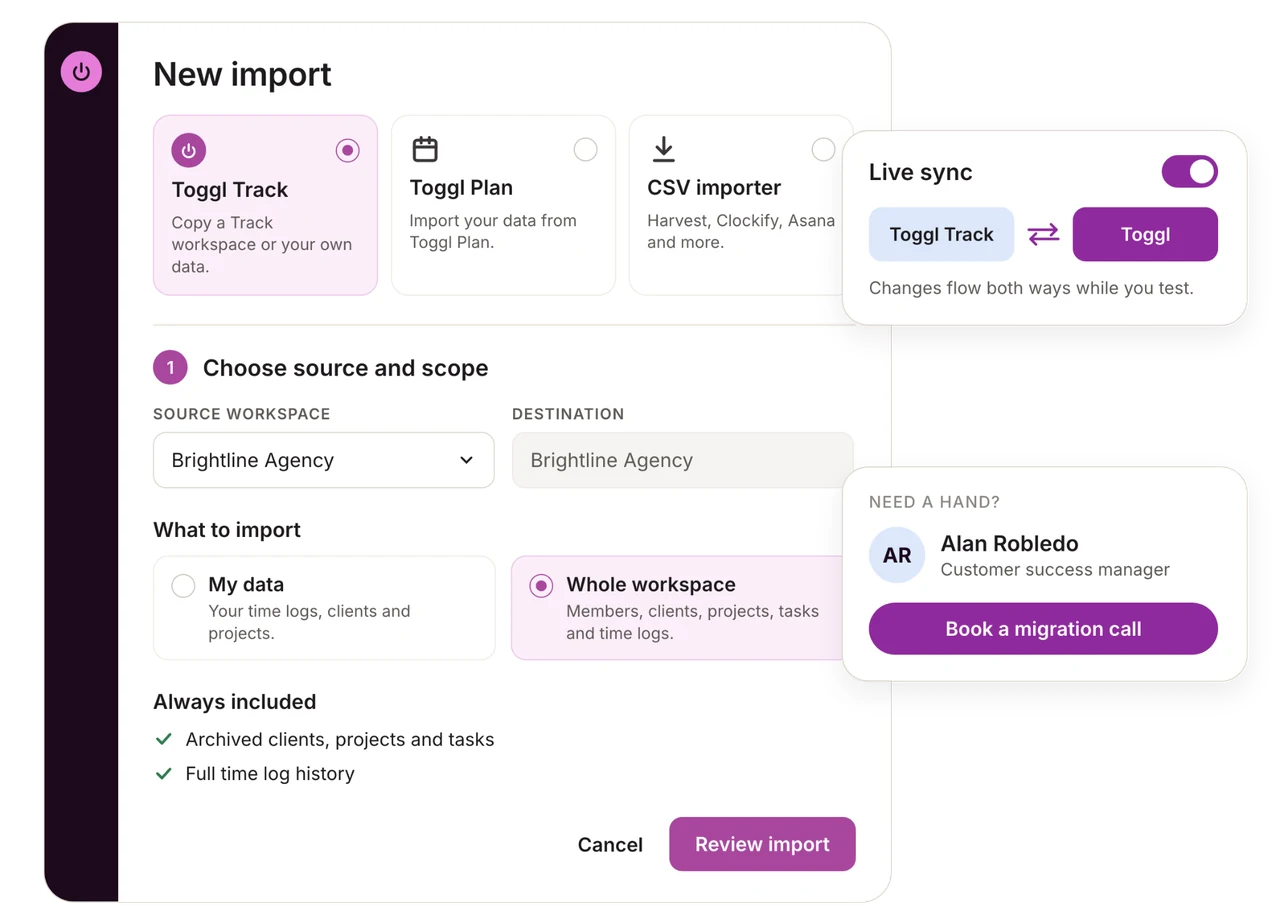
Export your team, clients, projects, tasks and time from Harvest as CSV files, map the columns once, and import as much history as you want straight into Toggl.
1
Export from Harvest
Download your team, clients, projects, tasks and detailed time reports from Harvest as CSV files.
2
Import your team first
In Toggl, go to Admin Settings → Data import → Universal CSV Importer and bring in your team, so every time entry has someone to attach to.
3
Map the rest and start tracking
Map your clients, projects, tasks and time, then save the mapping as a Harvest profile for any later imports.
Universal CSV Importer
Harvest profile
100%
Members
48
Clients
126
Projects
312
Tasks
1,840
Time entries
86,412
Import complete · 0 rows failed
Mapping saved for next time
Switching a big team? Let us look at your setup first.
Tell us how you use Harvest today, how many people, clients and years of history you’re working with, and our team will work out the simplest way to bring it all over. You’ll get a proper look at your setup before you commit to anything.
- We’ll review your Harvest setup with you
- We’ll plan what to bring across, and in what order
- We’ll answer your team’s questions before you switch
Importing your Harvest data into Toggl
Comparing Toggl vs Harvest
0:00:00
Start for free