



Time tracking for teams that want simplicity and visibility

Toggl is the easiest way for teams to track time automatically across all devices. Monitor team productivity and profitability with reports. Fit our time tracking tool into any workflow via integrations with your favorite solutions.

Why teams choose Toggl for time tracking

Toggl turns time tracking from a chore that team members ignore to a simple activity that doesn’t interfere with their work. This results in:

100% time tracking adoption

Less time spent reminding people to log their hours

Accurate, real-time data that leads to reliable capacity insights

Easy, automated time tracking across every platform
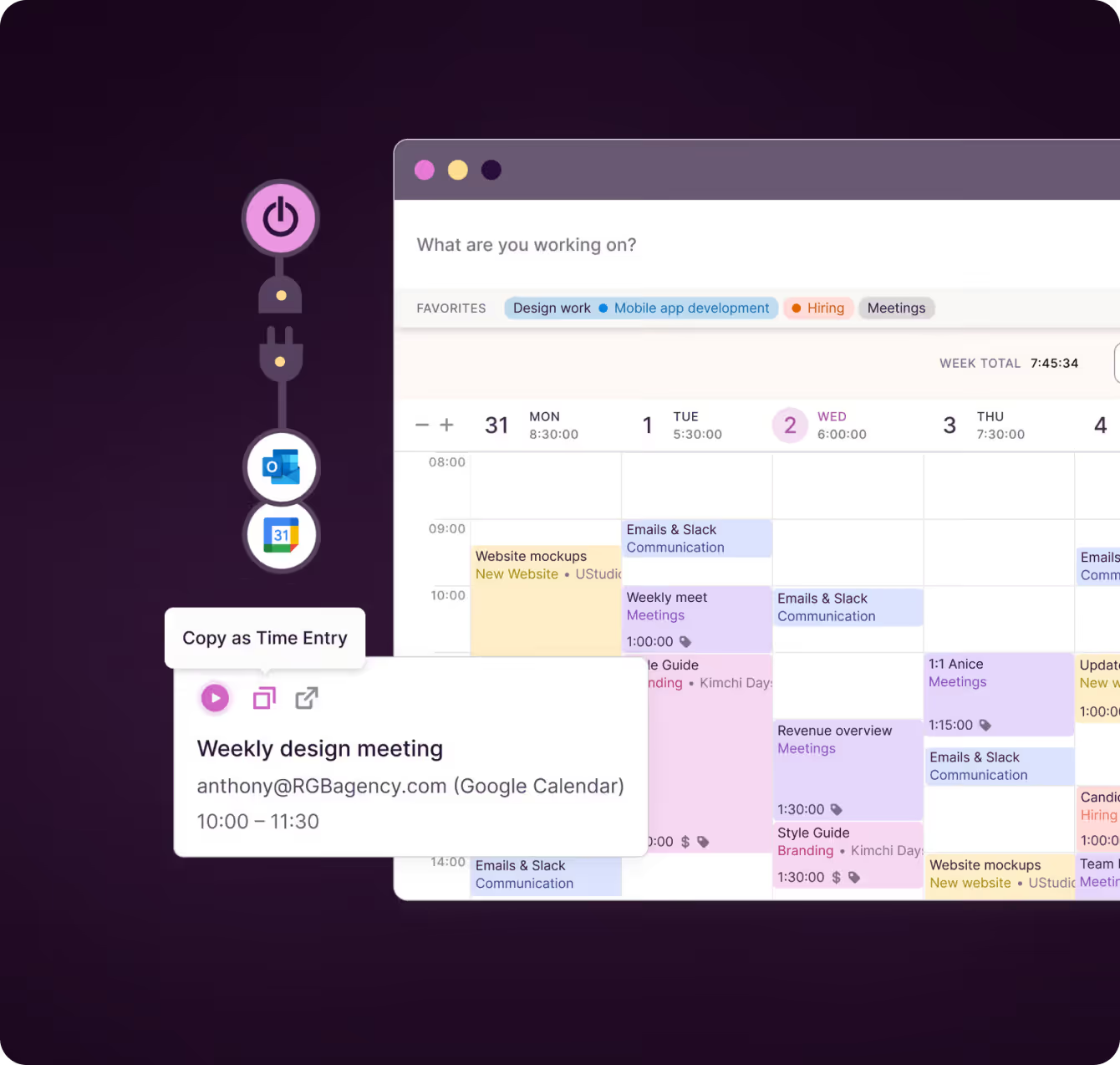
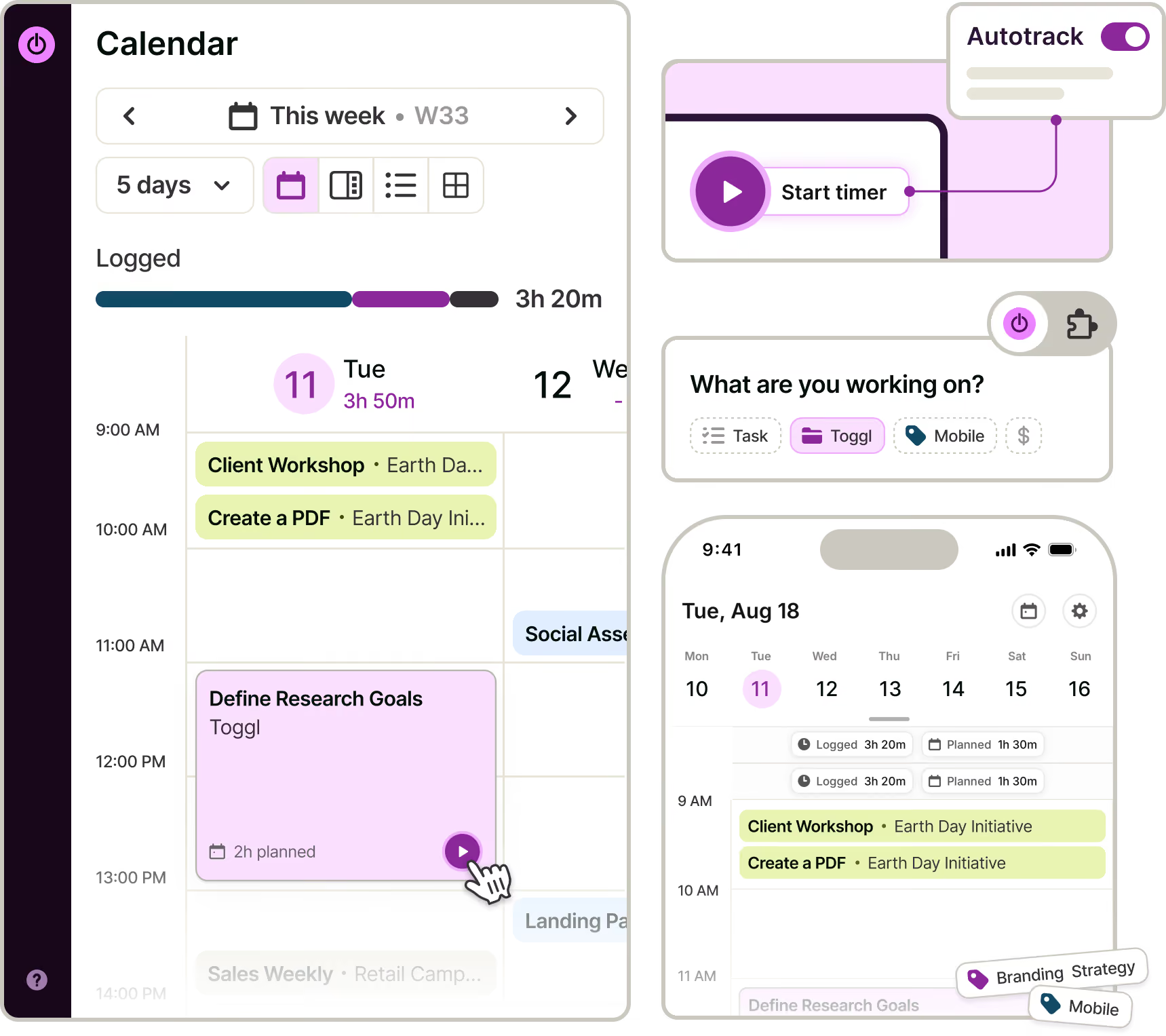
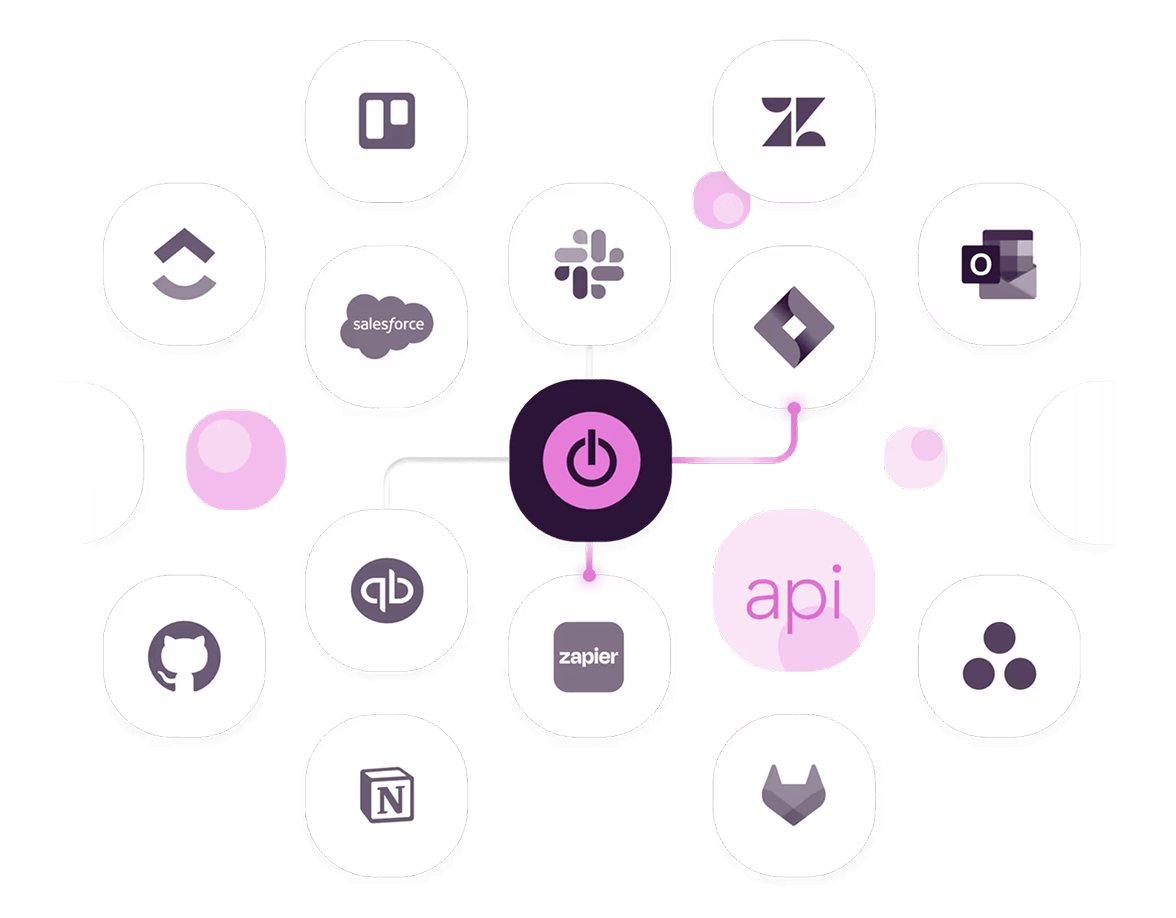
Team members can start logging work hours in one click from the web app, desktop app, mobile apps, or browser extensions. Our time tracker doesn’t require context switching thanks to integrations with Jira, Asana, GitHub, Slack, popular calendars, and more.

Key benefits:

• 100% adoption due to easy tracking and intuitive UI
• Reduces missed billable hours with automated reminders
• Compatibility and integrations across platforms, devices, and workspace tools

"Before, we were chasing up to 15% of our workforce down to complete their timesheet and it was so time-intensive. When we switched to Toggl, people actually started tracking their time."


— Thomas Unsworth, Founder, Launch Web Design
Built-in project and budget tracking

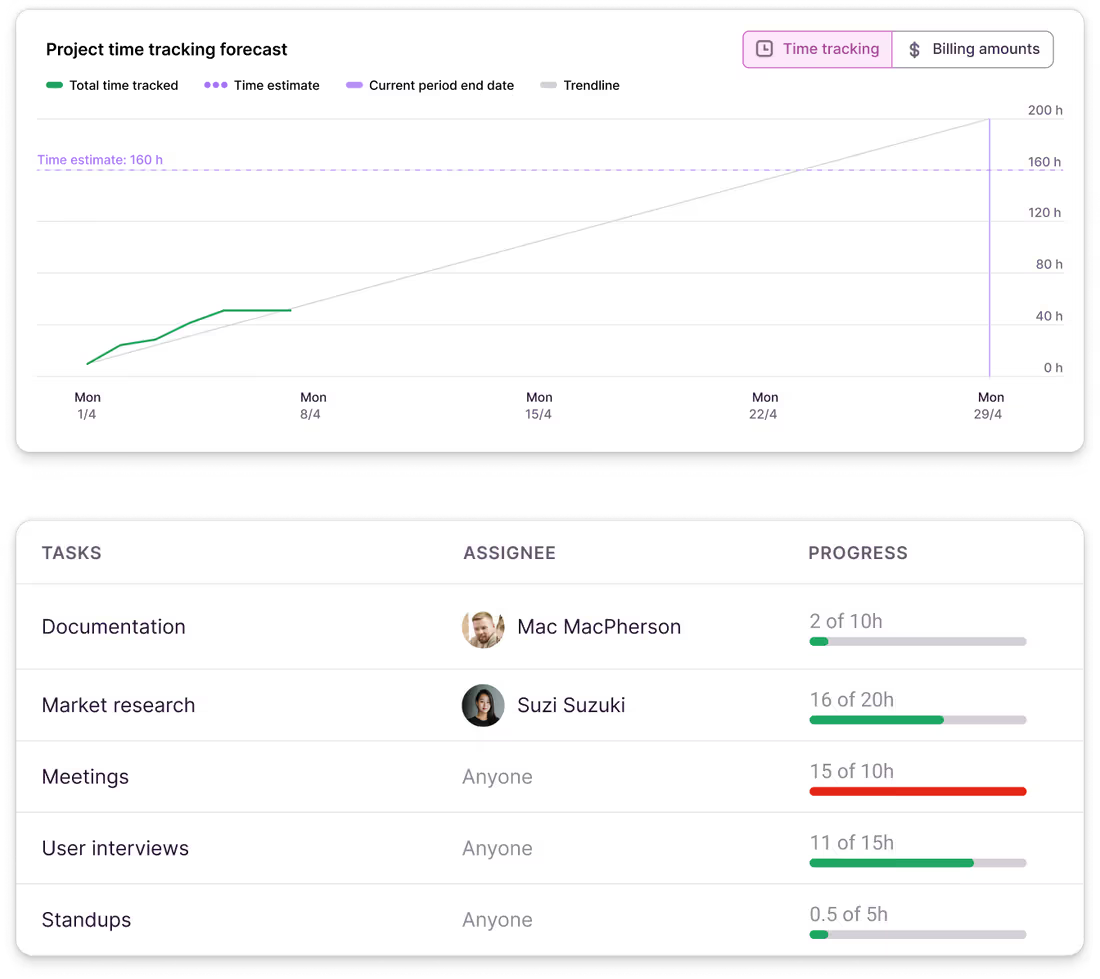
Our automatic time tracking software lets you set time estimates for projects and add real-time alerts to notify you when estimates are close to being exceeded. You’ll see how much time has been logged versus estimated, with visual cues when you’re on track or over budget.

For flat-rate work, you can set fixed fees per project or per period and track how logged hours and billing progress align with your set amount.

Key features & benefits:

• Billable rates with historical rate preservation
• Prevents over-servicing and improves profitability
• Support for different pricing models, including retainers and fixed-cost contracts

"Nearly 100% of projects completed on time and within budget: We’re never late with projects. We always fulfill our commitments because we never over-scope, and we never experience scope creep."


— Marek Šolc, CFO of Lighting Beetle
Reporting that provides insights into productivity and profitability

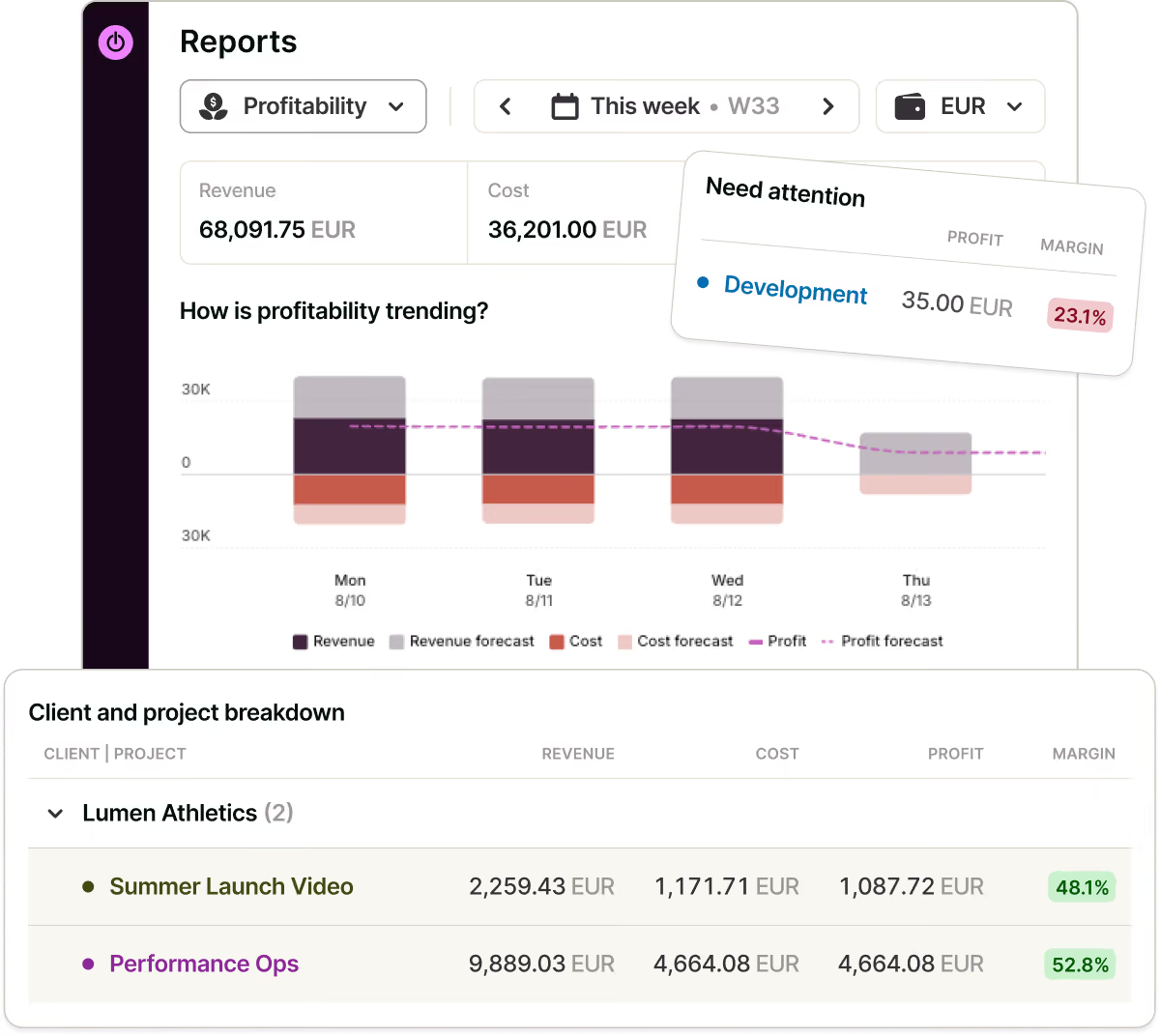
Toggl’s reporting functionalities turn employee time data into useful insights. Use filters and grouping options to build in-depth reports on productivity, workloads, utilization, and profitability. Share your time reports via live links or export them to formats like PDF, CSV, and Excel.

Key features & benefits:

Multiple summary and visualization options
• Detailed reports based on team, client, project, task, or billability

"As a remote company, Toggl data is our sole resource for tracking time spent on a project and responding accordingly. If we notice someone working overtime, it's a clear signal for our leaders to step in and address work-life balance."


— Pavel Averin, Revenue Operations Manager at Netguru
Compliance and data integrity across your team

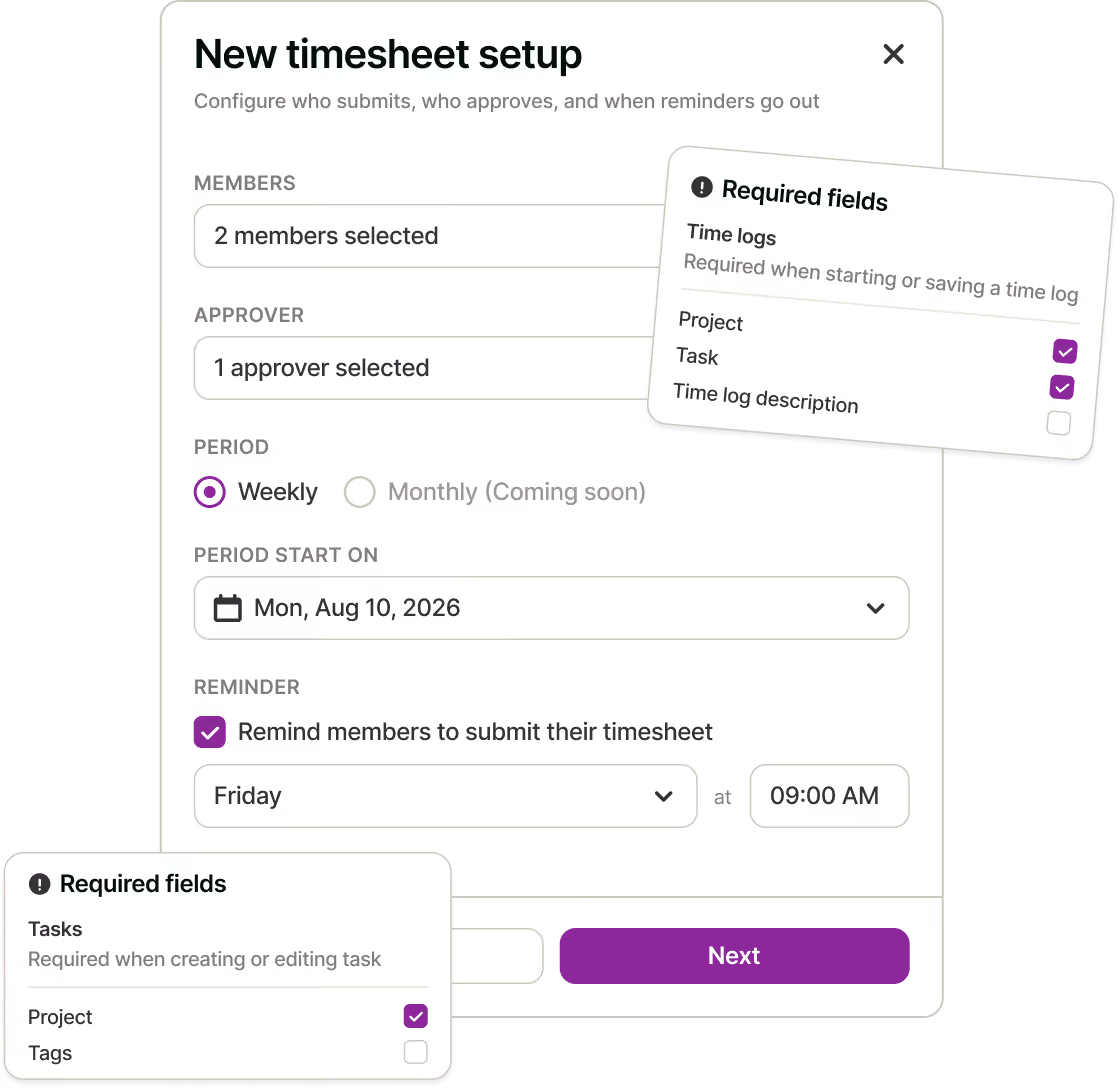
Keep your team’s time tracking clean, compliant, and consistent. You can configure required fields, enable automated reminders, and review submitted timesheets using approval workflows. Get full traceability of time entries and see records of all changes with audit logs.

Key features & benefits:

Reduces manual time corrections
• Improves accuracy of time entries
• Supports regulatory compliance and internal audits
Personalized onboarding and custom workflow integrations for enterprise teams

Enterprise teams can leverage Toggl’s complete flexibility when it comes to onboarding, customizing workflows, or custom integrations with tools like Xero.

Key features and benefits for Enterprise users:

Custom integration assistance
• Dedicated Slack or email support channels
• Personalized onboarding with Customer Success Managers

"Even after our successful onboarding finished, we continue communicating on a Slack channel, where we exchanged requests, shared feedback, and get needed updates."


— M. Schantl, Head of Systems Engineers Core IT
What others are saying

On Capterra
"After trialing 20 similar products, Toggl was a clear winner providing everything I needed."
Andy
Consulting Software Engineer
Testimonial
It's not one of those apps where you need to spend half a day figuring out how to actually use it: sessions can be started as they happen or added later, and once the app has got a feel for your schedule and how you work, it'll even make suggestions about what you want to track next.
techradar
GetApp
I love its simplicity—its integration with Asana makes everything easier. It allows me to see how I use my time to be able to make decisions that improve my profitability.
User review
On Capterra
Regular updates ensure that any bugs are caught quickly and customer support responds within a day; these features make using Toggl a breeze.
Trevor
Senior Project Leader
Testimonial
Learning to use Toggl is a breeze, because it's highly intuitive and simple. It ushers you along quickly so that you get back to work right away and start tracking your time immediately. The free plan is generous and could be more than adequate for solo workers or even small groups of up to five people with light needs.
PCMag
On Capterra
Even those who have never used time tracking software before can get up and running quickly.
Kathleen
Service Area Manager
On Capterra
Allows me to record project time [to ensure] I'm charging reasonable rates.
Gabrielle
Senior Accounting
On Capterra
No complicated setup or unnecessary bells & whistles!
Renee
Business Analyst
“My favorite time tracker! Toggl integrates with so many other project management tools and invoicing apps, and the team rolls out regular fixes and additional useful features. Great price for the functionality and ease of use!!!”
— Pauline LC, User review on Capterra
User review on Capterra
Testimonial
With Toggl, you can track your time right away and view your tracked time entries, and worry about the details later. It also has a generous free tier of service that gives you access to all its apps (Android, iOS, Windows, macOS, Linux, Web, and browser extensions).
zapier
Get started for free!
Toggl's Free plan is free forever. Our Premium plan comes with a free, 30-day trial. No credit card required to get started.

FAQs

Is Toggl free for teams?

Yes, up to 3 users. The free tier includes manual and real-time timers, calendar integrations, and simple planning with tasks and boards. Beyond that, paid plans add the things many teams need, like approval workflows, billable rates, capacity planning, PTO, budgets and alerts, and the reporting depth that turns tracked hours into utilization and margin.

How do I stop chasing people for their timesheets?

The only way is to make the tracking easy and the follow-up automatic. With Toggl, automated reminders nudge people who haven't logged their hours, so the chasing doesn't land on a manager's to-do list every Friday. Required fields keep entries usable when they do arrive, so there’s no more guessing which client "misc work" belonged to.

Can I see who hasn't logged their time yet?

Yes. Toggl reports filter by person, so gaps are visible. Combined with automated reminders, most of the chasing resolves itself before a manager notices there was a gap.

How do I tell whether the team is over- or under-utilized with Toggl?

Group and filter time data by person, team, client, or project to see workloads and utilization rather than raw hours. That's what makes capacity decisions accurate because you can see who's carrying too much before it turns into missed deadlines or someone quitting. 

What project views does Toggl have?

A Board for Kanban-style status, a Task list, a Timeline that works as a Gantt chart, and a Calendar for dropping work onto specific days. Switching views rebuilds nothing as it's one set of tasks shown differently, and filters carry across when you switch. 

Can I see whether my plans matched reality with Toggl?

Yes. In Toggl, each task carries an estimate, your team tracks time against that same task, and the block shows planned against logged. Estimates versus actuals, workload, and utilization sit in reports.