


Time Tracking Invoicing

Track every billable hour and bill accurately

Leave behind messy spreadsheets and forgotten time cards. Easily track billable time with one click across multiple projects, tasks, and clients.

Seamless client billing with streamlined time tracking

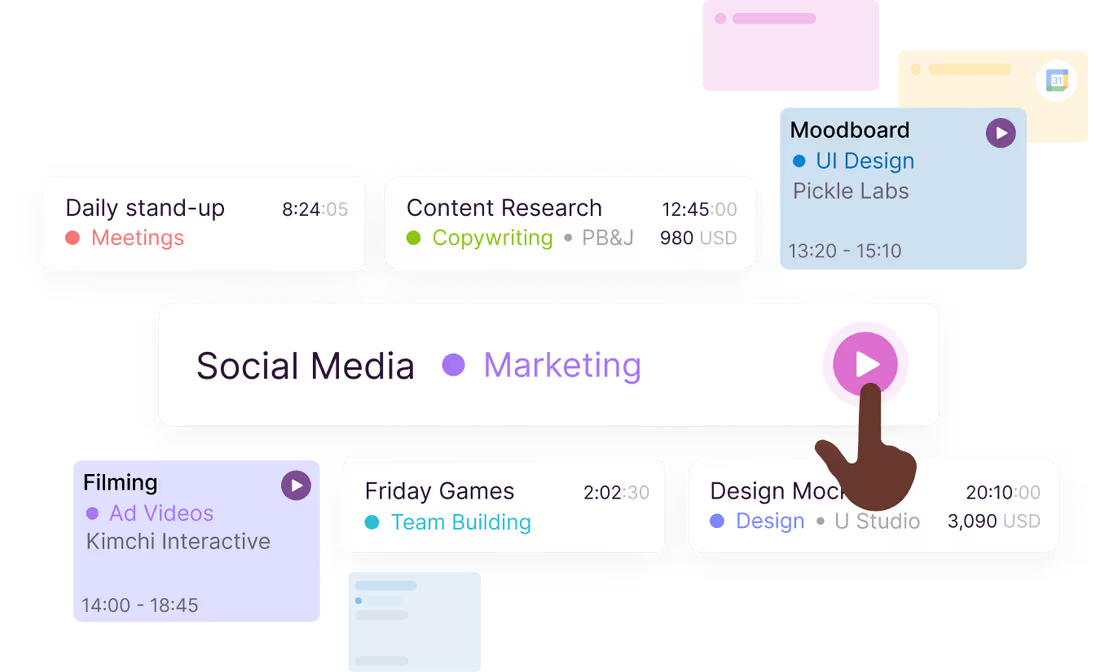
Track hours in real time

Toggl automatically builds employee timesheets from time tracked, so there's no guesswork and no spreadsheet entry to do by hand. It's all the benefit of timesheets, none of the manual work.
Track hours in real time

Toggl automatically builds employee timesheets from time tracked, so there's no guesswork and no spreadsheet entry to do by hand. It's all the benefit of timesheets, none of the manual work.

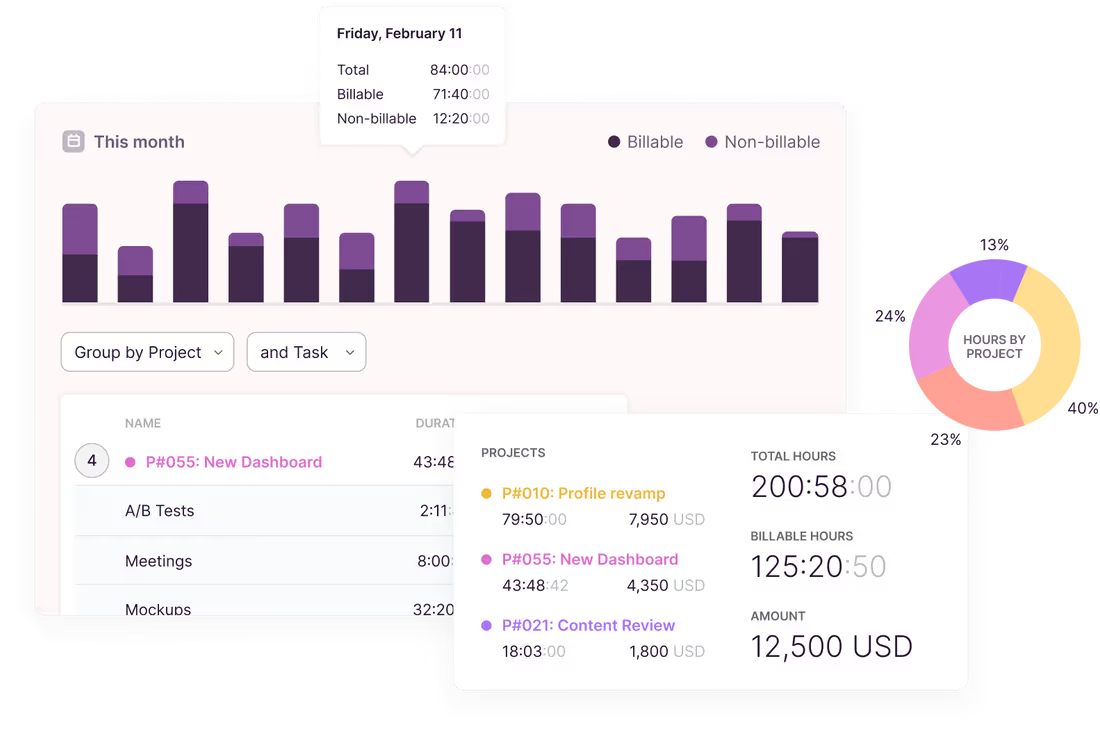
Bill accurately

Capture every billable minute worked across your entire team. Easy-to-export data to help you bill with razor-sharp accuracy, and get paid exactly what you deserve — cha-ching!
Bill accurately

Capture every billable minute worked across your entire team. Easy-to-export data to help you bill with razor-sharp accuracy, and get paid exactly what you deserve — cha-ching!

Track where you work — at your desk or on the go

With apps for mobile, desktop, and web that sync in real time, a browser plugin and hundreds of integrations, Toggl can fit into any workflow.

Track where you work — at your desk or on the go

With apps for mobile, desktop, and web that sync in real time, a browser plugin and hundreds of integrations, Toggl can fit into any workflow.

Move faster from tracked time to the final bill

Use accurate and reliable time data (including billable hours) as a basis for your invoices. Export in your preferred format — CSV or PDF.
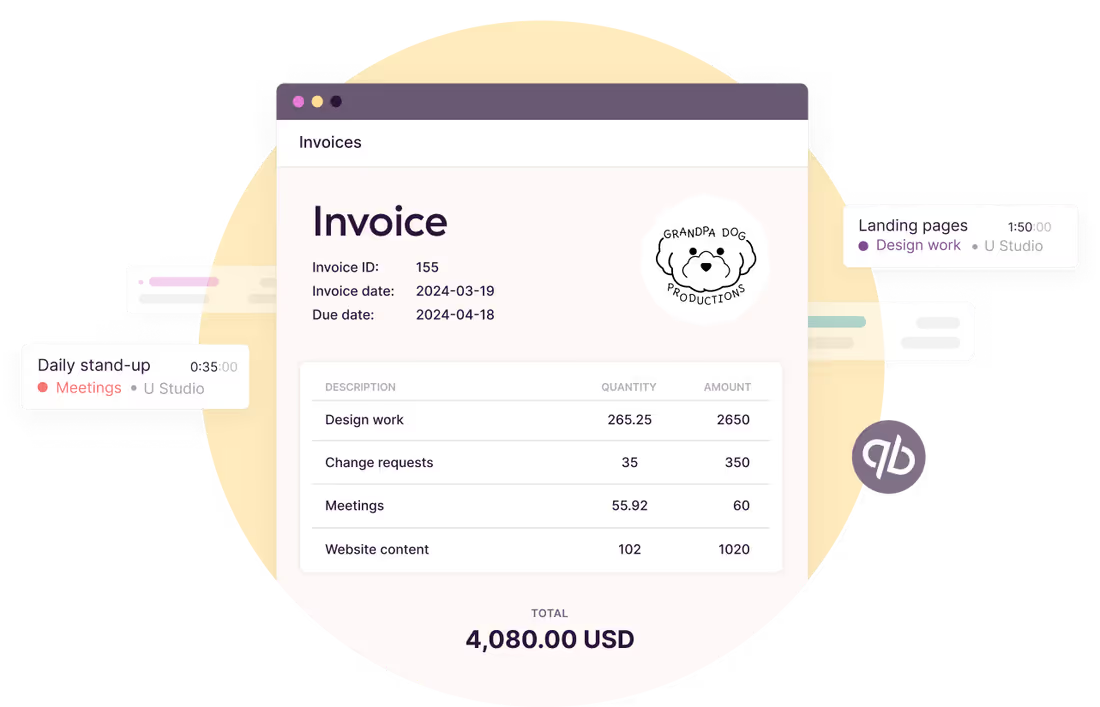
Move faster from tracked time to the final bill

Use accurate and reliable time data (including billable hours) as a basis for your invoices. Export in your preferred format — CSV or PDF.

Invoice-ready hours, straight out of your timesheets
Toggl captures every billable minute as you work, then hands your the exact numbers you need.
Track time against clients and projects with one click, apply the right billable rates, and export a clean time in a spreadsheet or PDF. The hours are accurate to the second, so the invoice built on them is too (and you have the reports to back up every line item).
Companies that use Toggl see:

40+ hours saved monthly
at Perception Engineering with one-click time tracking and reporting
100% time tracking adoption
with easy, non-intrusive time reporting at software consultancy Newlogic
20% increase in profitability
by accurately tracking billable work hours at Sweat+Co PR agency
Want to make time tracking a breeze for your employees?
No credit card required
Free 30-day trial for all features
Cancel anytime
Time tracking and invoicing features
Turn tracked hours into invoice-ready data without chasing anyone for their timesheet.
One-click timer
Start the timer, pick a client and project, mark it billable. Track from the web app, desktop, mobile app, or a browser extension in tools like Jira, Asana, Slack, GitHub, and many others.
Billable rates
Set hourly rates by , client, project, team member, or task. Toggl calculates the billable amount as the hours come in, so you always know what a project is worth before you invoice it.
Detailed time reports built for billing
Filter a time report by client, project, or date range and see exactly what's billable. Export to CSV or Excel and attach it to the invoice as proof of work.
Project budgets and alerts
Set budgets in hours or fees, including recurring ones for retainer clients. Get alerted at 80% so you can bill for extra scope instead of absorbing it.
Timesheet approvals
Let team leads review and approve time before it leaves the workspace. Catch misfiled entries and missing hours at the source, not in a client's reply to your invoice.
Project profitability
Compare billable amounts against labor costs to see which clients and projects actually make money. Adjust rates on the next round instead of finding out at year end.

User love us...

On Capterra
"After trialing 20 similar products, Toggl was a clear winner providing everything I needed."
Andy
Consulting Software Engineer
On Capterra
No complicated setup or unnecessary bells & whistles!
Renee
Business Analyst
Testimonial
With Toggl, you can track your time right away and view your tracked time entries, and worry about the details later. It also has a generous free tier of service that gives you access to all its apps (Android, iOS, Windows, macOS, Linux, Web, and browser extensions).
zapier
Testimonial
It's not one of those apps where you need to spend half a day figuring out how to actually use it: sessions can be started as they happen or added later, and once the app has got a feel for your schedule and how you work, it'll even make suggestions about what you want to track next.
techradar
On Capterra
Regular updates ensure that any bugs are caught quickly and customer support responds within a day; these features make using Toggl a breeze.
Trevor
Senior Project Leader
On Capterra
Allows me to record project time [to ensure] I'm charging reasonable rates.
Gabrielle
Senior Accounting
“My favorite time tracker! Toggl integrates with so many other project management tools and invoicing apps, and the team rolls out regular fixes and additional useful features. Great price for the functionality and ease of use!!!”
— Pauline LC, User review on Capterra
User review on Capterra
GetApp
I love its simplicity—its integration with Asana makes everything easier. It allows me to see how I use my time to be able to make decisions that improve my profitability.
User review
On Capterra
Even those who have never used time tracking software before can get up and running quickly.
Kathleen
Service Area Manager
Testimonial
Learning to use Toggl is a breeze, because it's highly intuitive and simple. It ushers you along quickly so that you get back to work right away and start tracking your time immediately. The free plan is generous and could be more than adequate for solo workers or even small groups of up to five people with light needs.
PCMag
...and we know you will, too!
Toggl's Free plan is free forever. Our Premium plan comes with a free, 30-day trial. No credit card required to get started.
Small team, no budget?
No problem.
“The best free time tracking app”

Even those who have never used time tracking software before can get up and running quickly.

Today, 14 Apr

7:15:50

Illustrations

2:12:50

5 billable hours every day

3/5 hours

Brainstorm session

REACHED

Code every day
5/5 hours

NEW WEBSITE

12  of  20h
PM Daily
0:00:25

How does Toggl’s time tracking and billing work?

Create your free account
Yes, you can start using Toggl 100% free.
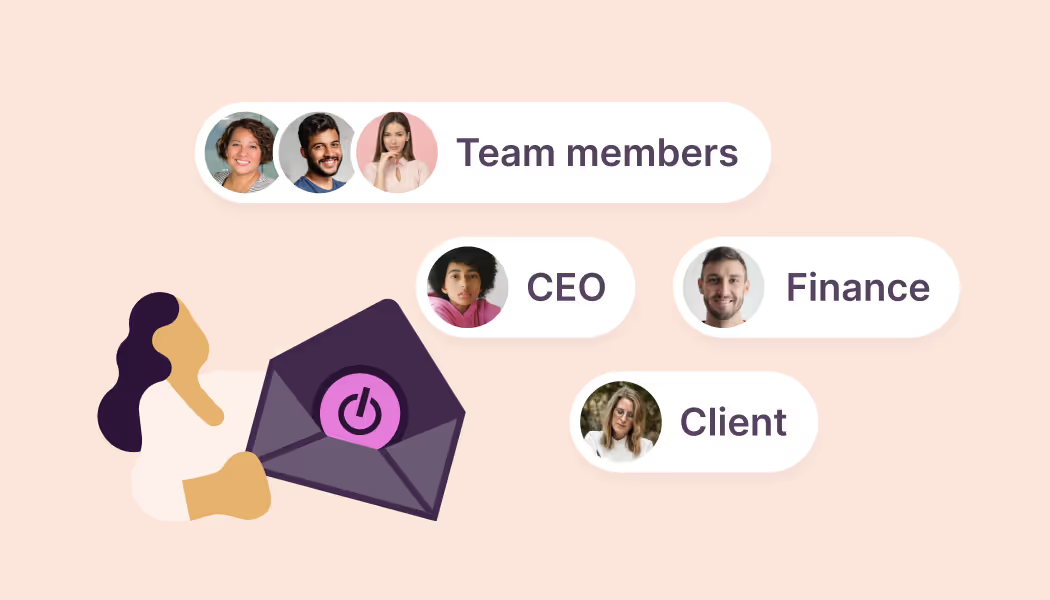
Invite your team
Get your entire team set up in seconds. You can invite up to five team members for free.
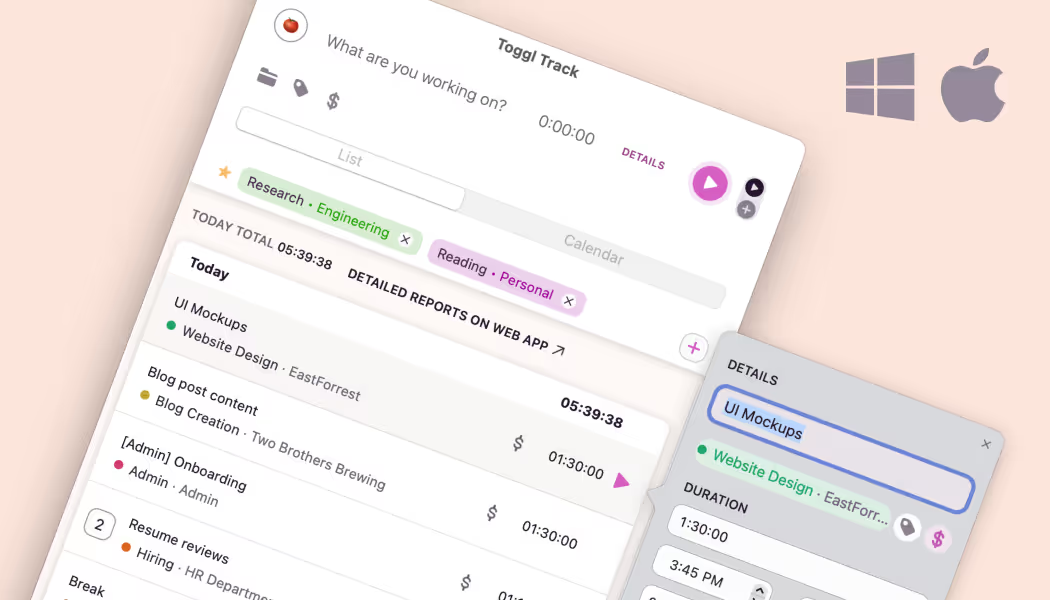
Get Toggl Desktop apps
Toggl works across devices. Our desktop apps support automatic time tracking. Download them from the Windows and Mac app store.
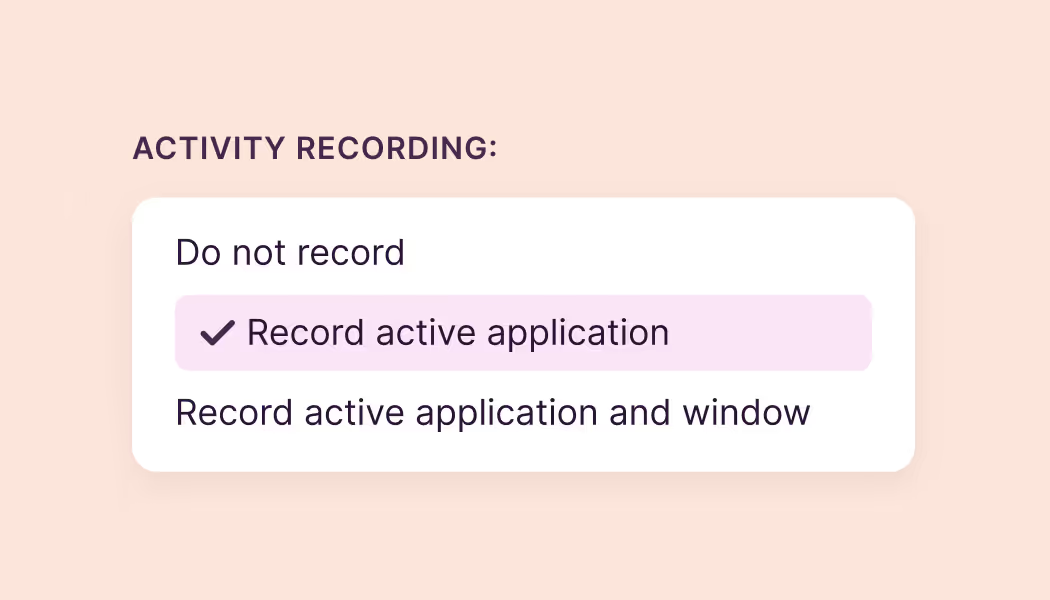
Enable activity recording
Log in to the desktop app, and enable the automatic activity recording. This functionality automatically tracks apps and websites active for 10 seconds or more.

Keep activities private
All app and website activity is stored locally. They’re not shared with any other team member. Visualize your activities on the calendar timeline.
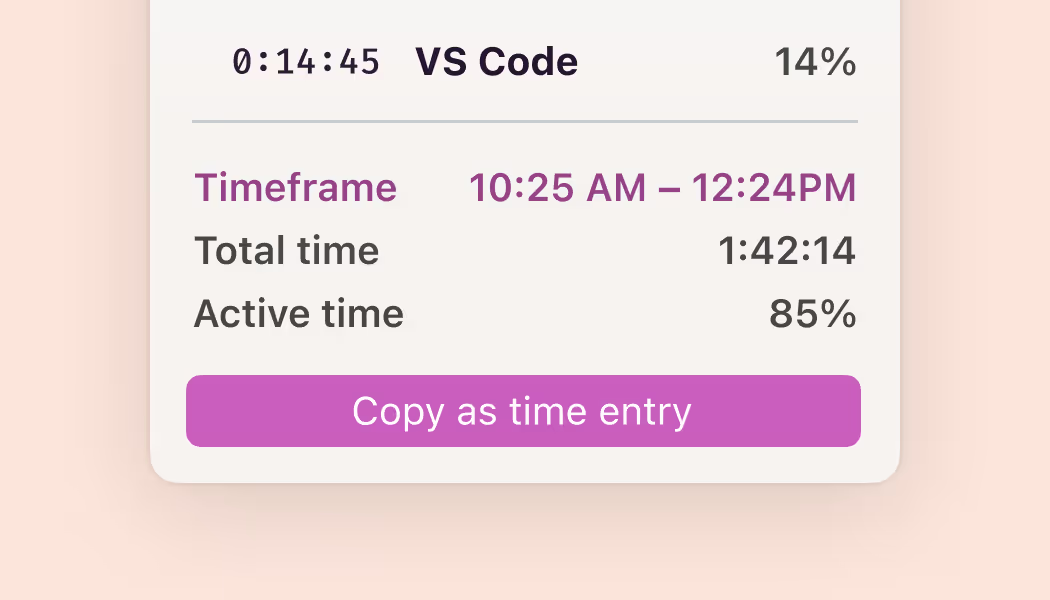
Submit time entries
When you’re ready, copy activities as time entries and submit. Your timesheet is ready, without having to remember everything you did during the day.

FAQs

Can I create and send invoices using Toggl?

Yes, you can create invoices from Summary Reports. However, you cannot send them via the Toggl Track app; you can only download them as PDFs. Please refer to this knowledge base article for more information.

Is Toggl free for an unlimited number of users?

Toggl  is free for teams of up to 3 members.

How is the subscription fee calculated for paid plans?

You will be charged a monthly fee for each member of your team. For paid plans, this fee applies even if you have under 3 active users. You will not be charged for deactivated users. If you deactivate a user, all data associated with the deactivated user will be retained.

Does Toggl have desktop or mobile apps? Are they free?

Yes, we’re on desktop and mobile. We have desktop apps for Windows and macOS, and mobile apps for iOS and Android. All of our apps are free to download and use.

What tools does Toggl integrate with?

Toggl Track has over 100+ integrations. Our Chrome, Firefox, and Edge browser extensions allow you to start the timer directly from online tools like Asana, Todoist, Xero, and more. The browser extensions come with features such as the Pomodoro Timer, idle detection, and tracking reminders — it’s the ultimate tool to help you stay focused on work.

Toggl Track also natively integrates with QuickBooks Online, enabling direct invoice sending to the platform for more efficient invoice management.