Virtual assistants save time for their clients.
But between managing diaries, answering emails, booking travel plans, and other crucial admin tasks, it’s very hard to understand how long VA work actually takes. This is especially true when working with multiple clients and using manual tools (like spreadsheets) to track time and tasks.
Without that understanding of where hours go, it becomes almost impossible to:
- Price your work accurately.
- Show clients what they’re paying for.
- Eliminate workflow bottlenecks and become more efficient.
It’s also a struggle to balance workloads, not knowing whether you have the bandwidth for that new client or if a particular service offering is eating up too much of your week.
Time tracking software provides the structure virtual assistants need to manage multiple clients efficiently, price work accurately, and optimize income.
The right virtual assistant time tracking tool makes it easier to log billable hours and review detailed breakdowns, for you and your clients. In this guide, we compare eight time tracking tools commonly used by virtual assistants and agencies managing VA teams.
Top 8 time tracking tools for virtual assistants at a glance
| Tool | Best for | Free plan? | Paid pricing starts at … |
| Toggl | Privacy-first, frictionless time tracking across devices | Yes | $9/user/mo |
| Clockify | Unlimited free tracking at scale | Yes | $5.49/seat/mo |
| Time Doctor | Detailed activity and productivity oversight | No | $6.67/user/mo |
| My Hours | Complex client billing and retainers | Yes | $8/user/mo |
| Harvest | Calendar-based tracking | Yes | $9/seat/mo |
| Time Camp | Automatic tracking without manual timers | Yes | $3.99/user/mo |
| Everhour | Tracking time inside client tools | Yes | $8.50/seat/mo |
| Flowace | Agency-level productivity and workforce analytics | No | $1.99/user/mo |
How to choose time tracking software for virtual assistants (Main features and considerations)
Fighting with the wrong tracking platform (or worse — spreadsheets) is the last thing virtual assistants want to spend time on. The good news is you can narrow down your options quickly by focusing on a few practical criteria that matter in day-to-day VA work.
Here’s what to consider:
Ease of use
Straight out the gate, make sure your platform of choice is a pleasure to use since you’ll be using it all day. The software should feel clean and easy to work in, with all your favorite features exactly where you expect to find them.
If you need to refer to a training manual or community knowledge base articles after using it for a while, it’s probably not the right tool.
Simple client-based tracking
The nature of VA work is you’re typically working with a wide range of clients, and this flexibility is both a selling point and a pain in the rear.
Each client you work with could have different billable rates; you might charge some by the hour, others by project. The best time tracking software lets you organize time entries by client, project, and task, while keeping each client’s work clearly separated for reporting and billing. If you work across borders, you’ll also need to adjust the currency settings on your billable rates to give you a clear view into the cha-ching without running math conversions in your head.
Smart reporting for client transparency
Here at Toggl, we’re firmly anti-surveillance, so we definitely don’t feel VAs need their every move, click, or keystroke monitored. But there is something to be said for offering transparency to your VA clients.
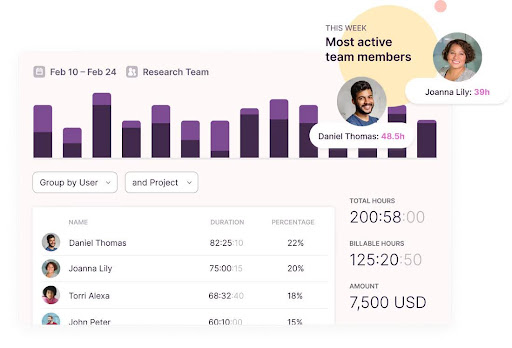
Quality time-tracking platforms with built-in reporting capabilities let you generate detailed reports with just a few clicks. From here, you should be able to export your reports to your clients, so they can see where you’re spending your time. The key is always to choose software that puts you firmly in control of what you wish to share.
Time insights about your VA business
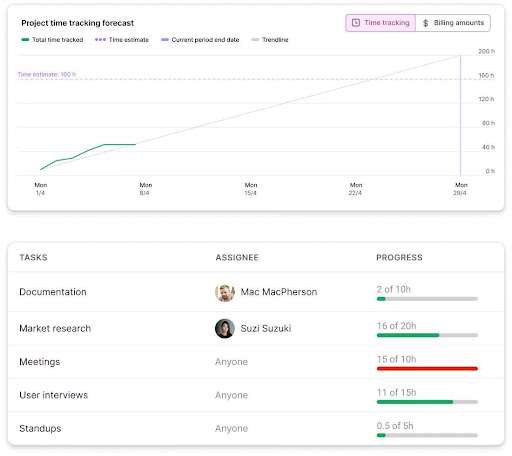
Report insights aren’t just for your clients’ eyes. They also provide incredible intelligence about your VA business, so long as you’re tracking data over time.
Analyzing your time reports shows which clients take up the most capacity, how long certain task types really take, and whether your pricing still reflects the effort involved.
Pricing that matches how you work
Free time tracking tools can be a great starting point for your VA business. And sometimes, that’s honestly all you’ll need.
But always check what “free” really means. Is it just a free trial rather than a free plan, meaning you’ll spend time setting everything up, only for your trial to expire after two weeks, and forcing you to whip out your credit card? Or is the functionality so stripped back that it doesn’t deliver what you need?
For example, a tool may offer useful features for:
- Tracking billable versus non-billable hours.
- Sharing time data with clients transparently.
- Organizing time entries by projects, clients, and tasks.
However, some of these might be available only on a paid plan, resulting in a bad surprise after expecting the free plan to be everything you need.
In short, always cross-check your preferred features against the plan’s scope before you commit.
8 best time tracking software for virtual assistants
At Toggl, we’ve spent more than 20 years building time tracking software for service-based businesses. During that time, we’ve worked closely with freelancers, consultants, and remote teams who rely on accurate time data to bill clients and run sustainable operations.
To build our shortlist of the top time tracking software for virtual assistants, we looked at:
- How well each tool supports client-, project-, and task-based tracking.
- The quality and clarity of reporting for client-facing work.
- Ease of use during busy, multi-client days.
- Pricing flexibility for solo VAs, experienced freelancers, and agencies managing VAs.
- Feedback from hundreds of verified user reviews on G2 and Capterra.
Let’s dive in.
1. Toggl: Privacy-first, frictionless time tracking on web, desktop, and mobile
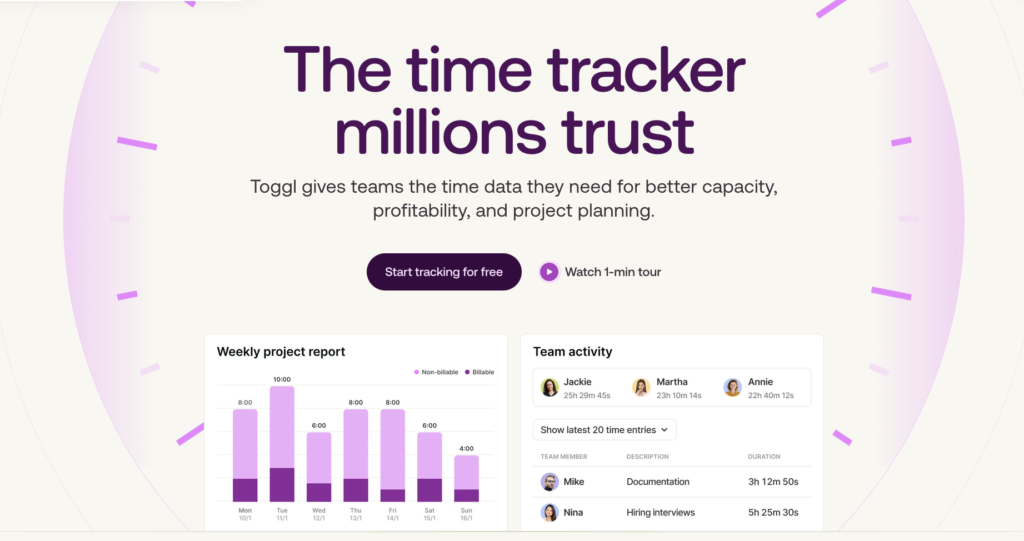
Toggl is built around a simple promise: time tracking should be simple, intuitive, and private.
Unlike tools that take screenshots or track every click and keystroke, Toggl focuses purely on logging work hours against clients and projects, with zero employee monitoring features. This privacy-first approach makes it particularly appealing to independent VAs who want to prove their time without feeling watched.
Key features
- One-click time tracking with automatic syncing across devices
- Flexible billable rates by client, project, or task
- Calendar integration to auto-suggest time entries
- Detailed client reports exportable as PDF and CSV
- Integrations with Jira, Asana, Slack, and more
- Invoice generation directly from tracked time
- Profitability and project tracking across clients
Let’s take a closer look at how some of these core features work.
Effortless time tracking across tasks and clients
Toggl lets virtual assistants track time manually or automatically — whichever best suits your workflows. The simplest method is the one-click timer. From the Timer tab, select your client, project, and task, then click the pink play button to start tracking. When you’re done, click stop.

If you forget to start a timer, there are several easy ways to recover your time. You can manually enter activities after they happen using Manual Mode, create click-free logged entries directly inside the Calendar view by clicking on empty time slots, or continue a previous entry with one click.
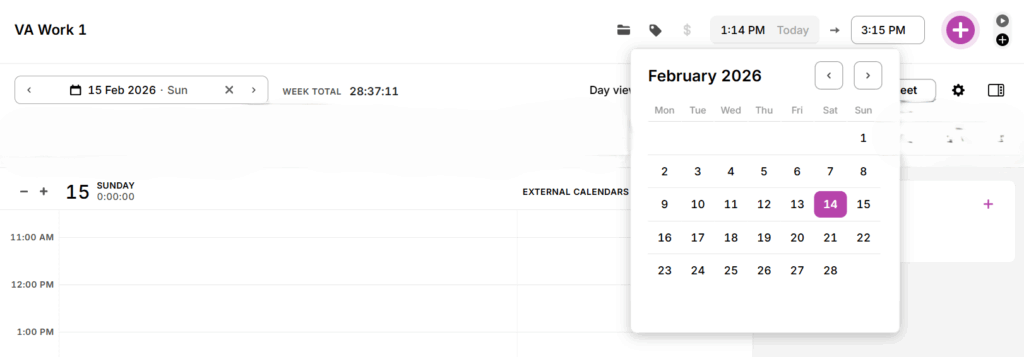
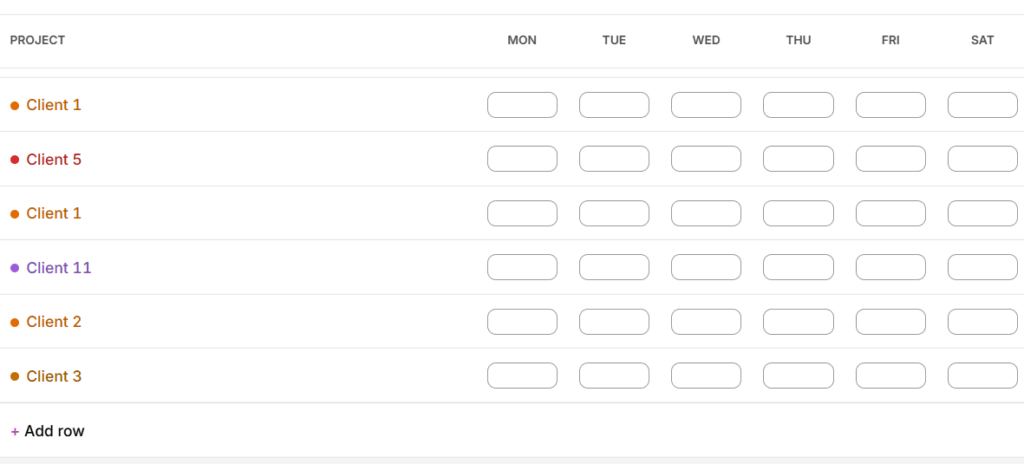
The Timesheet view also lets you add or edit time across your entire week, which is especially useful when reconciling client work at the end of the day.
For virtual assistants who want even less manual effort, Toggl also offers optional background app tracking.
This automatic time tracking runs privately on your device and records which apps and websites you use, helping you remember what you worked on and when. Everything is 100% private unless you choose to convert that activity into a time entry, giving you complete control over your data.
Frictionless tracking on any device
With Toggl, everything syncs across web, desktop, mobile, and browser extensions, so you can start a timer on your phone during a commute and continue it on your laptop without missing a beat.
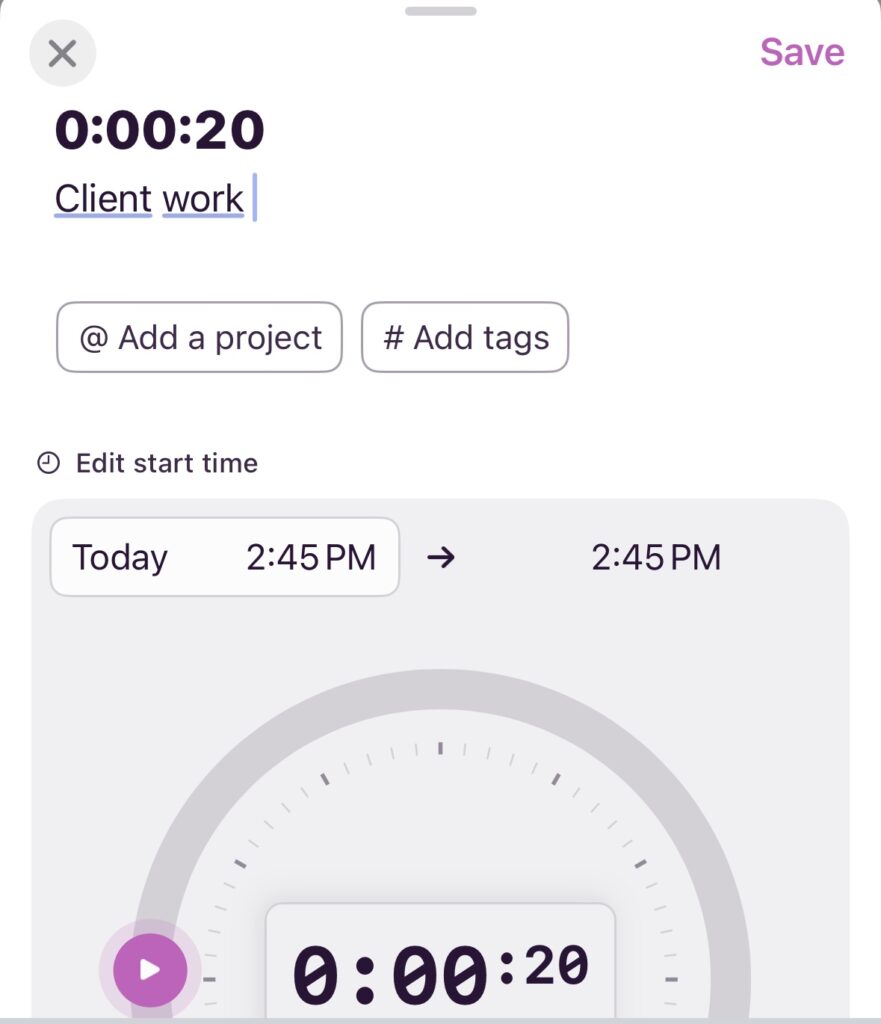
If you lose your internet connection, tracking will continue offline, with your entries marked with a warning icon (an exclamation mark!). The platform will automatically sync the data across all your devices as soon as the connection is restored.
Transparent reporting for client and business insights
Turning tracked data into meaningful insights about your business is made easy with Toggl. Every time entry feeds directly into visual reports that show exactly how your time is distributed across clients, projects, and tasks.
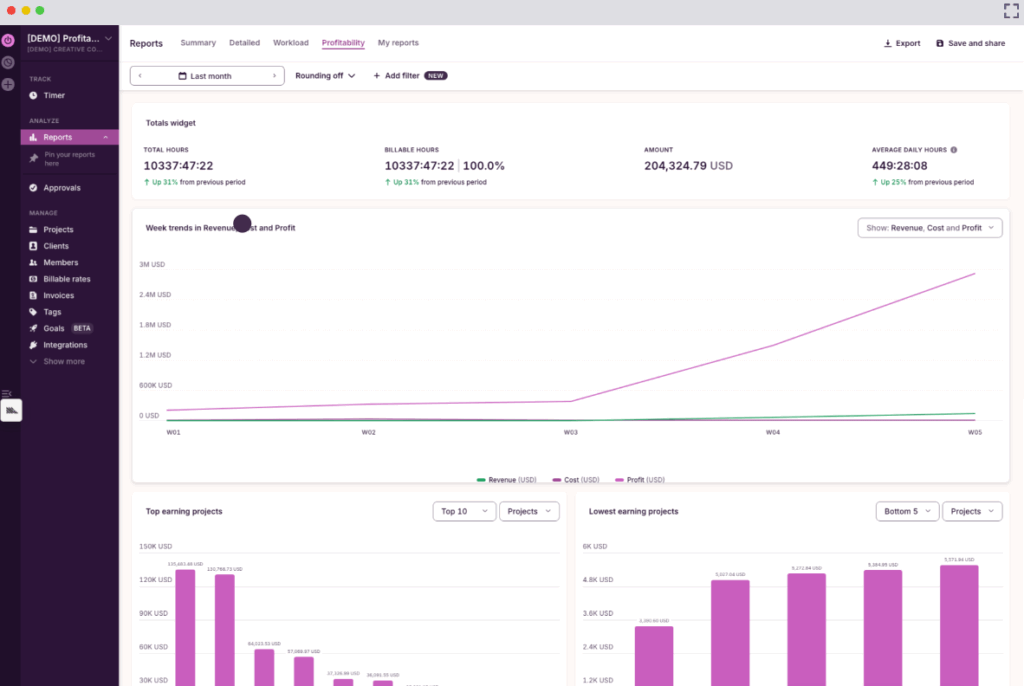
Powerful filters let you choose from Summary, Detailed, Workload, and Profitability reports — or you can customize your own view via My Reports.
For example, you can:
- Isolate billable versus non-billable work.
- View all time spent on a specific client during a particular date range.
- Compare how long different service types actually take. This makes it much easier to answer practical business questions, such as whether a monthly retainer is still profitable or where your capacity is stretched.
From here, you can export filtered reports as PDF, CSV, or XLS files to share with clients, while running your VA business with confidence and control.
Reliable time data for accurate invoicing without manual calculations
Once your time is tracked and organized in Toggl, it takes just a few clicks to create clear, accurate billing documents, giving you more time to focus on client work.
From the Reports page, simply select the relevant client, project, or date range, then click Create Invoice.
Toggl pre-populates the invoice with key details, including tracked hours, billable rates, and total amounts. You can customize fields such as your logo, billing details, invoice ID, tax, payment instructions, and notes before downloading a polished PDF ready to send to your client.
What users are saying
“As a freelance virtual assistant that charges per minute, I would be absolutely lost without Toggl. With the handy Chrome extension I can quickly switch my timer as I constantly switch between projects throughout the day.” — Kevin H., a virtual assistant
Pricing
- Free version available for up to five users, and no credit card required. Includes unlimited time tracking, integrations with everyday tools, and productivity reports.
- Starter: $9/user/mo. Includes revenue and productivity analysis, tasks, and billable rates.
- Premium: $16/user/mo. Fixed fee projects, profitability analysis, scheduled reports, and capacity planning (including time off management).
- Enterprise: Has customizable solutions and onboarding assistance.
2. Clockify: Generous free time tracking at scale
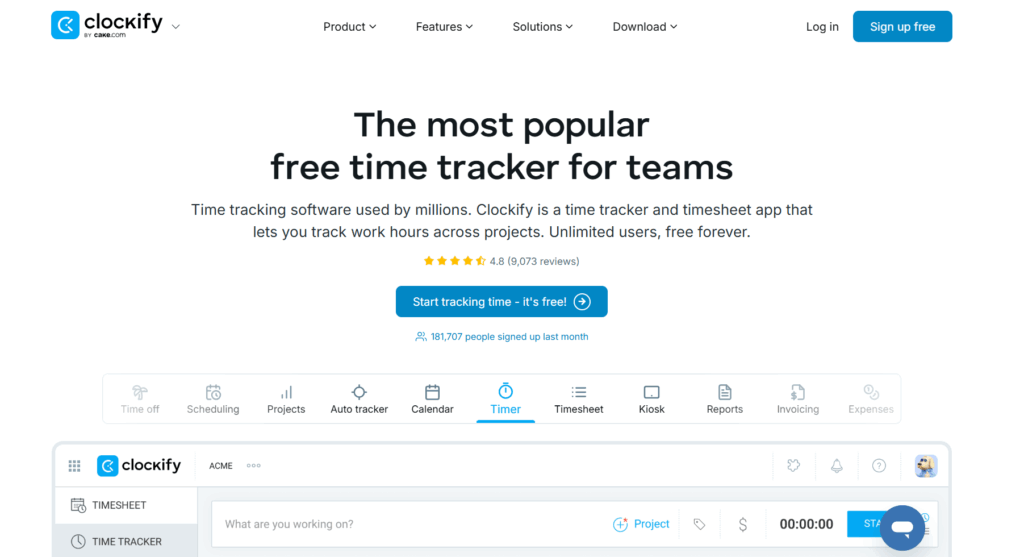
Clockify stands out for one compelling reason: its free plan. Clockify gives you unlimited users, projects, and time tracking forever, making it genuinely useful for VA agencies managing multiple assistants, or solo VAs who want room to grow without upgrading.
The tool supports both live timers and manual timesheet entry, so whether you remember to track in the moment or log hours at the end of the day, Clockify accommodates your workflow. You can organize time by client, project, and task, apply different hourly rates to different types of work, then export reports to show clients exactly where their money went.
Key features
- Track time with one-click timer or manual timesheet entry
- Organize by client, project, task, and billable status
- Switch to break mode to track rest time
- Apply hourly rates and track work in multiple currencies
- Time rounding and decimal formatting for billing
- Built-in invoicing with tax and discount support
- Reports with filters for clients, projects, and time periods
- Pomodoro timer and “favorite” time entries for repeated tasks
What users are saying
“Clockify does a great job of solving the challenges of time tracking and client billing, making it an excellent starting point, particularly for remote work situations such as customer service or virtual assistant roles. In my experience, Clockify seems better suited for smaller teams or freelancers, and I think it would be advantageous if its features were expanded to better accommodate larger organizations.” — Keith James V., a dental virtual assistant
Pricing
- Free trial available
- Free plan available
- 4 paid plans available: Standard, Pro, Enterprise, and Productivity Suite
- Paid pricing starts at $5.49/seat/mo
3. Time Doctor: Detailed activity and productivity oversight
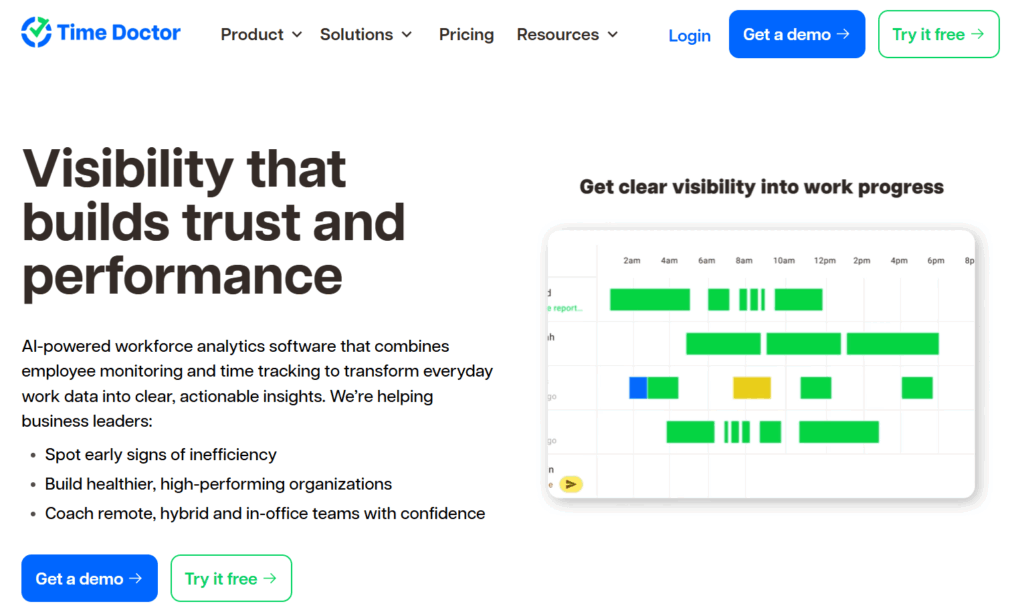
Time Doctor is a time and employee productivity tracking tool often used by businesses managing remote teams. While the platform includes optional employee monitoring features, solo virtual assistants can just ignore these and use Time Doctor purely for time tracking and visibility.
For VAs who want a structured view of where each minute goes, Time Doctor offers detailed summaries and reports that highlight where effort goes during the day. It suits assistants working with clients who expect detailed breakdowns of time spent.
Key features
- Automatic time tracking with app and website monitoring
- Optional screenshot capture (can be blurred for privacy)
- Idle time detection and pop-up reminders
- Offline time tracking with later sync
- Detailed productivity reports by task and client
- Manual time entry editing and approval workflows
- Multi-currency support for international clients
- Payroll integrations for direct payment
- Integrations with Asana, Trello, and other project management tools
What users are saying
“Their customer service was patient and knowledgeable, guiding me from scratch when I moved from a sub-account to a primary one for tracking my VA team.” — Francheska S., an office manager
Pricing
- Free trial
- 4 paid plans: Basic, Standard, Premium, and Enterprise
- Paid pricing starts at $6.67/user/mo
4. My Hours: Complex client billing and retainers
My Hours by Spica International combines a simple approach to time tracking with sophisticated billing and budgeting features. You can track time via timer or timesheet, but the tool also streamlines the messy reality of VA billing. This is useful if one client pays hourly, another has a fixed monthly retainer, a third wants detailed expense tracking, and all of them need clean invoices with different rates.
You can round time entries however clients prefer, add expenses with receipt photos, and create professional invoices with hour and cost breakdowns.
Key features
- Track time via timer or by importing timesheets
- Set flexible billable rates by user, project, or task
- Time rounding with custom increment options
- Add context that turns tracked hours into more usable data
- Detailed, dashboard, and timesheet reporting views
- Export reports as PDF or XLS and schedule automatic delivery
- Invoice creation with discounts and tax support
- Optional client access for self-serve visibility
What users are saying
“I am able to create any type of task and easily correct mistakes. It is a professional look when I send my hours to my clients.” — Carrie H., an executive assistant
Pricing
- Free trial
- Free plan for up to 5 users
- 2 paid plans: Pro and Custom
- Paid pricing starts at $8/user/mo
5. Harvest: Calendar-based tracking and invoicing
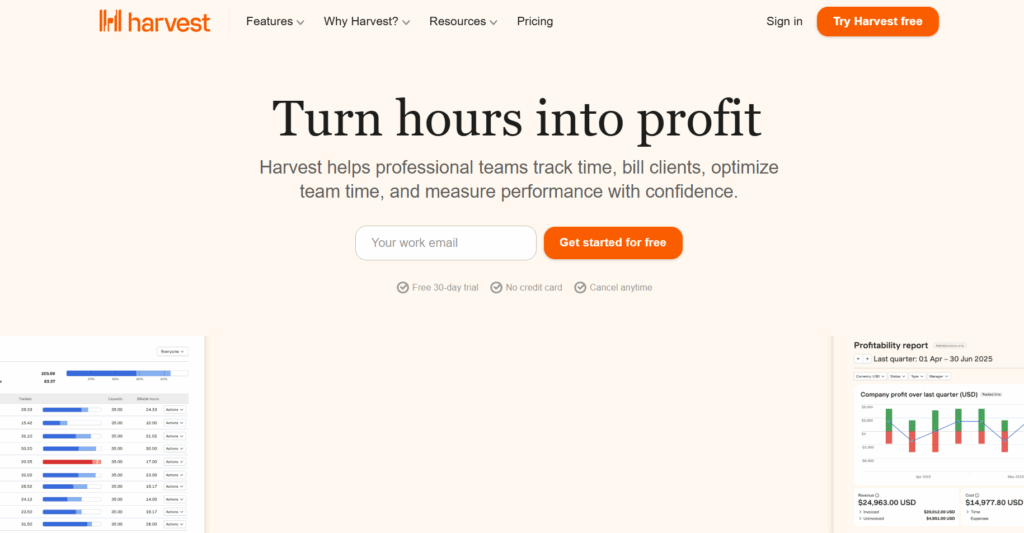
Harvest offers lightweight time tracking for freelancers and solo business owners, including VAs. With a free forever plan, you can track time with start/stop timers or weekly timesheets, organize by client and project, and set custom reminders to keep tracking consistent.
Another handy feature is turning logged hours into professional invoices, with online payment options via Stripe or PayPal built right in. Your accounting software syncs automatically, so billing becomes routine rather than an admin burden.
However, a word of caution: Harvest was acquired by private equity company Bending Spoons in 2025. Since then, Harvest customers have reported massive price hikes at their renewal dates. You can learn more in our guide to the top Harvest alternatives.
Key features
- Set reminders and notifications to support consistent timesheet submission
- Track time and expenses from desktop and mobile apps, including receipt photos
- Connect your calendar to speed up time entry and reduce forgotten work
- Review personal reports to understand billable vs non-billable time and workload
- Create custom reports, export data, and schedule reports to send automatically
- Approve timesheets before invoicing
- Turn timesheets into invoices and bill clients for time and expenses
- Integrations with 50+ tools, including accounting tools such as QuickBooks Online and Xero, or project management tools like Asana and Basecamp
What users are saying
“It allows you to easily log your time to many different projects and allows admins to review time at scale.” — Mid-market user
Pricing
- Free trial available
- Free forever plan available for 1 seat and 2 projects
- 2 paid plans available: Teams and Enterprise
- Paid pricing starts at $9/seat/mo
6. TimeCamp: Automatic tracking without manual timers
TimeCamp solves the biggest problem with time tracking: remembering to do it. TimeCamp automatically records everything in the background based on the apps and websites you use. You can review what was captured and approve what counts as billable time.
For VAs who switch between clients constantly … jumping from one inbox to another, toggling between different project management tools, working across multiple tabs (sound familiar?) … this automatic approach removes the mental load. You focus on actual work first, and TimeCamp fills in the gaps.
Key features
- Automatic time capture based on app and website activity
- Keyword-based categorization of time into projects
- Recovery of work you forgot to track
- Offline tracking with automatic sync
- Convert approved time to billable/non-billable entries
- Apply different hourly rates across projects
- Export clean reports for client billing
- Integrations with QuickBooks, Slack, Trello, and 100+ tools
- Mobile time tracking app
What users are saying
“I am a virtual assistant and typically have 10 different things going on at a time. With TimeCamp, I am able to toggle between projects easily. My time is always accurate and no more writing down start and finish times etc.” — Corin D., a virtual assistant
Pricing
- Free trial available
- Free plan available for unlimited users
- 4 paid plans available: Starter, Premium, Ultimate, and Enterprise
- Paid pricing starts at $3.99/user/mo
7. Everhour: Tracking time inside client tools
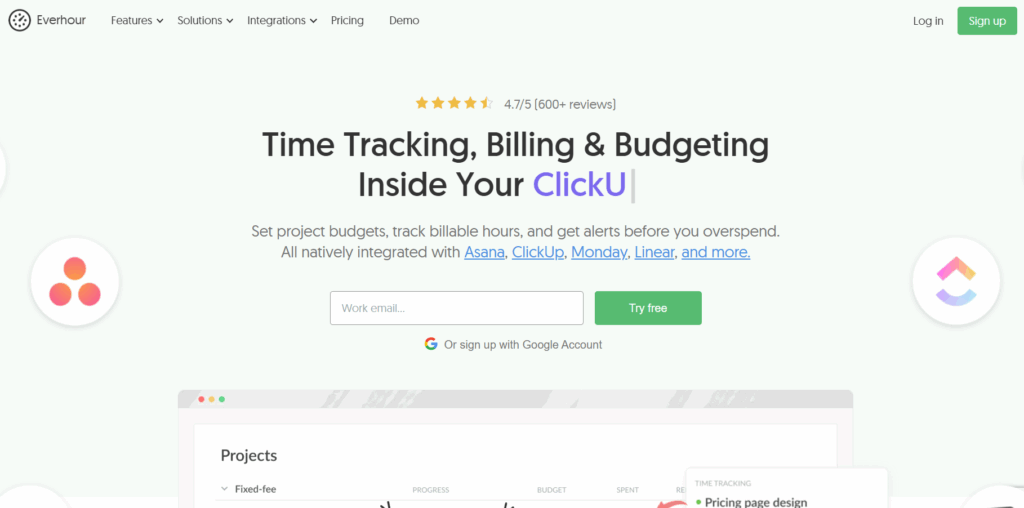
Everhour meets you where you are, embedding time management functionality directly inside tools like Asana, ClickUp, Jira, Trello, Linear, and monday.com, so you don’t have to open a separate time tracking app.
You log and review all your tracked time without leaving the project boards your clients already use. Everything syncs automatically, with no need to copy task names. Time reporting, budgets, and invoices all pull from the same source as project work.
Key features
- Automatic project and task synchronization
- Track time with inline timers or log manually
- Set project budgets in hours or money with threshold alerts
- Mark work as billable or non-billable per project
- Timesheet approval workflows
- Export time data to QuickBooks or Xero
- Custom reports by client, project, or team time
- Mobile apps with offline sync
What users are saying
“Everhour is a superior system for time tracking, whether you work with employees or contractors (or both). The most powerful feature, in my opinion, is the ability to track hours against a client partnership and understand how much time has been utilized vs. what remains.” — Small business user
Pricing
- Free forever plan for up to 5 seats
- Paid Team plan: $8.50/seat for a minimum of 5 seats
8. Flowace: Agency-level productivity and workforce analytics
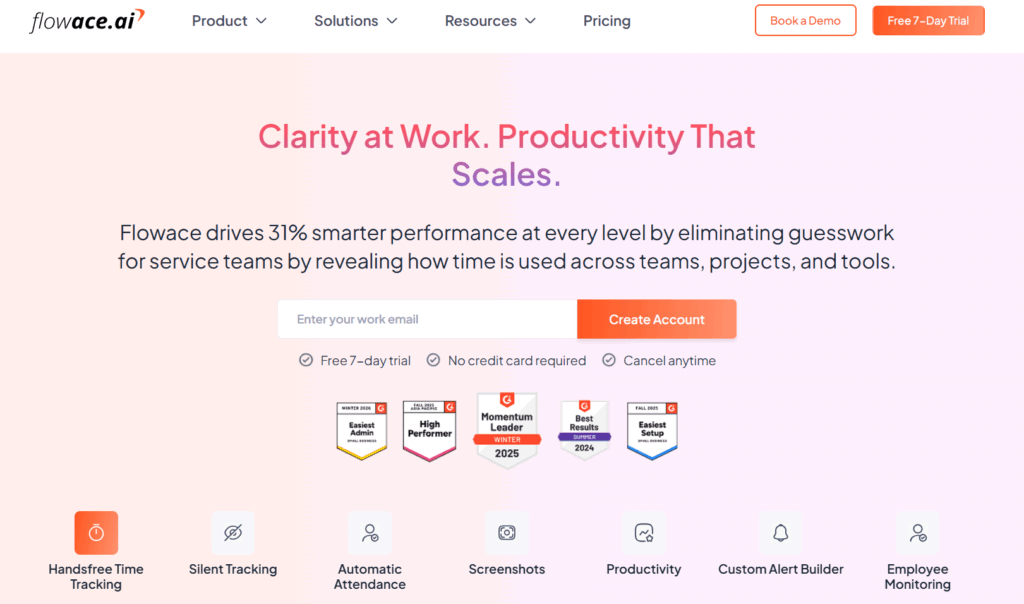
Flowace is an AI-powered productivity analytics software that also tracks time, rather than time tracking software with productivity features. While solo VAs might find it overkill, VA agencies managing distributed teams can use Flowace to understand how work is progressing across multiple assistants.
Managers get real-time visibility into team workload and project progress without sending “what are you working on?” messages every hour. VA teams handling support rotations will also enjoy the attendance and shift management features to maximize coverage without a million coordination steps.
Key features
- Automatic time and activity tracking with AI categorization
- Silent background mode with minimal device impact
- App and website usage monitoring and classification
- Productivity analytics and trend identification
- Team workload distribution and capacity planning
- Attendance and shift management with auto clock-in/out
- Project and task management
- Customizable dashboards for different roles
- Screenshot capture (optional, can be disabled)
What users are saying
“Along with increasing productivity by 20%, Flowace has helped my team members maintain a work-life balance, increase overall transparency of work, and never get burnt out.” — Varun K., an operations manager
Pricing
- Free trial
- 4 paid plans: Basic, Standard, Premium, Enterprise
- Paid pricing starts at $1.99/user/mo
Where time tracking goes wrong for VAs
Time tracking software should make it easier to offer virtual assistant services, but it’s all too easy for the wrong setup to create friction. Here are the specific traps VAs can fall into, and how to avoid them.
Tracking time manually using spreadsheets
Most of us have been raised on spreadsheets, and it’s easy to default to using those trusty, familiar grids instead of trying out a new tool. The problem with this manual approach is it relies on memory.
The prettiest display of rows and columns, each labeled to perfection, will still fall short if you forget to update it. And as soon as you start trying to log your work time after the fact, your spreadsheet quickly becomes meaningless and inaccurate.
This approach is also a fast track to burnout, because it’s easy to overlook how hard you’re working in your business, without the evidence to prompt you.
Tip: Opt for a time tracking tool that allows you to track time across a range of devices, including desktop, web, and mobile, so your time entries are always up to date.
Using bloated software with too many features
If you’re shopping around for time tracking tools, it’s easy to succumb to “shiny object syndrome” and have your head turned by features you’ll never use.
We’re all for innovation, but most virtual assistants just need core functionality — intuitive time tracking, in-depth reports, the ability to turn tracked time into invoices, and a way to keep their clients and projects organized.
Tip: If it’s going to cost you extra $ per month for a nice-to-have rather than a must-have, why not leave it a month and see if you can live without it? You can always upgrade later.
Struggling with a tool’s steep learning curve
If there’s any hint that you or your team of virtual assistants might struggle to pick up a new tool, this is a huge red flag waving in gale force winds. Your new software shouldn’t feel like you need a professional certification in time tracking. If it’s too complex and doesn’t fit into your current setup, this isn’t the tool for you.
Tip: Take that demo, sign up for a trial. If you can’t visualize (within a couple of minutes) how this software will support your VA business, move on to the next pick on your list.
Overlooking data privacy
If you don’t pay attention to how a tool handles permissions and visibility, you can accidentally expose information you didn’t intend to share. Good time tracking platforms let you control who sees what and how data is presented.
Tip: Look for systems that let you assign user roles, restrict access by client or project, and share reports without granting full visibility into raw time entries. Time tracking software should also encrypt data both in transit and at rest, so all of your time entries, client details, and billing information stay protected.
Take your virtual assistant business to the next level with Toggl
By now, you’ll know that if you’re not tracking time accurately (or at all!) you’re probably leaving money on the table by undercharging clients or underestimating how long simple VA tasks take. From another angle, if you’re unable to prove where you spend your time, there’s also a good chance your client might not believe you’re working as much as you claim.
The best time tracking software provides hard evidence in black and white about how you spend every minute of your working day. With Toggl, you’re in complete control of how and who you share this information with. But we promise you that once you’ve turned on the lights and seen the data, you won’t want to go back to planning in the dark.
Ready to propel your VA business forward with accurate time tracking? Sign up for a free Toggl plan today, or take a generous 30-day free trial of the premium plans to find out what you really need.
FAQs about time tracking software for virtual assistants
What is the best time tracking software for virtual assistants?
The best time tracking software for virtual assistants is easy to use, quick to set up, and simple to manage day to day. Tools like Toggl consistently perform well in these areas; the G2 software community gives the platform a score of 4.6/5 overall, with high marks in more specific categories, scored out of 10: ease of use (9.2), ease of setup (9.1), and ease of admin (9.0)
Can I track time for multiple clients and tasks easily?
Yes, the right software lets you track time for multiple clients. With tools such as Toggl, virtual assistants can keep client work clearly separated, down to project and task level as needed, then apply different billable rates, and see how time is distributed across clients during the week.
How can I share time tracking reports with clients?
The best time tracking platforms include reporting features that allow you to apply filters to zoom in on the details you need. From here, you should be able to export summaries of tracked time and share them with clients, or turn them straight into invoices if required. With Toggl, for example, you can send a PDF, XLSX, or CSV file to your clients.
Does time tracking software monitor my screen or activity?
Whether time tracking software monitors your screen or activity depends on the software you choose. Toggl is strictly anti-surveillance (and always will be) so never employs any creepy monitoring tactics.
Other tools in the time tracking space do include employee tracking features; this functionality tends to be preferred by employers more than those being spied on. For example, a real estate user says, “Not that I like to micro-manage, but [HubStaff] helps me understand how my virtual assistant is doing her work and what is challenging her most/taking the most time.”
Is free time tracking software good enough for virtual assistants?
Yes, in many cases, free time tracking software is a solid option for virtual assistants who are getting started or managing a small number of clients. Toggl offers a free plan that includes core time tracking and reporting, which can be enough for many solo VAs.

Rebecca has 10+ years' experience producing content for HR tech and work management companies. She has a talent for breaking down complex ideas into practical advice that helps businesses and professionals thrive in the modern workplace. Rebecca's content is featured in publications like Forbes, Business Insider, and Entrepreneur, and she also partners with companies like UKG, Deel, monday.com, and Nectar, covering all aspects of the employee lifecycle. As a member of the Josh Bersin Academy, she networks with people professionals and keeps her HR skills sharp with regular courses.