Jira’s native time tracking works for logging time against issues and generating basic timesheet reports. The native time tracking field is built directly into the tool, which means it’s often enough for simple use cases.
However, if you need more than that, Jira’s native time management capabilities don’t cut it. There are no automated timers, time billing functionality, or flexible reporting. Everything is manual, which makes it error-prone and time-consuming.
That’s precisely why many teams rely on Jira time tracking plugins and external integrations. In this guide, we’ll explore the best Jira time tracking apps, plugins, and integrations available in 2026.
We’ve included options both from the Atlassian Marketplace plugins that live natively in Jira Cloud and external tools that sync with it. We cover what each one does well, where it falls short, how it integrates, and what it costs.
Here’s a quick overview before going into the details:
| Tool | Type | Key features | Jira integration | Free plan | Best for |
|---|---|---|---|---|---|
| Toggl | External | One-click timer, automated tracking, profitability reports, capacity planning, billing rates, integrations | One-way sync + browser extension; two-way via API | Up to 5 users | Ease of use, tracking on any device, capacity planning, advanced reporting |
| Memtime | External | Fully automatic background tracking, local data storage, Jira structure mirroring, two-way sync | Two-way sync (writes back to Jira worklogs) | 14-day trial | Fully automatic tracking, two-way sync |
| Everhour | External | Timer inside Jira UI, billing rates, budget alerts, invoicing, expense tracking | Timer embedded in Jira issues | Up to 5 users | Client billing and invoicing |
| Timely | External | AI Memory tracking, automatic activity capture, privacy-first local storage | Syncs Jira projects, workspaces, tasks, tags and sends time entries back to Jira worklogs | No | AI automatic tracking where adoption is the barrier |
| Tempo Timesheets | Marketplace native | Deep Jira integration, timesheets, billing rates, invoicing, approvals, budgeting | Native Jira plugin; proprietary Tempo worklog format | No (trial) | Deep Jira-native timesheets with approvals |
| Clockwork Pro | Marketplace native | Status-based auto-tracking, Jira-native worklogs, custom timesheets, real-time dashboards | Native Jira plugin; Jira native worklog format | Up to 10 users | Lightweight native tracking, clean data portability |
What to look for in a Jira time tracking tool
Before the tool list, four things are worth getting clear on, because they impact which option suits your workflow more than specific features:
- Integration type. Atlassian Marketplace plugins like Clockwork Pro live inside Jira. They store data in Jira’s worklog system and they bill by total Jira user count. External tools integrate with Jira via sync. They have their own interface and data model, and they bill by active users rather than your full Jira instance.
- Tracking method. Manual start/stop timers are the baseline. Automated time trackers record what you’re working on without requiring you to start a timer, which solves the adoption problem. Some tools like Toggl offer both: a manual timer for conscious attribution, plus a background timeline that catches everything you forget to log.
- Reporting depth. Jira’s built-in time tracking report shows time per issue. If you need billable hours by client, project profitability, resource allocation across sprints, or custom fields in your timesheet report, you need a tool that goes beyond native Jira reporting.
- Pricing model. Marketplace apps charge per Jira user. External tools charge per active tracker. If your Jira instance has 2,000 users and 200 track time, the difference between these models is huge. Check whether the tool you’re evaluating prices on your headcount or on actual usage.
The best Jira time tracking tools in 2026 (detailed reviews)
1. Toggl
Best for
In-house teams, agencies, and freelancers who need manual and automatic time tracking on multiple devices, capacity planning, and reporting that goes beyond Jira’s native capabilities.
Strengths
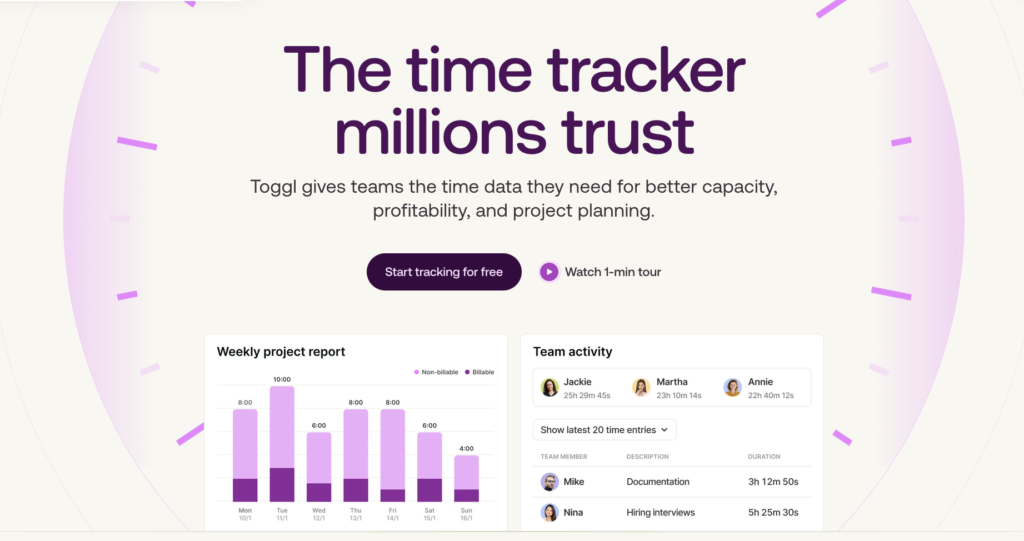
Toggl our time tracking and capacity planning software. It lets you track time in Jira, as well as understand capacity, profitability, planning, and what to take on next.
The Jira integration copies your Jira projects, issues, and labels into Toggl automatically, so when you start a timer, your workspace already matches your Jira structure. The browser extension puts a start/stop timer button directly inside each Jira issue.
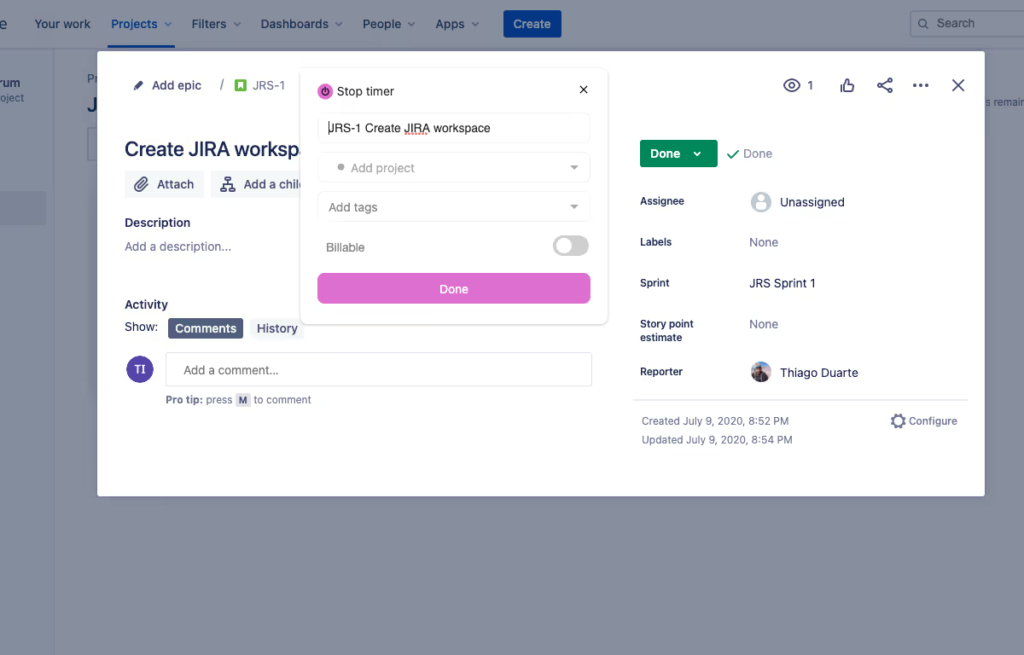
This means you get true, advanced time tracking and management software, built by a team with 20+ years of experience in the industry. However, Toggl also goes beyond time tracking with a complete task management and capacity planning suite, including:
- Kanban boards, Gantt charts, and calendar views, so you can stay on top of tasks, timelines, and workloads, without unnecessary complexity.
- Team availability and workload tracking plus automatic tracking of public holidays and PTO, so you can spot capacity bottlenecks before they occur and prevent burnout.
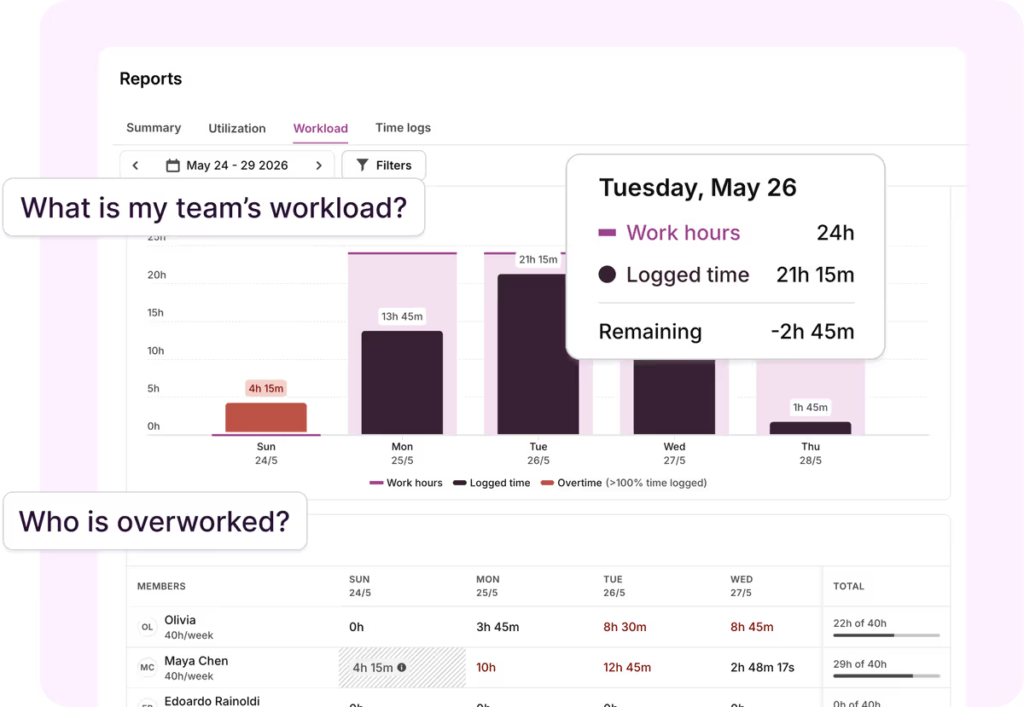
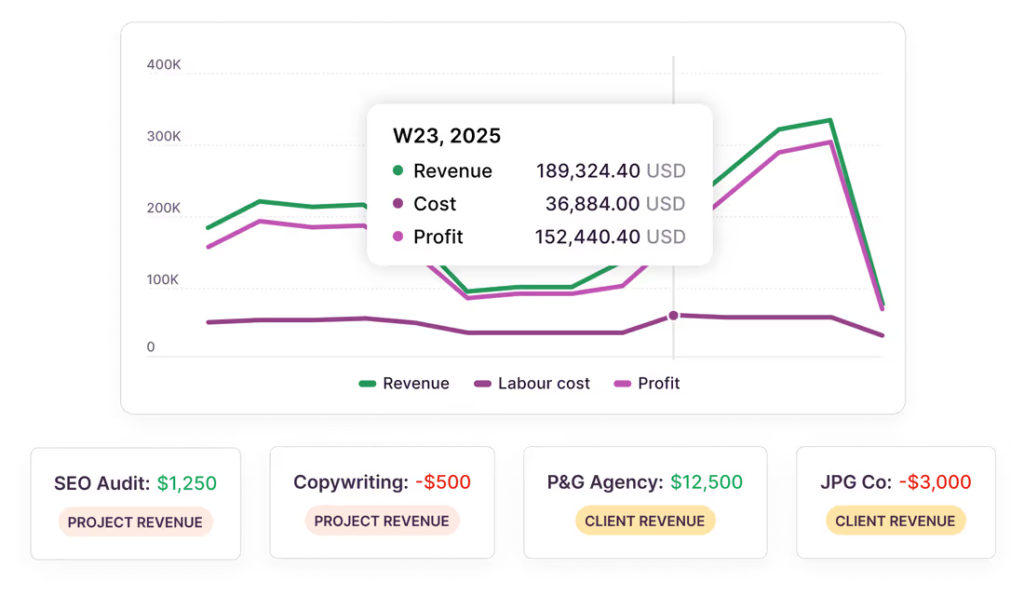
However, the reporting layer is where Toggl earns its position for teams with advanced capabilities around billing, profitability, and capacity management.
Our software can track billable hours by client, project, and team, apply billing rates, and calculate project profitability. This is data that Jira’s native tracking simply doesn’t offer.
For a real-life example, check out our case study with Netguru — a 400+ person software consultancy that uses Toggl to achieve 97% revenue forecast accuracy. Here’s what their team had to say about Toggl:
“”We had no visibility into project profitability. We tried Jira’s native tracker, then built our own. Nothing worked until Toggl.”
Lastly, at Toggl, we also have a clear position on employee monitoring: no screenshots, no keystroke tracking, no activity surveillance. The automated timeline is private by default — the user controls what turns into a logged time entry. This is crucial for environments where team trust and autonomy matter.
Limitations
The standard Jira integration is one-way: Jira data flows into Toggl, but time entries logged in Toggl don’t automatically write back to Jira’s worklog field. Teams whose reporting workflows depend on Jira worklogs specifically, or who need time visible in Jira for sprint burndown charts, need to use the Toggl API for a two-way connection
Pricing
Toggl is free for up to 5 users with core time tracking, basic reporting, and simple task management features.
Paid plans include:
- Starter which is $9/user/month and adds timeline views, PTO, public holidays, flexible hours tracking, and billable rates
- Premium, which is $20/user/month and adds utilization and workload reporting, project dashboards, Jira and Asana integrations, and more.
- Enterprise, which is custom for larger teams and adds personalized onboarding, priority support, custom solutions built by our engineering team, and more.
Again, since Toggl is an external tool, you’re paying only for the team members using it, not for the number of users in your Jira instance.
What users are saying
Toggl scores 4.6/5 on G2 based on over 1,500 reviews and 4.7/5 on Capterra based on over 2500 reviews.
“It makes time tracking simple and easy without feeling intrusive. It’s quick to use and very straightforward. The interface is the part I like most compared to other tools: it’s clean, and you can start tracking in seconds. The reports are strong as well, giving you a clear, visual view of where your time is going. Overall, it’s a fast tool and easy to get started with, so there’s no need for long onboarding.”
“It’s extremely user friendly. Easy to use, both the app as well as the browser add-on. The possibility of setting different projects and track time for different tasks.”
Originally posted on Capterra.
2. Memtime
Best for
Teams where adoption is the core problem and automatic, zero-input time capture is the priority.
Strengths
Memtime is a hands-off time tracking tool with a desktop app that runs in the background and records everything: every application open, every document worked on, every browser tab, every meeting.
The Jira integration is two-way. Memtime copies your Jira project structure across and writes time entries back to Jira worklogs, which means time tracked in Memtime appears in Jira’s native time tracking report.
All captured activity data is stored locally on the user’s machine, not uploaded to any server. This privacy-first approach is similar to Toggl’s and a great choice if you want to avoid employee surveillance and invasive monitoring.
Limitations
Memtime works as a desktop application, which means it only captures time when the desktop app is running on the machine you’re working on. Mobile-first or browser-only workflows aren’t well served.
The price tag is also steeper than most time tracking tools and productivity trackers.
Pricing
Memtime doesn’t offer a free forever plan.
Memtime’s pricing plans are:
- Basic, which is $18/user/month billed quarterly, and includes automatic online and offline tracking, timesheet automation, and calendar views,
- Connect, which is $26/user/month billed quarterly, and adds more integrations.
- Premium, which is $35/user/month billed quarterly, and adds call system integrations, SSO, Entra ID, SAML, SCIM, and more.
- Enterprise, which is custom for large teams.
All plans include a 14-day free trial to make up for the lack of a free tier.
What users are saying
Memtime scores a 4.7/5 on G2 based on over 250 customer reviews, with the automatic capture and intuitive UI being the most commonly cited benefits.
3. Everhour
Best for
Agencies and client-facing teams that track billable hours in Jira and need to turn that time into client invoices without a separate billing tool.
Strengths
Everhour embeds a start/stop timer directly inside Jira issues. You open a Jira issue, you see an Everhour time entry panel, and you start tracking without leaving Jira.
The billing workflow is the standout feature. Everhour tracks billable hours against billing rates by client or project, sends budget alerts before a project runs over, and generates client-ready invoices directly from tracked time. This can be a big time saver for agencies that use Jira for project management and need to close the loop on client billing.
Limitations
Everhour is lighter on enterprise-scale approvals and advanced reporting compared to other tools on this list. Since it’s built with the idea of being integrated with other project management tools, its native task and project management features are limited..
Pricing
Everhour offers a free plan for up to 5 users with basic time tracking, projects, and reports.
Its paid plan is $10/user/month billed monthly and adds unlimited user seats, more integrations, and its core budget and billing features.
What users are saying
Everhour scores a 4.7/5 on Capterra based on over 430 customer reviews, with its seamless integrations and ease of use being the primary benefits for customers.
4. Timely
Best for
Teams where who only need AI-powered automatic capture, without any manual input.
Strengths
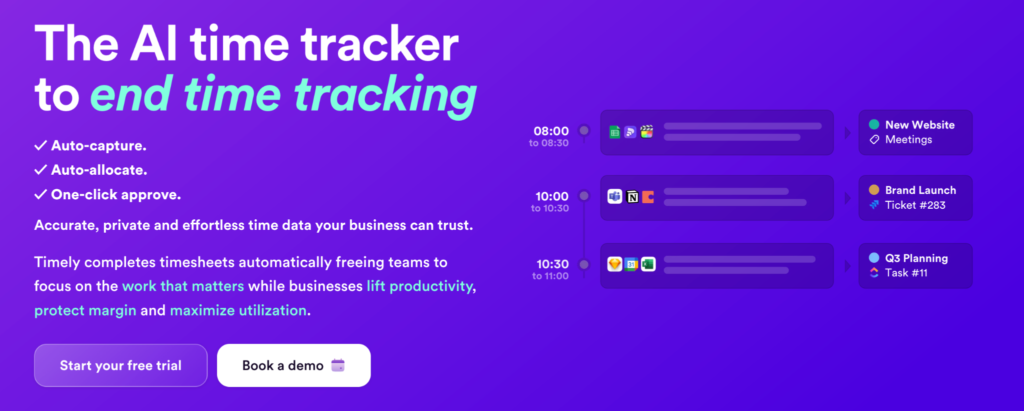
Timely captures everything you work on across apps, documents, calendar events, and meetings to suggest time entries for you to review and approve. The experience is close to Memtime’s since team members only spend a few minutes at the end of the day approving suggestions rather than manually starting and stopping timers.
For teams that have tried manual time tracking and failed to get consistent adoption, the AI approach can reduce the daily friction.
Limitations
Timely’s reporting can be cumbersome. It’s also not very advanced with some customization and filtering options lacking compared. The fully automated approach, while useful, can miss some small activities which leads to gaps in the final time data.
Task management also isn’t included in the base plans but sold as an add-on. If you need to assign tasks and manage their progress, this can drastically increase the total cost of ownership compared to most of the other entries on this list.
Pricing
Timely doesn’t offer a free plan.
It offers 3 paid plans, each with a 14-day free trial:
- Starter, which costs $11/user/month billed monthly and includes automatic tracking, AI activity categorization, and billable hours.
- Premium, which costs $20/user/month billed monthly and includes more integrations, error detection, and team management.
- Unlimited, which costs $36/user/month which includes capacity management, overtime and undertime, and customized onboarding.
Again, task management features are sold as a separate add-on starting at $5/user/month.
What users are saying
Timely is rated 4.8/5 on G2 based on more than 480 customer reviews, with its clean UI, automatic capture, and customer support being the biggest benefits.
5. Tempo Timesheets
Best for
Teams that need the deepest Jira-native time tracking with timesheets, billing rates, invoicing, and approvals.
Strengths
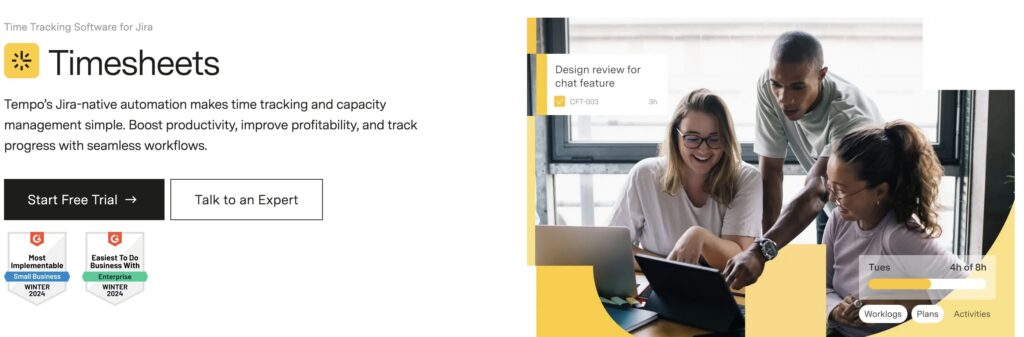
Tempo Timesheets is the market leader for Jira time tracking plugins due to its integration depth. It lives entirely inside Jira, stores worklogs in Jira’s native worklog system, and provides a complete timesheet experience: time logging on Jira issues, timesheet approval workflows, billing rates, invoicing, budget tracking, and custom fields.
For software development teams that need a complete record of time spent per issue type, sprint, and epic alongside financial reporting, Tempo’s native Jira integration means all of that data is in one place.
Limitations
Tempo charges per Jira user, not per active time tracker. For organisations with large Jira instances where many users are stakeholders or observers who never log time, this makes it one of the most expensive tools on this list. Plus, capacity planning requires the separate Capacity Planner add-on, which costs extra.
See our Tempo alternatives guide for more details on these limitations.
Pricing
Tempo Timesheets doesn’t offer a free plan, only a 30-day free trial. Pricing is based on the number of Jira users. For example, the tool would cost $521/month for an organization with 100 Jira users, regardless of how many of them track time.
What users are saying
Tempo Timesheets scores a 4.1/5 on the Atlassian Marketplace based on more than 890 customer reviews and a 4.4 on Capterra based on more than 225 customer reviews. The depth of functionality, extensive feature set, and advanced Jira integration are the most commonly-mentioned benefits.
6. Clockwork Pro
Best for
Teams that want lightweight Jira-native time tracking at a lower price than Tempo.
Strengths
Clockwork Pro does something no other tool in this list does: status-based automatic time tracking inside Jira. When a Jira issue reaches a tracked status and is assigned to a team member, Clockwork Pro logs the time based on that person’s configured working hours.
For software development teams running agile sprints where issue status transitions are already part of the workflow, this removes time tracking friction entirely.
Lastly, Clockwork Pro stores time in Jira’s native worklog format, not a proprietary backend. That means your time data lives in Jira and is accessible regardless of whether you continue using the tool.
Limitations
Reporting depth is lighter than Toggl or Tempo. Plus, Clockwork Pro is a simple time tracking tool, not a resource planning or profitability platform. Teams that need deep resource management, billable rates, or client billing will hit its ceiling.
Pricing
Clockwork Pro is free for up to 10 users. Beyond that, pricing depends on the number of users in your Atlassian app instance. For example, for 50 users, Clockwork Pro costs $65/month.
What users are saying
Users on the Atlassian marketplace rate Clockwork Pro 4.6/5 based on over 140 reviews.
Take your time management and capacity planning to the next level
Toggl brings together time tracking, capacity, profitability, and planning under one roof, so you can finally get your time data working for you. It lets you overcome Jira’s native time tracking limitations, without forcing you to pay based on Jira users who may or may not log time.
Put simply, Toggl:
- Lets you track time your way, via a timer, manual entry, calendar sync, or Pomodoro, on the apps you’re most comfortable using (desktop, web, or mobile).
- Shows you who’s over- or underbooked at a glance, while factoring holidays, time off, and working hours.
- Pulls together tracked hours, billable rates, utilization, and capacity. No need to export and build your own spreadsheets.
- Gives you clarity on what’s next with Board, Calendar, and Timeline views.
Sign up for a free plan or schedule a demo with our team to see how Toggl can help you excel at Jira time tracking.
Frequently asked questions (FAQs) about Jira time tracking
Does Jira have built-in time tracking?
Yes. Jira Cloud includes native time tracking that lets users log time against issues using Estimated, Remaining, and Logged time fields. It generates a basic time tracking report and a timesheet report. What it lacks is a start/stop timer, automated time tracking, billing rates, cross-project profitability reporting, and capacity planning.
What is the best time tracking app for Jira?
It depends on what you need. Toggl is a great choice for pricing independent of Jira user count, automated tracking, profitability reporting, and capacity planning. For fully automatic background tracking that syncs back to Jira worklogs: Memtime. For deep Jira-native timesheets with approvals: Tempo Timesheets or Clockwork Pro, depending on your budget and use cases.
What is the best free Jira time tracking plugin?
Clockwork Pro is free for up to 10 Jira Cloud users and includes status-based automatic time tracking with a timesheet report. Toggl is free for up to 5 users and includes core time tracking with basic reporting and the Jira browser extension.
What is the difference between Jira’s native time tracking and Tempo?
Jira’s native time tracking stores worklogs in Jira’s worklog field and generates a basic timesheet report. Tempo Timesheets is a Marketplace plugin that adds billing rates, timesheet approvals, invoicing, budgeting, and more detailed reporting on top of Jira’s foundation.
Can I track time in Jira without a plugin?
Yes, using Jira’s native time tracking field. It works for basic sprint estimation and time logging on Jira issues. For automated time tracking, billable hours, client billing, or profitability reporting, you need a plugin or external integration.
What is the difference between Jira Marketplace plugins and external time tracking tools?
Marketplace plugins live inside Jira: they store data in or alongside Jira’s worklog system and bill by your total Jira user count. External tools have their own interface and data model, integrate with Jira via sync, and bill by active users rather than your full Jira instance. Marketplace plugins are simpler to set up and keep data inside Jira, while external tools typically offer deeper reporting, billing features, and more flexible pricing at scale.

Elizabeth is an experienced entrepreneur, writer, and content marketer. She has nine years of experience helping grow businesses, including two of her own, and shares Toggl's mission of challenging traditional beliefs about what building a successful business looks like.