
Native integration
Outlook Native Time Tracking Integration
Connect Outlook to Toggl, so events appear as planned time on your calendar. Link Outlook events to Toggl tasks or projects, and log or track them automatically. You can also send Toggl tasks the other way by turning them into Outlook events.
Toggl's native Outlook integration doesn't require a paid plan.
Setting it up
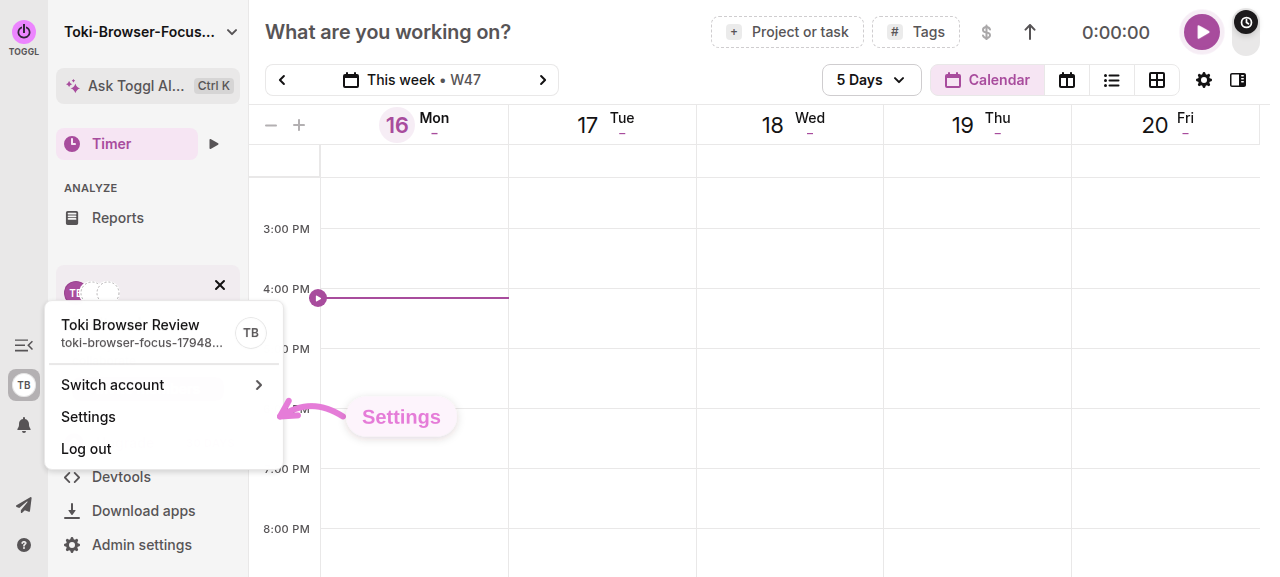
Open your Toggl settings
Click your profile avatar on the left select Settings.
Add Outlook Calendar
Open Connected calendars and click Add Outlook Calendar

Sign in to Microsoft
Choose your Microsoft account and approve the calendar access Toggl requests. Microsoft then returns you to Toggl.

Choose which calendars to show
Expand the connected account under External calendar integrations, open View calendars, and enable the calendars you want. Their events appear as planned time. Updates normally reach an open Toggl calendar within about three minutes.
Log or auto-track events
Open an event, use Link to to assign a task or project, then select Log time. Alternatively, enable Auto-track time for individual calendars or Auto-track time from all enabled calendars.
Learn more about Toggl's calendar integrations here.

