

Toggl MCP Server
Track time, manage tasks, and run reports from your AI assistant







Time, tasks, and reports in your AI assitants
Use the Toggl MCP server to connect your favorite AI tools to your workspace's time, task, project, and report data. It's available on all plans, including the free one.

Time tracking in chat
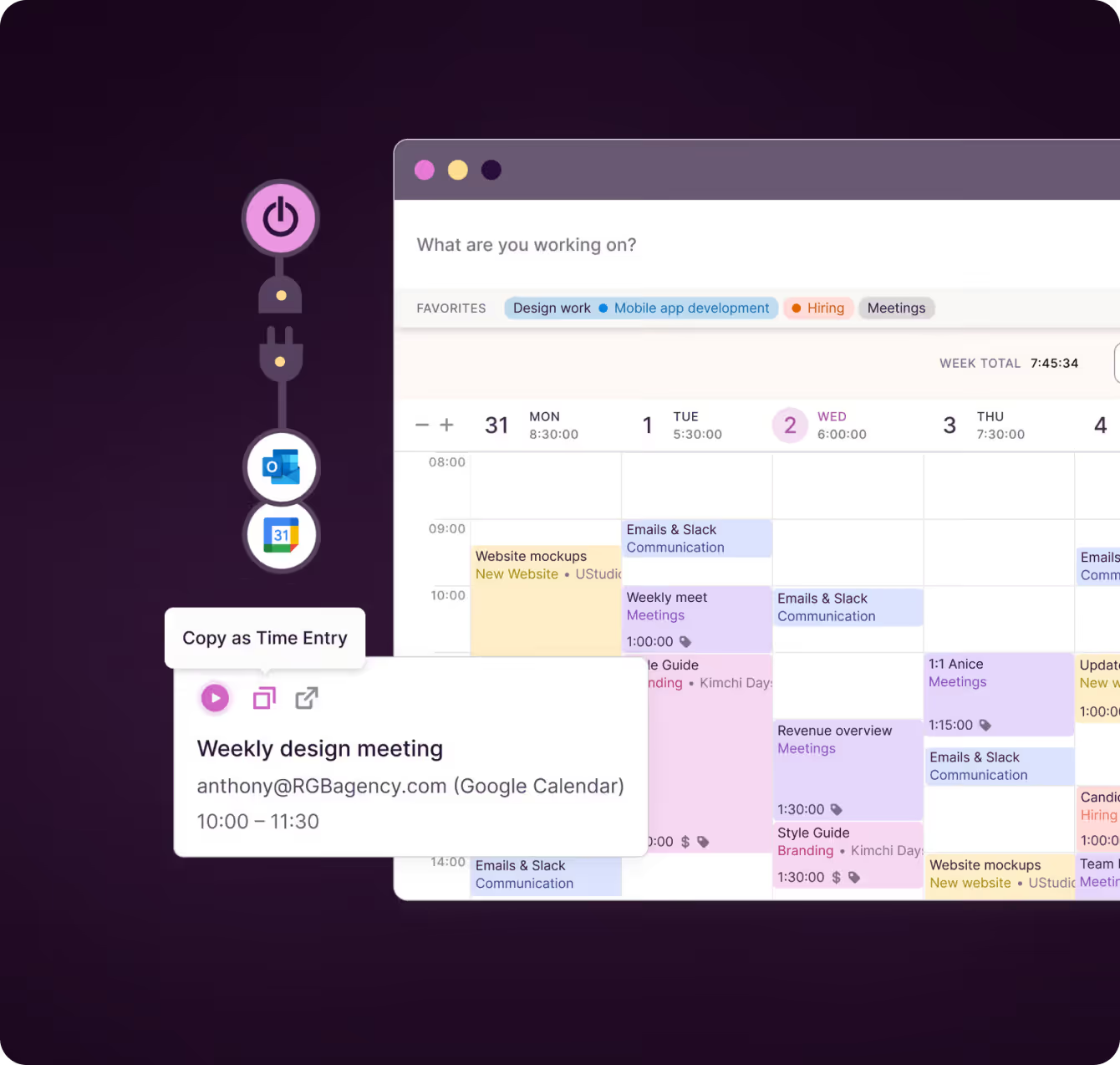
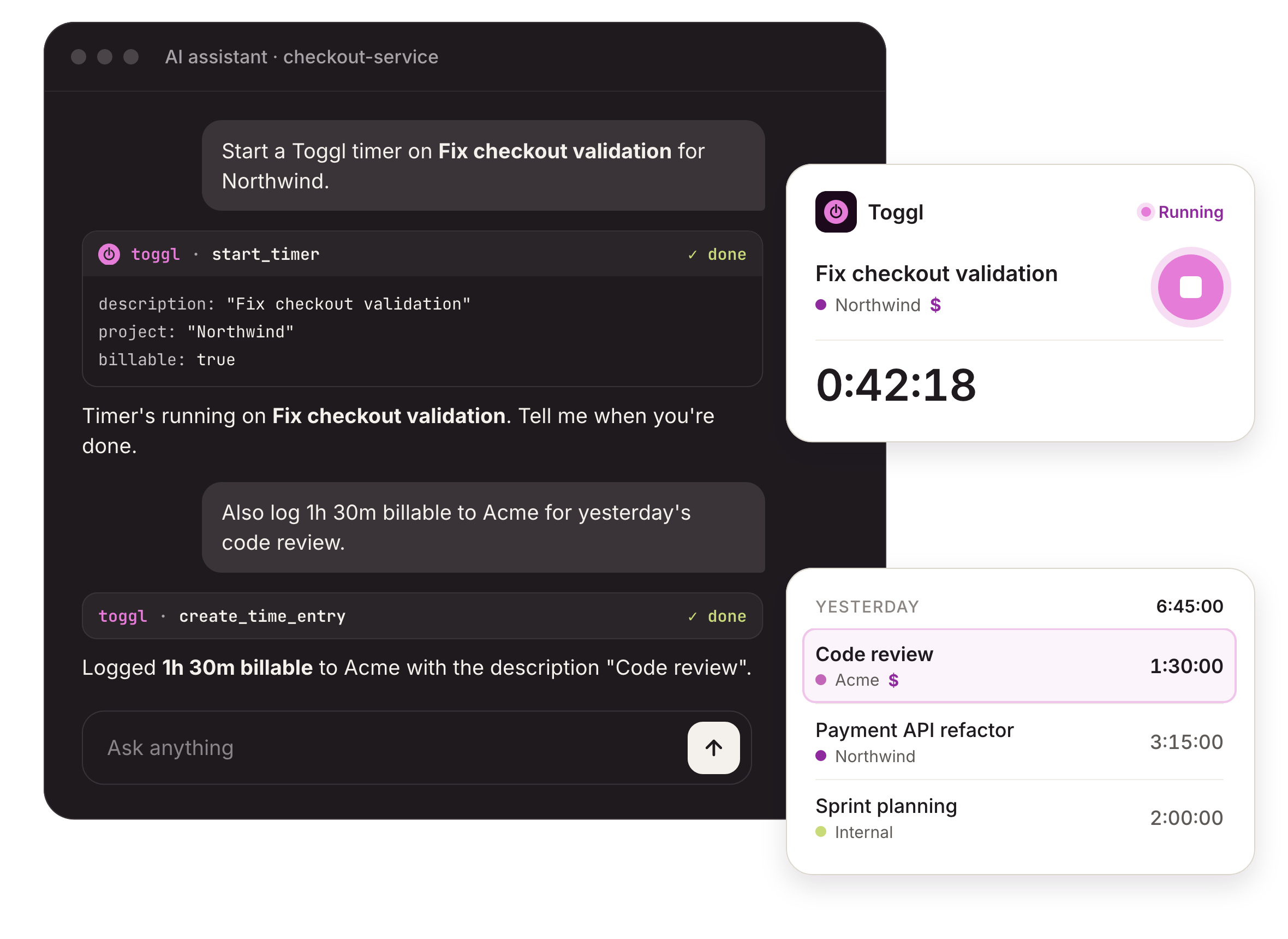
Start, stop, and log hours without leaving your AI assistant. Ask Claude Code, Cursor, or Codex to start a timer on a task or log billable hours with a description, all in natural language, without leaving your AI tools.
You can also use the CLI from your terminal. It exposes the same capabilities, which is useful for scripts, automation, and other command-line workflows.

Planned versus tracked time
Have your AI assistant use your time tracking data to see where work hours differ from your plan.
Once the MCP is connected, it's easy to compare planned time, tracked time, and capacity, so you can make adjustments on time.
Using natural language makes the process quick and you can feed the data into your future plans and reports.
.png)

Capture, create, and analyze tasks and projects
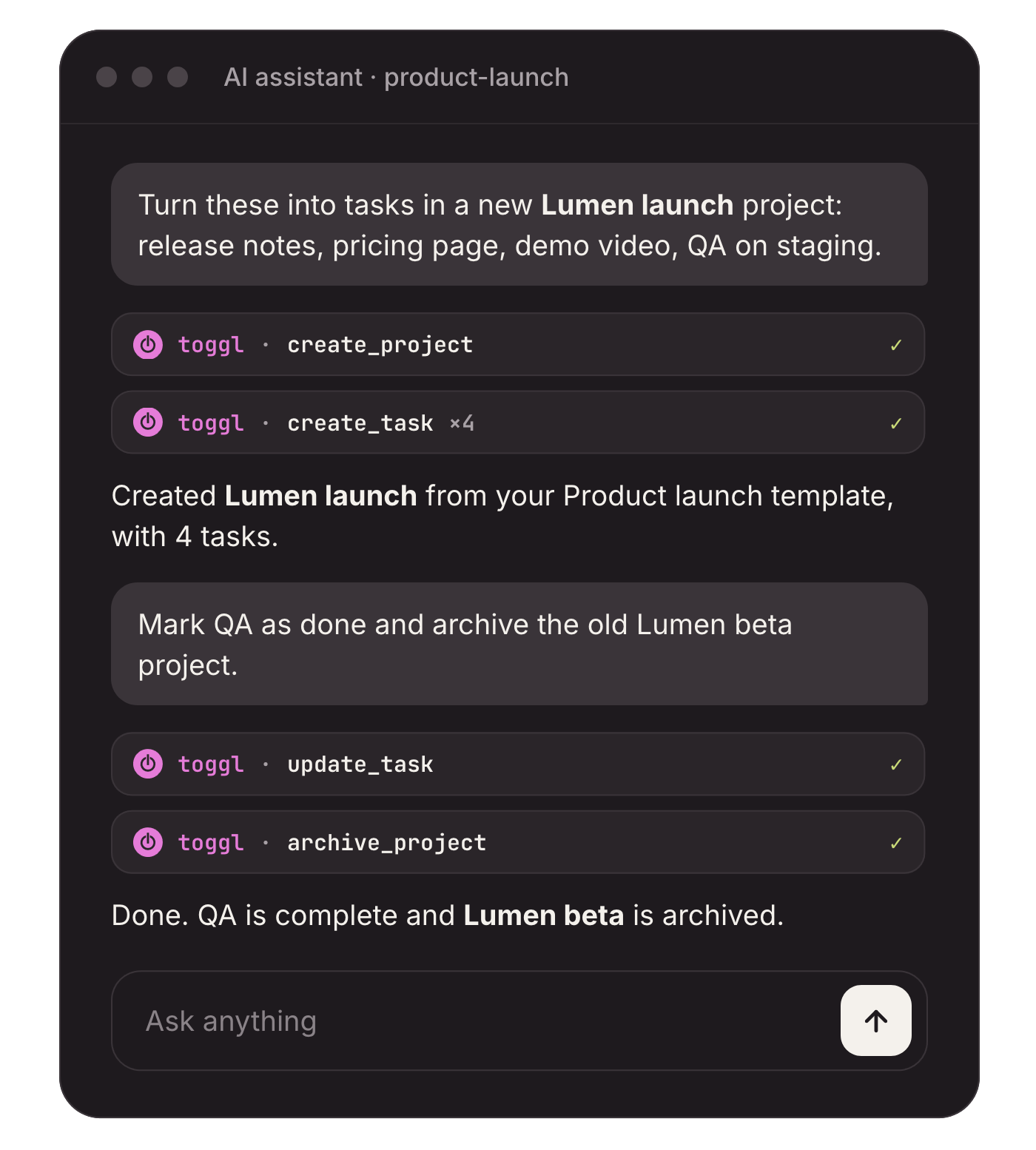
Turn a list of ideas from the chat into tasks in a project, then update them as work moves.
Create, edit, archive, or delete tasks and projects, and start projects from templates.
Analyze tasks directly in your AI assistant or visually in Toggl using Kanban Boards, a Timeline view, Lists, or a Calendar view.

Internal and client reports, in natural language
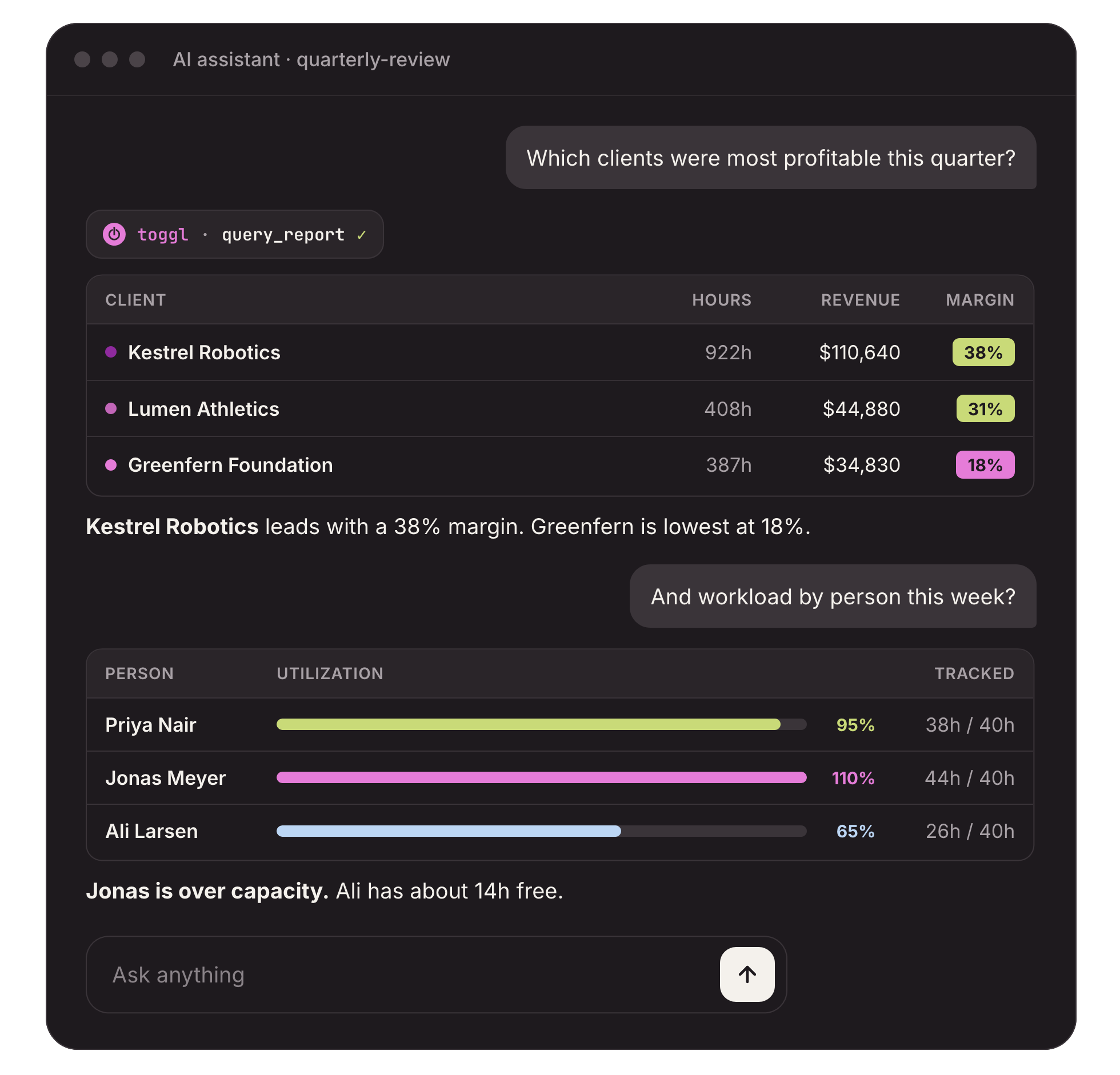
Get answers from your reports without having to download and update spreadsheets.
Ask for hours by project, client, or person, or for workload and profitability, and get a table back in the chat.
Build reports directly inside your AI tools or try Toggl's reporting with different charts, visuals, filters, and AND/OR logic.
Smaller teams can get started right away! Sign up & then start your journey.



Companies that use Toggl see:




Toggl MCP server features
Easily connect your Toggl data to your favorite AI assistants
Tasks and projects
Create, update, archive, and delete tasks and projects, start projects from templates, set up recurring work and milestones, and attach files from your computer.
Time and timesheets
Start, stop, log, and edit time entries, then submit timesheets, or, as an approver, approve them or send them back for changes.
Planning and capacity
Read planned time blocks, capacity by person and team, working hours, and public holidays, check who is out, and approve time off requests.
Reports and sharing
Query hours by project, client, person, or tag, run summary, workload, and profitability reports, share a report by link, or put one on a schedule.
Rates and budgets
Set billable rates and labor costs for the workspace, a project, or a person, set project margin targets, and add estimate and budget alerts.
Workspace setup
Manage clients, tags, statuses, custom fields, saved views, members, and invitations, all within the access your role allows.
Users love us!
Small team and no budget? We have you covered
“The best free time tracking app”
No complicated setup or unnecessary bells & whistles!
Today, 14 Apr
7:15:50
Illustrations
2:12:50
5 billable hours every day
3/5 hours
REACHED
Code every day
5/5 hours
NEW WEBSITE
12 of 20h
PM Daily
0:00:25
FAQs
