

Toggl AI
Reliable answers from your time data in seconds
Toggl AI is an in-app chat assistant that answers questions about your hours, projects, and budgets in plain language.
It also completes tasks, like logging time, creating projects, explaining a work mix with the numbers behind it, and much more.

MCP & CLI
Private, non-invasive AI
Download tables & charts from the chat







Fast insights and clean client reports

Ask anything about your time, project, and capacity data
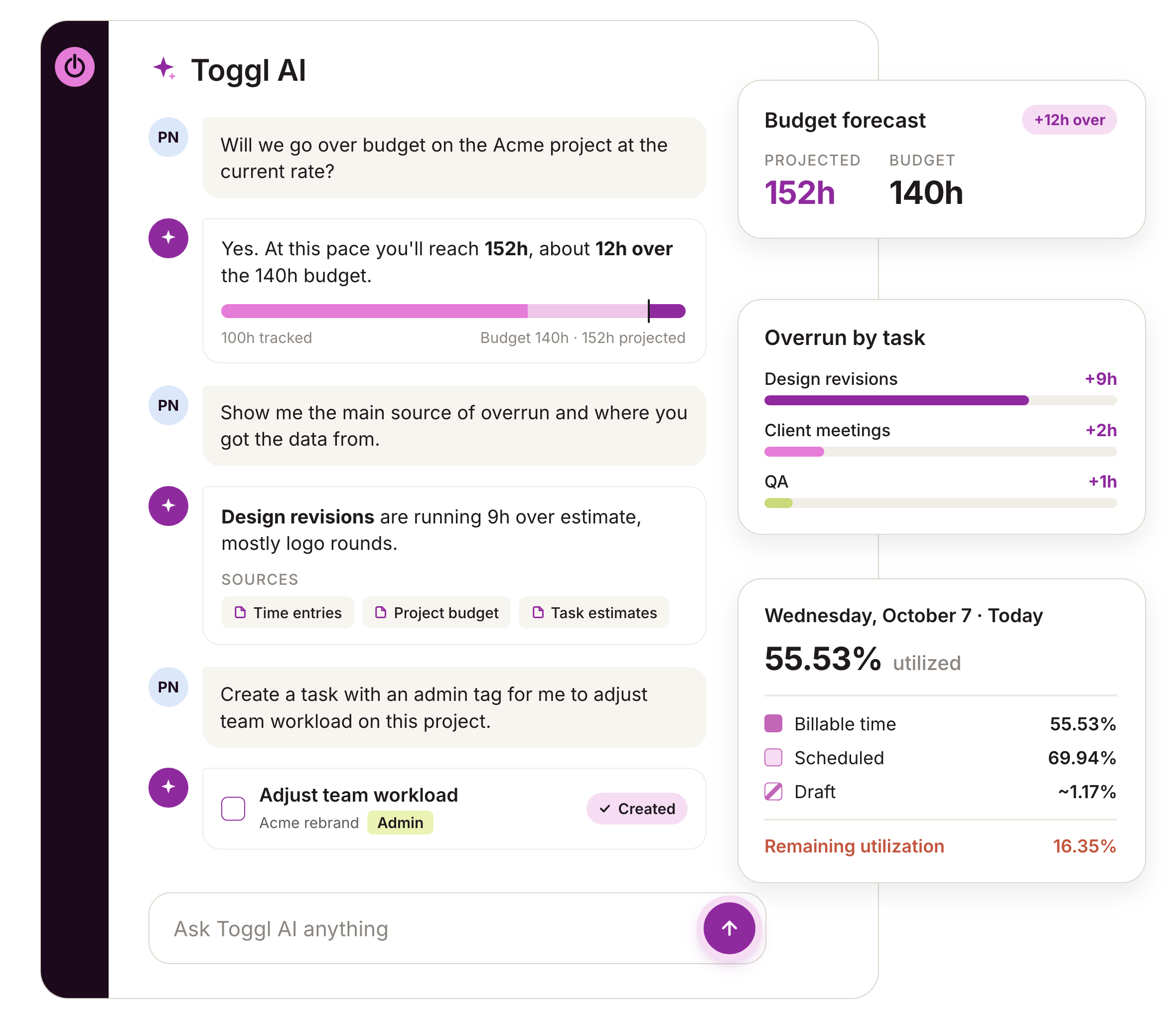
"How many hours did the design team log last week?", "Who hasn't logged time this week?", or anything else.
Toggl AI gets all answers from your workspace’s time data, so there's no guesswork. If a question is ambiguous, it asks relevant follow-ups.
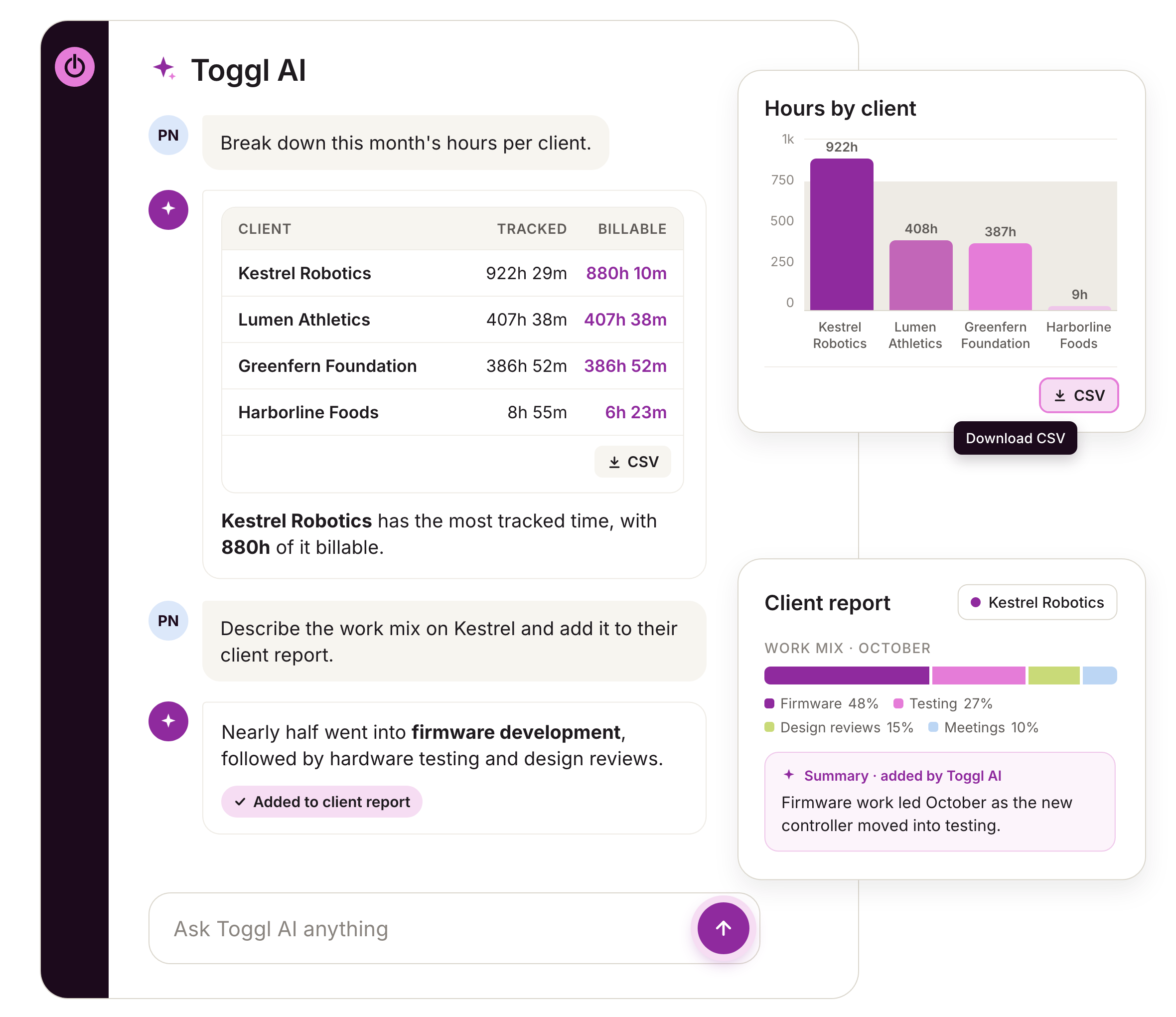
Toggl AI's answers can also generate tables or bar charts based on your needs, which you can then download in CSV format.

Build detailed client reports, with the story behind the hours
Toggl AI helps you show clients how many hours went into their work and explain how the time was spent.
Instead of you building reports manually, it gives you insights, tables, and charts in seconds.
Ask it to describe the work and time mix on a project, add that context to your client reports, and download any useful tables or charts.
"As we're reporting on what their hours spent is looking like, I ask it [Toggl AI] for descriptions on the work mix of it so I can feed that context back."
Amanda Viehman, VP of Professional Services at Sleek Consulting.

Private, non-invasive AI assistant
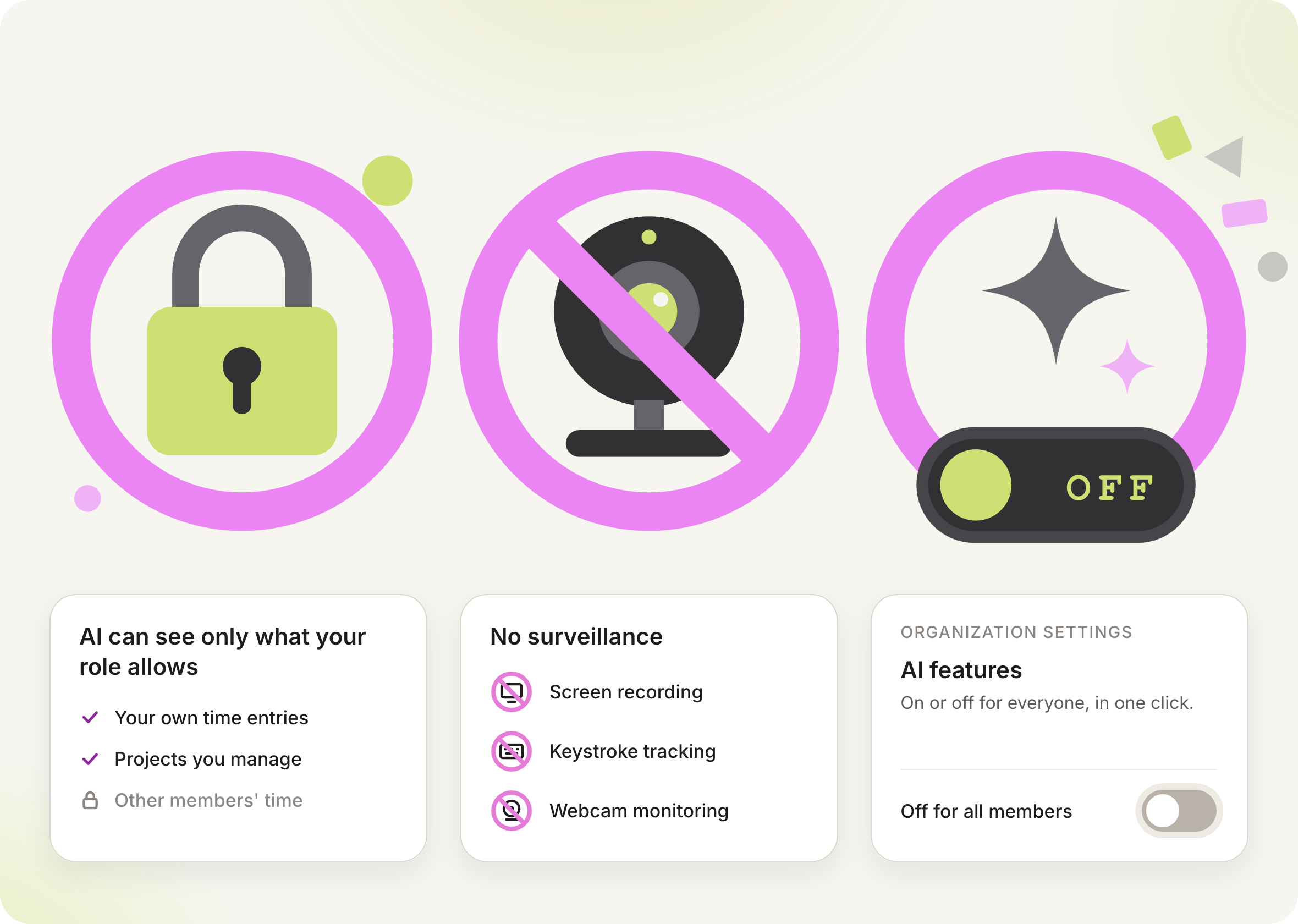
Toggl AI works only within each person's own permissions, so nobody can use it to see more than their role allows. It’s built with our anti-surveillance statement in mind.
That means no time logging without permission, screen recording, keystroke tracking, or webcam monitoring. One click switches AI features off for the whole organization.

Companies that use Toggl see:






AI that’s actually useful to your team
Toggl AI works reliably when you need it and gets out of your way when you don't
Time, tasks, and projects from chat
Ask Toggl AI to log time, create projects, tasks and tags, or change workspace settings. Use the AI Task Creator to turn briefs, notes, or ideas into structured tasks.
Smart time log suggestions
Toggl learns each person's tracking patterns and suggests time logs for the work they do regularly, leading to accurate time data and reliable timesheets.
Learn Toggl as you go
Toggl AI can explain how any Toggl feature works. Ask it “Can I add an approval flow for my timesheets?” or "How do I set up required fields?" and it can often handle the setup.
Use the MCP to bring Toggl to your AI tools
Connect Toggl to Claude Desktop, Cursor, and Codex or work from your terminal with the Toggl CLI. You can manage tasks, projects, time entries and reports without leaving your workflow.
Reports for client trust and transparency
Get the insights, charts, and tables you need for reporting in seconds, without compiling them by hand. Toggl describes the work mix. You analyze and download what you need for reporting.
Available on any paid plan
You can try Toggl AI on any paid plan with a 30-day free trial. The MCP/CLI and AI Task Creator are available on the free plan.
Users love us!
Small team and no budget? We have you covered
“The best free time tracking app”
No complicated setup or unnecessary bells & whistles!
Today, 14 Apr
7:15:50
Illustrations
2:12:50
5 billable hours every day
3/5 hours
REACHED
Code every day
5/5 hours
NEW WEBSITE
12 of 20h
PM Daily
0:00:25
FAQs
