
Personal productivity software for tracking and planning your day

Toggl puts your to-do list, calendar and time tracker in one app.

Log time against tasks and projects, execute in Pomodoro mode, auto-track calendar events and see planned vs. actual time without a spreadsheet.

Task management with Kanban boards, Lists, Timelines, and Calendars.

Web, desktop and mobile apps with automatic data sync (including offline).

Detailed reporting for logged hours, billable vs non-billable, profitability, clients, and projects.

Your to-do list app shows what's done. It doesn’t help with daily planning and time management.

Most people run their day across a generic productivity app, a calendar, and a separate time tracker. Then, they guess at the gaps or try to fix them manually with spreadsheets.

Toggl keeps your tasks, time blocks and tracked hours together, so you can plan a realistic day based on how long work actually takes you.

The productivity tool that turns your to-dos into a realistic day
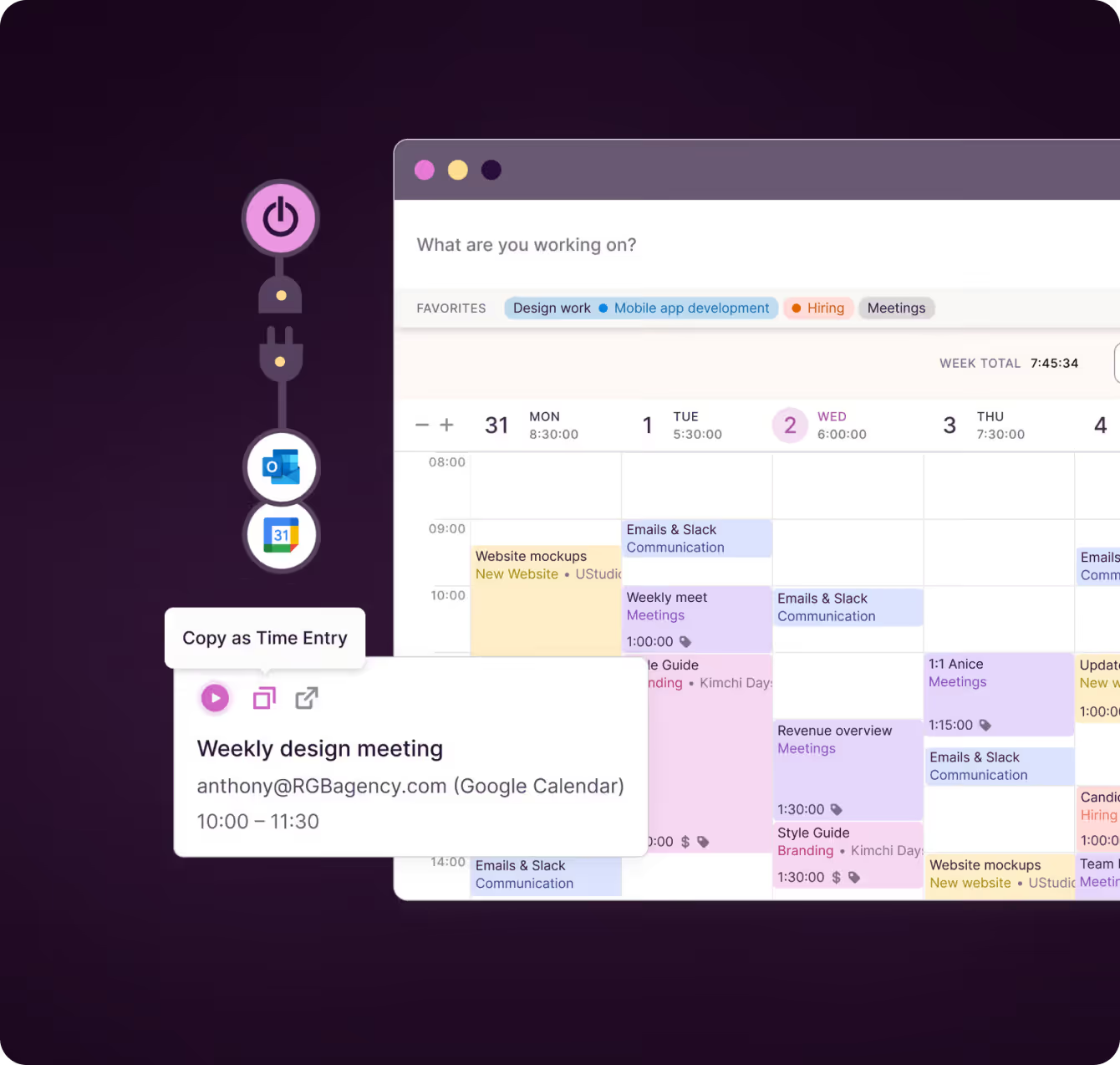
Add tasks with subtasks, due dates and recurring schedules. Drag them onto your calendar as time blocks and they get factored into your plans.

‍

Your Google Calendar and Outlook meetings sit on the same grid, so you plan against the hours you actually have. The same tasks show up in Board, Task list and Calendar views.

‍

With Toggl, copying between a spreadsheet, time tracking tool, task management app, and a calendar app is a thing of the past.
Track time and productivity your way

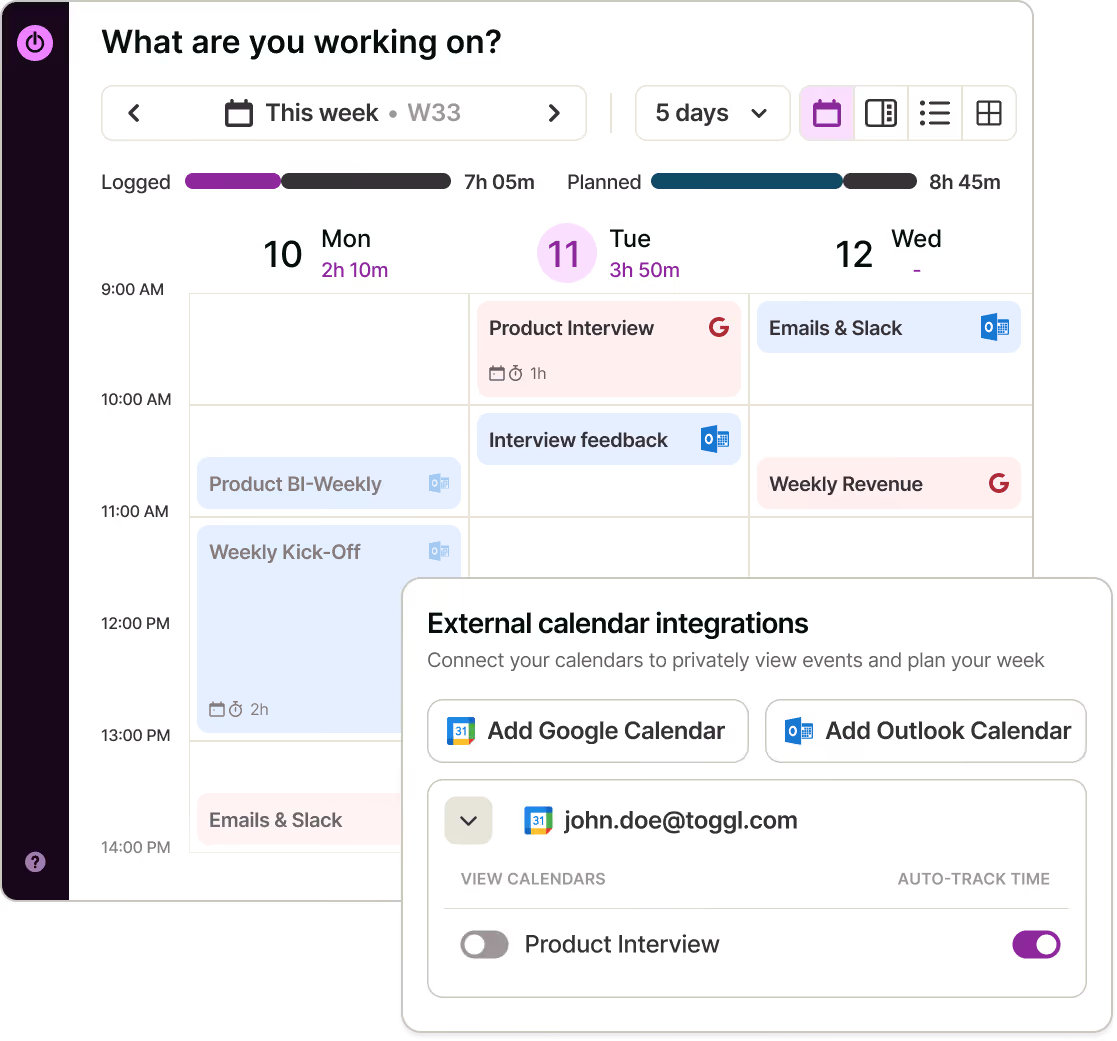
Start a timer in one click, have Toggl capture it automatically, log time directly on tasks, or use browser extensions.

‍

You can also turn calendar events (like client meetings) into time entries in one click and use the Pomodoro timer for focused sprints.

‍

If you don’t want any manual logging, Toggl's auto-tracker records a private activity timeline in the background. You just decide what to discard and what to turn into a time entry at the end of the day.
See (or ask) where your week actually went

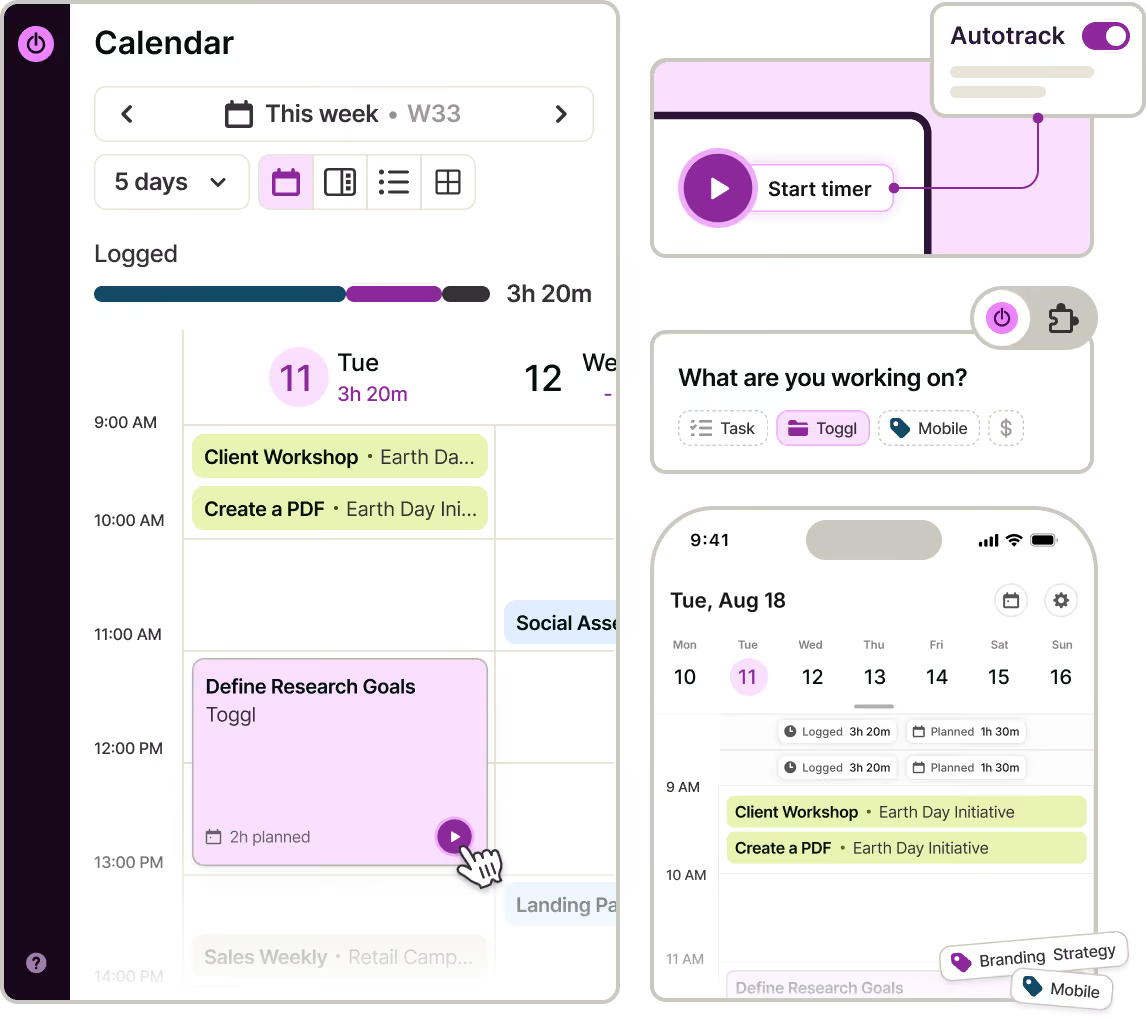
Toggl shows you planned time against logged time, so you can see where the day drifted and plan the next one better.

‍

Break down your hours by project, client, task or tag to see how much time goes to deep work, meetings and admin (without building a timesheet by hand).

‍

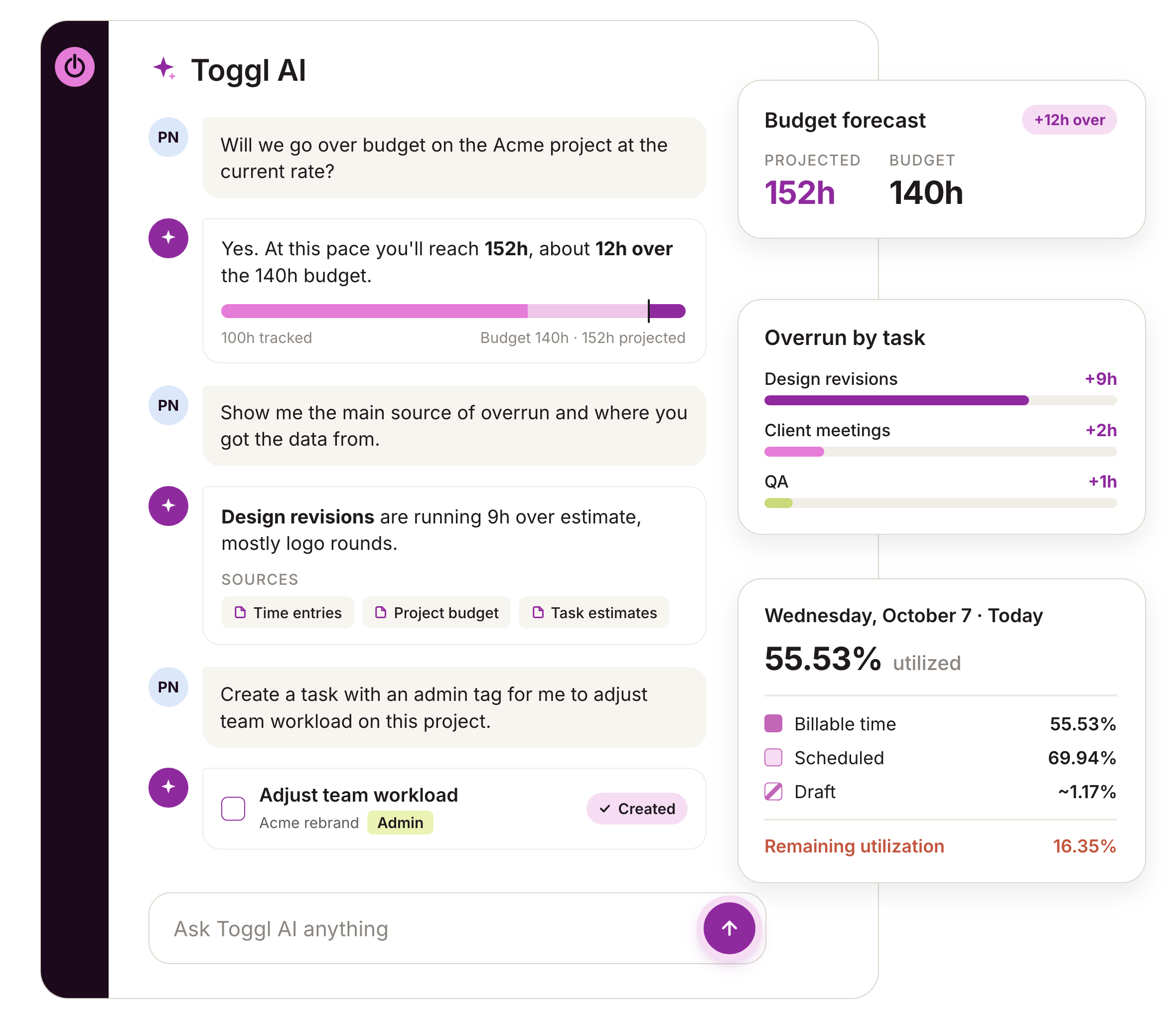
Toggl AI makes this even faster by answering plain-language questions about your time data. ‍

‍

Ask it how much time you spend on billable vs admin work, which tasks took you the longest, or which clients are most profitable. The answers arrive in seconds, all based on your time data.
Bring your tools and history with you

Import CSV files from Harvest and Clockify or project management tools like ClickUp, Trello, and Monday.com.

‍

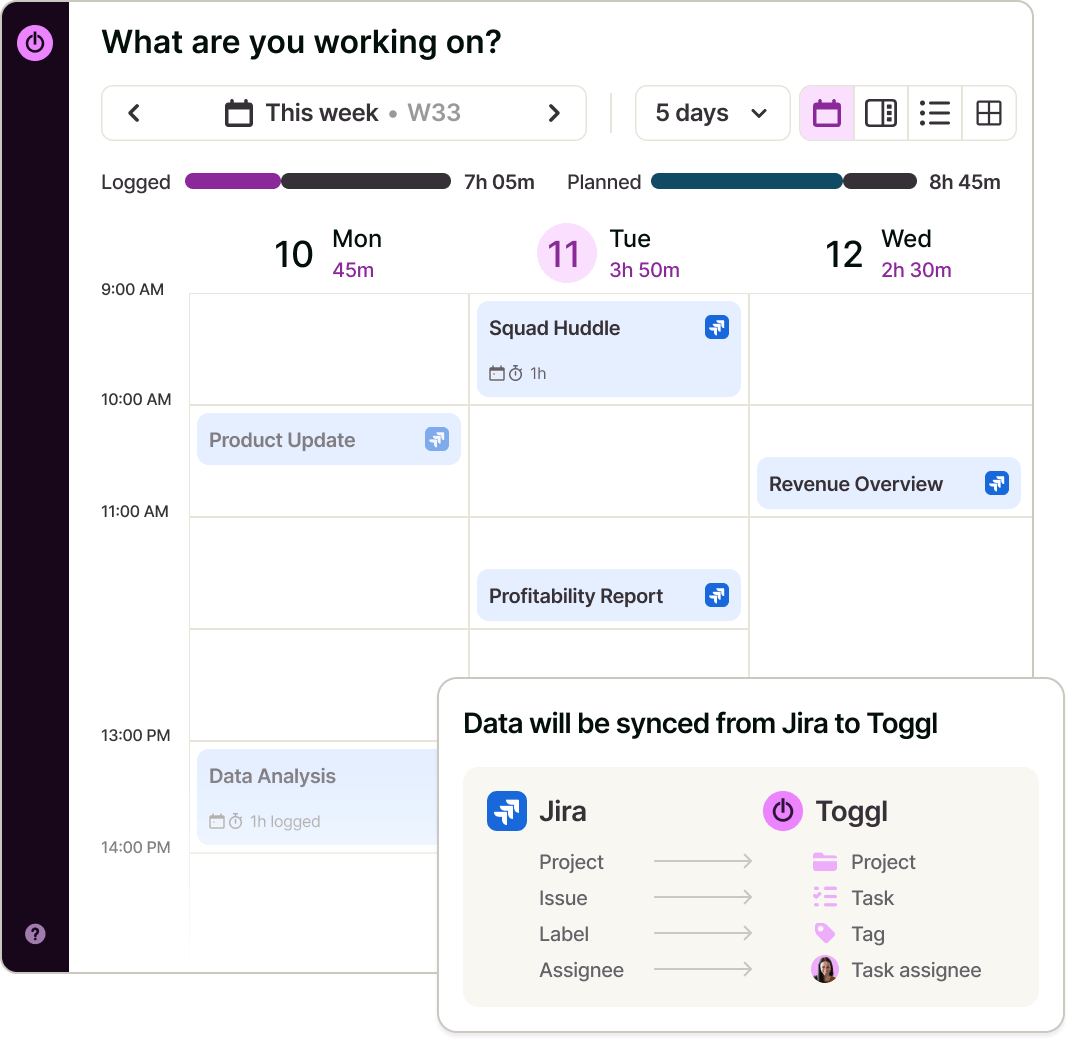
Use Toggl's integrations with Jira, Asana, Todoist, GitHub, and Slack to sync your data.

‍

Use Zapier, our API, and MCP connect Toggl to the rest of your workflow, including AI assistants like Claude, Cursor, and Codex.
Online, offline or on the go? We have an app for that!

Your data instantly syncs across all apps and devices

NEW WEBSITE

12  of  20h
Mobile apps
Start and stop tracking from anywhere
Desktop apps
For users who want to work with minimal distractions
Web app
To view time reports, manage projects and teams
Browser plugins
Integrations with your favorite online tools

REACHED

Code every day
5/5 hours
Doesn’t Toggl simply show me how much time I spent on tasks?
Toggl does far more than track time
Time data is the foundation of productivity and our tool makes collecting it a breeze (on any device). Beyond that, you get detailed reporting for you or your clients, AI-powered time, capacity, and profitability insights, and much more.
See Toggl's real impact
40+ hours saved monthly
at Perception Engineering with one-click time tracking and reporting
100% time tracking adoption
with easy, non-intrusive time reporting at software consultancy Newlogic
20% increase in profitability
by accurately tracking billable work hours at Sweat+Co PR agency

Toggl's personal productivity features

Your to-do list, timesheet, and no-bloat project management software
Visual task management
Create tasks with time estimates, subtasks, and due dates. Add daily, weekly or monthly recurring tasks, all in one place.
Flexible time tracking
Track with a manual or automated timer, manual entry, use the Pomodoro technique and turn calendar events into time entries.
AI task management and insights
Create tasks based on notes, screenshots, or briefs. Ask Toggl AI to explain where your time went and how you can improve productivity.
Smart suggestions
The Toggl desktop app learns from your time tracking history and suggests the most likely task for you to enter and track time in one click.
Time and task management across devices
Capture all time spent on tasks with the desktop auto-tracker and browser extension. Track on web, iOS, Android, macOS and Windows.
Google Calendar and Outlook sync
See meetings next to your plan, and use matching rules so recurring meetings track themselves.
See planned vs. tracked time
Every time block shows planned time against logged time for accurate daily planning.
Detailed personal and client reports
Analyze your hours and capacity by project, client, task or tag, save filtered views and export your data.
How Toggl works as a personal productivity tool
Toggl has everything you need to capture your time, organize your tasks, and get the insights that drive productivity and profitability.
Sign up and set up your workspace

Tasks, projects, clients, tags — it's all easy to create by hand or with the AI assistant. Click the “Play” button to start tracking time in one click.

Connect Google Calendar or Outlook

This lets your meetings appear next to your plan, while matching rules track recurring meetings for you.

Add your tasks and projects

Create them from scratch, use the AI Task Creator, or import them via CSV, or from Clockify, Harvest, ClickUp, Asana, or another popular tool.

Block time for your tasks

Drag tasks from your list onto the calendar. Size each block to the time you expect it to take for a visual and intuitive experience.

Track time your way

Hit play on a time block, use the Pomodoro timer, or let the desktop auto-tracker fill the gaps, so no activity is missing at the end of the day.

Review your week

Compare planned vs. tracked time and see where your hours went, by project, client or task. Build personal or client reports.

FAQs

What is personal productivity software?

Personal productivity software helps individuals plan, track, and manage their work or personal lives. It’s a broad term that can cover simple to-do lists, calendars, focus apps, note-taking apps, and time trackers. For example, Toggl is a productivity tool that combines task management, daily planning and time tracking in one app.

Why is Toggl the best personal productivity software?

Toggl keeps your tasks, calendar and time tracker in one place, across web, desktop and mobile, instead of needing three separate productivity apps. You can plan tasks as time blocks, track time against the same blocks and compare planned vs. actual time. It also has an AI assistant that provides productivity insights in seconds and can actually execute admin tasks for you.

Can I use Toggl as a to-do list app and a time tracker at the same time?

Yes. Create tasks with subtasks, due dates and recurring schedules, then start a timer straight from a task or time block. Tracked time stays attached to the task, so you always know how long each one took.

Can I integrate Toggl with my calendar?

Yes. Connect Toggl to Google Calendar or Outlook calendars, and your meetings (e.g., Zoom or Microsoft Teams calls), appear next to your planned tasks. Log any event as a time entry in one action, or set matching rules so recurring meetings track themselves.

Does Toggl have a Pomodoro timer?

Yes. Toggl's Pomodoro timer breaks your work into focused sprints with short breaks in between. You decide how long your sprints and breaks are.

Can Toggl track my time automatically?

Yes. The desktop app can start a timer and record a private activity timeline that you can turn into time entries. The data is completely private and available only to you.

Can I use my data from another time tracking tool or to-do list app in Toggl?

Yes. Import CSV files from Clockify, Harvest, Notion, ClickUp, Asana, Teamwork and popular tools. Your projects, tasks and history come with you.

Is Toggl free for personal use?

Yes. Toggl is free for up to 3 users, with unlimited projects, tasks and time tracking, plus the calendar planner and time blocking. The Starter plan adds estimates, billable rates and exports, and every paid plan comes with a free 30-day trial