


Integrate QuickBooks with Toggl Track to save hours of admin work
1. Generate your invoices quickly
Our users report that they can spend up to 8 hours every month generating invoices! If you're spending countless hours drafting invoices, we've got you covered. You can generate Toggl Track invoices in one click based on your Summary Reports, and this integration allows you to easily send the invoices to QuickBooks Online.
2. Eliminate manual data entry and boost efficiency
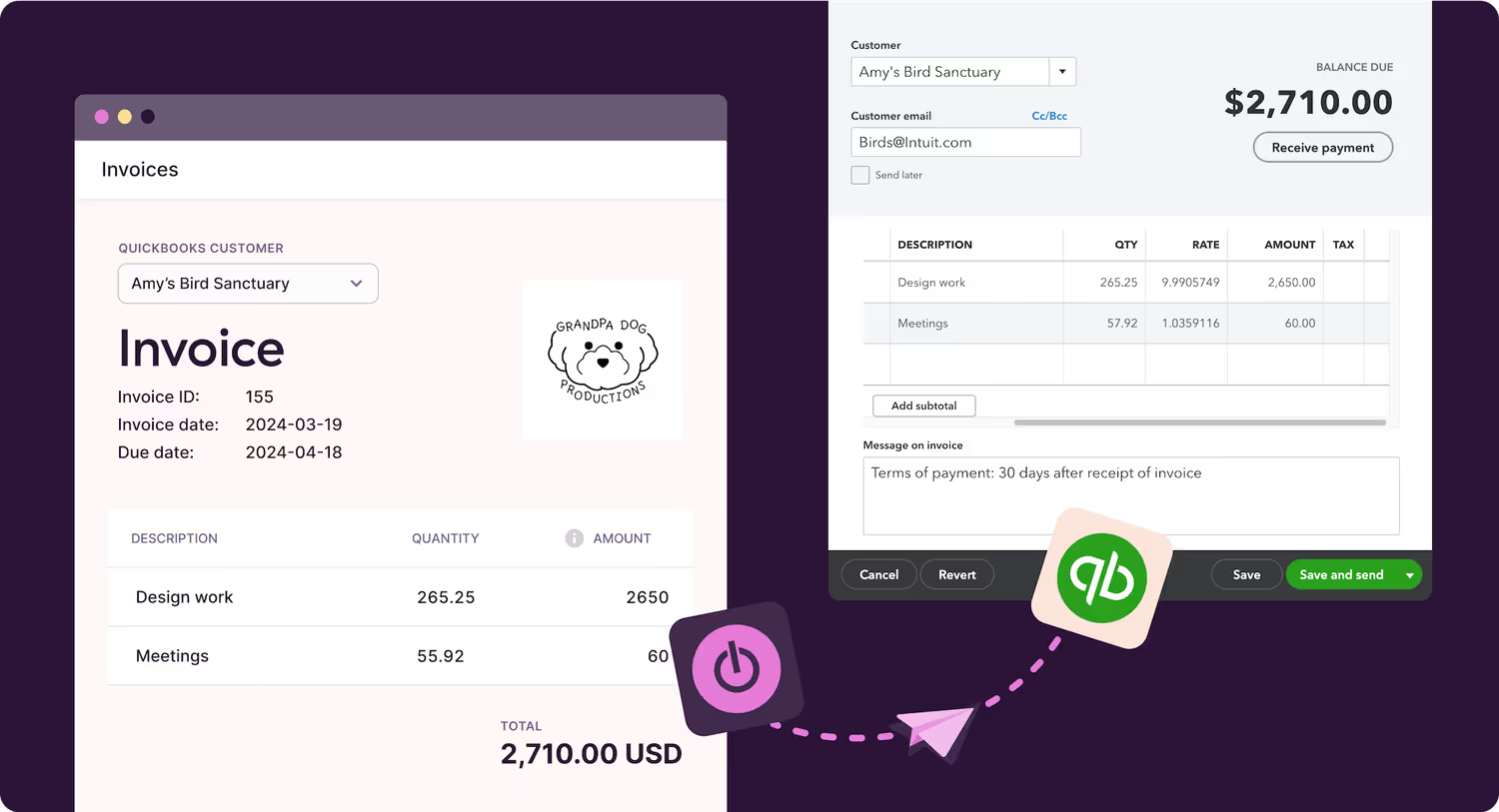
Have you been copying and pasting your time data from Toggl Track into your invoicing software? Ditch the hassle of manual work and the human errors that come with it. Send complete invoices from Toggl Track directly to QuickBooks Online in just two steps: create the invoice, then send it. It's that simple.
Toggl Track ensures your invoicing is both accurate and efficient, freeing you to concentrate on the work that truly matters in your business.
Quick and easy setup
- Navigate to the Integrations page within the Toggl Track web app via the Settings menu in the sidebar.
- Click on the 'Get started' button next to the QuickBooks Online option.
- A pop-up window will appear. You may need to log into QuickBooks and select your company at this stage. Click 'Connect' to activate the integration.
- To generate invoices, navigate to the Summary Reports page. Choose your desired time frame, apply filters as needed (Member, Client, Project, etc.), and click on the 'Create invoice' button located at the top right of the screen. If no time data exists for the selected period, the 'Create invoice' button will be unavailable.
- On the invoice page, select the appropriate customer from the QuickBooks Customer dropdown. Modify your invoice as necessary. Click "Save & send". This action will redirect you to QuickBooks, where you can edit the invoice further.
- For detailed, step-by-step instructions, check out our Knowledge Base article.



Explore other integrations


Salesforce
This is a legacy integration for Toggl Track which we currently don't support for Toggl. If you're interested in using Salesforce with the new Toggl, let us know.