More than half of all hourly workers say schedule flexibility is the top thing they enjoy about their current role. That’s a huge driver of employee engagement. And yet, fair and flexible scheduling is also one of the hardest points for businesses to get right.
When everything clicks, workforce scheduling can make your team more productive, reach your overarching business goals, and increase employee satisfaction.
But get it wrong, and you’ll hit problems like overstaffing shift schedules, scheduling conflicts between teammates, and employee burnout.
We know which we’d prefer! That’s why we’ve put this guide together to outline how to follow the right approach to scheduling.
TL;DR — Key Takeaways
Workforce scheduling is the process of planning and assigning employee shifts so you have the right people working at the right times. A well-designed schedule helps businesses meet staffing needs, reduce labor costs, improve employee satisfaction, and avoid issues like understaffing, overstaffing, and scheduling conflicts.
You could do workforce scheduling manually, but why bother? Digital workforce planning is more convenient, allowing you to automate tasks, remove manual errors, and share updates in real-time.
Workforce scheduling software is equipped with different features, such as templates, shift bidding, and audit trails, which you might need based on your industry and individual preferences.
There are several practical ways to improve your workforce scheduling, including frequent team communications, historical data, and making flexibility a priority.
Checklist: Do you need workforce scheduling?
Workforce scheduling is a staple of some business models, but is it right for your business?
Let’s say you run a coffee shop at its busiest from 7-11 am. With workforce scheduling, you can assign more baristas in the morning and fewer in the afternoon. You also avoid anyone working more than 40 hours per week or accidentally scheduling employees on their days off.
Not in the coffee shop trade? Here are some tell-tale signs that workforce scheduling would work for you specifically.
You have shift coverage problems, with too many or too few people working at the same time (overstaffing and understaffing)
You struggle with last-minute shift changes and finding replacements when someone can’t work
Employees complain that their schedules are unfair, constantly changing, or don’t match their availability
You have high labor costs because you regularly fork out for overtime, or overschedule people who sit around with nothing to do
You miss business opportunities because customers wait too long or simply leave because you don’t have enough staff
You have problems tracking hours, and can’t tell who worked when and how much
You do a lot of manual scheduling, creating them in sheets and on paper, making small mistakes that lead to major crises
You constantly worry about breaking the law and violating labor laws like required breaks, maximum work hours, or fair shift practices
If you face one or more of these challenges, your business can benefit from workforce scheduling.
Top benefits of workforce scheduling software
If you’ve previously created work schedules in Google Docs or on paper, you’ll know it can get old, fast. Of course, these rudimentary tools may suit your scheduling needs for a while, but you’ll quickly encounter problems like missed shifts and communication breakdowns between teammates if you depend on them for too long.
The alternative is to use a dedicated scheduling solution, which helps by:
Automating a huge portion of the work: The tool assigns shifts based on availability, so you don’t have to manually adjust shifts in spreadsheets.
Removing errors: You’ll see fewer double bookings, missed shifts, and legal violations.
Providing better coverage: Smart employee scheduling software helps you match staffing levels so you can adjust to slow and busy periods.
Satisfying your employees: Your team can set their availability and see all of their updates in real time. Talk about convenient.
Improving compliance: Many scheduling tools adhere to labor laws, union rules, or company policies by default, so you don’t need to double-check everything.
Providing real-time updates: Last-minute schedule changes show up in real time in your schedule management software, so when someone calls in sick or you change the schedule, everyone can see it immediately.
Offering data and reporting tools: You can see data on labor costs, overtime, and staffing patterns, helping you make better decisions for future schedules.
If you’re doing fine as is, hats off to you. But if any of the features above resonate, it might be worth looking into dedicated software for workforce scheduling.
🧠 TOP TIP
Tools like Toggl Track and Toggl Focus can make this transition seamless. Toggl Track helps you understand time usage across projects and roles, while Toggl Focus enables real-time performance tracking and workload management. Together, they offer a complete picture of your team’s capacity, so you’re going beyond assigning shifts to optimize how people spend their time.
Workforce scheduling features to look out for (based on your top pain points)
The right scheduling tool can make a world of difference, but not every business needs the same set of features. The best way to choose software is to match its functionality to your specific challenges. Below, we’ve outlined common scheduling pain points and the features that can solve them.
⌛ Pain point 1: If you’re wasting too much time building schedules manually
Auto-scheduling: Suggests or builds schedules based on rules you set (like availability and shift needs).
Drag-and-drop editor: Lets you quickly adjust shifts without retyping everything.
Templates: Allows you to save and reuse schedules for busy periods, weekends, etc.
⛔ Pain point 2: If employees are unavailable or unhappy with their shifts
Employee self-service: Allows workers to set their availability, request time off, and swap shifts online and on their own.
Mobile app access: Staff can view schedules from the palm of their hand.
Fair scheduling rules: Ensures even distribution of preferred shifts and hours.
🌧️ Pain point 3: If you have shift coverage problems (too few or too many people)
Demand forecasting: Predicts how many workers you’ll need based on sales, foot traffic, or past patterns.
Shift bidding: Employees can claim open shifts, helping fill gaps faster.
Qualification tagging: Schedules the best people for certain roles (e.g., only certified workers for specialized tasks).
🚨 Pain point 4: If you’re struggling with labor laws and compliance
Overtime alerts: Warns you before assigning shifts that would cause costly overtime.
Break and rest compliance: Automatically schedules required breaks and rest periods.
Audit trails: Keeps a record of all schedule changes for legal or HR reviews.
🫨 Pain point 5: If last-minute changes create chaos
Real-time notifications: Instantly alerts staff to schedule changes via text, email, or app.
Shift swapping: This lets employees trade shifts (with or without manager approval.)
Find replacement feature: Suggests available workers when someone calls out.
📄 Pain point 6: If you lack decent reporting and planning
Labor cost tracking: Shows how much each shift or schedule costs you.
Attendance tracking: Monitors who shows up late, leaves early, or misses shifts.
Performance insights: Some tools can even show patterns like absenteeism or your most productive employees.
How to improve your workforce scheduling process
Improving your workforce scheduling depends on your industry, team structure, and how much flexibility your business demands.
A healthcare clinic might prioritize certifications and legal compliance, while a retail store needs agility to match unpredictable customer traffic.
No matter your setup, these best practices can help you create smarter, more efficient schedules that work for both your business and your team. Here are some general rules on how to improve the way you manage workforce scheduling.
Communicate clearly with your team
While better scheduling benefits the business, employees may see it as an extra hassle — unless you show them how it works in their favor. When people can share their preferences and availability, they’re more likely to get their preferred shifts and avoid conflicts.
Make it easy to gather this data. Try:
A quick weekly survey
A Slack poll at the end of the week
A show of hands during team meetings
You’ll end up with the data you need and show your team that their input matters. Both enable you to plan ahead with confidence.
Use historical data to optimize schedules
Remember when you had 10 employees working a ghost town shift, followed by a solo employee struggling during peak hours? Neither of these needs to happen again. Once you commit to workforce planning, your historical data shapes what you do next time. Here’s how different industries do it:
Retail teams align staffing with sales data, adding more coverage during seasonal rushes or after major promotions.
Restaurants track reservations to schedule more servers during busy dining hours — and scale back when it’s quiet.
Healthcare offices use appointment volume and no-show trends to balance staff across the week.
🧠 TOP TIP
Tools like Toggl Trackgo a level deeper by analyzing how long tasks actually take, spotting inefficiencies, and scheduling team members based on real workload capacity rather than assumptions.
Build flexibility into your schedules
85% of workers across 35 countries consider work-life balance the most important factor when evaluating current or future jobs, outranking pay and job stability. Offering flexible schedule options plays a huge role in driving employee satisfaction and making you a more desirable employer. Try the following to become more flexible:
Staggered shifts: Instead of having everyone start at the same time, employees can arrive and leave in waves to cover peak periods more smoothly.
Overlapping hours: Scheduling slight overlaps between shifts ensures enough coverage during busy transitions without overstaffing.
Remote work options: For roles that don’t require a physical presence, offering remote shifts or hybrid models can widen your talent pool and keep employees happier.
Flexibility won’t negatively affect your productivity. If anything, an increase in flexibility results in higher output, on top of improved employee engagement.
Prepare for unexpected changes
The best plan in the world won’t work if you’re hit with any last-minute absences or emergencies. Here are some strategies to prepare for the unexpected.
Maintain an on-call system with employees willing to be on standby during the week. Keep them motivated by offering extra pay or time off.
Cross-train employees so that an employee can replace someone else in a different role in a pinch. For example, a front desk agent in a hotel could assist with basic concierge services or serve tables during busy periods.
Build relationships with freelance or temp workers who can step in and save the day when emergencies pop up.
Avoid overloading your team
If you overschedule shifts for certain team members, you risk leading them toward burnout and lower job satisfaction, even if they’re usually thrilled to do their jobs.
🧠 TOP TIP
Even if no one admits they’re overworked, Toggl Track’s time reports highlight if a team member has too much work while another is coasting. You can intervene and ask to change schedules before someone reaches burnout, improving both employee well-being and your business’s efficiency.
Prioritize employee preferences
Your top priority? Assign your employees the shifts they need to achieve a better work-life balance. The only way to do this is to have all the information in one place to account for time-off requests, personal commitments, preferred working hours, and other details.
Automate repetitive scheduling tasks
While you may need to adjust your scheduling to accommodate seasonal changes occasionally, the bulk of your scheduling efforts will remain the same throughout the month or year.
Workforce scheduling tools automate recurring shifts or assign schedules to your team members by default based on their availability.
You’ll spend even less time on scheduling while achieving even more efficiency. But don’t rest on your laurels because scheduling and capacity planning is not a set-it-and-forget-it type of activity, as Eli Rubel, owner of Profit Labs, warns:
“Most agency owners create a forecast once and never revisit it — that’s a huge mistake. You should be treating these as living, breathing documents.”
Comply with labor laws
Failing to comply with labor laws can result in fines, lawsuits, and reputational damage. Depending on your industry, you may have strict rules around how, when, and how much employees can work, and it’s your responsibility to stay on top of the latest red tape. Watch out for:
Rest periods and breaks: Employees require legally mandated breaks during shifts and enough time off between shifts to rest properly.
Age restrictions: Younger workers (typically under 18) are limited with the types of work they can perform and how many hours they can work, especially during school periods.
Overtime tracking: Employers are required to accurately measure time spent on overtime work.
Review and refine schedules regularly
Make sure to periodically check in on your schedules so you can spot problems early, such as frequent understaffing during peak times, high overtime costs, or recurring employee dissatisfaction.
There are a few practical ways to review your workforce scheduling time and time again, such as:
Reviewing key metrics, such as absentee rates, overtime hours, and shift coverage issues, to find patterns
Setting up feedback loops, such as short employee surveys
Acting on insights reported by employees that come up often, e.g., notice times that are too short
Testing and tweaking small changes, such as adjusting shift lengths or adding extra coverage during certain hours
Toggl tips for better workforce management
Workforce scheduling is an ongoing effort that requires thinking ahead, protecting your team’s energy, and using the right data to drive smarter decisions. Here are some of our best tips for managing any workforce.
Track time to understand capacity and prevent burnout
As Eli Rubel emphasized in his conversation with Toggl, time tracking is a tool for visibility.
“Time tracking isn’t about micromanaging — it’s about making profitable business decisions. If you’re overworked, we can see that in the data and adjust. If you’re underworked, we catch it before it’s too late.”
Tracking employee hours measures actual workload capacity, prevents silent burnout, and engages in more accurate labor forecasting. Knowing your team’s actual utilization rates lets you adjust schedules before problems arise rather than after.
Build flexibility into your scheduling strategy
Sticking to rigid shift patterns leaves you vulnerable to no-shows, sick days, or shifting business demands.
But you can build a more resilient schedule that adapts without breaking by offering staggered start times, overlapping shifts, and part-time remote options where possible. Flexibility also supports employee morale, which directly impacts retention and service quality.
Review and adjust your schedule regularly
Scheduling should be treated as a living system, not a set-it-and-forget-it task. Take time each month or quarter to review staffing data, absentee rates, overtime costs, and employee feedback.
Eli Rubel suggests updating forecasts continuously based on real-time market shifts and fine-tuning your schedules to reflect changing team needs, customer demand patterns, and business goals.
“This is why I started Profit Labs. Agency owners need real-time data to make the right decisions. Our dashboards bring together financials, CRM data, and time tracking to show exactly where the business stands.
With Toggl Track, you can make data-backed decisions based on employee availability, past performance, and other details.
Achieve operational efficiency with Toggl Track
No matter which industry you’re in, you can’t take workforce scheduling for granted. At the very least, you can do it manually until upgrading to a full-blown scheduling system makes sense.
Take a good look at your existing scheduling practices to see if there’s room for improvement in your operations or employee satisfaction. If so, it might be better to skip the baby steps and use a dedicated tool for the job, such as Toggl Track.
With Toggl Track by your side, you can create detailed, robust time tracking reports and make data-driven decisions on who works when.
Mile is a B2B content marketer specializing in HR, martech and data analytics. Ask him about thoughts on reducing hiring bias, the role of AI in modern recruitment, or how to immediately spot red flags in a job ad.
Subscribe to On The Clock.
Insights into building businesses better, from hiring to profitability (and everything in between). New editions drop every two weeks.
Before 2019, time tracking was mostly about knowing who worked on what and for how long. Helpful? Definitely. Required by law? Not always.
Then, a Spanish trade union challenged Deutsche Bank in court for not recording work hours properly. The case escalated to the European Court of Justice, and the ruling was crystal clear: EU employers must track daily working hours using a system that’s reliable, objective, and easy to access.
This legal requirement ties back to the European Union’s Working Time Directive — legislation that’s been around since the ’90s to ensure employees get proper rest and paid leave and aren’t clocking 70-hour weeks without anyone noticing.
Today, we break down what the EU Working Time Directive means for EU employers and how you can prepare for and comply with this legislation. We’ll show you which laws apply in which country and how to comply, step by step.
TL;DR — Key Takeaways
The EU Working Time Directive limits working hours and enforces rest periods to protect employee health and safety. It includes rules like a 48-hour average workweek, 11 consecutive hours of daily rest, and mandatory breaks after six hours of work.
Each EU country applies the directive differently, so employers must follow local laws. For example, Spain requires companies to store time records for four years, while Greece uses a real-time Digital Work Card linked to a government platform.
A compliant time tracking system supports local rules, employee access, and GDPR standards. Look for tools with customizable settings, strong data encryption, and clear audit trails that align with EU data protection laws.
Internal audits and regular reporting catch issues early and prepare for inspections. Monthly reviews and automated reports highlight missing entries, overtime risks, and break compliance gaps.
Time tracking laws also apply outside the EU, and global teams must adapt by country. For example, the US, Canada, and Australia have different record-keeping lengths and overtime definitions, so international companies need flexible tracking tools.
The EU Working Time Directive explained
The EU Working Time Directive was introduced in 1993 as Directive 93/104/EC and later updated in 2003 under Directive 2003/88/EC. Its primary aim is to protect workers’ health and safety by regulating working hours and ensuring adequate rest periods.
Key provisions of the directive include:
Maximum average working week: 48 hours, including overtime, averaged over a reference period of up to four months.
Daily rest period: At least 11 consecutive hours in a 24-hour period.
Weekly rest period: A minimum of 24 uninterrupted hours per seven-day period in addition to the daily rest.
Rest breaks: A break during working hours for workers on duty for more than six hours.
Paid annual leave: At least four weeks per year.
Night shifts: Night workers must not exceed eight hours of work in any 24 hours, on average, for roles involving special hazards or heavy physical or mental strain.
These standards promote work-life balance and support employee well-being.
🕙 TLDR
In May 2019, the European Court of Justice (ECJ) made it official: EU member states must require employers to implement objective, reliable, and accessible systems to record employees’ daily working hours. It was a move emphasizing that accurate time tracking is required to enforce compliance with working time regulations.
Following this ruling, countries like Spain and Greece have taken specific steps:
🇪🇸 Spain: Implemented Royal Decree-Law 8/2019, mandating daily recording of working hours for all employees. Employers must keep these records for four years, making them available to employees, unions, and labor inspectors.
🇬🇷 Greece: Introduced the Digital Work Card system under Law 4808/2021, requiring real-time recording of working hours, integrated with the ERGANI II information system. This system improves transparency and ensures compliance with labor regulations.
How does the EU time tracking law apply to different countries?
Ever since the EU Working Time Directive was implemented, various countries within the EU have begun incorporating it into their labor laws or adapting it to suit their specific use cases. Here’s a glance at some EU countries with their legal requirements and fines for non-compliance.
Country
Implementation Highlights
Spain
Mandatory daily time tracking since May 12, 2019 (Royal Decree-Law 8/2019). Employers must record start/end times and breaks. Records kept for 4 years. Proposals to reduce workweek to 37.5 hours by end of 2025 pending approval.
Greece
Digital Work Card system under Law 4808/2021. Real-time recording integrated with ERGANI II. Implementation expanding by sector. Non-compliance leads to fines.
Germany
Working Hours Act (Arbeitszeitgesetz) requires tracking start and end times. Legislation being updated post-2019 ECJ ruling. Flexibility allowed via collective agreements.
France
35-hour standard workweek, max 48 hours with overtime. Employers must maintain working hour records. Details may vary by collective agreements.
Netherlands
Working Hours Act (Arbeidstijdenwet) mandates tracking of actual hours and overtime. 48-hour weekly average over 16 weeks. Special rules for night workers and minors.
How to comply with the European Working Time Directive
It’s a no-brainer. You want to give your employees the work-life balance they deserve while complying with the law. But how? Here are some practical ways to abide by the legislation.
Understand your country’s specific requirements
The EWTD is merely a set of guidelines, and each member country is responsible for putting them into practice through national legislation.
For example, Spain requires all companies to maintain daily time-tracking records for employees, including start and end times, as well as breaks. Employers must keep these records for four years and make them available to workers, unions, and labor inspectors on request.
On the other hand, Germany is currently updating its laws to comply with the 2019 ECJ ruling. While the existing Working Hours Act already requires time tracking in many cases, newer proposals are moving toward mandatory recording of start and end times for all employees. There is still some flexibility under their current agreements.
🧠 Toggl Tip
To find out what applies to your country:
Check your national (and local) authority websites for regular updates to working time laws and the different ways to track employee work hours.
Use time tracking software, customized according to your country’s laws.
Hire a lawyer or HR expert to guide you through your local laws.
Implement compliant time tracking systems
There are countless time tracking solutions out there, and you should choose one that works with the EWTD and your country’s laws. Look for tools with the following features:
The ability to keep accurate records of workdays, rest periods, and overtime.
Break and rest period logging to comply with your country’s minimum standards.
Compliance with the General Data Protection Regulation (GDPR) if you handle employee data in the EU (even if your company HQ is based outside of it). This includes data encryption, secure access controls, and clear data retention policies.
Customizable rules by country. In addition to the standard features, such as timesheets, the tool should be easy to customize based on local laws.
Employee self-access. This allows every team member to review the number of hours worked and supports audits or disputes if they arise.
Educate your workforce about compliance
Even the best system falls short if employees don’t understand how to use it or why it’s important in the first place. Training your team is just as important as implementing employee time tracking. Try:
Offering clear training sessions to your entire team. Explain the legal obligations and highlight that the system is there to protect their rights and not intrude on their privacy.
Communicating why you’re tracking time. Aside from complying with the law, highlight that the practice is there for fairness, transparency, and legal protection.
Addressing the issue of micromanagement head-on. Explain that time tracking is there to improve working conditions and comply with the law, not monitor every second of someone’s day.
Selling the benefits of timekeeping to your team. Beyond employee productivity gains, explain that individual employees require proper rest periods, and their rights at work must be protected by law.
Establish internal audits and reporting procedures
Don’t wait for an audit announcement to get your records in order. Conducting regular internal audits keeps you compliant and prepared. Here’s how:
Review time tracking on a monthly basis, looking for missed entries, unapproved overtime hours, or patterns suggesting that some employees are not getting the required rest.
Set up automated reports to easily spot errors. Tools such as Toggl Track come with built-in reports for total hours, break compliance, and overtime trends. Review them regularly and watch out for risky patterns.
Prepare for an audit in advance. Create a folder or dashboard that contains all the necessary documents, including a summary of logged hours per employee, system access logs (which verify that each employee has reviewed their records), notes on exceptions or corrections, and any other relevant information.
How to implement mandatory time tracking in your workplace
Now we’ve covered the basics, let’s get our hands dirty and start implementing mandatory time tracking in your organization.
Evaluate your current time tracking practices
Many businesses don’t actively track their time. Others do, but their practices are outdated. Here’s a simple process to check how you keep track of employees:
Look at how time is being tracked today. Are employees logging start and end times, breaks, and overtime? Is it manual, automated, or a mix of both?
Check your setup against national and EU laws. For example, does your system support real-time logging like in Greece? Are records stored for long enough, as required in Spain?
Identify gaps and risks. Look for areas where time entries are missing or inconsistent, breaks and rest periods aren’t tracked, and employees can’t access their logs.
Talk to your team. They may have insights on what’s working and what’s not. Ask them how easy it is to track time and if they feel confident using the system.
Choose the right time tracking tool
Your time tracking app of choice should meet the following criteria:
Compliance with relevant EU laws (and the ability to customize the way you track your time to suit your needs)
A user-friendly interface to increase adoption
Accessibility for remote, hybrid, and mobile teams
Detailed reporting with the level of granularity that meets your requirements
GDPR compliance and data security
Compliance-focused features such as break tracking, daily logs of start and end times, overtime tracking and approval workflows, data retention settings, and more
Create an implementation plan
Plan your implementation ahead of time to comply and make it easy for your team to adjust. Your plan will depend on your previous experience with time tracking, but it should roughly look like this:
Set a clear timeline with milestones. For example, when to select the tool, when to start onboarding, and when to go live. Allow some buffer time for training, feedback, and on-the-go adjustments.
Involve key stakeholders early. Legal, HR, IT, and department team leads are a great start. They can identify compliance needs and support your technical setup while also communicating the value of time tracking and its relationship to compliance.
Run a pilot phase before going live. A structured rollout provides space to identify technical issues, gather feedback, and refine processes before implementing them company-wide.
Prepare documentation and support materials. At this stage, you’re in a strong position to create internal guides or walkthroughs explaining how to use the system and why it’s important.
Communicate clearly and often. Let your team know what’s changing, why it matters, and how it benefits them. Address concerns about privacy, micromanagement, or extra admin work upfront.
Train your employees
With your tools and systems in place, your employees need to learn how and when to track their hours of work. Here’s a great starting point for team training.
Keep it simple and hands-on. Offer live demos or recorded walkthroughs showing how to log hours, track breaks, and access team time data. Use real-world examples from their day-to-day work so the training feels relevant and useful.
Be transparent about the why. Clearly explain that time tracking is not about micromanagement. It’s about complying with legal standards, protecting employees from overwork, and improving visibility into workloads and project needs.
Frame it as a win for them, not you. Help your team see the benefits, such as accurate overtime pay (e.g., for night work), proof of workload in case of audits, improved planning, and support for flexible work arrangements.
Address concerns early on. Let employees voice any worries about being monitored. Reassure them that the goal is compliance and fairness, not tracking productivity minute by minute with surveillance.
Provide ongoing support. Offer a helpdesk contact or internal resource where employees can go for assistance. Check in after the rollout to answer questions and make adjustments if needed.
Built-for-you onboarding
Toggl Track offers customized onboarding, training, and ongoing support to Enterprise customers.
The work doesn’t stop once you’ve set everything up. To keep everyone tracking their time diligently, monitor progress and continually optimize your practices. To do so:
Schedule regular system reviews. Check for missing entries, inconsistent logs, or unused features.
Use feedback to improve adoption. Ask employees what’s working and what’s frustrating. A quick survey or informal check-in can uncover confusing interfaces, slow mobile apps, or uncertainty about break tracking.
Make improvements based on data. If you see that certain teams consistently miss break logs or over-report hours, it may signal a need for extra training or a process tweak. Staying responsive shows your team that time tracking is a shared effort, not a top-down mandate.
Integrate time tracking with existing workflows
You shouldn’t track time in isolation from other processes in your business. Integrate your time tracking tool with the rest of your tech stack to increase data accuracy, streamline workflows, make it easy to pay people based on timesheets, and more.
Connect with HR and payroll tools. Choose a time tracking platform that syncs with your HRIS or payroll software. This reduces errors and makes it easier to manage things like overtime pay, leave balances, and absences automatically.
Automate wherever possible, using reminders to clock in/out, break notifications, and direct report generation can save time for both employees and managers. This keeps the system running smoothly without adding administrative overhead.
Embed tracking into daily routines and encourage teams to log time at natural points during the day, like starting a shift or wrapping up a project. The less disruptive it feels, the more consistent your data will be.
Foster a productive and compliant workplace culture
If you don’t frame it the right way, mandatory time tracking feels like a chore. It’s up to you as the employer to introduce time tracking as something that helps everyone win instead of allowing you to micromanage.
Emphasize fairness and transparency. Time tracking ensures everyone is treated equally, whether it’s receiving overtime pay, taking proper breaks, or avoiding excessive workloads.
Lead by example. When managers log their time and follow the same rules, it sends a strong message that compliance isn’t just for junior staff. It’s part of how the whole company operates.
Align tracking with your values. If your company promotes work-life balance or flexible scheduling, show how time tracking protects those commitments.
EU member states are just some of the many countries worldwide that have laws on time tracking. If you’re in the EU but operating globally, it’s important to stay on top of time tracking legislation in other countries, too, for example:
In the United States, under the Fair Labor Standards Act (FLSA), employers must track actual hours worked for non-exempt employees to determine overtime eligibility. The law doesn’t mandate a specific tracking method, but records must be accurate and retained for at least two years. Breaks and rest periods are governed by state law, not federal law.
In Canada, federal and provincial laws require employers to track hours worked and keep records of overtime, breaks, and rest periods. For example, Ontario’s Employment Standards Actmandates keeping these records for at least three years. Penalties apply for failing to maintain accurate logs.
In Australia, employers must record hours worked, start and end times, and break durations, especially for award-covered or non-salaried workers. Records must be kept for seven years and made available to the Fair Work Ombudsmanupon request.
In Japan, the Labor Standards Actrequires tracking all working hours, especially to monitor for overwork. Employers may face serious consequences if employees exceed legal working hour limits or if logs are falsified.
🇪🇺 what to know about EU time tracking laws
The main differences between the EU Working Time Directive and laws in other countries relate to the length of record-keeping and the maximum number of hours worked per week. Also, the EU directive allows employees full rights and access to their data, while other countries are less transparent.
Track working hours (and so much more) with Toggl Track
If you’re in the European Union and want to comply with the time tracking laws in your country, adopting a reliable time tracking platform such as Toggl Track is the kickstart you need.
Toggl Track does the heavy lifting and creates detailed time logs to stay compliant. The interface is simple and easy to use, so you won’t struggle to gain buy-in from your team.
Your data is safe with Toggl Track since we’re GDPR-friendly and ISO 27001-certified, and powerful reporting features make audits a breeze. As the cherry on top, Toggl Track also integrates with your favorite project management, invoicing, sales, productivity, and other tools.
Our time tracking system scales with your needs, giving you the features you need for your specific country and use case.
But most importantly, Toggl Track isn’t just about compliance. It’s a tool to make your team more productive and transparent about how and when they work.
Mile is a B2B content marketer specializing in HR, martech and data analytics. Ask him about thoughts on reducing hiring bias, the role of AI in modern recruitment, or how to immediately spot red flags in a job ad.
Subscribe to On The Clock.
Insights into building businesses better, from hiring to profitability (and everything in between). New editions drop every two weeks.
“Luck is what happens when preparation meets opportunity.”
This insight from Roman philosopher Seneca still rings true today, especially in business. While many businesses focus on short-term wins, the most successful look further into the future. The proof? Companies that prep for the future are 33% more profitable than those that don’t.
To produce these benefits, scenario planning is a powerful strategy that predicts potential outcomes, anticipates challenges, and keeps you ahead of the competition, no matter what the future throws at you.
This article discusses this strategic initiative in more detail, including real-life examples, and a clear step-by-step process you can follow to look into the crystal ball of your business.
TL;DR — Key Takeaways
Scenario planning is a proactive strategy businesses use to explore and prepare for different possible futures.
Scenario planning is more important than ever due to technological advancements, climate changes, economic downturns, and other factors.
A good scenario planning process includes six key steps: identifying driving forces, defining critical uncertainties, developing different scenarios, analyzing their implications, creating action plans, and, lastly, monitoring and updating the scenarios.
Common scenario planning mistakes? Avoid planning too far ahead, adding too many variables, planning only for the best- and worst-case scenarios, and not assigning ownership for the main scenario tasks.
What does scenario planning actually mean?
Scenario planning is a strategic methodology that businesses use to prepare for multiple future events. Instead of asking, “What will happen?” it asks, “What could happen, and how will we respond?”
The approach has its roots in military strategy, but futurist Peter Schwartz, a former Shell executive, is credited with introducing scenario planning to the business world in the 1980s. As global resources came under pressure, he recognized the need for companies to challenge their assumptions and build strategies that withstand uncertainty.
“Scenarios are the most powerful vehicles I know for challenging our ‘mental models’ about the world and lifting the blinders that limit our creativity and resourcefulness.” — Peter Schwartz, The Art of the Long View
At its core, scenario planning helps you:
Identify driving forces
Determine critical uncertainties
Create multiple scenarios
Test strategies
Plan responses
Scenario planning example
Imagine you have a CRM tool for your real estate business, and want to use scenario planning to understand what would happen if a new competitor disrupts the market. The different scenarios would include:
Best-case scenario: You quickly identify the competitive threat, adjust your pricing, and double down on brand loyalty and customer service to retain market share.
Worst-case scenario: The competitor’s innovation shakes up the market and pulls customers away. In response, you invest in product upgrades, launch new features, and shift focus to niche segments with little presence, carving out a new competitive edge.
Moderate scenario: The competitor gains traction, but your company differentiates through product quality and brand trust. You roll out targeted marketing campaigns and loyalty programs to reinforce your value and keep customers engaged.
Why scenario planning is becoming increasingly important for business success
Scenario planning gives your business a structured way to navigate uncertainty. It helps leadership plan, prioritize long-term strategy, and make faster, more confident decisions. All of these benefits are vital in 2025.
💹 Economic conditions shift overnight
The market is more uncertain than ever, no matter where you are and what you do. In April 2025, the United States imposed tariffs on imported goods, driving up costs, increasing inflation, and potentially unemployment rates, among many other things.
Companies that map out economic scenarios in advance are in a stronger position to adapt. Whether that means adjusting pricing, restructuring costs, or pausing expansion, the planning is already in place.
This kind of disruption isn’t something you can wait to address. Scenario planning helps teams think through how emerging technologies could affect talent needs or customer expectations (and what to do next).
🌪️ Climate risks are now business risks
In 2024, average global temperatures exceeded the 1.5°C threshold identified in the Paris Agreement as a critical limit. Since then, extreme weather events such as severe droughts, deadly floods, and powerful cyclones have become more frequent and severe.
Climate-related disruptions must be accounted for in any serious business plan, including how they impact your supply chain or energy consumption. When you forecast future scenarios based on environmental risk, your teams have a framework to stay operational and responsive.
Equally, when big opportunities arise, scenario planning lets you foresee possible outcomes so you know which route to take.
When scenario planning works: Shell and the 1973 oil crisis
In 1973, a global oil crisis forced companies to cut production and raise oil prices. While many struggled, Royal Dutch/Shell was prepared. Since the late 1950s, Shell had been gathering historical data and exploring long-term possibilities through “long-range studies.”
By 1965, these had evolved into structured scenario planning exercises, each simulation forecasting different possible futures for the oil industry. One possible scenario predicted a major supply disruption. Acting on that, Shell switched to producing light fuels, helping them become one of the few companies that made it through the oil crisis.
When scenario is missing: Kodak’s decline
Kodak dominated the global camera and film market for much of the 20th century, but its downfall began long before digital photography took over. In 1975, Kodak’s engineer created the first digital camera. Instead of exploring what the innovation could mean to the company and the broader industry, leadership decision-makers shelved the idea.
Meanwhile, competitors like Canon, Sony, and Fuji leaned into the digital shift throughout the 1990s. By the time Kodak entered the digital market in the early 2000s, the company was already behind. It filed for bankruptcy in 2012.
🧠 the takeaway
Kodak’s mistake wasn’t missing the technology; it was failing to imagine an alternative future for the business.
Toggl’s step-by-step scenario planning process
Toggl has been around since 2006, and we’ve weathered a few storms. As a remote company in an age when remote work wasn’t yet popular, scenario planning has been key to how we’ve grown and built resilience across multiple product lines and markets.
Here are some of the practical ways we use scenario planning.
Step 1: Identify driving forces
Good scenario development requires looking into internal and external factors that could impact your operations.
External factors
Use a PESTLE analysis to organize the external forces that could shape your future:
Political factors: Consider how changes in government policy, trade regulations, or tax laws could affect operations. Example: A new regulation on carbon emissions may impact logistics and supply chain strategies.
Economic factors: Evaluate market conditions like inflation, interest rates, and employment levels. Example: An economic downturn could reduce consumer spending, forcing you to adjust pricing or inventory.
Social factors: Look at evolving demographics, values, and consumer behavior. Example: A growing preference for sustainable products may push you to change suppliers or product design to become more environmentally friendly.
Technological factors: Assess how innovations or automation could disrupt current processes or create new opportunities. Example: The rise of generative AI may change how companies approach customer support or content creation.
Legal factors: Keep track of changes in laws that could impose restrictions or open new markets. Example: New data privacy laws such as GDPR might require updates to CRM systems or marketing consent policies.
Environmental factors: Consider factors like climate change, resource availability, and environmental regulations. Example: A drought affecting crop supply might disrupt a company’s food manufacturing pipeline.
Internal factors
Internal factors reflect your organization’s current capacity, limitations, and readiness to respond to change. They’re equally important as external factors when assessing the potential future of your business outcomes.
Team capacity and skills: Understanding your workforce is essential for assessing how well your business can respond to future challenges. Example: If your scenario involves adopting new technology, but your staff lacks technical expertise, you must plan for hiring or training.
Operational efficiency: How smoothly your internal systems can determine whether you can handle disruption or growth. Example: A company with outdated manual processes may struggle to pivot quickly in a crisis or expansion scenario.
Technology and infrastructure: Your existing tech stack can either support rapid adaptation or become a barrier to change. Example: A business running on legacy systems may face delays in rolling out new services or meeting compliance needs.
Financial health You need a clear picture of your financial position to assess risk and prepare realistic responses. Example: A financially healthy company might pursue growth in a high-risk scenario, while another may need to focus its financial planning efforts on cost-cutting and survival.
Company culture and adaptability: The mindset and morale of your team will significantly impact how quickly and effectively your organization responds to change. Example: A rigid, top-down culture may resist strategic pivots, while an adaptive culture thrives on testing and iteration.
Leadership and decision-making structure: Scenario planning requires timely and informed decisions, so it’s critical to understand how decisions are made and who makes them. Example: Companies with decentralized decision-making might be more agile in complex scenarios, while centralized ones may act more consistently but more slowly.
Brand reputation and customer loyalty: Your public perception can influence what you can get away with during uncertainty. Example: A strong brand might retain customers even through major changes, while a lesser-known one may struggle.
Innovation pipeline: Your ability to generate and implement new ideas determines how well you can seize opportunities or mitigate risks. Example: If a scenario suggests a market shift, a business with a healthy R&D function can pivot faster.
Step 2: Define critical uncertainties
Critical uncertainties are events or shifts that are both high-impact and highly unpredictable, such as sudden major changes in regulations or large fluctuations in demand. These variables dramatically alter your business’s future, but you can’t control or forecast them with precision.
Here’s what critical uncertainty looks like in different industries:
Retail: Shifts in consumer spending due to inflation or economic downturns
SaaS and tech: Introduction of new data privacy or AI regulations
Manufacturing: Disruptions in global supply chains due to geopolitical events
Finance: Unpredictable changes in interest rates or monetary policy
Healthcare: Regulatory changes affecting insurance coverage or service models
Energy: Government incentives or penalties related to green energy
Education: Uncertainty around funding models or enrollment trends
Step 3: Develop scenarios
Based on your findings, develop plausible scenarios — fully structured stories telling you what could happen based on different outcomes. When doing a scenario analysis, most businesses focus on three possibilities:
Best-case scenario: Everything goes in your favor. The market conditions are ideal, risks are minimal, and growth accelerates.
Worst-case scenario: Key uncertainties break against you. Disruptions happen, resources dry up, and tough decisions are required.
Moderate scenario: A realistic middle ground where some challenges emerge, but they’re manageable with the right adjustments.
Example of a startup preparing for Series A funding
Imagine you’re leading a growing SaaS company gearing up for a Series A funding round. The outcome of that round is your critical uncertainty; after some careful brainstorming, you’ve mapped out three possible scenarios:
Best case: The funding round exceeds expectations. The team expands rapidly, enters new markets, and fast-tracks product development.
Worst case: The funding is delayed or falls through. The company pauses new initiatives, cuts nonessential expenses, and pivots toward bootstrapped growth or alternative funding sources.
Moderate case: Funding is secured but below your desired target. Growth continues at a steady pace with more conservative hiring and rollouts.
Each scenario outlines what might happen and what the business will do if it does.
The former CEO of Intel, Bob Swan, said: “Scenario planning is not just about preparing for potential downsides; it is about equipping organizations to act on strategic opportunities and mitigate risks to the long-term strategy and vision.”
Planning tools like Toggl Track can operationalize your scenarios by showing how your team spends time and effort across each scenario. You can:
Set up separate projects for each scenario (e.g., “Scenario A: Aggressive Growth,” “Scenario B: Lean Plan”)
Track time spent on related planning, resource modeling, or research tasks
Use tags to categorize activities by team, focus area, or priority level
Analyze reports to compare how much effort is going into preparing for each path in a given time frame
Step 4: Analyze implications
Next, you’ll learn how each possible scenario impacts your organization’s goals, resources, and day-to-day operations. This lets you move from hypothetical business planning to real-world consequences. Here’s what to assess:
Strategic management goals: Would your company’s objectives and goals need to shift? Are timelines for product launches, revenue targets, or market entry still realistic?
Resources: How would each scenario impact your available budget, tech infrastructure, or partnerships?
Team operations: Would staffing levels need to change? Are some teams under- or over-resourced in specific scenarios?
Example of a SaaS startup facing different funding scenarios
Team: Build out sales, customer success, and development teams at a fast pace
Moderate scenario (partial funding)
Goals: Maintain steady growth with new targets
Resources: Prioritize spending on core features and key hires rather than investing in new ventures
Team: Maintain lean operations with careful hiring
Worst-case scenario (no funding)
Goals: Shift from growth to survival and a focus on retention and sustainability
Resources: Freeze budgets, look for alternative funding or partnerships
Team: Pause hiring, potentially reduce headcount, and redistribute existing roles
🧠 toggl tip
Toggl Track makes this stage easier by showing where your team focuses its time and effort. You can:
Use project-specific time reports for strategic thinking to see how much energy is going into each scenario
Filter by team or tag (e.g., “Scenario A: Hiring plan”) to understand which areas receive the most attention
Spot resource imbalances, such as over-investing in best-case plans without preparing for downside risks
Step 5: Create action plans
The penultimate step of the process is to develop a clear action plan for each possible outcome. The plan should describe what to do and precisely when to take action, with the help of triggers, actions, and owners:
Triggers: What signals that a scenario is unfolding?
Actions: What happens when it does?
Owners: Who is responsible for what?
Example of a SaaS startup translating scenarios into action
Best-case (oversubscribed round)
Actions: Begin hiring for main roles, expand marketing efforts, and accelerate product roadmap
Triggers: Signed term sheet above $5M; board approval for hiring plan
Tasks: Post five new roles, allocate $50K for user acquisition, initiate MVP for premium features
Moderate-case (partial funding)
Actions: Prioritize critical hires, trim marketing spend, focus on improving the core product
Triggers: Signed term sheet under $3M; revenue growth below 10% QoQ
Tasks: Freeze all nonessential roles, reallocate retention campaign budgets, and delay the beta launch
Triggers: 90 days with no investor commitments; burn rate exceeds runway projections
Tasks: Notify vendors of spending reduction, shift focus to upselling current customers, and explore grant programs
🧠 toggl tip
Toggl Track helps you turn those actions into trackable tasks. First, you can create a project dashboard for each scenario before breaking plans into smaller action items assigned to relevant team members.
Next, visualize task sequences, deadlines, and dependencies using the timeline view. Finally, monitor progress in real time to see which plans are moving forward and which need adjustments.
Step 6: Monitor and update
With your action plans set in place, don’t wait for the future to unfold. Circumstances change, and real-world developments can turn something unlikely into a matter requiring urgent attention.
As the CEO of JLLrecently said, “I talk to people who say this is the worst time ever, and my next meeting could be with somebody who says this is the best time ever. We will see some of our best deals ever over the next 12 to 24 months.”
Example of a SaaS startup tracking and updating its strategy
For our tech startup preparing for different Series A outcomes, this would involve:
Watching for key signals: Review investor responses, burn rate trends, and revenue performance weekly
Adjusting action plans: If investor interest stalls or a trigger threshold is hit (e.g., runway drops below six months), the team should pivot to the worst-case playbook
Updating scenarios: If a new opportunity arises (like a potential acquisition or government grant) that could open up an entirely new path, the company can add or revise scenarios accordingly
Toggl products can help here, too.
Toggl Track’s reporting features monitor the time and resources dedicated to each scenario or task. These spot underinvested areas and confirm your team is executing on the right plan.
Tags and custom fields track which scenario a task belongs to and generate reports to compare how priorities shift over time.
With Toggl Focus, teams can block out time specifically for strategic reviews, planning updates, or course corrections, so scenario adjustment becomes part of the regular workflow rather than an afterthought.
Common mistakes leaders make with strategic planning
Figuring out different scenarios for the future of your business is incredibly valuable, but only when you avoid some common curveballs:
Planning too far ahead
Long-term thinking is at the heart of scenario planning, but pushing too far into the future can be a trap. As Oliver Baxter of Herman Miller’s Insight Group puts it:
“Sometimes when we’re discussing futurology or scenario planning, we can get too caught up thinking ‘What’s the next big thing? What’s coming down the line?’ In history, sometimes we jump too far ahead and miss some of the little things along the way.”
He points to a famous example: in 1969, humans landed on the moon. But it took another two years for someone to put wheels on luggage — an everyday problem hiding in plain sight. The lesson? Not every leap forward needs to be dramatic. Small, incremental improvements can reshape the business landscape just as much as moonshots.
The solution: Balance big-picture thinking with grounded, near-term planning. Build scenarios around the next 6–24 months, then revisit and revise frequently. If you’re always planning for the far future, you may miss what’s already happening in front of you.
Overloading scenarios with too many variables
Millions of factors and variables could impact any given scenario, and you’d struggle to predict some of them. After all, who would have believed a global pandemic was on the menu in 2020?
Adding too many variables can make scenarios overly complex and difficult to interpret or act upon. Teams may drown in the details and fail to focus on the most important strategic insights.
The solution: Keep scenarios focused on a few key drivers of change. This is typically a handful of variables like market demand, technology disruption, or regulatory shifts. For example, instead of trying to model 10 different economic indicators, prioritize the top ones that have the biggest potential impact on your business.
Planning only for worst-case or best-case scenarios
Focusing only on the extremes can seem attractive, but it misses the possible scenarios that happen in the middle.
The solution: Include several plausible scenarios, including moderate or mixed outcomes. Scenario planning is most powerful when it helps teams navigate uncertainty, not just survive disasters or chase ideal conditions for growth.
As the former CEO of Cisco said, “We’re going to go into an economic slowdown… So companies have to prepare for a bumpy landing, do scenario planning, and be prepared to act with agility,” which means that every company should prepare for multiple scenarios at any point in time.
Neglecting to assign clear ownership for scenario tasks
The difference between proper scenario planning work and a scenario planning exercise is assigning stakeholders. Even well-designed plans can fail if no one is accountable for executing or monitoring the response when a scenario starts to play out.
The solution: Assign roles and responsibilities for every scenario outcome. Clarify who will monitor indicators, trigger action plans, and communicate changes. Tie these responsibilities into your regular workflows.
For example, you can use Toggl Track’s team features to assign specific scenario tasks to individuals (e.g., “If supply chain delays increase by 15%, Alex monitors and triggers vendor switch protocol”). Add descriptions and comments in task timers so everyone stays aligned and accountable.
How Toggl enhances scenario planning
Toggl Track is an excellent piece of software to help your scenario planning efforts, especially if your data is scattered across different tools and platforms.
With Toggl Track, you can…
Use time tracking for tasks related to scenario planning to find out how efficient your teams are
Create reports that show how productive individuals and teams are and which resources they spent across different plans
Create collaboration dashboards displaying what everyone does at any given point in time
Toggl Focus then comes in to finish the job. You can use this tool to make critical decisions and minimize distractions. With the scenario action plans ready, Toggl Focus lets you execute them properly by prioritizing what matters.
Focus on what matters
Scenario planning helps you prepare for uncertainty instead of winging it. It’s a structured process that readies you for anything in your country, industry, or business environment.
Get started today by analyzing your driving forces and setting a strong foundation for your scenario planning efforts.
Toggl Track delivers key insights about how you spend time in your business. Talk to our sales team today to find out how our time reporting features can help you and how they fit into the rest of the Toggl tool stack.
Mile is a B2B content marketer specializing in HR, martech and data analytics. Ask him about thoughts on reducing hiring bias, the role of AI in modern recruitment, or how to immediately spot red flags in a job ad.
Subscribe to On The Clock.
Insights into building businesses better, from hiring to profitability (and everything in between). New editions drop every two weeks.
Take a look at any large company strategy, and we guarantee it’ll include a mention of these two things:
☝️ Increasing sales and driving growth
✌️ Managing costs and optimizing efficiency
Bringing in more money and reducing expenses are the two core building blocks of driving profitability. No arguments so far. But with external pressures such as inflation, rising operating expenses, and increased competition for new customers, achieving a healthy bottom line and improving a company’s profitability has never been harder.
If you’re a business owner, executive, finance professional, or Chief Revenue Officer (CRO) looking for new and innovative ways to boost profits, this is the article for you. After we’ve analyzed why achieving profitability is so challenging in 2025, we’ll explore ways to redefine your profit strategy and improve your chances of business success.
TL;DR — Key Takeaways
In a high-inflationary economy, prices are rising fast, making it harder to drive profitability.
With the average company’s net margin already squeezed to just 8.54%, reducing your prices isn’t a sustainable way to boost your profit levels.
The best CROs manage costs by optimizing capital allocation, eliminating resource inefficiency, and implementing automation and data analytics while creating additional customer value through upselling, cross-selling, and bundling products.
For most businesses, labor costs are the highest balance sheet numbers, so why not use Toggl Track to maximize your team’s productivity?
Built on accurate time recording data, Toggl Track Insights unlocks crucial data that improves productivity, reduces waste, and drives better allocation of project resources.
Profitability in a challenging economy
Since the COVID-19 pandemic, price increases have put immense pressure on businesses large and small. During this time, yearly inflation has ranged between 4% and 8%, labor costs continue to increase by around 4.5% per quarter, and some businesses have reported a 40% increase in supply costs.
Higher prices drive higher business costs, making it increasingly tough to maintain profitability. But for most shareholders, investors, or senior executives, the data doesn’t matter — they’re still pushing their teams to achieve strong profit margins.
Focusing on new and innovative profitability strategies is essential to achieving your business goals. Whether finding ways to cut costs or implementing new tactics to accelerate growth, the best companies hit those profit numbers despite tough market conditions.
What are good profit margins these days?
In a world of rapid price rises, businesses have to be realistic about their profit margins. The profitability of your business was previously based on squeezing your margin, but unfortunately, there’s no more fat left to squeeze, so raising prices will only make you less competitive.
A ‘healthy’ profit margin looks different from business to business, often driven by your industry. Let’s take a look at some average 2025 net profit margin data from the NYU Stern Business School:
Advertising — 3%
Computer Services — 4%
Farming/Agriculture — 5%
Hospitality — 11%
Information Services — 6%
Software — 20%
Utilities — 15%
Compare this with an average net profit margin of 8.54% across all industries, and you’ll get a sense of what a ‘good’ profit margin looks like for you.
As the cost of goods continues to rise, we predict the average profit margin will squeeze further, impacting financial performance. This will create an increased drive for operational efficiency and growth in new markets.
Other key metrics for measuring financial success
Profit margins are important, sure, but they’re not the only key metric influencing profitability. Some other metrics to assess the health of your business finances include:
Cash flow: Businesses with a healthy cash flow prove they’re generating revenue and have demand for products and services. If cash flow is low, you might need to focus on driving sales before focusing on profit optimization.
Operating expense ratio: OER compares your expenses relative to revenue. Most businesses aim for a 60-80% OER, so if you’re above this, consider becoming leaner and reducing costs. If you’re below or within this range, you’re doing a great job of managing resources effectively to drive profitability.
Operating/gross profit: Businesses with a good gross profit have a strong customer base and ongoing demand. If gross profit is high while net profit is low, this may signal excessive operational costs or suboptimal pricing, especially if taxes or VAT are distorting the bottom line.
Remember, while profitability is a financial metric, non-financial metrics also pinpoint issues that may influence your profitability. Let’s look at some examples:
Customer loyalty: Metrics such as customer retention rate, repeat purchase rate, and customer lifetime value (CLV) provide insight into your existing customers’ stickiness, allowing you to project better cash flow and revenue.
Customer satisfaction: Similarly, metrics such as Net Promoter Score (NPS) deliver insights into how your customers feel about you and your products. If sentiment is low, you’re walking on uncertain foundations that could undermine profitability.
Staff turnover: The average cost of hiring rose to $4,700 in 2023, up 14% from 2019. Staff turnover is a big indicator of operational expense, so the lower your turnover, the less you’ll have to shell out on recruitment fees.
Challenges to increasing profitability
Even with the right metrics, best customers, and high gross profit margins, increasing profitability is no easy task. This is because the global economic market is still so uncertain, with positive forecasts for growth (3.3% in 2025), offset by lingering inflation rates of 4.2%.
Let’s explore the leading profitability obstacles every business is facing in 2025 and why overcoming them requires intentional, out-of-the-box strategies.
Rising operational costs
As we’ve already seen, rising prices are putting pressure on operational costs, and that’s only set to continue into 2025. Increases in supply chain, raw materials, and recruitment costs aside, as inflation rises, employees demand higher salaries to maintain their quality of life.
Keeping rising costs under control requires creative solutions, with many businesses completing cost audits to identify costs that can be stripped out of their operations. Alongside this, businesses are also looking at ways to reallocate resources, develop partnerships, and outsource to reduce costs further.
Increasing market competition and pricing pressures
Rising prices lead to greater competition for new customers, with everyone fighting harder than ever to increase their market share. While cost is a big driver, companies are looking at other schemes such as referrals, partnerships, and cross-selling to maximize their customer value rather than spending big on new acquisitions.
Inefficient resource allocation
The old saying ‘work smarter, not harder’ has never been truer for modern businesses as they look for ways to do more with their limited resources. Mismanaged resources, such as time, money, or labor, lead to operating cost inefficiency. You’ll need to address each of them to stay profitable.
Many businesses are working to overcome common pitfalls such as overstaffing, unnecessary governance, and manual processes to optimize the resources they need to deliver their business operations.
Talent retention and labor costs
As mentioned, hiring and onboarding costs drain company finances, and recruitment costs only increase in line with inflation.
Investing in employee engagement, fair compensation, and continual professional development for staff is far more cost-effective than costly re-recruitment and onboarding, reducing expenses and driving increased profitability.
5 strategies for increasing gross profit
While profitability is difficult to achieve, it’s not impossible in 2025. Often, it’s about stripping things back to basics to uncover opportunities to reduce costs or drive additional revenue while being disciplined about the spending choices made across your businesses. Here are some practical tips to improve your bottom line.
1. Optimize capital allocation
A clear strategy for when, where, and why you spend money is fundamental to driving profitability. While all businesses must evolve, not every project or initiative is essential, meaning sometimes it’s better to say no.
Get around this by establishing a robust process around business cases, investment appraisals, and benefits tracking for new projects. Every project should drive a clear benefit (ideally financial!) that nudges the business toward a high-profit position.
For initiatives already underway, project managers and sponsors must be disciplined with their project cost management, sticking to their forecasts to ensure a positive ROI.
2. Leverage data for better decision-making
We’ve never had more data at our fingertips, so if you want to drive profitability, you must learn to use it. Data analytics can identify patterns, root out inefficiencies, and uncover new product opportunities — which are all essential for driving growth.
For example, you can use data analytics tools over the top of your financial statements to identify patterns of costs throughout the year or by department, uncovering the root cause of unnecessary spending.
Given labor costs are often an organization’s largest expense, tools like Toggl Track provide real insight into what your team is working on and how to improve their productivity.
Once your team uses timesheets, our newly revamped Reports tab is where you can go to dive deeper into your labor costs, identifying trends and opportunities to improve productivity.
Here’s a brief look at how we do it:
3. Streamline operations and reduce inefficiencies
Rooting out business inefficiency is another way to stifle costs and optimize resources. Reviewing operational processes using Lean Six Sigma, Systems Thinking, or Value Stream Mapping is a great way to do this — each highlighting bottlenecks, unnecessary touchpoints, and opportunities for automation and simplification.
Alongside this, optimizing team structures by reviewing spans of control, hierarchical or matrix structures, or implementing a renewed RACI chart boosts efficiencies and drives productivity.
How does this look in practice? If you completed a Lean Six Sigma assessment of a customer service process and identified some process steps that could be automated by your CRM system, you could reduce headcount (and cost) within the department.
4. Invest in employee training and engagement
Employee development is beneficial for morale and a great way to improve productivity. This sort of development is especially important in startups and small businesses, where teams often have to wear many hats without the right training to do those roles properly.
Upskilling also boosts satisfaction and reduces turnover, which, as we’ve seen, is a great way to avoid costly recruitment fees.
5. Enhance customer value through pricing and bundling
Businesses are always looking for new and innovative ways to increase revenue with pricing strategies that grow the value per customer.
A lot of this is underpinned by good market research, introducing new products through upselling and cross-selling, or merging existing products into larger bundles.
Common bundle models include BOGOF, buy-more-pay-less, or locking popular products into a ‘bundle-only’ sales model. Strike the right balance to ensure the bundle is perceived as a ‘better price’ by the customer and deliver that all-important increase in profitability.
The evolving role of technology in profitability management
Technology and data play a big role in driving profitability. Whether optimizing costs or finding ways to boost sales and revenue, several great tools on the market help CROs (and their colleagues) boost profitability.
Let’s explore some key ways technology helps teams boost profit and productivity.
⚡ Automation
Automation reduces repetitive, admin-heavy actions that are a time-suck for your employees. Most modern software tools include elements of automation, so this should be standard across all of your business functions. Examples include:
Websites that take customer inquiries and automatically populate your CRM
Sales tools that automatically engage with prospects based on their actions
ERP systems that convert orders into dispatched deliveries
Accounting systems that automate invoice generation and inventory tracking
Customer service tools that answer frequently asked questions without human support
New to automation? It’s usually best to start small with automation so your business processes work as expected. From there, you can scale up to maximize the effectiveness and ROI of your technology investment.
📈 Financial forecasting and analysis
Many finance and budget management tools include complex algorithms to plan and predict the world ahead of you. Specifically, many budget tools automatically populate your strategic plan by combining previous spending data and future external market trends.
With the rise of artificial intelligence, these tools are becoming increasingly sophisticated. They predict risk events and issues before they occur and offer recommendations on how to optimize costs.
⏱️ Time and resource management
Time tracking and resource management tools keep a watchful eye over workforce efficiency, identifying resourcing bottlenecks and opportunities for optimization.
We frequently see this with our customers at Toggl Track, where accurate time data helps teams drive actionable insights that uncover inefficiencies, redistribute workloads effectively, and enable them to make more informed financial decisions.
When it comes to driving digital efficiency, there is a whole host of tools focused on improving your website conversion. Whether A/B testing, click rate optimization, website heatmaps, or live chat support, tools that optimize your digital experience are worth their weight in gold.
Simple adjustments to your website can skyrocket your revenue and make big strides in your profitability with minimal effort.
Focus on what matters
In a world where costs are rising and competition is increasingly fierce, driving profitability is challenging for even the most talented CROs.
While many businesses focus on simply cutting costs, you must also find ways to improve project profitability, maximize customer value, and deploy resources more effectively.
Accurate time tracking is the key to profitability, enabling you to lift the lid on inefficiencies, resource optimization, and billing rates to improve your bottom line.
Why not sign up for a free Toggl Track account to test our timesheet, analytics, and profitability insight features? Better yet, if you’re a team of 20+, you can schedule a demo with our team to get personalized advice on how to meet your profitability objectives.
James Elliott is an APMQ and MSP-certified project professional and writer from London. James has 8 years' experience leading projects and programs for tech, travel, digital, and financial services organizations, managing budgets in excess of £5m and teams of 30+. James writes on various business and project management topics, with a focus on content that empowers readers to learn, take action, and improve their ways of working. You can check out James’ work on his website or by connecting on LinkedIn.
Subscribe to On The Clock.
Insights into building businesses better, from hiring to profitability (and everything in between). New editions drop every two weeks.
Time tracking is only as good as the insights it gives you.
Whether you’re tracking profitability, productivity, revenue, or team workload, reporting in Toggl Track delivers instant, actionable insights — without the complexity. You can easily zoom in on the details or step back for high-level overviews. With highly customizable filters and flexible report views, you get deep analysis of your time and revenue data — all while keeping everything intuitive and easy to navigate.
Let’s see what you can do in each of the Reports tabs.
Summary Report
👉 Get a quick high-level overview
Instantly access key productivity and profitability metrics, including total tracked hours, billable vs. non-billable work, total billable hour value, and performance trends.
Example of the Summary Report
Detailed Report
👉 Get a comprehensive view of all Time Entries
The Detailed Report provides a full view of time entries. Using Filters, you can conduct a comprehensive time entry audit, verify billable hours, and prepare accurate invoices.
Here’s how to make the most of it:
Identify missing data in time entries by using the “is empty” condition in Filters.
Exclude non-billable activities by applying “Does not contain” or “is not” filters — perfect for omitting meetings or internal admin time.
Review related time entries together with the “Starts with” condition.
Detect anomalies by filtering out time entries shorter than 1 minute or longer than 8 hours using the Duration filter.
Workload Report
👉 Timesheet view to evaluate your resources
Workload reports help you understand how time is distributed across your team, projects, and clients.
Visualize workload by time or revenue: Assess team workload based on tracked time or revenue generated.
Break down workload by Member or User group, Project, Client, Task or Tags. See where resources are allocated and optimize distribution.
Revenue-based workload analysis: Identify high-revenue contributors and balance workload for improved profitability.
Profitability Report
👉 Get multi-level profitability analysis
We’ve made significant improvements to how you can analyze profitability. Analyze profitability, revenue, and labor costs — breaking it down by Members, User Groups, Projects, Clients, Tasks, or Tags for a more detailed view.
This way, you are now more equipped to improve pricing, staffing, and project budgeting decisions.
My Reports
👉 Build custom reports to fit your stakeholders’ specific needs
Here you’ll find all your saved and custom reports.
Customize reports to display only the most relevant data.
Visualize your data with a range of options to present insights clearly.
Share reports from Toggl Track directly with your team and stakeholders.
A custom report: End-of-month financials, featuring client data
We get it. Choosing the right project management tool for the type of work you’re doing and the teams doing it can be massively overwhelming. What features do you need? Is the platform easy to navigate? Does it integrate with the rest of your tech stack? And, of course, how much does it cost?
There’s a lot to consider, and you don’t want to melt your brain trying to figure it all out. That’s why we’ve compiled this list of the 40+ top project management software tools to plan, track, and deliver great projects (updated for 2026!)
For each tool, we’ve covered their:
Key features.
Ideal use cases.
Benefits and drawbacks.
Price points and free plans (if available).
This is all backed by real customer reviews, as well as our experience, so you have everything you need to make the right decision. We’ve also recommended the right tool for the right team — whether you’re a budget-constrained startup or a heavy-hitting enterprise.
Let’s get going!
What to look for in the perfect project management tool
Before we jump into the tools themselves, it’s important to consider what makes a great project management tool. While you’ll have your own requirements, here are the common areas we recommend you think about when making your decision:
Project & Task Planning: The backbone of any project management tool is how you plan your project and break it down into manageable tasks. You can do this in many ways (e.g., lists, Kanban boards, and Gantt charts), so make sure your chosen tool supports the task management format you like.
Resource, Capacity, and Budget Management: All projects need resources and cash to make them happen, so make sure your tool can support you in that. For resourcing and capacity planning, focus on tools that give you clarity on who’s doing what (and when), with budget features that enable you to best manage your money as the project progresses.
Time Tracking: The foundation of any great project is doing things at the right time, and that’s where time tracking is essential for a well-run project. Look for tools that have strong time tracking features, with the ability to turn timesheets into invoices if you bill by-the-hour.
Reporting & Dashboards: Status reports are a big part of project management, and the best tools take the admin away when keeping stakeholders updated. Check that your tool aligns with the reporting you’ll need to do as a PM.
Methodologies: While many tools are adaptable, make sure your tool fits your chosen project methodology/framework. If you’re working heavily agile, you might need a tool that’s sprint-based, whereas waterfall teams might prefer a Gantt-style interface.
Integrations: Your project management tool won’t operate in isolation, so think about other systems it may need to integrate with. This could be an HR tool (e.g., Workday), finance tool (e.g. Xero), or collaboration tool (e.g. Slack).
The best project management tools for teams, freelancers, agencies & more (30+ options)
Now that you know what makes up a great project management tool, it’s time to get started! Use our handy filter below to find the tools that are best for your team’s needs 👇👇👇
Toggl Focus is the powerful but simple project management and capacity management tool. It gives you everything you need to plan, track, and deliver amazing projects, all powered by reliable time data.
Its simple, drag & drop, user-friendly interface makes it easy to get started, with integrated workflows, reporting, capacity and resource planning, and mobile apps on hand to turbocharge your deliveries.
Better yet, the best projects are built on the foundation of smart and accurate time tracking, something that Toggl Focus has built into its DNA. This ensures projects get done, budgets stay green, and billable hours are tracked and invoiced in real-time — no more frustrating delays or unnecessary admin.
Improve task completion quality with task checklists
Create beautiful project status reports that enable you to make data-driven decisions
Is Toggl Focus right for you?
Toggl Focus is just right if you need a simple, all-in-one project and capacity management tool that’s built on accurate time tracking. There’s almost no learning curve, and your team will actually enjoy using it every day, especially if they’re billing by the hour and tired of clunky time tracking.
Pricing
The free plan is great for up to five users who need basic time, task, and project tracking. Starter plans begin at $9 per user/mo, unlocking features that provide true clarity, smarter planning, and capacity planning.
Reviews
“Toggl offers several features that make it great for project management and team collaboration, such as visual planning, a user-friendly interface, task management, customization, and time tracking.” — Isaac, Sport Writer
“Toggl is thought for its intuitive interface and easy learning curve. But it does not allow multiple assignments to one job or sub-jobs with separate activities. This can be a drawback for complex projects with shared owners.” — Ankita, Small Business Owner
Trello is a board-based task management tool. It’s great for teams that use Kanban or Scrum to manage task-based projects and workflows, and those who value simplicity and ease of use. Trello’s premium plans also include enterprise-level security, AI, and integrations to some of the world’s most popular tools, including Slack, Gmail, and Jira.
Features
Visually manage tasks with Kanban boards and calendars
Link file attachments and checklists to tasks
Add due dates & custom fields to tasks
Use Atlassian AI to create tasks and automate workflows
Use apps for Windows, Mac, and Android
Invite guests to collaborate on tasks and projects
Enterprise-level security with two-factor authentication
Is Trello right for you?
Individuals/teams like Trello for its simple task management, clear UI, and virtually no learning curve. However, other project management tools are a better option if you need project planning, time tracking, or workload management features.
Additionally, be aware that Trello’s team have confirmed the platform is moving away from project management in favor becoming a personal productivity companion. You can learn more in our guide to the best Trello alternatives.
Pricing
The free plan comes with unlimited task cards and up to 10 boards. Paid plans start at $5 per user/mo introducing customizations, increased storage, and guests.
Reviews
“After five years of use, Trello remains one of the most user-friendly and visually intuitive project management tools I’ve worked with. The drag-and-drop Kanban board style makes it effortless to organize tasks and workflows, whether for solo projects or team collaboration.” – Mohammad, Co-Founder
“It doesn’t have many themes to customize the dashboard, and I don’t really like that I can’t chat with my colleagues without having to pay an additional add-on.” – Morat, Web Developer
Asana
From $10.99 per user/mo (Free plan available)
Asana is a complete project management system, combining task lists, timelines, and boards to get work done. In recent years, it’s also evolved to include goal-setting, resource management, and Asana AI to turbocharge your productivity. In addition, it integrates with other communication and collaboration tools and has apps to keep you working on the go.
Features
See the bigger picture with a complete timeline view
Keep teams on track with intuitive task assignments and management
Workload management for capacity planning
Custom workflow management
Unlimited free guests to maximize collaboration
Automatically generate beautiful status updates
Track at program and portfolio level too
Is Asana right for you?
Users love Asana for its all-in-one project management power, range of features, and integrations. But for a small team, you may find it overly complex and expensive, especially if you exceed the relatively small 100 MB storage limit on the free Personal plan.
Pricing
The free Personal plan offers the chance to collaborate with up to 10 teammates. Paid plans start at $10.99 per user/mo, unlocking access to timelines, real-time dashboards, and workload management.
Reviews
“Asana’s transparency is a game-changer—everyone can see each team member’s progress on a project. I particularly appreciate the task dependency feature, where my tasks activate only after preceding ones are completed, eliminating the need for constant email updates to track project status.” – Alabama, Director
“I’ve been in project management for over 20 years, and the job is difficult enough without adding a complex piece of software. I would rather keep it simple, I don’t need a project to learn software so I can run a project on it.” – David, IT Engineer
monday.com
From $9 per seat/mo (Free plan available)
Like Asana, monday.com is one of the world’s most popular project management platforms. It offers dedicated products like monday work management that enable teams or entire companies of any size or type to manage their project work in whatever way makes sense to them.
Other products include monday dev (for product and dev workflows), monday service (for IT and support teams), monday campaigns (for email marketing), and a dedicated CRM. This combination of solutions makes monday.com a highly collaborative space with a wealth of task management, reporting, and communication features that streamline workflows and keep everyone aligned.
Features
Manage projects and tasks using Kanban boards, tables, lists, calendars, or Gantt views
Ready-made project templates make it easy to get started
Track time spent on each task and measure productivity
Manage guest access with unlimited free ‘viewers’
Add automation to speed up workflows
Advanced analytics dive into profitability and project performance
Is monday.com right for you?
monday.com is right for almost every team project, although paid plans start at a minimum of three seats. This may be a dealbreaker for freelancers looking for uber-cheap project management tools.
Pricing
monday.com has a free plan for up to 2 users. Paid plans then start from $12 per seat/mo, ranging up to $19 per seat/mo for the pro Pro plan. There are also Enterprise packages for larger teams. However, note that this is only the pricing for monday work management — it’s tools for developers, IT, and marketing teams come with separate pricing plans.
Reviews
“monday.com tools make project management and working between sales and operations a more efficient and smoother process. I use monday.com every day. I can easily check on progress on a project without having to wait for an update from the Project Manager. ” – Jena, VP Account Management
“monday.com’s paid plans are expensive for startups, especially compared to competitors who offer more generous discounts or freemium options. This lack of affordability feels like a missed opportunity for them to support the startup community.” – Sandy, Founder
Jira
From $7.91 per user/mo (Free plan available)
Jira claims to be the number one software development tool for agile project teams, and it’s good a pretty good case for that claim. The tool streamlines software releases with its Issue-based design and workflows, whilst integrating with the tools developers use already, such as Confluence, GitHub, and Bitbucket.
Features
Manage development to-do lists with bug management and issue tracking
Oversee product backlogs, lists, boards, and calendar views
Collaborate with external guests
Enterprise security with IP whitelisting
Cross-team dependency tracking and resource planning
Automate global and multi-project tasks
Integrates with tools like Dropbox, AdobeXD, and Figma
Is Jira right for you?
Software teams love Jira for its simple view of boards, collaborative dashboards, and bug management. However, most non-technical teams should opt for simple project management tools due to their flexibility, low learning curve, and simple UIs.
Pricing
The free plan allows up to 10 users, providing you with access to features such as Scrum and Kanban boards, backlogs, and agile reporting. Paid plans start at $7.91 per user/mo adding in additional storage, automation, and external collaborators.
Reviews
“Jira’s project management tools are amazing. Their entire UI is very easy to use and visually appealing. They support both, kanban and scrum boards, which is a big win as some projects require one while others require the other. ” – Srivishnu, Developer
“It is overengineered. It is hard to understand how it all ties together because it is overengineered to a point where the usability suffers. Jira should aim to be simpler.” – Siddharth, Product Lead
Microsoft Planner (formerly Microsoft Project)
From $10 per user/mo (Free Planner app available with Office 365)
Microsoft Planner has the power to manage everything from small tasks to much more complex projects. While Microsoft used to offer two different products — Project and Planner — the company has announced it’s sunsetting Project and moving to Planner completely.
With today’s Microsoft Planner, free users can access basic planning and organization capabilities while paid ones can harness the power of dependency tracking, resource management, and forecasting to map out every step of their project journey.
Features
Simple list, board, and calendar-based task management with O365 Planner
Create a holistic view with timeline planning
Task management and sub-tasks to keep teams on track
Integrates with collaboration software like Microsoft Teams
Utilize PowerBI for detailed reporting
Is Microsoft Project right for you?
Project managers with technical project management needs, in large corporate companies, often benefit from the power of Microsoft Planner. It’s also a good option if you need something that plays nice with other Microsoft Planner.
Pricing
Microsoft Planner does offer a free plan for O365 Planner, if you have an Office 365 subscription. If not, paid plans start at $10 per user/mo. Enterprise-level features, such as timesheets, demand management, and Copilot AI are available only in top-tier plans.
Reviews
“It is easy to set up a Project Plan using templates provided in MS Project. Most project managers across industries understand reports/project plans generated from MS Project, whether or not they have used the software before. ” – Alex, Independent Consultant
“The software is primarily designed for large-scale projects with complex requirements. For small-scale projects or those with simpler workflows, Microsoft PPM might feel overly complex and feature-heavy.” – Mohammed, Project Manager
Basecamp
From $15 per user/mo (Free plan available)
Basecamp is a project management tool popular with agencies and other service businesses that need to block out the noise and focus on delivering quality work on time.
Basecamp’s simple online project management software is aimed at smaller, ‘hungrier’ businesses, focusing on clean visuals to simplify the project process. There are no Gantt charts, but instead, Basecamp centers around tasks, docs, chats, schedules, and boards to help you and the team collaborate in a way that works for you.
Features
Manage project tasks with intuitive to-do lists, chats, and boards
Automatically schedule events and client check-ins
Collaborate through message boards and group chat
Invite clients into Basecamp for instant collaboration
Use Mission Control to keep an eye on your projects and see which are heading off track
Premium support ensures teams can stay working 24/7
Is Basecamp right for you?
Project managers in the creative, digital, and web spaces love Basecamp’s approach to client collaboration. Those who need more detailed project timelines, dependencies, or resource planning may find Basecamp limiting.
Pricing
Basecamp offers a free plan, which is limited to one project and 1GB of data. However, the paid plan starts at $15 per user/mo with unlimited projects. There’s also Basecamp Pro, which gives you unlimited users for just $299 per month (fixed fee), which is very cost-effective for large agencies.
Reviews
“Basecamp has been an incredibly useful tool for managing tasks, collaborating with my team, and staying organized. The intuitive interface makes it easy to track project progress, share updates, and communicate effectively.” – Priya, Social Media Manager
“While it is a good task manager, it is not the best project manager on the market. It does not make longer-term projects or process-intensive work easier, since its systems don’t have many features beyond basic task management.” – Verified User, Research
Teamwork
From $10 per user/mo (Free plan available)
Teamwork is another agency-focused project management tool that’s great for teams focused on optimizing resources to maximize profitability. As the name suggests, the tool is all about collaboration, utilizing boards, templates, chat, automation, and client feedback to save time and effort when delivering at speed.
Features
Project templates to standardize project governance and speed up delivery
Task Boards give visibility on team progress
Keep team optimization high with workload management
Keep track of work completed with timesheet tracking
Intuitive dashboards to keep sight of team progress
Retainer management for boosting client profitability
Is Teamwork right for you?
Agencies especially love Teamwork for the collaborative feature-set, timesheet management, and focus on profitability. But for smaller teams, the tool might feel overkill with no free plan and a 3-user, $10 per person start fee.
Pricing
Teamwork offers a free forever plan for up to 5 users and projects. After that, it’s $10.99 per user/mo to start with, with custom “Scale” packages for large teams requiring advanced features.
Reviews
“I would recommend Teamwork to a friend or colleague. The Board view is fantastic for getting a clear picture of where everything stands, and the time tracking feature helps me when it comes to monthly gathering of billable hours for a project and where it stands against our estimated times.” – Brandy, Solutions Engineer
“The interface is good, but not as good as I have seen with other products. It takes a little time to get used to the interface, but once you do, then it becomes easier to manage and control project tasks.” – Mark, Senior Consultant
Cascade
Pricing is by request (Free plan available)
Cascade is a strategy planning platform to plan, execute, and track your strategy implementation. While less focused on day-to-day projects and tasks, users can create strategic plans, manage goals, projects, and KPIs, track performance with dashboards, and manage team member performance.
Features
Drag and drop strategic planning & execution
Manage team objectives, projects, and KPIs with ease
Manage everyday tasks with confidence that they link back to the objectives
Use Dashboards & Snapshots to analyze your team’s performance
Integrations bring your project data together in one place to drive growth & results
Is Cascade right for you?
Enterprise businesses will find Cascade useful for goal setting and executing strategic initiatives. But for smaller teams or hands-on delivery teams, Cascade won’t have what you need to get things done.
Pricing
Cascade has a free plan for up to two users. After that, its OKR, Essentials, and Enterprise plans are on a quote-only basis.
Reviews
“Cascade has played a huge role in getting our company aligned on project and strategy governance/management. It is easy to use and laid out in a way that makes it easy to visualize the company’s priorities.” – Charles E, Role Unknown
“Cascade isn’t primarily designed to be a Project Portfolio Management software, and when we sometimes use it to that end it can become more cumbersome.” – Carson, Strategy Consultant
Zoho Projects
From $4 per user/mo (Free plan available)
Zoho’s suite of products is praised worldwide for its flexibility, customization, and ease of use — and, its project management solution is no different. Zoho Projects provides an integrated take on timeline management, alongside features for workflow automation and customization.
Features
Track critical and dependent tasks through the timeline
Integrate apps such as Google Drive and Slack
Deliver on the go with the Zoho Projects app
Track project costs with integrated timesheet management
Large template library gets you up and running quickly
Zoho’s feed and chat functions make it easy for distributed teams to collaborate
Is Zoho Projects right for you?
If you already use other Zoho tools or need an affordable and customizable solution, Zoho Projects is a no-brainer. However, those with simpler needs (or those who don’t use other Zoho products already) might find the tool overwhelming and clunky to use.
Pricing
The free plan allows up to five users and three projects. Paid plans start at $4 per user/mo, layering in additional features such as time tracking, templates, and customization.
Reviews
“The premium version offers a lot of features that has helped in making project management very easy. It offers a wide range of features including task management, time tracking, resource management, and collaboration tools.” – Greejith, Project Manager
“So many modules have similar capabilities but you have to go to a completely separate module to find the one that was necessary for that project. I also felt that even though I could email the support team, it was not ideal in the time it took to resolve issues.” – Jessica, Customer Support
Wrike
From $10 per user/mo, billed annually (Free plan available)
Wrike combines stacks of project management functionality with a clean user interface and Klaxoon’s visual collaboration technology. This gives you everything you need to map out your project timeline, manage resources, track tasks, and incubate new and fresh ideas. In addition, it also comes with enterprise-level security features.
Features
See the bigger picture with Wrike’s timeline
Manage your next sprint’s tasks with Kanban boards
Track team capacity with resource utilization charts
Keep your data safe with full enterprise encryption
Use Wrike’s inbuilt whiteboard software, Klaxoon, to collaborate on ideas
Take Wrike on the go with mobile and desktop apps
Is Wrike right for you?
Those who need a tool to cover project management at all levels, especially when it involves cross-team collaboration, will love Wrike. But with so many features, the learning curve can be steep, especially for small, inexperienced teams.
Pricing
The free plan has basic project management features for unlimited users. Paid plans start at $10 per user/mo, adding additional features, enhanced storage, and onboarding support.
Reviews
“I’ve really enjoyed using Wrike — it’s been a smooth transition from our previous application. Like any platform, there’s a bit of a learning curve at first, but overall it’s been a great experience, and I’m a big fan of how it supports day-to-day project management.” – Abbey, Media Planner
“The system is overly complex and not user-friendly, making it difficult to work with on a day-to-day basis. While the software may be well-suited to certain types of projects, in other cases it can actually complicate management and hinder progress.” – Verified User, Engineering
Workzone
Plans start at $6/user/month
Workzone is a well-rounded project management tool built for marketing, creative, and operations teams. It comes with all the features you’d expect, such as project management, task tracking, timesheets, and resource management, with unlimited support helping teams to onboard to Workzone’s way of working.
Features
Plan project timelines using Gantt charts and calendars
Ready-to-import project templates
Manage approvals and proofing with file sharing
Time-tracking and resource management
Manage resource allocation with cross-task and cross-project dependencies
In-app design markups and collaboration
SSO & MFA for large enterprise organizations
Is Workzone right for you?
Workzone gets many things right and is great for creative teams. However, its price plans may be too expensive for some teams, especially those with less than five users.
Pricing
Workzone’s pricing is available on a request-only basis, with plans starting at $6/user/month. There are two plans (Team and Enterprise) with a five-user minimum.
Reviews
“Workzone’s project management platform is easy to use and setup. It is web-based which means it can be accessed from anywhere. The platform works well for organizations of all size.” – Bess, Informatics Trainer
“Workzone doesn’t really align with many other online systems that allow a lot of integrations with other tools and customized reports. The tool really only works if you follow their work pattern.” – Verified User, Training
Smartsheet
From $9 per user/mo
Having evolved from an Excel-like interface, Smartsheet offers a range of project management features such as timeline planning, resource management, and task tracking. It integrates with many household names, has powerful reporting, and boasts that teams can get up and running 60x faster thanks to its project templates.
Features
Map out each project phase with the timeline plan
Create all-in-one dashboards to see progress at a glance
Keep a view of tasks with Smartsheet’s boards
Deliver what matters through comprehensive resource management
Track team costs to avoid going over budget
Use project templates to get up-and-running instantly
Scale to project, program, and portfolio level
Is Smartsheet right for you?
If you’re into cells and grids, and love the familiarity of an Excel-style interface, Smartsheet is definitely worth a look. Although many of its features require more expensive plans, and require increased training and onboarding costs, too.
Pricing
Smartsheet doesn’t offer a free plan. Its “Pro” plan starts at $9 per user/mo, with higher plans including more features, unlimited guest access, and increased storage.
Reviews
“Workzone’s project management platform is easy to use and setup. It is web-based which means it can be accessed from anywhere. The platform works well for organizations of all size.” – Bess, Informatics Trainer
“Workzone doesn’t really align with many other online systems that allow a lot of integrations with other tools and customized reports. The tool really only works if you follow their work pattern.” – Verified User, Training
Venturz
From $29 per month (Free plan available)
Venturz is a bit of a unique entry to this list as it’s not just a project management software but a complete platform for business owners including a website builder and CMS, a CRM, community forum features, social media management, and more. This makes it a consolidated “business-in-a-box” platform for entrepreneurs and business owners across many industries.
Features
Manage projects with boards, timelines, and task lists
Collaborate in real time with integrated chat and video calls
Customize task workflows to match team processes
Assign team roles and permissions, set priorities, and track progress
Built-in CRM, email marketing, and finance tools
Document sharing, commenting, and version history
Insights dashboard for tracking project and business performance
Is Venturz right for you?
Venturz is a solid choice for startups and small-to-midsize teams that want a single tool for managing projects and broader business functions. While it may be more feature-rich than needed for very simple task management, its integrated platform is good for teams that value seamless collaboration and cross-functional workflows.
However, it’s not as specialized as tools focused primarily on project management, so it lacks some advanced features compared to solutions like Toggl, Wrike, or Asana.
Pricing
Venturz offers a free plan with access to core project management features and unlimited users. Paid plans, starting from $29 per user/mo, unlock advanced capabilities like automation, analytics, and external integrations.
Kanban Tool is a lightweight project management system, designed specifically for teams that use the Kanban methodology. Armed with an AI-assistant, time tracking, reporting, and team analytics, it blends simplicity and productivity to speed up delivery.
Features
Manage all of your tasks with Kanban boards
Monitor progress and cumulative flow with dashboard reports
Use the AI-assistant to instantly build tasks and checklists
Track time spent on tasks
Reports on team productivity, cumulative flow, and cycle time
Is Kanban Tool right for you?
If you’re already managing simple projects using Kanban, this is the perfect tool for you. But if you need more than just boards or your team is growing, other tools may be more suitable.
Pricing
The free plan comes with two boards and two users. Paid plans start at $6 per user/mo, growing to unlimited users, file storage, and time tracking as you progress further up the tiers.
Reviews
“Kanban Tool has all the features of a kanban, while keeping it simple. It is not bloated with screens and buttons that make it hard to find what we want.” – Daniel, Engineering Researcher
“No integrations – it would be a plus to push tasks to Kanban Tool e.g., from MS To-Do list.” – Charles, Operations Manager
ProWorkflow
From $20 per user/mo
ProWorkflow is all about making collaboration easy, especially, for remote teams. It comes with tasks, timelines, and timesheet management. In addition, ProWorkflow also integrates with many finance systems to manage projects, generate invoices, and manage client relationships.
Features
Timelines, Gantt charts, and Kanban boards give a holistic end-to-end view
Keep track of progress with task management
Use workload/resource management keeps the teams ticking over
Track expense and materials by client or project
Communicate with your team, clients, and contractors in one central space
Is ProWorkflow right for you?
If you want project management functionality with a focus on time, cost, and resource tracking, ProWorkflow is a great choice. For a better UI/UX at a lower cost, you may have to look elsewhere.
Pricing
ProWorkflow does not offer a free plan. Paid plans start at $20 per user/mo rising to $30 per user/mo for advanced customization and storage options. There’s also a quote-only enterprise package for dedicated support and advanced SLAs.
Reviews
“Over the course of 10+ years, I’ve managed thousands of projects, varying in scope and complexity. And in that time, I’ve tried several different project management softwares. ProWorkflow is hands-down the best. It’s incredibly easy to use, packed full of features, and priced right.” – Steve, Co-Founder.
“There are functions of the software that do not have much intuition, the tools to use to finish a job are not always at first sight, and forces you to find the place of the tool, which makes you lose valuable time.” – Verified User, Engineering.
Adobe Workfront
Contact for pricing details
Tailored for marketing and creative project teams, Adobe Workfront gives you the tools to plan, deliver, review, approve, and track projects. It comes with features such as timelines, task management, and resource utilization features, and a number of out-the-box integration options.
Features
Project and program visibility with a timeline
Keep track of the deliverables through task management
Prioritize projects with strategy management functionality
Collaborate and approve creative designs through to sign-off
Configurable dashboards bring key project metrics to life
Is Workfront right for you?
If you’re planning marketing or creative projects, or you already use the Adobe suite, Workfront is a great choice. Given Workfront is part of the broader “Adobe for Business” platform, it’s unlikely to be a viable option in isolation for most teams.
Pricing
Pricing is available upon request, with three tiers to choose from: Select, Prime, and Ultimate.
Reviews
“What I like most about Workfront is how practical and complete it is for project management. Its structure makes it easy to organize tasks, assign responsibilities, and track progress, which improves teamwork and optimizes delivery times.” – Armando, Business Analysis
“Workfront is great for EITHER project management OR project finance tracking. When you try to make it do both, it really struggles. If you take steps to make the finances accurate, you mess up the project plan structure.” – Ricky, Program Manager
Podio
From $11.20 per user/mo (Free plan available)
Podio offers an all-in-one platform for managing your project workflow. Project management is delivered via integrated task management and board functionality with beautiful reports configurable on the dashboard. You can also deliver on the go with the Podio app.
Features
Integrated task management to keep track of deliverables
See overall team progress with Boards
Create beautiful dashboard reports and share them with your team
Stay in sync with social collaboration and messaging
Is Podio right for you?
If you’re a fan of other Progress products or need to integrate with their other tools, Podio is an easy choice. However, those with enterprise-level project management needs may find the functionality limited.
Pricing
Podio offers a free plan for up to five users. Paid plans start at $11.20 per user/mo rising to £19.20 per user/mo for the most premium features.
Reviews
“Our company is using Podio for last 8 months for managing tasks and people in our project without even coding. We were able to customize automation according to our needs, and it is in our budget – best thing ever.” – Radhika, Digital Marketing
“I can get a variety of tools and features, but it lacks basic functions like a time tracker. I find it slow sometimes. I think app performance needs improvement, especially for graphic-intensive work.” – Suryansh, Marketing Specialist
TeamGantt
From $59 per manager/mo (Free plan available)
TeamGantt makes end-to-end project planning a breeze. As the name suggests, the tool is fully focused on the Gantt Chart format, with it easy and simple to see end-to-end project plans in one place. In addition, you also get task management, portfolio management, and project template features, with integrations to apps you already use.
Features
Easily drag and drop your project plan with timelines
Drill down into deliverables with task management
Manage team capacity with resource management
See the bigger picture with intuitive reporting dashboards
Is TeamGantt right for you?
If you’re planning long-term, dependent projects as part of a portfolio, TeamGantt is the perfect tool. However, it may be a bit too expensive for smaller teams.
Pricing
TeamGantt offers a free-forever plan for up to three people, one project, and 60 tasks. Paid plans start at $59 per manager/mo, offering unlimited tasks and up to 20 projects per manager, with collaborators costing an extra $9 per person.
Reviews
“TeamGantt gives me a compact, simple and very easy to use platform that offers significant functionality and tremendous collaborative applications for team management.” – Roy, Quality Assurance
“I was searching for a solution that had a Gantt Chart in Trello so that I could keep everything in one place. But updates to the chart are slow to load, and you have to flip between two systems to make certain changes.” – Verified User, Construction
Planview
Contact for pricing details
Planview offers a suite of AI-powered portfolio management and digital product development solutions. These empower teams of all sizes to manage any type of work, streamline workflows, and respond to change in real-time. With a strong focus on demand and portfolio management, it helps large project departments get all of their information in one place to enable portfolio management, capacity planning, and reporting.
Features
Create new project plans with tasks, milestones, and dependencies
Oversee real-time resource management
Configure workflows and alerts for key project activities, risk, and updates
Detailed financial reporting for budget management at an enterprise level
Is AdaptiveWork right for you?
If you’re running complex, data-driven projects, or you’re monitoring a large project portfolio, Planview is a good choice. For smaller teams or those that need more user-friendly task management, Planview will feel overly complex.
Pricing
Pricing is available upon request across Planview’s two tiers; Enterprise and Unlimited. There are also additional objects available on-demand to create a truly bespoke solution.
Reviews
“Available with plenty of unique and rich features for creating and managing your projects. Keeping track on all your ongoing projects through this software. It can be used for multiple organizational tasks for creating and managing various project portfolios.” – Mukul, Web Developer
“Almost nothing works well out of the box; many processes are completed outside of the tool and then entered into the tool. The support for the product is lacking; with Clarizen being bought by Plainview, there are different growing pains.” – Verified User, Law
ClickUp
From $7 per user/mo (Free plan available)
ClickUp‘s promise is to provide “one app to replace them all.” So, unsurprisingly, it offers all the core project management features you’d expect, such as timeline planning, task management, and chat. Alongside this, it’s also packed with resource management, collaboration, and workflow features to enable teams of all shapes and sizes to work together.
Features
Manage the bigger picture with timeline planning
Integrated task management to keep the teams on track
Plan your next wave with task boards
Collaborate instantly with baked in Docs and team chat
Integrate with household names such as Slack, Google, and MS Teams
Is ClickUp right for you?
If you’re looking for a range of features, ClickUp offers something for everyone within a sleek UI. On the other hand, freelancers, small teams, and those with more targeted requirements may find ClickUp too complex.
Pricing
The free plan comes with unlimited users and unlimited tasks. Paid plans start at $7 per user/mo adding in additional storage, collaboration features, and resource management.
Reviews
“Our team loves ClickUp! Myself and one of our Account Managers in particular. Like any project management system, it takes some planning and set up (to ensure your team is using it the same way across the board) but, once you’ve got your core needs in place, it’s very easy to use and customize.” – Brittany, Technical Project Manager
“Some of the functionality is a little bit hidden. A reply to an email is displayed as a tiny word under the recent email, which isn’t obvious. I could easily miss something important. The activity and detail panels were confusing at first, and I’d prefer to see all information up front, rather than toggling between two tabs.” – Verified User, Marketing
ActiveCollab
From $10.00 per user/mo
ActiveCollab is a tool for agencies, consultancies, and other service businesess that need to get their teams together in one place to produce great work. It blends project management features with invoicing, communication, estimates, and workload management to help billable teams optimize their work across clients.
Features
Map out the project with timeline planning
Task management keeps each deliverable on schedule
Workload management tracking ensures no team is ever overworked
Invite and collaborate with unlimited clients directly in ActiveCollab
Invoice clients for work completed and track expenses as projects progress
Is ActiveCollab right for you?
If you need a project management tool that focuses on getting work done in an agency environment, ActiveCollab could be for you. But those with enterprise-level needs, or those in different sectors, may find the tool limiting.
Pricing
ActiveCollab does not offer a free plan. However, the paid plans start at $10 per user/mo for most teams. If you’re a business of 100+, pricing drops to as little as $3.50 per user/mo on a custom arrangement.
Reviews
“ActiveCollab is a platform specifically designed for the planning, execution, and monitoring of all types of projects that require a workflow that produces visibility for all team members, in addition to managing information related to budgets, execution times, deadlines in which each task must be accomplished, and much more.” – Jose, Project Manager
“Tasks can be assigned to only one person (though you can add watchers/subscribers). There’s a lot of manual processes that make this system way more cumbersome than project management should be.” – Verified User, Marketing
Redmine
Free self-hosted version
Redmine is different from other tools on this list. This open-source tool offers timeline management, issue management, and task management features. It’s built on the Ruby on Rails framework and works cross-platform and cross-database. However, as you’d expect from a community-based offering, its UI isn’t as polished as most other tools on the list and the setup process is much more tedious.
Features
Manage timelines with Gantt charts
Keep track of the team’s progress with task management
Create a single source for document and file management
Integration with source code management tools such as GIT and SVN
Is Redmine right for you?
If you’re comfortable with installing and maintaining open-source tools, Redmine is definitely worth a look. However, it has a dated UI, which most teams may not enjoy.
Pricing
As an open-source tool, Redmine is committed to being free forever to its community of members and contributors.
Reviews
“Redmine tool is used for bug , incident or to track particular task in your project. It is really user friendly and we can manage our multiple issues and track bugs, system defects in this tool.” – Poola, Technical Analyst
“Out-of-the-box Redmine’s user interface can seem very bland and the learning curve to configure the software can be quite steep, so some learning and adaptation is required before you can start using the software.” – Marco, Product Lead
Paymo
From $5.90 per user/mo (Free plan available)
Screenshot
Paymo offers an affordable project management software to manage client work, track time, send invoices, and measure profitability. Aimed at small businesses, it offers a lightweight, visual-led project management capability that helps teams run projects from first client engagement through to invoicing.
Features
Plan ahead using Paymo’s project timelines
Task management features keeps the team ticking over
Keep everyone at optimum capacity with workload management
Track time on tasks with in-build time tracking
Bill clients directly from the platform with integrated invoicing
Unlimited storage place means you can keep all work in one place
Is Paymo right for you?
If you need a well-rounded tool for tracking, delivering, and billing projects, Paymo is a great choice. But if you need more advanced project management, you may find Paymo lacking in depth once you scratch the surface.
Pricing
Paymo has a free plan for unlimited users that’s limited to five clients and ten projects. Paid plans start at $5.90 per user/mo, layering in project templates, time tracking, guest access, and Gantt charts.
Reviews
“I like the way Paymo has been designed. With its straightforward menu sidebar, it’s easy to access everything your business needs quickly and easily. From adding users or managing subscriptions at the click of a button, to creating tasks in the ‘Project’ tab.” – Jamie Lee, Sales Manager
“It’s simple, intuitive to use, I can imagine it will suit a small team really well. But lacks several key features, compared with its alternatives, and it is not customizable at all.” – Verified User, Consulting
Epicflow
From $22.50 per user/mo
Epicflow is a project and resource management software built for teams that manage multiple projects concurrently. It combines timelines, task management, and boards. Plus, it comes with AI-powered insights, real-time data, and predictive analytics for better resource allocation and removing bottlenecks.
Features
Monitor overall progress with project timelines
Keep actions on track with task management
Task boards give a visual view of any blockers
Resource & competency planning ensures you have the right people on the right projects
Leverage AI-powered data to identify bottlenecks and predict “what-if” scenarios
Is Epicflow right for you?
If you’re looking to drive projects through data insights, Epicflow will allow you to harness the power of your data. However, those looking for simplicity, or those on a tight budget, may find Epicflow is more than they need.
Pricing
Epicflow doesn’t have a free plan. Pricing starts at $22.50 per user/mo, with an Enterprise package for those running more than 50 projects.
Reviews
“I’m a project manager at an outsourcing company, and I’ve been a confident Epicflow user for more than five years. The tool helps me easily resolve most project management challenges and simplifies my daily routine.” – Ekaterina, Project Manager
“To get the real value, Epicflow requires my project information to start working, like tasks and their dependency network, a rough estimate of each task, a resource group assigned to complete the milestone, and project and milestone deadlines. The input data must be compatible with the Epicflow system.” – Andrey, Project Manager
Orangescrum
From $4.99 per user/mo (Free plan available)
Orangescrum is a simple and clean Agile project management app built specifically for ITES (Information Technology Enabled Services), Government, and Manufacturing organizations. It comes with task management, resource management, project budgeting, and bug tracking features, with dedicated features for those working in a Scrum-based framework.
Features
Plan iterations ahead with timeline views
Manage the details of the current sprint with task management
Boards optimize and track project flow
Keep team member’s capacity consistent with resource management
Collaborate inside Orangescrum with chat and document sharing
Time tracking and smart reporting measure team productivity
Is Orangescrum right for you?
If you’re operating in an agile software environment in the ITES, Goverment, or Manufacturing industries, Orangescrum has some tailor-made features for your projects and can be a good fit.
Pricing
Orangescrum offers a free plan for one user with up to three projects. After that, the Premium plan is $4.99 per user/mo for a minimum of five users.
Reviews
“Very easy to setup and use. Configuration is very simple and ready to use. Small in size and takes less time to install. Has provision to add snapshots and custom templates. It supports Scrum and Kanban methods.” – Anish, Role Unknown
LiquidPlanner (a Tempo product) provides a flexible, scalable strategic project management platform designed to bring alignment, visibility, and adaptability to every level of your organization. It’s less focused on day-to-day task management and instead, aims to give a portfolio-level view on all of your projects to aid capacity planning, risk management, and strategic alignment.
Features
Integrate with other project management tools to create a strategic view
Use predictive scheduling to forecast capacity and resource demand
Build roadmaps that align with strategic objectives.
Is LiquidPlanner right for you?
If you’re looking for a portfolio management tool to bring your other project information together in one place (or you already use other Tempo products), LiquidPlanner could be a good choice. But if you need traditional task-based project management, there are better options out there.
Pricing
There’s no public pricing information on LiquidPlanner, so you’ll need to talk to the sales team to get a quote based on your needs.
Reviews
“The price of the program might be high. Although Tempo includes a few different pricing alternatives, the most used ones are incredibly expensive. For startups and smaller companies, this could be a barrier.” – Satyam, Small Business Owner
“The user interface is nice, clean and user-friendly, which makes it easy for teams to begin with making and handling roadmaps. This feature is especially useful for customers with different levels of technical knowledge” – Ruby, Marketing Manager
ProofHub
From $45 per month flat fee
ProofHub provides a clean collaborative environment to help teams get their work done faster. Bringing together Gantt timelines, task management, document collaboration, and much more, ProofHub can be used as a one-stop-shop for project management and team communication.
Features
Create Gantt chart timelines for project overviews
Manage individual tasks to keep the team moving
Collaborate on documents and approve changes
Time tracking for accurate bill project time
Is ProofHub right for you?
If you need a central tool for collaborating on project work, ProofHub should definitely be on your list. Plus, it also comes with proofing features for creative projects. However, it doesn’t have a free plan.
Pricing
ProofHub doesn’t offer a free plan. Paid plans start at $45 per month for unlimited users running 40 projects. For unlimited projects, the price rises to $89 per month flat fee.
Reviews
“I use ProofHub because it keeps things simple and easy for me. It brings all I need to manage the work of my remote team in one place: projects, documents, team communication, and tools.I can easily create projects, add tasks, and assign tasks to team members.” – Ashok, Administration
“Some of the user interface isn’t as intuitive as expected or desired. The email notifications also seems to be spotty at times.” – Verified User, Marketing
Celoxis
From $10 per user/mo
Celoxis is a comprehensive, AI-powered project portfolio management software for large businesses. It supports a plethora of use cases, including optimizing project portfolios, tracking profit margins, intake management, resource management, and more.
Features
Collate project requests from various sources in one place
Project planning and scheduling that automatically adjust to changing conditions
Milestones, tasks and projects for adressing problems and monitoring progress
Customize fields, objects, and workflows to suit your processes
Project accounting for real-time visibility into budget spend, receivables, and more.
Is Celoxis right for you?
If you’re delivering in the enterprise space, Celoxis is a great option to support larger project teams that need detailed insights, project tracking and accounting, and portfolio management.
Pricing
There is no free plan with Celoxis. Paid plans start at $10 per user/mo with features like reports, dashboards, and Gantt charts. For additional features such as timesheets, client portals, and billing, prices rise to $25-$45 per user/mo.
Reviews
“Since I started using Celoxis, plannning, tracking and managing tasks has become easy. My projects stay organized and on track, and I can handle more projects faster and with precision. Its Gantt chart helps with graphical representation of my tasks progress and cost, which has really made my work easier.” – Oscar, Developer
“Cluttered Interface can be improved as it is something which often confuses new users and also makes it hard for new users to navigate, thus increasing the learning curve” – Akshay, Software Developer
ProjectManager
From $14 per user/mo
As a central hub to manage tasks, timelines, and reports, ProjectManager puts everything project teams need in one place. As an all-in-one project management solution, it can be used by businesses of various sizes and in different industries, including IT and software development, manufacturing, professional services, and construction.
Features
Plan end-to-end with Gantt timelines
Keep track of tasks with project kanban boards, Gantt charts, and lists
Create intuitive reports directly from the dashboard
Bring projects together into enterprise-level portfolios
Integrate with tools such as Office, Slack, and many more
Is ProjectManager right for you?
ProjectManager hits the sweet spot for projects big and small although those on a limited budget might want to consider a more affordable tool (or one with a free plan).
Pricing
ProjectManager doesn’t offer a free plan. Paid plans start at $14 per user/mo with Team, Business, and Enterprise plans available at various price points.
Reviews
“The user interface is simple to use and easy to communicate to others. It has a great team environment to get adherance to the usual project management activities. It has a dashboard and report that can be easily used so can be powerful for managing projects.” – Adam, Small Business Owner
“The app works very well on a computer, but using it on a mobile device is not as comfortable.” – Jay, Project Manager
Kantata
Quotes are available upon request
Screenshot
Kantata (formally Mavenlink) is a full-service productivity tool with a focus on resource, financial, and project management. For projects specifically, it offers all the features you’d expect to create and manage tasks, with an enhanced focus on reporting and portfolio management.
Features
Keep track of the big picture with timelines
Task and board management keep action logs up-to-date
Ensure team capacity is optimized with resource management
Get a holistic view of your portfolios, with detail risk and resource analysis
Automatically generate and schedule beautiful reports
Is Kantata right for you?
Kantata is a great tool for enterprise looking for a holistic view of projects, portfolios, finances, and risks. But given its enterprise focus, it’s unlikely to fit or be cost-effective for smaller teams.
Pricing
Pricing is available upon request based on your company/team size.
Reviews
“Kantana is simple, useful and efficient. Other project management applications are bloated with a multitude of features that encroach on the UI and ultimately slow you down as you navigate around them trying to find the features you actually want to use.” – Kenny, Staff Consultant
“What I dislike about the Kantata is the lack of enough two-way system integrations with QB Online and other systems. This creates several manual processes in our company and increases the cause of human error to financial manage project budgets with our clients.” – Vincent, COO
Zenkit
From $8 per user/mo (Free plan available)
In recent years, Zenkit has evolved to become a full-service project and work management solution. Whether through Kanban boards, Gantt charts, or mindmaps, it offers several ways for teams to track, manage, and collaborate on project tasks without the bloat of more complex tools.
Features
Plan and monitor tasks with Zenkit’s boards
See the bigger picture with Gantt timelines
Create a team wiki to keep information stored centrally
Collaborate on new ideas and designs using built-in mindmaps
Two-factor authentication secures data
Is Zenkit right for you?
If you’re looking for flexibility in how you collaborate, Zenkit is lightweight and easy to get started with.
Pricing
The free plan (Personal) is great for individuals and small teams. Paid plans start at $8 per user/mo unlocking features such as Gantt charts, custom fields, and SSO.
Reviews
“For solo projects and task management (I haven’t evaluated it for group productivity), Zenkit is best-in-class. It has a formidable array of features that are not found in any other SMB app.” – Brookes, Consultant
“Zenkit’s data storage limits are relatively low. And the mindmap representation is a bit different from what one’s used to finding in mind mapping-related software, but this seems to be mostly due to web components limitations.” – Suraj, Senior Engineer
nTask
From $3 per user/mo
If simple and clean collaboration is what you need, nTask is a great tool to consider. It has most of the project management boxes ticked at a very inviting price point, including features like projects, tasks, issues, risks, time tracking, and collaboration.
Features
Track tasks with timelines, boards, and calendars
Risk and issue management for enterprise-level projects
Smart search and filtering to find what you need
Keep sight of budgets with time and resource tracking
Is nTask right for you?
nTask is a simple, budget-friendly project management tool that’s great for teams looking to boost their productivity. If you need large-scale portfolio management, nTask might not be enough.
Pricing
There is no free plan, but paid plans start at just $3 per user/mo. If you want to add unlimited projects or integrations, opt for the $8 per user/mo “Business” plan.
Reviews
“nTask fits perfectly for medium-sized and enterprise companies which are fond of teamwork. This communicating tool stands out with its agile methodologies. It helps in managing the data and organizing the tasks to be done at a specific time.” – Oberon, Director Talent Acquisition
“The interface is not very intuitive and i found myself preferring other solutions or excel to this one as its not as easy to preview the information.” – Diego, COO
ZenTao
From $39.90 per year (free, open source version available)
ZenTao is an open source solution for delivering projects and products at scale using Scrum. It’s a popular Jira alternative that utilizes task and board management to keep track of sprints, with a strong lean towards Agile software teams that also manage releases and bug-fix management. As an open-source product, there’s a huge community presence and numerous resources to support onboarding.
Features
Keep track of sprint deliverables with board and task management
CI management and integration with tools such as GIT & Jenkins
Customizable and exportable reports
Resource management functionality including holiday/sickness tracking
Is ZenTao right for you?
If you’re a larger team or organization delivering purely using Scrum, ZenTao is tailor-made to speed up the process. On the other hand, it’s not very useful for non-software project teams or simpler projects that require a simple setup and low learning curve.
Pricing
There is a limited open-source solution from ZenTao which is free forever if you self-host. More powerful, Cloud-based plans start at $39.90 per user, per year.
Reviews
“Zentao is the best Project management tool. Currently i’m using the community edition for my professional work, which is free and open source tool for daily work. Its best feature is time tracking for my international project and side by side document management.” – Tanushree, Cyber Security Analyst
“Some of the additional features are not so intuitive or easy to find. Some members of our team are not as receptive to how great of a tool this is because they haven’t unlocked its true potential.” – Florin, iOS Developer
Targetprocess
Pricing details available on request
Part of IBM’s Apptio suite, Targetprocess supports the adoption and delivery of Agile methodologies across teams. It comes with flexible task, timeline, and board management features for project managers, which also rolling this information up to product, portfolio, and leadership level to support wider business stakeholders.
Features
Timeline planning delivers a high-level project/program view
Task and board management keep teams on track
Pre-built configurations match any delivery framework
Report on progress at project, program, and portfolio level
Integrate with tools such as BitBucket, Jira, and Rally
Is Targetprocess right for you?
If you’re delivering agile at scale, Targetprocess supports your team’s end-to-end journey. But it might be overkill for small teams or those not in software development.
Pricing
Pricing for Targetprocess is only available on request, with a bespoke solution created based on your business requirements.
Reviews
“It is a comprehensive issue and project tracking platform that includes many features aimed at small to mid-sized companies who are employing SAFe methodologies for their Product/Project delivery process.” – John, Director of Product Management
“The platform’s flexibility, while powerful, can also make it complex and difficult to set up initially, especially for teams unfamiliar with Agile frameworks or extensive customization.” – Cody, Senior TBMA
OpenProject
From $7.25 per user/mo with a minimum of 25 users (Free self-hosted version)
If you’re looking for an open-source product with an edge, OpenProject is definitely worth a look. By combining tasks, timeline, and board management, OpenProject creates an environment perfect for collaboration. In addition, it also has features for time tracking and bug management and there’s a mobile app to keep you delivering on the go.
Features
Timelines give a holistic overview of project performance
Tasks and boards keeps teams on top of the detail
Dedicated cost, time, and budget management features
Configurable Wiki for documenting and sharing processes
Is OpenProject right for you?
If you want a completely free, enterprise-grade project management tool, OpenProject is a good choice. On the minus side, you’ll have to manage the installation and maintenance on your own. However, if you’re on a bigger budget, with a team of at least 25, a hosted version of OpenProject is available too.
Pricing
As an open-source product, OpenProject’s Community Edition is free forever. On the other hand, paid hosted plans start at $7.25 per user/mo with a 25-user minimum entry. You can also build a custom plan based on the number of users, subscription period, and housing mode (on-premises or cloud).
Reviews
“OpenProject is an all-in-one tool with wide project management capabilities. The tool even allows to manage tasks, timeline and track issues. Additionally, the team members can customize the workflow, set up detailed project roadmap using its intuitive interface.” – Charmy, Product Lead
“Very rigid, its design does not facilitate adoption and does not necessarily lend itself to use in an agile environment. Long and complex skill development for all users.” – Julien, Product Owner
Redbooth
From $9 per user/mo
Redbooth enables teams to communicate and improve their task management so they can deliver great projects. Project activity is tracked across tasks, boards, and timelines, with dashboards to prioritize work, get fast insight into progress, and dive into team productivity.
Features
Keep teams on track through timelines, boards, and tasks
Speed up task allocation with Redbooth’s ‘Predict’ engine
Built-in file sharing and conversations to boost collaboration
Understand team workload with productivity reports
Integrate Zoom video calling directly within Redbooth
Is Redbooth right for you?
If you’re looking for a simple tool to manage simple projects while collaborating with the team, you’ll love Redbooth. If you’re managing larger projects, its narrow functionality may put you off.
Pricing
Redbooth doesn’t offer a free plan. Paid plans start at $9 per user/mo and include unlimited workspaces, time tracking, and HD video meetings.
Reviews
“Task management is easy. I can easily assign tasks to my team. I can the work progress as everyone who finishes leaves their comments. All the projects files are uploaded to Redbooth, and it serves as a backup as well.” – Anita, HR Recruiter
“For development and complex projects it can be somehow limited. Integrations with third party apps somehow limited. Seems that development and improvement of the app is quite limited or slow.” – Verified User, Automotive
MeisterTask
From $13 per user/mo (Free plan available)
MeisterTask is a work management, task management, and documentation tool that makes it easy for teams to come together and collaborate fast. It’s simple and easy to use, with built-in AI and project templates designed to take the legwork out of project admin.
Features
Track task progress using Kanban boards and timelines.
Create custom workflows and automate repeating workflow tasks.
Get a detailed overview of a project with reports and dashboards.
Is MeisterTask right for you?
MeisterTask is a budget-friendly and easy-to-use task management tool. If you’re strapped for funds, it may be the right tool for you. On the other hand, if you’re after complex features, it might feel limited.
Pricing
MeisterTask’s free plan is for individuals managing up to 3 projects. Paid plans are $13 or $25 per user/mo, adding in additional features such as AI prompts, integrations, and custom reporting.
Reviews
“I’ve been using MeisterTask for a few months now, and I have to say, it’s a game-changer! The ease of use is phenomenal – everything is intuitive and straightforward. Implementing it was a breeze, and the onboarding process was super smooth.” – Amir, Growth Marketer
“The notification system that MeisterTask offers me for my mobile device is a bit slow to send notifications at the right time. On several occasions, I have viewed too late when new tasks have been placed for me or for my workgroup.” – Marilla, Sales Manager
Todoist
From $5 per user/mo (Free plan available)
Todoist is a very simple task management and to-do list tool that helps individuals and small teams combine their work into projects for quick and simple collaboration. Unlike many other project management tools, Todolist focuses on simple task management, which makes the UI easy to pick up in minutes.
Features
Capture, prioritize, and track tasks and sub-tasks
Get notified when people post comments or update tasks
Collaborate on tasks using comments
Get daily progress with color-coded charts
Is Todoist right for you?
If you’re looking for a full project management tool, Todoist might disappoint you. However, it’s a great day-to-day checklist to get things done with your team or to build good personal habits.
Pricing
All plans in Todoist come with project and people limits. The free plan is limited to 80 projects for up to five people in each project. Paid plans start at $5 per user/mo.
Reviews
“It is a simple and quick task software. It is very simple to add tasks. The learning curve is also very easy compared to other task softwares. I use it everyday, I can put something in it and have it remind me or show up in my task list days later.” – Soleiman, Business Owner
Taskworld is a project management platform for streamlining task tracking and enhancing team collaboration. It features a central Kanban board, built-in chat, and a variety of integrations that keep teams organized and connected as they manage their workflows.
Features
Manage projects and tasks using Kanban boards and Gantt charts.
Track time spent on each task.
Collaborate using file attachments and team messaging.
Visualize project progress using timelines and reports.
Is Taskworld right for you?
Taskworld has a lot of task management and collaboration features. However, it lacks broader project planning features and is a bit pricier than many entries on this list.
Pricing
Taskworld does not have a free plan, but offers a 14-day trial. After that, paid plans are $15 per user/mo with a quote-only Enterprise plan for large companies.
Reviews
“I’ve been using Taskworld for more than four years. Our collaboration makes so much more sense. Organizing our client accounts by projects and consolidating all of our activities in tasks minimizes stress while maximizing productivity and efficiency.” – Verified User, Marketing
“The interface is no doubt well arranged, but just the thing is that there are various large number of icons and tools all present on the home ages of the software, which makes it confusing for users which software to select.” – Ganesh, Role Unknown
Hive
From $5 per user/mo (Free plan available)
Hive is a simple and versatile powerful project management tool that connects teams on projects without complexity. With options for Kanban, Gantt, list, and calendar views, it gives flexibility at a project level, while offering a comprehensive portfolio-level overview.
Features
Create and manage tasks with Kanban, Gantt, list, and calendar views
Quickly switch between personal and team views
Monitor performance against business goals
Use Buzz AI and templates to streamline everyday tasks
Is Hive right for you?
Hive is great for small teams that want an easy, yet flexible tool for managing projects. But it may lack the deeper functionality of solutions like Wrike and Asana for more complex projects.
Pricing
Hive’s free plan is great for up to 10 users. For additional features or multiple projects, prices start at $3 per user/mo, ranging up to $6 per user/mo for the “Teams” plan.
Reviews
“Hive features a mostly intuitive UI across browsers and desktop/mobile devices with its Hive App. The service makes tracking project status and related notes effortless, while offering customizable status fields and columns.” – Steven, Broadcast Engineer
“I’d like to be able to customize my board more. Sometimes the app takes a while to update. It lacks some management-related features, and I can’t insert multimedia content into cards.” – Marco, Marketing Specialist
Airtable
From $20 per user/mo (Free plan available)
Airtable is a spreadsheet-style productivity and automation tool that doubles up well as a flexible project management companion. With features for task and team management, it sets a strong foundation, using its flexible app engine to automate team workflows, report on progress, and manage resources.
Features
Task management and tracking at project and program level
Simplify resource management to quickly know who’s working on what
Automate processes with project templates and workflows
Build intuitive dashboards to quickly report on the metrics that matter to you
Is Airtable right for you?
Airtable is great for project teams that are used to spreadsheets and repeat similar projects time and time again. But if you want more advanced and dedicated project management features, other solutions on this list will likely be easier to start with.
Pricing
Airtable has a free plan for individuals and small teams of up to five. Plans start from $20 per user/mo, adding Gantt charts, more storage, and integrations.
Reviews
“Airtable allows you to create workflows and organize data the way you want for your project. This is truly an all-in-one platform with so many features that I haven’t even scratched the surface after months of usage.” – Marc, Video Editor
“The interface functions still need some work, making them more available and functional on the mobile app. There have also been situations where I can’t quite get the data I need due to Airtable’s limitations.” – Verified User, Non-Profits
5 Project management software types for specific needs and use cases
As you can see, there’s tons of solutions that fall under the “project management software” category. Here’s a slighty different breakdown by different criteria that can also make your search easier.
1. Best free project management tools
Many project management platforms offer free plans, typically with some limitations on features, users, or projects. For freelancers and early-stage startups, these plans often provide just enough to get started. Upgrading to entry-level paid options, often available for under $10 per user/mo, can unlock valuable extras that significantly enhance productivity and collaboration.
Another route? How about open-source project management software, which comes with no subscription fee, although you do have to take care of hosting yourself. This is unlikely to be practical unless you’re an IT professional.
Examples from this guide include Toggl Focus, Trello, and Asana.
Marketing campaigns need precise planning and execution to succeed. Similarly to web design projects, you often need to collaborate with external partners and vendors, too.
Whether you’re an agency or an internal marketing team, you’ll need a project management tool to plan, track, and manage your marketing campaign as well as collaborate with internal and external teams.
Examples from this guide include Toggl Focus, Adobe Workfront, and Basecamp.
Kaban-based project management makes it really easy to visualize the work on your shared to-do list, keeping everyone in the loop on what’s happening now and what’s to come. In addition, Agile software development teams use board-based project management to manage sprints and product backlogs.
Examples from this guide include Toggl Focus, Trello, Kanban Tool, and monday.com.
Freelancers need light-weight project management. Often freelancers work alone, so they rarely need collaboration features.
But they still need to plan their work and vacation time. In addition, freelancers also use project management software to communicate project progress to clients.
Examples from this guide include Toggl Focus, Trello, and nTask.
There’s no one best project management software. The choice depends on the features you need, your budget, and your project methodology. Whatever you choose, you want to make sure that your team actually enjoys using the software.
Use the tools and filters at the top of this article to shortlist the tools that fit your workflow. Most of these project management tools come with a free plan, just like Toggl Focus, so why not give us a try for free? We promise you won’t regret it!
Frequently asked questions (FAQs) about project management software
To finish off, here are some of the top FAQs we see and hear when people come to ask to find their next project management software tool.
What is project management software?
Think of it as your project team’s ecosystem. It’s a centralized place for you to plan, track, and deliver your projects from start to finish, using features such as planning, task management, and time tracking. Instead of hunting through messy email threads or outdated spreadsheets, it gives everyone a single source of truth for what’s happening and when.
What does project management software do?
Put simply, it organizes the “who, what, and when” of your projects. It gives you and your team a central place to break down big goals into manageable task assignments, set deadlines, track time, costs, and capacity, and report your progress.
For that bill-by-the-hour, some project management tools also generate invoices, manage team holiday, and tracks quotes and proposals.
What are the benefits of using project management software?
The biggest win is moving from chaos to clarity, by bringing everything together into one place. It improves team collaboration, ensures factors like resourcing, capacity, and costs are managed, and keeps stakeholders in the loop without constant status meetings. By centralizing everything, you reduce “work about work” and give your team more space to actually focus on delivery.
What features should I look for in project management software?
Look out for project planning and task management features, time tracking, resource and capacity planning, integrations, and reporting.
You’ll likely have your own specific requirements too (e.g. invoicing, quotes), so make sure you have a clear view of what you need before diving into your search.
What is the best project management software?
There’s no “one size fits all” answer—it depends on your requirements. The “best” tool is simply the one your team actually enjoys using every day. For creative and marketing teams, visual and intuitive tools like Toggl Focus often win out over overly complex, enterprise systems.
Which project management software is best for small teams?
Small teams usually thrive on simplicity and speed. You want a tool with a shallow learning curve so you can get up and running in minutes, not weeks. Tools like Toggl Focus are fantastic for keeping things lightweight and simple (while still being powerful), with others like Trello great for those who want simple Kanban boards.
Which project management software is best for large teams or enterprises?
For the big players, it’s all about scale, security, and portfolio management. Tools like Planview, Kantata, Sciforma are built to handle hundreds of projects at once, offering advanced resource leveling and deep “big picture” reporting that larger organizations need to stay aligned.
What is the easiest project management software to use?
If you want to avoid getting a headache, look for tools with a drag-and-drop interface and a clean UI. Toggl Focus and Basecamp are specifically designed to be simple and easy-to-use, meaning your team can spend more time doing the work and less time learning how the tool works.
What is the difference between project management software and task management software?
Task management is about the detail of individual tasks and checking off individual to-dos (like a digital grocery list). Project management is for the entire ecosystems, supporting not just tasks, but the things they’re associated with, like timelines, team capacity, resourcing, budgets, time tracking, finances and organizational goals.
How much does project management software cost?
Most tools use a “per user, per month” model. You’ll find great free plans for solo users or tiny teams, while mid-tier plans usually range from $5 to $15 per user. When you’re venturing into enterprise-level features, you’ll usually need a bespoke quote. But, for most teams, there’s a sweet spot that won’t break the bank.
How do I choose the right project management software for my team?
Start by getting clear on your current pain points. For example, are you missing deadlines, or is the team burnt out?
Then, once you’ve shortlisted tools you like, we’d recommend getting your team involved in the trial process. After all, if they find a tool clunky or boring, they won’t use it.
Once you’ve found a tool you all like, we’d recommend starting your rollout small (maybe with one team or just on one project). From there, test and learn as you roll it out to more and more teams.
James Elliott is an APMQ and MSP-certified project professional and writer from London. James has 8 years' experience leading projects and programs for tech, travel, digital, and financial services organizations, managing budgets in excess of £5m and teams of 30+. James writes on various business and project management topics, with a focus on content that empowers readers to learn, take action, and improve their ways of working. You can check out James’ work on his website or by connecting on LinkedIn.
Subscribe to On The Clock.
Insights into building businesses better, from hiring to profitability (and everything in between). New editions drop every two weeks.
175 new websites go live every minute. But while website development projects are common, they’re far from easy. Without a clear website project plan, things can spiral — think missed deadlines, disorganized teams, and scope creep, all combining to create unhappy customers.
Luckily, thanks to the almost 1.2 billion websites worldwide, there’s a lot of knowledge out there to draw from to plan the perfect new website to build on time and without chaos.
This article provides an easy-to-use checklist so you can deliver your next web design project without fuss, hassle, or stakeholder drama!
TL;DR — Key Takeaways
A website project plan is a roadmap for your project team, helping everyone understandwhat needs to be done, when, and bywhom.
Project plans align everyone on the goals, objectives, scope, tasks, and risks of a project while helping you avoid unnecessary delays and spend.
To create a project plan, start by defining the project specifics before diving into a detailed scope of work. Once that’s agreed upon, break down your tasks, plan out the schedule, and put it all in your project management tool to track going forward.
Toggl Track and Toggl Plan are the perfect partners for planning and managing projects, giving you full oversight of your schedule and milestones while tracking your team’s time and cost.
What is a website project plan, and why do you need one?
A website project plan is a structured roadmap that guides the entire process of building or redesigning a website. It outlines the project’s goals, scope, timeline, tasks, and responsibilities, ensuring everyone involved knows what needs to happen, when, and by whom. They’re pretty handy, so we believe all web projects should have a project plan — period.
You see, creative web design projects have many moving parts and often require multiple rounds of redesign revisions. Without a plan, you risk getting caught up in this noise and complexity, leading to:
❌ Wasted time on endless discussions that put you behind schedule
❌ Spending budget you don’t need on costly resources
❌ Delivering poor quality outputs that don’t meet your objectives
A good project plan avoids these pitfalls by setting a clear foundation of the ‘what’, ‘when’, ‘how’, and ‘who’ of a successful delivery. This includes:
✅ Defining the project’s goals and objectives to align everyone on what success looks like
✅ Setting the project scope of what will (and won’t) be done
✅ Breaking down the step-by-step tasks, how long each one will take, and their costs
✅ Scheduling the work to highlight any dependencies or bottlenecks
✅ Assigning the right team members to each task to create ownership and accountability
✅ Uncovering the risks that might trip you so you can take action to avoid them
Sure, any project can still go wrong, but you exponentially increase your chances of success if you have a good project plan template to lean on.
How to plan a website development project
Let’s break down the steps to planning a fantastic website design and development project. These tips are a mix of our experiences, feedback, and input from our agency customers, who are building new websites every day.
Of course, these tips are a high-level guide. You should always adapt them to suit your processes, workflows, and clients to deliver the best results.
1. Define the project
Before racing into planning your project, step back and clarify what you’re delivering. Definition is about uncovering and agreeing on the project specifics, including questions like “What does success look like?” or “Who is the target audience?”
Here’s how to break it down.
Strategy & context
Work with your client to learn why they need a website project. What’s wrong with the website they have right now — what’s working and what isn’t?
Alongside this, understand how this project contributes to their broader company strategy. Are they looking for enhanced functionality to drive more sales? Are they undertaking a full rebrand? Do they need to improve their e-commerce user experience?
Whatever it is, get clear on your client’s ‘why’ to maximize your chances of delivering something high-quality and impactful.
Example: GreenNotes creates premium, 100% recycled notepads for consumers and businesses, enabling them to do their jobs while reducing their environmental impact. Having grown to $100,000 revenue per year, their strategy is to increase revenue to $500,000 in 3 years through a digital-first transformation.
Goals & Objectives
Once you know the background, get clear on the future and what success looks like from a successful website design project.
Work collaboratively to define your goals and objectives so everyone agrees on the outputs and outcomes. We’d recommend using a goals and objectives framework:
Example: GreenNotes set five objectives for their website project to meet their strategy goals:
The team plans to optimize the website for search engine optimization (SEO) and be compatible with Google Analytics.
The website will integrate with GreenNotes CRM platform and social media accounts.
The website will be live with at least 10 unique pages within 8 weeks.
The website will receive at least 100 daily unique users with a 5% conversion rate within six months of go-live.
The website will rank in the #20 on Google for 5 relevant keywords within one year of go-live.
Customers & Target Audience
To define design aspects such as color schemes, landing pages, and page layouts, it’s important to know who the client’s customers and target audience are.
The best website design projects optimize the functionality, usability, messaging, and tone for the target audience, maximizing adoption and engagement once the website is live.
In most projects, this information comes from the clients themselves. But in some instances, they may ask you to support with persona mapping, competitive analysis, or target audience definition.
Example: GreenNotes has a solid understanding of its target market, which is broken into two categories:
Eco-conscious professionals aged 30-50 who need high-quality notepads for their day-to-day work
Organizations buying premium notepads for events with a focus on sustainability
Project stakeholders
Projects are people-focused endeavors, so be clear on who’s involved, both within your organization and from the client’s side.
Specifically, assign a project manager, project sponsor (the decision maker), and contributors for design and development activities. This is everyone you need to make fast progress, solve issues, and make decisions.
Example: GreenNotes nominates a Project Sponsor, the Head of Sales & Marketing, to lead the project and make decisions. They also bring a Sales Executive, Brand Associate, and Marketing Manager into the wider project team to support the agency development team.
2. Create a scope of work
Once you’ve set the project foundation, create a detailed scope of work (sometimes called a statement of work) that aligns everyone on exactly what the project includes and excludes.
The process of creating a scope of work defines the deliverables (such as wireframes, prototypes, or content strategy drafts) and establishes boundaries to avoid unnecessary scope creep later on.
Here’s how it works.
Requirements
Project requirements are the specific features, functions, and outcomes that stakeholders expect from a project. Capturing these with your stakeholders is a great way to build your project scope.
In most cases, project teams will host requirements workshops, working collaboratively with stakeholders to uncover what they need. This is a crucial part of website planning, delivering a clear view of what’s required.
Example: The project team works with GreenNotes to discuss their project requirements. In total, they capture over 50 requirements, including:
The website must have a homepage to host key information
Product pricing should be clearly visible and display any eligible customer discounts
The website must allow integrations with other systems
What’s in?
From your list of requirements, define what’s in scope for your project. This provides a list of outputs for the project team and sets the baseline for the project’s progress.
Define this clearly to remove ambiguity from the brief. This is especially important for a design agency, as profit margins can quickly erode if the project experiences scope creep later.
What’s out?
On the flip side, a good scope of work will also clearly define what’s ‘out of scope.’ This is an important addition that’s often forgotten. Defining what’s out of scope sets clear boundaries and aligns everyone’s expectations from the start.
Example: After further discussions, the project team agrees with GreenNotes that the following items will be in and out of scope:
In — Website build of 15 web pages, including building the website structure on WordPress
In — Redesign of GreenNotes branding and marketing materials, including social media, logo, fonts, and style guide
Out — Custom website development using HTML or CSS
Out — Copywriting will be completed by GreenNotes and provided to the project team for upload
Scope of work document
Like many parts of good project management, it’s best to formalize your scope in an official scope of work document. This gives everyone a clear point of reference if there’s any ambiguity or conflict later.
All projects follow a very similar lifecycle, and a website redesign project is no different. To keep everyone on track, we recommend breaking your project down into logic stages, each including clear objectives and activities. Here’s an example of the types of phases you could use on your website build.
Design foundations
In this phase, you establish the foundation of your web design project by agreeing on a clear statement of your design and brand principles.
By the end, your global design elements will underpin the design of your website pages. This is a highly creative phase, where you’ll work closely with the client to generate concepts and agree on a final specification.
🧠 Real-life examples of project activities in this phase
Defining the site title and tagline
Finalizing logo, color palette, fonts, and page layouts
Creating a sitemap that shows all the website pages and the relations between them
Purchasing a domain and hosting services
Content preparation
After confirming the outline of your website, gather all the content required for the website. The sitemap and the page layout styles created in the previous phase guide the necessary content.
You may find that some content is already available from the client’s current website or other marketing materials; alternatively, work from scratch if things require a refresh.
🧠 Typical real-life activities in this phase
Identifying the types of content needed. For example, page content, testimonials, privacy policy, terms of use, FAQs, etc.
Deciding on client-side, internal, and external content creators and providers
Creating/updating/receiving the text and graphical content
Organizing the content in a content repository
Proofreading, validating, and finalizing content
Design & software development
The project team starts designing and developing the website’s pages using a chosen development methodology. Activities in this phase depend on the sitemap, layouts, and content collected in the previous two phases and your preferred hosting technology.
🧠 Examples of activities that happen during this phase
Designing page elements such as buttons, call to actions, testimonials, etc.
Designing pages based on layout styles and content
Setting up a sandbox server
Converting design mockups into coded widgets and pages
HTML, CSS, and JavaScript validation
Developing functionalities like a blog, an e-commerce store, or a CMS
Organizing and linking pages according to the sitemap
Reviewing pages with clients and getting necessary approvals
Testing
In this phase, you validate the website’s functionality and verify that it matches the requirements you captured earlier.
Depending on the client’s needs, various types of testing, including functional, accessibility, and performance testing, may be necessary. In some cases, you’ll also need to test the website for SEO optimization and streamline pages to boost usability.
🧠 Examples of real-life activities in this phase
Checking the website meets web standards.
Providing accessibility standards for different users
Testing the functionality works as expected.
Checking the website is responsive and works well on all devices
Troubleshooting issues that surface during testing
Go live & handover
Once you’ve tested the website and resolved any issues, it’s time to put it live to the world. As part of this process, you’ll also hand the website over to the client, training them on the backend management tools so they can update their site in the future.
🧠 Depending on the approved project proposal, you’ll need to perform the following activities
Uploading the website to the client’s hosting server
Writing and handing over the website’s documentation to the client
Training the client team to manage and update the website
Creating and submitting the XML sitemap to search engines
4. Create a project schedule
Once you’ve set your project phases, it’s time to make a detailed project schedule. This breaks down all the tasks in each phase, estimating how long they’ll take and assigning an owner to each. Here are some tips for creating a project schedule:
Task breakdown & estimation
Tools such as a work breakdown structure break complex projects down into clear, manageable tasks. There are several estimating techniques to plan how long each task will take, including:
Top-down: Estimate the project duration as a whole, then divide it into smaller task estimates based on experience or historical data
Bottom-up: Estimate each individual task separately, then roll them up to get the full project timeline
PERT (Program Evaluation and Review Technique): Use optimistic, pessimistic, and most likely time estimates to calculate a weighted average for each task.
Remember, alongside time estimating, also complete project cost estimating. Nothing comes for free, so whether it’s labor costs, software licenses, or cash costs for external support, estimate the cost of each project task, too.
With your tasks estimated, assign a team member to each one. Doing this early on gives you a clear view of the resources you’ll need to deliver the project.
Optimizing project resources is a crucial part of great project management, so it’s key to have the right people at the right time without causing bottlenecks or conflicts.
Once you’ve assigned project team members to each task, you can build out a project resource plan to visualize who you’ll need when, enabling you to plan your team capacity.
Use Tools like Toggl Plan
The best projects use tools to plan their tasks, create schedules, manage resources, and visualize their plans with Gantt charts.
With Toggl Plan, creating a project timeline is as easy as one, two, three. Here’s how it works:
Click on the ‘+’ sign to create a new project. Give it a name, assign a client, and add an overall estimate.
From the Board or Timeline view, begin adding your tasks, including when they start, when they are added, and what they are.
Once they’re created, assign them to the right members of your project team and automatically add them to their to-do lists.
If you’re working to hard deadlines, click on a date to add a project milestone, giving you a clear target for your team to aim at.
From there, you’ve got everything you need to run a successful project, with one central place for your team to collaborate, track work, and keep tabs on your progress.
More of a visual learner? Here’s an explainer video to show you how to create beautifully simple project plans in Toggl Plan. 👇
Don’t forget to plan your communications, too
A common mistake project teams make is focusing solely on the functional work to build a slick website. Within your project plan, create a communications plan, too, making time for routines such as weekly check-ins, reports, and feedback sessions with your client.
This is especially important in the development phase, where you’ll want to get feedback at the end of every sprint to align your website closely with your client’s expectations.
The best way to manage your web development project?
Creating a project plan is only half the battle. Once you’ve mapped out your tasks and resources, you’ve got to actually….deliver a new website. Project tracking, whether it’s timelines, budgets, or scope, is key to hitting deadlines and ensuring deliverables meet the objectives.
Once you’re up and running on delivery, here are some best practices to guide you:
🦁Stakeholder management is king. Project management is a very people-focused activity, so focus on building stakeholder relationships. This can be as simple as daily project updates, weekly check-ins, or more formal touchpoints to align on progress, make decisions, or solve problems.
⚠️Pay attention to risk management. The best project managers dedicate regular time to identifying, analyzing, and mitigating risks in front of them. Of course, every project will experience bumps in the road, so ringfence time to get ahead before they cause a significant problem.
⏲️Automate time and milestone tracking. Many project managers waste time manually tracking time and milestone admin, bogging them down in unnecessary detail. Time tracking tools, like Toggl Track, simplify these processes, giving managers real-time insights into how long different tasks take and where to reallocate resources.
📚 Learn lessons to be better in the future. While most website projects share similar characteristics, no two projects are completely the same. To improve from project to project, complete a lessons learned assessment, capturing what went well and what you could improve on in the future.
📊Get comfortable with data. In the modern world of project management, it’s important to capture and analyze project data. Project metrics such as progress vs. plan, spend vs. budget, resource utilization percentage, and milestone status illuminate areas of concern and enable the team to make well-informed decisions.
Toggl tools for project and resource management
Great, you have everything you need to create your next website project plan, maximizing your chances of success and keeping your clients happy.
Remember, project management software is your best friend when planning and managing creative projects. Luckily, our two tools, Toggl Plan and Toggl Track, work perfectly together to guide you through the planning and management process. Here’s what they offer:
Toggl Plan is perfect for scheduling, task assignments, and visually tracking progress through its intuitive timelines. A beautiful design and simple functionality make it easy to spot dependencies, bottlenecks, and potential conflicts so you can eliminate risks before they turn ugly.
Toggl Track provides crystal-clear clarity into how time is spent on each task or project phase. It strikes a balance between enabling your team to log their time without feeling like you’re spying on them, with automatic timesheets reducing admin while generating instant project insights.
The best news? Get started with Toggl for free, allowing you to start testing timelines or tracking your time with no upfront commitment. Create a free Toggl account and start your test drive today — just two clicks, one login, and no credit card required!
James Elliott is an APMQ and MSP-certified project professional and writer from London. James has 8 years' experience leading projects and programs for tech, travel, digital, and financial services organizations, managing budgets in excess of £5m and teams of 30+. James writes on various business and project management topics, with a focus on content that empowers readers to learn, take action, and improve their ways of working. You can check out James’ work on his website or by connecting on LinkedIn.
Subscribe to On The Clock.
Insights into building businesses better, from hiring to profitability (and everything in between). New editions drop every two weeks.
Remote work might seem like a dream setup. But for many managers, it presents a tough challenge: How do you stay involved with your remote team without slipping into micromanagement?
The rise of remote monitoring tools like screen recording, keystroke tracking, and webcam surveillance make it easy to track your team’s every move. In fact, 70% of leaders admit they’re comfortable using these tools to spy on their remote employees.
But just because you can do something doesn’t mean you should — and in most cases, micromanagement does far more harm than good.
If you’re worried about crossing the line (or want to check you haven’t overstepped already), this guide is for you. We’ll explore micromanagement in remote settings, including how to recognize the red flags and build a high-performing team without constant oversight.
TL;DR — Key Takeaways
There’s a fine line between staying informed and taking control. Set clear goals and expectations, then give your team space to deliver. Check in at planned intervals, not every time someone breathes.
You might be a micromanager if you constantly monitor your team’s availability, struggle to delegate tasks, give step-by-step instructions for simple tasks, rework every deliverable, and react negatively to minor mistakes.
Micromanagement can lead to increased stress, reduced confidence, high turnover, slower workflows, and a lack of innovation.
To avoid micromanaging your remote team, set clear expectations, trust your team’s process, schedule regular check-ins, provide autonomy, and give regular feedback.
The thin line between micromanagement and check-ins in a remote work setting
When does checking in on your direct report turn into micromanagement? Honestly, it’s easy for those helpful nudges to spiral into controlling behavior.
One day, you’re offering support, the next, you’re breathing down someone’s digital neck. The line between micromanagement and support is super thin, but we can spot the difference by exploring two versions of the same scenario.
Imagine you’re a Chief Human Resources Officer, and you just hired a new HR manager. You assign them the critical task of developing an onboarding plan for a new role.
Micromanagement approach
You assign the task and check in daily to monitor progress. Before the work is finished, you offer feedback, suggest how you would approach it, and compare their version to your past work.
It might feel like you’re being helpful and staying involved. But in reality, you’re undercutting their confidence and turning a leadership opportunity into a hand-holding session that feeds into your ego. As Tim McClure, an advertising executive, said, “Micromanagement is the opiate of the insecure manager.”
Supportive check-in approach
You assign the same task, but this time, you clearly outline what the finished product should achieve and set a reasonable deadline. You check in every few days to see if they need support, clarification, or more time.
When the deadline arrives, they deliver a thoughtful, complete plan without you hovering at every step. The outcome? In the first scenario, you take control. In the second, you build trust. Stepping back gives your team ownership of their work and allows them to grow in their roles.
Signs you’re micromanaging your team
Micromanagement often disguises itself as “just being thorough.” But over time, it chips away at morale and trust. Here are some common red flags to watch out for.
Constantly monitoring employee availability
Imagine ordering filet mignon at a Michelin-starred restaurant and pestering the chef every five minutes to check if it’s ready. You’d ruin the meal and infuriate the chef.
It’s the same in remote teams. Constantly checking if your employees are online or actively working might feel like due diligence, but it communicates a lack of trust. You may get some insights about employee productivity, but at the expense of stress and distraction.
Taha Hussain, an engineering leadership coach, recounts a clash with a micromanaging boss early in his career:
Often, this behavior stems from not understanding what your team does on a daily basis. For example, a marketing leader might think a developer being “idle” means they’re slacking when in reality, they’re deep in problem-solving mode.
Julie Chenevier, a business growth and expansion consultant, offers a theory for this disconnect: “Usually, micro-managers are simply managers with low self-esteem. As they don’t trust themselves, it’s hard for them to trust anyone else.”
Reluctance to delegate tasks
Back in that kitchen, if the same head chef insists on trying to cook every dish solo, the whole operation falls apart. And that’s exactly what happens when leaders refuse to delegate.
When you hold on too tightly to every task, you’re saying, “I don’t trust you to do this well.” It’s demoralizing and unsustainable, as explained by Zoila Solano, VP of Talent and People Operations at Golden Steps ABA:
🦁 toggl leadership tip
Delegation is a sign of strength, not weakness. Your role is to set the vision and then let your team run with it.
Over-detailed instructions for simple tasks
You might feel you’ll get better results if you give detailed instructions for every bit of your employees’ work. But there’s a world of difference between setting your team up for success and scripting their every move.
For example, giving a designer a wall of text on Slack about how to set margins and which color combinations to choose is about control more than clarity.
SME coach Westley Harnett offers a simple remedy: “Micromanagers think they’re raising the bar, but they’re actually lowering morale. A simple fix? Swap ‘Do it this way’ with ‘What’s your approach?’ It builds confidence and ownership.”
Give context, define success, and trust your team to fill in the gaps. That’s how you get buy-in — and better results.
Reviewing and revising every piece of work
Constructive feedback is part of good leadership. But if you’re reviewing every task in detail, you’re controlling rather than coaching. Mike Dalisay, CEO of Codalify, recounts how easily he slipped into this bad habit:
Overcome this by occasionally providing meaningful feedback on portions of your team’s work. Instead of reviewing every single detail of their process, look at the finished product and evaluate the outcome.
Negative reactions to minor errors
How you give feedback reflects your management style. Do you often praise or criticize? When you do criticize, is it about big, impactful errors, or is it about minor details?
If you find yourself constantly nitpicking, you’re probably under a lot of pressure and want to see good work delivered every time. But if it ends up with constant arguments over minute details, it means you’re micromanaging employees, which has a negative impact across the board.
🦁 toggl leadership tip
Use errors as learning opportunities for your team. But focus on the problem-solving aspect instead of attacking the person who made it.
How micromanagement kills productivity (and morale)
If you’re a manager, owner, or co-founder, you may not see micromanagement as a huge deal. Staying on top of things maintains quality and accountability, right? Wrong! In reality, micromanagement in a remote setting can have plenty of downsides.
Increased stress
When employees know you’re watching their every move, this crushes their well-being and can even cause stress and burnout. According to Forbes, 85% of micromanaged employees report a negative impact on their morale, and 36% even changed their jobs due to micromanagement.
Reduced confidence
Excessive surveillance and control force employees to stop believing in themselves and the good work they can deliver. They won’t have the confidence to tackle tasks they can do blindfolded.
Slower workflows
Micromanagement is a major timesuck that can lead to unnecessary delays. Managers waste time checking up on everything that happens during working hours, which slows down work for everyone.
Plus, your employees waste precious time explaining why and how something was done instead of delivering the work.
Lack of innovation
Micromanagement goes beyond slowing things down to silence forward-thinking ideas before they ever surface.
According to the 2025 Toggl Productivity Index, 44% of companies rank innovation among their top three most important values for improving performance in 2025. But when micromanagement takes hold, innovation stalls because people don’t feel safe to experiment or fail.
🦁 toggl leadership tip
If your contributors feel you’re second-guessing them at every turn, they’ll stop suggesting new ideas. They’ll default to safe choices and do the bare minimum to avoid critique.
High turnover rates and lower retention
Trust is a top driver of employee retention. Take it away, and your people will understandably start looking for work elsewhere, all at a productivity cost to your company.
You’ll lose significant time and money hiring and training their replacement. And good luck finding that new hire if the word gets out that you’re a serial micromanager: this is a red flag for 73% of potential employees.
Overall, micromanagement slows work and drives great people out the door. Beyond being a habit, it’s often a symptom of something deeper. As marketing author and professor Philip Kotler said, “When managers overdo micromanaging of others, they probably hired the wrong people or failed to give them a clear idea of what each one is to accomplish.”
In other words, micromanagement can be overcome with better leadership. Here’s how we approach it at Toggl. 👇
Toggl tips for avoiding micromanaging your remote workers
Toggl has been remote-first since day one. Today, with 130+ team members across continents and time zones, we’ve learned how to build a high-performing, asynchronous team without constant oversight. Here’s how we avoid micromanaging:
Set clear expectations upfront
Define your project goals, deliverables, milestones, deadlines, and stakeholders early on. This avoids constant follow-ups and informs your team about the kind of output you expect.
At Toggl, we set firm quarterly goals and looser monthly goals tied to those. Managers can check in with their direct reports to keep them on track, but ultimately, trust they’ll reach their goals. It doesn’t really matter how or when they work.
Trust your team’s process
Do you care how the chef cooks your filet mignon? Or just that it tastes delicious?
At Toggl, we focus on outcomes rather than the workflows leading up to them. We encourage our team to find their own methods to work, experiment, and innovate.
One of the ways to achieve that is by using time management apps such as Toggl Track to understand how and where you invest your time without using surveillance.
According to our research, a whopping 41% of companies measure their productivity based on total hours worked. But this is a holdover from factory-floor thinking that doesn’t align with knowledge work.
Instead, we empower people to work in the way that suits them best, as long as the outcome meets expectations.
Schedule structured check-ins
Structured check-ins are more supportive than hopping on Zoom to address every single roadblock.
As a best practice, aim for a regular cadence, such as weekly team meetings and monthly one-on-one catch-ups. There’s no one-size-fits-all approach — what matters most is having a clear and consistent schedule that fits your team’s workflow and communication style.
At Toggl Hire, we typically meet biweekly. This rhythm works best for us because our expectations are already well defined, and our team members know how and when to raise blockers.
Use collaborative platforms to communicate
If you want to know what your team is up to at any given time, you don’t have to ask. Simply check your collaboration tool to see the task and its progress. Some great examples include:
Toggl Plan: A visual project planning and task management tool with timelines and drag-and-drop simplicity.
Trello: A Kanban-style board system great for organizing tasks and workflows in a visual, column-based format.
ClickUp: An all-in-one productivity platform offering docs, task management, goals, and time tracking.
Asana: A task and project tracking tool ideal for managing work across teams with clear timelines and dependencies.
monday.com: A customizable work management platform for project tracking, workflows, and team collaboration.
Provide autonomy with accountability
Instead of constantly checking in with your team, make them accountable for their work while giving them freedom to perform well.
This is easy to achieve when you use Toggl Track, which provides time-based insights into who’s working on what, without resorting to invasive surveillance. Team members manage their own schedules while managers stay informed through transparent reporting.
You can also reinforce accountability using:
Dashboards that show progress toward goals in real time
Scheduled performance check-ins (for example, monthly or quarterly)
Goal tracking tools that tie work to measurable outcomes
Peer feedback loops to promote ownership within teams
Give positive feedback and recognition
Too often, feedback only shows up when something goes wrong. But consistently recognizing what’s going right is just as important — if not more.
83.6% of employees would feel more motivated to succeed at work, and 77.9% would be more productive if their positive contributions were recognized more frequently. So, make it a habit to acknowledge good work, celebrate wins (big and small), and highlight individual and team progress.
The more recognition your team receives, the less you’ll feel the need to constantly check their work — they’ll already be motivated to deliver their best.
Time tracking as an alternative to monitoring software (and other helpful remote tools)
When done right, time tracking can be a powerful way to improve performance and accountability — without micromanaging your team. The key? How you track time.
Some time tracking tools go to great lengths to spy on users. These types of employee monitoring software track mouse movements and keystrokes or take random screenshots throughout the day. That’s not productivity tracking — it’s digital surveillance. And in many cases, it’s worse than an in-person micromanager hovering over someone’s desk.
Tools like Toggl Track take a different approach. They give teams visibility into how time is spent without violating trust. Managers see where time is going and spot patterns across projects, while employees retain full control over their workflows and schedules.
But time tracking is just one part of a well-functioning remote toolkit. Here are some other tools for boosting clarity and efficiency across distributed teams:
Toggl Plan for project management: Plan, prioritize, and visualize work across teams and timelines
Slack for communication: Async messaging, team channels, and quick alignment
Timetastic for time off management: Simple, transparent vacation and leave tracking
Notion for knowledge management: A central source of truth for docs, processes, and team resources
Miro for visual collaboration: Digital whiteboards for brainstorming and cross-functional planning
Zapier for workflow automation: Connect your tools and eliminate repetitive tasks
Increase remote employee productivity with Toggl Track
Toggl Track boosts productivity while building trust. It strikes the perfect balance between efficiency and accountability without crossing into surveillance.
With our in-depth reports, you’ll always know who is doing what and what their progress is without looking over their shoulders. Your team can work independently without the burden of someone tracking their mouse movements, keystrokes, or screen activity.
Mile is a B2B content marketer specializing in HR, martech and data analytics. Ask him about thoughts on reducing hiring bias, the role of AI in modern recruitment, or how to immediately spot red flags in a job ad.
Subscribe to On The Clock.
Insights into building businesses better, from hiring to profitability (and everything in between). New editions drop every two weeks.
Like a chef who burned his food or the painter wondering how his acrylics got mixed up with his oils, mistakes are inevitable in any line of work. But some are more costly or life-threatening than others…(we’re looking at you, surgeons). And the field of recruitment is no exception.
Nobody wants to make a bad hire. But it happens, right? The good news is you can avoid these mistakes if you know what to look out for.
Every hiring manager should be aware of several common interview red flags to avoid making a costly mistake. This guide walks you through how to spot each of them to save your hiring team some trouble!
TL;DR — Key Takeaways
Red flags when interviewing a candidate are warning signs that suggest the applicant may have a problem. They can even help foretell whether the hire will work out.
There are many examples of recruitment red flags to look out for, ranging from the more obvious, like unprofessional behavior and disrespect, to more discreet warning signs, like microaggressions and changing the subject.
Some people just interview poorly, and you shouldn’t give up on them too easily. Hiring managers have to judge for themselves which red flags suggest a bad hire or just nerves. And there are different ways to help you do so.
For example, try guiding the interview to help the candidate better answer your questions, assign homework, use an interview scorecard, or use skills tests to explore their abilities and personality.
Red flags aren’t reserved for the dating world. In recruitment, they’re the subtle warning signs that something’s off, whether with a candidate or employer. Those gut-check moments make you sit up and take a little extra notice during the hiring process.
For hiring managers, red flags might be candidates who show up late, give strange excuses, or don’t know basic details about the job they’re interviewing for. But it’s not a one-way street — candidates are on the lookout, too.
Interviewers who seem checked out, give conflicting answers, or can’t explain what success looks like in the role? Yup, all red flags. And according to Harvard Business Review, job seekers should pay close attention to how interviewers act and what current employees say (or don’t say) about their current work life.
Because here’s the kicker: 19% of workers say their workplace is very or somewhat toxic. One in five is a pretty big gamble. So, spotting red flags early, whether you’re hiring or job hunting, can help you avoid costly mistakes and unhealthy work environments.
Job interview red flags to look out for as a candidate
If you, as a candidate, start noticing any waving red flags during a job interview, it could be a telltale sign that the workplace is toxic. That said, it’s worth remembering that not every hiccup needs to be a dealbreaker.
Interviews aren’t always perfect. A last-minute schedule change or vague answer might be more about internal misalignment than a blazing red flag. Sometimes (often embarrassingly), the hiring process is where teams realize they don’t fully understand what the role requires.
While it’s important to be vigilant, don’t jump to conclusions too quickly — give the company a fair chance to show off its true colors (red or green). So, what should you actually be looking out for?
1. Disorganized interview process
All hiring managers should be trained to conduct proper interviews. If the interview feels disorganized, gets pushed back, or doesn’t have a clear structure or agenda, it might reveal a lack of professionalism. Everyone has off days, but if the entire process feels like an afterthought, the role might be, too.
2. Negative talk about current or former employees
When interviewers speak negatively about current or former employees, it’s a clear red flag that the company suffers from a toxic work environment or its managers don’t handle conflicts well. A healthy work culture should foster respect and positivity, not encourage gossiping or bad-mouthing.
3. Lack of transparency
Pay attention to how different team members speak about their job responsibilities, company culture, work-life balance, or even future plans. Vague or inconsistent answers indicate a lack of internal alignment and poor communication, which can lead to a whole lot of confusion and dissatisfaction down the line.
4. Aggressive sales tactics
A job offer shouldn’t feel like a carton of milk that’s about to spoil if you don’t drink it right away. If the company pressures you with a super-soon expiration date, it shows they’re more focused on filling the position than finding the right fit.
5. Unprofessional questions
You shouldn’t be asked about things related to your age, marital status, race, or anything else that feels personal and inappropriate. Trained recruiters should have an interview guide or playbook to follow and know these questions are off-limits.
If a hiring manager is so bold as to ask them, you can assume the companytolerates this kind of inappropriate behavior. They might even have some unconscious biases embedded in their recruitment processes.
6. Lack of connection
Sometimes, it’s not what’s said — it’s how it feels. If you just don’t gel with the interviewers or the company, it could be a sign that the company’s values or culture don’t align with your own. When the conversation feels forced or one-sided, it’s tough to bring your best self forward, and it may signal that the team dynamics or values don’t align with your own.
7. Too many interviews
Thorough is good — to a point. But if you’re being shuffled through 10+ interviews, that’s a bad sign. Odds are, if the role is this challenging to fill, there might be some deeper issues within the organization. Unless you’re applying for a senior executive role, an overly long process could point to deeper issues, like unclear expectations or a lack of trust in decision-makers.
8. Discrepancies between interviews
Conflicting information about job responsibilities, company culture, or expectations between interviews suggests a lack of communication and alignment within the organization. The company might have unclear roles or a dysfunctional team, signaling the job could be super challenging (not in a good way!) and unsatisfying.
9. Bait and switch
Not all conflicting information comes from disorganization — sometimes, it’s intentional. A classic bait-and-switch move might look like this: the job posting highlights flexible hours and remote work, but once you’re in the final stages, the team casually mentions it’s actually an in-office role with rigid hours.
If the role seems to shift dramatically from what was advertised, the company may be trying to reel candidates in under false pretenses — and that’s a major red flag.
10. Lack of preparation
Interviews are a two-way street. Hiring managers expect candidates to present their best selves and do their homework before an interview, so why shouldn’t you expect the same? Watch out for hiring managers who clearly haven’t reviewed your resume, prepared any specific questions about your career goals, or done their due diligence for the interview. Are they interested in you at all?
The most common red flags to look out for as a hiring manager
Hiring managers need to be just as alert in spotting potential issues during their interactions with candidates. Many of the warning signs that signal a bad employer can also point to a problematic candidate: poor communication, lack of preparation, or disrespect for others, to name a few.
To spot potential problems and avoid a pesky high turnover rate, we’ve created a list of 19 red flags hiring managers should watch out for when interviewing candidates. We’ve grouped them into five categories so you can easily spot them and make informed decisions during your hiring process.
Do any of these sound familiar?
Section I: How job candidates present themselves
1. Subject changes or ramblings
It’s a bad sign when the candidate in front of you starts rambling when you ask them a question. Candidates should focus on making their best impression in an interview and use their limited time wisely.
2. Not-so-humble brags
It’s great if your candidates are proud of their accomplishments…..buuuut excessive bragging as a response to a behavioral interview question is a big red flag. It suggests a lack of humility and a desire to take all the credit. While they might just be nervous or proud, this could also indicate the candidate isn’t a (good) team player.
3. Unkempt appearance
We all have our bad days (or laundry days!), but a scruffy job seeker suggests the person might not care about how they present themselves or represent your company.
4. Reschedules
It’s okay to reschedule interviews. Life happens. But constantly rescheduling the same interview shows a lack of time management and respect for your organization. It also leads to a drawn-out interview process and prevents hiring managers from filling the role with the right candidate.
5. Late
The first interview is all about making a good impression. Of course, we’ve all suffered from traffic jams and broken down trains, but if the candidate is extremely late and doesn’t have a good reason why, it’s an interview red flag. After all, what if they were late to visit one of your customers?
6. Unprofessional humor
Having a sense of humor and telling jokes is an excellent way for a candidate to break the ice and reveal more of their personality. But inappropriate humor in a job interview is a glaring red flag and a potential HR violation!
🧠 top tip
Inappropriate humor can vary — what’s off-limits in one company might be acceptable in another. Consider how their sense of humor might impact team dynamics before moving forward.
7. Inappropriate or casual language
Using slang, overly casual language, or even accidental swearing during the interview can signal a lack of respect and professionalism. This red flag might be less worrying in a very casual company culture — but it’s still important to ensure the candidate can maintain a level of professionalism when needed.
Section II: How the candidate acts in the interview
8. Poor enthusiasm
A candidate who lacks enthusiasm in the interview might not bring the right energy or motivation to the job. That’s why this is one of the most important interview red flags for employers to consider. After all, nobody wants an unenthusiastic employee on their team as it can dampen the overall morale.
9. Lack of questions
A quality interviewer won’t just interrogate — they’ll also make space for the candidate to grill them. When candidates don’t ask any questions about the job description, role, or company, it’s a sign they might not be truly interested in the opportunity. This omission could also suggest that they haven’t done their research and may not be fully prepared for the position — another huge red flag.
10. Inappropriate questions
Asking inappropriate or off-topic questions to the potential employer during the interview suggests the candidate hasn’t done their research or isn’t serious about the opportunity.
11. Microaggressions
Microaggressions are subtle forms of bias or discrimination that may show up during the interview process. For example, a candidate may make inappropriate remarks like “You speak really good English — what’s your background?” or “You don’t look like a developer.” These kinds of remarks may seem minor on the surface, but can point to deeper issues with respect, inclusion, and cultural awareness.
🧠 top tip
If a candidate exhibits microaggressions, take it seriously. Politely but firmly address the behavior in the moment by asking for clarification or expressing how the comment may be perceived negatively. This gives the candidate a chance to correct themselves and also provides insight into their ability to handle feedback.
Section III: How the candidate explains their past experience
12. Vague or inconsistent answers
If the candidate’s employment dates, manager names, responsibilities, or even a rundown of their roles differ from their CV, it might suggest that some of the information was fabricated. An unwillingness to talk about their previous experience might also suggest that they didn’t have significant responsibilities or accomplishments in their previous roles. Or maybe they’re unprepared to discuss their experience in detail.
🧠 top tip
If a candidate gives vague answers about their previous employment, dig deeper if it’s important to the role. Politely ask follow-up questions like, “Can you provide more specifics on your role there?” or “What were some key achievements or challenges you faced?” This helps clarify their experience and gauge their transparency.
13. Lies and exaggerations
Exaggerating past experience or lying about qualifications are big warning signs. Integrity and honesty are must-have traits in any employee, so confirm a candidate’s claims carefully before proceeding with the hiring process.
Section IV: How the candidate views their past employers
14. Speaks badly of them
If a candidate badmouths their previous boss, coworkers, or company, take note. Even if their complaints are valid, the way they talk about their past employers matters. Candidates who speak badly of their past employers may have a negative attitude toward authority or difficulty working in a team environment.
Exception: If a candidate brings up past challenges in a constructive, balanced way, focusing on what they learned or how they grew, that can actually be a green flag. The key is in the tone: Are they blaming, venting, or reflecting?
15. Gossips
You don’t need to know what Gail said in that one meeting or what Geoff did behind closed doors, right? So, why is the candidate telling you all of this?
If a candidate starts gossiping about previous employers or others they’ve already met with at your company, politely steer the conversation back to their professional experiences by asking, “Can you tell me more about your specific contributions or projects?”
Section V: How the candidate made you feel
16. Sexist/racist/homophobic
This is an obvious red flag. If a candidate makes comments about the interviewer’s race, religion, sexual orientation, appearance, or anything else, it’s grounds for immediate removal from the hiring pool.
17. Condescending
A condescending attitude from a candidate during an interview creates an uncomfortable and negative situation for the interviewer. Just because you don’t know much about MySQL, sales, or user research doesn’t give the candidate the right to talk down to you.
18. Dismissive
A dismissive attitude toward the hiring manager will negatively affect an interviewer’s impression of a job candidate and the overall interview experience. It’s a big job interview red flag that your hiring team shouldn’t overlook.
🧠 top tip
With dismissive candidates, it’s best to ask open-ended questions like, “Can you elaborate on that point?” or “I’d love to hear more about your perspective.” This encourages fuller responses and shows you value detailed engagement. Assess if their dismissiveness is a one-off due to nerves or a consistent attitude.
19. Poor body language
Someone who slouches during the interview process, let alone the first interview, may not be taking the process seriously. Albert Mehrabian, a pioneer researcher of body language in the 1950s, found that the total impact of a message is 7 percent verbal (words only), 38 percent vocal (including tone of voice, inflection, and other sounds), and 55 percent nonverbal.
🧠 top tip
While body language is something to consider, don’t jump to conclusions. Remember, non-neurotypical individuals may struggle with eye contact and other social cues, which don’t necessarily reflect their skills or suitability for the role. Focus on other communication cues like coherence, enthusiasm, and qualifications.
Should one red flag kill the interview process? Nope!
No, one red flag shouldn’t auto-kill the interview process, but it does warrant a closer look.
Obviously, red flags like discrimination or disrespect are non-negotiable and justify cutting the interview process short and eliminating them from the recruiting funnel altogether.
But other warning signs might stem from nerves, poor questioning, or a simple misunderstanding. It would be a shame to lose a top-caliber candidate in these scenarios, wouldn’t it? Before you make a final call, take a moment to assess the severity and context of what you’re seeing.
Here are a few practical ways to course-correct when red flags appear, whether you’re the interviewer or the candidate.
#1. Talk it out
Calling a candidate out on their behavior keeps the interview on track and separates the nervous candidates from the actual bad hires.
Another way to assess a candidate’s fit is to talk about their interests outside of work to get an idea of their personality, values, and how well they might fit in with your team.
Equally, candidates should also be brave enough to pause the interview and clarify any potential red flags in front of them.
#2. Consider a skills test or a trial period
If you’re unsure about a candidate’s fit, consider using skills tests or have them complete a trial period.
This can give you a sense of their capabilities in a hands-on environment and how well they work with others. Likewise, for candidates, a trial period also delivers valuable insights into the company’s organization, timely payments, and the overall happiness of other employees.
#3. Seek a second opinion
If you’re the only person who’s noticed a red flag, don’t make the call in isolation. Instead, bring in another team member for a second interview. If they agree with your evaluation, you were probably on to something. But if they see things differently, it could have just been a bad day or an overreaction. Another perspective is always invaluable.
#4. Consider the context
Before reaching a final decision, think about the context of the red flag. Every role is unique, so the red flag you’ve spotted might not apply to the job they’re interviewing for.
Maybe you’re hiring for a software developer, and they struggle with small talk. Communication skills are important, but they’re not the primary focus for a technical role, so you can overlook it.
#5. Trust your gut
Your instincts matter, but they’re only useful when paired with evidence. If something feels off, dig deeper. Use tools like peer interviews, skills assessments, reference checks, or even a social media screen to validate your concerns.
Just be mindful of your unconscious biases. A “bad feeling” shouldn’t be the only reason to pass on a candidate, but it can be the reason to ask more questions.
Michelle is an experienced freelance writer who loves applying research and creative storytelling to the content she creates. She writes about B2B SaaS software while also participating in conversations about other industries, such as the digital publishing landscape, sports, and travel.
Subscribe to On The Clock.
Insights into building businesses better, from hiring to profitability (and everything in between). New editions drop every two weeks.
Employee performance metrics show how well (or not so well) your people contribute to business goals through their work, outputs, and engagement.
They’re a key part of the performance management process, something most businesses have in place, but only a fraction do well. Only 20% of companies rank their performance management process as very effective in providing employee feedback, increasing individual performance, and developing talent.
The reason? Most managers lack meaningful data to make objective evaluations and coach people to do better in their roles. But that can be fixed, as we’ll explain in this post!
TL;DR — Key Takeaways
Employee performance metrics aren’t a grading tool — they’re a method for collecting insights for business growth. The right data helps you spot top performers, fix broken processes, improve resource allocation, and increase business profitability.
Your people, in turn, benefit from clearer performance expectations, constructive feedback, and greater recognition — a ‘recipe’ for high engagement and top-level productivity.
To get a valid take on your business performance, blend hard data (e.g., task completion rate, error rate, RPE) with qualitative insights (e.g., engagement rates, peer feedback, and collaboration scores).
Performance metrics should guide strategy, not pressure people into performative work. Align metrics with company values, personalize OKRs, and combine short- and long-term data to get a full picture of progress. Keep expectations transparent and review cycles shorter to catch issues early and support real growth.
To improve employee performance evaluations, align metrics with business goals, involve employees in defining success, and use different groups of metrics to get a 360-degree view of people performance. And skip the surveillance tools; focus on outcomes, not sham activity, to build trust and track real progress.
As the adage goes, “If you can’t measure it, you can’t manage it.” When you don’t know how different parts of your organization function and contribute to the shared goal(s), it’s easy for efforts to be misplaced. And that’s already a big problem.
Globally, only 37% of businesses consider their people high-performing and engaged. And the media also paints a bleak picture of ‘problematic Gen Z work ethics,’ ‘global productivity crisis,’ and ‘growing number of burnout nations.’
As always, the devil is in the details. Employee performance isn’t one number — it’s a mix of key performance indicators (KPIs) that capture different sides of impact. While metrics like ‘total number of work hours’ might be down, others like ‘productivity per hour’ might be on the rise.
A mix of qualitative and quantitative metrics highlights who’s really driving the results (and who’s just busy being busy). This leads to better employee recognition, project staffing decisions, resource allocation, and overall organizational performance.
Benefits for organizations
⚙️ Improved business productivity. Metrics level-set individual effort and business goals, describing what success looks like. You give employees a clear target and give reasons to aim higher (through regular recognition and financial perks). Over time, that clarity drives better focus and higher employee productivity.
📮 Better resource allocation. Only half of managers think their company effectively aligns budgets with corporate strategies. This translates to under-staffed teams, underfunded training programs, and delayed deliverables, crippling business growth. Performance metrics help you better understand which teams and organizational initiatives drive the most impact and budget accordingly.
🪜 Effectivesuccession planning. With the rapid ageing of the population, companies are losing skilled leaders. Metrics identify high-potential talent early on and support their progression to build a stronger leadership pipeline. You also get fewer ‘surprises’ post-promotion as your succession decisions are backed by evidence, not gut feelings or personal biases.
💰Higher profitability. Metrics shed light on high-impact activities, helping your people do more of the ‘right stuff.’ They also draw attention to inefficiencies, resource waste, and other blockers, stalling progress. By doubling down on the former factors and eliminating the latter, you can grow a healthier profit margin.
Benefits for employees
📊 Clarity on performance expectations. Metrics enable management by objectives, a structured process for defining performance goals via personalized OKRs. This clarity builds better trust in performance management, something 61% of managers and 72% of workers currently lack.
🎨 Opportunities for skill development. Effective performance measurement isn’t punitive — it’s a tool for growth and guidance. By knowing where your people fall behind, you can develop better organizational development initiatives and prioritize learning and development opportunities to upskill your staff.
🥳 Timely feedback fosters employee satisfaction. Regular, constructive, and personalized feedback ignites performance. When managers provide daily feedback, employees are 3.6x more likely to be motivated to do outstanding work, and metrics make this easier to do.
🪴 Predictable career growth. Stalled careers lead to open exits. Alarmingly, 65% of workers report feeling ‘stuck’ in their careers, rising to 70% in the tech sector. Metrics help managers establish better competency grading systems and chart predictable paths for promotion, improving retention.
Key employee performance metrics to track (and how)
The most effective performance management strategies blend hard data with qualitative insights (like peer feedback or leadership potential). This mix gives you a more accurate, fair, and holistic view of how different employees contribute, enable, and support your business growth.
If that’s the kind of insight you need, here’s a breakdown of what performance metrics to monitor and how to actually use them.
Task completion rate
Task completion rate shows how well work gets done by tracking the percentage of crossed-off tasks, resolved tickets, or delivered assets. The higher the task’s completion rate, the more efficient your team is at translating intent into impact!
Marketing managers can track the number of launched paid ad campaigns versus those stuck in “review limbo.” Sales teams can look at the number of closed deals or scored leads to gauge performance. Agile software engineering teams, in turn, use Sprint burnout charts that measure remaining work (user stories, bugs, technical debt items, etc) in each boxed timeframe.
🧠 Toggl expert tip
Overall, this is a handy metric to understand who’s great at time management and following through. In particular, a lower rate is a helpful cue for reviewing possible blockers. Perhaps your resource allocation is off, or the process has too many handoffs. Task completion rate earmarks what’s stalling progress without jumping to blame.
Quality of work
Let’s be clear: Organizational success isn’t about volume outputs — it’s about making targeted, meaningful progress. If your team produces a lot of real (or sham) outputs, but the quality of work is meh, you’re in trouble.
Quality-focused metrics like the number of errors, revision rate, or stakeholder approval scores tell you how well the work gets done. For design teams, you might monitor brand adherence or UX testing success rates. Customer service teams track quality metrics like first contact resolution rate, customer satisfaction score, and average response quality rating.
Most teams rely on quantitative quality indicators from business tools and qualitative manager evaluations, peer reviews, and structured customer feedback loops. This way, you can spot recurring mistakes or missing employee abilities, which can be addressed through process redesign or training programs.
Revenue per employee
Revenue per employee (RPE) metric tells how much monetary yield individual employees produce for your business, giving you a snapshot of operational efficiency and workforce impact.
Unlike others, this metric isn’t universal, as many important back-office roles only contribute to revenue indirectly (e.g., HR professionals or facility managers). But it’s a good one to track for customer-facing teams like Sales, Support, Account Management, Procurement, or Field Services, where every missed day can mean a missed deal or lost business opportunity.
Fact: Happy, driven, and inspired people make productive teams — and work environment factors like company culture, work-life balance, and recognition programs strongly affect the employee experience.
Employee engagement may be a human resources domain, but great managers track the pulse, too. You can spot motivated people by the way they show up. They seek out ways to improve workflows, bring new ideas to the table, and volunteer to pick up extra slack when the situation calls for it. They care deeply about their work and feel more invested in the company’s success, and this should be reflected in their performance evaluation.
Disengaged people, on the contrary, show signs of withdrawal. They don’t actively participate during meetings, show little initiative, and harbor negative attitudes. Measures like quick pulse surveys, one-on-one check-ins, and project retrospectives help managers better reward top performers and offer timely support to those falling behind.
Absenteeism rate
In the worst-case scenario, disengaged employees resort to absenteeism — they miss work unexpectedly or more often than usual.
These absences can increase due to sickness, burnout, stress, and mental health issues. Employee burnout alone resulted in 20% of UK workers taking time off work last year.
Overall, rising pressures at work increased annual absence rates to 14% in countries like Czechia, Germany, and Belgium — meaning employers aren’t doing enough to support their people’s well-being.
When monitoring absenteeism levels, managers can step in early and start supportive conversations to avoid disruptions to team performance. Instead of defaulting to discipline, they can adopt a more empathetic mindset to retain their people. Organizational changes like more flexible schedules, overtime bans, or mandatory vacation leaves are also worth considering.
Such employee wellness measures are effective at preventing burnout and increasing engagement, which compound to higher employee productivity.
🤔 did you know?
Several early trials showed that companies that adopted a 4-hour week maintained the same productivity levels, and 34% even saw improvements, while measures like employee stress, burnout, and fatigue have declined. Shorter workweeks coach people to get better at managing their time.
Time management
Time management metrics reveal a lot about how your business works. Rather than guessing who’s overloaded or distracted, you can tell exactly where most efforts go with time tracking categories like billable hours, meetings, deep work, client communication, or learning.
Tools like Toggl spotlight teams’ work patterns without the slimy feel of micromanagement. Users can log (and edit) their daily activity to get insights into their focus areas, common blockers, and time wasters. Managers, in turn, benefit from better visibility into workload allocation, process efficiency, expense trends, and capacity needs.
By seeing what’s working (and what’s not), you can coach your teams to adopt better time management strategies to work smarter (not longer). Try time blocking to tackle similar tasks in one productivity burst. Or use the Covey Time Matrix to prioritize tasks more effectively.
When combined with project management software, time insights also give managers better clarity into deadlines, task priorities, dependencies, and scheduling conflicts — aka everything that usually derails timelines and balloons operating costs. That kind of visibility turns reactive firefighting into proactive planning and keeps projects on track.
Error rate
Error rates measure how often slip-ups happen in an employee’s work, whether typos in a client proposal, skipped steps in a manufacturing process, or incorrect data entries in a report.
No person produces 100% error-free work every time. But consistently high error rates hint at underlying issues like skills gaps, overly complex processes, or missing instructions.
A root cause analysis will lead you to the right remedy. For example, you might improve the handoff process between teams, create a targeted training program, or upgrade legacy software to streamline error-prone processes.
Customer satisfaction score (CSAT)
CSAT offers feedback on how well client-facing employees perform in the eyes of the people who matter most — your customers. Typically measured with a quick survey after a recent interaction, such as a support chat, a sales call, or a service appointment, CSAT tells you how you can make your customer experience even more delightful.
Low CSAT scores for individual employees can mean they lack essential customer service skills like active listening, strong communication, and empathy. They can also indicate deeper problems in your processes.
📚 here’s an example
Lack of unified customer identities, which allows agents to quickly identify the customer and personalize the communication. Or severe process fragmentation, which prolongs request execution and undermines employee efficiency. In both cases, you’d want to spot the decline early on to inform training priorities, optimize workflows, and reward staffers who go above and beyond.
Net Promoter Score (NPS)
Similar to CSAT, NPS is a key indicator of customer loyalty and satisfaction. High NPS scores mean almost guaranteed business growth because people stay loyal to your brand and advocate for it publicly.
Tying NPS to employee performance reveals what your customer teams are nailing and what’s holding the experience back. For example, if one client success manager consistently gets top promoter scores, they can coach others to copy their approach.
Effectively, individual NPS scores become jumping-off points for shared team learning, customer knowledge sharing, and, ultimately, better company-wide customer experience strategies.
Work efficiency
The most profitable businesses know how to achieve optimal results with limited resources. Unlike raw productivity, which can focus on volume alone, efficiency looks at how work gets done.
Work efficiency metrics like output-to-input ratio quantify how business results (e.g., number of sales or units produced) correlate with the total number of resources used (e.g., employee hours or budget). Meanwhile, cycle time tells you how long different tasks take to complete. All of this helps you assign better goals, build more realistic timelines, reduce repetition, and unlock greater work efficiencies.
🧠 Toggl expert tip
Streamlining even the smallest tasks yields big business efficiencies. Timesheet automation can shave a good 10 hours per month off manual data entry while improving data quality and customer billing practices. Recruitment automation helps HR reclaim 10 to 20 productive hours per week on compliance checks, candidate communication, and general decision-making.
Teamwork and collaboration
Team productivity is the sum of individual contributions plus interpersonal synergy. Measuring collaboration, communication, and emotional intelligence shows how well your people actually work together.
Observe how different team members contribute to group discussions, communicate across roles, manage handoffs, and accept feedback. This way, you can understand not just who’s productive but who helps others be productive.
Tools like peer reviews and 360-degree feedback can make this process more structured and objective. Netflix famously ditched annual performance reviews for shorter, less formal 360-degree feedback loops, where everyone in the company regularly suggests what their peers should stop, start, or continue doing (including the CEO). This helped the company build one of the strongest cultures, which drives high employee performance and retention.
By using a similar approach, you can better identify collaboration rockstars and ‘glue people’ who secretly hold it all together!
Task prioritization
Productivity drops when people get buried in busywork — attending meetings, doing endless admin, or ‘following up’ with unresponsive colleagues. Important tasks then get moved to the back burner, which is no bueno.
Task prioritization teaches your people to choose the right tasks to focus on when work gets hectic. It also helps employees feel less stressed and decision fatigue, both essential for great well-being. Teams that prioritize well consistently hit goals faster and avoid getting sidetracked by low-value distractions.
You can coach your people to get better at task prioritization by:
Using frameworks like the Eisenhower Matrix to sort tasks by urgency
Linking tasks to company ORKs or team goals to communicate impacts
Adding points to user stories to mark priority levels
Reviewing priorities during standups or 1:1s to realign as goals shift
Celebrating crossed-off high-impact tasks to reinforce the value of smart prioritization
By mastering task prioritization, your teams won’t get sidetracked as easily by conflicting priorities and the occasional operational chaos.
Employee retention rate
Employee retention (and employee attrition) rates signal how valued and supported employees feel in their roles.
High retention rates often point to an effective hiring process, proactive onboarding, good managerial leadership, and a healthy workplace environment. On the flip side, when people leave en masse, it’s a tell-tale sign you’ve got some deep issues boiling. Workers cited a higher pace of change (and lack of equivalent salary growth), career ambitions, and problematic culture among the top reasons for leaving their last job.
If spotted early, all of these issues can be effectively addressed to prevent attrition and the painful costs of hiring a new employee. For example, job enrichment can retain people who feel uninspired in their current role and seek growth. Cultural initiatives like manager training or inclusive team-building can build better trust and improve morale.
Ultimately, retention should be viewed as a long-term metric closely tied to employee engagement and workforce development efforts.
📚 avoid the costs of a bad hire
Bad hiring decisions aren’t just costly — they’re avoidable. For our latest report, we surveyed over a hundred talent professionals in the United States to uncover the staggering costs (direct and hidden) of mis-hires to equip you with better strategies to fix your hiring process for good. Download it for free to learn how to avoid mistakes that are costing teams up to $150k on average.
Learning and development participation
Businesses must critically upskill their workforce as talent gaps grow bigger for in-demand skills and the pace of technological change accelerates.
By measuring how often people take part in training or skill-building activities, you can:
Identify people with a growth mindset for reskilling
Justify bigger L&D investments with participation data
…and progressively build a culture of learning at your company by linking L&D goals to career progression plans so your people see a clear payoff.
Managerial effectiveness
Managers are responsible for 70% of the variance in team engagement and performance. Leaders with top people management skills know how to guide, support, and empower their team to hit all the performance benchmarks. And those with so-so ones? They drive top performers away and breed mediocrity.
To evaluate how well managers cope with their role, track:
Team goal achievement rate to evaluate how consistently the team meets set OKRs. The manager may have poor project management, prioritization, or workflow planning skills if the team often underperforms.
Cross-functional collaboration score tallies feedback from peer or partner teams on how well the manager enables cooperation. Low scores can indicate territorial behavior, lack of transparency, or misalignment with wider business objectives.
Direct report retention rate. 7 in 10 people quit their jobs last year over a bad manager. If one team has significantly higher attrition rates, you might want to check in with the manager.
Internal mobility enablement. The goal of a great manager is to nurture a future bench of talent. High frequency of promotions, lateral moves, or upskilling facilitated by the manager are all great signs of a job well done.
360-degree feedback score shows how well the manager is perceived by direct reports, peers, and senior leaders, which indicates their ‘fit’ with your company.
A combination of KPIs tied to things like team retention, goal completion, and cross-functional collaboration allows you to easily distinguish (and laud!) your best managers.
Call resolution efficiency
Top-notch customer experience is a combination of speed and effectiveness in customer issue resolution. A combination of call resolution efficiency metrics can give you insight into how effective your reps are at problem-solving.
For example, a high first-call resolution rate and low call transfer rate indicate strong competency of your L1 service teams. Low average resolution time, paired with a low repeat contact rate, indicates effective troubleshooting workflows.
🧠 Toggl expert tip
To elevate these metrics, invest in better employee handbooks, document standard operating procedures, and implement automation technology to streamline repetitive tasks. Role-playing tricky scenarios or reviewing past call recordings can sharpen skills and boost team performance.
Human capital ROI
An employer’s human capital ROI is the difference between the revenue generated by an employee and their costs in terms of compensation, benefits, and training, expressed as a percentage.
It helps managers:
Identify high-impact roles to place top performers
Justify talent development initiatives
Advocate for higher compensation
Develop better talent retention strategies
But there’s a caveat: since not all roles bring direct revenue, HC ROI can be misleading without extra context. Some of your best data scientists, for example, may show negative ROI on paper but produce innovative research that will pay back 10x in the long term. Similarly, market shifts (e.g., seasonality in sales) or team dynamics (e.g., recent employee exits) can also skew an individual’s ROI.
To avoid tunnel vision, pair this metric with qualitative insights and broader workforce insights like leadership potential, work efficiency, or collaboration effectiveness.
Self-assessment scores
Employee self-scoring sparks reflection and accountability, helping your staff assess their contributions, strengths, and areas for growth. Because people use their own words to express their achievements, goals, and challenges, you gain even more meaningful insights that regular performance reviews may not surface.
The practice also builds better trust in the performance evaluation process, effectively providing managers with ‘talking points’ so they don’t overlook essential contributions and focus clearly on actual struggles.
Similarly, it avoids perception gaps that emerge when an employee overestimates or underestimates their impact. This opens doors to more meaningful coaching opportunities, transparent communication, and constructive performance conversations.
Employee performance skyrockets when metrics guide your strategy rather than box everyone into the same mold of inflated expectations.
Your people should never be in the dark about what you’re measuring or why you’re focusing on a specific metric. Lack of understanding brings resistance and mistrust. Or worse — a ‘productivity theater’ strategy aimed at superficially inflating the metrics instead of doing meaningful work.
To get the best results:
Align metrics with company values. Don’t measure what’s easy — measure what matters. If collaboration is a core value, track team contributions, not just solo results.
Set personalized OKRs for each role. Work with your people to develop OKRs that reflect their unique responsibilities and career goals. Tie each objective to team or company priorities, then define 2-3 key results that are specific, measurable, and achievable.
Combine short- and long-term metrics. Monitor weekly progress (e.g., task completion rates or error rates) to spot drift early on and track trajectory metrics (e.g., employee engagement or human capital ROI) to detect performance plateaus or persisting structural challenges.
Make performance expectations crystal clear. Employees should know exactly how you evaluate their performance, how it contributes to their career development, and what they can do to influence their results.
🧠 Toggl expert tip
Switch to shorter review cycles. Annual reviews allow issues to snowball and delay corrective action. Quarterly pulse surveys and 360-feedback forms catch concerns early and keep performance on track year-round. Customizable performance dashboards with aggregated time and performance data also make 1:1 conversations easier, equipping managers with data.
Best practices for getting started with performance management
Whether you’re building from scratch or fine-tuning what’s already in place, the next three tweaks to your performance management process make a big impact.
Align metrics with organizational goals
Effective performance ladders up to business objectives like profit growth, customer satisfaction, or employee retention. When employees understand how their daily actions drive (or derail) company priorities, they see greater meaning in their work and get better at task prioritization.
The best way to reach alignment is to involve your team in metric selection. Ask how they’d define success and what impacts they’d consider measuring themselves. Collaborative goal setting increases buy-in and creates a stronger sense of accountability.
Balance qualitative and quantitative data
Hard numbers like sales volumes or completed tasks only tell part of the story. Adding qualitative data like peer feedback on collaboration, enablement, or professional development contextualizes the ‘soft’ factors that drive team success.
Use anonymous surveys and peer feedback tools to collect unbiased qualitative insights. Reiterate the purpose of such reviews: their goal is to provide constructive feedback, not pass off snap judgments or shift blame.
Use the right tools (invasive tools are a huge no)
As our Productivity Index report shows, managers seek evidence of employee productivity. But oftentimes, they’re after the wrong metrics. Three-quarters believe they should have access to employee activity tracking and screen monitoring at any time to ensure employees are working efficiently.
Obsessive employee surveillance over ‘vanity metrics’ like number of logged hours or daily desktop activity only backfires: People become less engaged, creative, and vested in their work.
A better approach is to focus on outcomes — what gets done and how it aligns with business goals — rather than obsessing over every click or keystroke. Select a time management tool that collects meaningful performance data and doesn’t invade your employees’ privacy.
Build a better business with Toggl
Toggl can help you easily implement time tracking across your entire organization. Intuitive, versatile, and automatic time tracking ensures fast and easy team adoption, while our 100+ integrations allow everyone to track time inside their favorite tools.
For managers and team leaders, this means getting clear and accurate data into profitability, capacity levels, project success rates, and employee contribution — metrics that matter more for your business than the number of bathroom breaks your worker takes during the day.
Elena is a senior content strategist and writer specializing in technology, finance, and people management. With over a decade of experience, she has helped shape the narratives of industry leaders like Xendit, UXCam, and Intellias. Her bylines appear in Tech.Co, The Next Web, and The Huffington Post, while her ghostwritten thought leadership pieces have been featured in Forbes, Smashing Magazine, and VentureBeat. As the lead writer behind HLB Global’s Annual Business Leader Survey, she translates complex data and economic trends into actionable insights for executives in 150+ countries. Armed with a Master’s in Political Science, Elena blends analytical depth with sharp storytelling to create content that matters.
Subscribe to On The Clock.
Insights into building businesses better, from hiring to profitability (and everything in between). New editions drop every two weeks.
Ever feel like your project costs have vanished into thin air? You plunge time, money, and resources into the work, only to see expenses pile up with no long-term benefit to your balance sheet. But what if you could turn some of those costs into assets, spread out over time to improve your company’s financial outlook?
That’s exactly what capitalizing project management costs does. Instead of immediately expensing certain costs, you’ll treat them as investments and amortize them over several years. By doing so, you’ll improve your financial picture and allocate your resources more effectively.
The catch? You can only capitalize project hours if you’ve tracked them with precision. This guide explains how capitalization works, why it’s so important for managing project expenses, and how the right time tracking tools can unlock this world of (what feels like, to us non-financial folk) financial wizardry.
TL;DR — Key Takeaways
Project cost capitalization is a finance process used to convert expenses into assets before spreading that asset’s value across its useful life.
Capitalization is a general accounting principle, meaning you can apply it to all types of projects, including software, construction, manufacturing, and business projects.
Accurate data is the key to capitalization, making time and project tracking software key. Combining automatic time entries with advanced reporting gives you accurate and auditable labor cost data that is perfect for capitalization decisions.
Toggl Track is the perfect partner for enabling project cost capitalization. You can sign up for free with just two clicks.
What does it mean to capitalize project management costs?
Capitalization is a finance and accounting process that converts expenses into assets before spreading that asset’s value across its useful life to maximize efficiency.
It’s a useful accounting tool that enables businesses to manage their financial performance, increase their company value, and optimize their resources.
🧠 Here’s a practical example of how this works
A company builds a new website to process sales.
The project plan states the website should take six months to build, at a cost of $50,000, and a planned life of five years.
The business pays $50,000 in the first year to build it, so could expense the whole $50,000 upfront.
Alternatively, as the website will be critical to company operations over the next five years, it can be considered an asset. This allows the business to spread the website costs over five years on the company balance sheet.
The organization’s capitalization policy determines how to spread the cost, but it could be as simple as $10,000 per year, for five years.
Examples of costs that can be capitalized in various industries
Capitalization is a generally accepted accounting principle that spans every industry and type of cost. So long as a cost contributes to the creation of an asset, there’s a good chance it can be capitalized.
Here are some creative examples across different industries.
Construction projects: Any cost incurred during the construction period, such as supervisor salaries, site preparation costs, raw materials, and real estate acquisition costs, can potentially be capitalized.
Software development projects: Whether direct costs, such as engineer salaries, or indirect costs, such as software license fees, anything that contributes to the creation of a software asset is eligible for capitalization.
Manufacturing projects: Where manufacturers retain an asset for their use, e.g., purchasing a laser cutter, they can consider it a capital expenditure.
Business and investment projects: Outside tangible assets, other costs such as sales tax, interest costs, trademarks, patents, and copyrights can also be capitalized if they directly contribute to capital assets.
Traditionally, capitalizing costs was straightforward for tangible projects, such as construction, where the outputs were physical and measurable. But in modern-day business, it’s important to also consider intangible assets such as software, patents, and branding, to maximize opportunities for capitalization.
To capitalize or not to capitalize…that is the question
Capitalization only happens if you and your finance department consciously decide to do so. And many businesses question whether they even should capitalize certain costs or not. Here are three factors to consider when making the decision:
The useful life of the asset: Does the project create an asset that will benefit the organization for more than one year? If so, you should consider capitalization to optimize your financial reporting.
Materiality: Are the costs substantial enough to justify capitalization? While there’s no universal materiality threshold, capitalizing only certain costs ensures the effort is worthwhile.
Policy and regulation: Do the project costs align with your company’s capitalization policies? If capitalized, the asset’s value must be adjusted over time through accounting treatments like amortization and depreciation.
❗There’s no shame in asking for help
If you’re new to capitalization, you should seek expert advice from financial professionals. Expert guidance ensures compliance with industry standards such as GAAP and FASB while maximizing long-term financial benefits.
5 common challenges when capitalizing costs (and how to overcome them)
Unfortunately, capitalization isn’t as easy as estimating some project numbers and asking your finance team to work their magic. Here are some common challenges you’ll need to overcome to capitalize correctly.
1. Lack of clear documentation and tracking systems
Like many financial decisions, you need a clear audit trail for any costs you capitalize. This is important for all types of costs, especially development, administrative, and labor costs, which are harder to track.
Tools like Toggl Track capture clear and consistent time data for labor costs, giving you a solid foundation to calculate your project capitalization. Built-in automation reduces the chances of error while encouraging team members to engage with the platform.
2. Difficulty allocating shared costs among projects
Many businesses struggle to capitalize shared overhead costs, such as software licenses, utility bills, and legal fees, due to a lack of visibility on how they’re allocated.
This is another area where accurate time tracking can help you understand the percentage of time assigned to different initiatives. If you have confidence in this, you can use it to allocate shared costs across your projects.
3. Complexity in complying with accounting standards
Capitalization is a complex financial treatment, with many regulations, such as GAAP and IFRS, governing how it should be managed.
For any fixed assets you hold over a long period, it’s always best to get expert advice from consultants, accountants, or auditors to ensure everything is above board.
4. Risk of overcapitalization
On a similar vein, many organizations run the risk of overcapitalization — mistakenly categorizing operational expenses as capital assets. This can inflate your income statement, leaving your balance sheet open to fines or reputational scrutiny from auditors, investors, and shareholders.
Again, we’d recommend seeking external advice to sense-check your financial logic.
5. Resistance from employees to adopting new workflows
Capitalization comes with strict governance, so project teams that capitalize their costs must be on top of their admin. This inevitably means teams have to adopt new workflows and document more of their day-to-day work.
Tools like Toggl Track make it easy for teams to track their time across every project (especially for team or project leads managing multiple people with different billable rates). An intuitive user interface, simple support, and automated features make it easy to come on board and minimize the learning curve.
Why time tracking is essential for cost capitalization
Are you ready to start capitalizing your project costs? Great. Start tracking your team’s time! When it comes to labor costs, time tracking allows you to base your capitalization decisions on hard data rather than gut-feel resource allocations.
Precise time tracking that shows how much time each employee works on each project gives you the granularity and data to accurately capitalize assets once they’re placed in service.
Here’s what Toggl Track offers:
Automated time tracking, which takes the admin out of timesheets, with instant start/stop timers capturing employee work time ⏱️
Time records that can be allocated to individual projects, enabling project managers to optimize resources, measure profitability, and track costs accurately 💰
Combine time records with billable rates to provide a clear view of capitalization amounts, with detailed reporting allowing you to drill down into the data 📈
So, whether you’re tracking developer hours for your R&D project, designer time for a new creative, or billable hours on your next legal case, Toggl Track is the perfect tool to manage your project cost capitalization.
5 best practices for capitalizing project management costs
While capitalization may look different for specific projects, there are some best practices every project can follow to optimize the process. Let’s finish up by exploring five capitalization best practices.
1. Start with clear cost categorization
Before diving into your project, get clear on which costs can and can’t be capitalized. As a general rule, you can capitalize any capital costs but should omit any operational expenses. We recommend simplifying your admin by using your time tracking tool to manage your cost categories.
2. Document costs in real-time
Project cost management works best when project managers track their costs in real time. This helps avoid errors or missed details when updating budgets retrospectively. Toggl Track’s real-time tracking aligns with this, automatically capturing timesheets for employees without you and your team having to lift a finger.
3. Collaborate between departments
As we’ve seen, capitalization is actually a finance and accountancy process, so project teams must collaborate across operations, finance, compliance, and risk departments to get it right. It’s easy to share Toggl Track’s time reports directly from the platform, giving everyone the insights they need to make crucial cost allocation decisions.
4. Select the right time tracking software
Time tracking tools simplify project-level tracking and timesheets, but should double up as project cost management software. This will boost engagement while keeping all costs in one place for complete clarity, compliance, and simplicity.
5. Provide employee training to ensure accuracy
Tracking project costs always works best when everyone has a part to play. When implementing capitalization, ensure employees have consistent and complete training to help them understand the concepts, processes, and new tools.
Take control of your project costs with Toggl Track
Whether you’re a start-up, SME, or enterprise organization, capitalizing project costs is a great way to boost the economic efficiency of your projects, creating valuable assets on the company’s balance sheet.
But for capitalization to work effectively for your company, you need to maintain clear, auditable data to support your financial decisions.
For labor costs, this is where tools like Toggl Track are a game changer (hate to use that phrase, but it’s true), unlocking detailed, accurate employee time data in a simple, easy-to-use way, and slots perfectly into your team’s workflows.
James Elliott is an APMQ and MSP-certified project professional and writer from London. James has 8 years' experience leading projects and programs for tech, travel, digital, and financial services organizations, managing budgets in excess of £5m and teams of 30+. James writes on various business and project management topics, with a focus on content that empowers readers to learn, take action, and improve their ways of working. You can check out James’ work on his website or by connecting on LinkedIn.
Subscribe to On The Clock.
Insights into building businesses better, from hiring to profitability (and everything in between). New editions drop every two weeks.
If you’re an HR professional, you know it’s painful to see a new hire fall flat or disappear faster than a slice of cake at an office birthday party. If you’re tired of this endless cycle of hiring and firing, measuring and improving your quality of hire (QOH) is the solution.
Quality of hire is a crucial metric demonstrating the value of every joiner’s contribution to the company’s overarching goals. The problem? Putting a numerical value on a new hire’s performance is easier said than done.
This guide walks through how to measure quality of hire using proven HR metrics like new hire attrition, employee engagement, and hiring manager satisfaction — and how to improve them using a skills-first, data-driven approach to make consistently better hires.
TL;DR — Key Takeaways
Quality of hire is a vital hiring metric that reflects a new employee’s value to the organization.
Measuring and improving QOH helps hiring teams avoid the costs of a bad hire, attract top talent in a competitive market, and boost employee engagement and productivity.
There’s no easy way to measure quality of hire. Instead, consider which recruiting metrics are most important to your team or organization and prioritize those to improve new hire success.
Relying on a data-driven hiring process, gathering candidate feedback, and implementing a skills-based hiring process are all simple ways to improve your quality of hire metric.
What is quality of hire?
Quality of hire is a hiring metricthat reflects the value a new employee brings to an organization. It encompasses the pre-hire and post-hire experience as a comprehensive way to measure how successful they’re likely to be in their role.
💥 Pre-hire quality checkers include assessment scores, work samples, and structured interviews
💥 Post-hire quality measures include time to proficiency, time to productivity, and performance metrics, such as goal achievement, project impact, or manager ratings in performance reviews.
By establishing a baseline for each quality of hire measure, you can check which factors correlate with your most successful hires to predict quality and achieve hiring success.
How to measure quality of hire
While quality of hire is a key recruiting metric, you measure it using other HR metrics. There’s no unique formula to measure quality of hire, which is why it’s often so difficult for teams to track and improve.
Generally, there is no one-size-fits-all metric for quality of hire because it depends on what your priority is. Common quality-of-hire metrics include turnover rates, job performance, employee engagement, and cultural fit measured by 360 ratings.
The bottom line is that how you calculate your overall quality of hire score depends on your needs, internal processes, and preferred outcome.
Here are eight of the most common ways — all are great starting points for measuring this metric, but you can adapt and customize the way you measure QoH depending on your organization’s needs.
Use one or more of the following:
1. End of probation
Most new hires are expected to showcase what they can offer a company within a specific period. Typically, the period to reach full productivity is three months from their start date (or 90 days), which is just long enough to evaluate the hires’ on-the-job performance and decide whether to continue employment, extend the probation period, or terminate the contract.
2. Ramp-up time for new hires
Ramp-up time refers to how long it takes new hires to reach their full potential within the organization. This will likely differ according to the department and company. In some cases, it can take up to 90 days for a new hire to reach full autonomy, or much shorter for entry-level roles.
Here are a few ways to measure ramp-up time:
☝️ Observe and take notes during the first few weeks on the job. Precise? Definitely. But it’s also pretty time-consuming.
✌️ Ask hiring managers how the new hire is doing after 30, 60, and 90 days. This is less precise but still provides valuable data for the process.
🧠 top tip
Time To Achieve (TTA) = How long do you expect new hires to reach their potential
Actual Time To Achieve (ATTA) = How long it’s actually taken new hires to reach their potential
If these numbers are equal, you’re on track. The same goes for TTA being higher than ATTA.
3. Acceptable productivity
This is a variation of the ramp-up time metric. It measures how long until a new hire is productive enough to work independently without assistance.
The main difference is that this metric looks at overall productivity, not just how fast someone reaches their full potential. Measure this hire score using the same methods as for ramp-up time.
🧠 expert tip
It’s also worth using role-specific KPIs to measure job performance. Example: Imagine you’ve hired a Social Media Manager. You’d track how they’ve helped increase your brand’s followers, engagement, and other key metrics to indicate productivity and impact.
We spoke to Steve O’Halloran, Talent Acquisition Lead at Embeddable, who stresses the importance of being consistent with your KPI strategies. He warns:
“A crucial and often overlooked aspect is that the criteria you use to evaluate candidates in the interview process must be tightly linked to how you evaluate their performance once they’re through the door. Hiring someone for ABC, then evaluating them against DEF once they start the job, sets nobody up for success. Hiring teams getting this right from the start will save a lot of heartache down the road.”
4. Hiring manager satisfaction rating
Hiring manager satisfaction is a vital recruitment metric that measures how satisfied the hiring manager is with the company’s hiring process and new employees. As hiring managers aren’t part of the HR department (in most cases), they can provide valuable insight into how effective the recruitment process is.
Taken a few months after the new hire starts, hiring manager satisfaction surveys optimize the recruiting process and create a better quality of hire. Crucially, they differ from candidate satisfaction, which looks at jobseekers’ experience of your talent acquisition process.
5. Job performance reviews
Performance reviews offer a formal approach to measuring quality of hire and understanding how well a new hire is doing. Usually, a hiring manager conducts these reviews and includes a score on a scale (1-5, for example) to assist in measuring quality.
🧠 steal our scale
On a 1-5 scale, with 5 being the lowest, how would you rate:
💭 Your knowledge of the role
💭 Your compatibility with other team members
💭 Your ability to complete tasks on time
💭 The unique ideas you bring to the compan
For a more accurate and well-rounded performance review, incorporate 360-degree feedback from a variety of sources, such as peers, managers, direct reports, self-evaluations, and other relevant stakeholders. You’ll gain a wide range of perspectives, spot trends, and eliminate any bias.
6. Promotions
Promotions are a lagging indicator but a valuable way to measure the quality of hire. Promotion rate and promotion frequency are standard quality of hire metrics, calculated by tracking how many new hires are promoted within their first year and how often they are promoted since joining the company.
It’s a no-brainer. Quality candidates will get promoted more often and more quickly, which means that their overall quality of hire is superb.
7. Culture fit
Culture fit is notoriously hard to measure as a qualitative metric, because, company cultures are equally as hard to define. But this is still an important area of focus, as bad culture fit can significantly impact your cost per hire. Consider the following questions as part of your evaluation process:
Does the hire uphold and adhere to the company values?
Are they a good representation of the organization?
Do they contribute positively to team dynamics and collaboration?
Since these are inherently subjective, the best way to gather meaningful insights is to ask the people who work with the new hire day-to-day. Send a short survey to their team and manager a few months after the start date to gauge how well they’ve integrated.
8. Employee turnover and retention rate
Turnover and retention rates show whether your new hires stick around long enough to make a meaningful impact. Start by tracking first-year turnover, or simply how many hires leave the company within the first 12 months. A high rate signals deeper issues with onboarding or role expectations.
Through a more positive lens, new hire retention rates explore how many new employees are still with the company after their first year. Both metrics highlight patterns, like certain roles, departments, or hiring managers with consistently stronger or weaker outcomes.
Improving something that’s extremely difficult to measure might sound like Mission: Impossible. But once you define what quality means for your team and set clear benchmarks, it’s actually very doable.
Your mission (should you choose to accept it) is to build a hiring process that consistently brings in top performers, then sets them up for success. Here’s how to make that happen:
1. Define what quality of hire means for your company’s long-term success
The first step in improving the quality of hire is to sit down with your team and define what a successful hire looks like.
What skills and experience are required?
What are the key indicators of success?
What qualities or traits allow someone to thrive within your team and organization?
With a clear definition, you can start measuring and improving the quality of hire.
2. Rely on a data-driven hiring process
Improving quality of hire means relying less on gut instinct — and more on real data. That includes assessment results, hiring manager feedback, candidate performance, and retention insights.
Dedicated hiring platforms helps you stay on top of the data throughout the entire hiring process. A good platform should let you can set pass thresholds to automatically filter out unqualified applicants, track how different hiring steps are performing, and spot patterns that lead to better hires over time.
They also offer dashboards that turns raw candidate data into clear, actionable takeaways — helping your team work faster and smarter, without losing sight of what matters: hiring great people who stay and succeed.
3. Align the hiring team with the right requirements
Are your hiring managers aligned with the requirements of the role? If not, you run the risk of hiring someone who’s not a good fit for the team. This can lead to a high turnover rate and a drop in productivity.
To avoid this kind of miscommunication or misalignment, create a candidate scorecard that includes factors such as:
Hard and soft skills
The level of knowledge the candidate needs
How long they’ve worked in specific or adjacent roles
Instead of relying on resumes or LinkedIn profiles, scorecards objectively measure the quality of candidates during the interview process and prevent the hiring team from acting on impulse or being influenced by their unconscious bias.
🔥 top tip
Don’t want to build your candidate scorecard from scratch? Download our free scorecard template for interviews.
4. Use skills assessments to increase recruiter productivity
Resumes and interviews can only tell you so much. Without clear evidence of ability, recruiting teams spend too much time chasing the wrong candidates — and that slows everything down.
Skills assessments streamline the hiring process and improve recruiter productivity by showing you exactly who can do the job. Whether using pre-built tests or customizing your own, competency skills assessments give you instant clarity on candidate strengths and gaps long before the interview stage.
5. Improve the onboarding experience for new hires
Let’s be honest: candidates talk to each other, and a sloppy onboarding process can have a major impact on your employer brand and other key metrics like employee retention and attrition.
To improve your onboarding experience, assess whether candidates:
Understand your organization’s core goals and missions
Understand the principles of how the organization works
Receive hardware and system access promptly
Feel welcomed by the team and their manager
Regardless of your current process or how you improve it, the goal is to help new hires adjust to their new environment and get up to speed quickly.
6. Gather feedback from former employees to improve your process
Former employees and candidates offer valuable insights into which aspects of your hiring process are working and which aren’t.
In fact, when tracking feedback from former employees, exit interviewsare a must-have for any growing company. They offer valuable insight into why employees leave (and how to keep future top performers around longer).
Why is quality of hire important?
Tracking and improving quality of hire takes time, coordination, and consistent effort — but the return is undeniable. When you get it right, it directly impacts the long-term success of your business. Here’s why it’s worth prioritizing:
Improved productivity: High-quality hires ramp up quickly and start contributing value from day one, which improves overall team efficiency.
Lower turnover risk: When people are a great fit, they stay longer. That means fewer replacements, a lower cost per hire, and less disruption.
Better company culture: Employees who align well with the company’s values and culture positively influence morale, teamwork, and organizational cohesiveness.
Improved innovation: High-quality hires bring valuable skills, creativity, and fresh perspectives, fostering innovation and growth.
Boosted employee engagement survey scores: Top talent contributes to stronger team dynamics and morale, which can lead to measurable improvements in engagement scores over time.
Stronger employer brand: Consistently hiring the right candidates boosts your company’s reputation, attracting more top-tier talent over time.
Cost savings: Better hires lead to fewer hiring mistakes, reducing costs associated with poor performance, rehiring, training, and lost productivity.
Higher customer satisfaction: Quality employees deliver better services and products, leading to happier customers and improved loyalty.
You can’t improve what you don’t measure, so arming yourself with the right hiring metrics is job one as a hiring manager. Investing in a good process will improve the quality of your team and lower your turnover rate. So, everybody wins.
Follow the steps and tips above to create a process that works for your business — one that sources and retains the best of the best. If you want to create better job descriptions, hire for the right skills, and attract better candidates, try a full-cycle recruitment softwarebuilt for skills-first hiring.
Mile is a B2B content marketer specializing in HR, martech and data analytics. Ask him about thoughts on reducing hiring bias, the role of AI in modern recruitment, or how to immediately spot red flags in a job ad.
Subscribe to On The Clock.
Insights into building businesses better, from hiring to profitability (and everything in between). New editions drop every two weeks.
















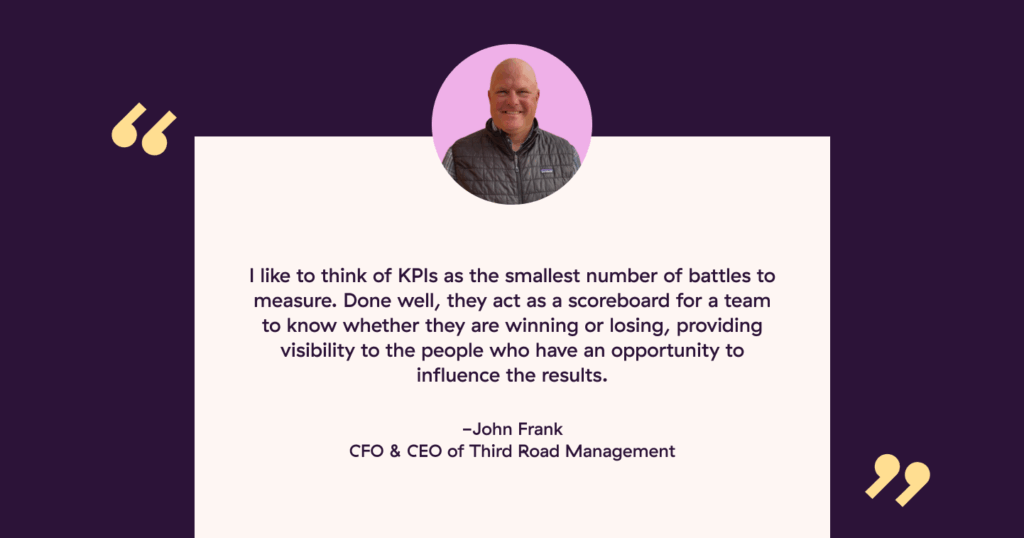
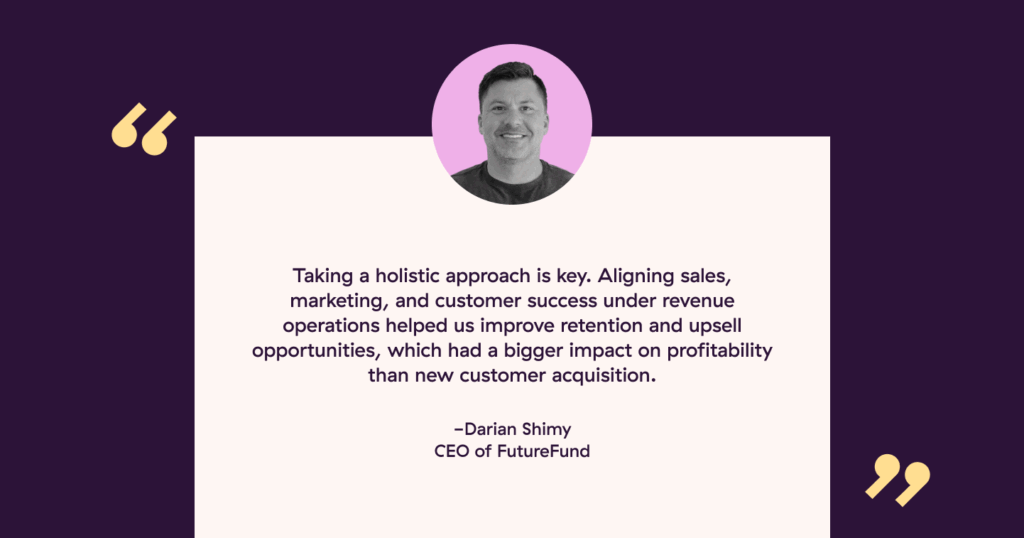





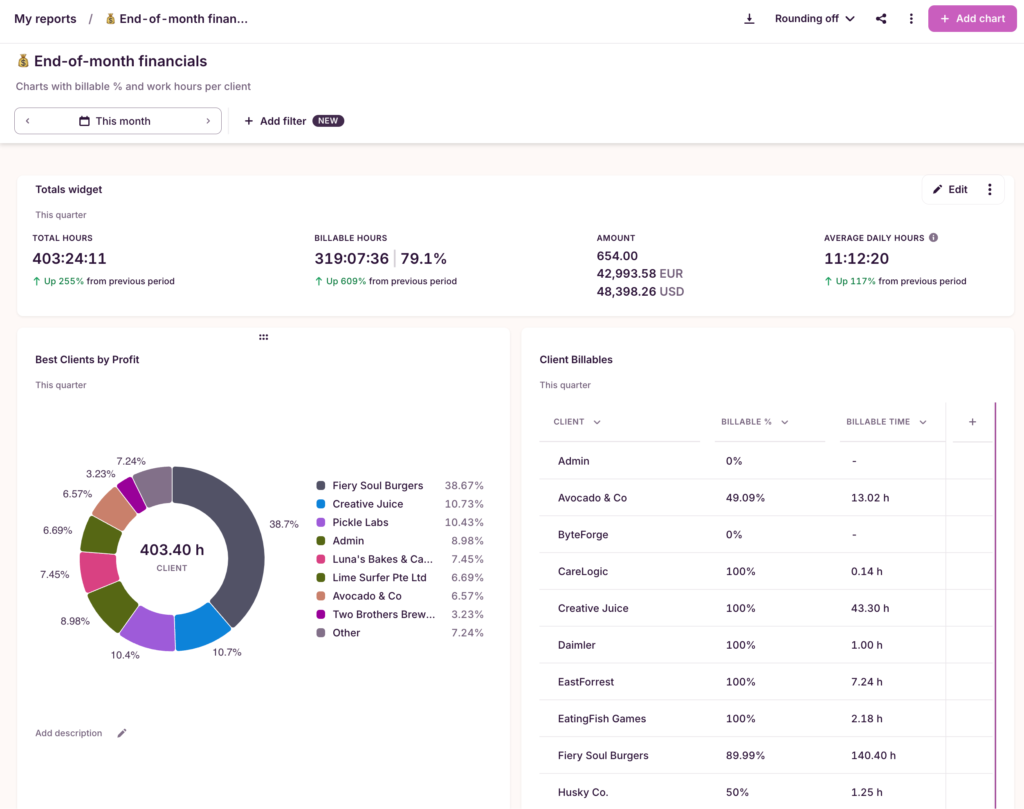



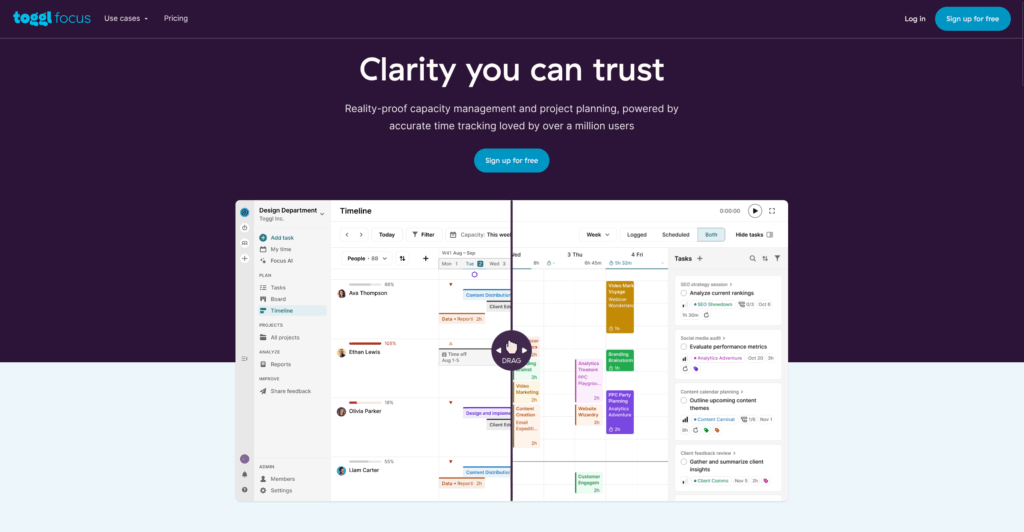









![How To Be An Effective Project Manager [6 Top Tips]](https://toggl.com/blog/wp-content/uploads/2018/08/project-manager-646x404.jpg)






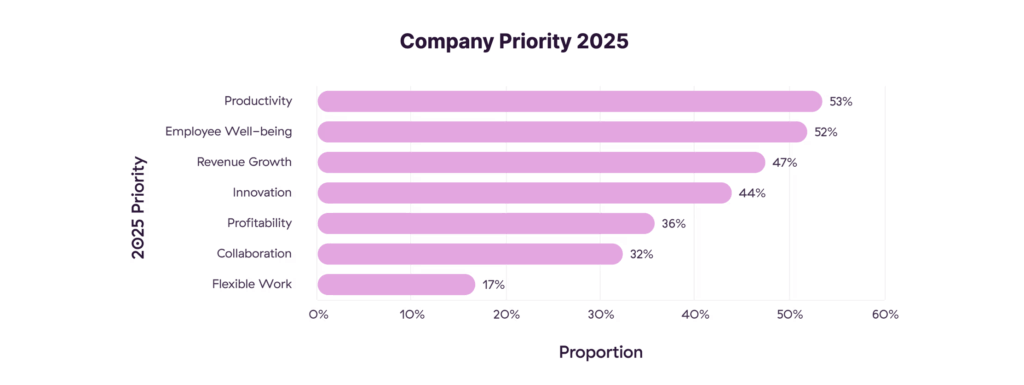



![11 Best Employee Productivity Tracker Apps [2024]](https://toggl.com/blog/wp-content/uploads/2018/08/productivity-tracker-app-646x404.jpg)